
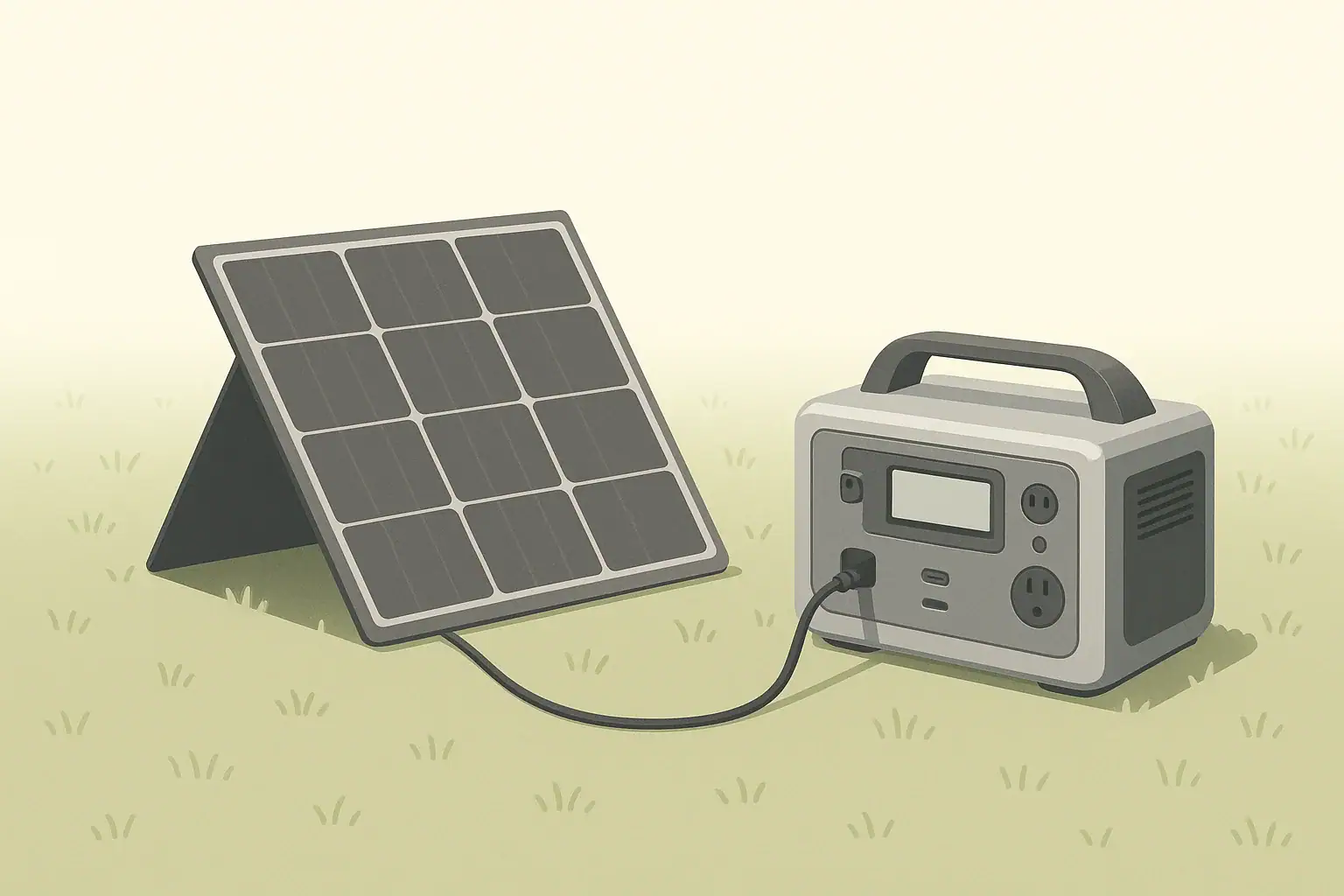
Solar panel shading and angle can easily cut your real charging speed by half or more, even with a good portable panel and power station. The way you place the panel in the sun usually matters more than the model you bought. A well-positioned panel in full sun, aimed roughly at the sun, often delivers two to three times more energy per day than the same panel left flat and partly shaded.
This guide explains how shading, tilt, and direction affect portable solar performance, and how to set up your panel so you get closer to its rated output. You will see simple rules of thumb, realistic examples, and quick checklists you can use for camping, RVs, off-grid work, or backup power at home.
The goal is not perfect math, but practical placement habits that turn limited daylight into the most watt-hours possible for your portable power station.
Why Placement Matters for Solar Charging Speed
Placement describes where and how you position a portable solar panel: whether it is shaded, how it is tilted, and which direction it faces. For small and medium panels used with portable power stations, placement is often the difference between a full battery by evening and a half-charged one.
Three main placement factors control solar charging speed in real use:
- Shading – even small moving shadows can slash output.
- Angle (tilt) – how steeply the panel is leaned relative to the sun.
- Direction – which way the panel faces across the sky.
Because portable setups usually rely on just one or a few panels, every watt counts. A 100-watt panel will rarely deliver 100 watts in the field, but good placement can keep you closer to 60–80 watts at midday instead of 20–30 watts. Over a full day, that difference can mean hundreds of watt-hours of extra energy for lights, laptops, small fridges, and communication gear.
How Shading, Angle, and Direction Actually Affect Output
To manage expectations and plan charging time, it helps to understand what is happening inside the panel and how the sun’s path changes the light hitting it.
Why small shadows cause big power losses
A typical portable solar panel is made of many small solar cells wired together. When one cell in a series string is shaded, it can limit the current for that entire string, much like a kink in a hose limits water flow. Many panels include bypass diodes to route around shaded sections, but they cannot fully remove the loss.
In practice, this means:
- A narrow shadow from a branch across one part of the panel can drop output far below half of the clear-sun value.
- Shadows that move quickly, such as from trees or railings, cause the charging power on your power station screen to jump up and down.
- Consistent full sun for a shorter time usually beats long hours of partial shade.
Why angle and direction change charging speed
Solar panels are most efficient when sunlight hits them close to perpendicular. As the sun moves across the sky, the angle between the sun’s rays and the panel changes, which changes how much light the panel can use.
- Direction (azimuth): In most of the United States, the sun is generally to the south at midday. Pointing the panel roughly south provides the best all-day compromise.
- Tilt angle: In summer, the sun is high, so a shallower tilt (panel closer to flat) works better. In winter, the sun is lower, so a steeper tilt (panel more upright) helps.
Shading, angle, and direction work together. A perfectly tilted panel in the wrong direction or under a small shadow can still perform poorly. For portable use, it is usually best to fix shade problems first, then improve tilt and direction as time allows.
Effective sun hours versus panel rating
The watt rating printed on a panel is measured in controlled test conditions: cool panel, direct overhead sun, and no shading. Real conditions are rarely that ideal. A more useful concept for planning is “effective sun hours” per day, which bundles all the variations into a single number you can use for rough estimates.
For many locations with decent weather, you might get the equivalent of 3–5 hours of strong sun per day on a well-placed panel. If your 100-watt panel averages about 60 watts during those strong hours, it might produce around 180–300 watt-hours per day. Poor placement, frequent shading, or very low winter sun can cut that in half.
Real-World Placement Examples and Daily Output
Seeing how placement changes real charging speed makes it easier to decide where to set your panel and how much effort to put into repositioning it.
Example: 100 W panel in different placements
The table below shows approximate daytime energy a 100-watt portable panel might collect in various placement scenarios. These are rough, illustrative numbers, not guarantees.
| Placement scenario | Conditions summary | Approx. midday power | Approx. daily energy |
|---|---|---|---|
| Ideal field placement | Full sun, aimed south, tilted toward sun, no shade | 60–80 W | 250–350 Wh |
| Good but not perfect | Full sun, reasonable tilt, small direction error | 40–60 W | 180–280 Wh |
| Flat on ground or roof | Full sun, no tilt, some heat buildup | 30–50 W | 140–220 Wh |
| Light partial shade | Thin tree branches or railing shadows part of day | 15–40 W | 80–180 Wh |
| Heavy shade or overcast | Dense clouds or frequent solid shadows | 5–20 W | 30–100 Wh |
If your power station has a 500 watt-hour battery, that same 100-watt panel might refill half or more of the battery in a day with ideal placement, or only a small fraction with poor placement. Scaling up to larger panels works similarly: better placement multiplies the value of every watt you carry.
Example: adjusting angle during the day
Consider a camping trip in late spring with a clear sky and a 200-watt folding panel:
- No adjustment: Panel leaned at a medium angle facing roughly south all day might average around 90–120 watts during strong sun, for perhaps 400–600 watt-hours.
- Two or three adjustments: Quickly re-aiming the panel mid-morning, midday, and mid-afternoon can keep it closer to 120–150 watts in strong sun, raising daily energy into the 600–800 watt-hour range.
Those extra watt-hours could cover a small 12-volt fridge plus phone and laptop charging instead of only the basics.
Scenario-based placement tips
- Open-field camping: Place the panel several feet away from tents or vehicles, tilted toward the southern sky. Mark the spot and plan one or two quick repositionings as shadows move.
- Forest or wooded sites: Look for small openings such as parking clearings or trail edges. You may need to place the panel away from the tent and run a cable back, while keeping cables visible and out of walkways.
- RV or van parking: Roof-mounted panels are often fixed, so focus on parking where the roof sees as much open sky as possible. A portable ground panel can be aimed more precisely to supplement the roof array when parked.
- Balcony or patio use: Railings and nearby walls can cast sharp, moving shadows. Elevate the panel slightly above the railing if possible and angle it so the entire surface stays clear of shadows during the strongest sun hours.
Common Placement Mistakes and How to Troubleshoot Them
Many portable solar problems are caused by placement rather than defective hardware. Recognizing the patterns on your power station’s display can help you fix issues quickly.
Visual and power-output clues
Use these simple checks when your solar charging speed seems low:
- Is the panel truly in full sun? Look for thin lines of shade from branches, ropes, antennas, or railings across any part of the panel.
- Is the power reading stable? Rapid jumps up and down often mean moving shade or intermittent cable connections.
- Is the panel hot to the touch? Very hot panels lose efficiency; you may notice lower watts around midday on dark surfaces.
- Is the power station limiting input? If the display shows the same wattage regardless of stronger sun, you may already be at the input limit.
Common mistakes that slow solar charging
| Mistake | Typical symptom | Likely impact on output | Quick fix |
|---|---|---|---|
| Panel partly shaded by tree or railing | Power reading swings or stays far below expected | Loss of 30–80% or more | Move panel a few feet into clear, open sun |
| Panel laid flat on hot roof or ground | Power lower at midday than in cooler morning | Loss of 10–25% from heat and angle | Tilt panel up to allow airflow and better angle |
| Panel facing wrong direction | Good power only briefly, then sharp drop | Loss of 20–50% over the day | Rotate panel roughly toward the southern sky |
| Dirty or dusty panel surface | Output slowly declines over days or weeks | Loss of 5–15% depending on buildup | Wipe gently with a soft, clean cloth |
| Very long, thin extension cable | Panel voltage and power lower than expected | Loss of 5–20% from voltage drop | Use shorter or thicker cable where possible |
| Power station input already maxed out | Watts stay capped even in perfect sun | Extra panel capacity not used | Check input rating; add more panels only if useful |
Simple step-by-step troubleshooting routine
- Check shade: Walk around the panel and look for any shadow lines. Move the panel until the surface is completely sunlit.
- Check angle and direction: Tilt the panel so it faces the sun as directly as practical, then rotate it so its front points toward the brightest part of the sky.
- Check cables and connectors: Make sure connectors are fully seated, not bent, and not under tension. Avoid tight door gaps or sharp bends.
- Check panel surface: If visibly dusty, gently wipe it clean.
- Check power station limits: Compare the displayed solar input to the station’s solar input rating. If they match, you are likely at the limit.
Working through these steps in order will solve most “slow charging” complaints without needing tools or measurements.
Safety Basics for Portable Solar and Power Stations
Maximizing solar charging speed should never come at the cost of safety. Good placement also means protecting people, equipment, and surroundings.
Safe placement of the power station
Place the portable power station where it can stay dry, cool, and stable:
- Set it on a flat, solid surface away from puddles and wet ground.
- Keep vents clear on all sides so internal fans can move air freely.
- Shelter it from direct rain, snow, and blowing dust.
- Avoid placing it where people are likely to trip over cables or bump into it.
Do not open the power station or attempt to access internal batteries. Use only the external ports and follow the manufacturer’s instructions for maximum loads and charging methods.
Safe routing and handling of solar cables
Cables connect the panel to the power station and can introduce safety issues if routed carelessly:
- Route cables along edges or behind objects instead of across walkways.
- Avoid pinching cables under heavy doors, windows, or sharp metal edges.
- Do not drive vehicles over cables or run them where wheels or chairs roll frequently.
- Inspect connectors for moisture, dirt, or damage before use and after transport.
Weather and wind considerations
Portable panels are light and can act like sails in gusty wind:
- Use built-in kickstands correctly and add weight at the base if wind is expected.
- Avoid placing panels near edges where a fall could damage the panel or injure someone below.
- In severe weather, fold and store the panel rather than trying to keep it deployed.
For home backup use, do not attempt to wire a portable power station directly into a household electrical panel unless a qualified electrician installs appropriate transfer equipment. Instead, power devices directly from the power station’s outlets and ports.
Maintenance and Long-Term Use for Reliable Output
Good maintenance keeps your portable solar panel and power station performing closer to their original ratings over many seasons. Shading and angle are daily concerns, while maintenance habits protect performance over the long term.
Keeping panels clean and clear
Dust, pollen, salt spray, and fingerprints gradually reduce light reaching the cells. On small panels, even a modest buildup can take away a noticeable share of output.
- Wipe the panel periodically with a soft, non-abrasive cloth.
- If needed, lightly dampen the cloth with clean water and avoid harsh cleaners.
- Remove bird droppings or sticky residue as soon as practical to avoid staining.
Protecting panels in transport and storage
Portable panels are designed to fold and travel, but they still contain fragile cells and wiring. Cracks and impact damage can quietly reduce output.
- Fold panels fully before transport and use protective sleeves or cases if provided.
- Avoid stacking heavy gear directly on top of the folded panel.
- Store panels in a dry place away from sharp objects and extreme temperatures.
Maintaining cables and connectors
Over time, repeated bending and exposure can wear cables and connectors, causing hidden resistance or intermittent connections that look like shading problems.
- Coil cables loosely without tight kinks and secure them so they do not snag.
- Inspect plug ends for corrosion, bent pins, or cracked housings.
- Replace damaged cables promptly rather than fighting unreliable charging.
Storing the power station
For long-term reliability, store the power station according to its manual, typically:
- In a cool, dry location away from direct sun and heat sources.
- At a partial state of charge instead of completely full or empty if unused for months.
- With periodic top-ups according to the manufacturer’s guidance to keep the battery healthy.
Practical Takeaways and Specs to Look For
Putting everything together, you can treat shading and angle as tools you actively manage rather than background conditions you accept. A few minutes of careful placement each day can be worth carrying an extra panel.
For everyday use with portable power stations, remember these core habits:
- Place panels where they see full, unobstructed sun for as many hours as possible.
- Face panels roughly toward the southern sky (in the U.S.) and tilt them toward the sun.
- Check for moving shadows every hour or so when practical, especially near trees or structures.
- Keep panels clean, cool, and well ventilated, and route cables safely.
- Plan based on realistic daily energy, not just the nameplate watt rating.
Specs to look for when choosing portable solar for better placement flexibility
Certain panel and system features make it easier to avoid shading and optimize angle, even if you are not an expert in solar design. When comparing portable panels for a power station, consider:
- Panel wattage and size: Higher wattage within a manageable size lets you collect more energy when placement is good.
- Adjustable kickstands or frames: Multiple tilt positions help you aim the panel toward the sun without extra hardware.
- Durable, foldable design: Sturdy hinges and handles make it easier to move the panel to better sun throughout the day.
- Cable length and connector options: A reasonable cable length lets you place the panel in sun while keeping the power station in shade and protected.
- Weather resistance: Panels with good environmental sealing tolerate outdoor placement and light rain better.
- Clear watt and voltage labeling: Easy-to-read specs help you match panels to your power station’s solar input rating without guesswork.
By combining thoughtful placement with suitable hardware, you can get more usable energy each day from the same amount of portable solar capacity, making your power station a more reliable partner for camping, travel, work, and backup power.
Frequently asked questions
Which specs and features matter most when choosing a portable solar panel for flexible placement?
Prioritize wattage relative to the panel size you can carry, adjustable kickstands or mounting options for aiming, and a durable foldable design for easy repositioning. Also check reasonable cable length, weather resistance, and clear voltage/watt labeling so the panel matches your power station’s input.
What is a common placement mistake that causes a big drop in charging speed?
Partial or moving shade across even a small part of the panel is the most common mistake and can reduce output dramatically. If you see power readings that swing or stay far below expectations, move the panel a few feet to a fully sunlit spot first.
What basic safety precautions should I follow when using portable solar panels and a power station?
Keep the power station dry, on a flat stable surface, and with vents clear; route cables to avoid trip hazards and pinching; and secure panels against wind. Do not open internal battery compartments and follow the manufacturer’s limits for inputs and outputs.
How often should I adjust my panel angle during the day to get noticeably more energy?
One or two quick re-aimings (morning and early afternoon) often deliver most of the practical benefit for portable setups, while continuous tracking offers diminishing returns for the effort. On trips where you can comfortably reposition, three adjustments (mid-morning, noon, mid-afternoon) can increase daily output meaningfully.
Can dirt, bird droppings, or heat really reduce output and by how much?
Yes. Moderate dust or grime typically cuts a few percent up to around 10–15% on small panels, while heavy soiling and bird droppings can cause larger losses. High panel temperatures at midday can also reduce efficiency, often in the 10–25% range compared with cooler conditions.
Will long or thin extension cables affect charging speed?
Long thin cables can cause voltage drop and lower the power reaching your power station, sometimes by a few percent up to around 20% in extreme cases. Use the shortest practical run and thicker-gauge cable if you need longer distances to minimize losses.
Related guides
Browse this topic →
- Beginner-friendly sizing, runtime & specs
- Solar & charging (MPPT, fast charging, cables)
- Batteries (LiFePO4, cycles, care & storage)
- Safety, cold-weather performance, real-world tips
More in Solar
See all →- How to Clean Portable Solar Panels Without Damage
- Solar Charging on Cloudy Days: What Output Can a Portable Power Station Expect?
- How Many Portable Solar Panels Do You Need for a 1,000Wh Power Station?
- Solar Adapter Polarity Mistakes: How to Avoid Reverse-Polarity Charging Problems
- Portable Solar Panel Waterproof Ratings: What Rain, Dew, and Splash Resistance Mean
Keep reading
About this site
Portable Energy Lab publishes practical, independent guides about portable power—clear sizing, safe use, and real-world expectations.
Affiliate disclosure
Some links on this site may be affiliate links. If you buy through these links, we may earn a small commission at no extra cost to you. This helps support our content. Read our affiliate disclosure.