
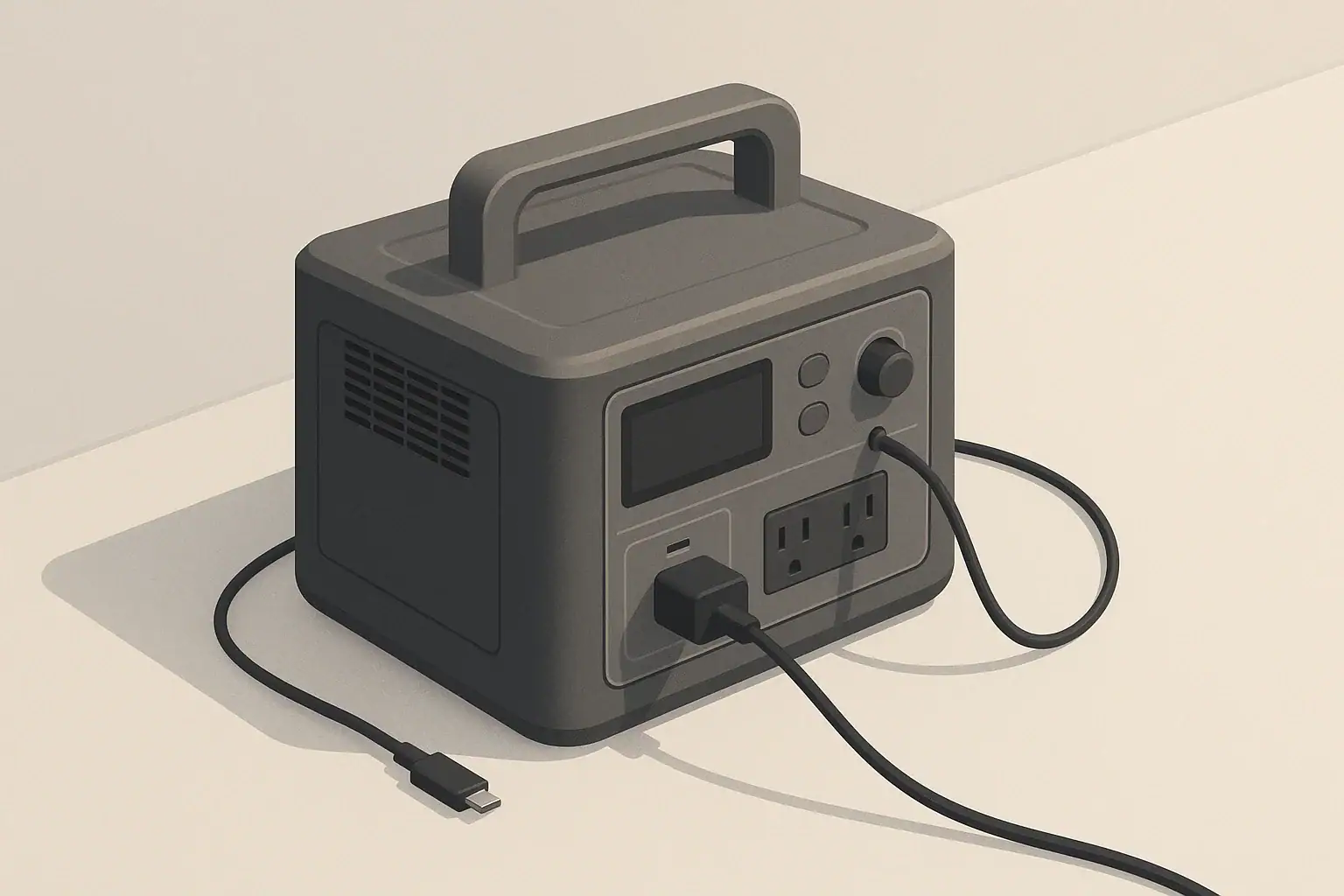
Your portable power station usually turns off by itself because built-in protection or auto-shutoff features detect something outside safe limits, not because the unit is broken. These protections watch battery level, temperature, output load, and idle time, then cut power to prevent damage or unsafe operation. Understanding what your station is trying to protect against makes it much easier to stop the random shutoffs.
This guide explains how power station auto shutoff works, why it matters for battery health and safety, and what to check when your AC, DC, or USB outputs suddenly go dark. You will see real examples, common mistakes, and simple troubleshooting steps you can use at home, in an RV, or during a power outage.
What Auto-Shutoff Means and Why Your Power Station Uses It
Auto-shutoff is a set of automatic protections that turn your portable power station off when something falls outside the safe operating window. Instead of letting the battery over-discharge, the inverter overload, or internal parts overheat, the control system cuts power and often shows a warning icon or beeps.
In practical terms, auto-shutoff helps you:
- Protect the battery from deep discharge and overcharging
- Prevent overload when you plug in too many watts at once
- Avoid damage from high internal temperature or charging in freezing conditions
- Reduce wasted energy when nothing is really drawing power
Most shutdowns that seem random fall into a few predictable categories: low battery, overload, temperature, idle timeout, or unstable charging input. Once you match the behavior to one of these patterns, you can usually fix the cause instead of fighting the symptoms.
Key Auto-Shutoff Protections and How They Work
Inside a power station, the battery management system (BMS), inverter, and control board all watch different limits. Each one can trigger an automatic shutdown or turn off only part of the unit (for example, AC only).
Low-Battery and Deep-Discharge Protection
When the battery voltage drops too low, the BMS shuts the unit down to avoid deep discharge. This is normal behavior, even if the display still shows a few percent remaining.
Typical signs of low-battery protection include:
- The state-of-charge indicator is near empty when the unit turns off
- Run time becomes much shorter than usual at the end of the charge
- The station can run a phone charger briefly but shuts off with larger devices
After a low-voltage shutdown, most units need a full recharge before they behave normally again, especially under heavier loads.
Overload and Surge Protection
Every power station has a maximum continuous watt rating and a higher short surge rating. If the total draw from your devices exceeds either limit, the inverter shuts down to protect itself.
Common overload triggers include:
- Turning on a space heater, hair dryer, or hot plate
- Running several small devices at once on a compact unit
- Starting appliances with motors or compressors that have high surge current
In many designs, only the AC output turns off. You usually need to unplug some loads, wait a moment, and press the AC button again to restore power.
Temperature Protection (Too Hot or Too Cold)
Internal temperature sensors monitor both the battery and electronics. If temperatures go beyond safe limits, the station will reduce power or shut down.
- Overheating: Often caused by high-wattage loads in a hot room, blocked vents, or use inside a parked vehicle in the sun.
- Cold conditions: Many units restrict or block charging below a certain temperature, even if they still allow discharging.
If the fan runs hard, the case feels hot, and then the unit shuts off, temperature protection is likely working as designed.
Idle, No-Load, and Minimum-Load Shutoff
To avoid wasting energy, many power stations turn off their AC inverter after a period of very light or no load. Some also apply timers to DC or USB outputs.
- AC may shut off after a set number of minutes if the load is below a detection threshold.
- Very small devices, such as a single router or low-power LED, may not be enough to keep AC awake.
- The main unit may stay on, or it may enter a low-power sleep mode.
On models that allow settings changes, this behavior may be labeled as an eco mode, power-saving mode, or similar.
Input and Charging Protections
Auto-shutoff also applies to charging inputs. The station will limit or stop charging if:
- The wall, vehicle, or solar input exceeds the rated current or voltage
- Input voltage drops too low, such as from a weak vehicle outlet
- The battery is too hot or too cold to charge safely
When this happens, you may see charging start and stop repeatedly, or the unit may refuse to enter pass-through mode with heavy loads attached.
| Observed behavior | Likely protection | What to check first |
|---|---|---|
| Shuts off at low battery, runs briefly with tiny loads only | Low-voltage / deep-discharge protection | Fully recharge, then retest with a modest load |
| Turns off instantly when a big appliance starts | Overload or surge protection | Compare appliance watts to inverter continuous and surge ratings |
| Runs for a while, fan gets loud, then shuts down | Over-temperature protection | Ventilation, ambient temperature, and load level |
| AC cuts out every 15–30 minutes with tiny loads | Idle timer / minimum-load detection | Try a slightly higher load or use DC/USB instead of AC |
| Charging starts and stops repeatedly from car or solar | Input voltage or current protection | Cable length and gauge, vehicle voltage, solar shading |
Real-World Shutdown Scenarios and How to Read Them
Looking at concrete scenarios makes it easier to connect a shutdown to the protection that caused it. Below are common patterns you might see in daily use.
Example 1: Power Station Shuts Off When a Space Heater Turns On
A compact power station rated for 500 watts continuous is powering a laptop (80 W) and a light (20 W). You plug in a 1000 W space heater. The heater clicks on, and the station shuts off instantly with a beep.
- What happened: The heater alone exceeds the inverter rating, and the startup surge is even higher.
- What to do: Do not run resistive heaters from small or mid-size power stations. Choose lower-wattage heating methods, or reserve the station for electronics and essentials.
Example 2: Fridge or Compressor Causes Intermittent Shutdowns
A mid-size station runs a compact fridge. It works for hours, then occasionally shuts off right when the compressor starts.
- What happened: The running watts fit within the rating, but the compressor surge sometimes pushes the inverter over its short-term limit.
- What to do: Avoid running other heavy loads on the same station, and consider a unit with more surge capacity if a fridge is a priority load.
Example 3: Router or Modem Turns Off Every Hour
A small router is plugged into AC and draws around 10 W. The station turns off the AC output after 20–60 minutes, even though the battery is mostly full.
- What happened: The load is below the AC minimum-detect threshold or hits an idle timer.
- What to do: Use a DC output with the correct adapter if available, or add a modest second load (such as an LED light) so the inverter sees enough draw.
Example 4: Car Charging Starts Then Stops
Your station charges from a 12 V vehicle outlet while driving. After a while, the charge indicator stops, then restarts later, sometimes cycling repeatedly.
- What happened: Voltage drop from long or thin wiring, or a current limit in the vehicle outlet, is causing the input to fall below the station’s required range.
- What to do: Use shorter, heavier-gauge cables where possible and keep the engine running when charging from a vehicle outlet, within the vehicle manufacturer’s guidance.
Example 5: Shutdown While Using Pass-Through Power
The station is plugged into the wall and powering a TV, game console, and lights. When someone adds a high-wattage device, the AC output shuts off, even though the battery is charging.
- What happened: The combined input and output exceeded internal limits. Some designs prioritize battery protection and cut AC output first.
- What to do: Treat the output rating as a hard limit even while plugged in. Reduce the number of high-wattage devices during pass-through use.
| Device type | Typical running watts | Likely interaction with protections |
|---|---|---|
| Phone charger | 5–15 W | May be too small to keep AC awake; better on USB/DC ports |
| Wi‑Fi router or modem | 5–20 W | Often triggers idle shutoff on AC; may run for hours on DC |
| Laptop plus monitor | 70–150 W combined | Comfortable for mid-size units; watch for long-term heat buildup |
| Compact fridge | 40–150 W running | Startup surge can trip overload on smaller inverters |
| Microwave oven | 700–1200 W | Short, heavy bursts; can hit both overload and temperature limits |
| Space heater | 500–1500 W | Frequently exceeds inverter limits and drains battery very quickly |
Common Mistakes and Troubleshooting When Your Station Keeps Turning Off
Many frustrating shutdowns come from a few repeating mistakes. Using a simple troubleshooting approach can help you narrow down the cause quickly.
Mistake 1: Ignoring Surge Watts and Only Reading Running Watts
Users often check the appliance label, see a number below the inverter rating, and assume it will work. But motors, compressors, and some electronics can briefly draw two to three times their running watts when starting.
- Troubleshooting cue: The station shuts off right when a device starts, not after it has been running for a while.
- Fix: Treat motor-driven devices as higher than their label suggests, or test them one at a time on a larger inverter.
Mistake 2: Overloading With Many Small Devices
Individually small loads can add up quickly. A laptop, monitor, fan, and a few chargers can easily exceed a few hundred watts.
- Troubleshooting cue: The station works until you plug in the last device, then shuts off.
- Fix: Add up estimated watts for everything you plan to run at once and stay comfortably below the inverter’s continuous rating.
Mistake 3: Assuming a Full Battery Means Unlimited Output
A full battery does not change the inverter’s watt limit or the temperature limits. Even at 100%, an overload or overheating event will still shut the system down.
- Troubleshooting cue: Battery gauge is high, but the unit still cuts out with heavy loads.
- Fix: Separate “how long it can run” (capacity) from “how much it can power at once” (inverter watts).
Mistake 4: Blocking Vents or Using the Station in Enclosed Spaces
Stacking gear on top of the station, placing it on soft bedding, or tucking it into a tight cabinet can trap heat and trigger thermal shutdowns.
- Troubleshooting cue: The fan runs steadily, the case feels hot, and shutdowns happen sooner under the same load.
- Fix: Move the unit to a hard, flat surface with several inches of clearance around vents.
Mistake 5: Using Damaged or Undersized Cables
Frayed, kinked, or very thin cables can cause voltage drops, heat, or intermittent connections, which may trigger input or output protections.
- Troubleshooting cue: Wiggling a plug or cable starts or stops charging, or certain ports shut off repeatedly.
- Fix: Replace questionable cables and avoid long runs of thin wire for DC or solar connections.
Mistake 6: Misreading Normal Protection as a Fault
Sometimes users assume the station is defective when it is simply doing what it is designed to do.
- Typical “normal” pattern: Shutdowns are repeatable under the same conditions and clear after reducing load, cooling the unit, or recharging the battery.
- Possible fault pattern: Random shutdowns with tiny loads, erratic battery readings, physical swelling, or persistent error codes.
When to Stop Troubleshooting and Seek Service
If you notice strong odors, visible damage, swelling of the case, or outputs that will not turn back on after basic checks (load reduction, cooling, full recharge), stop using the unit. Internal batteries store significant energy, and forcing a damaged system to run can be hazardous. In those cases, professional inspection is safer than DIY repair attempts.
Safety Basics Around Power Station Auto-Shutoff
Auto-shutoff improves safety, but how you use the power station still matters. A few high-level practices help keep both people and equipment safer.
Safe Use of AC, DC, and USB Outputs
- Keep total AC load within the continuous watt rating, not just the surge rating.
- Use properly rated extension cords and avoid daisy-chaining multiple power strips.
- Match DC output voltage and polarity to the device you are powering.
- Do not exceed the current rating of any single DC or USB port.
Placement and Ventilation Safety
- Operate the station on a stable, dry surface away from flammable materials.
- Keep vents clear and avoid covering the unit with blankets, clothing, or bags.
- Do not use the station in standing water, heavy rain, or extremely humid environments unless it is specifically designed for that level of protection.
Home Backup and Circuit Safety
Some users consider powering home circuits during outages. This introduces additional safety concerns beyond normal portable use.
- Do not backfeed household wiring by plugging the station into an outlet.
- Use a properly installed transfer switch or inlet if you plan to power home circuits, and have that work done by a qualified electrician.
- For temporary use, powering individual appliances directly with appropriately rated cords is generally safer than improvised panel connections.
Battery and Fire Safety
- Keep the station away from open flames, high heat sources, and combustible materials.
- If you notice swelling, smoke, unusual heat when idle, or a strong chemical smell, move people away from the area and follow the manufacturer’s safety guidance.
- Do not open the case or attempt to bypass fuses or internal protections.
Battery Health, Storage, and Long-Term Reliability
How you store and maintain a portable power station affects both its capacity and how predictably its protections behave over time.
Charge Level and Storage Practices
Extended deep discharge and extreme temperatures can age the battery faster and make low-voltage shutdowns more frequent.
- Avoid leaving the station fully drained for long periods.
- Store it in a cool, dry place within the recommended temperature range.
- Recharge to a moderate level before long-term storage and top up periodically as recommended by the manufacturer.
Exercising the Battery Periodically
Occasional use keeps both the battery and electronics in active service. A simple routine might be:
- Every few months, discharge the station with light to moderate loads.
- Observe run time and any early shutdowns that might indicate aging or imbalance.
- Recharge fully and confirm that protections reset normally.
Watching for Early Warning Signs
Subtle changes in behavior can signal that maintenance or service may be needed in the future.
- Noticeably shorter run time with the same loads.
- Frequent low-voltage shutdowns even when the gauge shows moderate charge.
- Fans running harder than before at the same power level.
Tracking these patterns helps you decide when to adjust your expectations, reduce heavy loads, or plan for eventual replacement.
| Habit | Effect on battery and protections | What you are likely to notice |
|---|---|---|
| Storing mostly charged, in a cool place | Slower capacity loss and more stable voltage | Predictable run time and fewer surprise low-voltage shutoffs |
| Frequently draining to 0% and leaving it empty | Accelerated battery wear | Earlier low-battery cutoffs and shrinking usable capacity |
| Using heavy loads in hot environments | More thermal stress on cells and inverter | More frequent temperature-related shutdowns over time |
| Periodic moderate discharge and recharge cycles | Helps keep gauges and protections calibrated | Battery indicator and actual run time stay more closely aligned |
| Keeping vents clean and unobstructed | Improved cooling efficiency | Quieter fan operation and fewer heat-triggered cutoffs |
Practical Takeaways and Specs to Look For
Once you understand why auto-shutoff happens, you can choose and use a power station in ways that minimize surprise shutdowns.
Key Practical Habits
- Match your most important devices to the station’s realistic continuous and surge watt ratings.
- Use AC only for devices that truly require it; favor DC and USB ports for small electronics.
- Give the unit space to breathe and avoid high-heat or freezing conditions when possible.
- Plan for how long you need power, not just how many devices you can plug in at once.
Specs to Look For When You Care About Auto-Shutoff Behavior
When comparing power stations, certain specifications and design details give clues about how they will behave under real use.
- Battery capacity (Wh): Determines how long you can run your chosen loads before low-voltage protection kicks in.
- Continuous AC output (W): The total wattage you can draw steadily without overload shutdown.
- Surge or peak output (W): Important if you plan to run fridges, tools, or other motor-driven devices.
- Number and type of AC outlets: Helps you avoid overloading a single outlet or relying on too many power strips.
- DC and USB output ratings: Look at both the number of ports and the maximum current per port for phones, tablets, and laptops.
- Idle / eco mode behavior: Check whether AC idle timers can be adjusted or disabled if you need always-on power for low-wattage devices.
- Operating temperature range: Relevant for use in hot vehicles, cold garages, or outdoor environments.
- Charging input limits: Understand how fast it can recharge from wall, vehicle, or solar, and how that interacts with pass-through use.
- Display and indicators: Clear wattage, temperature, and error codes make it easier to see which protection is triggering a shutdown.
By matching these specs to your real-world loads and environment, you can choose a portable power station that not only avoids unexpected auto-shutoffs but also delivers predictable, reliable power when you need it most.
Frequently asked questions
Which specifications and features should I check to reduce the chance of auto‑shutoff?
Look at battery capacity (Wh) for run time, continuous AC output (W) and surge/peak output for handling starting loads, and per‑port DC/USB current ratings. Also check idle or eco mode settings, the operating temperature range, and charging input limits so the unit fits your real use case.
Can multiple small devices plugged in together cause an auto‑shutoff?
Yes. Small loads add up and can exceed the station’s continuous watt rating even if each device seems minor on its own. Add estimated watts for everything you plan to run and leave headroom below the continuous rating to avoid overload shutdowns.
Why might a station shut off even when the display still shows charge remaining?
Displays can show remaining capacity while protections still trigger for reasons like inverter limits, thermal cutoffs, or minimum‑load timers. If you see this, check the actual load, feel for heat, and review any error indicators before assuming the battery is the sole cause.
Are auto‑shutoff events indicators of a safety feature or a sign the unit is faulty?
Most auto‑shutoffs are intentional safety actions by the BMS or inverter to prevent damage or unsafe conditions. However, repeated random shutdowns, physical swelling, persistent error codes, or unusual smells suggest a fault and warrant stopping use and seeking professional service.
How can I stop idle timeout from cutting power to low‑wattage devices like routers?
Either use a DC or USB port for low‑power electronics if available, add a small continuous load so the inverter detects activity, or disable/adjust eco mode if the model allows it. Consult the manual for specific settings and recommended minimum loads.
What should I do immediately if I notice swelling, smoke, or the unit won’t restart?
Stop using the station, move people away from the area, and follow the manufacturer’s emergency guidance; do not open the case or try to force it to operate. Seek professional inspection or authorized service and avoid charging or discharging a visibly damaged battery.
Related guides
Browse this topic →
- Beginner-friendly sizing, runtime & specs
- Solar & charging (MPPT, fast charging, cables)
- Batteries (LiFePO4, cycles, care & storage)
- Safety, cold-weather performance, real-world tips
More in FAQ
See all →- Why Does My Portable Power Station Show 0W Even When Something Is Plugged In?
- What Happens When a Portable Power Station Is Overloaded?
- Can a Portable Power Station Run Multiple Appliances at Once?
- Can You Use a Portable Power Station in a Dorm Room?
- Portable Power Station Error Codes: What Common Warnings Mean
Keep reading
About this site
Portable Energy Lab publishes practical, independent guides about portable power—clear sizing, safe use, and real-world expectations.
Affiliate disclosure
Some links on this site may be affiliate links. If you buy through these links, we may earn a small commission at no extra cost to you. This helps support our content. Read our affiliate disclosure.