
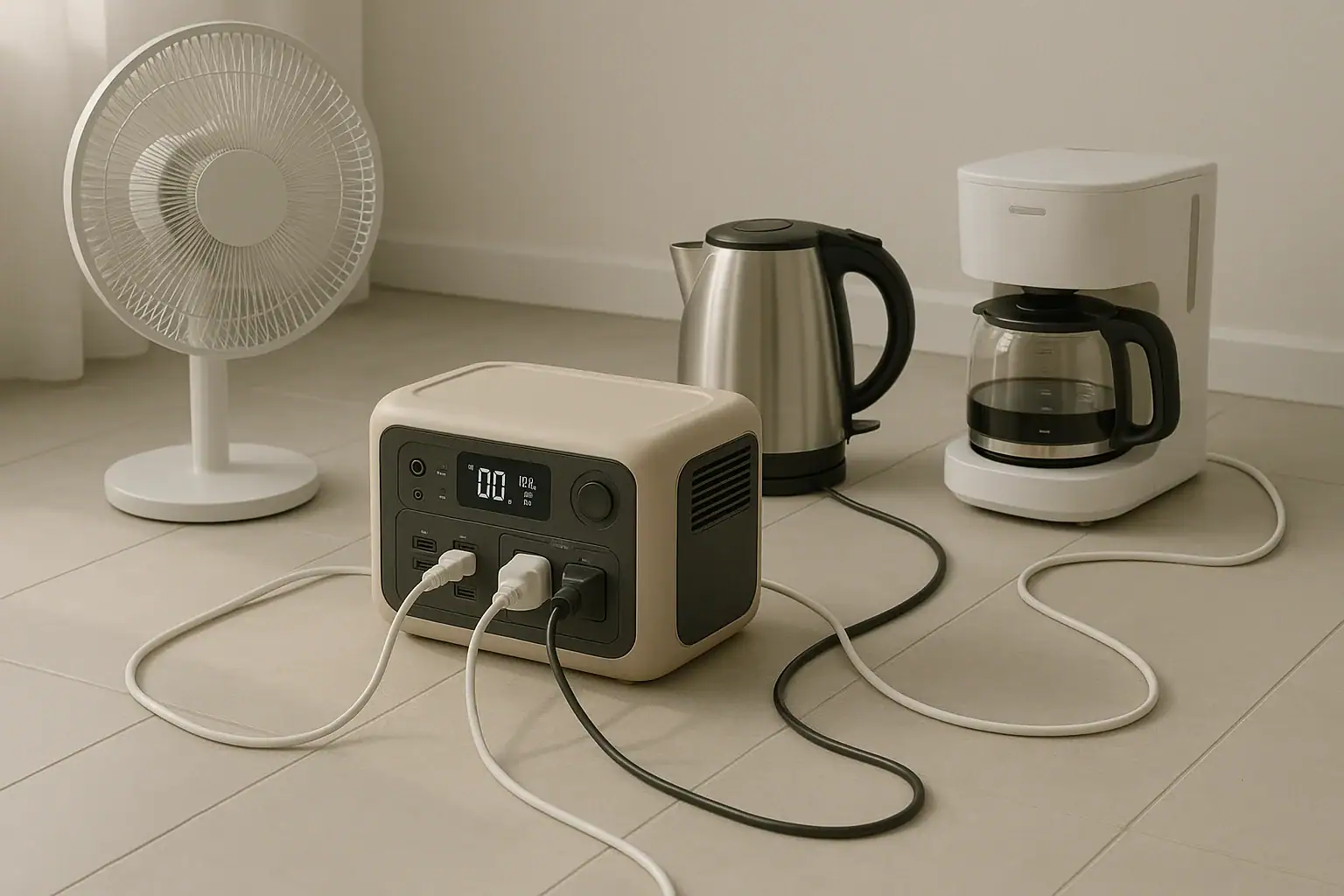
Yes, a portable power station can run multiple appliances at once if their combined power demand stays within the unit’s output limits.
The main things to check are continuous watts, surge watts, battery capacity, outlet type, and expected runtime. A small power station may run phones, lights, and a laptop together, while a larger one may handle a refrigerator, router, fan, or medical device. The number of outlets is not the same as the amount of usable power.
Most problems happen when the total load is too high, when an appliance has a high startup surge, or when the battery is too small for the desired runtime. Understanding how watts, watt-hours, AC output, USB-C PD profile, and inverter limits work will help you decide what can run safely and for how long.
What It Means to Run Multiple Appliances at Once
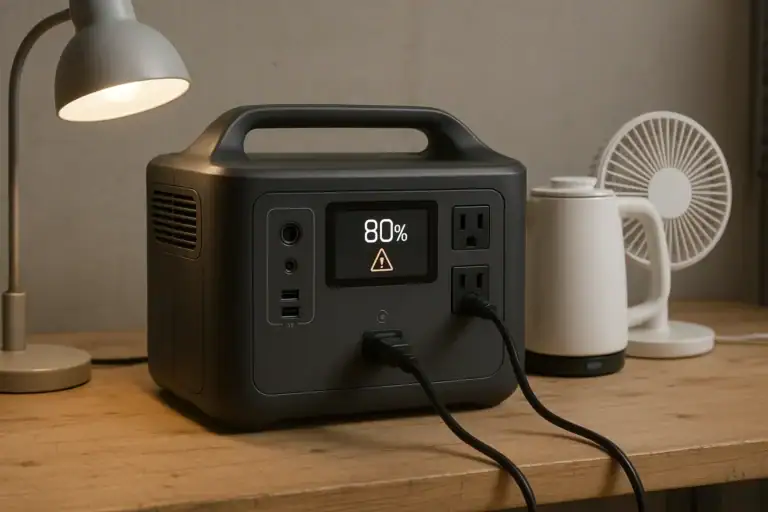
Running multiple appliances at once means the portable power station is supplying power to more than one device at the same time. Those devices may be connected through AC outlets, USB ports, DC ports, or a combination of outputs. The power station must be able to support the combined electrical demand of all connected items.
This matters because every power station has limits. The most important limit for simultaneous use is the continuous output rating, usually shown in watts. If a power station is rated for 600 watts of continuous AC output, the connected AC appliances should normally add up to less than that. Leaving extra headroom is wise because many devices briefly draw more power when they start, cycle, heat, cool, or operate under load.
It is also important to separate power from energy. Power, measured in watts, tells you how much load the station can handle at a moment. Energy, often listed as watt-hours, tells you how much stored electricity is available. A power station may be strong enough to start several appliances but may not run them for very long if the battery capacity is modest.
The Key Limits That Decide Whether It Works
The first limit is continuous wattage. Add the running watts of every appliance you want to use at the same time. If the total is higher than the power station’s continuous output, the unit may shut down, sound an alarm, or refuse to power the load.
The second limit is surge wattage. Motors, compressors, pumps, and some heating devices can draw a short burst of power when they start. Refrigerators, freezers, power tools, blenders, and air conditioners are common examples. A power station with enough running watts can still overload if the startup surge is too high. For a deeper breakdown, see surge watts vs running watts.
The third limit is battery capacity. Capacity is commonly listed in watt-hours. A simple estimate is to divide usable watt-hours by the total watts being used. Real runtime is usually lower because of inverter losses, battery protection reserves, temperature, and appliance cycling.
The fourth limit is port capability. A USB-C port with a 100-watt PD profile can power many laptops, but a lower-power USB-C port may only charge phones or tablets. Similarly, DC ports and AC outlets may have separate current limits. A power station can have many ports while still sharing one overall output ceiling.
Finally, the inverter type matters for AC appliances. Many modern power stations use pure sine wave inverters, which are generally better suited for sensitive electronics, motors, and variable-speed devices than modified sine wave output.
| Load combination | Approximate running watts | What to check |
|---|---|---|
| LED light, phone, Wi-Fi router | 25 to 60 watts | USB and AC output limits, desired runtime |
| Laptop, monitor, router, lamp | 100 to 250 watts | AC wattage, USB-C PD profile, battery capacity |
| Refrigerator, router, several lights | 150 to 500 watts while running | Compressor surge watts and inverter rating |
| Coffee maker plus toaster | 1,500 to 2,500 watts | High continuous wattage and short runtime |
Real-World Examples of Appliance Combinations
A low-demand setup might include a phone, tablet, LED light, small fan, and internet router. This kind of combination often uses less power than a single kitchen appliance. The power station’s runtime may be many hours if the battery capacity is moderate and the loads stay low.
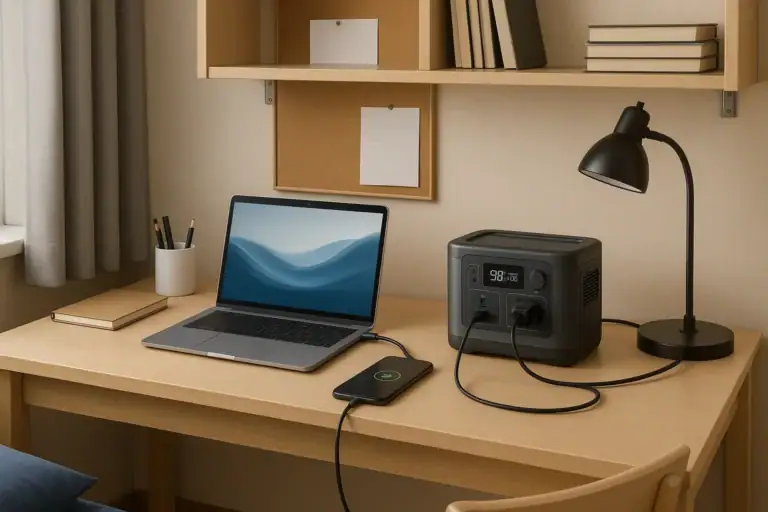
A home office setup may include a laptop, external monitor, modem, router, desk lamp, and phone charger. The total load can vary widely. A laptop charging from USB-C may draw 30 to 100 watts depending on its size and battery state. A monitor may add 20 to 80 watts. This is usually manageable for a mid-size power station, but runtime depends heavily on screen brightness, laptop workload, and battery capacity.
A food-safety setup might include a refrigerator or freezer plus a router and a few lights. The refrigerator may only use a modest amount of power while the compressor is running, but the startup surge can be several times higher. Also, refrigerators cycle on and off, so average energy use over several hours may be lower than the running wattage suggests. However, the power station still needs enough surge capacity to handle the compressor starting reliably.
A cooking setup is more demanding. Electric kettles, toasters, induction cooktops, microwaves, coffee makers, and air fryers often draw high wattage. One such appliance may be possible on a large power station, but running two at the same time can exceed the inverter rating quickly. These appliances can also drain the battery fast because they convert electricity into heat.
A mixed emergency setup should be prioritized. Instead of trying to run everything at once, many users rotate loads: refrigerator for a period, then communication devices, then lights, then a short cooking task if the station is large enough. This approach can stretch runtime and reduce overload risk.
Common Mistakes and Troubleshooting Cues
One common mistake is counting outlets instead of watts. Four AC outlets do not mean the station can run four high-wattage appliances. The outlets often share the same inverter capacity, so the combined load is what matters.
Another mistake is ignoring surge watts. If the power station shuts off as soon as a refrigerator, pump, or compressor starts, the starting surge may be too high. If it runs for a while and then shuts down when another device turns on, the combined load may be crossing the output limit.
A third mistake is using nameplate values incorrectly. Some labels show maximum current, some show average power, and some show input ratings that do not reflect normal operation. If an appliance lists amps and volts, watts can be estimated by multiplying volts by amps. For AC appliances in the United States, a 120-volt device drawing 5 amps may demand about 600 watts.
Runtime surprises are also common. A power station rated at 1,000 watt-hours will not necessarily run a 1,000-watt appliance for a full hour. Inverter losses, battery reserve, temperature, and the appliance’s changing load reduce practical runtime. For planning, it is safer to assume less than the full listed capacity is usable.
Troubleshooting cues include overload warnings, beeping, automatic shutoff, hot cables, flickering appliance behavior, or unexpectedly fast battery drain. If an overload occurs, reduce the number of connected appliances, start motor-driven devices one at a time, and prioritize essential loads. Do not bypass protections or attempt to modify the power station.
Safety Basics When Powering Several Devices
Use the power station within its published output ratings and avoid daisy-chaining multiple power strips. A simple power strip may be acceptable for low-wattage electronics if its rating is appropriate, but it does not increase the power station’s capacity. Avoid overloaded extension cords, damaged plugs, and tightly coiled cords carrying higher loads.
Ventilation matters. Power stations produce heat when discharging, charging, or running an inverter under load. Keep the unit on a stable surface with open space around vents. Do not cover it with blankets, place it in direct heat, or operate it where water can enter ports.
Be cautious with high-wattage heating appliances. Space heaters, kettles, hot plates, hair dryers, and similar devices can draw heavy continuous power. They may work only on larger units and can drain batteries quickly. They also require careful placement to avoid fire risk.
Do not connect a portable power station directly into a home electrical panel, wall outlet, or backfeed arrangement. Whole-home power connections require proper transfer equipment and should be handled by a qualified electrician. This article is only about powering appliances directly from the station’s built-in outputs.
For medical devices, verify power requirements carefully and maintain a backup plan. Some devices have startup behavior, alarms, or power-quality needs that should be confirmed with the device documentation or a qualified professional.
Maintenance and Storage Factors That Affect Multi-Appliance Use
A well-maintained power station is more likely to handle multiple loads predictably. Battery performance changes with age, temperature, state of charge, and storage habits. A unit that once powered several devices for many hours may deliver less runtime after years of use or after being stored improperly.
Keep ports clean and dry, and inspect cords before use. Loose connectors can create heat and intermittent power. If a cable feels hot, smells unusual, or shows damage, stop using it. Use cables sized appropriately for the load, especially when running appliances through AC outlets or DC ports.
Storage charge level also matters. Many lithium battery power stations are best stored partially charged rather than completely full or completely empty for long periods. Check the unit periodically and recharge as needed. Avoid storing in very hot locations, freezing conditions, or damp areas.
Before storm season, camping trips, or planned outages, test realistic appliance combinations while conditions are normal. A test run can reveal whether the refrigerator starts, how long the router stays online, and how fast the battery percentage drops. This is more useful than relying on estimates alone.
| Maintenance check | Typical target | Why it matters |
|---|---|---|
| Storage charge | Partial charge, often around mid-range | Helps reduce battery stress during long storage |
| Temperature | Cool, dry indoor storage | Supports better battery life and predictable runtime |
| Cable condition | No fraying, melting, looseness, or corrosion | Reduces heat, voltage drop, and connection failures |
| Load test | Test key appliances before an outage | Confirms surge handling and realistic runtime |
Practical Takeaways and Specs to Look For
Related guides: Surge Watts vs Running Watts: How to Size a Portable Power Station • Pure Sine Wave vs Modified Sine Wave: Does It Matter for a Portable Power Station? • USB-C Power Delivery (PD) Explained for Portable Power Stations
A portable power station can run multiple appliances when the total running load, startup surge, port limits, and battery capacity all match the job. For light electronics, this is usually straightforward. For refrigerators, cooking appliances, pumps, heaters, and tools, the limits become more important.
The simplest planning method is to list every appliance, estimate running watts, note any motor or compressor startup surge, and decide how many hours each appliance must operate. Then compare that total to the power station’s continuous output, surge rating, and usable watt-hours. If you are close to the limit, reduce the number of simultaneous appliances or choose a larger capacity class.
Specs to look for
- Continuous AC output: Look for a rating above your combined running watts, such as 600 to 2,000 watts for many household combinations; this determines what can run at the same time.
- Surge or peak output: Look for extra headroom, often two times the running wattage for motor-driven loads; this helps refrigerators, pumps, and compressors start without shutdowns.
- Battery capacity: Look for watt-hours that match your runtime goal, such as 500 to 2,000 watt-hours for common backup uses; this determines how long the loads can run.
- Pure sine wave inverter: Look for pure sine wave AC output for sensitive electronics and many motor appliances; this can improve compatibility and reduce operating issues.
- Port-specific ratings: Look for clear limits on AC, DC, USB-A, and USB-C ports; this prevents overloading one output even when total battery capacity seems sufficient.
- USB-C PD profile: Look for 60-watt, 100-watt, or higher USB-C output if powering laptops or tablets; this can reduce the need to use the AC inverter.
- Recharge input limit: Look for solar or wall charging input that fits your use pattern, such as 200 to 800 watts; this affects how quickly the station can recover between appliance runs.
- Battery chemistry and cycle life: Look for a cycle rating that fits frequent use; this matters if the station will be used often rather than only for occasional outages.
- Display and load monitoring: Look for real-time watts-in, watts-out, and estimated runtime; this makes it easier to manage several appliances without guessing.
For most users, the best result comes from prioritizing essentials, testing appliance combinations in advance, and leaving power headroom. Multiple-appliance use is realistic, but it works best when the power station is sized for the load rather than selected by outlet count alone.
Frequently asked questions
How do I know if my portable power station can run two appliances at the same time?
Add the running watts of both appliances and compare the total to the power station’s continuous output rating. If either appliance has a motor, compressor, or heating element, also check the surge rating. Leaving extra headroom helps prevent shutdowns when loads change.
What specs matter most when I want to portable power station run multiple appliances?
The most important specs are continuous output watts, surge watts, and battery capacity in watt-hours. Port-specific limits also matter because USB, DC, and AC outputs may not share the same capability. A pure sine wave inverter is also useful for many electronics and motor-driven devices.
What is the most common mistake people make with multiple appliances?
The most common mistake is counting outlets instead of total wattage. A power station may have several ports, but they usually share one inverter and one overall output limit. Another frequent mistake is forgetting that some appliances need extra startup power.
Is it safe to use a power strip with a portable power station?
It can be safe for low-wattage devices if the power strip and cords are properly rated, but it does not increase the station’s capacity. The total load still has to stay within the power station’s limits. Avoid daisy-chaining strips or using damaged cords.
Why does my power station shut off when I start a refrigerator or pump?
That usually means the startup surge is higher than the inverter can handle. Refrigerators, pumps, and compressors often draw a brief burst of power that is much higher than their normal running wattage. A unit with a higher surge rating may be needed.
How can I make the battery last longer when running several devices?
Prioritize essential loads, turn off nonessential devices, and avoid running high-wattage appliances at the same time. Use USB-C or DC outputs when possible because they may be more efficient than AC conversion. Testing your setup in advance also helps you plan realistic runtime.
Related guides
Browse this topic →

- Beginner-friendly sizing, runtime & specs
- Solar & charging (MPPT, fast charging, cables)
- Batteries (LiFePO4, cycles, care & storage)
- Safety, cold-weather performance, real-world tips
More in FAQ
See all →Keep reading
About this site
Portable Energy Lab publishes practical, independent guides about portable power—clear sizing, safe use, and real-world expectations.
Affiliate disclosure
Some links on this site may be affiliate links. If you buy through these links, we may earn a small commission at no extra cost to you. This helps support our content. Read our affiliate disclosure.