
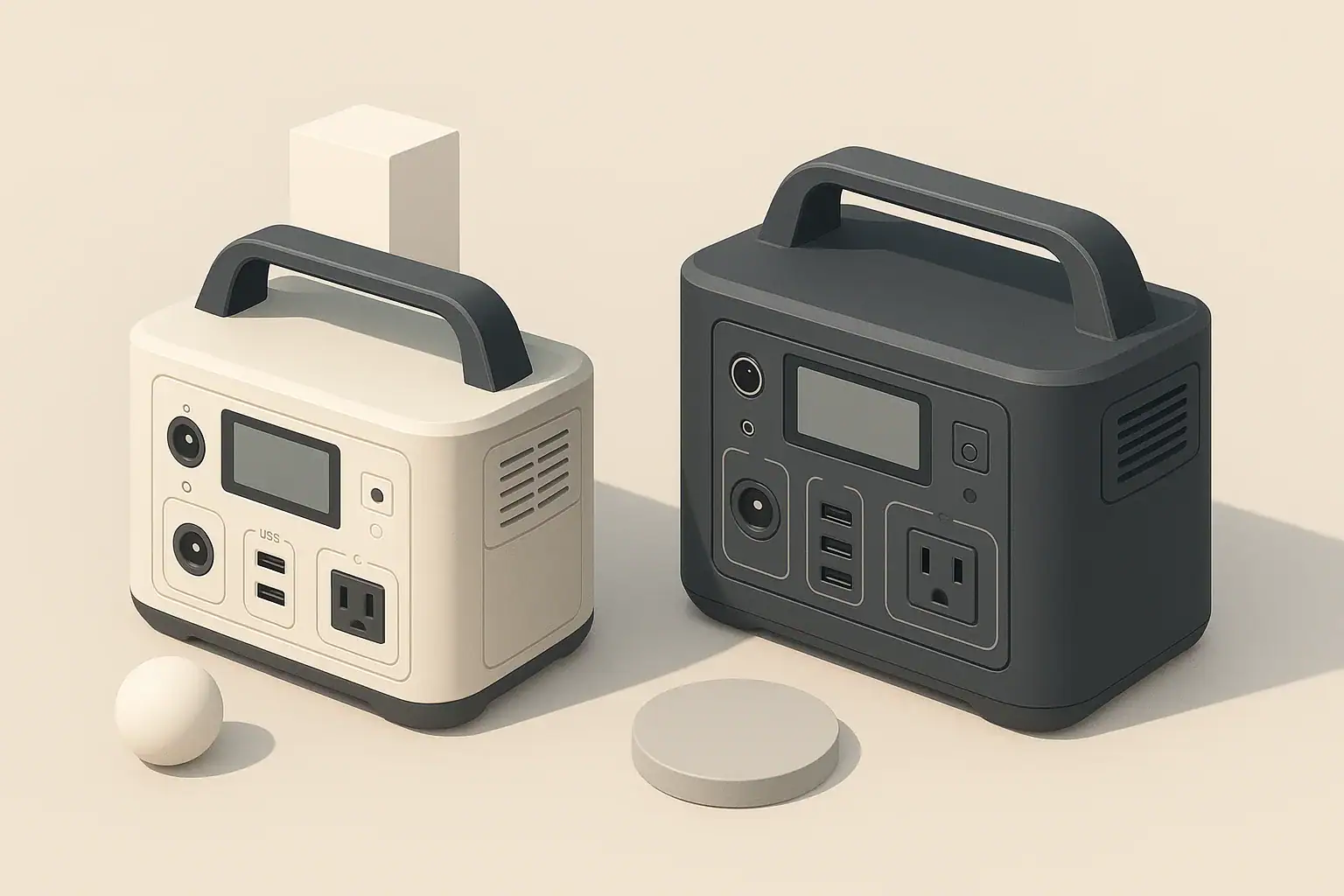
A UPS is usually better for instant, seamless backup for computers and networking gear, while a portable power station is better for long runtimes and flexibility during longer outages. For many home offices, the ideal setup uses a UPS to prevent reboots and a portable power station to keep internet and laptops running for hours.
This guide explains how portable power stations and UPS units behave differently with desktops, laptops, routers, and small servers. You will see what changes in switchover time, power quality, runtime, and safety so you can choose the right backup power solution for your home office or remote work setup.
The focus here is on small-scale gear: single workstations, a few monitors, and typical home networking equipment. The same principles apply whether you call it computer backup power, home network backup, or a portable battery generator for tech.
What Portable Power Stations and UPS Units Actually Do (and Why It Matters)
At a glance, both a portable power station and an uninterruptible power supply (UPS) look like a box with outlets and a battery inside. In practice, they are optimized for different jobs, which becomes obvious the first time the lights go out while you are on a video call.
A UPS is designed to sit under a desk or in a rack, stay plugged in all the time, and instantly take over when grid power cuts out. It is mainly about continuity and protection, not long runtime.
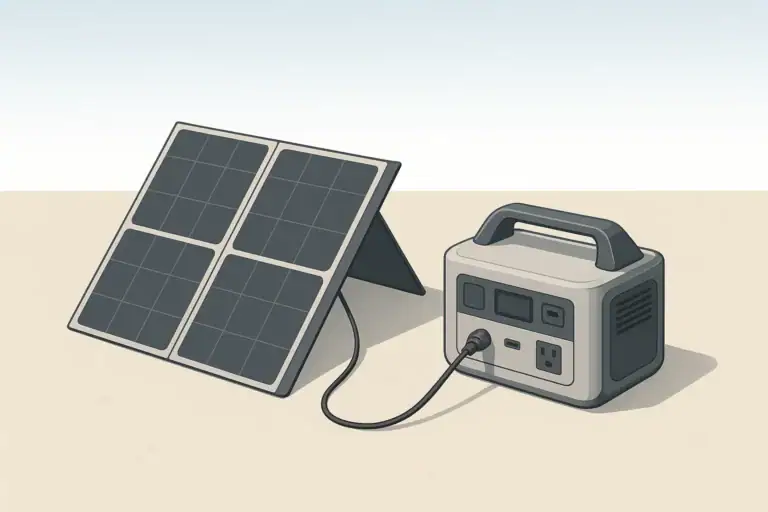
A portable power station is designed as a general-purpose energy source. It focuses on higher battery capacity, multiple output types, and flexible charging from wall power, a vehicle outlet, or solar. Switchover speed is usually secondary.
For computers and networking equipment, this difference affects:
- Whether your desktop or small server reboots when power fails
- How long your router, modem, and Wi‑Fi can stay online
- How well your gear is protected from brownouts and voltage spikes
- Whether your backup power can also be used away from the desk or off‑grid
Understanding these roles helps you decide when you really need a UPS, when a portable power station is enough, and when using both together makes sense.
Key Concepts: Switchover, Power Quality, and Runtime
When comparing a portable power station vs UPS for computers, three technical ideas matter most: switchover behavior, power quality, and battery capacity. You do not need to be an engineer to use them; a few simple rules of thumb go a long way.
Switchover Behavior: What Happens the Instant Power Fails
A UPS is built around fast transfer time. When grid power drops, it switches to its internal battery and inverter in a few milliseconds. For most desktops and networking gear, this change is so fast that:
- The operating system keeps running as if nothing happened
- Open documents and browser tabs stay exactly where they were
- Routers and switches keep passing traffic without rebooting
Portable power stations usually behave differently:
- Some support pass-through charging but briefly interrupt AC output when wall power stops
- Some do not support AC passthrough at all; you either charge the unit or run from the battery
- Very few specify transfer times as low as traditional UPS units
That brief interruption might not matter for a router or a monitor, but it can be enough to reboot a desktop or small server. If you need truly seamless continuity, a UPS is normally the more predictable choice.
Power Quality: Sine Wave and Voltage Regulation
Both UPS units and portable power stations convert DC battery power into AC power using an inverter. For computers and networking gear, two aspects of this inverter matter:
- Waveform: Pure sine wave outputs are closest to grid power and are generally preferred for modern computer power supplies and sensitive electronics.
- Voltage handling: Many UPS models add surge protection and automatic voltage regulation (AVR) to smooth sags and spikes before they reach your devices.
Modern portable power stations often provide pure sine wave AC as well, which is usually fine for desktops, laptops, and networking hardware. However, they are not always marketed as surge protectors or voltage regulators. If your area has frequent brownouts, a UPS with AVR may provide more conditioning between the wall and your equipment.
Runtime and Capacity: How Long You Can Stay Online
Battery capacity is where portable power stations usually pull ahead. Capacity is expressed in watt-hours (Wh). As a rough guide:
- Smaller UPS units often provide tens to low hundreds of watt-hours
- Portable power stations commonly provide several hundred to over a thousand watt-hours
You can estimate runtime with a simple calculation:
- Add up the wattage of your connected devices
- Divide the battery capacity (Wh) by that total wattage
- Reduce the result by about 10–20 percent to account for conversion losses
| Use case | Approx. load (W) | Example UPS (300 Wh) | Example portable power station (800 Wh) |
|---|---|---|---|
| Router + modem only | 20 W | 300 Wh ÷ 20 W ≈ 15 h (plan ~12–13 h) | 800 Wh ÷ 20 W ≈ 40 h (plan ~32–36 h) |
| Laptop + router + modem | 60 W | 300 Wh ÷ 60 W ≈ 5 h (plan ~4 h) | 800 Wh ÷ 60 W ≈ 13 h (plan ~10–11 h) |
| Desktop PC + monitor + router | 200 W | 300 Wh ÷ 200 W ≈ 1.5 h (plan ~1–1.2 h) | 800 Wh ÷ 200 W ≈ 4 h (plan ~3–3.5 h) |
| Small server + switch + router | 150 W | 300 Wh ÷ 150 W ≈ 2 h (plan ~1.5–1.7 h) | 800 Wh ÷ 150 W ≈ 5.3 h (plan ~4–4.5 h) |
These are planning numbers, not guarantees. Real-world runtime depends on battery age, inverter efficiency, and how variable your load is.
Real-World Setups for Computers and Networking
Looking at a few typical home and small office configurations makes the trade-offs between a UPS and a portable power station much clearer.
Scenario 1: Desktop Workstation with Critical Uptime
In this setup, you have a desktop PC, one or two monitors, an external drive, and a router in the same room. You often have unsaved work open and cannot afford random reboots.
- UPS role: Sits between the wall and the desktop, monitors, and external drives. If the power blinks, the system keeps running and you can save work or ride through a short outage.
- Portable power station role: Optional add-on. During longer outages, you can move the router and modem to the portable power station, or plug the UPS into the portable power station to extend runtime, staying within both devices’ ratings.
This is a common pattern: UPS for instant continuity, portable power station for extended runtime and flexibility.
Scenario 2: Laptop-First Remote Work Setup
Here you mainly use a laptop with a built-in battery, plus a router, modem, and perhaps a small switch. Outages are annoying but a brief interruption is acceptable.
- UPS-only option: A small UPS under the desk powers the router and modem. The laptop switches to its internal battery during an outage. This covers short events with minimal cost and complexity.
- Portable power station-only option: The portable power station powers the networking gear and charges the laptop via AC or USB. Even if grid power is out for many hours, you can keep working as long as you manage screen brightness and heavy workloads.
If you rarely lose power but want protection from sags and spikes, a UPS alone may be enough. If you live in an area with multi-hour outages, a portable power station becomes more attractive.
Scenario 3: Networking Closet and Smart Home Gear
Some homes have a small networking corner or closet with a modem, main router, switch, and perhaps smart home hubs. There may not even be a computer nearby.
- UPS approach: A compact UPS powers all networking gear. It keeps internet and local network services up through shorter outages and provides basic surge protection.
- Portable power station approach: A modest-capacity unit sits on a shelf and powers the same devices. During long outages, you can unplug it and move it to charge phones, tablets, or a laptop elsewhere in the home, then bring it back.
Because networking gear usually draws little power, even small batteries can provide long runtimes. In this scenario, either device can work well; the choice depends on how important seamless transfer and always-on operation are.
Scenario 4: Small Server or NAS That Must Shut Down Gracefully
A small home server or network-attached storage (NAS) device may need time to shut down cleanly to avoid data loss or file system corruption.
- UPS advantage: Many UPS units support USB or network signaling to tell the server to shut down automatically when battery capacity is nearly depleted.
- Portable power station limitation: Most do not provide this kind of integration. You would need to monitor battery level yourself and shut down manually.
For any always-on storage device that writes data frequently, pairing it with a UPS is usually the safer approach, even if a portable power station supplies power to less critical devices elsewhere.
Common Mistakes and Troubleshooting Cues
Backup power problems often show up only during the first real outage. Recognizing common mistakes in how people use portable power stations and UPS units with computers and networking gear can help you avoid surprises.
Frequent Configuration Mistakes
- Assuming a portable power station behaves exactly like a UPS: Many users plug their desktop into a portable power station expecting seamless switchover, only to see the system reboot when grid power fails.
- Underestimating total load: Connecting a high-power desktop, multiple monitors, speakers, and peripherals can exceed a small UPS’s output rating and cause it to alarm or shut down.
- Overloading AC outlets on the portable power station: Plugging in printers or other non-essential loads during an outage shortens runtime for critical gear.
- Daisy-chaining too many devices: Running a surge strip into a UPS, then into a portable power station, or vice versa, increases complexity and the chance of tripping limits.
- Ignoring battery age: Older UPS batteries may provide only a fraction of their original runtime, which is often first discovered during a storm.
What to Watch For During an Outage Test
A controlled test is the simplest troubleshooting tool. With your system idle and important work saved, briefly switch off the wall power feeding your UPS or portable power station and observe:
- Does the desktop reboot? If it does, your setup is not providing seamless transfer. You may need a UPS or a different configuration.
- Do monitors flicker or lose signal? A quick flicker can be normal; a full loss of signal suggests the interruption is too long.
- Do routers and switches stay online? Many networking devices tolerate short gaps, but if they reboot, you may need a UPS or to reduce load.
- Do you hear alarms or see warning lights? Beeps or flashing indicators often mean overload, low battery, or a configuration outside the device’s intended use.
| Symptom during outage | Likely cause | Practical next step |
|---|---|---|
| Desktop reboots when power fails | Switchover gap too long or no true UPS in path | Place a UPS between wall and desktop, or move desktop off portable power station passthrough |
| UPS beeps and shuts off quickly | Battery capacity too small or battery aged | Reduce load, replace battery if possible, or size up to higher-capacity unit |
| Portable power station fan runs constantly | High continuous load or poor ventilation | Move unit to a cooler, open area and remove non-essential devices |
| Router drops connection but stays powered | Brief voltage dip or overloaded outlet strip | Plug router directly into UPS or portable power station instead of shared strip |
| Runtime much shorter than expected | Load higher than estimated or battery no longer at full capacity | Measure or re-estimate wattage and retest with fewer devices |
Simple Ways to Improve Reliability
- Test your setup twice a year under controlled conditions, not during a storm for the first time.
- Prioritize loads: keep networking gear and one main screen on backup power; move printers and non-essential devices off.
- Label which outlets on a UPS are battery-backed and which are surge-only to avoid confusion.
- Keep a short written list of what is plugged into each device so you can troubleshoot faster in the dark.
Safety Basics for Backup Power Around Computers
Both UPS units and portable power stations contain high-energy batteries and inverters. Used correctly, they are straightforward. Used carelessly, they can overheat, trip breakers, or damage equipment.
Placement and Ventilation
- Place units on a stable, dry, non-flammable surface.
- Keep several inches of clearance around vents so fans can move air freely.
- Avoid stacking items on top of a UPS or portable power station, especially fabrics or papers that can block airflow.
- Do not place units directly against heaters, radiators, or in direct sunlight.
Electrical Safety Practices
- Stay within the rated wattage and current for each outlet and for the unit as a whole.
- Avoid long chains of power strips, extension cords, and adapters; keep the path from the backup device to your gear as simple as possible.
- Do not attempt to power household circuits by backfeeding through a wall outlet.
- Any permanent connection to a home electrical panel should be handled by a licensed electrician using appropriate transfer equipment.
Battery and Handling Precautions
- Do not open the case or attempt to service internal batteries unless the device is specifically designed for user-replaceable batteries and you follow the instructions.
- Keep liquids away from vents and outlets; immediately disconnect power if a spill occurs near the unit.
- Do not use visibly damaged units, including those with swollen cases, burnt smells, or cracked housings.
- Follow manufacturer guidance about operating temperature ranges, especially in attics, garages, or unheated rooms.
Maintenance and Long-Term Use
Backup power only helps if it works when you need it. A few simple habits keep both UPS units and portable power stations ready for the next outage.
UPS Maintenance for Computer and Network Protection
- Battery replacement: Many UPS models use sealed lead-acid batteries with a limited lifespan. Expect to replace them after several years of regular use, or sooner in hot environments.
- Self-tests: Use built-in self-test functions periodically. If the UPS reports a weak battery, address it before storm season.
- Dust control: Vacuum or gently clean dust around vents to keep fans and circuitry cooler.
- Load review: Once or twice a year, confirm which devices are plugged into battery-backed outlets and remove anything non-essential.
Portable Power Station Care
- Regular top-ups: Even when not in use, lithium-based batteries slowly lose charge. Topping up every few months keeps them ready.
- Partial-charge storage: Many manufacturers recommend storing at a moderate state of charge rather than fully full or empty. Check the manual for guidance.
- Temperature-aware storage: Store in a cool, dry place away from freezing conditions and extreme heat, which can shorten battery life.
- Occasional load tests: Every so often, power a small load such as a router or lamp for an hour to confirm that the unit charges and discharges normally.
Planning for Battery Aging
All rechargeable batteries lose capacity over time. When you size a UPS or portable power station for your computers and networking gear, it can be helpful to:
- Plan for some capacity loss after a few years of use.
- Aim for more runtime than you strictly need on day one, especially for critical systems.
- Note the purchase date and set a reminder to review performance after several years.
Practical Takeaways and Specs to Look For
For most homes and small offices, a UPS and a portable power station are complementary rather than competing products. A UPS gives you seamless protection and graceful shutdown for desktops, servers, and storage. A portable power station gives you long runtimes and mobility for laptops, routers, and small devices during extended outages.
When choosing between them for your computers and networking equipment, start with three questions:
- Do I need my desktop or server to ride through even very short power cuts without rebooting?
- How long do typical outages last where I live?
- Do I want backup power that can also be used away from the desk or off-grid?
Specs to Look For When You Compare Models
Whether you are shopping for a UPS or a portable power station to support your computers and networking gear, pay close attention to these specifications and features:
- Battery capacity (Wh): Match this to your expected load and desired runtime using simple Wh ÷ W estimates.
- Output power rating (W): Ensure the continuous watt rating comfortably exceeds the total draw of your connected equipment.
- Waveform type: Prefer pure sine wave output for desktops, servers, and sensitive electronics.
- Transfer time (UPS): For mission-critical desktops or servers, look for low transfer times and test behavior with your specific hardware.
- Pass-through behavior (portable power station): Check whether AC passthrough is supported and whether there is an interruption when grid power fails.
- Number and type of outlets: Count how many battery-backed AC outlets you actually need, plus USB and DC outputs for phones and networking gear.
- Protection features: Look for surge suppression and voltage regulation in UPS units, and basic overcurrent and overvoltage protection in portable power stations.
- Noise level: Consider fan noise if the unit will live under a desk or near a microphone.
- Size and weight: For portable power stations, confirm that the weight and handle design are practical for how you plan to move it.
- Charging options: Decide whether you need wall-only charging or also vehicle and solar charging for longer off-grid use.
By matching these specs to your actual computer and networking setup, you can build a backup power plan that prevents surprise reboots, keeps your internet online, and remains useful far beyond the occasional outage.
Frequently asked questions
Which specifications should I prioritize when choosing backup power for my computer and network?
Prioritize battery capacity (Wh) for the runtime you need and the continuous output power (W) to cover your total draw. Also check waveform (prefer pure sine for sensitive electronics), transfer time for UPS units or passthrough behavior for portable stations, and the number and type of outlets you require. UPS units often list volt-amperes (VA) as well as watts, and both ratings matter when sizing computer backup power.
Can I use a portable power station exactly like a UPS for a desktop PC?
Often no — many portable power stations briefly interrupt AC output when wall power fails or do not guarantee the millisecond transfer times of UPS units, which can cause desktops or small servers to reboot. If you need seamless continuity, a true UPS is the more reliable option.
How can I estimate how long a portable power station or UPS will run my devices?
Add up the wattage of all connected devices and divide the battery capacity in watt-hours (Wh) by that total, then reduce the result by about 10–20% to account for conversion losses. Remember that battery age, inverter efficiency, and variable loads will reduce real-world runtime.
What safety precautions should I follow when using UPS units or portable power stations near computers?
Place units on a stable, dry surface with clearance for ventilation, keep them away from heat and liquids, and stay within rated wattage and current limits. Do not backfeed wall circuits and have any permanent electrical connections done by a licensed electrician.
Will a portable power station protect my equipment from brownouts and voltage spikes like a UPS?
Some portable power stations provide pure sine wave output but many lack dedicated surge suppression or automatic voltage regulation. UPS units commonly include AVR and surge protection, so they tend to condition power better in areas with frequent brownouts or spikes.
How should I test and maintain backup power so it’s ready when an outage occurs?
Test your setup under controlled conditions a couple times a year, run occasional load tests, and follow manufacturer guidance on battery storage and replacement. For UPS units use self-tests and replace aged batteries; for portable stations, keep them partially topped up and store in a cool, dry place.
Related guides
Browse this topic →
- Beginner-friendly sizing, runtime & specs
- Solar & charging (MPPT, fast charging, cables)
- Batteries (LiFePO4, cycles, care & storage)
- Safety, cold-weather performance, real-world tips
More in Comparison
See all →Keep reading

About this site
Portable Energy Lab publishes practical, independent guides about portable power—clear sizing, safe use, and real-world expectations.
Affiliate disclosure
Some links on this site may be affiliate links. If you buy through these links, we may earn a small commission at no extra cost to you. This helps support our content. Read our affiliate disclosure.