
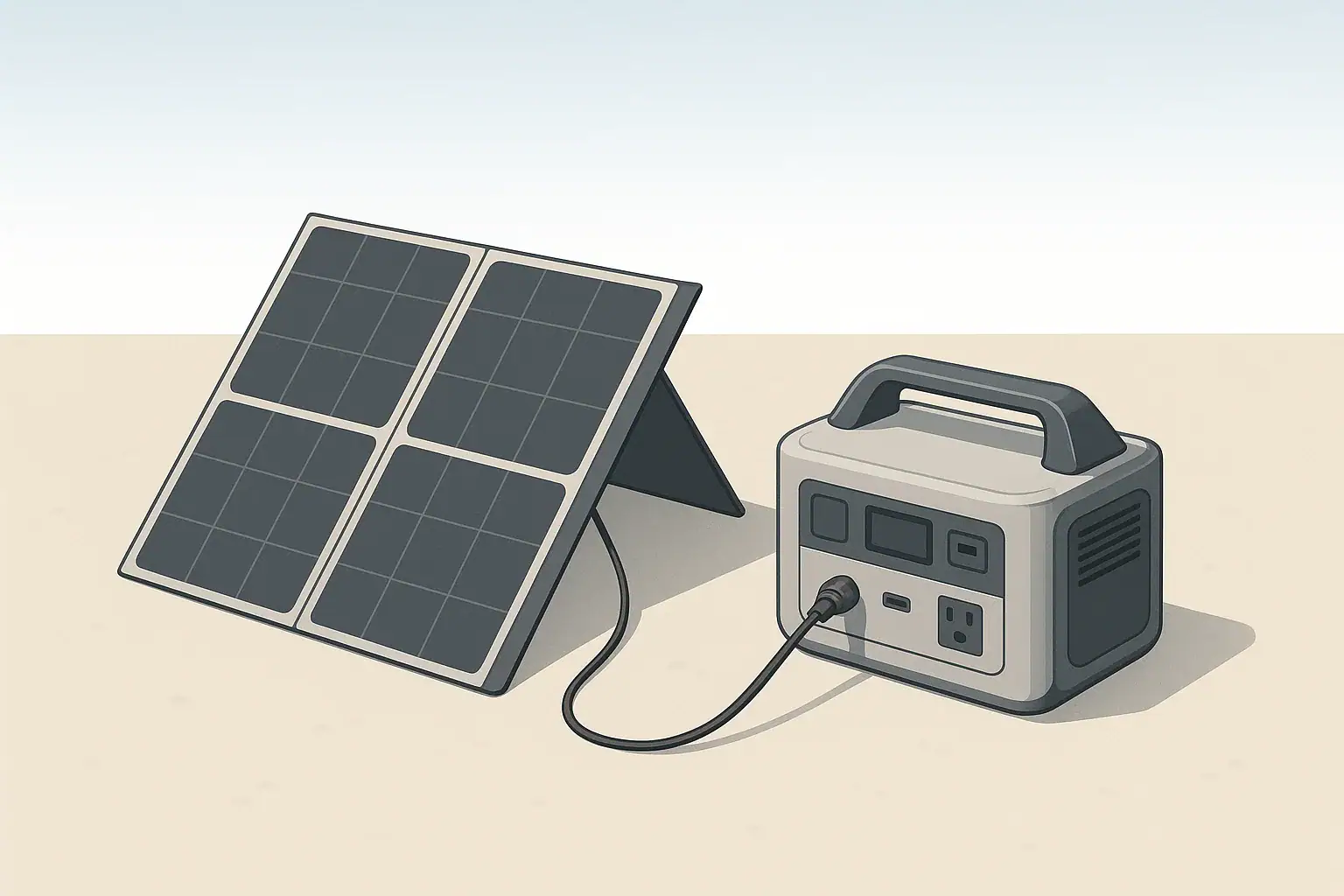
The most reliable way to prevent melted solar connectors and overheated cables is to keep current within the ratings of your wire and plugs, minimize heat buildup, and regularly inspect every connection in the chain. When cable size, connector type, and operating conditions all match the power you are moving, portable solar systems run safely for years.
This guide walks through the essentials of solar cable safety for portable power stations, folding panels, RV use, and small off-grid setups. You will see how cable gauge, length, and connector style affect heat, and how to spot trouble early before a plug softens or fails.
Along the way, you will find concrete examples, comparison tables, and practical checklists you can apply directly to your own solar charging kit. The goal is not to turn you into an engineer, but to give you enough understanding to choose safer cables and connectors and use them with confidence.
What Solar Cable and Connector Safety Really Means
In small solar and portable power systems, most safety issues do not start inside the battery. They start at the weak links: undersized wires, overloaded adapters, and loose or dirty connectors that run hotter than they should. Solar cable and connector safety is about keeping those weak links from turning into failures.
Any time current flows through a wire or a connector, some energy becomes heat. If that heat has nowhere to go, or if it is concentrated at a small contact point, temperatures can rise until plastic softens, insulation burns, or metal contacts lose their spring tension. Once that happens, resistance increases, which creates even more heat. This cycle is what eventually leads to partial melting or scorched plugs.
Safe solar cabling means:
- Using wire that is thick enough for the current and length of the run.
- Choosing connectors rated for the amps you expect to carry, with some margin.
- Keeping cables and plugs cool enough by managing sun exposure and airflow.
- Inspecting components regularly and retiring damaged parts before they fail under load.
When you get these basics right, you dramatically reduce the risk of melted connectors, nuisance shutdowns, or damage to your portable power station.
Key Concepts: Current, Cable Size, Heat, and Connectors
You do not need advanced math to make good decisions about solar cables and connectors, but a few simple ideas help explain why some setups run cool while others run hot.
Voltage, current, and power in small solar setups
Most portable solar systems operate at low-voltage DC, often somewhere between about 12 V and 60 V depending on panel wiring and the power station’s input range. Power is the product of voltage and current:
- Power (W) = Voltage (V) × Current (A)
For the same power level, lower voltage means higher current. Higher current is what stresses cables and connectors.
Example comparisons:
- 200 W at 20 V ≈ 10 A
- 200 W at 40 V ≈ 5 A
- 400 W at 20 V ≈ 20 A
That last example (400 W at 20 V) can push the limits of common portable connectors if the wiring is thin or the plugs are not designed for continuous high current.
Why wire gauge and length matter
Wire gauge (AWG in the U.S.) describes the diameter of the conductor. Smaller AWG numbers mean thicker wire that can carry more current with less voltage drop and less heating. Longer cables add resistance, which increases both voltage drop and heat for the same current.
In portable solar use, general habits that help include:
- Thicker wire (lower AWG number) for higher wattage or longer runs.
- Shorter cables wherever practical to limit voltage drop and heating.
- Avoiding very thin “speaker wire” or generic accessory cords for main solar runs.
| Solar Setup Example | Approx. Voltage | Approx. Current | Typical Cable Choice | Connector Stress Level |
|---|---|---|---|---|
| 100 W folding panel to small power station (10 ft) | 18–22 V | 4–6 A | Medium wire, short run | Low, if connectors are in good condition |
| 200 W panel to mid-size power station (20 ft) | 18–22 V | 9–11 A | Thicker wire, modest length | Moderate; check plugs for warmth in full sun |
| 2 × 200 W panels in parallel (400 W total, 20 ft) | 18–22 V | 18–22 A | Thick wire, well-rated splitters | High; small adapters and light plugs may overheat |
| 2 × 200 W panels in series (400 W total, 20 ft) | 36–44 V | 9–11 A | Medium or thick wire | Moderate; current is lower, but voltage limit must be respected |
| 100 W panel through long, thin extension (40 ft) | 18–22 V | 4–6 A | Thin wire, long run | Moderate; cable can warm and charging slows from voltage drop |
This table shows why higher current and longer runs demand better cabling and connectors, even at modest power levels.
Heat buildup and connector melt
Heat is rarely uniform across a system. The highest temperatures usually occur at concentrated contact points: plugs, adapters, splitters, and terminals. If a connector has high resistance (from corrosion, poor fit, or being pushed beyond its rating), it can become much hotter than the cable itself.
Warning signs that a connector is running too hot include:
- Plastic that feels soft or rubbery while under load.
- Darkening, yellowing, or bubbling near the contact area.
- Acrid or “hot plastic” smell around connectors.
- Plugs that are uncomfortable to hold for more than a second or two.
Once plastic deforms, contact pressure drops, resistance rises, and the connector can quickly progress from “a bit warm” to “partially melted.”
Common connector types in portable solar systems
Portable power stations and solar kits use several connector styles, each with its own strengths and limitations:
- Barrel-style DC plugs – Common on smaller devices. Convenient, but can be a weak point if side-loaded or partially unplugged.
- Multi-pin or locking DC connectors – Often used for higher-current inputs. More secure engagement, but still vulnerable to contamination or misalignment.
- Solar-style polarized panel connectors – Two-conductor plugs designed for outdoor solar use. Generally robust when properly mated.
- Cigarette lighter–style 12 V plugs – Designed originally for intermittent automotive use, not continuous high-current power transfer.
Problems often appear when several different connector types are chained together with multiple adapters, each adding resistance and another plastic housing that can overheat.
Real-World Examples of Heat and Connector Problems
Seeing how issues show up in real setups makes it easier to spot risks in your own system. The following scenarios are based on typical portable solar use rather than theoretical edge cases.
Example 1: Small camping setup that runs cool
A camper uses a 100 W folding panel with a short, factory-supplied cable to charge a compact power station placed in the shade. The cable is about 10 ft long, uses reasonably thick wire for the current, and the connectors are clean and fully seated.
In this case:
- Current stays in the 4–6 A range, well within typical connector ratings.
- Cable length is short, so voltage drop and heating are minimal.
- Connectors stay in the shade with some airflow.
The user might feel only a slight warmth at the plugs after 20–30 minutes of strong sun, which is normal for many systems.
Example 2: RV user extending panel too far with thin wire
An RV owner wants to park in the shade while placing a 200 W portable panel in the sun. To reach the ideal spot, they add a long, thin extension cable intended for low-current accessories. The total run becomes about 40 ft.
In practice:
- Current around 10 A runs through wire that is too thin for the length.
- Voltage drop reduces charging efficiency at the power station.
- The cable may feel warm along its length, and the connectors at each end get noticeably hotter.
On a hot day, this combination of electrical heating and high ambient temperature can push connectors toward softening, especially if they are low-quality or already worn.
Example 3: Parallel panels overloading a small splitter
A user combines two 200 W panels in parallel to feed a mid-size power station that accepts higher solar input. They use a compact splitter adapter designed for lower currents because it was convenient and inexpensive.
When both panels are in bright sun:
- Total current can climb into the 18–22 A range.
- The small splitter carries the entire combined current through tiny internal contacts.
- The splitter body becomes the hottest part of the system, even if the main cable is thick.
If the splitter softens or fails, it can cause intermittent contact, arcing, and rapid localized heating. This is a common path to visible charring or partial melt at a single connector in an otherwise well-sized system.
Example 4: Power station charging inside a hot vehicle
During a road trip, a power station is left charging from a roof-mounted solar panel while the unit sits in a closed vehicle under direct sun. Even if the wiring is correctly sized, the internal electronics and connectors are working in a very hot environment.
Possible outcomes include:
- Internal fans running more often and louder than usual.
- Connectors at the DC input becoming hotter than expected.
- Thermal protection triggering and reducing charging speed or shutting down.
While this may not immediately melt connectors, it reduces the safety margin. Any marginal or slightly damaged plug is more likely to become a problem in these conditions.
Example 5: Cigarette lighter–style plug used at high current
A user powers a high-draw 12 V appliance from a power station’s automotive-style outlet for several hours. The plug fits loosely and can wiggle in the socket.
Over time:
- Intermittent contact causes tiny arcs and hot spots inside the plug.
- The plastic nose of the plug may discolor or soften.
- The user might smell hot plastic or notice the plug feels very hot when removed.
This is a clear sign that the connector is not appropriate for sustained high-current use and should be replaced with a more secure style for continuous loads.
Common Mistakes and Troubleshooting Hot Connectors
Many cable and connector problems come from a few predictable mistakes. Recognizing them early lets you fix issues before they become failures.
Frequent mistakes that lead to overheating
- Using thin extension cables meant for low-current accessories as the main solar run.
- Daisy-chaining multiple adapters (barrel-to-barrel, barrel-to-solar-style, multiple splitters) instead of using a single appropriate cable.
- Allowing connectors to sit in direct sun on hot surfaces like roofs, asphalt, or metal.
- Ignoring early warning signs such as warmth, discoloration, or an odd smell.
- Reusing damaged connectors after they have already softened or partially melted once.
How to check for problems during use
When you first set up or change a solar configuration, plan a quick temperature check after the system has been running at good sun for 10–20 minutes.
- Use the back of your hand to gently touch connectors, splitters, and the cable near each plug.
- “Slightly warm” is usually acceptable; “too hot to hold comfortably” is a warning.
- Smell around connectors for any hint of hot plastic or burning odor.
If anything feels too hot or smells off, disconnect safely (shade or cover panels first to reduce output), allow components to cool, and review your cable sizing and connector choices before trying again.
What to do if you find heat or damage
When troubleshooting, treat heat and visible damage as hard stops, not minor annoyances.
- Softened or deformed plastic – Retire the connector or cable; do not bend it back into shape and keep using it.
- Burn marks or charring – Replace the affected part and inspect mating connectors for matching damage.
- Wobbly or intermittent plugs – Replace with a connector that fits snugly and is rated for your current.
- Repeated overheating at the same spot – Reevaluate the entire path; a small adapter or splitter may be undersized.
| Symptom You Notice | Likely Cause | Recommended Action |
|---|---|---|
| Connector too hot to touch in full sun | Undersized connector or poor contact at pins | Replace connector with higher-rated type; check for debris or corrosion |
| Cable warm along entire length | Wire gauge too small or cable run too long | Use thicker wire or shorten the run to reduce current per conductor |
| Hot plastic smell near power station input | Overloaded or loose plug at the input jack | Stop charging, inspect plug and jack, replace damaged parts |
| Intermittent charging when cable is bumped | Loose, worn, or partially melted connector | Retire and replace the connector; avoid side loading on new plugs |
| Visible corrosion (green or white deposits) on contacts | Moisture exposure and oxidation increasing resistance | Replace affected connectors; improve storage and moisture protection |
| Splitter or adapter is hottest component | Splitter not rated for combined panel current | Use a splitter or combiner rated above total amps or rewire panels |
When to stop using a component immediately
Stop using a cable or connector right away if you see any of the following:
- Melted, bubbled, or cracked plastic around the contacts.
- Exposed metal conductors where insulation used to be.
- Persistent hot spots that return quickly after cooling down.
- Arcing, sparking, or visible smoke at a connection.
In these cases, replacement is safer than any attempt at repair in a portable solar context.
High-Level Safety Basics for Portable Solar Cabling
Beyond individual connectors and cables, it helps to think about your system as a whole. A few high-level practices create a wide safety margin even when conditions change.
Design for margin, not the bare minimum
Portable power systems often see real-world conditions that are harsher than lab tests: higher ambient temperatures, dust, vibration, and occasional rough handling. Designing for margin means:
- Choosing wire that can comfortably handle more current than you expect to use.
- Using connectors with current ratings that exceed your typical operating amps.
- Assuming hot days and enclosed spaces, not ideal cool lab conditions.
This extra margin helps keep temperatures reasonable even when sunlight is stronger than expected or airflow is limited.
Manage heat from sun and surroundings
Dark cables and connectors can reach temperatures far above air temperature in full sun. To manage this:
- Route cables in the shade of panels or along cooler surfaces when possible.
- Keep connectors off very hot surfaces like black roofs, asphalt, or dark metal.
- Avoid tight bundles; give cables some space for air to move around them.
On very hot days, it can be worth slightly reducing solar input or taking short breaks if you notice connectors trending warmer than usual.
Use protective devices where appropriate
Fuses and circuit breakers do not directly prevent connector melt from modest overloads, but they do limit current in the event of a short circuit or major fault. In some setups, adding an appropriately sized DC fuse or breaker between the panels and the power station input is recommended.
If you are planning more complex wiring, such as multiple panels on an RV roof or semi-permanent mounts, a qualified electrician or solar professional can help size protection devices and choose suitable cable routes.
Respect equipment ratings and limits
Every power station and panel has published limits for input voltage and current. Staying within these limits is fundamental:
- Do not exceed the maximum solar input current or power rating.
- Keep total panel voltage within the allowed DC input range, especially in series configurations.
- Remember that cold weather can increase panel voltage slightly, which matters near the upper limit.
When in doubt, run panels at a more conservative configuration rather than pushing every limit simultaneously.
Maintenance and Storage for Long-Term Connector Health
Even well-designed systems can develop problems over time if cables are abused or stored poorly. Simple habits can extend the life of your solar wiring and keep connectors working safely.
Routine inspection habits
Before a camping trip, storm season, or extended RV travel, take a few minutes to check your solar cables and connectors.
- Look for cuts, abrasions, or crushed spots in the cable jacket.
- Inspect plugs for discoloration, cracks, or wobbling shells.
- Check that locking or latching mechanisms still engage securely.
If you see any damage that exposes conductors or compromises mechanical strength, plan to replace that component before relying on it.
Cleaning and handling connectors
Clean, well-handled connectors run cooler and last longer.
- Keep contacts dry and free of dirt, sand, or metal shavings.
- Avoid spraying harsh cleaners directly into connectors; wipe around them instead.
- When disconnecting, pull on the connector body, not the cable itself.
If a connector has been exposed to moisture, allow it to dry thoroughly before use. Visible corrosion is a sign that replacement is safer than attempting to scrape or sand the contacts.
Storage practices for cables and adapters
Good storage protects both the plastic housings and the metal contacts.
- Coil cables loosely, avoiding tight kinks or sharp bends right at connectors.
- Store cables in a dry bag, bin, or compartment where they will not be crushed.
- Keep connectors away from standing water, fertilizers, or chemicals that can accelerate corrosion.
For RVs or vehicles stored in hot climates, consider removing sensitive adapters and storing them in a cooler indoor location when not in use for long periods.
Replacing aging or questionable components
Over years of use, even well-treated connectors can lose spring tension or develop internal wear. If you notice any of the following, plan to replace the part:
- Plugs that no longer fit snugly or wiggle easily.
- Connectors that have overheated in the past, even if they still “work.”
- Adapters whose plastic feels brittle, chalky, or unusually soft.
Replacing a cable or adapter is usually far less costly than dealing with damage to a power station input or panel connector caused by a failing plug.
Practical Takeaways and Specs to Look For
Bringing everything together, a few practical rules of thumb will keep most portable solar users out of trouble.
Key takeaways for everyday use
- Keep current within the ratings of your cables and connectors, with some safety margin.
- Favor shorter, thicker cables over long, thin ones, especially above about 200 W of solar.
- Minimize adapter chains and avoid making a tiny splitter carry the entire system current.
- Check connector temperatures early in a new setup and after any major changes.
- Retire any component that shows melting, charring, or repeated overheating.
Specs to look for when choosing cables and connectors
When you are shopping for or organizing components for your portable solar kit, use this checklist to compare options:
- Wire gauge (AWG) – Choose a lower AWG (thicker wire) for higher wattage or longer runs; this reduces voltage drop and heat.
- Current rating (A) – Ensure connectors, splitters, and adapters are rated above the maximum amps you expect in full sun.
- Voltage rating (V DC) – Make sure cables and connectors are rated for or above your highest panel voltage, including series configurations.
- Temperature rating – Higher temperature ratings provide more margin in hot climates or enclosed spaces.
- Outdoor suitability – Prefer connectors and cable jackets described as suitable for outdoor or solar use, with good UV and moisture resistance.
- Mechanical design – Look for secure locking or latching mechanisms and strain relief at the cable entry into the connector.
- Length options – Use the shortest length that still reaches comfortably, rather than oversizing and coiling large amounts of extra cable.
By matching these specs to the way you actually use your portable solar system, you can keep cables and connectors running cool, avoid nuisance failures, and protect your power station investment over the long term.
Primary reference: Research from the National Renewable Energy Laboratory on photovoltaic cable connectors documents connector failure modes and overheating near compromised connections. Match connector types, make complete connections, and replace damaged components rather than improvising repairs.
Frequently asked questions
Which cable and connector specifications are most important for safe portable solar setups?
Prioritize wire gauge (lower AWG for thicker conductors), connector and splitter current ratings above your expected amps, and voltage ratings that exceed your highest panel voltage. Also consider temperature and UV resistance, secure mechanical designs (locking/strain relief), and choose the shortest practical cable length to limit heating and voltage drop.
Why is using thin extension cables or daisy-chaining adapters a bad idea?
Thin extensions and chains of adapters add resistance and multiple contact points, increasing voltage drop and localized heating. That extra resistance can cause connectors to run hot, degrade over time, and in extreme cases soften or melt under continuous load.
What simple system-level precautions reduce the risk of overheating or connector melt?
Design with margin by choosing thicker wire and higher-rated connectors than strictly needed, keep connectors out of direct sun and off hot surfaces, and avoid tight cable bundles to allow airflow. Regular inspections and removing or replacing questionable parts further reduce overheating risk.
How often should I inspect and replace solar cables and connectors?
Check connectors visually and by touch before trips and after major changes, and perform a quick temperature check after 10–20 minutes of full sun when setting up. Replace any component that shows wobble, discoloration, softening, corrosion, or persistent hot spots.
Can I use cigarette-lighter (12 V) plugs for continuous high-current charging?
No — cigarette-lighter–style plugs were designed for intermittent automotive use and can loosen, arc, and overheat under sustained high current. For continuous or high-current loads, use connectors and sockets rated for the amperage and duty cycle you expect.
What should I do immediately if a connector smells of hot plastic or is too hot to touch?
Safely reduce panel output (shade or cover panels), disconnect the affected components, and allow them to cool before inspecting. Retire and replace any connector showing deformation, charring, or persistent hot spots, and reassess cable gauge and connector ratings before reuse.
Related guides
Browse this topic →
- Beginner-friendly sizing, runtime & specs
- Solar & charging (MPPT, fast charging, cables)
- Batteries (LiFePO4, cycles, care & storage)
- Safety, cold-weather performance, real-world tips
More in Solar
See all →- How to Clean Portable Solar Panels Without Damage
- Solar Charging on Cloudy Days: What Output Can a Portable Power Station Expect?
- How Many Portable Solar Panels Do You Need for a 1,000Wh Power Station?
- Solar Adapter Polarity Mistakes: How to Avoid Reverse-Polarity Charging Problems
- Portable Solar Panel Waterproof Ratings: What Rain, Dew, and Splash Resistance Mean
Keep reading
About this site
Portable Energy Lab publishes practical, independent guides about portable power—clear sizing, safe use, and real-world expectations.
Affiliate disclosure
Some links on this site may be affiliate links. If you buy through these links, we may earn a small commission at no extra cost to you. This helps support our content. Read our affiliate disclosure.