
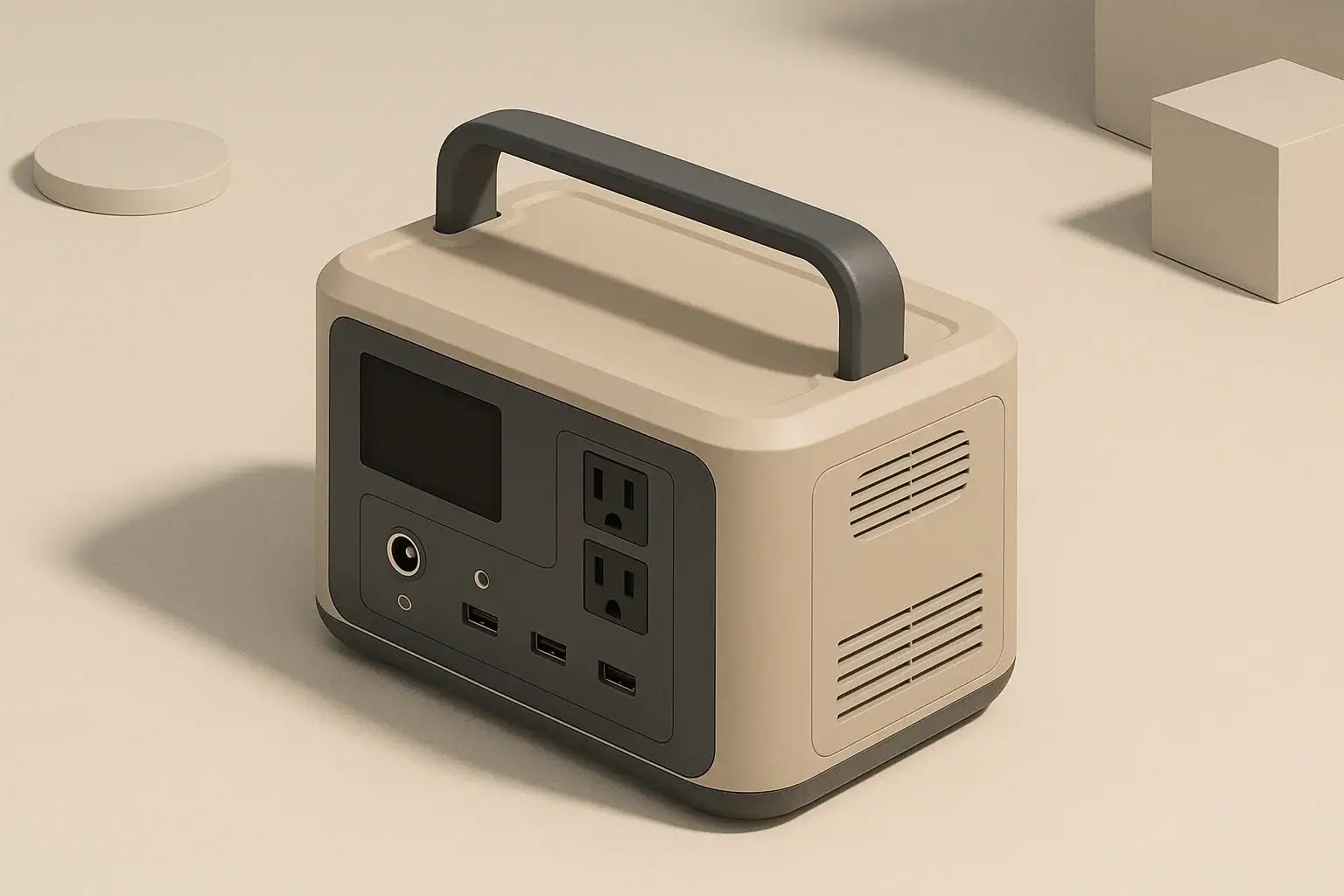
Your portable power station fan is loud because it is working hard to move heat away from the battery, inverter, and charging electronics. Fan noise usually increases when you draw higher watts, charge quickly, or use the unit in a warm, confined space. In most cases, this cooling fan noise is normal and is a sign that the thermal protection system is doing its job, not that something is failing.
Understanding why the fan ramps up, which sounds are normal, and how your setup affects cooling can make the noise less frustrating. It also helps you spot early warning signs of trouble, protect the battery over the long term, and choose future models with fan behavior that fits your needs.
This guide walks through how portable power station cooling works, real-world examples of loud fan behavior, common mistakes to avoid, and simple ways to reduce fan noise without sacrificing safety or performance.
What Loud Fan Noise Really Means and Why It Matters
Portable power stations pack batteries, inverters, and control electronics into a compact case. All of these parts generate heat whenever you charge or discharge. The fan is there to keep internal temperatures within a safe range, not to keep the outer shell comfortable to touch.
That means you can hear a strong fan even while the case feels only mildly warm. Internal components can be much hotter than the outside plastic or metal. The control system relies on internal temperature sensors, not your perception of warmth, to decide when to spin the fan faster.
Loud fan noise matters for three main reasons:
- Comfort: A sudden fan roar can be disruptive in a bedroom, office, RV, or tent.
- Diagnostics: Changes in fan behavior over time can hint at airflow problems, blocked vents, or overloading.
- Battery life and safety: Effective cooling helps protect the battery and inverter from heat-related wear or damage.
Instead of treating fan noise as a defect, it is more useful to treat it as feedback. If the fan is constantly at full speed, the system is telling you that the combination of load, charging rate, and environment is pushing it close to its thermal limits.
How Portable Power Station Cooling Works
Most portable power stations use one or more small, high-speed fans controlled by firmware. The fan controller monitors internal temperatures and, in some cases, power levels and time. When certain thresholds are reached, the fan turns on or ramps up to move more air across heat sinks and internal components.
Several key concepts explain typical cooling behavior and fan noise:
- Temperature thresholds: The fan usually has multiple speed steps (off, low, medium, high). Each step corresponds to a temperature range inside the unit.
- Hysteresis: Once a fan speed is reached, the system often waits for temperature to drop well below that threshold before slowing down. This prevents constant short cycling.
- Load-based control: High AC or DC output, or high charging input, can trigger faster fan speeds even before temperatures reach the upper limits.
- Background tasks: Internal balancing, self-checks, or mode changes can briefly spin the fan even when you are not actively using the outlets.
Cooling demand also depends on how power is moved inside the unit:
- AC loads: Power must pass through an inverter, which wastes some energy as heat. Higher AC watts mean more heat and more fan noise.
- DC loads: USB and DC outputs often bypass the main inverter and can be more efficient, especially at lower wattages, resulting in less heat.
- Charging circuits: Fast wall charging, vehicle charging, and high solar input all warm up the electronics and the battery pack.
Even two power stations with similar watt-hour capacity can behave very differently. Internal layout, fan size, heat sink design, and firmware logic all affect when and how loudly the fan runs.
| Situation | Approximate load or input | Expected fan behavior | Practical adjustment |
|---|---|---|---|
| Light DC-only use (phones, lights) | Under 50 W total | Fan often off or at low speed | Keep using DC where possible for quiet operation |
| Moderate AC use (laptop, router, monitor) | 80–200 W | Periodic fan cycling at medium speed | Give vents clearance; consider moving unit away from desk |
| Heavy AC use (coffee maker, small kettle) | 600–1000 W | Rapid ramp to high fan speed | Run only as needed; avoid confining the unit |
| Fast wall charging | 400–800 W input | Sustained medium to high fan speed | Use a lower charge-rate mode if available |
| Warm room or vehicle | Same load as usual | Fan turns on sooner and stays on longer | Move to a cooler, shaded, ventilated area |
| Post-use cooldown | No active load | Fan continues for several minutes | Let it run; do not cover the unit while cooling |
Real-World Fan Noise Examples and What to Expect
Fan behavior makes more sense when you look at common use cases. These scenarios illustrate how portable power station fan noise often changes throughout a typical day.
Short Power Outages at Home
During a brief outage, many people power a router, a few LED lights, and phone chargers. These are relatively low loads.
- The fan may stay off or cycle occasionally at low speed.
- When you briefly use a higher-watt device (such as a coffee maker), expect a noticeable fan ramp-up.
- After the heavy device is turned off, the fan may keep running for a few minutes to remove stored heat.
Remote Work or Study Setup
Running a laptop, external monitor, and small speakers via AC can be moderately demanding, especially over several hours.
- Expect a steady, medium-speed fan once everything is running.
- In a quiet office or bedroom, this whooshing sound will be clearly audible.
- Using DC outputs for devices that support them can reduce inverter heat and fan activity.
Camping, Vanlife, and RV Use
In small spaces, fan noise can feel louder because it is closer to you and reflected by walls.
- Running a 12 V fridge, lights, and a CPAP machine overnight via AC can keep the fan cycling on and off.
- If the vehicle or tent gets warm during the day, the fan may start earlier and run longer at night.
- Placing the unit under a bed or in a cabinet with poor ventilation can make the fan work harder and sound strained.
Tool Use and Outdoor Projects
Power tools and pumps often draw high watts with sharp surges.
- Starting a saw, compressor, or pump may trigger a quick jump to high fan speed.
- Repeated starts and stops can keep internal temperatures high even if average power seems moderate.
- Using the unit in direct sun or on hot pavement will further increase fan activity.
Cold-Weather Operation
In cold conditions, fan noise often decreases during discharge but can behave differently during charging.
- Discharging at moderate loads in cold air may require little fan use.
- Charging in cold conditions may be limited or carefully controlled to protect the battery.
- Bringing a cold unit indoors into warm, humid air can cause condensation; allow it to warm up before heavy use.
Common Mistakes and Troubleshooting Fan Noise
Many issues that make portable power station fans seem “too loud” come from how and where the unit is used. Addressing these mistakes often reduces noise and improves longevity.
Common Setup and Usage Mistakes
- Blocking vents: Pushing the unit against a wall, surrounding it with bags, or resting it on a soft bed or couch restricts airflow.
- Enclosing the unit: Running it inside a cabinet, storage bin, or tightly packed vehicle compartment traps hot air.
- Ignoring ambient heat: Using the station in a hot garage, car, or tent without ventilation forces the fan to run at higher speeds.
- Stacking items on top: Placing blankets, clothes, or gear over the case can partially block exhaust vents.
- Running near maximum watts for long periods: Treating a small power station like a whole-house generator keeps it at maximum thermal stress.
Troubleshooting Abnormal Fan Sounds
Not all loud sounds are normal. Pay attention to changes in the character of the noise, not just the volume.
- Grinding or scraping: May indicate debris in the fan or a failing bearing.
- Rattling or buzzing: Could come from loose screws, panels, or the unit vibrating on a hard surface.
- High-pitched squeal: Sometimes caused by worn fan components or resonance at certain speeds.
- Uneven or pulsing fan speed: May hint at blocked vents, overheating, or an internal fault if it is new behavior under familiar loads.
If unusual noises appear suddenly and are accompanied by overheating warnings, unexpected shutdowns, or burning smells, stop high-load operation and follow the safety guidance in your user manual.
| Observed symptom | Likely cause | What to check | Next step |
|---|---|---|---|
| Fan suddenly louder than usual on same load | Higher room temperature or blocked airflow | Vent clearance, room temperature, dust buildup | Move to cooler, open area and retest |
| Fan runs at high speed even with light loads | Recent heavy use or warm internal components | How long heavy loads or fast charging were used | Let unit cool with no load; restart later |
| Rattling or vibration at certain fan speeds | Unit on uneven surface or loose external item | Surface flatness, items touching the case | Reposition unit; remove nearby objects |
| Grinding or scraping noise from vent area | Debris or fan damage | Visible obstruction at vents (without opening case) | Stop use if noise persists; follow manufacturer support guidance |
| Fan off even under heavy load, case very hot | Possible fan or sensor fault | Any warning icons, error messages, or shutdowns | Discontinue heavy use and consult documentation or support |
Safety Basics Around Cooling and Fan Noise
Fan noise itself is not dangerous, but the conditions that cause it and the ways people try to reduce it can affect safety. Treat the fan as part of the core protection system for the battery and electronics.
Do Not Block or Modify the Cooling System
- Do not cover vents: Avoid blankets, sound-deadening foam, or boxes placed over the unit to muffle noise.
- Do not open the case: Internal parts can hold dangerous voltages, and modifying the fan can defeat built-in protections.
- Do not insert objects into vents: This can damage the fan blades or obstruct airflow.
Respect Electrical and Thermal Limits
- Stay within the continuous and surge watt ratings for each outlet group.
- Use appropriately rated extension cords and avoid overloading power strips.
- Remember that running close to maximum output for long periods will keep the fan at its loudest and warmest.
Placement and Fire Safety
- Operate the unit on a stable, non-flammable surface with several inches of clearance around all sides.
- Keep flammable materials (paper, bedding, solvents) away from exhaust vents.
- Do not use the power station in standing water, heavy condensation, or where it can be rained on.
If the unit ever shows warning lights, displays an over-temperature message, or shuts down repeatedly under modest loads, reduce usage and consult the documentation before continuing heavy operation.
Long-Term Use, Maintenance, and Storage
Storage and light maintenance can keep both the fan and the battery performing well over the long term.
Keeping Airflow Paths Clear
- Periodically inspect vents for dust, pet hair, or debris buildup.
- If needed, gently clear vents with a soft brush or short bursts of dry air, taking care not to force dust inside.
- Avoid operating the unit in extremely dusty environments whenever possible.
Battery-Friendly Storage
- Store the power station in a cool, dry location away from direct sunlight.
- Avoid leaving it in a hot vehicle or unventilated shed for long periods.
- If storing for months, keep the battery at a moderate charge level rather than completely full or empty, following the manual’s guidance.
Monitoring Changes Over Time
- Notice if fan behavior gradually changes under the same loads and conditions.
- Increasing fan run time at light loads can indicate warmer ambient conditions or gradual dust accumulation.
- Unusual or worsening mechanical noises from the fan are a sign to reduce heavy use and seek support.
By treating fan noise as useful feedback, you can adjust how you use and store your portable power station to maintain performance and reduce stress on internal components.
Practical Takeaways and Specs to Look For
Most portable power station fan noise can be managed by adjusting loads, improving airflow, and choosing models with cooling behavior that matches your environment and sensitivity to sound.
- Expect loud fan noise whenever you run high-watt AC loads or fast charging in warm spaces.
- Use DC outputs for low to moderate loads when possible to reduce inverter heat.
- Give the unit space to breathe, especially in vehicles, tents, and small rooms.
- Pay attention to new or unusual noises rather than absolute volume alone.
Specs to Look For When Fan Noise Matters
If you are comparing portable power stations and care about cooling behavior and noise, it helps to look beyond just watt-hours and inverter size. Consider these points when reviewing specifications and documentation:
- Cooling design: Number and size of fans, visible venting, and whether the manufacturer describes multi-speed or variable-speed fan control.
- Thermal operating range: Recommended temperature range for charging and discharging; wider ranges can indicate more robust thermal management.
- Charge-rate options: Ability to select slower AC charging or limit input watts when quiet operation is preferred.
- DC output capability: Sufficient USB and DC ports to run smaller devices without using the inverter.
- Inverter efficiency: More efficient inverters waste less energy as heat, which can reduce fan run time at a given load.
- Continuous vs. surge ratings: A comfortable margin between your typical loads and the continuous rating helps keep the fan from constantly running at maximum speed.
- Noise information: Any published approximate noise levels or notes about “quiet mode” or optimized fan curves.
Combining realistic expectations about fan behavior with careful setup and attention to specifications will help you get reliable, quieter performance from your portable power station over many charge cycles.
Frequently asked questions
Which specifications or features should I check if I’m concerned about portable power station fan noise?
Look for cooling design details (number and size of fans, venting), fan control types (multi-speed or quiet modes), thermal operating range, inverter efficiency, available DC outputs, and any published noise figures. Charge-rate options that allow slower input can also reduce sustained fan use.
Will placing the power station in a cabinet or under a bed make it quieter?
No — enclosing the unit typically increases fan activity because trapped hot air forces the fan to work harder, and the sound may resonate in a small compartment. Give the unit several inches of clearance and avoid confined spaces to reduce noise and thermal stress.
Can loud fan noise indicate a safety problem I should worry about?
Loud fan noise is usually normal and part of thermal protection, but unusual mechanical sounds (grinding, scraping) or accompanying warnings, shutdowns, or burning smells can indicate a safety issue. If those occur, stop heavy use and consult the manual or support.
How can I reduce fan noise without compromising safety?
Reduce inverter loads by using DC outputs when possible, lower charge rates, improve ventilation around the unit, and move it to a cooler, shaded spot. Never block vents, open the case, or use coverings that interfere with airflow.
Is it normal for the fan to keep running after I stop using the station?
Yes — most units run the fan during a cooldown period after heavy use to remove stored heat; this can take several minutes. Persistent running beyond normal cooldown or running with warning indicators may suggest an issue.
When should I contact support for fan-related issues?
Contact support if you notice sudden changes in fan behavior, persistent grinding or scraping, the fan staying off under heavy load while the case is very hot, or repeated shutdowns and error messages. Those symptoms can indicate mechanical damage or sensor faults.
Related guides
Browse this topic →
- Beginner-friendly sizing, runtime & specs
- Solar & charging (MPPT, fast charging, cables)
- Batteries (LiFePO4, cycles, care & storage)
- Safety, cold-weather performance, real-world tips
More in FAQ
See all →- Why Does My Portable Power Station Show 0W Even When Something Is Plugged In?
- What Happens When a Portable Power Station Is Overloaded?
- Can a Portable Power Station Run Multiple Appliances at Once?
- Can You Use a Portable Power Station in a Dorm Room?
- Portable Power Station Error Codes: What Common Warnings Mean
Keep reading
About this site
Portable Energy Lab publishes practical, independent guides about portable power—clear sizing, safe use, and real-world expectations.
Affiliate disclosure
Some links on this site may be affiliate links. If you buy through these links, we may earn a small commission at no extra cost to you. This helps support our content. Read our affiliate disclosure.