
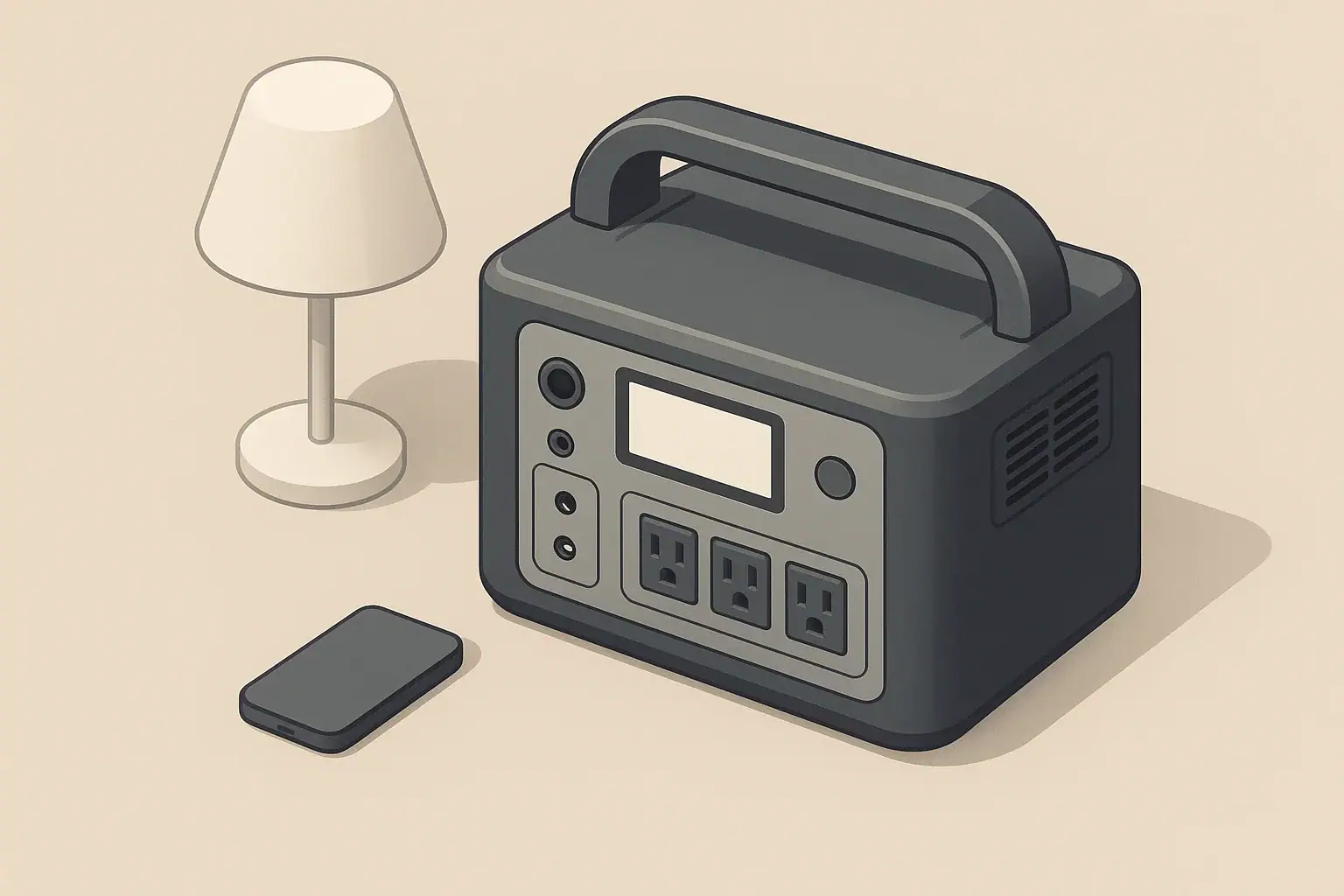
AC output on a portable power station usually stops under load because a protection limit is being reached, not because the unit is randomly failing. The inverter, battery management system, and temperature sensors are designed to shut the AC off whenever load, voltage, or heat move outside their safe operating window.
In practice, that means the AC may cut out when you plug in a high‑wattage appliance, when the battery is low or cold, when ventilation is poor, or when a difficult motor load tries to start. Understanding how these protections work makes it much easier to decide whether you are overloading the inverter, asking too much from the battery, or dealing with a wiring or settings issue.
This guide explains why AC output stops under load, shows realistic examples, and walks through common mistakes, safety basics, and specs to check before you buy or rely on a portable power station for backup power or off‑grid use.
What It Means When AC Output Stops Under Load (and Why It Matters)
When AC output cuts off under load, the inverter is usually reacting to one of four main conditions:
- Overload: The connected devices are drawing more watts than the inverter’s continuous or surge rating.
- Battery limitation: The battery voltage drops too low under load, often when the state of charge is low or the battery is cold.
- Overheating: Internal components get too hot, often due to high ambient temperature, blocked vents, or sustained heavy load.
- Protection logic: Firmware, eco modes, or fault detection turn AC off when something looks abnormal or inefficient.
This behavior matters because it protects both you and the power station. The same protections that stop AC output under load are what prevent overheated wiring, damaged batteries, or permanent inverter failure. Instead of fighting those protections, the goal is to understand what is triggering them and adjust your loads, environment, or expectations so the unit can run comfortably within its design limits.
Key Concepts: How Inverters, Batteries, and Protections Interact
Portable power stations combine a battery, an inverter, and control electronics. When AC output stops under load, it is usually the interaction between these pieces that matters, not just a single spec on the box.
Inverter power ratings
- Continuous (running) watts: The power the inverter can supply indefinitely under normal conditions without overheating.
- Surge (peak) watts: A short burst of extra power, typically a few seconds, used to start motors, compressors, and some power supplies.
- Voltage and frequency: In North America, most units output around 120 V at 60 Hz to emulate a typical wall outlet.
If a device’s running watts are close to the inverter’s continuous rating, or its startup surge exceeds the surge rating, the inverter may shut off immediately or a few seconds after the device tries to start.
Battery behavior under load
- Voltage sag: When a heavy load is applied, battery voltage briefly dips. If it dips too far, the battery management system will cut power to protect the cells.
- State of charge: At lower charge levels, the same load causes a deeper voltage sag, so shutdown is more likely at 20–30% than at 80–100% charge.
- Temperature sensitivity: Cold batteries deliver less current, and hot batteries are also limited to prevent damage.
Protection logic and modes
- Overload protection: Monitors current and turns AC off when limits are exceeded.
- Thermal protection: Uses temperature sensors to stop output before components overheat.
- Low‑load or eco modes: Some units shut AC off automatically if the load is very small for a set period, to save energy.
Because these systems all work together, the same symptom (AC stops under load) can come from very different root causes. A structured comparison can help narrow it down.
| Observed behavior | Most likely cause | What to check first |
|---|---|---|
| AC cuts out instantly when a device is plugged in or starts | Startup surge or overload | Device watt/amp label vs inverter continuous and surge watts |
| AC runs for a few minutes, then stops with same load | Overheating or gradual battery voltage sag | Unit temperature, fan noise, battery percentage drop |
| AC only shuts off when battery is below ~30% | Low‑voltage protection | Battery level at shutdown, especially under heavier loads |
| AC turns off while powering only a tiny device | Eco/low‑load mode or idle timeout | Settings for eco mode or auto‑off timers |
| AC stops when using long or thin extension cords | Voltage drop and poor connections | Cord length, wire gauge, and plug condition |
| AC shuts off even with a small lamp and full battery | Possible internal fault or sensor issue | Try multiple simple loads; note any error icons or codes |
Example values for illustration.
Real‑World Examples of AC Output Stopping Under Load
Seeing how shutdowns happen in common scenarios can make it easier to recognize what is going on with your own setup.
Example 1: Small power station and a space heater
A compact power station with a 500 W continuous inverter is used to run a 1500 W space heater. As soon as the heater is switched on:
- The heater tries to draw roughly three times the inverter’s continuous rating.
- The inverter’s overload protection trips instantly, turning AC off.
- The display may briefly flash an overload icon or error code.
In this case, the fix is not a setting; the heater is simply too large for the inverter, and no amount of retrying will make it safe.
Example 2: Fridge that runs, then trips after a while
A medium‑size power station with a 1000 W inverter is powering a small refrigerator during a power outage. The fridge runs fine for an hour, then the AC suddenly shuts off.
- The fridge’s running draw (for example, 80 W) is well within the inverter limit.
- However, the battery has dropped from 80% to 20% during that time.
- When the compressor cycles back on, the startup surge and low battery combine to pull the voltage down, triggering low‑voltage protection.
Recharging the power station or reducing other loads usually solves this. The fridge itself is compatible, but it becomes harder to support as the battery empties.
Example 3: Power tools on a long extension cord
A user plugs an electric drill into a long, thin extension cord connected to a portable power station. The drill starts, hesitates, and the AC output turns off.
- The cord’s small wire gauge causes noticeable voltage drop.
- The drill motor struggles, drawing more current than usual.
- The inverter sees that extra current as an overload and shuts down.
Switching to a shorter, heavier‑gauge extension cord or plugging the drill directly into the power station often stops the nuisance trips.
Example 4: Low‑wattage device and eco mode
Someone uses a power station to run only a small LED night light overnight. After about 30 minutes, the light turns off and the AC icon disappears from the display, even though the battery is nearly full.
- The night light’s power draw is far below the inverter’s capacity.
- The unit is in an eco or low‑load mode that turns AC off when the load is below a threshold for a set time.
- Turning eco mode off or adding a slightly larger continuous load keeps AC running.
Common Mistakes and Troubleshooting Cues
Many AC shutdown problems trace back to a few predictable user mistakes. Recognizing these patterns can save time and avoid unnecessary returns or service calls.
Common mistakes that trigger shutdowns
- Adding up watts incorrectly: Ignoring surge watts or assuming the listed wattage is the maximum the device will ever draw.
- Running several big items at once: For example, a microwave plus a coffee maker plus a fridge on a single mid‑size inverter.
- Using long, undersized extension cords: Especially when powering tools, pumps, or appliances with motors.
- Ignoring battery level: Expecting full inverter output even when the battery is almost empty.
- Blocking vents or enclosing the unit: Placing the power station inside cabinets, tight boxes, or under bedding.
- Leaving eco mode on unintentionally: Not realizing that tiny loads will be turned off automatically.
Step‑by‑step-troubleshooting when AC stops under load
- Reset the AC output with no load connected. Turn AC off, unplug everything, wait a few seconds, then turn AC back on.
- Test with a simple, low‑wattage device. Use a small LED lamp or basic phone charger. If this works, the inverter is functioning at a basic level.
- Check battery state of charge. If it is low, recharge before testing high‑wattage devices.
- Add one device at a time. Start with the smallest loads and move up. Note exactly which device and combination causes the shutdown.
- Inspect cords and plugs. Look for heat, discoloration, cuts, or loose connections. Replace suspect cords.
- Review settings. Look for eco modes, low‑load shutoff options, or timers that might be turning AC off.
- Test in a cooler, well‑ventilated spot. If shutdowns stop in a cooler area, heat was likely a factor.
If AC still cuts off immediately with a simple low‑wattage load, a cool unit, and a well‑charged battery, the problem may be internal and require professional service.
| Symptom pattern | Likely mistake | Practical next step |
|---|---|---|
| Works with lamp, fails with microwave | Microwave wattage near or above inverter rating | Confirm microwave watts; run it alone and in short bursts only if within rating |
| Runs fridge until battery is low, then trips on restart | Not accounting for increased surge impact at low charge | Recharge earlier or reduce other loads before the fridge cycles |
| Trips only when using a long cord to a tool | High resistance and voltage drop in extension cord | Use a shorter, heavier‑gauge cord or plug tool in directly |
| Stops after 15–60 minutes with tiny loads | Eco/idle shutdown enabled | Disable eco mode or add a small continuous load |
| Stops after running hot for a while | Blocked vents or high ambient temperature | Move to cooler area, clear vents, reduce load |
| Immediate shutdown with any load | Possible internal fault or severe battery issue | Stop testing high loads; contact qualified support |
Example values for illustration.
Safety Basics When AC Keeps Shutting Off
Because AC shutdowns are often related to high current, heat, or wiring issues, it is important to treat repeated trips as a safety signal rather than just an inconvenience.
What not to do
- Do not bypass protections. Avoid any attempt to override fuses, sensors, or firmware limits.
- Do not keep “hammering” the inverter. Repeatedly restarting the AC with a known overload can overheat components and shorten life.
- Do not run damaged cords or plugs. Cracked insulation, exposed copper, or melted plastic are all reasons to stop using that cord immediately.
- Do not operate in wet or extremely dusty environments. Moisture and conductive dust increase shock and short‑circuit risks.
Safer operating habits
- Keep vents clear. Maintain several inches of space around intake and exhaust grills.
- Use appropriate cords. Choose cords with sufficient amp ratings for the loads you plan to run.
- Monitor temperature. If the case is uncomfortably hot to touch, reduce load and improve ventilation.
- Power down before moving. Turn AC off and disconnect loads before relocating the unit.
- Follow the manual for error codes. When the display shows a fault, use the official instructions rather than guessing.
If you suspect internal damage, a burning smell, or visible deformation of the case, stop using the power station and seek professional evaluation.
Long‑Term Use, Maintenance, and Storage
How you use and store a portable power station over months and years affects both its ability to deliver AC under load and the likelihood of nuisance shutdowns.
Battery care for reliable AC output
- Avoid deep discharges when possible. Regularly running the battery to 0% can reduce capacity and make low‑voltage trips more common.
- Store at a moderate charge level. Many batteries age more gracefully when stored around 40–60% rather than at 0% or 100% for long periods.
- Keep within recommended temperatures. Long‑term exposure to very hot or very cold conditions accelerates aging.
Periodic checks
- Run test loads occasionally. Even when not needed for emergencies, test the AC with a few devices every couple of months.
- Inspect cables and accessories. Replace worn cords before they cause intermittent faults or trips.
- Update firmware if applicable. Some units receive improvements to protection behavior or eco modes over time.
These habits help keep the battery healthy and ensure that when you do apply a heavy load, the inverter has the best chance of handling it without unnecessary shutdowns.
Practical Takeaways and Specs to Look For
Once you understand why AC output stops under load, you can plan your setup and any future purchases to avoid the most common problems.
Key practical takeaways
- Match your biggest planned AC loads to the inverter’s continuous and surge ratings with a comfortable margin.
- Expect the same device to be more likely to trip protections when the battery is low or the unit is hot.
- Use DC and USB outputs for smaller electronics to reserve AC capacity for demanding appliances.
- Keep cords short and properly sized, especially for tools and motor loads.
- Treat repeated shutdowns as a useful warning, not something to “push through.”
Specs to look for when comparing or using a power station
- Inverter continuous watts: Should exceed your typical combined running load, not just a single device.
- Inverter surge watts and duration: Important if you plan to run fridges, pumps, or power tools.
- Battery capacity (Wh): Determines how long you can run those loads before state‑of‑charge becomes a problem.
- Recommended operating temperature range: Staying within this range reduces heat‑ and cold‑related shutdowns.
- Supported AC waveform: Pure sine wave inverters are generally more compatible with sensitive electronics and some motor loads.
- Eco/idle mode options: Check whether you can adjust or disable low‑load shutdowns when you need continuous AC.
- Maximum AC output per outlet and in total: Some units limit each outlet as well as the combined total, which affects how you distribute loads.
- Extension cord and accessory ratings: Use cords and power strips that match or exceed the inverter’s maximum current.
By choosing realistic loads, understanding your inverter’s limits, and paying attention to battery and temperature conditions, you can greatly reduce the chances of your AC output stopping under load and get more reliable performance from your portable power station.
Frequently asked questions
Which specs and features should I check to minimize the chance that AC output stops under load?
Check the inverter’s continuous and surge watt ratings (and surge duration), battery capacity (Wh), recommended operating temperature range, and whether the unit has adjustable eco/idle settings or per‑outlet limits. These specs determine whether your planned loads, startup surges, and environmental conditions are within the unit’s safe operating window.
Can using long or undersized extension cords cause the AC to shut off?
Yes. Long or thin cords cause voltage drop and increased current draw from motors, which can make the inverter see an overload and trip. Use shorter, heavier‑gauge cords to reduce voltage drop and avoid nuisance shutdowns.
What common user mistake most often leads to unexpected shutdowns?
Underestimating startup surge currents or combining several high‑draw devices without accounting for combined continuous and surge demands is a frequent mistake. Ignoring battery state of charge and thermal limits can also turn a compatible device into a cause for shutdown.
Is it safe to repeatedly restart a power station that keeps tripping?
No, repeatedly restarting a unit that keeps tripping under the same conditions can stress internal components and increase heat, which may cause damage. Treat repeated trips as a warning: reduce the load, improve ventilation, or seek professional service rather than forcing restarts.
How does battery state of charge affect the inverter’s ability to sustain AC under load?
A lower state of charge increases voltage sag under load, making low‑voltage protection more likely to shut AC off, especially during device startup surges. Keeping the battery charged and avoiding deep discharges reduces the chance of shutdowns during high‑demand moments.
Can temperature or poor ventilation make the AC stop even when loads are within ratings?
Yes. High ambient temperature or blocked vents can trigger thermal protection even if loads are within inverter ratings because internal components can overheat. Improve airflow, move the unit to a cooler location, and reduce sustained loads to prevent thermal trips.
Related guides
Browse this topic →

- Beginner-friendly sizing, runtime & specs
- Solar & charging (MPPT, fast charging, cables)
- Batteries (LiFePO4, cycles, care & storage)
- Safety, cold-weather performance, real-world tips
More in FAQ
See all →- Why Does My Portable Power Station Show 0W Even When Something Is Plugged In?
- What Happens When a Portable Power Station Is Overloaded?
- Can a Portable Power Station Run Multiple Appliances at Once?
- Can You Use a Portable Power Station in a Dorm Room?
- Portable Power Station Error Codes: What Common Warnings Mean
Keep reading
About this site
Portable Energy Lab publishes practical, independent guides about portable power—clear sizing, safe use, and real-world expectations.
Affiliate disclosure
Some links on this site may be affiliate links. If you buy through these links, we may earn a small commission at no extra cost to you. This helps support our content. Read our affiliate disclosure.