
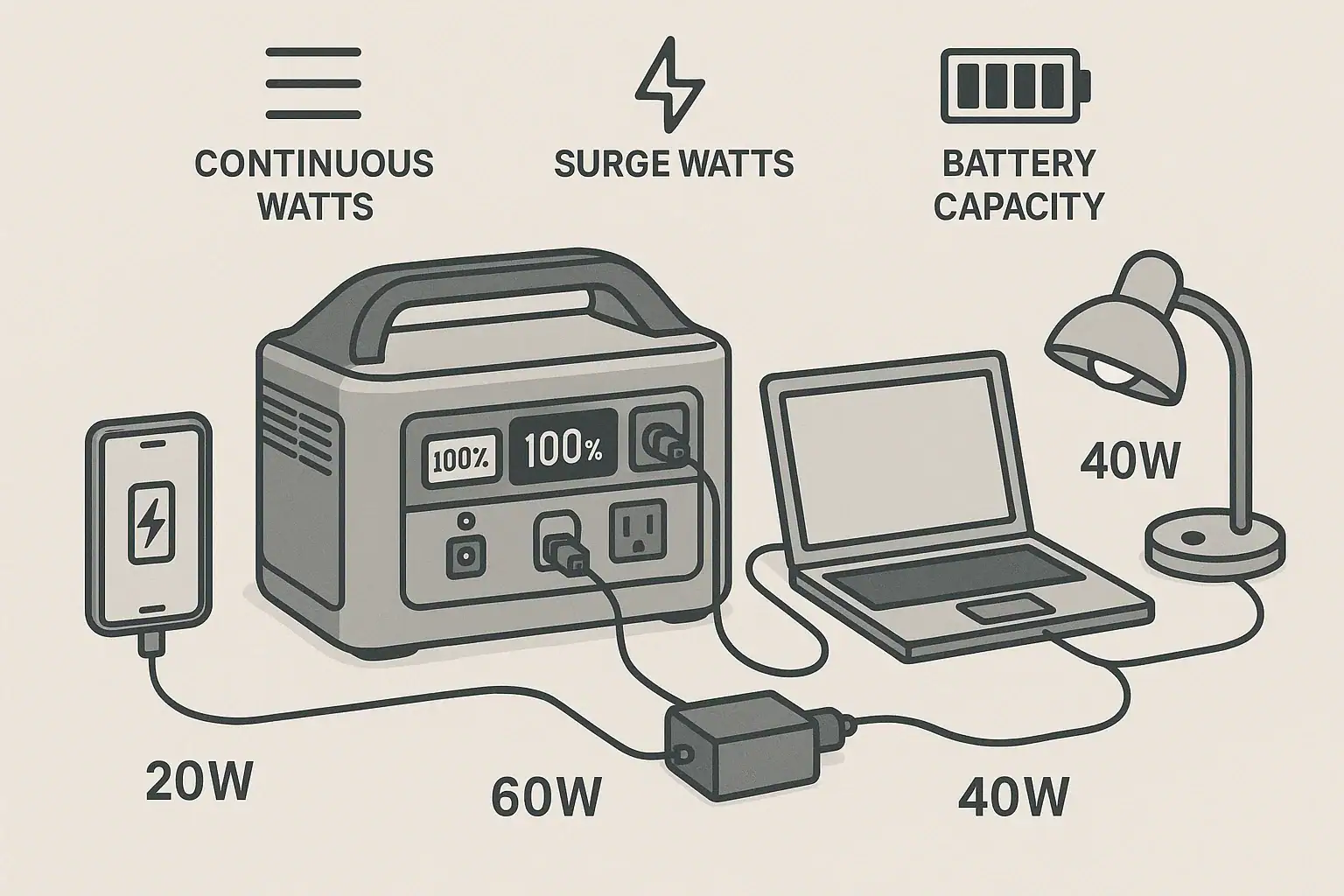
Most people need between 300 and 1,500 watts of usable power from a portable power station, depending on which devices they want to run and for how long. The right wattage depends on continuous watts, surge watts, battery capacity, and how you balance runtime with size and cost. Understanding your real watt needs helps you avoid overload errors, short runtimes, and confusing input limit or PD profile issues.
Instead of guessing, you can calculate your watt requirements based on the devices you actually use: phones, laptops, fridges, CPAP machines, power tools, and more. From there, you match those needs to a power station’s rated output watts and watt-hours of capacity.
This guide explains what watts really mean for portable power stations, how to read the specs, how to estimate runtime, and how to avoid common mistakes like mixing up surge watts and continuous watts. By the end, you will know how many watts you really need and which key specs to focus on.
Understanding Watts and Why They Matter for Portable Power Stations
Watts are a measure of power: how fast energy is being used or delivered at any moment. For portable power stations, watts tell you two critical things:
- How much power you can draw at once (what you can plug in and run simultaneously).
- How quickly you will drain the battery (which affects runtime).
When you ask, “How many watts do I need?” you are really asking two related questions:
- Output power: What is the maximum continuous wattage the power station can safely deliver without tripping protection?
- Energy capacity: How many watt-hours (Wh) are stored in the battery so you know how long devices can run?
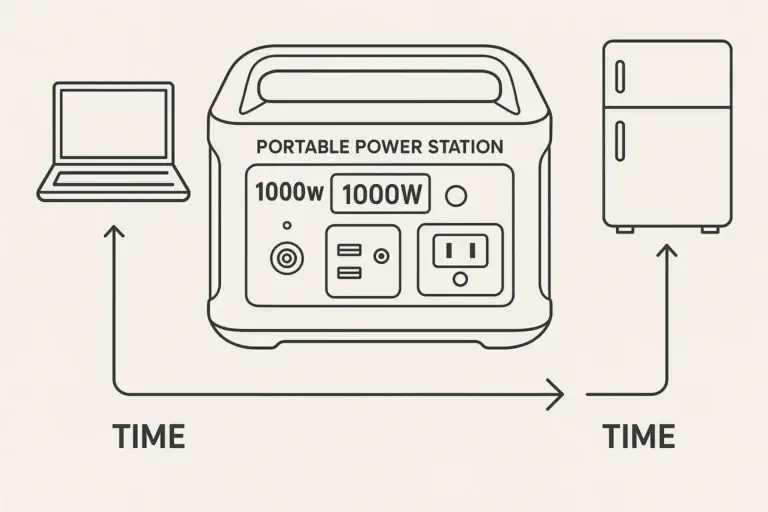
These two ideas are easy to confuse. A unit with high output watts but low watt-hours can power big loads, but not for long. A unit with high watt-hours but low output watts can run smaller loads for a long time, but cannot start or run heavy appliances.
Knowing the difference between watts (W) and watt-hours (Wh), and between continuous and surge watts, is the foundation for sizing a portable power station correctly.
Key Power Concepts: Continuous Watts, Surge Watts, and Watt-Hours
To match a portable power station to your needs, you should understand a few key power and capacity terms that show up in spec sheets.
Continuous output watts
Continuous watts (sometimes called rated output) is the maximum power the inverter can supply steadily without overheating or shutting down. This tells you the total wattage of devices you can run at the same time.
Example: If your power station is rated for 600 W continuous, you can run up to 600 W of combined loads. A 300 W device plus a 200 W device plus a 50 W device (total 550 W) should be fine; adding another 200 W device (total 750 W) will likely trip the overload protection.
Surge watts (peak watts)
Surge watts (or peak watts) is the short burst of power the inverter can handle for a few seconds to start devices with high inrush current, like compressors and motors. Many appliances need more power to start than to run.
Example: A fridge might run at 80–120 W but need 400–600 W for a second or two when the compressor kicks on. If your surge rating is too low, the unit may shut down when the device starts, even though the running watts are within the continuous limit.
Battery capacity: watt-hours (Wh)
Watt-hours (Wh) measure stored energy. This tells you how long you can run a given load. In simple terms:
Runtime (hours) ≈ usable Wh ÷ device watts
Real runtime is always less than the math due to inverter losses and efficiency, so many users use 80–90% of the rated Wh as a realistic usable capacity.
AC vs DC output watts
Portable power stations often have multiple output types:
- AC outlets: 110–120 V AC, used for most household devices; limited by inverter capacity.
- DC outputs: 12 V car socket and barrel ports; more efficient for some devices.
- USB-A and USB-C (including PD): 5–20 V DC, limited by each port’s watt rating and PD profile.
Manufacturers may also specify a total combined output limit across all ports. If you exceed it, the unit may reduce output or shut off ports.
Input watts and charging limits
Input watts describe how fast you can recharge the battery from AC, solar, or car charging. For off-grid or frequent-use scenarios, higher input watts mean faster turnaround time between discharges.
| Term | What it Means | Typical Range |
|---|---|---|
| Continuous Output Watts | Max sustained power to loads | 200–2,000 W |
| Surge Watts | Short burst for startup | 1.5–2x continuous |
| Battery Capacity | Stored energy | 200–2,000 Wh |
| AC Input Watts | Max charging rate from wall | 100–1,200 W |
| Solar Input Watts | Max solar charging rate | 100–800 W |
Real-World Wattage Examples: What Different Users Actually Need
The right wattage depends heavily on how and where you plan to use a portable power station. Here are typical scenarios and rough watt requirements to show how needs vary.
Light personal use: phones, tablets, and laptops
For basic everyday backup or travel use, loads are small and continuous watts can be modest.
- Smartphone charging: 5–20 W (more with fast charging).
- Tablet: 10–30 W.
- Laptop (USB-C PD or AC): 45–100 W depending on model and workload.
If you plan to charge a phone (15 W), a tablet (20 W), and a laptop (60 W) at once, you only need around 100 W of continuous output, plus some headroom. A 200–300 W continuous inverter with 200–500 Wh of capacity is usually sufficient for this type of use.
Remote work or small office setup
Running a laptop, monitor, and networking gear requires more power but still stays in a moderate range.
- Laptop: 60 W.
- 24–27 inch monitor: 20–40 W each.
- Router/modem: 10–20 W.
- LED desk lamp: 5–10 W.
Total: roughly 100–150 W for a single-person setup. A power station with 300–600 W continuous and 500–1,000 Wh capacity gives reasonable runtime and flexibility to add a second monitor or charge other devices.
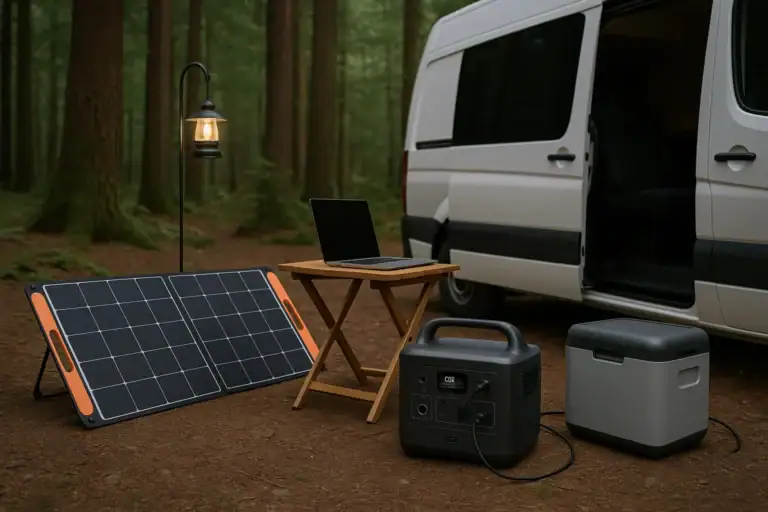
Camping and van life essentials
Off-grid camping often combines small electronics with a few larger items.
- LED lights: 5–20 W total.
- 12 V fridge or cooler: 30–60 W running, higher on startup.
- Phone and camera charging: 20–40 W combined.
- Occasional laptop use: 60–90 W.
Peak draw might be around 150–250 W, but the fridge cycling can cause short surges. A continuous rating in the 300–600 W range with 500–1,000 Wh capacity is common for this use. If you also want to run an induction cooktop, electric kettle, or microwave, your needs jump into the 1,000+ W range.
Home backup for small appliances
For short power outages, many people want to keep a few key appliances running:
- Refrigerator: 80–150 W running, 400–800 W surge.
- Wi-Fi router: 10–20 W.
- LED room lighting: 10–40 W total.
- Phone and laptop charging: 30–100 W.
Running a fridge plus a few small loads typically requires at least 500–800 W continuous and enough surge capacity to handle compressor startup. For several hours of runtime, 1,000–2,000 Wh of capacity is more realistic, especially if the fridge cycles frequently.
Power tools and jobsite use
Power tools and equipment often draw high watts and have strong surge demands.
- Cordless tool battery charger: 50–150 W.
- Small circular saw: 800–1,200 W surge, 500–800 W running.
- Air compressor (small): 800–1,500 W surge, 300–800 W running.
For this type of use, a portable power station with 1,000–2,000 W continuous and robust surge capability is often necessary. Capacity needs depend on how long the tools will run; even 1,000 Wh can deplete quickly under heavy use.
Medical devices (high-level only)
Some users need portable power for critical medical devices such as CPAP machines. Power draw varies, but many CPAP units use 30–80 W depending on settings and whether a heated humidifier is enabled. For an 8-hour night at 50 W average, you might want at least 400–600 Wh of usable capacity, plus enough continuous output (typically 100+ W) for safety margin. Always check the device’s label and consult a qualified professional for critical medical applications.
Common Wattage Mistakes and Troubleshooting Overload Issues
Mismatching watts is one of the main reasons portable power stations shut down unexpectedly or deliver disappointing runtime. Understanding frequent errors can help you avoid frustration.
Confusing watts and watt-hours
Many users see a large Wh number and assume they can run anything. But watt-hours only tell you how long the battery can supply power, not how powerful the inverter is. A 500 Wh unit with a 300 W inverter cannot run a 700 W microwave, even briefly.
Ignoring surge watt requirements
Devices with motors or compressors, such as fridges, pumps, and some tools, may require 2–3 times their running watts at startup. If the surge exceeds the inverter’s limit, the unit may:
- Click off or display an overload error.
- Cycle the device on and off repeatedly.
- Refuse to start the load at all.
If you see the display spike and then drop to zero when a device tries to start, surge watts are likely the issue.
Overloading by stacking small devices
It is easy to exceed continuous watts by adding many small loads. A few chargers, a fan, some lights, and a laptop can quietly add up. If your portable power station suddenly shuts off when you plug in “one last thing,” check the total watt draw shown on the display and compare it to the continuous rating.
Underestimating runtime at higher loads
Running near the maximum continuous watt rating drains the battery quickly and increases conversion losses. A 1,000 Wh unit powering a 1,000 W load will not run for a full hour in real-world conditions; 40–50 minutes is more typical. If your runtime is shorter than expected, consider:
- Actual watts shown on the display vs the device label.
- Inverter efficiency (usually 80–90%).
- Battery management system keeping some capacity in reserve.
Troubleshooting cues
Common signs that your watts are mismatched include:
- Overload or protection icons on the screen.
- Repeated shutdowns when certain devices start.
- AC output turning off while DC or USB still works.
- Unusually short runtime compared to simple calculations.
When this happens, reduce the number of connected devices, unplug high-surge loads, and compare the total draw to the unit’s continuous and surge ratings. If problems persist, a higher-wattage power station may be required for your use case.
Safety Basics When Dealing With Watts and Loads
Portable power stations are designed with built-in protections, but using the correct wattage range is still important for safety and reliability.
Stay within rated output
Always keep your total load within the manufacturer’s continuous watt rating, with some margin. Running at the absolute limit for long periods can increase heat and wear. Aiming for 70–80% of the continuous rating for steady loads is a conservative approach.
Avoid daisy-chaining power strips and adapters
Plugging multiple power strips or high-draw adapters into one outlet can encourage overloads and make it harder to track total watts. Use the built-in outlets and ports as intended, and distribute loads across them when possible.
Use appropriate cords and connectors
Undersized extension cords or damaged cables can overheat even if your power station is within its watt rating. Use cables rated for the loads you plan to run, keep connections secure, and avoid pinching or sharply bending cords.
Respect surge loads and motor-driven devices
Repeatedly forcing a portable power station to start loads that exceed its surge rating can stress components. If a fridge, pump, or tool will not start reliably, do not keep trying to force it; instead, use a power source with adequate surge capability or consult a qualified electrician for alternatives.
Do not integrate directly into home wiring
Portable power stations are meant to power devices directly, not to be wired into a home’s electrical panel without proper transfer equipment. For any connection to household circuits, consult a licensed electrician and use approved transfer methods. Improper connections can create shock hazards and backfeed risks.
How Wattage Affects Maintenance, Charging, and Storage Habits
Your watt needs influence how often you cycle the battery, how fast you recharge, and how you care for the power station over time.
High-watt vs low-watt usage patterns
Running near maximum watt output frequently will cycle the battery more deeply and generate more heat. Over time, this can contribute to faster capacity loss compared to light, occasional use. If you regularly need high watt output, choosing a unit with some overhead can reduce stress on components.
Charging speed and input watts
If your usage regularly drains a large portion of the battery, higher input watts (from AC or solar) help you recover faster. However, fast charging can also generate more heat. Many users balance convenience and longevity by not always charging at the absolute maximum rate when time allows a slower charge.
Storage level and self-discharge
When storing a portable power station, most manufacturers recommend leaving the battery partially charged rather than full or empty. Because higher watt usage often means more frequent cycling, it is especially important to:
- Top up the battery to a moderate level (often around 40–80%) before long storage.
- Check and recharge every few months to counter self-discharge.
Staying aware of your typical watt draw helps you plan these maintenance charges before the battery gets too low.
Thermal management
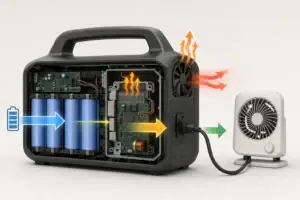
High-watt loads warm the inverter and battery more quickly. Keep ventilation openings clear, avoid covering the unit during heavy use, and store it in a cool, dry place away from direct sun. Elevated temperatures can accelerate battery aging, especially if combined with high loads and fast charging.
Monitoring usage over time
Many portable power stations display real-time watts in and out. Watching these numbers during everyday use can teach you which devices are the biggest contributors to load. Over time, you may adjust habits, such as staggering high-watt devices instead of running them all at once, which reduces stress and can improve overall battery longevity.
| Usage Pattern | Typical Load | Maintenance Implication |
|---|---|---|
| Light Daily Use | Under 150 W | Longer intervals between charges, slower aging |
| Moderate Mixed Use | 150–600 W | Regular cycling, monitor temperature and charge level |
| Heavy High-Watt Use | 600+ W | More heat, more frequent cycling, benefit from higher input watts |
Related guides: Surge Watts vs Running Watts: How to Size a Portable Power Station • How to Estimate Runtime for Any Device: A Simple Wh Formula + 5 Worked Examples • How to Choose the Right Size Portable Power Station
Practical Takeaways and How to Choose the Right Wattage
Choosing how many watts you really need comes down to listing your devices, adding up their running watts, accounting for surge, and deciding how long you want them to run on battery power. Then, you match those needs to a portable power station’s continuous output watts, surge watts, and watt-hour capacity.
For light personal use, a few hundred watts of output and a few hundred watt-hours of capacity may be enough. For home backup, camping fridges, or power tools, it is common to need 500–2,000 W of output and 500–2,000 Wh of capacity, depending on how many devices you use and for how long.
Specs to look for
- Continuous AC output (W): Look for 200–500 W for light use, 500–1,000 W for fridges and small appliances, and 1,000+ W for tools; this sets what you can run at once.
- Surge/peak watts: Aim for at least 1.5–2 times the continuous rating; higher surge helps start fridges, pumps, and some power tools without overloads.
- Battery capacity (Wh): Choose 200–500 Wh for short sessions, 500–1,000 Wh for overnight use, and 1,000–2,000+ Wh for multi-device backup; higher Wh means longer runtime.
- AC inverter type and efficiency: Look for a pure sine wave inverter with typical efficiency of 80–90%; better efficiency means more usable runtime from the same Wh.
- Total DC and USB output watts: Ensure USB and 12 V ports can cover your phones, tablets, and 12 V devices simultaneously, often 60–200 W combined; this reduces reliance on AC outlets.
- Input charging watts (AC/solar): For frequent or off-grid use, 200–600 W of input allows faster recharges; higher input is useful when you regularly drain most of the battery.
- Display and monitoring: A clear screen showing real-time watts in/out and remaining percentage helps you avoid overloads and manage runtime more accurately.
- Operating temperature range: A wide, clearly stated temperature range supports safe use in hot or cold environments; extreme temps can limit available watts and runtime.
- Protection features: Built-in overload, over-temperature, and low-voltage protections help prevent damage when you approach watt limits or miscalculate loads.
By focusing on these watt-related specs and comparing them to your actual devices and usage patterns, you can select a portable power station that delivers the power you need without constant overloads or unexpectedly short runtimes.
Frequently asked questions
How do I calculate the wattage I need for my devices?
List the running watts of every device you plan to power and add them to get your total continuous load, then allow headroom (typically 20–30%). Estimate runtime by dividing usable watt-hours by the combined running watts and factor in inverter losses. Check surge requirements separately for motorized devices.
Which specs and features should I prioritize when choosing a portable power station?
Prioritize continuous AC output watts, surge/peak watts, and battery capacity in watt-hours because they determine what you can run and for how long. Also consider inverter type (pure sine), total DC/USB output, input charging watts, and monitoring features for real-time load and remaining runtime.
What is a common mistake that causes portable power stations to shut down unexpectedly?
A frequent error is underestimating surge watts or adding many small loads until the continuous rating is exceeded, both of which can trigger overload protection. Always compare the real-time draw to the unit’s continuous and surge ratings before adding more devices.
What safety precautions should I follow when using a portable power station?
Keep total loads within the continuous rating with some margin, use properly rated cords and avoid daisy-chaining power strips, and ensure good ventilation during heavy use. Do not wire the unit directly into home circuits without proper transfer equipment and a licensed electrician.
Can I charge a power station with solar while running appliances at the same time?
Some power stations support pass-through or simultaneous use while charging, but capabilities and efficiency vary by model and input limits. Check the unit’s specs for supported input watts and whether pass-through is allowed to avoid reduced charging speed or potential heat issues.
How much surge capacity do I need to start appliances with motors or compressors?
Many motorized appliances require 1.5–3 times their running watts at startup; check the appliance’s start-up current or manufacturer spec. Choose a power station with a surge rating that comfortably exceeds those startup needs to avoid startup failures.
Related guides
Browse this topic →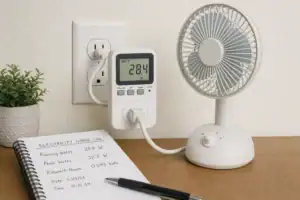
- Beginner-friendly sizing, runtime & specs
- Solar & charging (MPPT, fast charging, cables)
- Batteries (LiFePO4, cycles, care & storage)
- Safety, cold-weather performance, real-world tips
More in Capacity
See all →- Wh per Pound: How to Compare Portable Power Station Weight and Capacity
- Two Small Power Stations vs One Large Power Station: Which Backup Setup Is Better?
- How to Build a Load Priority List for a Portable Power Station During Blackouts
- Usable Capacity vs Advertised Capacity: Why 1,000Wh Doesn’t Mean 1,000Wh at the Outlet
- Why Output Ports Have Separate Watt Limits on Portable Power Stations
Keep reading
About this site
Portable Energy Lab publishes practical, independent guides about portable power—clear sizing, safe use, and real-world expectations.
Affiliate disclosure
Some links on this site may be affiliate links. If you buy through these links, we may earn a small commission at no extra cost to you. This helps support our content. Read our affiliate disclosure.