
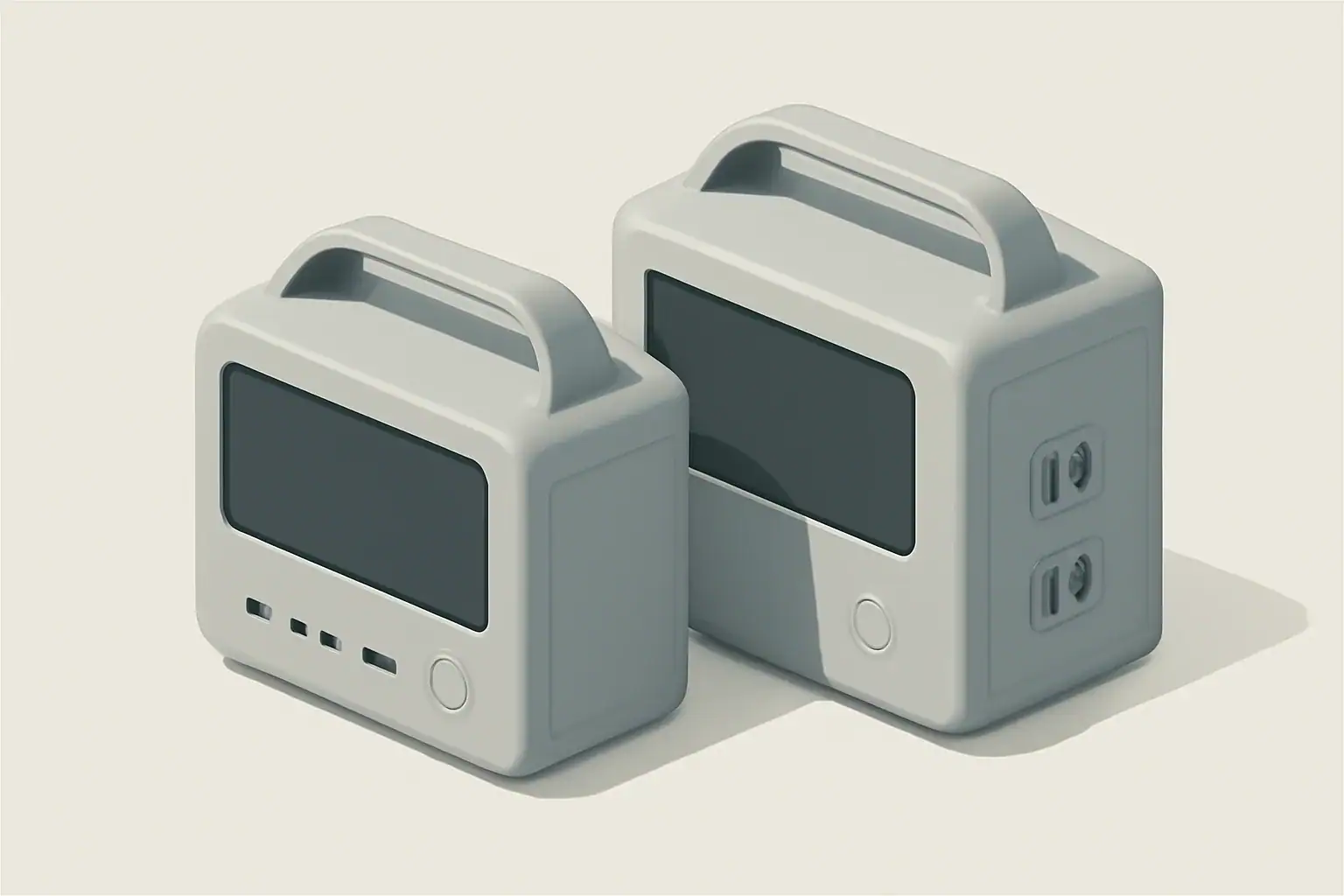
A portable power station can replace a UPS for some equipment, but only when the station’s documented transfer behavior, output, bypass limits, and operating conditions match the connected load. Pass-through charging by itself does not prove that a power station provides UPS-like switching.
The main distinction is continuity versus runtime. A UPS is designed around maintaining power through an input failure, while a portable power station generally emphasizes stored energy and flexible charging. Some power stations include an emergency power supply (EPS) or backup mode, but transfer time varies by exact model. For example, EcoFlow specifies a 30 ms EPS transfer for the DELTA 2 and explicitly says it is not a 0 ms system, while Schneider Electric lists transfer times from 2–10 ms for several named APC line-interactive families and no input-failure transfer time for the listed double-conversion models. These figures are examples, not universal specifications.
What These Devices Are and Why the Difference Matters
Both devices provide battery-backed power, but they are not interchangeable by default.
A UPS is designed to maintain power to compatible equipment when utility input fails. Depending on its topology and model, it may also provide automatic voltage regulation, monitoring, alarms, or controlled computer shutdown. Schneider Electric’s documentation illustrates why the topology matters: named APC line-interactive models have specified transfer intervals, while the listed double-conversion models keep the inverter supplying the load and therefore have no transfer event during an input failure. See the manufacturer’s UPS transfer-time guidance.
A portable power station is a rechargeable battery system with an inverter and one or more AC, USB, or DC outputs. Depending on the model, it may recharge from wall power, a vehicle connection, or solar panels. Its larger energy capacity can be useful during a long outage, but that does not establish that it will switch quickly enough for a particular computer, router, server, or controller.
The practical questions are:
- Does the exact model support EPS, UPS, or backup operation while connected to utility power?
- What transfer time does the manufacturer specify in that mode?
- Can the load tolerate that transfer under its actual operating conditions?
- Do voltage, frequency, continuous output, starting demand, plugs, grounding instructions, and bypass limits match?
- Is there enough usable energy for the required runtime?
How UPS Units and Portable Power Stations Work
UPS: Designed Around Continuity
UPS behavior depends on topology and model rather than the word “UPS” alone. A standby or line-interactive unit normally has a documented transfer interval when input fails. A double-conversion UPS normally powers its load from the inverter continuously, avoiding an input-failure transfer event. Output waveform, voltage regulation, battery runtime, monitoring, and supported load types still differ among products.
Portable Power Station: Designed Around Stored Energy
Portable stations commonly offer more watt-hours and more output types than a small office UPS. Some can power a load while receiving AC input and then change to battery operation when that input disappears. The manufacturer may call this EPS, backup, pass-through, or UPS operation, but those terms are not proof of identical behavior.
For a concrete example, the EcoFlow DELTA 2 manual states a 30 ms EPS transfer, says the function does not provide 0 ms switching, and calls for compatibility testing before connecting equipment that requires uninterrupted power. Jackery likewise describes approximately 20 ms switching for the arrangement covered by its UPS support guidance and says it is not a true 0 ms UPS. Consult the manual for the exact model and region you own; another station from either brand may have different limits.
Why Device Tolerance Cannot Be Assumed
A computer does not have one universal transfer-time limit. Tolerance depends on its power supply, present load, input voltage, and the waveform during transfer. Intel’s desktop power-supply design guide requires the covered supply design to maintain regulated output for at least 17 ms after AC loss under specified test conditions. That is a design requirement for supplies within the guide, not proof that every computer will survive every 17 ms transfer. See section 3.2.9 of Intel’s Desktop Platform Form Factors Power Supply Design Guide.
Consequently, a published station transfer time must be compared with the requirements of the connected equipment and then verified in a controlled test using non-critical equipment.
| Question | Dedicated UPS | Portable power station |
|---|---|---|
| Main design priority | Continuity for supported loads | Portable stored energy and multiple outputs |
| Transfer behavior | Varies by topology and model; may have no input-failure transfer event in double-conversion designs | Varies by model and mode; pass-through does not establish transfer time |
| Runtime | Calculate from its battery data and load curve | Estimate from watt-hours, usable capacity, losses, overhead, and load |
| Monitoring | Some models support computer or network shutdown | Features vary; do not assume automated shutdown support |
| Extended-outage use | Limited by installed battery capacity and supported expansion | Often the stronger use case, subject to load and recharge limits |
Where a Power Station Can and Cannot Replace a UPS
Home Internet and Wi-Fi
A power station may be suitable when the modem, router, and any fiber terminal accept its output and remain operating through the documented transfer. Do not assume a generic wattage or interruption tolerance. Read each adapter’s input and output label, measure the combined running watts if possible, and test the complete setup. Internet service can still fail if the provider’s upstream equipment loses power.
For a treatment focused specifically on this use case, see portable power station versus battery backup for internet.
Desktop PC and Monitor
A dedicated computer UPS is generally the more direct choice when the goal is to prevent a reboot and allow an orderly shutdown. A portable station is a possible substitute only if its manufacturer permits the intended mode, its transfer specification is compatible with the equipment, and a controlled test succeeds at the expected load.
If the computer reboots, freezes, displays power errors, or loses attached storage during testing, do not treat the station as an interruption-free replacement. Use a compatible UPS or another manufacturer-approved design. A related comparison is available in portable power station versus UPS for computers and networking.
Refrigerator or Freezer
A refrigerator is principally a runtime and motor-starting problem rather than a data-continuity problem. Its label or service documentation may not state the full brief starting demand, so use manufacturer information or an appropriate meter where available. Compare running demand and starting demand separately with the station’s supported continuous output, surge behavior, and appliance-compatibility guidance.
Do not infer compatibility from battery watt-hours or the number of outlets. A station can have ample stored energy yet shut down when the compressor starts. Runtime also varies with cycling, ambient temperature, door opening, thermostat setting, and the station’s conversion losses.
Network Closet or Small Server Rack
Where uninterrupted operation, logs, alerts, or automatic shutdown are required, use equipment whose manufacturer documents those functions for the intended load. The DELTA 2 manual, for example, warns that its 30 ms EPS mode is not intended for equipment requiring 0 ms switching, including data servers and workstations. A station can still power separate, non-critical loads during a longer outage.
Do not connect a UPS and portable power station in series unless both manufacturers explicitly support that arrangement. A safer general design is to assign sensitive equipment to the compatible UPS and use the station for separate loads.
Runtime Estimation With Explicit Assumptions
Keep power and energy separate:
- Running load, in watts: the measured or documented average power while equipment operates.
- Starting load, in watts or amperes: a brief peak checked separately against surge and compatibility limits.
- Rated energy, in watt-hours: the station’s nominal stored-energy figure.
- Station overhead: energy consumed by the inverter, controls, display, fans, and wireless features.
Use this planning formula:
runtime (hours) ≈ rated Wh × usable-capacity factor × conversion efficiency ÷ (average load W + station overhead W)
The usable-capacity factor, conversion efficiency, and overhead are model- and load-dependent. If the manufacturer does not publish them, do not present one precise answer. Measure actual runtime or calculate a range. Starting watts determine whether the load starts; they should not simply be added to the average wattage for the entire runtime.
Worked Example With Stated Assumptions
Suppose a station is rated at 500 Wh and the measured average load is 50 W. For a planning range only, assume 80–90% of rated energy is usable and 85–90% conversion efficiency. If station overhead is unknown and therefore omitted:
- Low estimate:
500 × 0.80 × 0.85 ÷ 50 = 6.8 hours - High estimate:
500 × 0.90 × 0.90 ÷ 50 = 8.1 hours
The real result may be lower because overhead was omitted. It may also change with temperature, battery condition, output mode, and a load that varies over time. The assumptions above are illustrative rather than specifications for any product. For more detail, see the portable power station runtime calculation guide.
| Measured average load | Rated capacity | Planning range |
|---|---|---|
| 25 W | 300 Wh | About 8.2–9.7 hours |
| 200 W | 600 Wh | About 2.0–2.4 hours |
| 80 W average | 500 Wh | About 4.3–5.1 hours |
| 120 W | 500 Wh | About 2.8–3.4 hours |
These ranges are arithmetic examples, not tested runtimes. For cycling appliances, use measured average consumption over a representative period and verify starting compatibility separately.
Model Compatibility Checklist
Check the manual for the exact station, region, operating mode, and connected device. Model names alone may not identify regional socket or voltage differences.
- Output voltage and frequency: They must match the load. Do not rely on a review of a version sold in another region.
- Continuous output: Compare the combined running load with the rating for the mode being used.
- Starting demand: Check motor, compressor, pump, and power-supply inrush against the station’s surge behavior and approved load types.
- Bypass or pass-through limit: This may differ from the inverter rating. For example, the US/Canada DELTA 2 manual lists a 13 A bypass limit alongside separate AC output specifications.
- Transfer time: Obtain the manufacturer’s figure for the exact EPS or UPS mode. “Pass-through” is not enough.
- Plug, connector, and grounding instructions: Confirm the regional socket, plug fit, grounding requirements, and whether adapters are permitted.
- Supported mode and feature restrictions: Some boost or load-support features are unavailable in bypass or unsuitable for voltage-sensitive equipment.
- Automatic timeout: Determine whether AC output can turn off at a light load or after a set period.
- Operating temperature: Charging and discharging ranges can differ. Use and store the unit within the limits in its manual.
- Input compatibility: If using solar or vehicle charging, verify voltage, current, connector polarity, and total input limits rather than matching wattage alone.
The DELTA 2 specifications provide a useful example of why these checks matter: its manual distinguishes 120 V output for the US/Canada version, total continuous and surge output, a separate bypass-current limit, solar input voltage and current limits, region-specific sockets, and different charging and discharging temperature ranges. Those values apply to that documented version, not to portable stations generally.
Diagnosis, Testing, and Stop Conditions
Test only equipment that can safely tolerate a shutdown. Do not begin with a production server, essential controller, active medical device, or a computer holding unsaved work. Follow the station manual when simulating loss of AC input; do not open the unit or work on energized wiring.
| Symptom | Safe check | Possible action | Stop or escalate when |
|---|---|---|---|
| Load drops during transfer | Confirm the correct EPS/backup mode, battery charge, transfer specification, and total load | Repeat once with non-critical equipment at the expected load | The device reboots, glitches, reports errors, or requires a shorter transfer than the station provides |
| Station shuts down when a motor starts | Disconnect loads and compare running and starting demand with the manual | Remove unnecessary loads or use a documented compatible source | The fault repeats below documented limits or the manufacturer excludes that load type |
| Runtime is short | Measure average watts, verify charge level, and check whether AC, USB, wireless, or display functions add overhead | Reduce non-essential loads and perform a timed discharge test | Capacity falls abruptly, the battery will not charge normally, or an error persists |
| Fan runs or the case becomes warm | Clear vents, check ambient temperature, and reduce load | Move the unit to the manufacturer-required operating environment | There is unusual heat, odor, smoke, deformation, or abnormal noise |
| Damaged cable or plug | Disconnect it if that can be done safely | Use only a manufacturer-approved replacement | Do not tape over damage or attempt internal repair |
| Water exposure or severe impact | Power off only if it is safe to do so and isolate the unit from use | Contact the manufacturer or qualified service provider | Do not restart or charge the unit to “see if it works” |
These boundaries follow the type of precautions stated in EcoFlow’s DELTA 3 Ultra safety and troubleshooting manual, which directs users not to disassemble the product and to stop using it after water exposure, serious damage, unusual heat, odor, or noise. Follow your own model’s instructions if they differ.
Controlled Verification Test
- Confirm voltage, frequency, mode, bypass limit, and output rating in the exact model manual.
- Charge the station as directed and connect only a non-critical example of the intended load.
- Record the displayed or measured running watts and verify that no starting event causes an overload.
- Following the manual, remove the station’s utility input without disconnecting its output cable.
- Observe whether the load restarts, flickers, reports an error, loses its network link, or corrupts an active task.
- Restore input and verify that charging resumes without an alarm or overload.
- For runtime verification, perform a separate timed test and stop before the load reaches a state where sudden shutdown would cause harm or data loss.
A successful test applies only to the tested station, firmware or settings, load, and operating conditions. Stop relying on the setup if behavior changes after adding equipment, changing modes, or moving it into a hotter or colder environment.
Safety Basics
- Follow the listed ratings and instructions: Stay within the limits for the exact operating mode rather than applying a universal loading percentage.
- Do not series-connect power strips: OSHA’s interpretation on relocatable power taps says listed strips should be used according to their labeling and should not be connected in series. It also notes that such taps are generally intended for low-powered loads rather than appliances such as refrigerators.
- Keep vents clear: Use the spacing and orientation required by the manufacturer; do not cover the unit.
- Keep the equipment dry: Remove a unit from service after water exposure and follow its manufacturer’s procedure.
- Do not defeat grounding: Follow the grounding and neutral instructions for the station and load. Do not remove a ground pin.
- Use approved charging equipment: Solar voltage, current, polarity, and connector compatibility must all be correct.
- Do not open the enclosure: Internal batteries and power electronics can remain hazardous even when external outputs are off.
Maintenance and Storage
Battery-care instructions vary with chemistry, battery-management settings, and model. Do not apply a universal “store at half charge” rule. Follow the specified storage charge, temperature, inspection, and recharge interval in the current manual. As one model-specific example, the DELTA 2 manual gives a 60% storage target and periodic maintenance instructions; that figure should not be copied to another product without checking its manual.
- Inspect cords, plugs, vents, and the enclosure before use.
- Keep the station within its published storage and operating temperature ranges.
- Repeat the controlled transfer and runtime tests periodically if the setup is intended for outage readiness.
- Investigate a substantial runtime change under the same measured load rather than assuming the original estimate still applies.
- Use the manufacturer’s service process for battery or internal faults; user-serviceability differs by product.
Practical Takeaways
- A portable power station can replace a UPS only for a load that is compatible with its documented output and transfer behavior.
- Pass-through charging is not evidence of zero-transfer or UPS operation.
- For interruption-sensitive computers, servers, or network systems, begin with the equipment’s continuity and shutdown requirements, then choose a UPS topology and model that documents support for them.
- For long-duration loads that tolerate the station’s transfer behavior, available watt-hours may make a portable station more useful than a small UPS.
- Check running watts, starting demand, watt-hours, station overhead, bypass limits, voltage, frequency, connectors, grounding, supported modes, timeouts, and temperature separately.
- Verify the result with a controlled, non-critical test and stop if the load restarts, reports errors, or the station displays a fault.
The safest conclusion is model-specific: compare both manuals, calculate runtime with explicit assumptions, and test the intended load. If the equipment requires a guaranteed zero-transfer supply, use a manufacturer-documented design that provides it rather than assuming an EPS-equipped portable station will behave the same way.
Frequently Asked Questions
Does pass-through charging mean a power station is a UPS?
No. Pass-through means the unit can power a load while receiving charging input, but it does not by itself establish transfer time, output behavior during transfer, bypass limits, or suitability for interruption-sensitive equipment.
What transfer time is fast enough for a computer?
There is no universal figure. Tolerance depends on the computer’s power supply, its current load, input conditions, and the transfer waveform. Compare the station’s documented transfer time with the computer or power-supply requirements and perform a controlled test without unsaved or critical work.
How should I estimate runtime?
Use rated watt-hours multiplied by a stated usable-capacity factor and conversion-efficiency assumption, then divide by average load watts plus station overhead. If losses or overhead are unknown, present a range and verify it with a timed test. Check starting demand separately.
Can a portable power station run a refrigerator?
Possibly, but watt-hours alone do not answer the question. Confirm output voltage and frequency, running demand, compressor starting demand, surge behavior, and whether the manufacturer supports that load type. Then estimate runtime using measured average consumption over a representative period.
Can I connect a portable power station to a UPS for longer runtime?
Do not connect them in series unless both manufacturers explicitly approve the arrangement. Input waveform, grounding, charging behavior, and transfer logic can cause compatibility problems. Keeping sensitive loads on a compatible UPS and separate non-critical loads on the station avoids assuming such compatibility.
When should I stop using the station?
Stop and isolate it after water exposure, severe impact, damaged power connections, unusual heat, odor, smoke, deformation, or abnormal noise. Also stop the UPS-replacement test if the connected device reboots, glitches, reports power errors, or the station repeatedly faults below its documented limits.