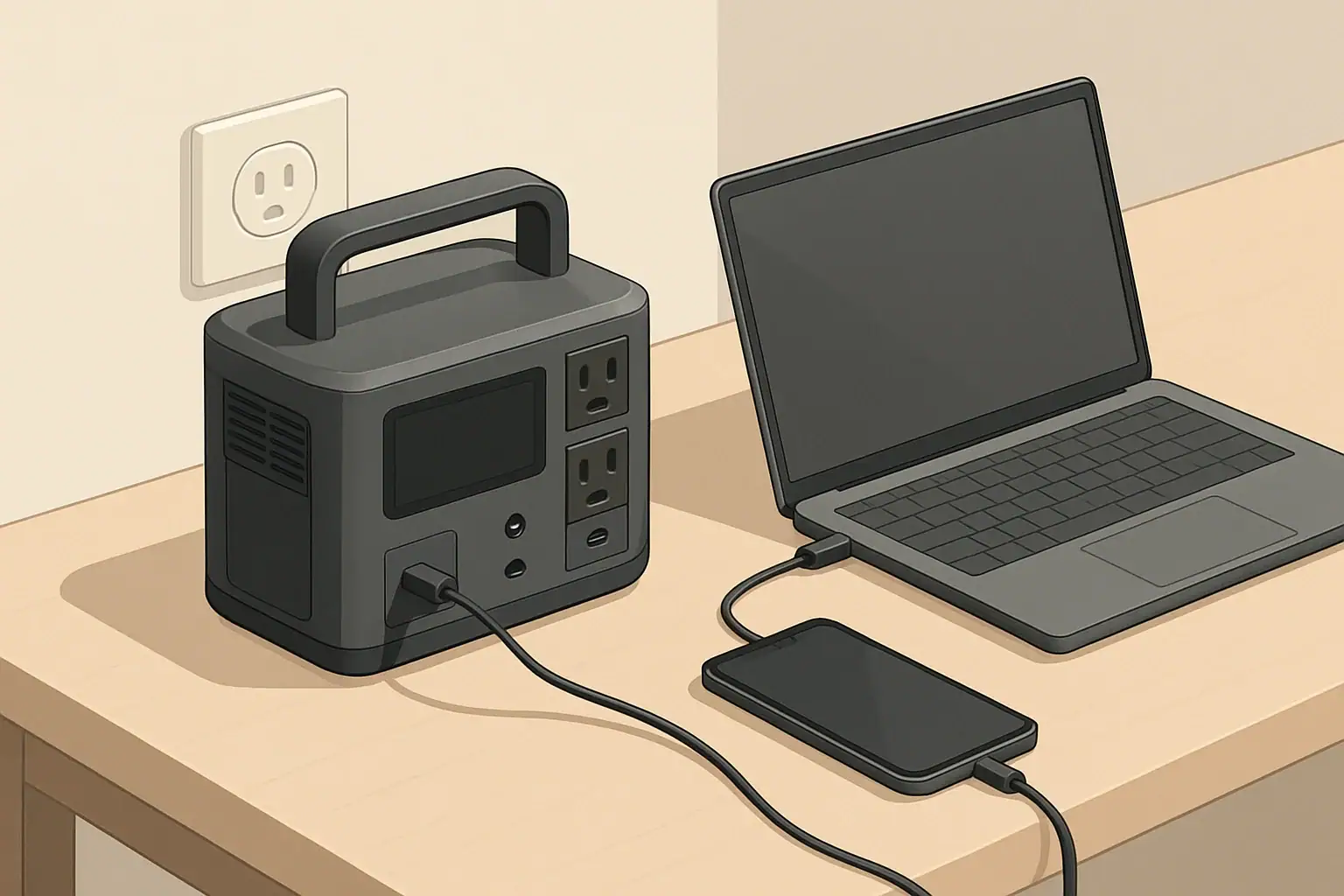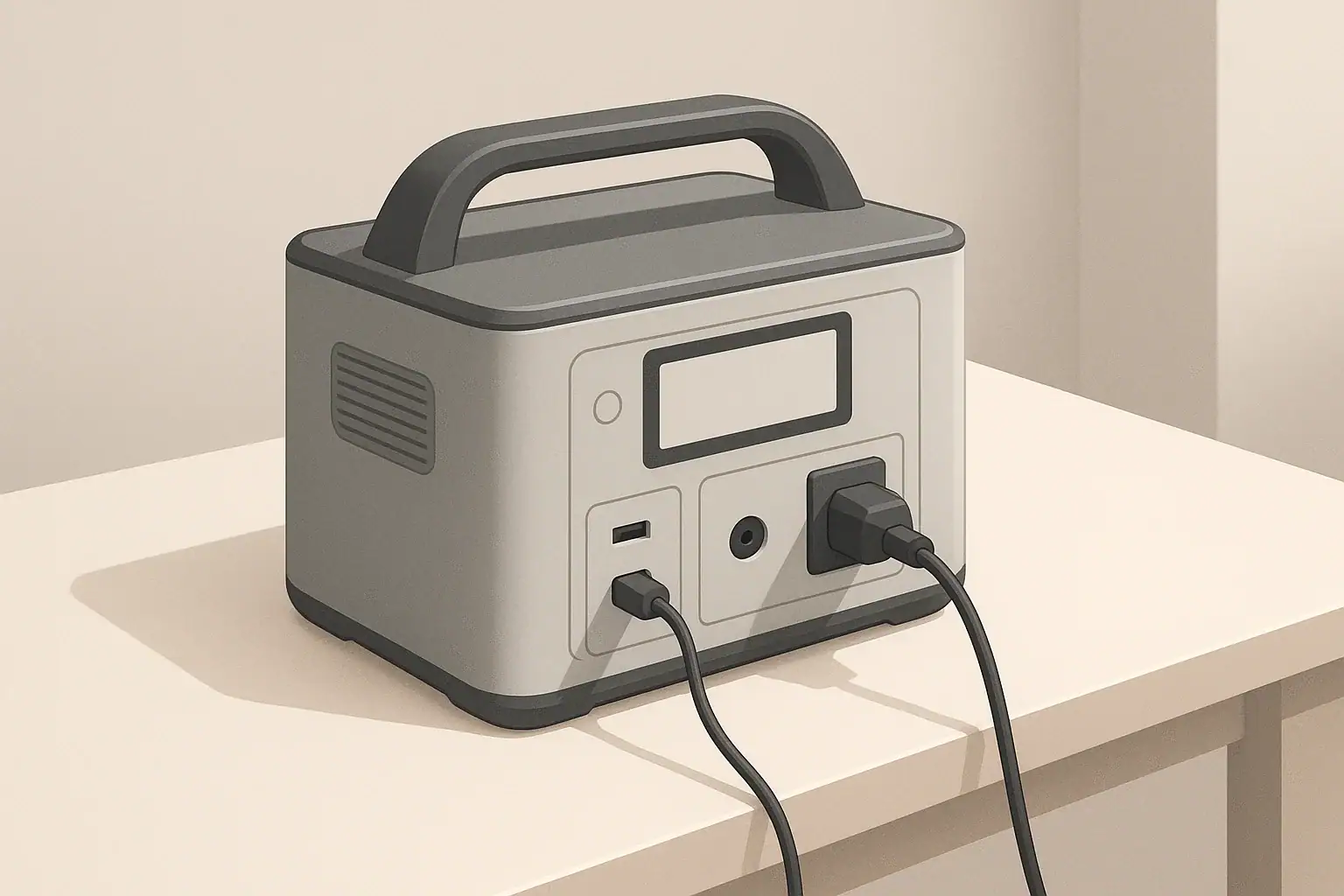
Most portable power stations can power some devices while charging, but not all models support this and the details matter. Some only allow USB or DC outputs, others support full AC pass-through, and a few add UPS-style backup with automatic switchover during an outage. Knowing which behavior your unit offers is essential before relying on it for backup power, camping, or remote work.
This guide explains how running a power station while charging really works, what “pass-through charging” and “UPS mode” mean in practice, and how they affect runtime and battery life. You will see realistic examples, simple power calculations, common mistakes to avoid, and key specs to check before you plug in sensitive electronics or critical devices.
Use this as a practical reference when planning home backup, RV setups, or off-grid solar so you can match your loads, charging sources, and expectations to what your portable power station is actually designed to do.
Do Portable Power Stations Work While Charging and Why It Matters
Portable power stations behave in three main ways when they are plugged in and charging:
- No output while charging: All or some outlets shut off whenever the input charger is active.
- Pass-through charging: The station runs devices and charges its battery at the same time.
- UPS-like mode: The station passes grid power to your devices, then switches to battery power automatically if the grid fails.
Manufacturers choose different designs to balance safety, cost, and battery life. Two models with similar capacity can behave very differently when plugged into the wall, a vehicle outlet, or solar panels.
Understanding this behavior matters for several common situations:
- Home backup: Keeping a router, lights, or a small fridge running during short outages.
- Remote work: Powering a laptop and monitor from a portable station while still topping it up from the wall or a vehicle.
- Camping and RV use: Running a portable fridge and lights during the day while solar panels or an alternator are charging the battery.
If you assume the station will run like a wall outlet whenever it is plugged in, you can easily overload it, shorten battery life, or lose power unexpectedly. The rest of this guide walks through the mechanics so you can plan around the limits instead of discovering them during a blackout or trip.
Key Concepts: Pass-Through Charging, UPS Mode, and Power Balance
To use a portable power station effectively while it is charging, it helps to understand a few core ideas: pass-through behavior, UPS-like operation, and the balance between input and output power.
What Pass-Through Charging Actually Means
Pass-through charging means the power station can deliver power from one or more of its outlets while it is simultaneously taking in power from a wall adapter, vehicle outlet, or solar panels. In other words, it can charge and discharge at the same time.
However, pass-through can be limited in important ways:
- Some models allow USB and DC outputs only while charging, but disable AC outlets.
- Some reduce the maximum AC wattage when pass-through is active.
- Some support pass-through only from specific input sources (for example, allowed on wall AC but not from a vehicle outlet).
Always confirm which ports stay live and what limits apply in your user manual before assuming full pass-through support.
How UPS-Like Mode Works
UPS-like behavior is a special case of pass-through where the power station is used as a backup for grid-powered devices. In this setup:
- The power station is plugged into the wall and your devices are plugged into the station.
- When grid power is available, your devices are powered from the wall and the station keeps its battery charged.
- If the grid fails, the station detects the loss and switches its inverter to battery power.
Most portable stations have a nonzero transfer time measured in milliseconds. Many laptops, routers, and LED lights ride through this gap without turning off, but some desktop computers, gaming systems, or sensitive equipment may reboot if the transfer is too slow.
Power Balance: Input vs Output
When a power station is running loads while charging, the effective charge or discharge rate depends on whether input power is greater or smaller than output power:
- Output > input: The battery still drains, just more slowly than if there were no input.
- Input > output: The battery charges, but more slowly than if no devices were connected.
- Input ≈ output: The state of charge may hover in a narrow band instead of moving quickly up or down.
On top of this, the inverter and charger electronics consume some power as heat, so real-world behavior is never perfectly balanced.
| Input source | Approx. input power | Connected load | What happens to the battery? |
|---|---|---|---|
| Wall outlet (fast charger) | 400 W | Laptop + monitor (120 W) | Battery charges fairly quickly while running devices |
| Wall outlet (moderate charger) | 200 W | Mini fridge cycling 60–120 W | Battery charges slowly when fridge is off, holds steady or drains slowly when it runs |
| Vehicle 12 V outlet | 120 W | Laptop (90 W) + router (15 W) | Battery charges very slowly; may hover near same level |
| Vehicle 12 V outlet | 120 W | Small cooker (300 W) | Battery discharges; vehicle input only slows the drain |
| Portable solar (clear sun) | 200 W | LED lights + electronics (60 W) | Battery charges during the day while powering loads |
| Portable solar (cloudy) | 50 W | Portable fridge averaging 50–70 W | Battery slowly discharges over the day |
Real-World Examples: Home Backup, Remote Work, Camping, and RV Use
Once you understand pass-through and UPS-like behavior, you can design setups that match your needs instead of guessing. Here are practical scenarios that show how portable power stations behave while charging.
Short Home Outages
For typical residential outages lasting a few hours, many people want to keep a few essentials online:
- Internet router and modem (15–30 W)
- Phone chargers (10–20 W total)
- LED lamp or two (10–20 W each)
Before the outage, you might leave these devices plugged into the power station, with the station itself plugged into the wall. If your unit supports UPS-like mode, it will pass grid power through and keep the battery topped up. When the grid fails, it switches to battery power and your devices stay on.
After power returns, the station goes back to charging while running the same loads. If its AC charger is strong enough, the battery can recover to full between outages even with everything still plugged in.
Remote Work Setup
A simple remote work kit might include:
- Laptop (60–90 W under load)
- Portable monitor (15–30 W)
- Mobile hotspot or router (10–15 W)
At a rental or coworking space, you can plug the station into the wall and run all devices from the AC outlets or DC ports. If the building power blinks, your work session continues on battery. When power is stable, the station recharges while powering the same devices.
On the road, you might run the same setup from a vehicle outlet while driving. In that case, the vehicle input often provides just enough power to offset most of the laptop and monitor draw, so the battery level changes slowly instead of dropping quickly.
Camping and Vanlife
For camping or vanlife, a common load mix might be:
- Portable fridge averaging 30–60 W over 24 hours
- LED string lights (5–15 W)
- Phones, cameras, and small electronics (20–40 W while charging)
During the day, solar panels may provide enough input to cover most or all of these loads. In that case, the battery charges when the sun is strong and discharges at night. If clouds reduce the solar input, the battery slowly depletes even though pass-through is active.
On travel days, you might charge the station from the vehicle and run only the fridge. The alternator input can partially or fully offset the fridge draw, reducing how much stored energy you use between campsites.
RV and Trailer Use
In RVs and trailers, portable power stations are often used in parallel with the built-in electrical system, not hard-wired into it. Typical uses include:
- Running laptops and chargers at a picnic table without using the main inverter.
- Powering a CPAP-type device overnight when allowed by the manufacturer.
- Providing quiet power for fans or lighting when shore power is not available.
A common pattern is to charge the station from shore power or a generator during the day, then unplug and run loads from the battery at night. If the station supports pass-through and your RV circuit allows it, you can also keep it plugged in and let it recharge while still powering low to moderate loads.
| Scenario | Typical loads | Charging source | Practical outcome |
|---|---|---|---|
| Home office UPS-like use | Laptop, monitor, router (~150 W) | Wall AC (300–400 W charger) | Battery stays near full; rides through brief outages smoothly |
| Evening outage backup | LED lights, phone charging (~50 W) | Wall AC before and after outage | Battery discharges during outage, then recharges while still powering lights |
| Vanlife travel day | Portable fridge (~40 W average) | Vehicle 12 V outlet (~120 W) | Battery level changes slowly; often close to stable while driving |
| Solar-powered campsite | Fridge, lights, phones (~80 W daytime) | Portable solar (150–200 W in sun) | Battery gains charge on sunny days, loses charge on cloudy days |
| RV shore power plus station | Laptops, fans (~120 W) | Shore power via AC charger | Station acts as buffer; can unplug and move loads outside easily |
Common Mistakes and Troubleshooting When Running While Charging
Many frustrations with portable power stations come from a few predictable mistakes. Recognizing them makes troubleshooting much easier.
Mistake 1: Assuming All Ports Work During Charging
Some units disable AC outlets entirely while charging, or only allow low-power DC and USB outputs. If you plug in a device and nothing happens while the station is charging, check:
- Whether the AC output switch is turned on.
- Whether the manual states that AC is disabled during charging.
- If a setting in the menu enables or disables pass-through behavior.
Mistake 2: Overloading the Inverter in Pass-Through Mode
Even if the station is plugged into the wall, you cannot exceed its continuous inverter rating. If you connect devices that draw more power than the inverter can handle, the station may:
- Shut down the AC output to protect itself.
- Show an overload or fault indicator on the display.
- Restart repeatedly when loads cycle on and off (for example, a fridge compressor).
If this happens, reduce the number of devices or choose lower-wattage alternatives, then restart the AC output.
Mistake 3: Expecting a Weak Input to Run High-Wattage Loads Indefinitely
A common surprise is plugging a station into a vehicle outlet or small solar array and expecting it to run a high-wattage appliance without draining. If the input is much lower than the output, the battery will still empty, just more slowly.
Basic troubleshooting steps include:
- Check the display for input watts and output watts.
- If output is consistently higher, either reduce the load or increase input (for example, more solar).
- Remember that cloudy weather or idling engines can reduce real input power.
Mistake 4: Treating a Portable Station as a 24/7 UPS Without Checking Limits
Some users leave a power station plugged in around the clock as a permanent UPS for a desktop or entertainment system. This can keep the battery at high state of charge and under constant cycling, which may accelerate wear.
If your station becomes noticeably hot, the fan runs almost constantly, or the manual warns against continuous UPS duty, consider:
- Using it only for specific outage-prone seasons or events.
- Reducing the number of devices connected 24/7.
- Letting the battery rest at a moderate charge level when not needed for backup.
Mistake 5: Ignoring Warning Messages and Temperature Limits
Many modern stations display warnings for high temperature, low temperature, or overload. If you see repeated warnings when running and charging at the same time:
- Move the unit to a cooler, shaded, well-ventilated area.
- Reduce high-wattage loads, especially resistive heaters or cookers.
- Allow the unit to cool down before resuming full-power operation.
Safety Basics When Using a Power Station While Charging
Running a portable power station while it is charging adds both electrical and thermal stress. A few high-level safety habits can reduce risk and extend the life of your equipment.
General Placement and Ventilation
- Place the unit on a stable, dry, nonflammable surface.
- Keep several inches of clearance around all vents and fans.
- Avoid enclosing the station in cabinets, boxes, or under bedding while under load.
- Keep it away from direct heat sources and prolonged direct sunlight.
Load and Cord Management
- Use power cords and adapters rated for the expected current and voltage.
- Avoid daisy-chaining multiple power strips, extension cords, or cube taps.
- Do not exceed the station’s continuous watt rating, even when plugged into the wall.
- Unplug high-wattage devices when not actively in use to reduce heat and wear.
Home and RV Electrical Systems
- Do not feed power backward into a wall outlet or RV receptacle using improvised cables.
- Avoid modifying breaker panels, transfer switches, or RV wiring unless done by a qualified professional.
- If you want to power home circuits from a portable station, consult an electrician about appropriate hardware and isolation methods.
Temperature and Environment
- Avoid charging lithium-based power stations when they are extremely cold or hot; follow the specified temperature range in the manual.
- In vehicles or RVs, avoid leaving a station in a closed, sunlit cabin where temperatures can rise quickly.
- If the case feels hot to the touch, reduce load and improve airflow.
Long-Term Use, Battery Health, and Storage
Pass-through and UPS-like use are convenient, but they can increase battery cycling and heat, which influence long-term capacity. With a few habits, you can still get good life from your portable power station.
How Pass-Through Affects Battery Wear
When charging and discharging at the same time, the battery may cycle through partial charge ranges more often than you realize. Over months and years, this can add up to many effective cycles.
To reduce unnecessary wear:
- Avoid leaving the station at 100% charge with moderate or heavy loads connected for weeks on end.
- Use pass-through heavily only when you actually need it (for example, during storm seasons or trips).
- Where practical, allow the battery to rest at a moderate state of charge between uses.
Cold Weather, Heat, and Storage Practices
Temperature is one of the biggest factors in battery lifespan. For long-term health:
- Store the station in a cool, dry place, not in a hot attic or uninsulated shed.
- For long storage (several months), keep the battery at a partial charge rather than full or empty.
- Check and top up the battery every few months to avoid deep discharge.
Usage Patterns for Different Roles
- Occasional backup: Keep the station mostly charged, test it a few times per year, and store it at moderate temperature.
- Frequent remote work: Expect more cycles; consider moderating heavy 24/7 UPS-style use and giving the battery breaks.
- Seasonal camping or RV use: Charge fully before trips, use pass-through with solar or vehicle charging during the season, then store partially charged off-season.
Practical Takeaways and Specs to Look For
Once you understand how pass-through and UPS-like modes work, choosing and using a portable power station becomes more straightforward. The goal is to match the unit’s capabilities to your most likely use cases without overestimating what it can do.
Key Takeaways for Using a Power Station While Charging
- Not all portable power stations can run devices while charging, and those that can may limit which ports work and how much power they can deliver.
- Pass-through charging is most effective when input power (from wall, vehicle, or solar) is similar to or higher than your output load.
- UPS-like mode can keep computers and networking gear online during brief outages, but transfer times and continuous-duty limits vary.
- Continuous, high-load pass-through can increase heat and cycling, which may shorten battery lifespan over time.
- Good ventilation, realistic load planning, and occasional rest periods at moderate state of charge help preserve the battery.
Specs to Look For Before Relying on Pass-Through or UPS Mode
When comparing or configuring portable power stations for running while charging, pay close attention to these specifications and notes in the manual:
- Pass-through support by port: Confirm whether AC, DC, and USB outputs remain active while charging, and from which input sources.
- Continuous and surge inverter ratings: Make sure your planned loads are well within the continuous rating, with room for startup surges.
- Maximum AC charging power: Higher input wattage allows the battery to recharge faster while still powering devices.
- DC and vehicle charging limits: Know the maximum watts or amps from 12 V inputs so you do not expect them to sustain high-wattage loads.
- Solar input range and maximum power: Check the supported voltage, current, and wattage to size panels realistically for pass-through use.
- UPS or transfer time rating: Look for the stated switchover time and any notes about suitable or unsuitable equipment.
- Thermal protection and operating temperature: Understand at what temperatures the unit may limit output or charging.
- Recommended duty cycle: See whether the manual encourages or cautions against 24/7 UPS-style operation.
- Battery chemistry and cycle life: Check approximate cycle ratings and any guidance on storage and typical depth of discharge.
By matching these specs to your real-world loads and charging sources, you can decide when it is safe and practical to run your portable power station while charging, and when it is better to adjust your setup or expectations.
Frequently asked questions
Which specifications and features matter most when choosing a portable power station for pass-through or UPS use?
Key specs include whether pass-through is supported for AC, DC, and USB ports; the continuous and surge inverter ratings; maximum AC charging power; UPS transfer time; and thermal protection or recommended duty cycle. Also check the solar input range and battery chemistry/cycle life to match your intended charging sources and longevity expectations.
Can I leave a portable power station plugged in all the time to act as a permanent UPS?
While some stations are designed for regular UPS-like use, leaving a unit plugged in 24/7 can keep the battery at high state of charge and increase cycling and heat, which may accelerate wear. Check the manufacturer’s recommended duty cycle and thermal limits, and consider periodic rest or a secondary UPS for continuous critical loads.
How can I reduce electrical and thermal risks when running a power station while it charges?
Reduce risk by providing good ventilation and clearance around the unit, using properly rated cords, avoiding enclosures, and not exceeding the continuous watt rating. Monitor temperature and warning messages, and move the station to a cooler area or lower the load if it becomes hot or shows faults.
Will running devices while a station is charging shorten its battery lifespan?
Running devices during charging can increase partial cycling and heat exposure, both of which contribute to battery degradation over time. Occasional pass-through use is usually acceptable, but frequent high-load, continuous pass-through will generally reduce long-term capacity faster than conservative use.
What should I check if my station won’t power AC outlets while it is charging?
First consult the manual to confirm whether AC pass-through is supported and whether any switches or menu settings enable the AC output during charging. Also verify the input source is allowed for pass-through and check for overload or fault indicators that might have disabled outputs.
How do transfer times affect sensitive equipment when using UPS-like behavior?
Most portable stations have a nonzero transfer time measured in milliseconds; many routers, laptops, and LED lights tolerate this gap, but some sensitive or legacy equipment may reboot or disconnect. For critical systems, check the stated switchover time and test the setup, or consider a true online UPS if zero-transfer interruption is required.