
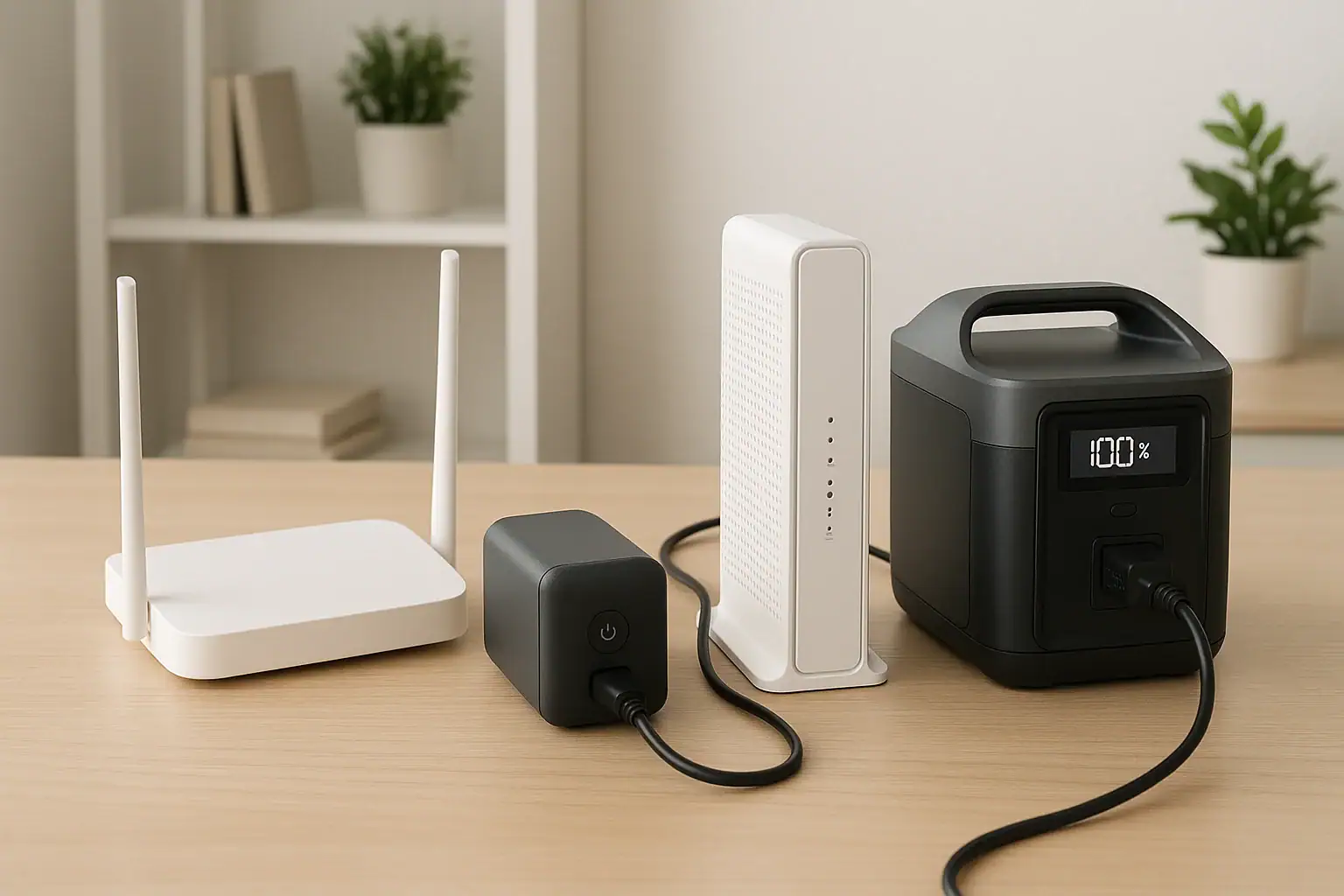
A battery backup for internet is usually simpler if you only need to keep a modem, router, fiber ONT, or small network switch running during short outages.
A portable power station is more flexible and can provide longer runtime, but it is often less plug-and-forget unless it has a true UPS mode, fast switchover, the right AC output, and enough battery capacity for your network gear. Searchers comparing these two options usually want to know which one avoids dropped Wi-Fi, which is easier to size, and which requires less attention during a power cut.
The main specs to compare are runtime, watts, watt-hours, UPS switchover time, surge watts, output ports, recharge time, and input limit. For basic internet backup, simplicity depends less on the size of the battery and more on whether the device can stay connected safely, restart cleanly, and power low-watt electronics without extra steps.
What Each Option Means and Why Simplicity Matters
A battery backup for internet usually means a small uninterruptible power supply, often called a UPS, placed between the wall outlet and your networking equipment. Its job is straightforward: when grid power drops, it automatically switches to battery so your modem, router, and related devices keep running. For many homes, this is the simplest choice because it is designed to sit in one place, stay plugged in, and react without user input.
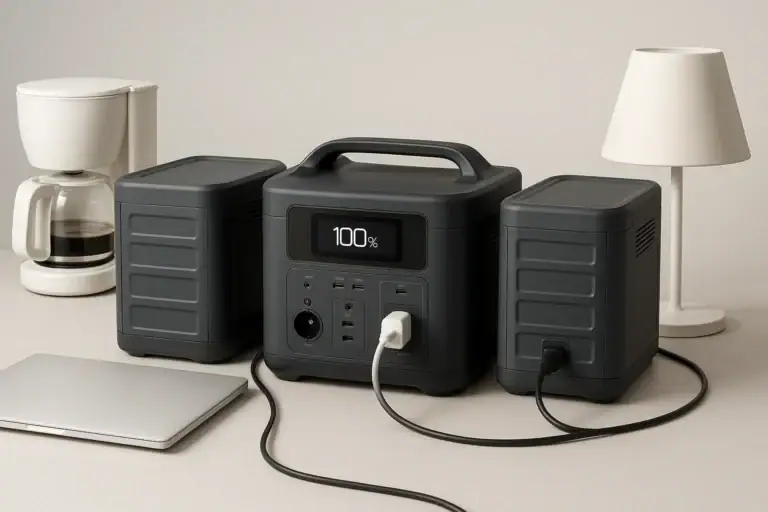
A portable power station is a rechargeable battery system with AC outlets, DC ports, and often USB outputs. It can power internet equipment, but it is also designed for broader uses such as lights, laptops, small appliances, CPAP machines, and outdoor equipment. That flexibility can be valuable, especially during longer outages, but it also adds choices: which output to use, whether to leave it plugged in, how it handles pass-through charging, and whether the unit switches fast enough to prevent a router reboot.
For internet backup, simpler usually means three things: automatic operation, predictable runtime, and minimal troubleshooting. If your goal is only to keep Wi-Fi alive for a few hours, a purpose-built battery backup tends to win on convenience. If your goal is to power internet plus phones, laptops, and other essentials, a portable power station may be easier overall because one larger battery can support more devices.
How Internet Backup Power Works
Most internet equipment uses surprisingly little power, but it can be sensitive to interruptions. A modem might use 8 to 20 watts, a Wi-Fi router may use 10 to 30 watts, and a fiber ONT or small switch can add another 5 to 20 watts. A typical home network might draw 25 to 70 watts total, depending on the equipment and whether mesh nodes, PoE devices, or network storage are included.
A battery backup works by keeping AC power available when utility power fails. In basic standby designs, the UPS detects the outage and transfers the load to its inverter. In many internet setups, this transfer is fast enough that the router stays on. Some network gear will reboot if the transfer is too slow or if the output waveform is not compatible with its power adapter, but this is less common with modest loads.
A portable power station can run the same equipment, but behavior varies. Some units support UPS or EPS-style backup, meaning they can remain plugged into the wall and switch to battery during an outage. Others are meant to be turned on manually or may interrupt output briefly when grid power fails. Some power stations also shut off when the load is very low, which can be a problem if only a small router is connected.
Runtime depends on usable battery capacity, not just the advertised watt-hours. Inverter losses, battery management limits, low-load behavior, and power factor all affect real results. A rough estimate is usable watt-hours divided by the total watts of your networking equipment. For example, if your modem and router use 40 watts and the battery provides about 300 usable watt-hours, runtime may be around 7 hours before reserve behavior and efficiency losses are considered.
| Setup | Typical load | Backup device size | Estimated runtime | Simplicity note |
|---|---|---|---|---|
| Modem plus basic router | 25 to 40 watts | Small UPS, 100 to 200 watt-hours usable | 2 to 6 hours | Usually automatic and low effort |
| Fiber ONT, router, small switch | 35 to 60 watts | UPS or compact power station, 200 to 500 watt-hours | 4 to 10 hours | Check switchover and low-load settings |
| Router, mesh node, laptop charging | 60 to 120 watts | Portable power station, 500 to 1000 watt-hours | 4 to 12 hours | More flexible but more settings to manage |
| Network gear plus several small essentials | 100 to 250 watts | Larger portable power station | 3 to 10 hours | Best when internet is only one of several needs |
Real-World Examples: Which One Feels Easier?
For an apartment with a cable modem and one router, a small battery backup is usually the easier solution. It sits under a desk, everything stays plugged in, and the internet remains online during short utility flickers. The user does not need to move a unit, press a power button, or decide which output mode to use. The main task is choosing enough capacity for the desired runtime.
For a home with fiber service, the setup may include an optical network terminal in a utility area and a router in another room. Simplicity depends on where the equipment is located. If the ONT and router are far apart, one large portable power station in the living room may not keep the ONT powered. In that case, two smaller backups can be simpler than one larger battery, because each device gets backup power where it is installed.
For a remote worker who needs internet during longer outages, a portable power station vs UPS for computers can become the simpler overall tool. It may power the router, laptop, phone, and a desk lamp from one battery. Even if the power station requires more attention, it reduces the need to manage several smaller batteries. The tradeoff is that the user should confirm the unit supports continuous AC output, appropriate runtime, and safe operation while charging if it will be left connected.
For storm preparation, the portable power station is often more versatile. It can be recharged from a wall outlet before the storm and may accept solar or vehicle charging when grid power is unavailable. However, this broader capability does not always make it simpler for internet only. If all you want is to prevent a brief router reboot during a 30-minute outage, a basic battery backup is the more direct tool.
Common Mistakes and Troubleshooting Cues
The first common mistake is sizing by outlet count instead of watt-hours. A device may have enough outlets for a modem, router, and switch but not enough battery capacity for the runtime you expect. Add up the watts of every connected device, then compare that number with the device’s usable capacity.
The second mistake is assuming every portable power station works like a UPS. Some models advertise pass-through charging but still interrupt power long enough for a modem or router to reboot. Others switch quickly but do not meet the needs of sensitive equipment. If your internet drops when the lights flicker, look at transfer time, UPS mode, and whether the AC output remains enabled during charging.
A third issue is low-load shutoff. Some portable power stations conserve energy by turning off AC or DC output when the load is below a certain threshold. A single router can be such a small load that the power station thinks nothing is connected. The troubleshooting cue is simple: the battery still has charge, but the router loses power after a period of normal operation.
A fourth mistake is overlooking reboot order. During an outage, some internet systems need the ONT or modem online before the router finishes booting. If the router is backed up but the modem is not, Wi-Fi may stay visible while actual internet service is down. Back up the full chain: service terminal, modem, router, and any required switch or mesh base unit.
Another cue is unexpected beeping, heat, or short runtime. Beeping may indicate overload, battery age, or a fault condition. Heat may indicate poor ventilation or excessive load. Runtime that is much shorter than expected often points to incorrect watt estimates, battery aging, or additional devices drawing power unnoticed.
Safety Basics for Internet Backup
For basic internet backup, keep the setup simple and avoid improvised wiring. Plug networking equipment directly into the approved outlets on the battery backup or portable power station. Do not open devices, modify battery packs, bypass fuses, or attempt to wire a unit into home electrical panels. If you need whole-home backup integration, use a qualified electrician and equipment designed for that purpose.
Ventilation matters even for low-watt loads. Batteries, inverters, and chargers produce heat, especially when charging and discharging at the same time. Place the device on a stable surface with open space around its vents. Avoid enclosed cabinets unless the manufacturer’s ventilation guidance supports that installation.
Moisture and temperature also matter. Internet equipment often sits near exterior walls, utility rooms, basements, or garages. Keep backup devices dry and away from flood-prone areas. Avoid placing lithium battery systems in extreme heat, direct sun, or freezing conditions during charging.
Use cords conservatively. Long extension cords, overloaded power strips, and daisy-chained adapters can create avoidable risk. For a modem and router, total power draw is usually low, but loose plugs and cluttered wiring can still cause failures. Labeling the modem, router, ONT, and backup unit can make troubleshooting easier during an outage.
Finally, remember that backup power does not guarantee internet service. If the provider’s local equipment loses power or a line is damaged, your home network may stay powered but still have no connection. Battery backup only solves the power side of the problem.
Maintenance, Storage, and Day-to-Day Use
A battery backup for internet is simplest when it is treated as installed equipment. Keep it connected, keep the load modest, and test it occasionally by confirming the modem and router remain online during a brief simulated outage. Battery age matters; small sealed lead-acid units often need battery replacement sooner than many lithium-based systems, while lithium units still benefit from periodic checks and proper storage.
A portable power station needs a little more planning. If it is stored in a closet for emergencies, check the state of charge periodically. Many lithium battery systems store best at a partial charge rather than full or empty for long periods. If the power station is used as an always-connected internet backup, confirm that the design supports that use without excessive heat or unwanted cycling.
Recharge time affects convenience. A small UPS may recharge quietly after a short outage without much attention. A larger portable power station may take several hours to recharge, depending on its wall input limit. If outages happen repeatedly, slow recharge can make the second outage harder to ride through.
Keep a simple load list. Write down the modem, router, ONT, switch, and any mesh base unit that must remain powered. Note the approximate watts and which outlet each device uses. This makes it easier to diagnose unexpected shutdowns and easier to choose a replacement later.
| Task | Battery backup | Portable power station | Why it matters |
|---|---|---|---|
| Monthly or seasonal check | Confirm it holds the router load | Confirm charge level and output settings | Prevents surprises during outages |
| Storage | Usually installed and plugged in | Often stored at partial charge | Improves readiness and battery health |
| After an outage | Allow automatic recharge | Recharge based on input limit and usage | Determines readiness for the next outage |
| Replacement planning | Watch for reduced runtime or battery alerts | Watch for capacity loss or shutdown behavior | Runtime declines as batteries age |
Practical Takeaways and Specs to Look For
Related guides: Portable Power Station vs UPS: What Changes for Computers and Networking? • Portable Power Station vs Power Bank vs UPS: Which One You Actually Need for Home/Travel • Running a Router and Modem During a Power Outage: How Many Hours Can You Get?
If the question is which is simpler for internet only, the answer is usually a battery backup. It is made for automatic switchover, low-power electronics, and stationary use. It is the best fit when you want the modem and router to stay on during short outages without changing your routine.
If the question is which is simpler for a broader outage plan, a portable power station may be easier because it can power more than the internet. It is the better fit when you need longer runtime, multiple device types, or flexible recharging. The tradeoff is that you must verify UPS behavior, low-load support, AC output, and recharge time before relying on it for uninterrupted internet.
Specs to look for
- Usable capacity: Look for enough watt-hours to cover your network load, such as 150 to 300 usable watt-hours for short outages or 500 watt-hours and up for longer runtime; this determines how long the internet can stay on.
- Continuous watt rating: Look for at least 2 to 3 times your measured network load, such as 100 to 300 watts for most home internet setups; this leaves headroom and reduces overload risk.
- Transfer time or UPS mode: Look for fast switchover and a stated UPS-style function if you want no router reboot; this matters because even a brief interruption can drop Wi-Fi and active calls.
- Low-load behavior: Look for an always-on output option or a low auto-shutoff threshold; this matters because routers and modems may draw too little power to keep some power stations awake.
- AC output waveform: Look for clean, stable AC output when using standard power adapters; this helps sensitive network equipment run without buzzing, heat, or random resets.
- Outlet layout and port type: Look for enough spacing for bulky adapters plus any needed DC or USB outputs; this avoids power strips and keeps the setup cleaner.
- Recharge input limit: Look for a recharge rate that restores the battery between likely outages, such as several hundred watts on larger power stations; this affects readiness after extended use.
- Noise and display controls: Look for quiet operation, dimmable screens, or silent low-load use if the unit will sit in a bedroom or office; this affects day-to-day comfort.
- Battery chemistry and cycle rating: Look for a cycle life that matches how often the device will be used; this matters more for frequent outages or always-connected backup use than for rare emergencies.
For the simplest internet-only setup, keep the backup close to the modem, router, and service terminal, power the full connection chain, and size capacity from real watts rather than guesswork. For maximum flexibility, choose a portable power station only after confirming it can act like dependable backup power for low-watt networking gear.
Frequently asked questions
Which is easier to use for keeping Wi-Fi on during a short outage?
A battery backup for internet is usually easier for short outages because it is designed to switch on automatically and stay in one place. You typically plug in the modem, router, or ONT once and leave it alone. A portable power station can work too, but it may require more setup and settings checks.
What specs matter most when comparing these two options?
The most important specs are usable watt-hours, continuous watt rating, transfer time or UPS mode, and low-load behavior. For internet gear, you also want stable AC output and enough runtime for your modem and router combined. These features matter more than outlet count alone.
What is a common mistake people make when buying backup power for internet?
A common mistake is assuming a portable power station will behave like a UPS. Some units briefly interrupt power or shut off at very low loads, which can reboot a router or modem. Another mistake is sizing the backup by outlet count instead of by actual watts and watt-hours.
Is it safe to leave a backup battery connected to networking equipment all the time?
Yes, if the device is designed for continuous use and is installed according to the manufacturer’s guidance. Keep it ventilated, dry, and away from heat sources, and avoid overloaded cords or improvised wiring. If you need to connect equipment into home electrical panels, use a qualified electrician.
How do I know if my router and modem will stay on long enough?
Add up the watts of every device you want to back up, then compare that total with the battery’s usable capacity. Divide usable watt-hours by total watts to estimate runtime, then reduce that estimate a bit for inverter losses and battery reserve behavior. Testing the setup during a brief outage is the most reliable check.
Can one portable power station power both internet gear and a laptop?
Yes, if the unit has enough continuous watt output and enough battery capacity for both loads. This is one reason a portable power station can be more flexible than a small UPS. The tradeoff is that you should confirm it supports uninterrupted output and does not shut off at low loads.
Related guides
Browse this topic →

- Beginner-friendly sizing, runtime & specs
- Solar & charging (MPPT, fast charging, cables)
- Batteries (LiFePO4, cycles, care & storage)
- Safety, cold-weather performance, real-world tips
More in Comparison
See all →Keep reading
About this site
Portable Energy Lab publishes practical, independent guides about portable power—clear sizing, safe use, and real-world expectations.
Affiliate disclosure
Some links on this site may be affiliate links. If you buy through these links, we may earn a small commission at no extra cost to you. This helps support our content. Read our affiliate disclosure.