
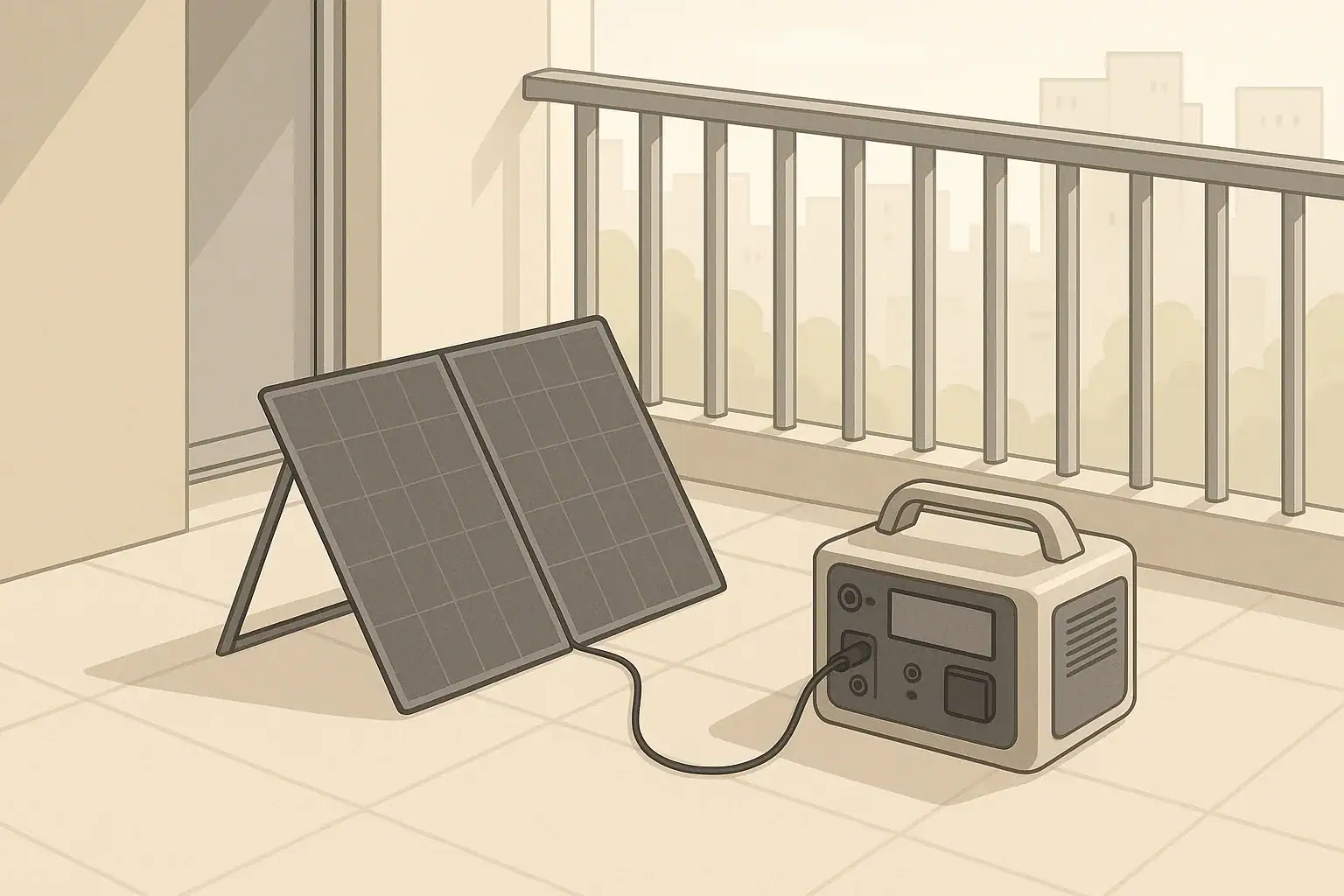
A balcony solar power station is a small solar panel on your balcony connected to a portable power station that runs a few essential devices without touching your apartment’s wiring. It is a simple, off-grid way for renters and condo owners to get backup power and everyday solar charging with minimal equipment.
Instead of feeding electricity into your wall outlets, the balcony solar panel charges the portable battery, and you plug devices directly into the battery’s AC, DC, or USB ports. This makes the setup flexible, renter-friendly, and easy to move for travel or emergencies. With realistic expectations and basic planning, a balcony solar system can keep phones, laptops, lights, and a router running through short outages and help offset some daily electricity use.
This guide walks through what a balcony solar power station is, how it works in an apartment, realistic examples of what it can power, common mistakes to avoid, and the key specs to look for before you buy.
What a Balcony Solar Power Station Is and Why It Matters for Apartments
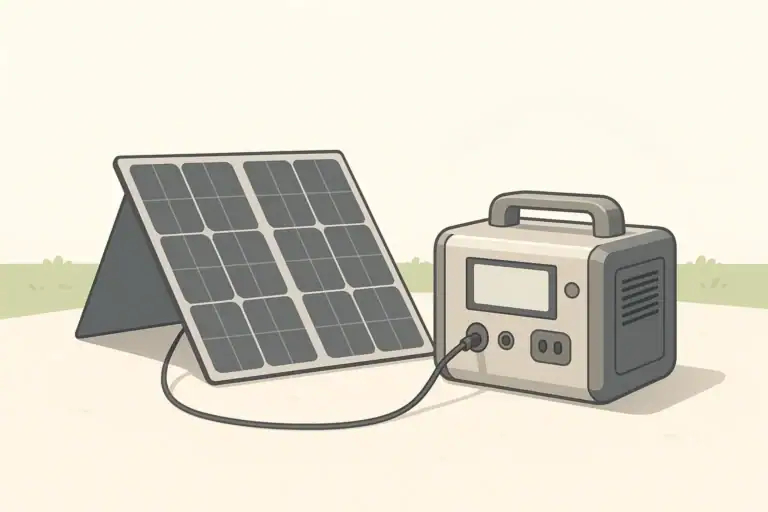
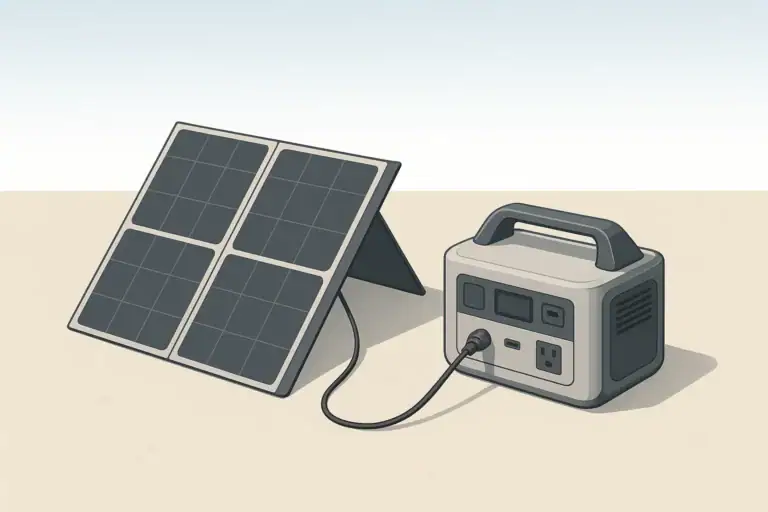
A balcony solar power station is a compact, self-contained solar and battery setup designed to work entirely off-grid in a small space. It usually consists of one or two portable solar panels on the balcony and a portable power station (battery with inverter and outlets) kept just inside the door or in a nearby room.
Unlike permanent rooftop solar, this setup does not connect to the building’s electrical system. That is what makes it practical for renters, small condos, and apartments with strict rules. You can usually set it up, move it, or store it without any electrical work or permits, as long as you follow building rules about visible equipment and safety.
For most apartment residents, the main reasons to consider a balcony solar power station are:
- Backup power during short outages – Keep communication, lighting, and basic comfort devices running.
- Everyday solar charging – Charge phones, tablets, and laptops from sunlight instead of wall outlets when the sun is out.
- Portability – Take the power station on road trips or camping, then bring it back home for backup use.
- No wiring changes – Everything stays plug-and-play, which is important when you do not control the building’s electrical system.
The key is to think of a balcony solar power station as a small, flexible energy island, not a full home replacement. When sized correctly, it can handle the most important low-power needs in a compact apartment.
How a Balcony Solar + Power Station Setup Works
A balcony solar power station is built from a few core components that work together as a simple off-grid system. Understanding each piece helps you size and use it correctly.
Core Components
- Portable power station – A rechargeable battery with built-in inverter, charge controller, and multiple output ports.
- Balcony-friendly solar panel – A foldable or rigid panel that fits safely on the balcony and connects to the power station’s solar input.
- Cables and adapters – Properly rated cables that match the connector type and voltage of both the panel and the power station.
The flow is simple: sunlight hits the solar panel, the panel sends DC power to the power station’s solar input, the power station stores that energy in its battery, and you plug devices into the outputs when needed.
Battery Capacity and Power Output
Two numbers define what your power station can do:
- Battery capacity (Wh) – How much energy the battery can store. More watt-hours (Wh) means longer runtimes.
- Inverter rating (W) – How much power (watts) the AC outlets can deliver at once. This limits what you can plug in at the same time.
For most apartments, a capacity between about 500 and 1,500 Wh and an inverter in the 300 to 1,500 W range covers basic needs like phones, laptops, routers, lights, and a few small appliances. Very power-hungry devices such as space heaters and hair dryers are usually not a good fit.
Solar Input and Balcony Conditions
The solar side has its own limits and practical constraints:
- Panel wattage – Typical portable panels for balconies range from about 60 W to 200 W per panel.
- Power station solar input limit – The maximum solar watts and voltage the power station can accept. Your panel or panel combination should stay within this limit.
- Orientation and shading – A south-facing balcony with several hours of direct sun will perform far better than a shaded north-facing balcony.
Real solar output is usually lower than the panel’s rated wattage, especially on a balcony where railings, nearby buildings, and overhangs cause partial shade or bad angles. Planning with conservative expectations keeps the system from feeling disappointing.
| Use case | Approx. battery size (Wh) | Approx. inverter size (W) | Suggested solar panel size (W) | What this level can reasonably cover |
|---|---|---|---|---|
| Minimal backup | 300–500 Wh | 200–400 W | 60–100 W | Phones, router, one laptop, small LED lights for an evening |
| Comfortable short outages | 500–1,000 Wh | 300–800 W | 100–200 W | Phones, router, laptop, fan or small TV for several hours |
| Heavier mixed use | 1,000–2,000 Wh | 800–1,500 W | 200–400 W | Multiple laptops, lights, fan, occasional use of small kitchen appliances |
Example values for illustration.
Outputs and Efficient Use
Most power stations provide several output types:
- AC outlets (120 V) – For standard plugs; convenient but less efficient because they use the inverter.
- DC ports (often 12 V) – For car-style devices, some coolers, and LED lighting; more efficient than AC for the same device.
- USB-A and USB-C – For phones, tablets, and many laptops; usually the most efficient way to charge small electronics.
Whenever possible, charge devices over USB or DC instead of AC. That reduces inverter losses and stretches the usable runtime of your battery during an outage.
Pass-Through Charging and Daily Use
Many power stations support pass-through charging, where the unit can charge from solar or the wall while powering devices. In an apartment, people often:
- Place the power station near the balcony door.
- Charge it from the balcony solar panel during the day.
- Plug in a laptop, router, or desk light while it is charging.
This creates a simple, solar-assisted workstation. Always check the manual for your specific model to confirm pass-through support and any limits on continuous use.
Real-World Examples: What You Can Power and for How Long
To make balcony solar practical, it helps to think in real runtimes instead of just watt-hours. The following examples assume moderate efficiency and leave some safety margin, since real performance varies with device behavior and inverter losses.
Example 1: 500 Wh Power Station with 100 W Balcony Panel
This is a common starter setup for a small apartment or studio.
- Phone (10 W while charging) – Dozens of full charges over several days.
- Wi-Fi router and modem (20 W total) – Around 15–18 hours of runtime from a full battery.
- Laptop (60 W while in use) – About 6–7 hours of active work time.
- LED lamp (10 W) – Roughly 30–35 hours of light.
In a short outage, you might run the router and a laptop for a few hours, then switch to just router and lights in the evening. The 100 W panel can slowly recharge the battery between outages or during lower usage days.
Example 2: 1,000 Wh Power Station with 200 W Balcony Panel
This level suits someone who works from home and wants more comfort in outages.
- Router + modem (20 W) – 30+ hours of runtime.
- Two laptops (total 100 W while in use) – 8–9 hours of active work time.
- Small fan (30 W) – 20–24 hours of runtime.
- LED TV (80 W) – 8–10 hours of viewing.
With a 200 W panel and several hours of good sun, you can recover a meaningful portion of the battery each day, especially if you limit high-demand devices to specific times.
| Device | Typical power draw (W) | Approx. runtime on 500 Wh battery | Approx. runtime on 1,000 Wh battery | Notes |
|---|---|---|---|---|
| Smartphone charging | 5–15 W | 30–60+ full charges | 60–120+ full charges | Charge over USB for best efficiency. |
| Wi-Fi router + modem | 10–30 W | 15–30 hours | 30–60 hours | Turn off when not needed to save energy. |
| Laptop (in active use) | 40–90 W | 5–9 hours | 10–18 hours | Lower screen brightness to extend runtime. |
| LED lamp | 5–15 W | 25–75 hours | 50–150 hours | Efficient lighting is ideal for outages. |
| Small fan | 20–50 W | 8–20 hours | 16–40 hours | Run on lower speed when possible. |
| Compact fridge (efficient type) | 40–100 W (running) | 4–10 hours of compressor runtime | 8–20 hours of compressor runtime | Startup surge may be higher; test in advance. |
Example values for illustration.
How Balcony Solar Helps Day to Day
Even outside of outages, a balcony solar power station can take over some routine charging:
- Charge phones, tablets, and wireless earbuds during sunny hours.
- Run a desk lamp and laptop at a home office powered mainly by the sun.
- Use the power station for balcony or rooftop gatherings where outlets are inconvenient.
This everyday use keeps the battery active and familiar so you know exactly what to expect when a real outage happens.
Common Mistakes and Simple Troubleshooting
Most balcony solar power station issues come from sizing, placement, or connection mistakes rather than hardware failures. Recognizing these early saves frustration and money.
Common Planning and Setup Mistakes
- Overestimating what the system can power – Expecting to run space heaters, air conditioners, or full-size kitchen appliances on a compact setup.
- Ignoring balcony shading – Choosing panel sizes based on ideal conditions when the balcony only gets a few hours of partial sun.
- Mismatched connectors or voltages – Buying a panel that does not match the power station’s solar input requirements.
- Placing the panel where wind can catch it – Leaning a panel loosely against the railing without proper securing.
- Leaving the power station in direct sun or rain – Shortening battery life or risking damage by ignoring environmental limits.
Quick Troubleshooting Cues
- Solar is not charging, or charging very slowly
- Check that the panel is facing the sun and not heavily shaded.
- Verify all connectors are fully seated and polarity is correct.
- Confirm the panel’s voltage and wattage are within the power station’s solar input specs.
- Try in the middle of the day when the sun is highest to see if output improves.
- Devices shut off unexpectedly
- Check the battery state of charge; it may simply be empty.
- Compare the device wattage to the inverter’s continuous rating; you may be overloading it.
- For motor loads (fans, fridges), consider startup surges that briefly exceed the inverter rating.
- Power station feels unusually hot
- Move it out of direct sun and away from heat sources.
- Reduce the number of devices connected or their total power draw.
- Ensure ventilation openings are not blocked by walls, curtains, or blankets.
| Symptom | Likely cause | Practical next step |
|---|---|---|
| Solar input reads near zero on a sunny day | Loose connection or incompatible panel voltage | Inspect all connectors, verify panel specs against power station input, and reseat cables. |
| Inverter shuts off when a device starts | Startup surge exceeds inverter peak rating | Try a smaller device, or use a power station with higher surge capacity for that load. |
| Battery drains faster than expected | High AC loads and inverter losses | Shift small devices to USB/DC, and avoid running multiple AC appliances at once. |
| Panel moves or rattles in strong wind | Insufficient mounting or support | Add straps, brackets, or a weighted stand designed for outdoor use. |
| Unit will not charge in cold weather | Battery protection against charging below freezing | Bring the power station indoors, let it warm to room temperature, then retry charging. |
Example values for illustration.
When to Seek Professional Help
If you ever consider connecting a power station to building wiring, backfeeding an outlet, or modifying fixed electrical equipment, stop and consult a licensed electrician. A balcony solar power station is intended to remain a standalone system with devices plugged directly into its outlets.
Safety Basics for Balcony Solar and Indoor Battery Use
Balcony solar power stations operate at relatively low power compared with whole-home systems, but they still store and move enough energy to deserve careful handling. Good safety habits protect both people and property.
Electrical Safety Indoors
- Use only power strips and extension cords rated for the loads you plan to connect.
- Avoid daisy-chaining multiple power strips together.
- Keep cords out of walkways to prevent tripping and accidental yanking of the power station.
- Do not run cords where doors or windows will pinch them.
Balcony Placement and Weather Safety
- Secure solar panels so they cannot tip, slide, or fall from the balcony.
- Keep electrical connections away from areas where water can pool.
- Bring the power station indoors during rain, storms, or extreme temperatures unless it is specifically rated for outdoor use.
- Do not cover vents on the power station; it needs airflow for cooling.
Battery Handling and Ventilation
- Place the power station on a stable, non-flammable surface such as tile or a sturdy shelf.
- Allow space around the unit so fans and vents are not blocked.
- If you notice swelling, cracking, unusual smells, or smoke, disconnect everything and stop using the unit.
- Keep the battery away from flammable materials and out of reach of small children and pets.
High-Level Guidance on Integration
Do not connect a balcony solar power station directly to apartment outlets, breaker panels, or building circuits. Backfeeding power into wiring can endanger maintenance staff and neighbors, and it may violate building codes and lease terms. The intended safe use is to plug devices directly into the power station’s own outlets or a single, properly rated power strip.
Maintenance, Storage, and Long-Term Use in Small Spaces
With basic care, a balcony solar power station can remain reliable for many years. In apartments, the main challenges are temperature swings, limited storage space, and infrequent use between outages.
Battery Care Over Time
- Avoid full discharge when possible – Try not to leave the battery at 0% for long periods; recharge after heavy use.
- Store at partial charge – For long storage, many manufacturers recommend keeping the battery around 30–60% charged.
- Exercise the battery – Use and recharge the system every few months so you stay familiar with its behavior and the cells remain active.
Temperature and Environmental Considerations
- Do not charge the battery below freezing; let a cold unit warm up indoors first.
- Avoid leaving the power station in hot, enclosed spaces like a sun-baked balcony closet.
- Store foldable panels in a dry place where they will not be bent, crushed, or exposed to moisture.
Simple Inspection Routine
- Check cables for nicks, cracks, or loose connectors.
- Wipe dust from panel surfaces with a soft cloth; do not use abrasive cleaners.
- Test your outage setup before storm season: confirm the panel charges the battery and that key devices run as expected.
Practical Takeaways and Specs to Look For
By now, the main pattern is clear: a balcony solar power station works best when it is sized for modest loads, placed carefully on the balcony, and used as a standalone power source. It will not replace the grid, but it can make short outages and everyday charging much more manageable in an apartment.
Quick Planning Takeaways
- Decide which devices truly matter in an outage: phones, router, laptops, lights, and maybe a fan or compact fridge.
- Choose a battery size that can power those devices for at least one evening without help from solar.
- Match solar panel size to both your balcony’s sun exposure and the power station’s solar input limit.
- Keep the power station indoors near the balcony door, with the panel outside and cables routed safely.
- Use USB and DC outputs whenever possible to get more runtime from the same battery capacity.
Specs to Look For in a Balcony Solar Power Station Setup
- Battery capacity (Wh) – For basic apartment backup, many people find 500–1,000 Wh to be a practical starting range.
- Inverter continuous and surge rating (W) – Check both numbers and compare them to the highest-wattage device you plan to run.
- Solar input rating (W and V) – Ensure your planned panel or panel combination stays within the watt and voltage limits.
- Supported solar connector types – Confirm that the power station and panel use compatible connectors or that a proper adapter is available.
- Number and type of outputs – Look for enough AC outlets, USB-A, USB-C, and DC ports to cover your devices without constant swapping.
- Pass-through charging capability – Helpful if you want to use the power station like a small solar-assisted UPS for a router or laptop.
- Weight and handle design – Matters if you plan to move the power station between rooms, vehicles, and trips.
- Operating and storage temperature range – Important for balconies in very hot or cold climates.
- Display and basic monitoring – A clear readout of input, output, and remaining battery helps you manage loads during an outage.
If you choose components with these specs in mind, secure the panel safely on the balcony, and follow simple maintenance and safety practices, a balcony solar power station can be a reliable, renter-friendly source of backup and everyday power in almost any apartment.
Frequently asked questions
Which technical specifications and features matter most when choosing a balcony solar power station?
Prioritize battery capacity (Wh) to match how long you need power, the inverter’s continuous and surge ratings to handle your devices, and the solar input limits (W and V) so panels are compatible. Also consider the number and types of outputs (AC, DC, USB), pass-through charging, connector compatibility, and physical factors like weight and operating temperature range.
What is the most common mistake people make when setting up balcony solar that reduces performance?
People often overestimate sun exposure and place panels where shading or poor angles drastically cut output. Mismatching panel voltage or wattage with the power station’s solar input and under-sizing the battery for realistic loads are other frequent errors.
What safety precautions should I take when using a balcony solar power station in an apartment?
Keep the power station indoors on a stable, ventilated surface, secure panels so they cannot fall, and route cables safely to avoid tripping or pinching. Never backfeed building wiring, keep connections dry, and follow the manufacturer’s temperature and usage limits.
Can a balcony solar power station run large appliances like space heaters or full-size refrigerators?
Most compact balcony setups are not well suited to continuous high-power appliances because their inverter and battery limits are too low and space heaters draw very high wattage. Some efficient small fridges or occasional small kitchen appliances may be possible with a larger-capacity system, but check continuous and surge ratings before trying.
Do I need permission from my landlord or homeowners association to put a solar panel on my balcony?
Rules vary by building and jurisdiction, so check your lease, HOA covenants, or landlord policies before installing anything visible on a balcony. Portable panels that do not alter wiring are often acceptable, but confirming safety and appearance rules beforehand prevents conflicts.
How much energy will a balcony solar panel actually produce compared with its rated wattage?
Actual energy is typically lower than rated wattage due to angle, shading, temperature, and real-world losses; expect the panel’s rated watts multiplied by effective sun-hours, minus system losses. Planning conservatively for partial shading and suboptimal angles gives more realistic expectations for daily energy yield.
Related guides
Browse this topic →
- Beginner-friendly sizing, runtime & specs
- Solar & charging (MPPT, fast charging, cables)
- Batteries (LiFePO4, cycles, care & storage)
- Safety, cold-weather performance, real-world tips
More in Solar
See all →- How to Clean Portable Solar Panels Without Damage
- Solar Charging on Cloudy Days: What Output Can a Portable Power Station Expect?
- How Many Portable Solar Panels Do You Need for a 1,000Wh Power Station?
- Solar Adapter Polarity Mistakes: How to Avoid Reverse-Polarity Charging Problems
- Portable Solar Panel Waterproof Ratings: What Rain, Dew, and Splash Resistance Mean
Keep reading
About this site
Portable Energy Lab publishes practical, independent guides about portable power—clear sizing, safe use, and real-world expectations.
Affiliate disclosure
Some links on this site may be affiliate links. If you buy through these links, we may earn a small commission at no extra cost to you. This helps support our content. Read our affiliate disclosure.