
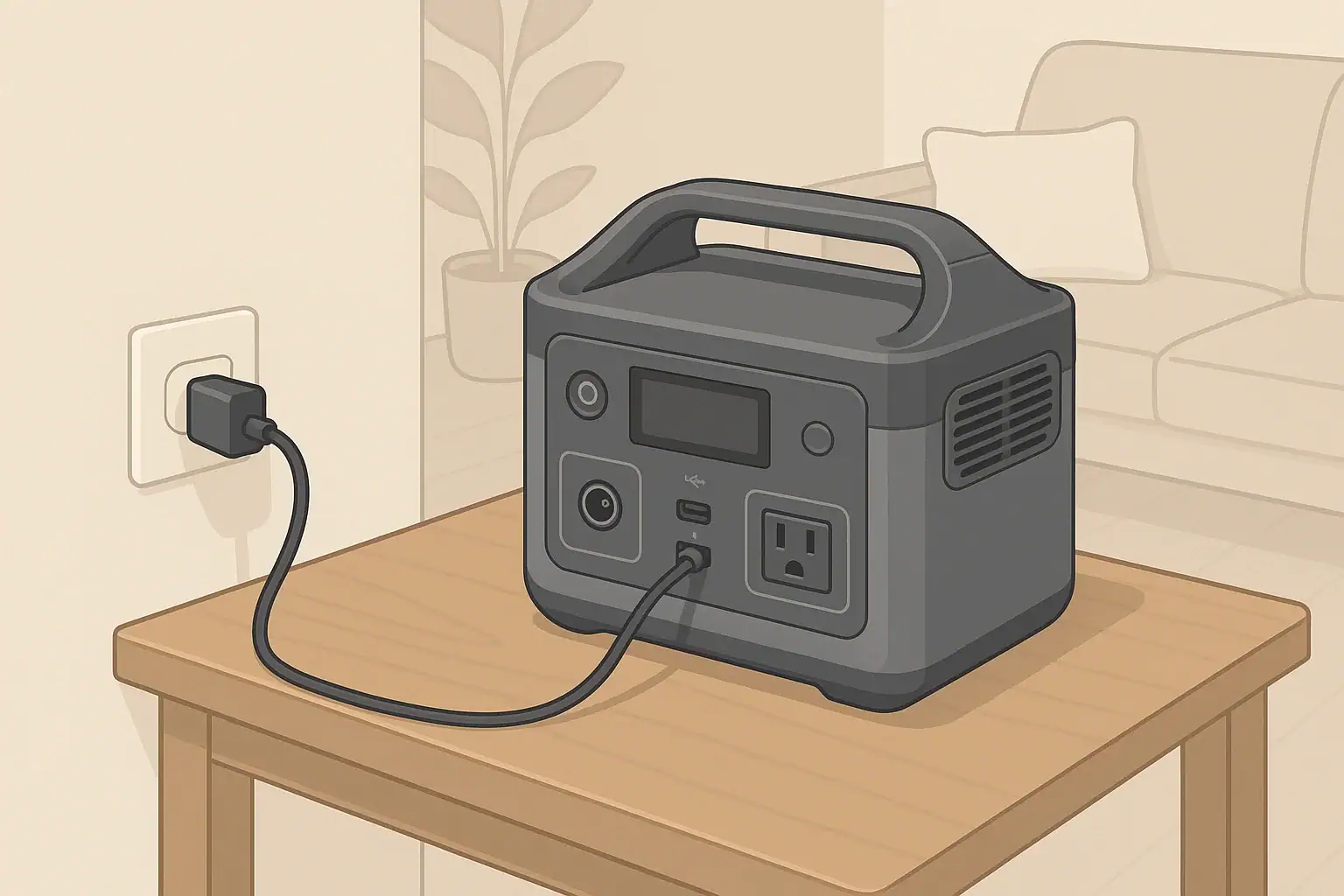
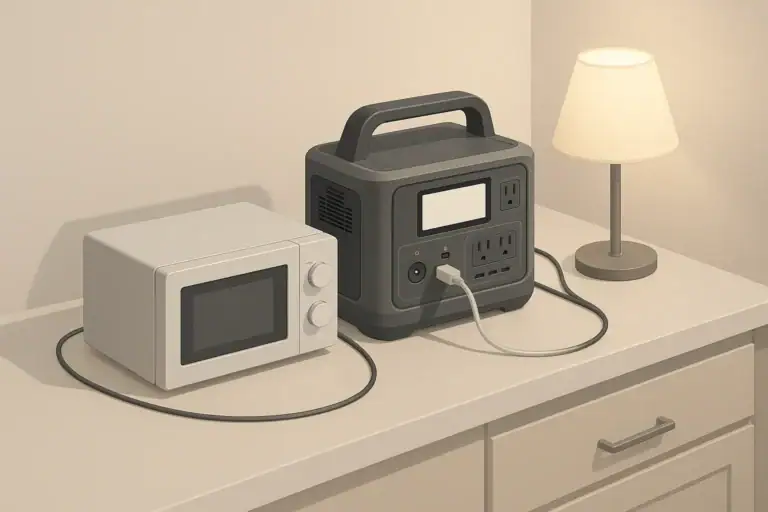
Yes, you can safely use a portable power station indoors if you manage ventilation, heat, cords, and fire risks the right way. Indoor safety is less about fumes and more about where you place the unit, how hard you run it, and what you plug into it. With a few consistent habits, a power station can be a reliable backup for outages, remote work, and everyday charging without becoming a hidden hazard.
This guide explains indoor portable power station safety in plain language. It covers ventilation, heat management, fire-prevention basics, and how to avoid common mistakes in homes, apartments, RVs, and small workspaces. You will see practical examples, simple checklists, and what to watch for if something does not look or smell right.
Use these principles as a baseline alongside the instructions that come with your specific unit. The goal is to keep your backup power convenient, quiet, and safe to live around every day.
What Indoor Portable Power Station Safety Means and Why It Matters
Indoor portable power station safety is about controlling three main risks: excess heat, electrical faults, and nearby combustible materials. Unlike fuel generators, these battery-based units do not release exhaust gases, so you are not managing carbon monoxide. Instead, you are managing how a dense energy source behaves inside living spaces.
When safety is handled well, a power station can quietly run phones, laptops, lights, medical devices, and even some appliances without drawing attention. When it is handled poorly, the same unit can overheat, trip protection circuits, damage connected devices, or in rare cases contribute to an electrical fire.
Indoor safety matters most in situations where the unit is close to people for long periods, such as:
- Running a CPAP machine or fan overnight in a bedroom.
- Powering a router, laptop, and monitor in a home office all day.
- Keeping a small fridge, lights, and chargers running during an outage.
- Using the station inside an RV, camper, or van where space and airflow are limited.
In all of these scenarios, the same fundamentals apply: give the power station room to breathe, keep it off soft or flammable piles, use cords correctly, and pay attention to warning signs like unusual heat, smell, or noise.
Key Concepts: Ventilation, Heat, and Electrical Load Indoors
Portable power stations are sealed systems that combine batteries, inverters, and charging electronics. Indoors, the way you manage airflow and electrical load directly affects temperature and long-term safety.
Ventilation and Airflow Around the Unit
Even though a power station does not burn fuel, it still needs air movement to shed heat. The fans and vents are designed to move warm air away from the batteries and inverter. Blocking that airflow forces heat to build up inside the case.
- Leave a few inches of open space on all sides and above the unit.
- Keep vents and fan openings free of dust, pet hair, and clutter.
- Avoid fully enclosed spaces such as sealed cabinets, tightly packed closets, or storage bins.
- In RVs or vans, use ventilated compartments or leave cabinet doors open while the unit is under heavy load.
Think of the power station like a small desktop computer: it can sit in a room without special exhaust, but it should not be wrapped in blankets or wedged into a box.
Heat Generation and Electrical Load
Any time power flows in or out of the battery, some of that energy turns into heat. Higher electrical loads create more heat, and high ambient room temperature makes it harder for the unit to cool itself.
- Low loads (phone chargers, LED lights, Wi‑Fi routers) typically keep the unit warm but not hot.
- Moderate loads (laptops, TVs, small fans, small fridges) may cause the fans to run steadily.
- High loads (space heaters, hair dryers, large power tools) can push the inverter close to its limits, causing rapid heat buildup.
Most power stations include over-temperature protection and will reduce output or shut down if they get too hot. Treat these shutdowns as a useful warning, not an inconvenience: lower the load, improve airflow, and let the unit cool before restarting.
Indoor Environment: Temperature, Humidity, and Dust
Room conditions can either help or fight against the power station’s cooling system.
- High temperatures: Attics, sunrooms, or parked vehicles on hot days make cooling harder. Reduce heavy loads in these spaces.
- High humidity: Bathrooms with frequent steam or damp basements can increase corrosion risk over time. Prefer drier rooms when possible.
- Dust and pet hair: Dusty workshops or homes with shedding pets can clog vents. Periodic light cleaning helps maintain airflow.
| Placement location | Ventilation quality | Heat / fire risk level | Better practice |
|---|---|---|---|
| On a hard table in an open room | Good airflow on all sides | Low | Keep a clear zone around vents and above the unit |
| On thick carpet in a corner | Restricted at bottom and sides | Medium | Place on a board or low stand to lift off carpet |
| Inside a closed cabinet | Poor; warm air trapped | High | Open doors while running or relocate to open space |
| On a bed under blankets | Vents blocked by fabric | High | Move to a firm, uncovered surface away from bedding |
| In an RV storage compartment with vent holes | Moderate; depends on vent size | Medium | Check compartment temperature during heavy use |
Real-World Indoor Use Examples
Seeing how indoor safety plays out in everyday setups makes it easier to apply the principles. The following scenarios show what to do, what to avoid, and what to watch for.
Example 1: Bedroom Use for Overnight Breathing Devices
Many users rely on a portable power station to run a CPAP machine or other medical device overnight.
- Safer setup: Place the power station on a firm nightstand or low table, not on the bed or carpeted floor. Leave a few inches of clearance behind and beside the unit so the fan can move air.
- Cord routing: Run the CPAP power cord along the wall or behind the headboard instead of across the walking path to the door.
- Monitoring: Before sleeping, make sure the unit shows enough remaining capacity for the night and that it is not already very warm.
If you notice the fan running unusually loud or hot air blowing steadily from the vents, reduce other connected loads (like extra chargers) to lower heat output.
Example 2: Home Office and Remote Work
In a home office, a portable power station might power a laptop, monitor, desk lamp, and router.
- Device spacing: Avoid stacking the power station, laptop, and router on top of each other. Each device generates heat and needs its own airflow.
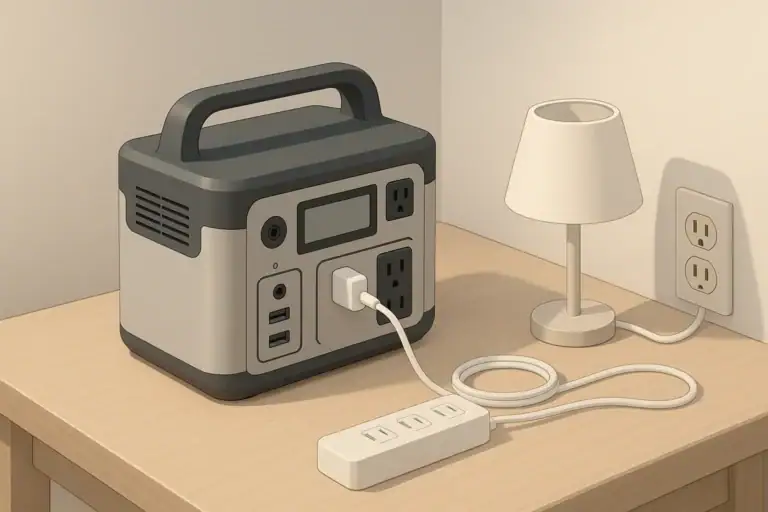
- Power strips: Use a properly rated power strip if you need extra outlets, but do not daisy-chain multiple strips together.
- Checkpoints: Once in a while, touch the side of the power station and the power strip. Warm is normal; hot enough to be uncomfortable is a sign to reduce load or improve ventilation.
This kind of setup often runs for many hours, so a small improvement in placement and cord management can significantly reduce long-term heat stress on the unit.
Example 3: Short Power Outages in a Living Room or Kitchen
During a short outage, you may want to run a few lights, charge phones, and possibly keep a refrigerator or chest freezer powered.
- Prioritization: Decide which loads are essential. A refrigerator plus a few LED lamps is often more important than a TV and multiple small appliances.
- Central location: Put the power station on a kitchen counter or sturdy table where you can easily see the display and hear any alarms.
- Extension cords: Use one or two heavier-duty extension cords to reach distant appliances, rather than a tangle of thin cords and adapters.
Monitor the unit for the first 15–20 minutes after connecting higher-wattage appliances. If the fan runs constantly at high speed or the casing becomes very hot, unplug nonessential devices and let the unit cool.
Example 4: RV, Camper, and Van Interiors
In mobile setups, the power station often lives inside a cabinet, under a bench, or near a bed.
- Dedicated spot: Choose a location that is not also used as general storage for pillows, clothing, or paper products.
- Vent openings: If the unit is in a compartment, ensure there are intake and exhaust paths (such as vent grilles or gaps) that allow air to move.
- Heat checks: During hot weather, periodically open the compartment and feel the air temperature inside. If it is significantly hotter than the rest of the RV, increase ventilation or move the unit.
Because these spaces are also sleeping areas, double-check that nothing can fall onto the unit at night, such as hanging blankets or loose curtains.
Common Indoor Mistakes and Troubleshooting Cues
Most indoor issues come from a few repeat patterns: blocked airflow, overloaded outlets, and ignoring early warning signs. Recognizing these patterns early can prevent more serious problems.
Frequent Mistakes to Avoid
- Running the unit on soft bedding or piles of clothes: Fabrics can block vents, trap heat, and add fuel if something goes wrong.
- Hiding the power station in a closet: This reduces noise and clutter but also traps heat and places the unit near dense combustible materials.
- Daisy-chaining power strips and adapters: Stacking multiple strips, cube taps, or adapters on one outlet increases the chance of overload and overheated connections.
- Using damaged cords: Frayed, pinched, or taped-together cords can arc, spark, and overheat under load.
- Covering the unit to reduce fan noise: Any cover that blocks airflow makes overheating more likely, even if the fan noise is annoying.
Warning Signs Something Is Wrong
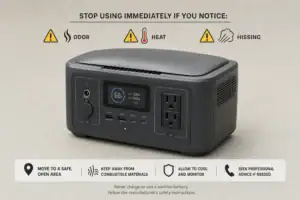
Stop using the power station and investigate if you notice any of the following:
- Strong burning smell, melting plastic odor, or sharp chemical smell from the unit or cords.
- Visible smoke, discoloration, or scorch marks on the case or outlets.
- Unusual noises such as loud clicking, popping, or grinding from inside the unit.
- The casing becomes too hot to touch comfortably in normal room conditions.
- Frequent unexplained shutdowns or error codes even at modest loads.
In these cases, disconnect all devices, power the unit off if it is safe to do so, move it away from combustibles, and allow it to cool in a well-ventilated area. Do not open the casing or attempt internal repairs yourself.
Simple Indoor Troubleshooting Steps
For less severe issues, a few adjustments often restore safe operation.
- Unit feels warmer than usual: Reduce the number of connected devices, increase clearance around the unit, and move it to a cooler room if possible.
- Fans run at high speed constantly: Check for blocked vents or dust buildup. Clean gently with a dry cloth or soft brush around the openings.
- Outlets feel loose: If plugs wobble or arcs are visible, stop using that outlet. Use another outlet on the unit if available and have the loose one inspected.
- Extension cord is hot: Replace it with a cord rated for higher current, or shorten the run and reduce the load.
| Observed issue | Likely cause | Safer corrective action |
|---|---|---|
| Power station shuts down during use | Overload or high internal temperature | Unplug high-wattage devices, improve airflow, restart after cooling |
| Plastic smell near outlets | Overheated plug or cord connection | Disconnect, inspect plugs and cords, replace any damaged components |
| Extension cord is warm along its length | Cord undersized for load or run too long | Use a shorter, heavier-gauge cord or split loads across outlets |
| Fans run loudly even at low loads | Blocked vents or dusty environment | Clear space around vents, gently remove dust, relocate to cleaner area |
| Unit rocks or shifts when bumped | Unstable or uneven surface | Move to a flat, sturdy surface away from foot traffic |
High-Level Indoor Safety Basics
Beyond specific scenarios, a few high-level safety principles apply to nearly every indoor setup. Treat these as your default rules whenever you move or use a portable power station inside.
Safe Surfaces and Clear Zones
- Use stable, hard, level surfaces such as tables, shelves, or solid floors.
- Avoid soft, unstable, or sloped surfaces that can tip, shift, or block vents.
- Maintain a clear zone around the unit, free of paper stacks, clothing, curtains, and other combustibles.
Think ahead about what could fall onto the unit, not just what is beside it. Items on shelves or rods above the power station can become hazards if they slide or are knocked loose.
Cord Management and Trip Prevention
- Route cords along walls or behind furniture instead of across walkways.
- Avoid running cords under thick rugs or where doors close on them.
- Group cords with simple organizers so a single tug does not pull multiple plugs loose.
Trip hazards are both a personal safety issue and an equipment issue: a pulled cord can topple the power station or damage outlets, increasing the chance of heat and arcing at the connection point.
Distance from Water and Heat Sources
- Keep the unit away from sinks, bathtubs, humidifiers, and open windows during rain.
- Do not place the power station directly beside radiators, baseboard heaters, or space heaters.
- If a spill occurs nearby, disconnect power safely and let everything dry completely before reuse.
Liquid plus electricity can cause shorts and corrosion, even if there is no immediate visible damage. Heat sources can push the unit beyond its designed temperature range.
People, Pets, and Sleep Areas
- Place the unit where children cannot easily press buttons or unplug devices.
- Discourage pets from sleeping against the warm case or chewing cords.
- Before sleeping, double-check that nothing flammable is resting on or against the unit.
In small spaces like studio apartments and RVs, consider a spot that is accessible but not in the main walking path or near bedding that can shift during the night.
Maintenance and Long-Term Indoor Use
Indoor use is usually gentler than outdoor use, but long-term safety still benefits from light maintenance and sensible storage. Treat the power station as a permanent appliance, not a disposable gadget.
Routine Checks
Every few months, or after any heavy-use period such as an extended outage, perform a quick inspection:
- Look for cracks, warping, or discoloration on the case and around outlets.
- Check that all buttons and ports operate normally and that the display is readable.
- Inspect cords and power strips used with the unit for wear, kinks, or crushed sections.
- Gently remove dust from vents with a dry cloth or soft brush.
Battery Care for Indoor Storage
Battery health affects both performance and safety. While specifics vary by model, these general practices help:
- Store the unit in a cool, dry room away from direct sunlight.
- Avoid leaving it fully discharged for long periods; keep some charge in the battery.
- If the unit will sit unused for months, charge it to a moderate level and top it up periodically according to the manufacturer’s guidance.
Healthy batteries are less likely to swell, leak, or behave unpredictably under load.
Storage Placement Indoors
Where and how you store the power station between uses also matters:
- Choose a shelf, cabinet, or closet that stays within normal indoor temperature ranges.
- Do not bury the unit under heavy boxes or flammable items.
- Keep the original packaging or a protective case if you need to move or transport it frequently.
Before the next outage season or trip, bring the unit out of storage, inspect it, and run a short test with light loads to confirm everything works as expected.
Practical Takeaways and Indoor Safety Specs to Look For
Indoor portable power station safety comes down to a few consistent behaviors: give the unit space to cool itself, use cords correctly, keep it away from flammable clutter and moisture, and respond quickly to unusual heat, smell, or noise. If you build these habits into your normal setup at home or in an RV, the power station can blend into daily life without adding unnecessary risk.
Quick Safety Takeaways
- Place the unit on a firm, hard surface with several inches of clearance on all sides.
- Keep fabrics, paper, and other combustibles off and away from the case and vents.
- Use properly rated cords and avoid daisy-chaining power strips or adapters.
- Do not hide the unit in tight, enclosed spaces during charging or heavy use.
- Watch for warning signs: strong odors, unusual noises, excessive heat, or repeated shutdowns.
Indoor Safety Specs and Features to Look For
When comparing portable power stations for mostly indoor use, certain specifications and design features make safe operation easier:
- Clear operating temperature range: Check that the stated range matches your typical indoor climate, especially if you use the unit in warm attics or cool basements.
- Over-temperature and overload protection: Built-in protections that shut the unit down safely when limits are exceeded are important for indoor peace of mind.
- Vent and fan design: Side or rear vents with visible airflow paths are easier to keep clear than hidden or bottom-only vents.
- Sturdy housing and stable base: A wide, flat base and robust case reduce tipping and damage from minor bumps.
- Clear display and status indicators: Easy-to-read error messages or icons help you respond quickly if something is wrong.
- Outlet layout: Spaced-out AC outlets leave room for larger plugs without forcing awkward, stressed cord angles.
- Indoor-friendly noise level: Quieter cooling fans are more comfortable in bedrooms and offices, reducing the temptation to cover the unit.
Combine these specs with the placement, cord management, and maintenance habits in this guide, and your portable power station can remain a safe, low-profile part of your indoor power plan for years of everyday use and emergency backup.
Primary reference: UL Solutions’ lithium-ion battery safety guidance explains why abnormal heat, physical damage, and charging outside specified limits require caution, inspection, and adherence to the manufacturer’s instructions.
Frequently asked questions
Which technical specs and design features should I prioritize for safe indoor use?
Look for a clear operating temperature range, reliable over-temperature and overload protections, and a vent/fan layout that stays exposed in your planned placement. A sturdy, flat base, spaced outlets, and an easy-to-read display or status indicators also make safe indoor operation easier to monitor and maintain.
What is a common indoor mistake people make with portable power stations?
One common mistake is placing the unit on soft bedding, carpets, or inside closed cabinets where vents are blocked, which traps heat and raises fire risk. Another frequent error is daisy-chaining power strips or using damaged cords, both of which can cause overheating at connections.
Is it safe to run a portable power station inside a bedroom overnight?
Yes, provided the unit has adequate clearance, is on a firm surface away from bedding, and is not overloaded by high-wattage devices. Also keep cords routed safely, check remaining battery capacity, and stop use if you notice strong odors, excessive heat, or unusual sounds.
How can I tell if the unit is overheating or at risk of a fault?
Watch for strong burning or chemical smells, excessive heat to the touch, visible smoke or discoloration, loud or unusual noises, and frequent unexplained shutdowns or error codes. If you see any of these signs, disconnect loads, move the unit away from combustibles, and allow it to cool before further use.
Can I charge and discharge the power station at the same time indoors?
Many units support pass-through charging, but running charge and discharge simultaneously increases internal heat and battery stress. If you do use pass-through, ensure good ventilation, avoid heavy simultaneous loads, and check the manufacturer’s guidance for any limitations.
What cords and extension practices are safe for indoor use?
Use cords and extension leads rated for the current you expect, prefer shorter and heavier-gauge cables for high-wattage appliances, and avoid running cords under rugs or daisy-chaining power strips. Inspect cords for damage regularly and route them along walls or behind furniture to reduce trip and strain risks.
Related guides
Browse this topic →
- Beginner-friendly sizing, runtime & specs
- Solar & charging (MPPT, fast charging, cables)
- Batteries (LiFePO4, cycles, care & storage)
- Safety, cold-weather performance, real-world tips
More in Safety
See all →- Childproofing a Portable Power Station at Home: Cables, Heat, Buttons, and Pets
- Can You Take a Portable Power Station on a Plane? Battery Limits and Safer Travel Planning
- What to Do If a Portable Power Station Gets Wet
- Portable Power Station Fire Safety Checklist for Apartments
- UL 2743 Certification Explained for Portable Power Stations
Keep reading
About this site
Portable Energy Lab publishes practical, independent guides about portable power—clear sizing, safe use, and real-world expectations.
Affiliate disclosure
Some links on this site may be affiliate links. If you buy through these links, we may earn a small commission at no extra cost to you. This helps support our content. Read our affiliate disclosure.