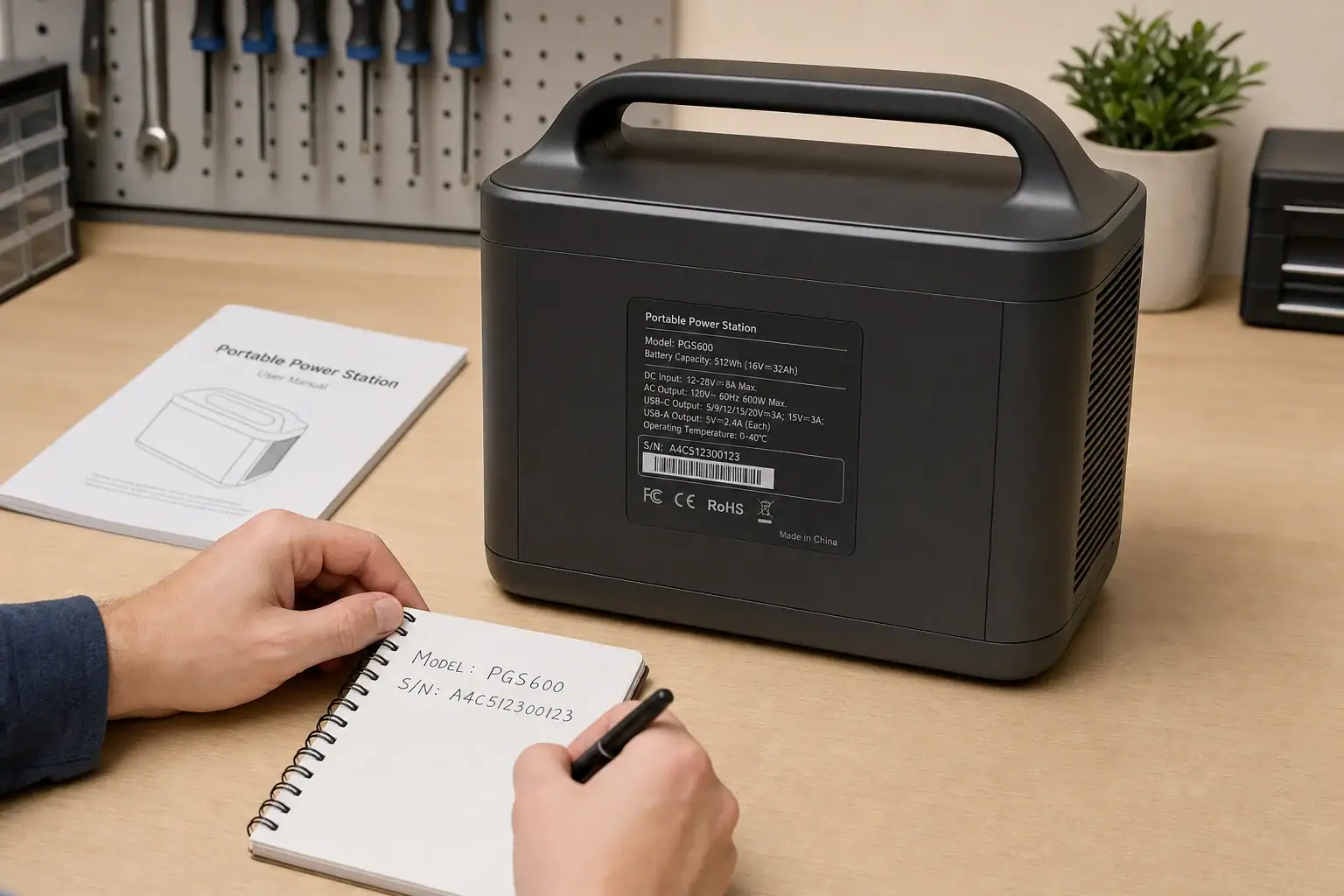
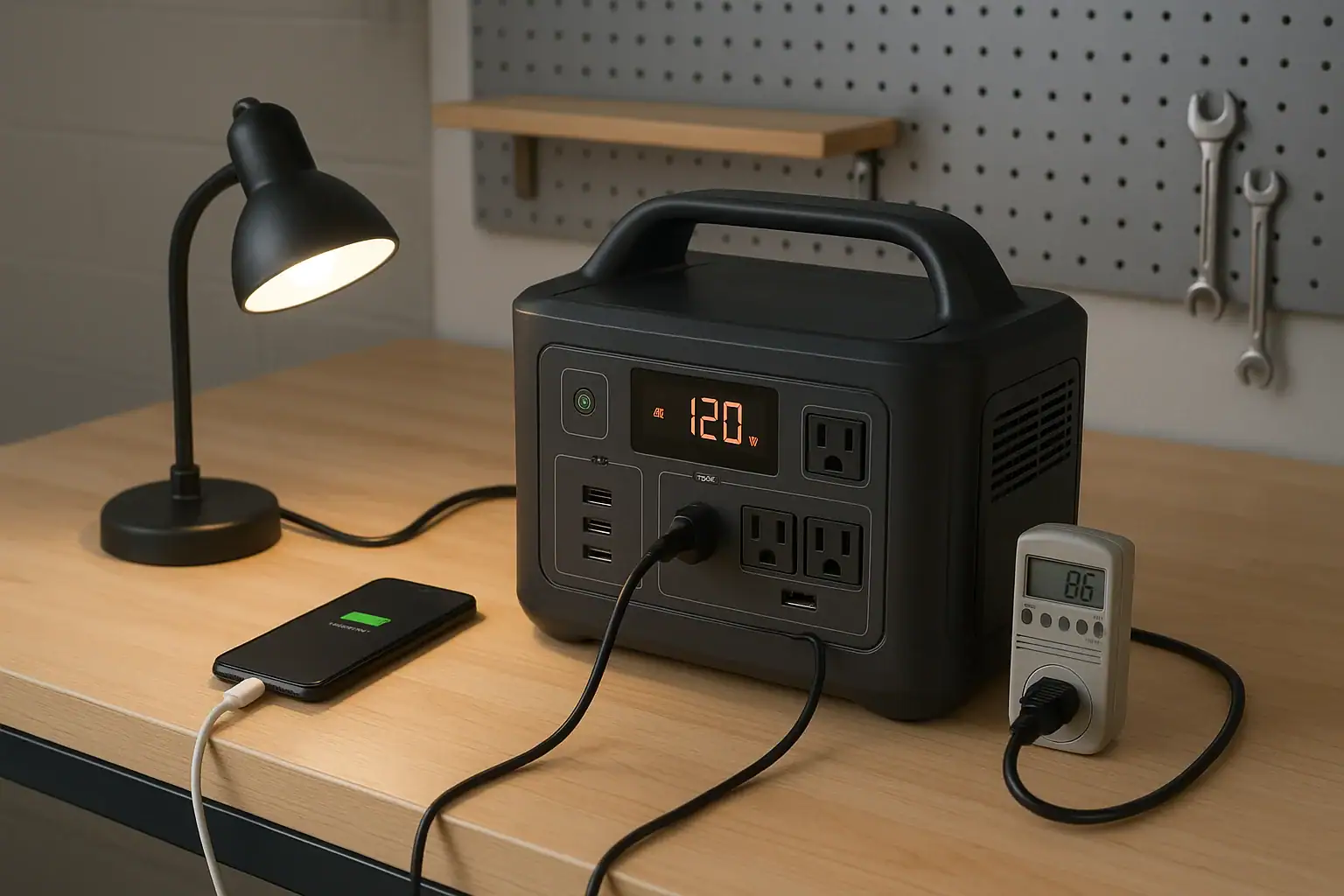
To check whether a portable power station was recalled, find its exact model number and serial number, then compare them with current notices in the official government recall database for your country and on the manufacturer’s official support or recall page. Match every detail—including production dates, serial-number ranges, battery versions, and included accessories—because a recall may affect only part of a product line.
If your unit appears to be included, stop using and charging it and follow the recall notice exactly. Do not open the enclosure, remove internal cells, ship the unit, or discard it in household trash unless the manufacturer or the appropriate authority specifically instructs you to do so.
Record the product identifiers
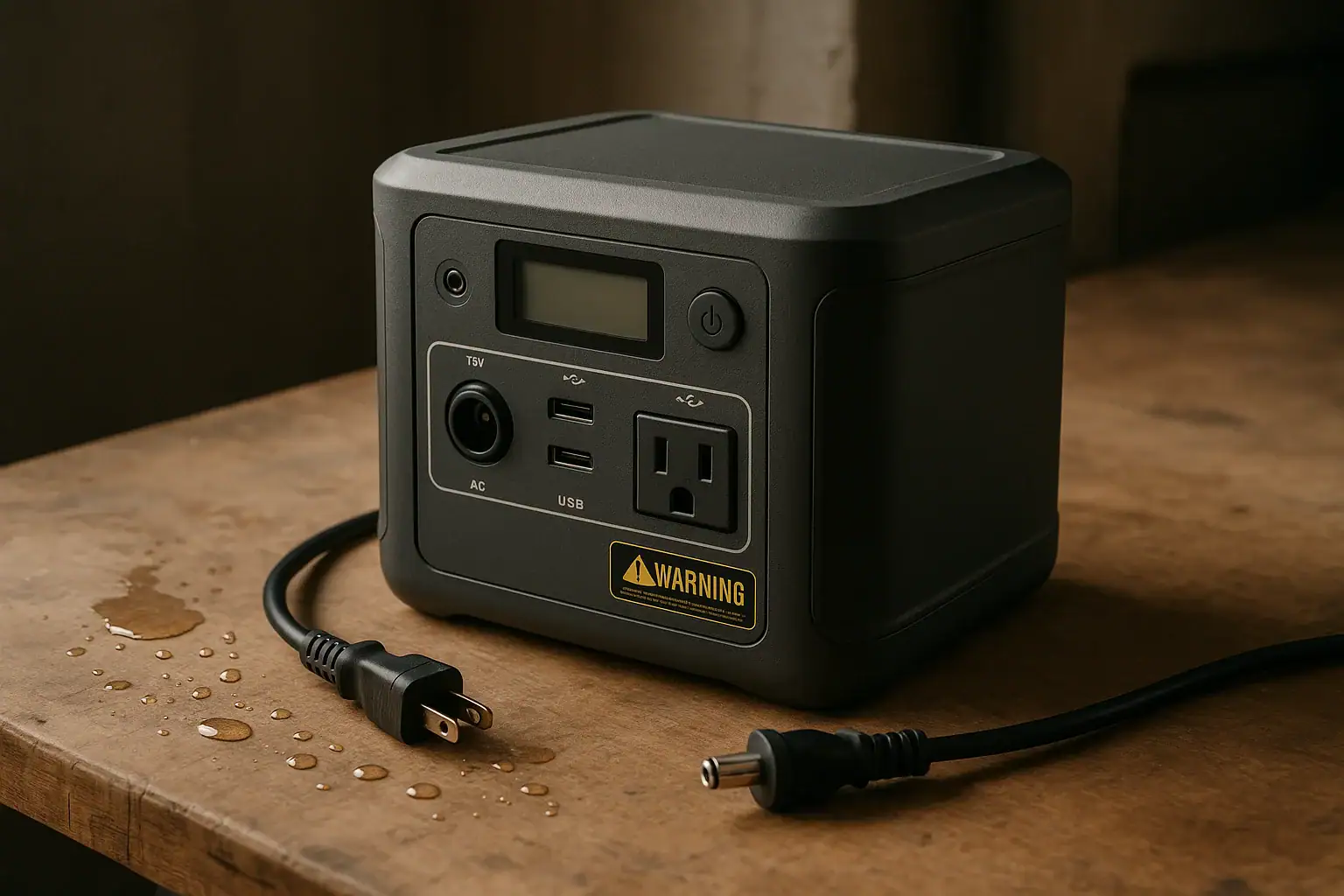
Disconnect the power station from loads and charging sources if it is safe to do so. Without opening the enclosure, photograph or write down the identifying information printed on its exterior label. Look for:
Manufacturer name
Full product name
Model or type number
Serial number
Manufacturing date, date code, or batch number
Battery or hardware revision, if listed
Model numbers for the AC adapter, expansion battery, or other included components
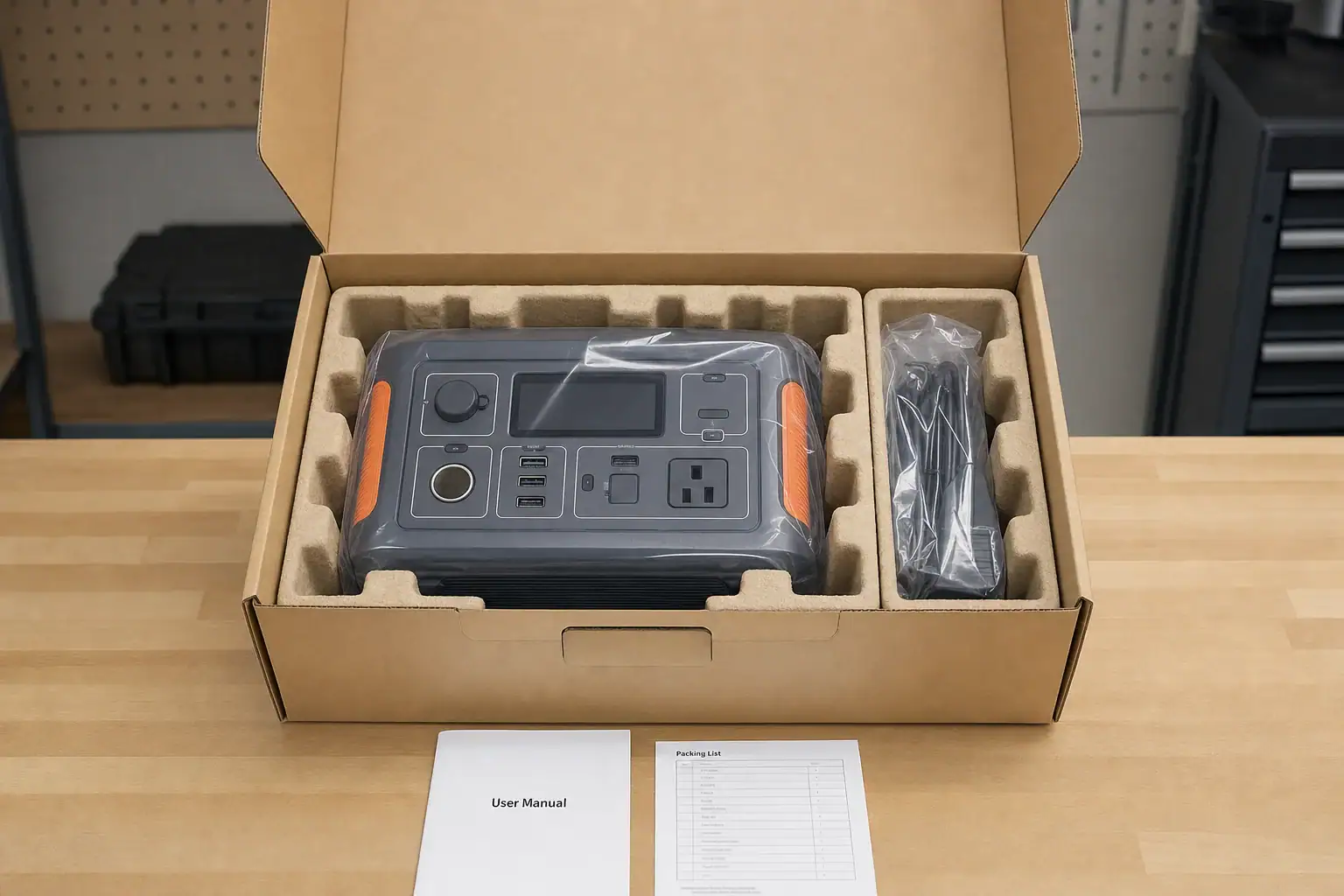
The retail name alone is not enough. Products that look identical may use different batteries, electronics, or production runs. Conversely, one affected design may have been sold under more than one name. If the label is unreadable, check the original box, receipt, order history, registration record, or manufacturer app, but treat app data as secondary to the physical identifiers when both are available.
Search official recall sources
In the United States, search the current Consumer Product Safety Commission recall database and the manufacturer’s official website. The federal recall portal may also help identify which agency handles a product. Outside the United States, use the current product-safety recall database maintained by your national or regional government.
Search several terms rather than relying on one query:
The manufacturer name and exact model number
The product name plus “recall”
The serial or batch prefix, if the database supports it
“Portable power station,” “solar generator,” or “battery generator”
The model number of the charger or expansion battery
Also check the manufacturer’s current safety-notice and support pages. A company notice may provide a serial-number checker or more precise eligibility instructions than a short database summary. Verify that any message, form, phone number, or return label actually comes from the manufacturer or the government agency identified in the official notice.
Match the scope of the notice carefully
Finding the same product name does not automatically mean your unit is recalled. Compare the notice with your product point by point:
Model: Match the complete identifier, including suffixes and regional variants.
Serial or batch range: Check all characters and leading zeros.
Manufacturing window: Do not confuse the production date with your purchase date or the date the recall was announced.
Sales region or seller: Some notices cover specific markets or distribution channels.
Affected component: The recall may apply only to an adapter, cable, expansion battery, or battery module rather than the entire station.
Remedy: Confirm whether the notice calls for inspection, repair, replacement, refund, or another manufacturer-controlled process.
If the notice is unclear or your serial number is missing, contact the manufacturer through the contact details in the official recall notice. Provide photographs of the exterior label and proof of purchase if requested. Do not assume an unlisted serial number is safe when the label is incomplete or the product’s history is uncertain.
What to do if the power station is included
Stop operating and charging it, unless the official notice gives different immediate instructions.
Disconnect accessories and loads only if doing so presents no immediate risk.
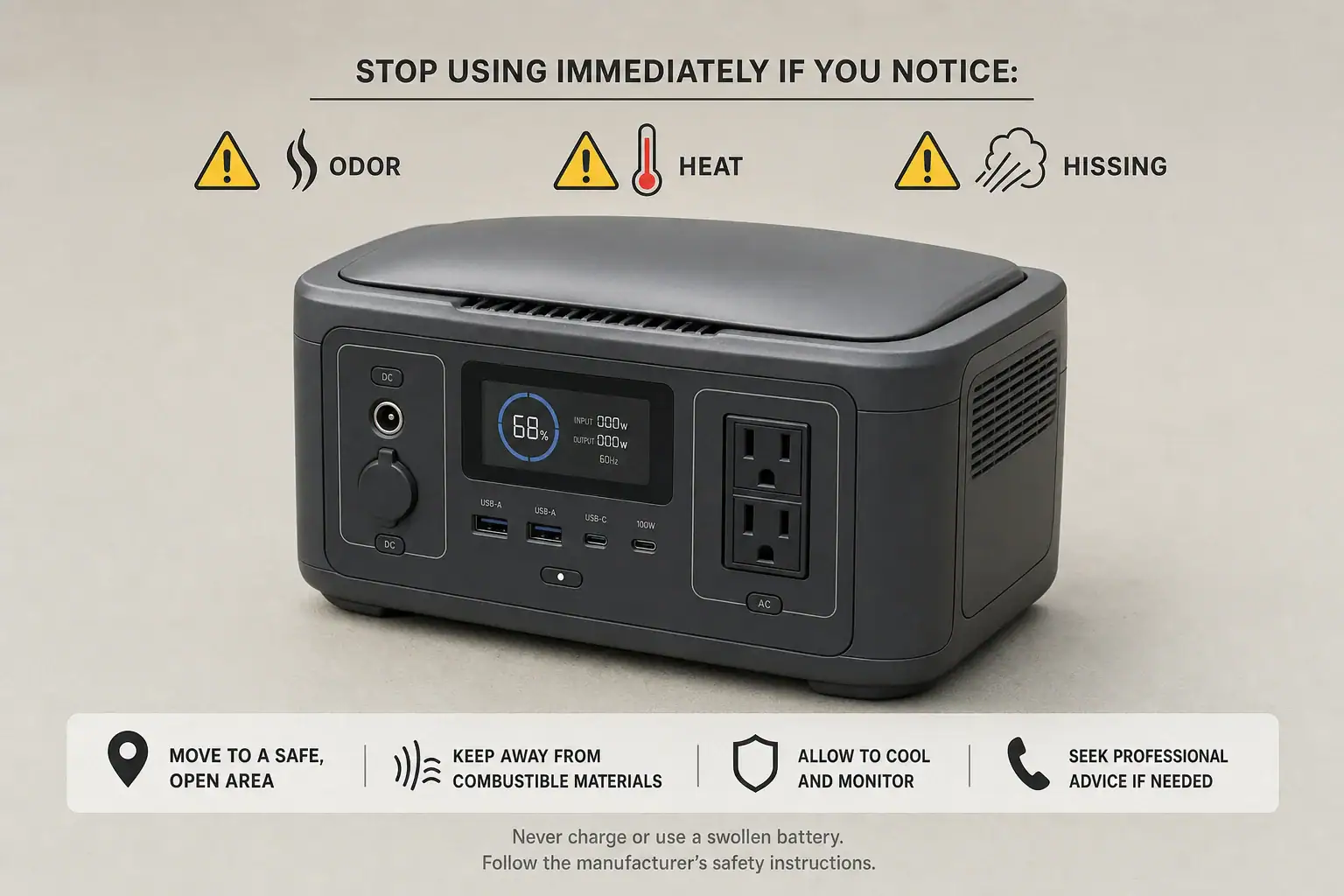
Keep people and combustible materials away from a unit that is unusually hot, swollen, leaking, hissing, smoking, or emitting a strong odor. Do not touch or move a smoking or burning battery; leave the area and contact emergency services.
Follow the manufacturer’s recall process for storage, packaging, transport, repair, replacement, or refund.
Keep copies of the notice, serial-number photograph, correspondence, and shipment or remedy confirmation.
Lithium-battery shipping and disposal are regulated and can vary by battery condition, carrier, and jurisdiction. A recalled or damaged power station may not be accepted through ordinary parcel service or routine battery recycling. Follow the current recall instructions and verify any transport or disposal requirements with the manufacturer, carrier, and relevant local authority.
If no recall appears
No search result is not proof that a unit has no safety issue. Recheck spelling and model variants, search included battery accessories separately, and ask the manufacturer to confirm the serial number in writing if you remain uncertain. Used products deserve extra attention because labels may be missing and prior recall messages may have gone to the original owner.
Stop using the power station and seek manufacturer guidance if it shows swelling, overheating, smoke, leakage, damaged ports, repeated protective shutdowns, or an unusual odor—even when no recall is listed. A defect affecting one unit can exist without a broader recall.
Keep future recall checks simple
Save a photograph of the product label, purchase record, and current owner’s manual. Register the product with the manufacturer if registration is available, but continue to rely on official recall databases and current manufacturer notices rather than assuming registration guarantees notification. Recheck those sources before selling, donating, transporting, or resuming use of a unit that has been stored for a long time.
If a portable power station battery swells, smells, or hisses, stop using and charging it immediately, keep people away, and contact emergency services if it is hot, smoking, or actively venting.
A swollen battery, unusual chemical smell, or hissing battery can indicate internal cell damage, battery venting, or the early stages of thermal runaway. These are not normal operating conditions and should not be addressed by opening the enclosure, pressing a bulge flat, or attempting another charge cycle.
If the unit is cool and stable, disconnect external cables only when that can be done without touching a deformed, hot, leaking, or smoking area. Do not approach or move a unit that is rapidly heating, making loud venting sounds, or producing smoke. Leave the area, avoid inhaling fumes, and call emergency services. A damaged power station generally requires professional evaluation and disposal rather than continued use.
1. What Swelling, Odor, and Hissing Mean
Portable power stations typically contain lithium-ion battery cells, monitoring electronics, an inverter, and charging hardware inside one enclosure. A change in the enclosure’s shape or an unexpected sound or odor can mean that one or more cells are producing heat or gas because of internal damage or decomposition.
Swelling occurs when gas accumulates inside a cell or battery assembly. The outer case may bow, seams may separate, buttons may become misaligned, or a flat surface may no longer sit level. Even a small new bulge is significant because a healthy enclosure should not be pushed outward by the battery.
Unusual odor may be described as sweet, solvent-like, metallic, fruity, sharp, or similar to nail-polish remover. Odor descriptions are subjective, so any new chemical smell coming from the unit should be treated as abnormal. Do not lean over the power station or sniff vents to identify it.
Hissing, popping, or crackling can indicate gas escaping through a cell vent, internal arcing, or rapidly progressing failure. A normal cooling fan produces steady airflow or a smooth mechanical sound; it should not sound like pressurized gas, frying, or repeated pops.
These warning signs matter because a damaged cell can move from a stable condition to intense heating with little notice. The battery management system may disconnect electrical current, but it cannot reverse physical cell damage or guarantee that a compromised cell will remain cool.
2. How Battery Failure Can Progress
Battery cells store energy through controlled chemical reactions. Crushing, puncture, manufacturing defects, severe heat, internal contamination, overcharging, or aging can damage the thin separator between internal layers. If that separator fails, an internal short circuit may generate heat faster than the pack can release it.
Early signs can include an unexplained state-of-charge change, localized warmth, reduced runtime, charging interruptions, error messages, or a new odor. Gas generation may then cause swelling or venting. In a serious event, rising temperature can accelerate chemical reactions and affect neighboring cells. This self-heating chain reaction is called thermal runaway.
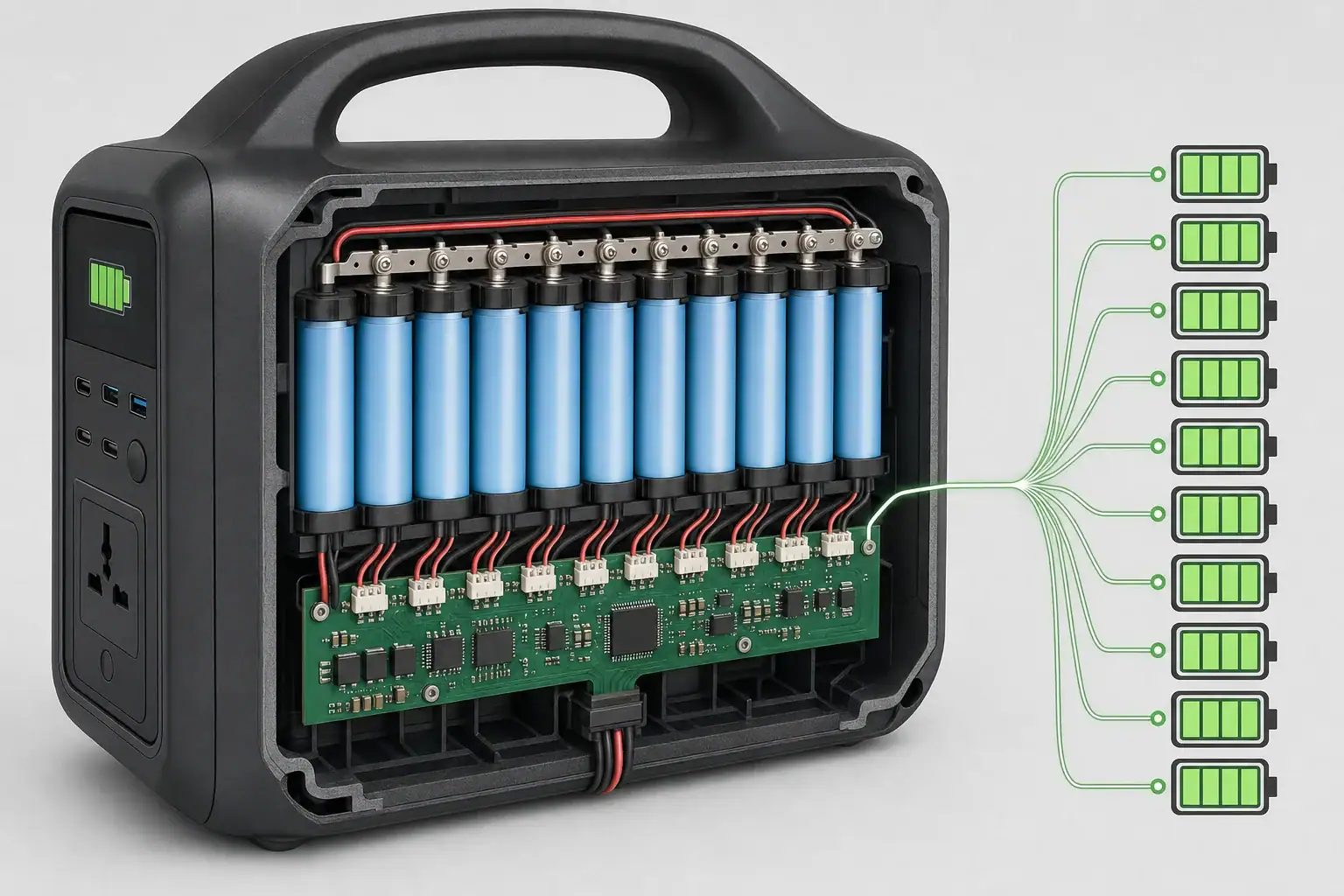
The built-in battery management system normally monitors cell voltage, current, and temperature. It can stop charging or shut down output when readings leave its programmed range. Fuses, thermal sensors, flame-resistant barriers, and spacing can add protection. However, no electronic protection can make a physically damaged pack safe to recharge.
The immediate response depends on what the unit is doing. A cool, silent unit with slight deformation still needs to be retired from service. A hot, hissing, leaking, or smoking unit is an active emergency. In that situation, distance and evacuation are more important than saving the equipment or unplugging every cable.
Observed condition
Possible meaning
Appropriate response
Slight new bulge; unit is cool and silent
Gas generation or internal mechanical damage
Do not charge or use; isolate access and arrange professional disposal
New chemical odor without visible smoke
Electrolyte vapor or another overheated component
Move away, ventilate from a safe location, and avoid further operation
Hissing, popping, rapid heating, or smoke
Active venting or possible thermal runaway
Evacuate, call emergency services, and do not approach
Fan noise only during a heavy load
Potentially normal cooling operation
Remove the load if concerned and check whether the sound stops without other warning signs
Example values for illustration.
3. Real-World Warning Sign Examples
A case that no longer sits flat
A power station stored for several months may rock on a level floor or show a widening seam. It may still turn on and report a normal charge percentage. That display does not prove the cells are healthy. The correct response is to leave it off, prevent accidental use, and arrange guidance from the manufacturer, seller, or a qualified battery recycling facility.
An odor noticed during charging
A new solvent-like smell may appear near the unit while it is connected to AC or solar charging. If it is safe to do so without approaching heat, smoke, deformation, or leaking material, power can be disconnected at the remote source or wall outlet. People should then leave the immediate area. Charging must not be restarted to see whether the smell returns.
Hissing after an impact
A unit dropped from a vehicle or shelf may look mostly intact but begin hissing or growing warm. Internal cells can be damaged without obvious external cracks. Do not pick it up, place it in a vehicle, or carry it through a building. Keep others away, evacuate if the sound continues or smoke appears, and contact emergency services.
Heat after a high-power load
Warm exhaust air and fan noise can be normal when an inverter supplies a demanding appliance. Warning cues include one unusually hot spot, a case that remains hot after shutdown, acrid odor, swelling, crackling, or smoke. If those cues are absent, the issue may be ordinary cooling or an overload shutdown. If any are present, treat the unit as damaged rather than testing it with a smaller appliance.
4. Common Mistakes and Troubleshooting Cues
A frequent mistake is assuming that the battery management system makes every failure harmless. Protection circuits reduce risk, but they do not repair crushed separators, contaminated cells, electrolyte leaks, or damage caused by extreme temperatures.
Restarting or recharging the unit: Additional current can increase heat in a compromised cell. Do not perform a test charge after swelling, venting, leakage, or a chemical odor.
Opening the enclosure: This can expose energized conductors, damaged cells, and irritating or flammable material. Internal inspection and pack replacement are not appropriate user troubleshooting steps.
Pressing, puncturing, or clamping a bulge: Mechanical pressure can rupture a cell or trigger an internal short circuit.
Putting an active unit in a sealed container: A venting battery can release heat and gas. Confinement may allow pressure and flammable vapor to accumulate.
Transporting it in a passenger vehicle: A damaged battery can worsen in transit and expose occupants to heat or fumes. Ask the appropriate waste or emergency authority how it should be handled.
Confusing fan noise with hissing: A fan usually has a consistent whir and may change speed with load. Venting may sound sharp, irregular, or pressurized and may accompany odor, heat, or deformation.
Using the display as proof of safety: A normal voltage or battery percentage does not reveal every internal defect.
Troubleshooting should be limited to observation from a safe distance and review of the operating history. Note whether the unit was recently dropped, exposed to water, left in a hot vehicle, charged below freezing, overloaded, or stored at full charge in heat. Do not recreate the event to confirm the cause.
5. High-Level Safety Response
Stop using the power station as soon as any credible warning sign appears. Tell nearby people not to touch it, keep children and pets away, and avoid breathing fumes. If the unit is connected to a source or appliance, disconnect it only when the connection can be reached safely without moving over or beside the battery.
For smoke, flames, rapid heating, loud hissing, repeated popping, or visible vapor, leave the area and call emergency services. Close a door behind you when practical, but do not delay evacuation to move the unit, retrieve belongings, or fight the fire. Battery fires can reignite after appearing to stop, so professional assessment is important.
If the unit is cool, silent, and not leaking, place access controls around it and seek handling instructions from a qualified battery recycler, hazardous-waste program, or the product’s support provider. Moving even a stable-looking damaged battery carries risk. Do not place it in household trash, curbside recycling, or a general battery collection box without approval.
A person exposed to smoke, vapor, or leaking material should move to fresh air and seek medical or poison-control guidance. Avoid touching residue. If contact occurs, follow local medical advice and the safety information supplied with the product. Electrical work involving building circuits, transfer equipment, or damaged outlets should be handled by a qualified electrician.
6. Maintenance and Storage That Reduce Risk
Prevention starts with temperature control and physical protection. Store the power station in a dry, ventilated place away from direct sun, heaters, combustible clutter, and locations where it can fall or be struck. Do not leave it in a parked vehicle, attic, or other area that can become extremely hot.
Follow the specified charging temperature range. Many lithium-based batteries should not accept a charge below freezing, even though they may be able to power a load at somewhat lower temperatures. A model with low-temperature charge cutoff provides an important automatic safeguard, but the user should still allow a cold unit to warm gradually and remain dry before charging.
For long storage, a partial state of charge is generally preferable to leaving the battery empty or at 100 percent for months. An illustrative target is about 40 to 60 percent, checked every three to six months, unless the product instructions specify otherwise. Use the supplied or electrically compatible charging equipment and keep vents unobstructed.
Inspect the case, seams, ports, and cable ends before use. Retire the unit after serious impact, water intrusion, unexplained overheating, or recurring protection errors until it has been professionally evaluated. Record purchase details and operating history so age, cycles, and prior incidents can be considered if a problem develops.
Storage factor
Illustrative practice
Reason
State of charge
About 40% to 60% for extended storage
Reduces prolonged stress from very high or very low charge
Inspection interval
Every 3 to 6 months
Helps identify discharge, case changes, corrosion, or odor early
Room conditions
Roughly 50°F to 77°F when practical
Moderate temperatures generally slow battery aging
Clearance
Several inches around cooling vents during operation
Swelling, chemical odor, or hissing should end normal use of a portable power station. Do not rely on a reset, successful startup, or normal charge display as evidence that the pack is safe. Avoid opening, puncturing, compressing, or repeatedly testing it. For an active event, prioritize distance, evacuation, and emergency assistance. For a stable but damaged unit, obtain approved disposal or professional evaluation instructions.
When comparing a future portable power station, capacity and inverter output are not the only relevant measurements. Battery chemistry, protective controls, temperature monitoring, enclosure design, warranty terms, and clear end-of-life support can affect both practical safety and long-term ownership.
Specs to look for
Battery chemistry: Look for clearly identified cell chemistry, such as lithium iron phosphate or another documented lithium-ion type; this helps evaluate cycle life, thermal characteristics, weight, and expected use.
Battery management system: Look for stated overvoltage, undervoltage, overcurrent, short-circuit, and overtemperature protection; multiple monitored conditions provide broader automatic shutdown coverage.
Temperature sensors: Look for pack and charging temperature monitoring rather than a single general enclosure sensor; broader sensing can identify abnormal heat sooner.
Low-temperature charge cutoff: Look for automatic charging suspension near 32°F, with an operating range clearly listed; charging cold lithium cells can cause lasting internal damage.
Operating temperature range: Look for separate charging, discharging, and storage ranges, such as charging around 32°F to 104°F; separate limits make safe seasonal use easier to plan.
Cycle-life rating: Look for a stated capacity threshold after a defined number of cycles, such as 2,000 to 3,000 cycles to about 80 percent capacity; this is more informative than a cycle number alone.
Safety testing documentation: Look for named battery, transport, and electrical safety test standards supported by accessible documentation; specific test identification is more useful than a general claim of certification.
Enclosure and ventilation design: Look for protected vents, stable feet, impact-resistant construction, and clear airflow requirements; sound mechanical design helps manage heat and accidental contact.
Warranty and disposal support: Look for several years of battery coverage plus written procedures for damaged-unit handling and recycling; clear support matters when a battery cannot be shipped or discarded normally.
No specification eliminates all battery risk. Safe placement, temperature-aware charging, periodic inspection, appropriate loads, and immediate retirement after serious warning signs remain essential throughout the power station’s service life.
Frequently asked questions
Is portable power station battery swelling dangerous?
Yes. Portable power station battery swelling indicates abnormal gas generation or internal damage and should be treated as a potential safety hazard. Stop using and charging the unit, and seek disposal or evaluation guidance from an approved battery-handling provider.
What should I do if my portable power station is hissing or smells like chemicals?
Move people away from the unit and avoid inhaling fumes. If it is hot, smoking, actively venting, or making loud hissing or popping sounds, evacuate and contact emergency services rather than attempting to move or inspect it.
Can I charge a swollen portable power station battery one more time to test it?
No. Test charging is a common mistake because additional current can increase heating in a damaged cell. A normal display reading or a successful startup does not confirm that the battery is safe.
Can a swollen power station battery be repaired?
A consumer should not attempt to repair, open, compress, or replace cells in a swollen power station battery. The unit generally requires professional evaluation, manufacturer guidance, or approved hazardous-waste and battery-recycling handling.
How do I safely dispose of a damaged portable power station?
Contact the manufacturer, a qualified battery recycler, or a local hazardous-waste program for instructions before transporting the unit. Do not place a damaged power station in household trash, curbside recycling, or an unattended battery collection box unless the receiving program specifically approves it.
What safety features should I look for in a portable power station?
Look for documented battery chemistry, a battery management system with overcurrent and overtemperature protection, pack and charging temperature sensors, and low-temperature charge cutoff. Clear operating limits, named safety-testing documentation, durable enclosure design, and written damaged-battery disposal support are also important features.
The best way to keep a backup power station ready without overcharging it is to store it at a moderate state of charge, recharge it on a schedule, and avoid leaving it full and plugged in unless its manufacturer specifically supports long-term standby charging.
Modern portable power stations use a battery management system, or BMS, to stop electrical overcharge under normal conditions. However, holding a lithium battery at a 100% charge level for weeks or months can still increase long-term battery wear, especially in warm storage. Charge limit settings, storage temperature, battery chemistry, standby mode, and self-discharge all affect readiness.
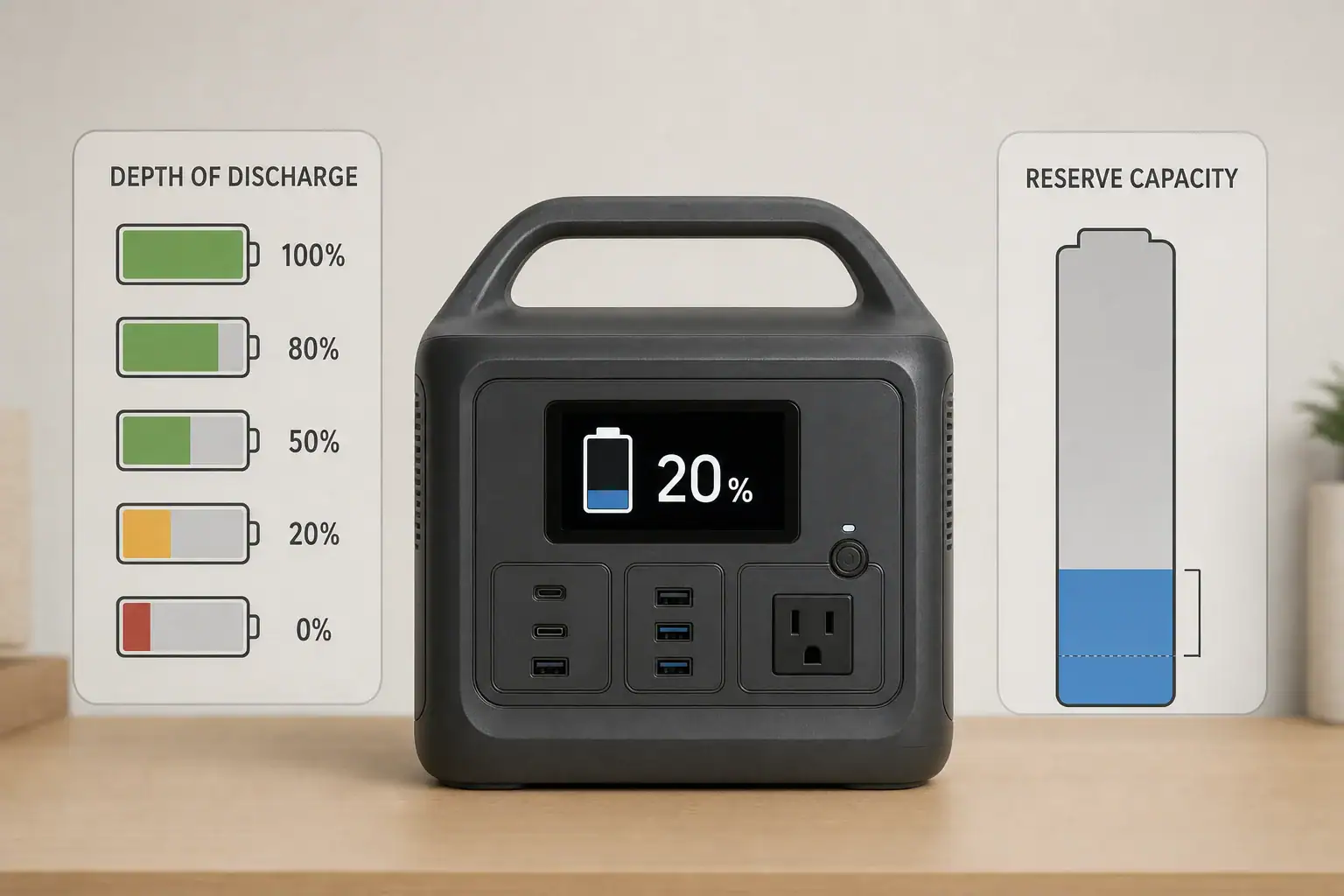
For most households, a practical approach is to keep the unit around 50% to 80% during routine storage, check it every one to three months, and top it up before severe weather or a planned outage. Exact targets vary, so the power station’s operating and storage instructions should take priority.
1. What Overcharging Means for a Backup Power Station
Electrical overcharging occurs when a battery continues receiving energy beyond its safe upper voltage. A functioning power station is designed to prevent this. Its BMS monitors cell voltage, current, and temperature, then reduces or stops charging when necessary. The external charger and internal charge controller also help regulate the process.
That protection does not mean a battery experiences no stress while sitting at 100%. A full lithium-ion battery remains at a relatively high cell voltage. Over time, high voltage and heat can accelerate chemical aging, reducing usable capacity and shortening runtime. This is better described as high-state-of-charge wear rather than uncontrolled overcharging.
Readiness and battery longevity therefore require a balance. Keeping a unit nearly empty may leave too little energy for an unexpected outage. Keeping it completely full in a hot room throughout the year may produce unnecessary wear. A moderate storage charge provides an energy reserve while reducing the time spent at maximum voltage.
Occasional charging to 100% is normal and useful before an expected outage, camping trip, or emergency. The greater concern is leaving the battery full for extended periods when immediate maximum capacity is not required.
2. How Charge Management and Battery Chemistry Work
Most backup power stations use either lithium iron phosphate, commonly called LFP or LiFePO4, or another lithium-ion chemistry such as nickel manganese cobalt. LFP batteries generally offer higher cycle-life ratings and good thermal stability, while other lithium-ion chemistries may provide lower weight for a given capacity. Both benefit from reasonable storage temperatures and avoiding unnecessary time at extreme charge levels.
The displayed percentage is an estimate calculated by the BMS rather than a direct measurement of stored watt-hours. It can drift after many partial cycles or long storage periods. Some models periodically benefit from a complete charge cycle for display calibration, but calibration should follow the manufacturer’s instructions and should not be performed more often than necessary.
Charge limits can make routine storage easier. If a unit allows a maximum charge level of 70%, 80%, or 90%, the user can select a lower ceiling for everyday standby use and temporarily raise it before a likely outage. Models without an adjustable limit can be unplugged manually when they reach the desired range.
Self-discharge also matters. Even when outputs are off, the battery and internal electronics gradually consume energy. Wi-Fi, Bluetooth, illuminated displays, DC outputs, and inverter standby can increase this loss. Turning off unneeded functions helps preserve the stored charge.
Charge condition
Typical use
Readiness
Battery-wear consideration
30% to 50%
Longer storage
Limited immediate runtime
Moderate storage level, but may require charging before use
50% to 80%
Routine emergency standby
Useful reserve for many loads
Balances readiness with reduced time at full charge
90% to 100%
Outage expected soon
Maximum or near-maximum runtime
Best used temporarily rather than for months of storage
Below 10%
Nearly depleted
Poor emergency readiness
Extended storage at very low charge may be harmful
Example values for illustration.
3. Real-World Charging and Storage Examples
Routine household standby
A household stores a 1,000-watt-hour power station in a climate-controlled closet for occasional outages. Keeping it near 70% provides roughly 700 watt-hours before conversion losses and reserve limits are considered. The owner checks it every two months, confirms that all outputs are off, and restores the charge if it has fallen significantly.
Severe weather approaching
A storm is forecast within two days. The power station is increased from its routine 70% level to 100%, then disconnected once charging is complete. Charging to full in this situation is appropriate because the stored energy is likely to be used soon. After the risk passes, normal use can bring the battery back toward its routine storage range.
Power station used as an uninterruptible supply
Some units support pass-through power or an emergency power supply mode. In this setup, utility power feeds the connected equipment while the battery remains available for an outage. A model designed for this role may manage its battery differently from a unit intended only for occasional charging. Important specifications include transfer time, supported input power, output capacity, charge-limit controls, and whether long-term plugged-in operation is permitted.
Pass-through capability alone does not necessarily mean a power station should remain connected continuously. If the unit repeatedly drops a few percentage points and recharges, it may accumulate shallow cycles. The operating instructions should confirm the intended standby behavior.
4. Common Mistakes and Troubleshooting Cues
Leaving the inverter on during storage: The AC inverter can consume power even when no appliance is operating. If the charge level falls faster than expected, confirm that AC, DC, USB, wireless, and network functions are off.
Storing the battery completely full in heat: A garage, vehicle, attic, or sunlit room can reach damaging temperatures. High charge and high temperature together are especially unfavorable for lithium battery aging. Move the unit to a dry, ventilated indoor location within its stated storage range.
Allowing the battery to remain empty: A display reading of 0% does not necessarily mean every cell is at zero voltage, but the remaining protective reserve can decline during storage. Recharge a depleted unit promptly rather than leaving it unused for months.
Using an incompatible charger: A charger with the wrong voltage, connector, polarity, or power-delivery profile may fail to charge or could create a safety risk. Use an approved charging method that matches the specified input voltage, current, wattage, and connector type.
Assuming the percentage is perfectly accurate: If the display jumps, stalls, or reaches full unusually early, the estimate may need recalibration. First perform a normal restart and charge with the correct adapter at room temperature. If the behavior continues, follow the documented calibration procedure or request qualified service.
Ignoring abnormal behavior: Stop charging if the unit becomes unusually hot, produces an odor, swells, makes unexpected noises, shows repeated fault codes, or has damaged ports or cables. A power station that shuts down while charging may be responding to excess temperature, an unsuitable power source, or an internal fault.
5. Essential Charging and Battery Safety
Charge the power station on a stable, dry, nonflammable surface with ventilation around its cooling openings. Keep it away from direct sunlight, heaters, standing water, flammable materials, and areas accessible to small children or pets. Do not cover the unit while it is charging.
Inspect the charging cable, plug, adapter, and ports before use. Loose connections, bent contacts, frayed insulation, discoloration, or melted plastic require attention. Do not open the enclosure, replace internal cells, bypass the BMS, or modify charging hardware.
Temperature limits apply to both charging and storage. A cold battery may temporarily refuse to charge, while excessive heat can trigger shutdown or accelerate degradation. Allow a unit moved from a very cold or hot environment to return to an acceptable operating temperature before charging.
A portable power station should not be connected directly to household wiring through improvised cords or outlets. Any installation intended to power home circuits requires compatible transfer equipment and evaluation by a qualified electrician. Portable units should also be kept out of rain unless their stated ingress protection and operating instructions explicitly permit exposure.
6. A Practical Maintenance and Storage Schedule
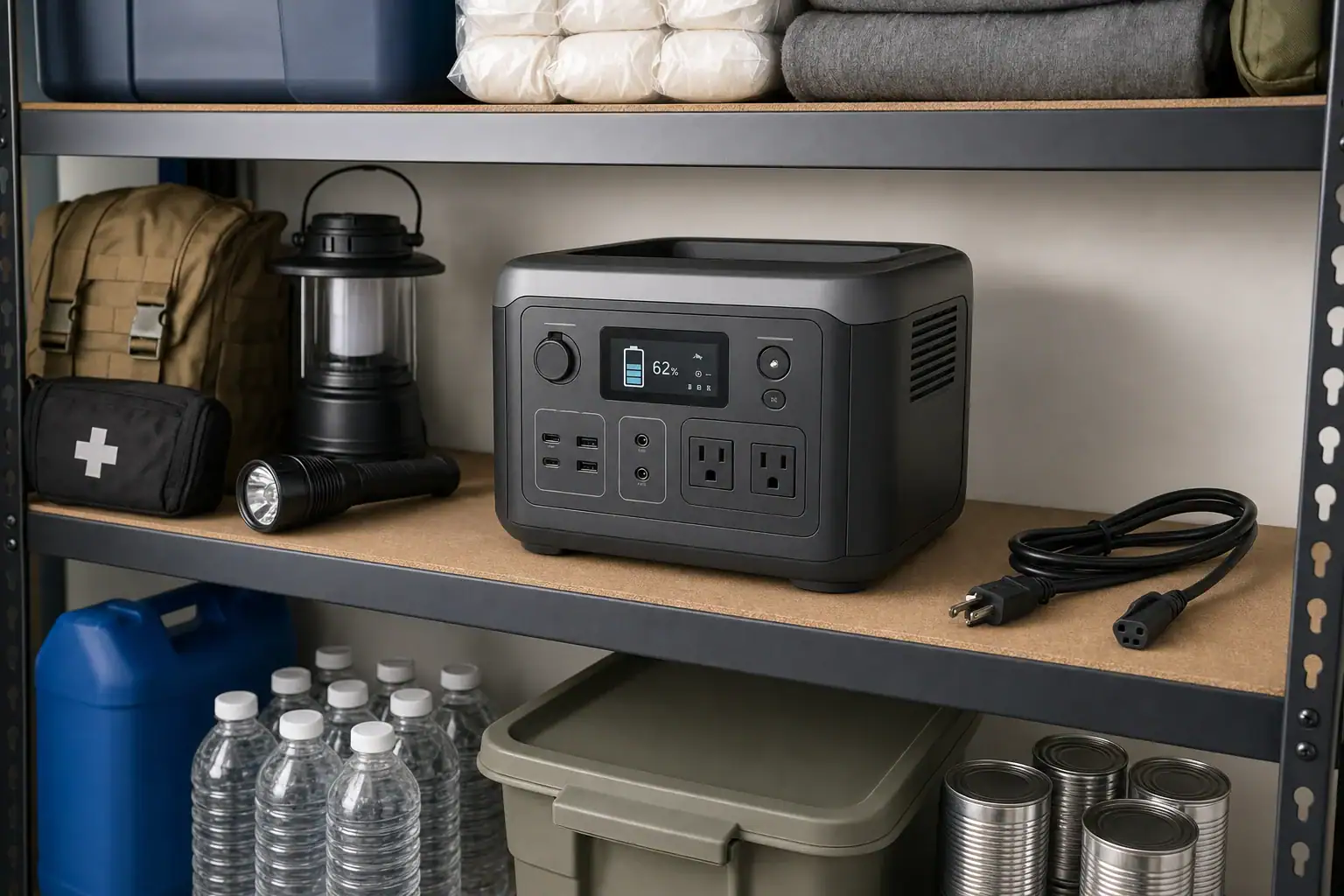
Choose a cool, dry storage location that is easy to access during an outage. Avoid placing heavy objects on the power station, and protect its ports from dust and impact. Store charging cables with the unit so the correct accessories are available when needed.
For routine standby, inspect the battery every one to three months. Check the displayed charge, look for physical damage, and verify that the unit powers on without a warning. If the charge has fallen below the chosen reserve level, recharge it to the preferred storage range. Units with higher standby drain may need more frequent checks.
Before a predictable seasonal risk, charge the battery fully and briefly test essential loads without exceeding the continuous output rating. A short functional test can reveal a damaged cable, weak adapter, inaccurate display, or appliance with unexpectedly high startup watts. Afterward, switch off all outputs before returning the unit to storage.
Keep a simple record of check dates, charge percentages, faults, and noticeable runtime changes. A gradual decline is normal with age, but a large unexplained capacity loss may indicate calibration drift, unusual standby consumption, extreme storage conditions, or battery deterioration.
Interval
Maintenance action
What to verify
Monthly to quarterly
Check state of charge
Battery remains within the chosen standby range
Every few months
Inspect ports and cables
No damage, corrosion, looseness, or overheating marks
Before outage season
Charge and test essential loads
Normal charging, output, fan operation, and display behavior
After each use
Cool, clean, and recharge
Outputs are off before storage
During long storage
Review environmental conditions
Area remains dry, ventilated, and within the stated temperature range
For everyday readiness, use a moderate charge target rather than automatically keeping the battery at 100%. Check it periodically, disable unnecessary outputs, and move to a full charge when an outage is likely. Avoid prolonged storage near empty, excessive heat, incompatible chargers, and continuous plugged-in operation unless the power station is designed for that use.
The most useful maintenance features are those that make charge control, monitoring, and safe storage easier. Capacity and output ratings still matter, but they should be considered alongside chemistry, standby consumption, operating temperature, and charging controls.
Specs to look for
Adjustable charge limit: Look for selectable ceilings such as 70%, 80%, or 90%; this reduces time spent at full charge during routine standby.
Battery chemistry: Compare LFP with other lithium-ion designs and review expected cycle life; chemistry influences weight, longevity, and storage behavior.
Cycle-life rating: Look for a stated number of cycles to a remaining capacity, such as 2,000 to 4,000 cycles to about 80%; consistent test terms make comparisons more meaningful.
Storage and charging temperature ranges: Look for clearly separated ranges for charging, use, and storage; this helps determine whether the intended location is suitable.
Standby power consumption: Look for low idle draw and the ability to disable AC, DC, wireless, and display functions; lower drain extends the time between maintenance checks.
Pass-through or standby mode: Look for explicit support for long-term plugged-in operation, a stated transfer time, and battery-preservation controls; these matter when protecting continuously connected equipment.
Input power and recharge time: Compare AC input wattage and estimated charging time, such as two to six hours; faster charging can restore emergency capacity when warning time is short.
Battery management protections: Look for monitoring of overvoltage, undervoltage, overcurrent, short circuits, and temperature; these protections help the unit respond to abnormal conditions.
Capacity and usable energy: Compare watt-hour ratings and any stated usable capacity; this determines expected runtime more directly than peak output alone.
Continuous and surge output: Match continuous watts and short-duration surge watts to essential appliances; adequate headroom helps prevent overload shutdown during startup.
A well-maintained backup power station does not have to remain full every day to be dependable. A planned storage level, periodic inspection, suitable temperature, and timely top-up before a likely outage can preserve both emergency readiness and long-term battery capacity.
Frequently asked questions
What charge level should I keep a backup power station at between outages?
For routine storage, many households keep a backup power station around 50% to 80% charge. This provides a useful reserve while reducing the time the battery spends at maximum voltage; the manufacturer’s stated storage guidance should take priority.
Can I leave a backup power station plugged in all the time?
It depends on whether the model is specifically designed and documented for continuous standby or pass-through operation. A battery management system normally prevents electrical overcharge, but long-term full charge and repeated recharge cycles may still contribute to battery wear.
How often should I check a stored power station?
Checking the unit every one to three months is a practical schedule for many power stations. Verify its charge level, turn off unneeded outputs, inspect cables and ports, and recharge if the battery has dropped below the chosen reserve level.
Is it bad to store a power station at 100% charge?
Charging to 100% before a forecast outage or planned use is generally appropriate. Storing a lithium battery at full charge for long periods, particularly in a warm location, can accelerate capacity loss over time.
What features matter most when choosing a power station for emergency standby?
Useful standby features include an adjustable charge limit, low idle power consumption, clear storage-temperature guidance, and documented support for long-term plugged-in use if needed. Battery chemistry, usable watt-hours, continuous output, surge output, and charging time also affect how well the unit can support essential loads.
What safety steps should I follow when charging and storing a power station?
Charge and store the unit on a stable, dry surface with clear ventilation and away from heat, sunlight, water, and flammable materials. Use approved charging equipment, do not cover or modify the unit, and stop using it if it shows swelling, unusual heat, odors, damage, or persistent fault warnings.
Shipping a portable power station usually requires approved carrier service, strong protective packaging, and accurate lithium battery documentation because most units contain batteries far larger than ordinary consumer shipping exceptions. Before mailing a unit or starting a warranty return, confirm its watt-hour rating, battery chemistry, physical condition, destination, and the carrier’s current acceptance rules.
Search terms such as lithium battery shipping, portable power station return, UN 38.3 test summary, watt-hour rating, and hazardous materials packaging describe different parts of the same issue. A prepaid return label does not automatically mean a package is correctly prepared or eligible for every transport method. Air, ground, domestic, and international shipments may follow different requirements.
The safest approach is to use the manufacturer’s return instructions and the carrier service named on the label. If the battery is swollen, leaking, unusually hot, punctured, recalled, or damaged in an accident, do not place it in ordinary parcel transportation. Contact the manufacturer, seller, carrier, or a qualified hazardous-materials shipping provider for case-specific direction.
1. What Lithium Battery Packaging Means and Why It Matters
A portable power station combines a rechargeable lithium battery, battery management electronics, charging hardware, and power outputs in one enclosure. Its stored energy is normally stated in watt-hours, or Wh. Even compact models may store several hundred watt-hours, while larger units can exceed 1,000 Wh. That capacity affects transportation classification, carrier acceptance, packaging, documentation, and whether air service is available.
Lithium batteries can release heat and flammable gases if crushed, short-circuited, overcharged, or internally damaged. Shipping rules are designed to reduce those risks and help transportation workers identify and handle regulated packages. Requirements may come from national transportation agencies, international air or maritime standards, and carrier-specific policies.
The shipping description is not determined by marketing terminology alone. Depending on its design and regulatory interpretation, a power station may be treated as a lithium-ion battery, a battery contained in equipment, or another regulated article. Many carriers apply stricter rules to power banks and power stations because supplying electrical energy is their main purpose. The shipper should use the classification provided in the manufacturer’s shipping documents rather than guessing from the enclosure.
2. Key Concepts Behind Classification, Packing, and Acceptance
Watt-hours: Battery energy is commonly calculated as nominal voltage multiplied by amp-hours. A label showing 25.6 volts and 40 amp-hours represents about 1,024 Wh. Use the rating printed on the product or technical documentation rather than calculating from AC output watts, which measure power rather than stored energy.
Battery test information: Lithium cells and batteries offered for transport generally need to be of a type that has passed applicable UN 38.3 design tests. A test summary identifies the tested battery type, manufacturer, laboratory, and test results. It does not prove that a damaged package is safe, and it is not a substitute for shipping papers when those are required.
State of charge: Some transport modes or classifications restrict battery state of charge. A manufacturer may instruct the owner to discharge a unit to a specified range before return, such as roughly 20% to 30%. Do not assume that one percentage applies to every shipment, and do not deliberately drain a malfunctioning battery that becomes hot or unstable.
Protection from movement and activation: The unit should be switched off, protected against accidental operation, and immobilized with nonconductive cushioning. Terminals, sockets, switches, and displays should not contact metal accessories or bear the weight of the package. Cables should be disconnected unless the approved return instructions state otherwise.
Example values for illustration.
Information
Example
Why it matters
Stored energy
512 Wh
Helps determine the applicable battery category and available carrier services.
Battery chemistry
Lithium iron phosphate
Identifies the lithium battery type, although chemistry alone does not remove shipping controls.
Package weight
35 lb
Affects box strength, handling, service eligibility, and shipment cost.
Return charge level
About 25%
May match a specific manufacturer or transport instruction.
Transport test record
UN 38.3 test summary available
Provides evidence that the battery design completed required transport testing.
3. Illustrative Shipping and Return Scenarios
Routine return in the original packaging
A normally functioning 500 Wh unit is being returned because it does not meet the owner’s needs. The seller provides a ground-service label, packing instructions, and a required charge range. The owner uses the original fitted end caps, secures accessories in a separate compartment, and confirms that the power button cannot be pressed through the box. This is a lower-risk scenario because the battery has no signs of damage and the return channel was arranged in advance.
Warranty return without the original box
A 1,000 Wh station no longer charges, but it is cool, dry, and physically intact. A random single-wall carton with loose packing peanuts would not provide reliable restraint. The owner requests an approved replacement packaging kit or written packing specifications. A heavy-duty outer box, shaped nonconductive cushioning, protected controls, and adequate clearance around every side may be necessary. Whether one or two boxes are required depends on the authorized packaging design and package weight.
Damaged or swollen battery
A power station was dropped, and its case is distorted near the battery compartment. Even if the display still works, hidden cell damage may create a delayed fire risk. It should not be charged, discharged for shipping, or placed in a normal parcel box. The return provider must determine whether specialized damaged-battery transport, local collection, or another disposal route is appropriate.
International or air shipment
A traveler wants to send a high-capacity station overseas using an express air service. The unit’s capacity, classification, route, carrier approval, documentation, and destination-country rules may make ordinary consumer acceptance unavailable. Changing to a different label or declaring it as generic electronics does not solve the issue. A qualified dangerous-goods shipper may be required.
4. Common Packaging Mistakes and Troubleshooting Cues
Using an unauthorized service: A label for standard ground transportation cannot automatically be substituted with air, postal, expedited, or international service. Confirm the exact service before sealing the box.
Hiding the battery description: Describing the parcel only as a generator, camping accessory, or electronic device can produce an inaccurate declaration. Use the terminology supplied by the return provider.
Assuming the retail carton is sufficient: A display carton may have been shipped inside another certified outer package. Check whether all original inserts, overpacks, and closures are required.
Allowing movement: If the station shifts when the box is gently tilted, the cushioning is probably inadequate. Loose fill alone may settle around a dense product and leave it exposed to impacts.
Leaving accessories connected: Plugged-in cables can damage ports or create unintended electrical paths. Disconnect and isolate accessories unless instructions specifically require them to remain installed.
Covering warning signs: Odor, hissing, swelling, corrosion, fluid, a cracked case, abnormal heat, or repeated protection shutdowns are reasons to stop packing and seek specialized guidance.
Creating labels from memory: Battery marks, hazard labels, orientation marks, and shipping papers have precise uses. Apply only the materials and wording specified for the shipment.
Reusing a weakened box: Water damage, crushed corners, tears, old punctures, or softened cardboard reduce stacking and impact resistance. Dense power stations need packaging matched to their actual weight.
If a carrier counter refuses the parcel, do not remove battery markings or move the product to another carrier without checking eligibility. Ask the return provider to confirm the classification, service level, account authorization, and required documents in writing.
5. High-Level Safety Basics Before and During Packing
Inspect the station in a clear, dry area away from flames, heaters, combustible clutter, and direct sunlight. Do not open the enclosure, remove an internal battery, bypass the battery management system, tape over damaged casing, or attempt a repair to make the unit shippable. Internal work can expose high current, stored energy, and damaged cells.
Turn the unit off using its normal controls. Disconnect solar panels, AC chargers, vehicle cables, expansion batteries, and powered loads. Cover exposed external terminals with the protective caps designed for the product or follow the supplied nonconductive protection method. Never place loose screws, adapters, tools, or metal plugs where they can bridge terminals.
Use firm cushioning that does not conduct electricity and that resists compression under the unit’s weight. Protect corners, displays, handles, wheels, and control panels. Close the carton with the specified tape pattern and number of strips. Extremely heavy models may require team lifting, a pallet, or freight service rather than ordinary parcel handling.
If the station emits smoke, vapor, popping sounds, or rapidly increasing heat, move away and contact emergency services. Do not carry a venting battery through an occupied building or put water, ice, or improvised chemicals inside its enclosure. Emergency response should take priority over completing a return.
6. Storage and Maintenance While Waiting for Authorization
Keep a normal, undamaged power station in a cool, dry, ventilated location while waiting for a shipping label or packaging kit. Avoid freezing conditions, hot vehicles, damp basements, and prolonged direct sun. Maintain the charge level requested by the return provider; otherwise, use the manufacturer’s normal storage range rather than leaving the battery completely full or empty for weeks.
Do not repeatedly charge and discharge the unit merely to reach an assumed shipping percentage. Check the display occasionally for unexpected charge loss, error messages, temperature warnings, or activation. Leave ports dry and uncovered unless their original caps are intended for storage.
Retain the original carton, molded inserts, terminal covers, accessory bags, manuals, and any shipping overpack after purchase. Photograph the unit’s condition, serial label, battery specification label, packed cushioning, and sealed box before handoff. Keep the return authorization and carrier receipt until the return is accepted and resolved. These records can document that the correct unit and packaging were used.
Example values for illustration.
Storage or packing check
Illustrative target
Reason
Waiting temperature
About 50°F to 77°F
Moderate conditions reduce heat stress and condensation risk.
Storage charge
Roughly 30% to 60%
A middle range is often practical when no shipment-specific level has been assigned.
Clearance around product
About 2 to 4 inches
Allows room for fitted cushioning, subject to the approved package design.
Condition check
Before packing and before handoff
Helps identify swelling, heat, leakage, or new physical damage.
Documentation retained
Until the return closes
Supports tracking, condition verification, and warranty processing.
7. Practical Takeaways and Specs to Check Before Purchase
Start every shipment by identifying the battery’s condition, watt-hour rating, chemistry, destination, and approved carrier service. Obtain return instructions before packing, especially for a unit above typical small-battery capacities. Use the provided classification and documents, immobilize the product, prevent accidental activation, and keep accessories from contacting terminals or controls.
Do not ship a recalled, swollen, leaking, punctured, overheated, or crash-damaged power station through an ordinary parcel network. These conditions require direction from the manufacturer, carrier, local waste authority, or a hazardous-materials professional. Rules can vary by transport mode and destination, so current shipment-specific instructions take precedence over a generic checklist.
Specs to look for
Clearly marked watt-hour capacity: Look for a permanent label showing values such as 300 Wh, 700 Wh, or 1,200 Wh; this supports accurate classification and carrier screening.
Battery chemistry disclosure: Look for a specific chemistry such as lithium iron phosphate or nickel manganese cobalt rather than only “lithium”; it improves identification and maintenance planning.
UN 38.3 test summary availability: Look for documentation that can be obtained for the exact battery model; return providers or commercial shippers may need it.
Manageable packed weight: Compare net weight with an estimated packed weight, such as 45 lb becoming 52 lb with cushioning; this affects box strength and service eligibility.
Shipping-mode or low-charge feature: A controllable storage range around 20% to 50% can make it easier to follow return instructions without excessive cycling.
Recessed or lockable controls: Look for switches that cannot be pressed easily through packaging; this reduces accidental activation during handling.
Protected external terminals: Built-in covers or fitted caps for expansion ports and high-current connectors help prevent short circuits and contamination.
Reusable fitted packaging: Molded end caps, a strong outer carton, and separated accessory storage simplify future warranty returns and limit movement.
Documented return procedure: Look for clear instructions covering charge level, approved service, packaging, and damaged-unit escalation; this reduces uncertainty if service is needed.
Shipping convenience is rarely the main purchase criterion, but it becomes important when a 40- to 100-pound unit needs warranty service. Clear labeling, obtainable test documentation, durable controls, protected terminals, and reusable packaging can make a future return safer and easier to arrange.
Frequently asked questions
Can I ship a portable power station through a regular parcel service?
It depends on the unit’s watt-hour rating, condition, destination, transport method, and the carrier’s current rules. Use only the carrier service and shipping description authorized by the seller, manufacturer, or carrier for that specific shipment.
What information do I need before returning a portable power station?
Have the product’s watt-hour rating, battery chemistry, serial information, physical condition, destination, and return authorization available. The return provider may also specify the allowed charge level, packaging method, label placement, and required documents.
What specs and features matter when buying a power station that may need to be shipped later?
Look for a clearly marked watt-hour rating, stated battery chemistry, available UN 38.3 test documentation, protected terminals, and controls that resist accidental activation. Reusable fitted packaging and a documented return procedure can also make future warranty shipping easier to arrange.
What is a common mistake when packing a portable power station for return?
A common mistake is using a weak retail carton or loose fill that allows the heavy unit to shift during handling. Another is switching to a different shipping service than the one authorized on the return label, which can change the applicable acceptance requirements.
How can I safely prepare a portable power station for shipping?
For an undamaged unit, turn it off, disconnect external cables and accessories, protect exposed terminals as instructed, and use firm nonconductive cushioning that prevents movement. Follow the return provider’s directions for charge level, box type, closures, labels, and carrier handoff.
Can I ship a swollen, leaking, or damaged portable power station?
Do not place a swollen, leaking, punctured, overheated, recalled, or crash-damaged unit in ordinary parcel transportation. Contact the manufacturer, seller, carrier, local waste authority, or a qualified hazardous-materials provider for shipment, collection, or disposal guidance.
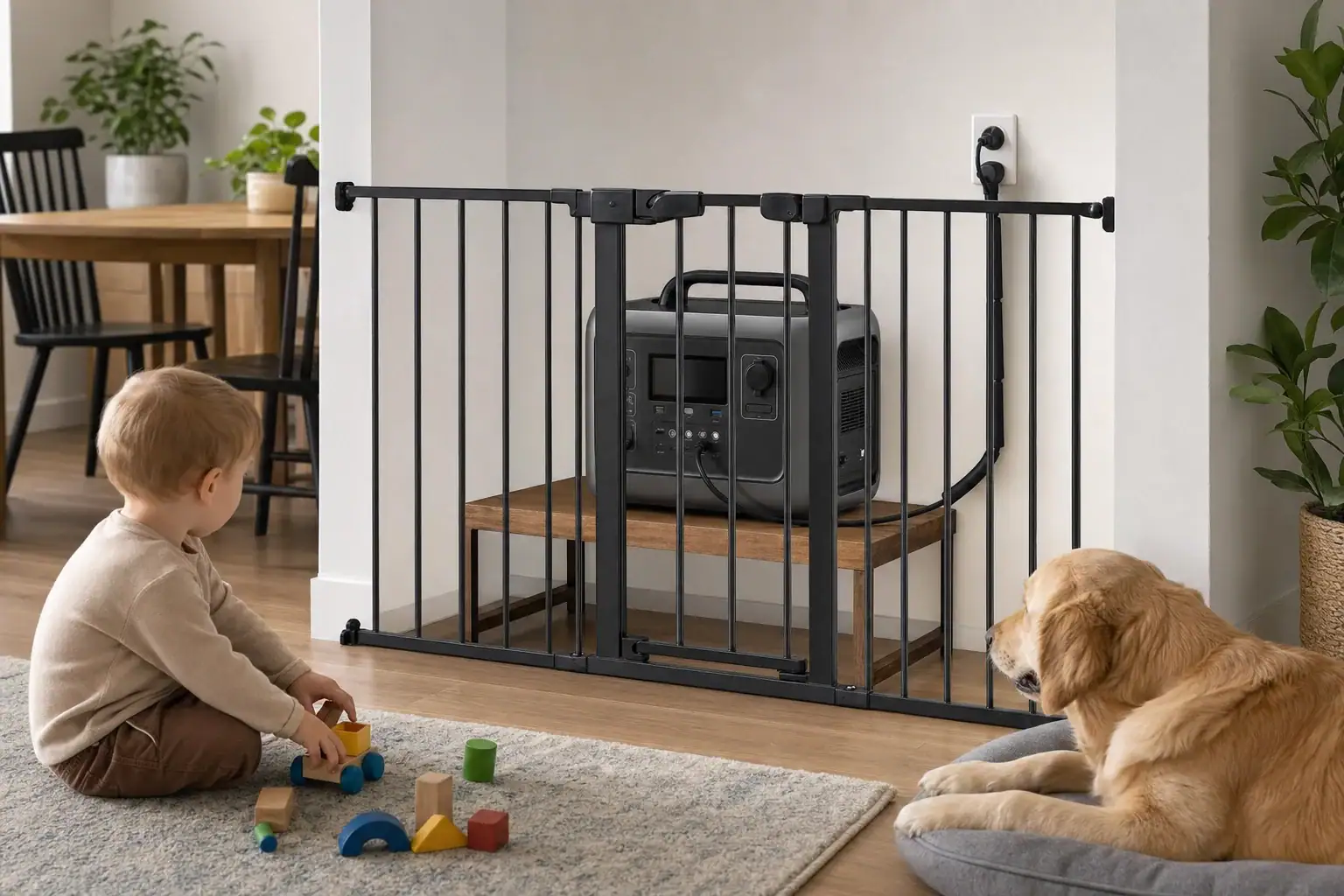
Childproofing a portable power station means preventing access to its cables, outlets, buttons, hot surfaces, and battery while preserving the ventilation needed for safe operation. Place it in a stable, supervised area that children and pets cannot reach, secure loose cords, and disconnect outputs that are not being used.
The main concerns are cable management, outlet covers, control lock settings, charging safety, and ventilation clearance. A power station can attract attention through illuminated displays, sounds, movable port covers, and connected cords. Pets may also chew cables, shed hair near cooling vents, or knock over a poorly placed unit.
No setup is completely childproof. Physical separation, active supervision, and routine inspection are more reliable than depending on a button lock or plastic cover alone. Always follow the operating temperature, clearance, charging, and storage instructions supplied with the unit.
What Childproofing a Portable Power Station Means
Effective childproofing creates several layers between a child or pet and the power station. These layers include safe placement, restricted access, protected cords, disabled unused outputs, and adult supervision. The goal is not merely to stop buttons from being pressed. It is to reduce the likelihood of electric shock, burns, trips, damaged wiring, blocked airflow, and accidental shutdowns.
A portable power station contains a high-energy battery and power electronics even when it is quiet. Some ports may remain energized after the display dims, and a control lock may not disable every outlet. During charging or heavy use, the case, charger, plugs, and connected cables may become warm. Childproofing therefore needs to account for the unit’s complete operating area, including everything connected to it.
How Cables, Heat, Controls, and Access Interact
Childproofing works best as a system. Start with a stable location outside normal play and pet routes. Use a safety gate, ventilated enclosure designed for operating equipment, or another secure boundary that cannot fall onto the unit. Do not place a heavy power station on a high shelf where pulling a cable could bring it down.
Cables: Route cords along walls or through suitable cable guards, leaving enough slack to avoid strain at plugs.
Heat: Keep every vent open and maintain the clearance stated by the manufacturer. Never operate the unit beneath clothing, bedding, or pet blankets.
Buttons: Enable a control lock when available, but verify which buttons and outputs it actually locks.
Pets: Prevent chewing, scratching, spraying, and hair accumulation with physical separation and regular cleaning.
Output ports should be off when they are not needed. Port covers can discourage touching, but they must fit correctly and must not trap heat or interfere with plugs. Accessories not approved for the unit may loosen, break, or obstruct ventilation.
Common household access risks and possible controls. Example values for illustration.
Risk area
Illustrative cue
Practical control
Ventilation
Object within 4 to 8 inches
Restore the clearance specified for the unit
Loose cord
Cable crosses a play route
Reroute through a wall-edge cable guard
Buttons
Display activates when touched
Use a control lock and physical barrier
Pet hair
Hair visible near an intake
Power down and clean the exterior safely
Real-World Childproofing Examples
Powering a router during an outage
Place the power station on a dry, stable floor area behind a secured safety gate rather than on a table. Route the router during an outage cable against the wall and keep the AC outlet section facing away from the barrier. Confirm that the gate does not press against the unit or reduce airflow.
Charging in a family room
Charging creates two cable runs: one from the wall to the power station and another if devices are charging from its outputs. Restrict access to the whole area, not only the battery. Avoid charging near toy bins, curtains, upholstered furniture, pet beds, or places where liquids are commonly carried.
Using power around a dog or cat
A pet may treat a warm unit as a resting place or a cable as a chew toy. Use a stable barrier with openings too small for the pet to reach through. Inspect cord insulation and plug strain relief before every use. A protective sleeve may reduce abrasion, but it does not make an energized cable safe to chew.
Common Mistakes and Troubleshooting Cues
Hiding the unit in a closed cabinet: A sealed space can retain heat. If the fan runs frequently, output drops, or a temperature warning appears, shut down loads and check airflow and ambient temperature.
Relying only on a button lock: Some locks affect settings but leave outlets active. Test the feature without a child present and turn off unused AC, USB, and DC output groups.
Using a high shelf: A child or pet pulling a cord can topple the unit. Choose a low, stable location protected by a barrier instead.
Covering bright displays: Fabric or tape placed over the unit may block vents or hide warnings. Use built-in display timeout or brightness controls when available.
Ignoring damaged cords: Stop using a cable if it has exposed conductors, crushed insulation, bent contacts, unusual heat, or a loose plug. Replace it with a correctly rated cable.
Repeated alarms, unusual odors, swelling, smoke, liquid leakage, crackling sounds, or excessive heat are not childproofing problems to work around. Move children and pets away, stop using the equipment if this can be done safely, and follow the manufacturer’s emergency guidance. Do not open the case or attempt battery repairs.
High-Level Safety Basics for Home Use
Keep the area dry: Do not place the unit where spills, pet bowls, wet footwear, or plumbing leaks could reach it.
Match loads to ratings: Check continuous watts and surge watts before connecting an appliance. Overloading may trigger shutdowns and create unnecessary heat.
Use suitable cords: Extension cords and power strips should be appropriately rated, intact, and fully visible for inspection.
Separate it from heat and flame: Keep the power station away from stoves, radiators, direct summer sun, and ignition sources.
Maintain supervision: Do not leave young children alone with operating electrical equipment, even when barriers and locks are present.
A portable power station must never be connected to household wiring through an improvised cord or used to backfeed a receptacle. Any planned connection to home circuits requires approved equipment and evaluation by a qualified electrician. If a fuel-powered generator charges the station, operate the generator outdoors at a safe distance from the home; the power station itself does not eliminate generator exhaust hazards.
Maintenance and Storage Around Children and Pets
Inspect the case, ports, plugs, and cables before use. Remove exterior dust or pet hair only with the unit shut down and disconnected, following its cleaning instructions. Do not insert tools into vents or apply liquids, sprays, or pet deterrents to the case or wiring unless the manufacturer specifically permits them.
For storage, turn outputs off and keep the unit in a dry, temperature-controlled, secured location. Avoid a locked car, damp basement floor, or hot attic. Maintain the recommended storage charge and recharge interval because prolonged storage at an unsuitable charge level can reduce battery performance.
Confirm that latches, gates, cable guards, and outlet covers still fit securely.
Check for pet tooth marks, pinching, fraying, discoloration, or looseness at connectors.
Review placement as children become taller, stronger, and able to open previous barriers.
Illustrative inspection schedule for a household setup. Example values for illustration.
Timing
Inspection
Reason
Before each use
Cords, plugs, ports, and placement
Find immediate access or damage risks
Weekly during regular use
Vents, barriers, and pet hair
Preserve airflow and separation
Every 1 to 3 months in storage
Charge level and storage conditions
Support battery readiness and longevity
Practical Takeaways and Specs to Look For
Use multiple protections rather than treating any single feature as childproof. Create a secure perimeter, keep the unit stable and dry, route cords away from traffic, preserve ventilation, and disable outputs that are not needed. Recheck the arrangement whenever a new appliance is connected or furniture is moved.
Control lock: Look for a clearly documented lock requiring a deliberate action, such as a 2- to 5-second press; it reduces accidental setting changes but should not replace a barrier.
Independent output controls: Look for separate AC, USB, and DC switches; they let unused port groups remain de-energized.
Automatic output timeout: Look for adjustable shutdown or standby settings; these can reduce the time unused outlets remain active.
Thermal protection: Look for published high- and low-temperature shutdown behavior plus clear ventilation guidance; these features help the unit respond to unsafe operating temperatures.
Continuous and surge output: Compare appliance starting watts with both ratings, such as a 1,000-watt continuous load and a higher brief surge; adequate headroom reduces overload shutdowns and heat.
Cable and connector quality: Look for firmly fitting plugs, robust strain relief, and cables rated for the expected current; secure connections are less likely to loosen or overheat.
Size, weight, and handles: Check whether the unit can sit securely in the intended protected area; a 25- to 50-pound unit needs a stable surface and should not be placed where it can fall.
Safety certification and protections: Look for evaluation by a recognized testing laboratory and documented overcurrent, short-circuit, overvoltage, and temperature protection; these provide important safeguards without making the product childproof.
Before buying or relocating a power station, measure the protected area with its cables connected and required ventilation clearance included. A suitable setup must remain inaccessible to children and pets without enclosing the unit so tightly that heat cannot escape.
Frequently asked questions
Is it safe to use a portable power station around children?
It can be used more safely when children cannot reach the unit, its outlets, or its connected cords. Keep it dry, stable, ventilated, and supervised, and turn off output groups that are not in use. A lock feature or outlet cover should support, not replace, physical separation.
Can I put a portable power station in a cabinet to keep children away?
A closed or poorly ventilated cabinet is a common mistake because it can trap heat and obstruct cooling vents. Use a secure barrier or a ventilated equipment enclosure that preserves the manufacturer-required clearance instead. The barrier should not touch the unit, cables, or vents.
What features matter most when choosing a child-safe portable power station setup?
Useful features include separate controls for AC, USB, and DC outputs, a documented control lock, adjustable display or standby settings, and clear thermal protection information. Also consider the unit’s size, weight, cable quality, and ventilation requirements for the intended location. These features improve control of access and operation but do not make a power station fully childproof on their own.
How do I stop pets from chewing portable power station cables?
Keep cables behind a stable barrier and route them along walls or through suitable cable guards so pets cannot easily reach them. Inspect cables and strain relief before each use, and stop using any cord with tooth marks, fraying, crushed insulation, or looseness. Protective sleeves may reduce abrasion but do not make an energized cable safe for a pet to chew.
Should unused outlets on a portable power station be turned off?
Yes, turn off unused AC, USB, and DC output groups when the unit allows separate control. This reduces unnecessary access to energized ports and can limit accidental activation by a child or pet. Check the manual because a display turning off does not always mean every output is de-energized.
What should I do if a portable power station gets unusually hot or smells strange?
Move children and pets away and stop using the equipment if it is safe to do so. Follow the manufacturer’s emergency instructions for unusual heat, alarms, odors, swelling, smoke, leakage, or crackling sounds. Do not open the case, cover the unit, or attempt battery repairs.
You can take some small portable power stations on a plane, but most larger models exceed passenger lithium battery limits and cannot travel in carry-on or checked baggage. Eligibility depends mainly on battery capacity in watt-hours, whether airline approval is required, and how the battery terminals are protected.
For many passenger flights, lithium-ion batteries rated at no more than 100 Wh can usually travel in carry-on baggage. Batteries from 101 to 160 Wh may be accepted only with airline approval, often with quantity restrictions. Units above 160 Wh are generally prohibited from ordinary passenger baggage. Carry-on rules, checked baggage restrictions, battery labels, and local aviation requirements can all affect the final decision.
Because a portable power station is commonly treated like a power bank or spare lithium battery, its AC output watts and surge watts do not determine whether it can fly. Check the watt-hour rating before booking, confirm the operating airline’s policy, and leave time to choose another power source if the unit is too large.
What the airline battery limit means and why it matters
Air travel restrictions focus on the amount of energy stored in a lithium battery. That capacity is stated in watt-hours, abbreviated Wh. It is different from the inverter’s continuous output rating, such as 300 W, and from its surge rating. A 300-watt power station could contain a battery below 100 Wh, while another unit with the same output could store several hundred watt-hours.
Portable power stations are often treated as spare batteries because their primary purpose is to provide stored electrical energy. Spare lithium batteries and power banks generally belong in carry-on baggage, where smoke, heat, or damage can be noticed more quickly. Placing a power station in checked baggage does not make an oversized battery acceptable.
Rules vary by country, airline, route, aircraft, and battery chemistry. A commonly used passenger framework allows lithium-ion batteries up to 100 Wh in carry-on baggage without advance airline approval. Batteries above 100 Wh but not exceeding 160 Wh may require approval, and airlines commonly limit passengers to two spare batteries in that range. Batteries over 160 Wh are generally handled as regulated cargo rather than normal passenger baggage.
These thresholds are not a guarantee of acceptance. An airline may apply a stricter policy, and security personnel may reject a damaged, recalled, poorly labeled, or suspicious device. Codeshare trips also require checking the policy of each operating carrier rather than relying only on the company that sold the ticket.
How watt-hours and airline classifications work
The most reliable number is the Wh rating printed on the power station’s compliance label, battery label, manual, or specification sheet. If only voltage and amp-hours are shown, watt-hours can be estimated with the formulaWh = nominal volts × amp-hours. A battery labeled 12.8 V and 8 Ah, for example, stores about 102.4 Wh.
Use nominal battery voltage rather than AC outlet voltage. Multiplying capacity by 120 V AC produces an incorrect result because 120 V describes inverter output, not the internal battery. Likewise, milliamp-hours must be converted to amp-hours by dividing by 1,000 before completing the calculation.
Some marketing materials list capacity in milliamp-hours at a cell voltage, while the case lists a different nominal pack voltage. Calculations based on inconsistent values may be misleading. For airport screening, a clear manufacturer-applied Wh marking is preferable to a passenger’s handwritten conversion.
Battery chemistry does not usually remove the need to check stored energy. Many power stations use lithium iron phosphate cells, while others use different lithium-ion chemistries. Lithium iron phosphate may offer favorable cycle life and thermal characteristics, but it is still a lithium-ion battery for typical passenger baggage classification.
Battery example
Calculated capacity
Typical planning implication
12 V × 7 Ah
84 Wh
Often within the basic carry-on threshold, subject to airline review
12.8 V × 8 Ah
102.4 Wh
May require advance airline approval
12.8 V × 10 Ah
128 Wh
May fit the approval range and quantity restrictions
25.6 V × 10 Ah
256 Wh
Generally too large for ordinary passenger baggage
Illustrative watt-hour calculations for travel planning. Example values for illustration.
Real-world portable power station travel examples
A compact 88 Wh unit
A traveler has a clearly labeled 88 Wh power station with protected ports and no visible damage. Its capacity falls below the commonly used 100 Wh threshold. It may be permitted in carry-on baggage, but the traveler should still verify airline rules because size, device type, route, or local requirements may create additional restrictions.
A 144 Wh unit on a multicarrier itinerary
A 144 Wh power station falls within the commonly recognized 101–160 Wh approval range. The passenger should obtain approval from every operating airline before departure and keep the confirmation accessible. Acceptance by the first airline does not automatically bind a connecting carrier, and approval does not override security screening.
A 300 Wh camping power station
A 300 Wh model is above the usual passenger baggage ceiling. Removing it from checked baggage and carrying it into the cabin does not solve the problem. Practical alternatives include renting a compliant power source at the destination, shipping it through a qualified dangerous-goods service, or using fixed electrical service where available.
A unit with no readable capacity label
Even a physically small power station can be delayed or refused if screening staff cannot confirm its battery rating. A specification saved on a phone may help explain the device, but it may not replace a legible label on the product. Travelers should resolve missing or contradictory capacity information before reaching the airport.
Common mistakes and troubleshooting cues before departure
Checking output watts instead of battery watt-hours is the most frequent mistake. Output ratings describe what the inverter can power. Aviation limits are primarily concerned with stored battery energy, so locate the Wh value rather than relying on continuous or surge watts.
Assuming checked baggage has a higher allowance is another common error. Power banks and spare lithium batteries are generally restricted to carry-on baggage. A gate-checked bag should have the power station removed before the bag enters the aircraft hold.
Confusing airline approval with automatic permission can create problems at check-in. Approval generally means the airline has agreed to consider a battery in the 101–160 Wh range. The device must still meet packing, condition, quantity, security, and jurisdictional requirements.
Relying on a rounded marketing number may also cause uncertainty. If a listing says approximately 100 Wh but the product label says 102 Wh, plan around the labeled value. A rating just above 100 Wh may move the unit into an approval category.
Warning signs that require a different travel plan include swelling, cracked housing, chemical odor, unusual heat, damaged ports, liquid exposure, loose internal parts, or an active safety recall. Do not attempt to discharge, open, repair, or relabel a questionable battery to make it acceptable for flight.
If the airline’s written policy is unclear, provide the exact chemistry, Wh rating, model identifier, dimensions, and intended packing method when requesting guidance. Ask whether approval must be documented and whether each operating carrier must provide it.
High-level safety basics for flying with stored energy
Carry the power station in a way that prevents crushing, impact, and unintended activation. A fitted case or padded section of a carry-on can protect the housing, but the unit should remain accessible if security personnel request inspection. Do not pack heavy objects where they can press switches or damage the display.
Protect exposed terminals and ports from contact with coins, keys, cables, or other conductive objects. Use fitted port covers when available and keep loose accessories separate. The power station should be switched off rather than left in standby, and wireless charging surfaces should not be able to activate accidentally.
Do not use or charge a power station during flight unless the operating airline explicitly permits it. Cabin outlets may have low power limits, and charging policies can differ from rules for transporting the battery. Never connect a power station to an aircraft outlet in an attempt to run high-load appliances.
If a unit becomes hot, emits an odor, swells, smokes, leaks, or makes unusual sounds, stop using it and notify airline personnel immediately. Do not hide the device, place it in a confined bin without reporting it, or handle a smoking battery unnecessarily. Follow crew instructions.
Shipping an oversized unit is not the same as mailing an ordinary consumer item. Large lithium batteries may require regulated packaging, documentation, labeling, and a carrier authorized to handle dangerous goods. A qualified shipping provider should determine whether a particular battery can be transported.
Storage and maintenance before and after air travel
Inspect the housing, display, switches, ports, and charging cable well before departure. Confirm that the battery holds charge normally without overheating or producing unexpected errors. A device that behaves abnormally at home should not be taken onto an aircraft.
Follow the manufacturer’s storage guidance for state of charge. A moderate charge level is often suitable for storage, but travelers should not deliberately drain a unit to zero in the belief that capacity limits no longer apply. Aviation classification is based on the battery’s rated capacity, not its current charge percentage.
Keep the power station in a dry, temperature-controlled location before the trip. Avoid leaving it in a hot vehicle, exposed to direct sun, or in freezing conditions for extended periods. Allow a cold unit to return to room temperature before charging so condensation and low-temperature charging do not create avoidable risks.
After travel, check for impact damage and confirm that ports remain clean and secure. For long-term storage, review the unit periodically and recharge it according to its documentation. Excessive self-discharge, swelling, persistent error codes, or unusual heat are reasons to stop using the battery and consult an authorized service provider.
Travel stage
Condition to verify
Safer planning response
Several days before departure
Readable Wh label and normal operation
Confirm airline policy and request approval if applicable
While packing
Power off, protected ports, undamaged case
Place accessibly in padded carry-on storage
At the gate
Carry-on may be checked
Remove the power station before surrendering the bag
After arrival
No impact, swelling, heat, or charging errors
Stop use and seek qualified support if damage is suspected
Preflight and postflight condition checks. Example values for illustration.
Start with the battery’s printed watt-hour rating. A unit at or below 100 Wh is generally the easiest category for passenger travel, while a unit from 101 to 160 Wh may require advance approval and may be subject to quantity limits. A power station above 160 Wh will usually require a non-passenger alternative.
Confirm requirements directly with every operating airline shortly before travel because policies and enforcement practices can change. Keep approval records and product information available, but do not assume documentation guarantees acceptance. If the trip depends on portable electricity for medical or accessibility equipment, contact the airline’s assistance team early because separate procedures may apply.
Specs to look for
Battery capacity: Look for a clearly printed rating such as 80–99 Wh when routine air travel is important; capacity determines the main passenger battery category.
Nominal voltage and amp-hours: Look for both values, such as 12.8 V and 7 Ah, so the Wh rating can be cross-checked when needed.
Battery chemistry: Look for an identified chemistry such as lithium iron phosphate or another lithium-ion type; clear identification helps with airline questions and safe handling.
Compliance labeling: Look for durable, legible labels showing Wh, voltage, model information, and relevant test markings; unclear labels can delay screening.
Physical power switch: Look for a recessed or guarded control that resists accidental activation while packed.
Port protection: Look for fitted covers or a case that shields USB, DC, and AC interfaces from metal objects and impact.
Battery management protections: Look for overcurrent, overvoltage, short-circuit, and temperature protection; these controls reduce foreseeable electrical hazards.
Operating and storage temperature ranges: Look for published ranges, such as charging above freezing and storage below extreme vehicle temperatures; this supports safer handling before and after travel.
Size and weight: Look for dimensions that fit securely in an accessible carry-on compartment; battery permission does not override the airline’s baggage limits.
For frequent flyers, a clearly labeled sub-100 Wh unit is usually simpler to plan around than a larger power station. Travelers who need substantially more runtime should arrange destination power, rental equipment, or compliant dangerous-goods shipping rather than risk confiscation or a missed flight.
Frequently asked questions
Can you take a portable power station on a plane in carry-on luggage?
Some portable power stations may be allowed in carry-on luggage if their lithium battery capacity is within the airline’s permitted watt-hour limit. Units at or below 100 Wh are commonly the simplest category, while 101–160 Wh models may require prior airline approval. Check the policy of every operating airline before travel.
Can a portable power station go in checked baggage?
Portable power stations and other spare lithium batteries generally should not be packed in checked baggage. They are typically required to remain in carry-on baggage when permitted because cabin crew can respond more quickly to a battery incident. If a carry-on bag must be gate-checked, remove the power station first.
What specs and features matter when choosing a portable power station for flying?
The most important specification is the battery’s clearly printed watt-hour rating, not the AC output or surge-watt rating. A legible label showing Wh, voltage, model information, and battery chemistry can help during airline inquiries and security screening. A protected power switch, covered ports, and an undamaged case also support safer packing.
Is it a mistake to use the power station’s watt output to determine whether it can fly?
Yes. The inverter output rating indicates how much power a device can supply, while airline battery restrictions focus mainly on stored energy measured in watt-hours. A low-output unit can still exceed the battery limit, and a higher-output unit may have a battery that falls within it.
Do airlines allow portable power stations between 100 Wh and 160 Wh?
Many airlines may allow lithium batteries above 100 Wh and up to 160 Wh only with advance approval, often subject to quantity limits. Approval practices vary by airline, route, and country, so obtain confirmation before departure. Security screening personnel may still inspect or decline a device that is damaged, poorly labeled, or otherwise unsuitable.
How should a portable power station be packed safely for a flight?
Switch the unit off, protect its ports and terminals from metal objects, and place it in an accessible padded area of carry-on baggage. Do not travel with a unit that is swollen, leaking, hot, cracked, recalled, or behaving abnormally. If the device shows signs of overheating or damage during travel, notify airline personnel immediately.
For routine use, it is generally sensible to stop draining a portable power station at about 10% to 20% remaining rather than running it to automatic shutdown every time. A larger 20% to 30% reserve may help reduce battery stress when maximizing cycle life is more important than extracting every watt-hour.
The best limit depends on battery chemistry, temperature, load size, discharge rate, and how often the battery is cycled. Lithium iron phosphate batteries usually tolerate deep discharge better than many nickel manganese cobalt batteries, but neither chemistry benefits from sitting empty for extended periods. The battery management system, or BMS, also keeps the cells from reaching a truly destructive electrical zero.
Understanding depth of discharge, state of charge, usable capacity, battery reserve, and cycle life makes runtime planning more reliable. These concepts also explain why the displayed percentage may fall quickly under a heavy load, recover after the load stops, or reach 0% before every advertised watt-hour has been delivered.
1. What depth of discharge and reserve capacity mean
Depth of discharge, commonly abbreviated as DoD, is the percentage of a battery’s capacity that has been used. If a fully charged power station falls to 70% state of charge, it has experienced roughly 30% depth of discharge. Reaching 20% remaining corresponds to about 80% DoD.
State of charge, or SoC, describes the opposite side of the same condition: how much estimated energy remains. These percentages are useful estimates rather than direct measurements of energy in a tank. The power station calculates them from voltage, current flow, temperature, battery history, and internal battery models.
In this context, reserve capacity means the energy intentionally left unused for unexpected needs, reduced battery stress, or protection against estimation error. This is different from the formal automotive lead-acid reserve-capacity rating, which is measured in minutes under a specified load. Portable power stations are more commonly rated in watt-hours.
Depth of discharge matters because repeated deep cycles generally cause more battery wear than repeated shallow cycles. However, using only a tiny fraction of the battery can defeat the purpose of portable storage. A practical reserve balances available runtime with longevity instead of treating one exact percentage as mandatory.
2. How discharge limits, usable capacity, and cycle life work
A power station’s advertised capacity is usually the nominal energy stored by its internal battery. The energy available at an AC outlet is lower because the inverter, electronics, cooling system, and internal resistance consume energy. DC and USB outputs also have conversion losses, although their efficiency may differ from AC efficiency.
The BMS monitors cell voltage, current, and temperature. When a cell approaches its lower-voltage threshold, the system normally disconnects the output. Therefore, a display reading of 0% usually does not mean the cells have reached absolute electrochemical zero. A hidden protective buffer may remain, but it should not be treated as usable emergency energy.
Battery cycle-life ratings are often based on equivalent full cycles. Two discharges from 100% to 50% add up to roughly one full cycle of energy throughput. Cycle aging is affected by more than the cycle count: high temperature, sustained high state of charge, deep discharge, rapid charging, and high-output operation can all contribute.
Lithium iron phosphate, often called LFP or LiFePO4, generally provides high cycle life and good tolerance for frequent use. Nickel manganese cobalt, often called NMC, can provide high energy density in a lighter package but may benefit more noticeably from moderate charge and discharge habits. Product-specific controls and cell quality still matter, so chemistry alone does not determine longevity.
Use pattern
Illustrative stopping point
Reason for the reserve
Occasional emergency use
5% to 15% remaining
Prioritizes available runtime when energy is scarce
Routine household or recreational use
10% to 20% remaining
Balances usable energy and battery wear
Frequent cycling or longevity-focused use
20% to 30% remaining
Reduces time spent near the lower operating boundary
Cold, hot, or high-load conditions
20% or more remaining
Allows for voltage sag and less reliable percentage estimates
Example values for illustration.
3. Real-world depth-of-discharge examples
Running a refrigerator during an outage
Suppose a power station has a nominal capacity of 1,000 watt-hours. If inverter and system losses leave about 850 watt-hours available to an AC appliance, reserving 15% of the displayed capacity may leave roughly 720 watt-hours for planned use. A refrigerator averaging 60 watts over time might then operate for about 12 hours. Actual runtime will vary because compressor startup, room temperature, door openings, and cycling behavior affect consumption.
Powering a steady electronic load
A 100-watt device does not necessarily run for 10 hours from a nominal 1,000-watt-hour battery. If usable AC energy is 850 watt-hours and operation stops with 20% remaining, planned energy may be closer to 680 watt-hours. Runtime would then be approximately 6.8 hours. Low-load inverter overhead can also become significant when a device draws only a few watts.
Using a high-power appliance
A heater, kettle, or cooking appliance may draw 1,000 watts or more. Even when the load is below the continuous output rating, high current can produce greater conversion losses, internal heating, and voltage sag. The percentage indicator may drop faster than expected, and the system may shut down with apparent capacity remaining if a cell reaches its safe lower-voltage limit.
Occasionally draining to automatic shutdown
An occasional BMS-controlled shutdown is not normally the same as physically over-discharging unprotected cells. It can be useful when runtime is essential, but it should not become the default routine. Recharge the unit reasonably soon afterward rather than storing it at 0%, especially in a warm or freezing environment.
4. Common discharge mistakes and troubleshooting cues
Treating displayed capacity as exact: Battery gauges can drift, particularly after many partial cycles. A percentage that falls suddenly, stays unchanged for a long period, or rises after a load is removed may reflect estimation behavior rather than an immediate battery defect.
Assuming rated watt-hours equal outlet energy: Capacity labels describe stored energy under specified conditions. Inverter losses, standby consumption, cooling fans, and device power-factor characteristics reduce delivered AC energy. Compare measured runtime with realistic usable capacity, not only the nominal rating.
Repeatedly leaving the unit at 0%: The BMS may reserve a small buffer, but self-discharge and standby electronics can continue consuming energy. Long storage after shutdown can allow voltage to fall farther than intended.
Ignoring temperature: Cold batteries temporarily provide less power and may show stronger voltage sag. High temperatures accelerate aging and can trigger thermal protection. Let a unit return to its permitted charging temperature before charging if it has been exposed to extreme cold or heat.
Confusing an overload with an empty battery: If output stops while the display still shows substantial charge, check whether the appliance exceeded the continuous output, surge capability, port limit, or thermal limit. Reduce the load, allow the unit to cool if necessary, and consult its operating guidance before restarting.
Expecting calibration to repair capacity loss: A controlled full charge and discharge may help some gauges estimate capacity, but it does not restore chemically degraded cells. Do this only when the manufacturer describes a calibration process; repeated deep cycling solely to adjust the display can add unnecessary wear.
5. Battery safety when operating near empty
Use the power station within its specified temperature, output, charging, and ventilation limits. Keep air inlets and outlets clear, place the unit on a stable dry surface, and avoid enclosed spaces where heat can accumulate. Do not cover the unit while it is charging or supplying a substantial load.
Stop using the power station if it develops swelling, leaking, smoke, unusual odors, crackling sounds, excessive heat, or repeated unexplained shutdowns. Move away from the area if it is safe to do so and follow local emergency and battery-disposal guidance. Do not open the enclosure, replace internal cells, bypass the BMS, or attempt to revive a deeply discharged pack with an unapproved charger.
Only use charging sources and input ranges that the unit is designed to accept. A depleted battery may initially charge at a restricted rate while its protection system checks cell conditions. If it will not accept a charge after reaching a suitable temperature and using a compatible source, contact qualified service personnel rather than modifying cables or protections.
A portable power station should not be connected directly to household wiring or a breaker panel through improvised cords. Any arrangement intended to supply building circuits requires suitable listed equipment and a qualified electrician to prevent backfeeding, shock, and fire hazards.
6. Maintenance and storage practices that preserve capacity
For routine cycling, recharge before the battery remains near empty for an extended period. There is generally no need to charge immediately after every shallow use, but prompt recharging is prudent when the display is close to 0%. Avoid combining deep discharge with prolonged heat, since temperature and low state of charge can compound reliability concerns.
For long-term storage, many lithium power stations are best kept at a moderate state of charge, commonly around 40% to 60%, unless their instructions specify another range. Store the unit in a cool, dry location within its published limits. A permanently full battery may age faster in warm conditions, while an almost empty battery has less protection against self-discharge.
Check a stored unit periodically because battery cells and monitoring electronics consume a small amount of energy. Recharge it when the level approaches the lower end of the recommended storage range. If the unit has a storage mode, charge limit, or adjustable discharge floor, those features can make maintenance more consistent.
Keep a simple record of charge level, storage date, and unusual runtime changes. Gradual capacity decline is expected over years and cycles. A sharp decline, excessive self-discharge, or repeated early shutdowns may indicate a gauge issue, damaged cells, extreme operating conditions, or a load that exceeds the power station’s capabilities.
Condition
Illustrative charge target
Suggested check interval
Long-term indoor storage
40% to 60%
Every two to three months
Emergency standby
60% to 80%
About monthly
Recently drained near shutdown
Recharge above the low range
As soon as practical
Storage in variable temperatures
Follow the specified storage range
More frequently than climate-controlled storage
Example values for illustration.
7. Practical takeaways and purchasing specifications
A 10% to 20% reserve is a practical default for many portable power station users. Consider stopping at 20% to 30% when the unit is cycled frequently, operated under heavy loads, or exposed to temperature extremes. Draining to the BMS cutoff can be reasonable during a genuine outage, but avoid storing the battery in that condition.
Runtime should be planned from usable output energy rather than advertised capacity alone. Include conversion loss, inverter overhead, appliance duty cycle, and the reserve you intend to keep. The power station’s operating instructions should take priority because battery design, display behavior, and protection thresholds vary.
Specs to look for
Battery chemistry: Look for clearly identified LFP or NMC chemistry; it helps set expectations for weight, energy density, deep-cycle tolerance, and long-term cycle life.
Cycle-life rating: Look for a rating such as 1,000 to 4,000 cycles to 70% or 80% retained capacity; the stated retention threshold and test conditions make comparisons more meaningful.
Nominal battery capacity: Compare watt-hour ratings such as 500, 1,000, or 2,000 watt-hours; this establishes the starting point for runtime calculations before losses and reserves.
Usable capacity or efficiency data: Look for measured or specified AC and DC output efficiency, often roughly 75% to 90% depending on load; this helps estimate energy actually delivered to devices.
Adjustable discharge limit: Look for a configurable minimum state of charge, such as 10% to 30%; an automatic reserve reduces the need to monitor the display constantly.
Charge limit or storage mode: Look for options such as an 80% charge ceiling or dedicated storage setting; these can reduce time spent at full charge during frequent standby use.
Continuous and surge output: Match continuous watts and short-duration surge watts to the intended appliances; adequate headroom reduces overload shutdowns that can resemble low-battery behavior.
Battery status information: Look for percentage, input and output watts, estimated runtime, temperature warnings, and fault indicators; detailed feedback makes discharge planning and troubleshooting easier.
Low-temperature and thermal protection: Look for documented charging and discharging temperature ranges plus automatic protection; temperature controls help prevent unsafe charging and unexpected shutdowns.
The ideal reserve is not a single universal number. It is a planning margin based on the battery, the load, environmental conditions, and whether immediate runtime or long service life is the higher priority.
Frequently asked questions
How low should I drain a portable power station?
For routine use, stopping at about 10% to 20% remaining is a practical balance between available runtime and battery longevity. A 20% to 30% reserve can be useful for frequent cycling, high loads, or challenging temperatures. During an emergency, using the available energy down to the unit’s automatic cutoff can be reasonable.
Is it bad to let a power station reach 0%?
Occasionally reaching 0% on the display is usually not the same as damaging the cells, because the battery management system normally shuts output down before a destructive low-voltage condition. However, repeatedly draining to shutdown and leaving the unit empty for long periods can increase risk from self-discharge and battery stress. Recharge it as soon as practical after a near-empty shutdown.
Why does my power station shut off even though it still shows battery percentage?
A high-power load can cause voltage sag, internal heating, or an overload condition that triggers protection before the displayed percentage reaches zero. Cold temperatures and inaccurate state-of-charge estimates can also contribute. Reduce the load, let the unit return to a suitable temperature if needed, and check its output and fault guidance.
What power station specs and features matter for managing depth of discharge?
Useful features include clearly stated battery chemistry, cycle-life testing conditions, usable AC and DC efficiency, continuous and surge output ratings, and battery temperature protections. An adjustable minimum state-of-charge limit, charge ceiling, or storage mode can help maintain a consistent reserve. Detailed status information such as input watts, output watts, estimated runtime, and warnings also makes planning easier.
What is the most common power station runtime calculation mistake?
A common mistake is dividing the advertised watt-hour capacity directly by the appliance wattage and treating the result as exact runtime. AC inverter losses, standby consumption, appliance cycling, and a planned battery reserve all reduce the energy available to the load. Use realistic output efficiency and average appliance consumption for a better estimate.
Is it safe to use a power station when the battery is nearly empty?
It is generally safe when the unit is operated within its specified output, temperature, charging, and ventilation limits. Keep vents clear, use compatible charging equipment, and do not bypass built-in protections. Stop using the unit if there is swelling, leakage, smoke, unusual odor, excessive heat, or repeated unexplained shutdowns.
A full charge can sometimes improve a portable power station because it gives the battery management system enough time and voltage headroom to balance individual cells and correct its charge estimate. This may help when battery cells are out of balance, the state of charge drops unexpectedly, runtime seems unusually short, or the unit experiences an early shutdown.
However, charging to 100% is not a universal repair. It is most useful when the issue involves mild cell-voltage drift or BMS calibration rather than permanent battery degradation, extreme temperatures, a faulty charger, or an oversized load. Some systems balance mainly near the top of the charging range, while others balance over a wider range.
The practical goal is not to keep the battery full continuously. It is to occasionally let a compatible system complete its normal charging and balancing process, while following the operating and storage guidance for its battery chemistry.
What battery cell balancing means and why it matters
A portable power station battery contains many individual cells arranged in series and, in larger units, parallel groups. Cells connected in series contribute to the pack’s total voltage. Although they are manufactured to similar specifications, small differences in capacity, internal resistance, temperature, and self-discharge develop over time.
Cell balancing is the process of reducing differences in state of charge among those series-connected cells or cell groups. The battery management system, commonly called the BMS, monitors cell voltages and protects the pack against conditions such as overvoltage, undervoltage, overcurrent, and excessive temperature.
Balance matters because pack operation is limited by the highest or lowest cell, not merely by the average pack voltage. During charging, one high cell may reach its upper protection threshold before the others are full. During discharge, one low cell may reach its lower threshold while the display still shows remaining capacity. The BMS may then stop charging or shut off output to protect the battery.
Balancing can recover usable access to capacity that was being restricted by voltage mismatch. It does not recreate capacity lost through chemical aging, repair a damaged cell, or make an old battery equivalent to a new one.
How a full charge can help the balancing process
Many portable power stations use passive balancing. Small circuits remove a limited amount of energy from higher-voltage cells, often by dissipating it as heat, so lower-voltage cells can catch up. Passive balancing currents are generally small compared with the main charging current, which means balancing may require additional time.
Some BMS designs activate or become more effective only after cells enter an upper voltage range. Reaching the displayed 100% level and remaining connected to an approved charging source may therefore provide the conditions and time needed for the voltage spread to narrow. The charger may pause, restart briefly, or hold a controlled finishing stage while the BMS works.
Balancing and charge-gauge calibration are related but different. Balancing addresses differences among cells. Calibration helps the system estimate the pack’s state of charge by comparing voltage, current flow, and learned capacity against recognizable high or low reference points. A full charge may improve the percentage display even if cell imbalance was not the main problem.
Not every product balances only at full charge, and a displayed 100% does not prove that balancing is complete. The behavior depends on battery chemistry, BMS programming, charger design, temperature, and the size of the cell-voltage difference.
Typical interpretations of cell-voltage spread during charging. Example values for illustration.
Observed spread
Possible interpretation
Likely behavior
5–15 mV
Cells are relatively close
Normal charging and discharge are more likely
20–50 mV
Mild drift may be present
Additional balancing time may help
Over 100 mV
Significant mismatch or measurement issue
Protection may activate early; support may be needed
Real-world examples of when a full charge may help
Unexpected shutdown with capacity remaining: A power station may turn off at a displayed 15% or 20% because one cell group reaches its low-voltage cutoff before the pack average suggests it should. If the mismatch is mild, a complete uninterrupted charge may allow balancing and improve the next discharge cycle.
The percentage jumps near empty or full: A display that moves rapidly from 10% to 0%, or remains at 99% for an unusually long time, may reflect charge-gauge estimation rather than a serious cell fault. Completing a normal charge can provide a high reference point for BMS calibration. One controlled discharge and recharge cycle may be suggested by the manufacturer, but repeated deep cycling should not be treated as routine maintenance.
Runtime seems lower after months of shallow cycling: Repeatedly operating within a narrow middle range can leave some charge gauges without recent endpoint data. An occasional full charge may improve the estimate. Actual runtime should still be assessed with a consistent load because inverter losses, temperature, idle consumption, and load type affect results.
Charging stops below the expected percentage: Balancing may be one explanation, but it is not the only one. Input power limits, battery temperature, charging schedules, conservation modes, charger compatibility, and protection events can also prevent a complete charge. If the unit repeatedly stops far below full, further troubleshooting is more appropriate than repeatedly reconnecting the charger.
Common mistakes and useful troubleshooting cues
Assuming every runtime problem is imbalance: High AC loads, poor power factor, cold conditions, inverter overhead, and battery aging can all reduce delivered watt-hours. Compare results using the same moderate load, similar temperature, and the same output type before drawing conclusions.
Disconnecting as soon as the display reaches 100%: On systems that balance near the top, the percentage may reach 100% before the finishing process is complete. If the instructions permit it, leaving the unit connected for a modest additional period, such as one to three hours, may help. It should remain in a ventilated location and should not be left unattended for an excessive period.
Repeatedly draining the battery to zero: A deep cycle may occasionally help recalibrate some charge gauges, but frequent full discharges add cycle wear and can leave the battery unavailable when needed. Start with a normal full charge rather than forcing an unnecessary deep discharge.
Balancing while powering a variable load: Pass-through operation or fluctuating output can make it harder to determine whether charging has finished. When practical, perform a diagnostic full charge with major outputs turned off. Do not interrupt equipment that requires continuous power merely to test the battery.
Ignoring temperature: Lithium batteries may charge slowly or refuse charging when too cold or hot. Move the power station to a dry, moderate environment and allow its internal temperature to stabilize before reassessing it. Never apply direct heat.
Warning signs that call for manufacturer support or qualified service include repeated protection shutdowns, severe runtime loss, a charge percentage that remains erratic after a normal full charge, unusual odor, swelling, hissing, visible damage, or excessive heat. Do not open the enclosure, probe battery cells, bypass the BMS, or modify the charger.
Safety basics for full charging and balancing
Use a charging source and cable that meet the power station’s specified voltage, current, polarity, and input protocol. An incompatible adapter can fail to charge correctly or create a safety risk. Place the unit on a stable, nonflammable surface with clear ventilation openings, and keep it away from water, direct sun, heaters, and combustible clutter.
Normal charging can produce mild warmth, especially near the power electronics. Stop charging if the enclosure becomes unusually hot, changes shape, emits an odor, or produces unfamiliar sounds. Disconnect power only if it is safe to do so, move away from the area, and follow the product’s emergency guidance.
A full charge should not be performed solely to override a protection event. The BMS cutoff is a safety function, not an obstacle to bypass. If charging repeatedly stops with a fault code or temperature warning, identify the stated condition rather than forcing repeated restart attempts.
Portable power stations should not be connected to household wiring through improvised cords or unapproved arrangements. Any home integration should use suitable equipment and be evaluated or installed by a qualified electrician.
Maintenance and storage practices that limit cell drift
For routine use, avoid treating either 0% or 100% as the ideal permanent state. Lithium batteries generally age faster when stored for long periods at high temperature and high state of charge. A moderate storage level, often around 40% to 70%, is a practical range when the manufacturer’s instructions do not specify otherwise.
Turn the unit fully off for storage when possible because displays, wireless features, and control electronics can slowly drain the pack. Check it periodically, such as every two or three months, and recharge before it becomes deeply depleted. Products with higher standby consumption may need more frequent checks.
An occasional full charge can be reasonable after many partial cycles, before a runtime test, or when the charge display becomes inconsistent. It does not need to occur on a rigid schedule unless the product documentation specifies one. After balancing or calibration, use or discharge the power station to an appropriate storage level if it will not be needed soon.
Store the unit in a dry, temperature-controlled location and inspect the case, ports, and cables before use. Record charging time, delivered runtime, ambient temperature, and load wattage when tracking a suspected problem. Consistent records make it easier to separate cell imbalance from normal changes in operating conditions.
Illustrative storage and maintenance approaches. Example values for illustration.
Situation
Practical charge target
Reason
Long-term storage
About 40%–70%
Reduces time spent at voltage extremes
Emergency readiness
About 80%–100%
Prioritizes available energy over maximum longevity
A full charge is most likely to help when a portable power station has mild cell-voltage drift or an inaccurate state-of-charge estimate. Charge it under moderate temperatures with compatible equipment, minimize major output loads during the test, and allow a reasonable finishing period if the instructions permit. Then compare runtime under a repeatable load.
If performance does not improve, the underlying cause may be battery wear, a weak cell group, a temperature restriction, charging hardware, high conversion losses, or a demanding load. Persistent faults and physical warning signs require support rather than repeated cycling.
Specs to look for
Battery chemistry: Look for a clearly identified chemistry, such as lithium iron phosphate or another lithium-ion type, because chemistry affects voltage behavior, cycle life, storage practices, and balancing thresholds.
Rated battery capacity: Compare watt-hours rather than amp-hours alone; capacities such as 500 Wh, 1,000 Wh, or 2,000 Wh make expected runtime easier to estimate.
Usable energy information: Look for tested or stated delivered energy under representative AC and DC loads, because inverter and conversion losses mean usable output is lower than nominal capacity.
BMS protections: Look for cell-level overvoltage, undervoltage, overcurrent, short-circuit, and temperature monitoring because these controls help prevent unsafe operation and limit damage from cell mismatch.
Cell-balancing design: Look for confirmation that balancing is built into the BMS and, when disclosed, whether it is passive or active; this indicates how the pack manages cell-voltage drift.
Charge completion behavior: Look for documentation explaining whether balancing continues at 100% and whether extra connection time is recommended, because procedures vary among BMS designs.
Cycle-life rating: Look for a stated capacity-retention point, such as 2,000 to 4,000 cycles to about 80% capacity, because a cycle number without a retention threshold is difficult to compare.
Operating and charging temperatures: Look for separate ranges, such as charging near 32°F to 104°F and a wider discharge range, because temperature restrictions can resemble charging or balancing faults.
Battery status detail: Look for input and output watts, estimated time remaining, temperature alerts, and clear fault codes because detailed feedback makes imbalance and runtime problems easier to diagnose.
Battery cell balancing is an automatic battery-management function, not a user repair procedure. A well-documented power station should handle it internally while providing enough status information to recognize when charging is normal and when professional support is appropriate.
Frequently asked questions
How often should I charge a portable power station to 100% for battery cell balancing?
There is no universal schedule because balancing behavior depends on the battery chemistry and BMS programming. A normal full charge can be useful after many partial cycles, before a repeatable runtime test, or when the percentage display becomes inconsistent. Follow the product instructions rather than keeping the unit at 100% continuously.
Can cell balancing fix a portable power station that shuts down early?
It may help if mild voltage drift causes one cell group to reach its low-voltage cutoff before the rest of the pack. It will not fix capacity loss from aging, a damaged cell group, excessive load demand, or a charging-system fault. If early shutdowns continue after a normal complete charge, further diagnosis or service may be needed.
Is it bad to drain a portable power station to 0% to balance the cells?
Repeatedly draining a lithium battery to zero is a common mistake because it adds cycle wear and is not normally required for cell balancing. Some manufacturers may recommend one controlled discharge-and-recharge cycle to check charge-gauge accuracy, but this should not become routine maintenance. A normal uninterrupted full charge is usually the better first step.
What battery specs and features matter for managing cell imbalance?
Look for a BMS with cell-level voltage and temperature monitoring, overvoltage and undervoltage protection, and documented cell-balancing capability. It is also useful to know the battery chemistry, rated watt-hours, charging-temperature range, cycle-life rating with a capacity-retention threshold, and whether the documentation explains charge-completion behavior. Clear fault codes and detailed battery-status information can make troubleshooting easier.
Is it safe to leave a portable power station connected after it reaches 100%?
It can be appropriate for a limited finishing period if the product instructions allow it and the unit is using a compatible charger in a dry, ventilated location. Do not leave it unattended for an excessive time, block its vents, use damaged cables, or attempt to override protection warnings. Stop charging and seek guidance if there is unusual heat, swelling, odor, hissing, or visible damage.
Why does my power station show 100% but still have short runtime?
A 100% reading reflects the BMS estimate and does not guarantee the battery can deliver its original rated energy. Battery aging, cold temperatures, inverter losses, idle consumption, and high or variable loads can all shorten runtime. Test the unit with a consistent moderate load and compare the delivered energy with its rated watt-hour capacity.
If a portable power station gets wet, turn it off if it is safe to do so, disconnect all cables, stop charging or discharging it, and keep it away from people and flammable materials until it is fully assessed.
Water can create a short circuit, corrode charging ports, damage AC outlets, confuse the battery management system, or make a unit unsafe even after the outside looks dry. Search terms like IP rating, wet charging port, inverter fault, USB-C PD profile, and water-damaged battery all point to the same issue: moisture and electricity do not mix.
The safest response depends on how wet it got. A few raindrops on a closed, rated case are different from water inside a port, a spilled drink, or flood exposure. This guide explains what to do, what not to do, and which specs matter when choosing or evaluating a portable power station for damp real-world conditions.
What it means when a portable power station gets wet and why it matters
A portable power station is a battery-powered electrical device with high-capacity cells, a control board, charging circuits, DC outputs, USB ports, and usually an AC inverter. When it gets wet, the problem is not only the visible water on the outside. The larger concern is whether moisture has reached electronic components, ports, cooling vents, seams, buttons, or the internal battery enclosure.
Water can conduct electricity, especially when it contains minerals, dirt, salt, soap, or residue from a drink. Even a small amount of contaminated moisture can bridge contacts that were never meant to touch. That can trigger a fault, create heat, damage a circuit board, or start corrosion that appears days or weeks later.
The risk also depends on whether the unit was operating at the time. A power station that was off, unplugged, and exposed to light mist may only need careful drying and inspection. A unit that was charging from solar, powering an appliance, or sitting in standing water should be treated as potentially unsafe. If there was smoke, a burning smell, popping sounds, swelling, unusual heat, or repeated error codes, do not keep trying to use it.
Portable power stations are not all built for the same environment. Some have gasketed covers and limited splash resistance, while others are intended only for dry indoor or sheltered outdoor use. Understanding what the exposure means helps prevent two common outcomes: discarding a unit that only had minor surface moisture, or continuing to use a unit that may have hidden water damage.
How water affects the battery, inverter, ports, and protective systems
The battery cells inside a modern portable power station are managed by a battery management system, often called a BMS. The BMS monitors conditions such as voltage, temperature, current, and sometimes cell balance. It can shut the device down during overcurrent, overheating, overdischarge, or other fault conditions. However, protective electronics are not a guarantee against water damage. Moisture can affect the sensors and control circuits that those protections depend on.
The AC inverter is another sensitive area. It changes stored DC battery power into household-style AC power. Inverter electronics operate at voltages that require insulation, spacing, and clean pathways. Water, dirt, or residue can compromise those pathways. That is why a wet AC outlet or inverter fault should be taken seriously, even if the display still turns on.
USB-A, USB-C, DC barrel ports, car-style sockets, and solar charging inputs are also vulnerable. Ports can trap droplets, and metal contacts may corrode. USB-C ports are especially compact, so moisture or residue can interfere with data negotiation, PD profile selection, or fast-charging behavior. A power station may appear normal but charge slowly, disconnect repeatedly, or report an input error after the port has been wet.
Cooling vents and fans matter too. If water enters through a vent, it may reach internal boards or remain trapped where air circulation cannot dry it quickly. A fan that starts while moisture is inside can spread droplets or pull humid air deeper into the device. For that reason, avoid the temptation to immediately power the unit on just to see if it still works.
Wetness scenario
What it may indicate
Typical risk level
Light rain on a closed case
Surface moisture, especially if port covers were closed
Lower, but still inspect before use
Water in output or charging ports
Possible contact corrosion or shorting path
Moderate to high
Spill from coffee, soda, or saltwater
Conductive or sticky residue that can remain after drying
High
Standing water or flood exposure
Possible internal contamination and battery damage
Very high
Common moisture exposure patterns for portable power stations. Example values for illustration.
Real-world examples of wet portable power station situations
One common scenario is light rain at a campsite. The power station may be under an awning, but wind pushes water onto the case. If the outlets were covered, the unit was not plugged in, and no water entered the vents, the main response is to move it to a dry sheltered location, wipe the exterior, and allow time for moisture to evaporate before use. The important point is not to keep running appliances while the case is wet.
Another example is a solar charging setup on a cloudy day. The power station may be outdoors while panels are connected. If rain starts, the solar input cable and port can become wet. In that case, disconnecting should only be done if you can do it safely and without touching wet metal contacts. Afterward, the input port should be allowed to dry completely before another charging attempt.
A kitchen spill is different. A drink spilled onto the top of a power station can flow into buttons, display edges, outlet covers, fan grilles, or USB ports. Sugary and acidic liquids are more damaging than clean water because they leave residue. Even when the unit powers on later, sticky residue can cause intermittent faults. This is a case where professional evaluation or manufacturer guidance is more appropriate than repeated testing.
Garage and basement use creates another set of risks. A power station stored on the floor can be exposed to seepage, condensation, or minor flooding before anyone notices. If the bottom of the unit sat in water, assume that moisture may have reached seams, vents, or low-mounted ports. Do not connect it to refrigerators, sump pumps, heaters, or other loads until it has been fully evaluated.
Vehicle and boat use can also be deceptive. Humid air, wet gear, open coolers, and salt spray may not look like a dramatic event, but they can still affect connectors over time. Saltwater exposure is especially serious because salt residue remains conductive and corrosive after the visible water is gone.
Common mistakes and troubleshooting cues after water exposure
The biggest mistake is immediately turning the unit back on to check whether it works. A display that lights up does not prove that the device is safe. Powering electronics while moisture is present may turn a recoverable exposure into permanent damage. If the unit was already on when it got wet, turn it off only if it can be done safely without touching wet outlets, wet plugs, or standing water.
Another common mistake is charging too soon. Charging stresses the battery and charging circuits. A wet input port, damp solar connector, or moisture around the AC charging socket can cause arcing, heat, or error codes. If a portable power station was wet, do not connect it to wall power, solar panels, a vehicle outlet, or another charger until it is dry and inspected.
Users also underestimate residue. Clean-looking water may contain minerals. Outdoor water may contain dirt. Floodwater may contain chemicals or sewage. Soda, coffee, and sports drinks can leave conductive films. If the exposure involved anything other than clean freshwater on the exterior, the caution level should be higher.
Troubleshooting cues include repeated shutdowns, a fan running unusually, a flickering display, unexpected beeping, reduced charging input, unstable USB-C charging, an inverter overload message with no load attached, a warm spot on the case, or a strange smell. Any of these signs after wet exposure suggest that the unit should be taken out of service until it can be evaluated.
A practical rule is to separate exterior drying from safety confirmation. Wiping the case and waiting can remove visible moisture, but it does not confirm that internal areas are dry or undamaged. If water may have entered the unit, do not open the case yourself or attempt to dry internal parts. Opening a battery power station can expose hazardous components and may damage seals or protections.
Safety basics before handling or using a wet power station
Start by thinking about personal safety. Do not touch wet plugs, wet outlets, or a power station sitting in water. If it is connected to household circuits, an RV system, a vehicle, solar panels, or appliances, avoid contact until the situation is safe. If there is any possibility that water and live AC power are involved, get help from a qualified electrician or emergency professional as appropriate.
Move people, pets, paper, fabric, fuel, and other flammable items away from the power station if you can do so without risk. A lithium battery device that is hot, smoking, hissing, swollen, leaking, or giving off a sharp chemical odor should be treated as a serious hazard. Do not place it inside a living area, closet, vehicle cabin, or near exits while it is suspect.
If the unit is only damp on the exterior and there is no sign of damage, place it in a dry, ventilated, shaded area. Do not use an oven, space heater, hair dryer at close range, open flame, or direct high heat to speed drying. Excessive heat can damage the battery, deform seals, or create a new hazard. Gentle airflow in a dry environment is safer than heat.
Do not put rice, loose desiccant, powders, or absorbent material into ports or vents. These materials can leave dust, starch, or particles that create new problems. Also avoid spraying cleaners, alcohol, or contact cleaner into the unit. Surface cleaning is different from internal repair, and wet internal electronics should not be treated casually.
If the power station was submerged, exposed to saltwater, contaminated by floodwater, or showed any thermal or electrical warning signs, stop using it. Contact the manufacturer’s support channel, a qualified electronics service provider, or a battery recycling facility for next steps. If the device is part of a home backup setup, have the connected electrical equipment inspected by a qualified electrician before reuse.
Maintenance and storage practices that reduce wet-weather risk
Most wet power station problems can be prevented with storage and handling habits. Store the unit above floor level, especially in basements, garages, sheds, or utility rooms where minor flooding can occur. A shelf, dry cabinet, or raised platform reduces the chance that the bottom of the case sits in water unnoticed.
Keep port covers closed when outputs are not in use. Covers are not the same as waterproofing, but they help reduce dust and splashes. When using the unit outdoors, place it under a shelter that protects against wind-driven rain while still allowing airflow. Do not wrap it tightly in plastic during operation, because blocked ventilation can lead to overheating.
Check the unit before seasonal use. Look for cracked outlet covers, missing rubber flaps, damaged charging cables, corrosion around ports, loose buttons, or a display window that appears foggy. Fogging can indicate moisture trapped near the screen or inside the enclosure. If you see corrosion or residue, do not scrape contacts aggressively or insert metal tools into ports.
Storage charge level also matters for long-term battery health, although it does not make the unit water-resistant. Many lithium power stations store best at a partial charge rather than completely full or completely empty. During storage, keep the device in a cool, dry, ventilated area away from direct sun, freezing condensation, and high humidity.
After outdoor trips, wipe the case, inspect the cable ends, and let the unit acclimate before storing it in a closed bag or bin. Trapping humid air around a warm device can encourage condensation. If the unit has been in a cold vehicle and is brought indoors, give it time to reach room temperature before charging so condensation does not form around cooler internal parts.
Storage or use condition
Better practice
Why it helps
Garage or basement floor
Store on a raised, dry shelf
Reduces flood and seepage exposure
Outdoor use in changing weather
Use a ventilated shelter, not a sealed bag
Limits splash risk while preserving cooling
After cold-to-warm temperature changes
Let the unit acclimate before charging
Helps reduce condensation around electronics
Ports not in use
Keep covers closed and cables dry
Protects connectors from droplets and debris
Simple storage habits that can reduce water-related failures. Example values for illustration.
Practical takeaways and specs to look for before the next purchase
If a portable power station gets wet, the safest default is to stop using it until the exposure is understood. Disconnect loads and chargers if safe, keep it away from people and combustibles, let exterior moisture dry in a ventilated area, and watch for warning signs. Do not open the unit, bypass protections, force charging, or assume that a working display means the device is safe.
For minor surface moisture on a closed case, careful drying and inspection may be enough. For wet ports, spilled liquids, saltwater, floodwater, heat, odor, smoke, swelling, or repeated faults, take the unit out of service and seek qualified guidance. Water exposure is not only an inconvenience; it can affect electrical safety, battery health, and long-term reliability.
Specs to look for
IP rating: look for examples such as IPX4 for splash resistance or higher ratings for more demanding environments; this helps set realistic expectations for rain, splashes, and dust.
Covered ports and gasket design: look for firm-fitting covers over AC, DC, USB, and charging inputs; protected connectors are less exposed when the unit is stored or idle.
Operating humidity range: look for a stated range such as 10% to 90% relative humidity, non-condensing; this matters in garages, RVs, coastal areas, and damp campsites.
Operating temperature range: look for examples around 32°F to 104°F for charging and a wider range for discharging; temperature swings can create condensation and affect battery safety.
Battery management protections: look for overcurrent, overtemperature, short-circuit, overcharge, and overdischarge protection; these safeguards can reduce risk when abnormal conditions occur.
Input port design and limits: look for clearly labeled solar, AC, vehicle, and USB-C input limits, such as maximum volts and amps; wet or dirty inputs are easier to manage when connectors and limits are clear.
Charging status and fault display: look for visible error messages, input watt readings, and temperature warnings; clear diagnostics help identify problems after moisture exposure.
Cooling layout: look for vents and fans that are easy to keep unblocked and away from ground splash; good airflow supports safe operation without encouraging unsafe sealed coverings.
Service and recycling guidance: look for documentation that explains water exposure, inspection, and end-of-life handling; this matters if the unit is submerged, contaminated, or no longer safe to use.
The best protection is prevention: keep the power station dry, elevated, covered from weather, and ventilated during use. If water exposure does happen, respond slowly and cautiously rather than testing repeatedly. A portable power station can be extremely useful in emergencies and outdoor settings, but it should be treated as a high-energy electrical device whenever moisture is involved.
Frequently asked questions
Can a portable power station still work after it gets wet?
Yes, it may still power on after a minor exposure, but that does not mean it is safe to use. Moisture can cause delayed corrosion, intermittent faults, or hidden damage inside ports and circuits. If there was any sign of submersion, residue, heat, odor, or error codes, it should be taken out of service until it is evaluated.
What should I do first if my portable power station gets wet?
If it is safe, turn it off, disconnect all cables, and stop charging or discharging it. Move it away from people and flammable materials, then let the exterior dry in a ventilated area. Do not try to power it back on right away to test it.
What common mistake should I avoid after water exposure?
The most common mistake is charging or turning the unit on too soon. Wet ports, damp connectors, and moisture inside the case can create arcing, heat, or a short circuit. Repeated testing can make a recoverable issue worse.
What specs or features matter most for wet-weather use?
Look for a clear IP rating, covered ports, gasketed covers, and a stated non-condensing humidity range. It also helps to have visible fault messages, temperature warnings, and well-labeled input limits. These features do not make a unit waterproof, but they help reduce risk and make problems easier to spot.
Is it safe to dry a wet power station with a hair dryer or heater?
No, high heat is not recommended. Excessive heat can damage seals, deform plastic parts, and stress the battery. Gentle airflow in a dry, shaded, ventilated area is the safer approach.
When should a wet portable power station be professionally checked?
Professional evaluation is a good idea if the unit was submerged, exposed to saltwater or floodwater, or shows smoke, swelling, odor, repeated faults, or unusual heat. It is also wise to seek help if water entered the ports or if the unit is part of a home backup system. In those cases, the risk is higher than simple surface moisture.
You should test a backup power station at least once every three months, with a quick power-on check every month and a more realistic load test before storm season, travel, or any planned outage use.
A backup power station, also called a portable power station or battery generator, can look ready while hiding problems with state of charge, AC output, runtime, USB-C PD output, inverter efficiency, or surge watts. Regular testing helps confirm that the battery holds energy, the display is accurate enough, the outlets work, and the unit can still run the devices you expect during an emergency.
The best testing schedule depends on how critical the loads are, how often the unit is stored, and whether it is used for medical devices, refrigerators, communications, tools, camping, or home outage backup. The goal is not to drain the battery constantly. It is to verify readiness without causing unnecessary battery wear.
What Testing a Backup Power Station Means and Why It Matters
Testing a backup power station means confirming that it can charge, store energy, deliver power through its outlets, and run expected devices for a reasonable amount of time. A good test does not need to be complicated. It usually includes checking the battery percentage, charging the unit if needed, plugging in a known load, and watching whether the display, outlets, cooling fan, and runtime estimate behave normally.
This matters because a power station is often purchased for situations where failure is inconvenient or serious. If it has been sitting in a closet for months, the battery may have self-discharged, the AC inverter may not have been used recently, or accessories may be missing. Even a fully charged display does not prove that the unit can support a real load.
Routine testing also helps you learn the limits of the unit before an outage. It is better to discover during a calm weekend that a refrigerator pulls a high startup surge or that a laptop charger needs a specific USB-C Power Delivery portable power stations profile than to find out during a blackout. Testing turns the power station from a stored purchase into a known backup system.
How Backup Power Station Testing Works
A useful test checks three things: stored energy, output performance, and practical runtime. Stored energy is the battery capacity available after charging and storage. Output performance is whether the AC, DC, and USB ports can power the devices you plan to use. Practical runtime is how long the power station runs those devices under real conditions.
Most users should combine three levels of testing. A monthly check is brief: turn the unit on, confirm the charge level, inspect the screen, and verify that one small device powers on. A quarterly test should use a real load for 15 to 60 minutes, such as a lamp, router, laptop charger, or small fan. A pre-season or pre-trip test should be closer to the way you will actually use the unit, especially if food storage, remote work, communications, or medical equipment are involved.
Testing should include both low-power and higher-power loads if your use case requires them. Low loads confirm standby readiness and small electronics. Higher loads, within the rated output of the unit, reveal inverter heat, fan operation, voltage stability, and estimated runtime. Avoid intentionally overloading the unit; the goal is to verify normal function, not force a shutdown.
Testing interval
What to check
Typical purpose
Monthly
Power on, charge level, screen, one small device
Confirms the unit is not deeply discharged or forgotten
Every 3 months
Charge input, AC outlet, USB output, 15 to 60 minute load
Verifies everyday readiness under a realistic load
Before outage season or travel
Expected devices, cables, chargers, solar input if used
Confirms the entire backup setup works together
After long storage
Battery percentage, charging behavior, normal output
Checks for self-discharge or storage-related issues
Annually
Moderate runtime test and accessory review
Updates expectations as the battery ages
Suggested backup power station testing schedule. Example values for illustration.
Real-World Testing Examples
For a home internet backup plan, a practical quarterly test might involve running a modem, router, and one phone charger for an hour. This confirms that the outlets work, the wattage is stable, and the runtime estimate is reasonable. If the display shows a very short runtime for a modest load, the battery may be lower than expected, the AC inverter may be wasting energy at low loads, or the devices may be drawing more power than assumed.
For refrigerator backup, the test should be based on safe observation rather than repeated hard stress. A refrigerator may use modest running watts but much higher startup surge watts. During a planned test, the power station should be rated comfortably above both the running load and the likely surge. If the power station shuts down the moment the compressor starts, that is a sign the inverter surge capability is not enough for that appliance.
For camping or jobsite use, test the exact outputs you plan to use. A portable fridge, inflator, camera charger, laptop, LED lights, or cordless tool charger may use different AC, DC, or USB-C requirements. Testing helps identify missing adapters and confirms whether ac vs dc power is more efficient than using the AC inverter for small electronics.
For medical or accessibility-related backup, testing should be more conservative and more frequent. Follow the equipment manufacturer’s guidance, maintain backup options, and do not rely on a single untested power source. If the device is life-sustaining or used overnight, consult the device provider or a qualified professional about appropriate backup power and runtime margins.
Common Testing Mistakes and Troubleshooting Cues
One common mistake is checking only the battery percentage. A display that says 100 percent does not prove that the unit can support your devices. Always test at least one real output, and occasionally test the specific loads you would use in an outage.
Another mistake is testing only with tiny devices. A phone may charge successfully while a refrigerator, CPAP machine, sump pump controller, or power tool charger fails because of higher wattage, startup surge, waveform sensitivity, or charging profile requirements. Match the test to the use case.
Users also misread runtime estimates. Many displays calculate runtime based on the current load, and the number can swing when a compressor, heater, or motor cycles on and off. A more useful approach is to record approximate watts and actual time during a controlled test. Over time, this creates a realistic baseline.
Troubleshooting cues include unusually fast battery drain, outlets that shut off under moderate load, a charger that repeatedly stops and starts, excessive fan noise at low output, error codes, swollen or damaged casing, or a unit that will not recharge normally. Stop using the power station if you notice heat, odor, deformation, sparking, liquid exposure, or repeated fault messages.
Charging problems often come from the charger, cable, wall outlet, solar panel mismatch, or input limit rather than the battery itself. For USB-C charging, confirm that the cable supports the needed wattage and that the charger provides the proper PD profile. For solar charging, confirm that panel voltage and current are within the unit’s input range.
Safety Basics When Testing Backup Power
Test in a dry, ventilated area with the power station on a stable surface. Keep it away from standing water, flammable materials, direct heat, and blocked vents. Do not cover the unit while it is charging or discharging because cooling airflow may be needed under load.
Use only intact cords and appropriately rated extension cables. Long, thin extension cords can cause voltage drop and heat, especially with higher-wattage loads. If a cord, plug, or outlet feels hot, stop the test and reduce the load. Do not daisy-chain power strips or use damaged adapters.
Never open the power station, modify the battery pack, bypass protections, or attempt to defeat overload shutdowns. Built-in protection circuits are part of the safety system. If the unit trips under a load, treat that as useful information rather than a problem to override.
Do not connect a portable power station directly to household wiring unless the setup is designed for that purpose and installed or reviewed by a qualified electrician. Home electrical panels, transfer equipment, and interlocks require proper design and code-compliant installation. For most users, the safest testing method is to plug individual devices directly into the power station within its rated limits.
Maintenance and Storage Schedule Between Tests
Testing works best when paired with simple storage habits. Store the power station in a cool, dry location where it will not be crushed, dropped, or exposed to direct sun. Avoid leaving it in a hot vehicle or freezing shed for long periods. Temperature extremes accelerate battery aging and can reduce available runtime.
Many lithium-based power stations store best at a partial charge when they will not be used for a while. A practical storage target is often around 40 to 80 percent rather than completely full or fully empty. However, if the power station is kept specifically for emergency backup, many owners choose a higher state of charge and check it more often. The key is to avoid deep discharge during storage.
Every month, confirm the charge level and recharge if it has fallen below your chosen readiness threshold. Every three months, run a load test and top the unit back up afterward. Once or twice a year, review the accessories: AC charger, car charging cable, solar cable if used, USB-C cable, extension cord, and any device-specific adapters.
If the unit has been stored for many months, let it return to room temperature before charging or testing. Charging a very cold or overheated battery can trigger protection circuits or reduce battery health. If the power station has been exposed to flooding, heavy impact, smoke, chemical contamination, or obvious physical damage, do not test it indoors.
Storage condition
Suggested check
Why it matters
Stored for emergency use
Check monthly and recharge as needed
Keeps the battery ready for unplanned outages
Stored between trips
Check every 1 to 3 months
Prevents surprise self-discharge before travel
Hot or cold storage area
Move to a moderate location when possible
Reduces battery aging and output problems
After a long idle period
Run a moderate load test before relying on it
Confirms battery, inverter, and ports still work
After heavy use
Inspect, recharge, and record any faults
Helps identify wear, cable issues, or overload patterns
Backup power station storage checks. Example values for illustration.
For most households, the simplest rule is this: check the power station monthly, load test it every three months, and test it before any period when you may depend on it. Use the devices you actually plan to power, record approximate runtime, and keep the battery charged to a level that matches your emergency needs.
A good test should leave you with clear answers. Can it charge normally? Do the AC, DC, and USB outputs work? Does it handle the highest expected running watts and startup surge? Is the runtime long enough for your priority devices? Are the right cables stored with it? If any answer is uncertain, test again with a controlled load before relying on the unit.
Specs to look for
Battery capacity: Look for watt-hour ratings that match your runtime needs, such as 500 Wh for small electronics or 1,000 Wh and higher for longer outage support; capacity determines how much energy is available.
Usable capacity and efficiency: Look for realistic output expectations, often 75 to 90 percent of rated capacity depending on load and inverter use; this helps avoid overestimating runtime.
Continuous AC output: Look for a watt rating above the combined running watts of your devices, such as 600 W, 1,000 W, or 2,000 W classes; this determines what can run steadily.
Surge watts: Look for surge capacity well above motor or compressor startup needs; refrigerators, pumps, and tools can briefly demand much more than their running watts.
Charging input limit: Look for AC and solar input ranges that fit how quickly you need to recharge, such as 200 W, 500 W, or 1,000 W input; faster input improves recovery between outages.
USB-C PD output: Look for ports that match your devices, such as 60 W, 100 W, or 140 W PD support; this can charge laptops and tablets efficiently without using the AC inverter.
Battery cycle rating: Look for cycle-life estimates at a stated remaining capacity, such as hundreds to several thousand cycles; this helps estimate long-term durability for frequent testing and use.
Storage temperature range: Look for practical storage and operating ranges that fit your climate; temperature tolerance affects battery health and readiness.
Display and monitoring: Look for clear watts-in, watts-out, percentage, and runtime estimates; better monitoring makes testing easier and more repeatable.
Testing does not need to be excessive. A short monthly check and a quarterly real-load test are enough for many users, while critical applications deserve more frequent verification. The main purpose is confidence: when the lights go out, the power station should be charged, familiar, correctly sized, and ready to run the equipment that matters most.
Frequently asked questions
How often should you test a backup power station?
For most users, a quick check once a month and a real load test every three months is a practical schedule. If you rely on it for outages, travel, or critical devices, test it again before the period when you expect to need it. The goal is to confirm readiness without unnecessary battery wear.
What is the best way to test a backup power station?
The best test is one that matches your real use case. Start by confirming the unit powers on and charges normally, then run the devices you actually plan to use for 15 to 60 minutes. Check the outlets, display, fan behavior, and runtime estimate while the load is running.
What specs or features matter most when choosing a backup power station?
Look at battery capacity, continuous AC output, surge watts, charging input, and the USB-C PD rating if you plan to charge laptops or tablets. Usable capacity and efficiency also matter because they affect real runtime. Clear display information is helpful because it makes testing and monitoring easier.
What is a common mistake people make when testing a backup power station?
A common mistake is checking only the battery percentage and assuming the unit is ready. Another mistake is testing with only a phone or other tiny device, which may not reveal problems with higher-wattage appliances or startup surge. A realistic load test gives a much better picture of actual performance.
Is it safe to test a backup power station indoors?
Yes, if you test it in a dry, ventilated area and keep it within its rated limits. Use undamaged cords, keep vents clear, and avoid water, heat, and overloaded circuits. If the unit shows heat, odor, damage, or repeated fault messages, stop the test and do not continue using it.
How long should a backup power station run during a test?
For a routine check, 15 to 60 minutes is usually enough to confirm that the unit handles a realistic load. For critical backup planning, you may want a longer test that reflects the runtime you expect during an outage. The right duration depends on the devices you plan to power and how long they need to stay on.