
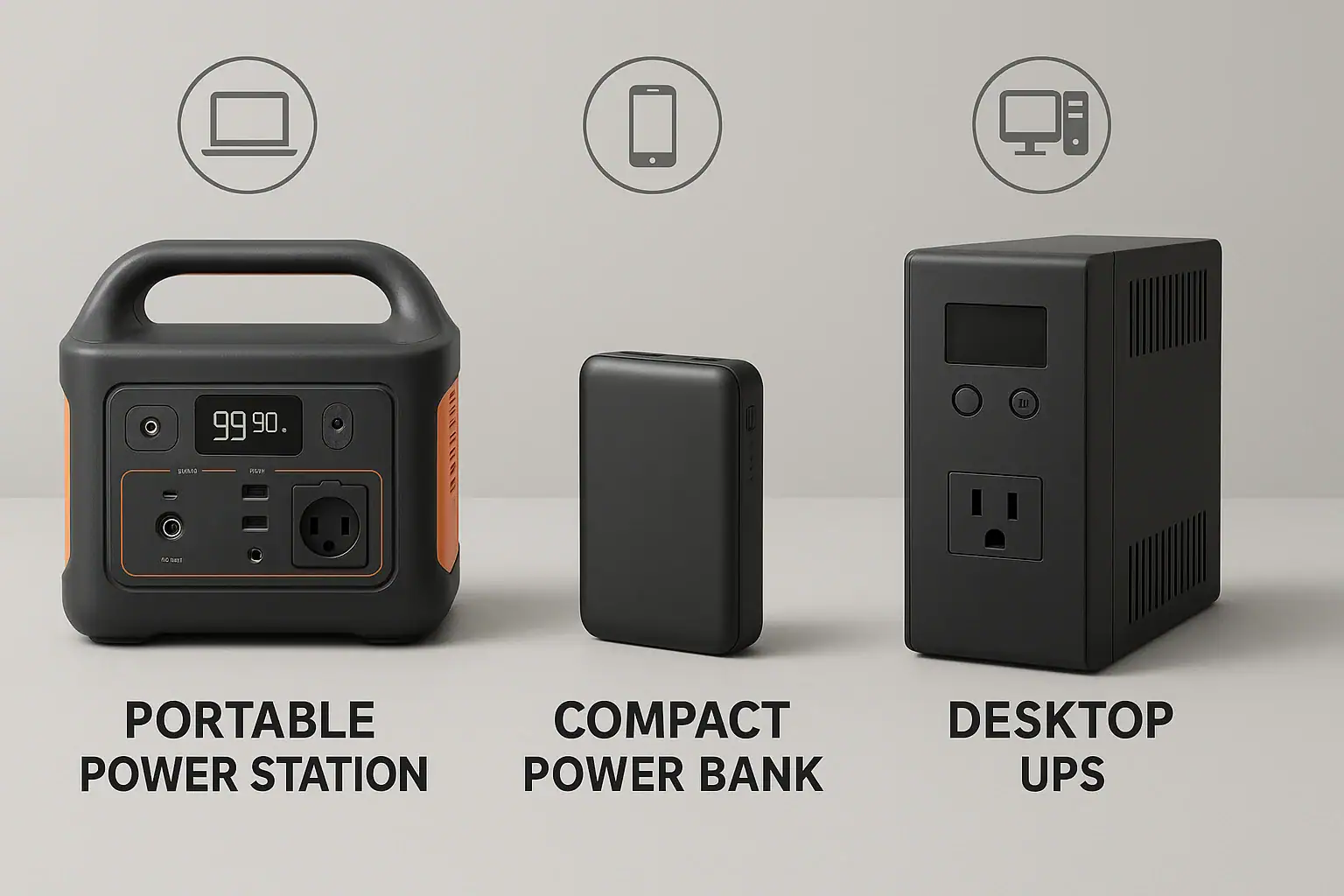
For most people, the right backup is a portable power station for AC devices, a power bank for phones and tablets, and a UPS for desktop computers and network gear. The best choice depends on your wattage needs, runtime expectations, input limit for charging, and whether you care more about mobility or seamless battery backup.
When you compare a portable power station vs power bank vs UPS, you are really choosing between high-capacity AC power, compact USB charging, and instant switchover protection. Each handles surge watts, output ports, and battery management differently. Understanding basic specs like watt-hours, PD profiles, and inverter type makes it much easier to match the right backup power to your gear and avoid surprises.
This guide walks through how each option works, where it fits best, common mistakes, and what specs actually matter when you are planning for outages, travel, or everyday backup power.
Understanding Portable Power Stations, Power Banks, and UPS Units
All three devices store energy in batteries, but they are designed for different jobs. Knowing what each one is meant to do helps you avoid buying the wrong type of backup power.
Portable power stations are self-contained battery systems with AC outlets, DC ports, and USB ports. They are built to run appliances and electronics during outages, camping, or work on the go. Their main focus is higher power output and longer runtime for multiple devices.
Power banks are compact battery packs with USB or USB-C ports, sometimes with power delivery (PD) for laptops. They are optimized for portability and charging phones, tablets, earbuds, and small laptops, not for running AC appliances.
UPS (uninterruptible power supply) units sit between wall power and sensitive electronics like desktop PCs, servers, and routers. Their main job is to provide instant switchover when grid power fails and to filter or regulate voltage. They usually have modest runtime but very fast response.
Choosing between them matters because they solve different problems: keeping a workstation from crashing, keeping a phone charged on the road, or running a fridge or CPAP during an outage. Matching your gear and usage scenario to the right category is the foundation for every other decision about capacity, ports, and safety.
How Each Backup System Works and Key Power Concepts
Portable power stations, power banks, and UPS units all rely on rechargeable batteries, but their internal designs and power electronics differ.
A portable power station typically includes:
- A large lithium battery pack rated in watt-hours (Wh)
- A built-in inverter that converts DC battery power to AC outlets
- DC outputs (like car sockets) and USB/USB-C ports
- Charging inputs from wall outlets, car chargers, or sometimes solar panels
Power flows from the battery through an inverter to supply AC loads, and directly from DC regulators to USB and DC ports. Some models support pass-through power, where the unit can charge while powering devices, but this depends on the design and input/output limits.
A power bank is simpler. It usually has:
- A smaller lithium battery pack
- USB-A and/or USB-C ports with fixed or negotiable PD profiles
- Basic charge and discharge control circuitry
There is no AC inverter; everything is DC. Power banks negotiate voltage and current with connected devices (for example, 5 V, 9 V, 12 V, or 20 V) up to a certain wattage limit. They are optimized for efficiency and small size, not whole-appliance power.
A UPS adds another layer: it continuously monitors wall power and switches to its internal battery and inverter when the input fails or goes out of range. Some UPS systems are line-interactive or double-conversion, which means they also correct voltage fluctuations and provide cleaner power. Switchover times are measured in milliseconds to keep computers and network gear running without rebooting.
Key concepts that apply across all three include:
- Watt-hours (Wh): Battery energy capacity, which helps estimate runtime.
- Watts (W): How much power a device draws at any moment.
- Surge watts: Short bursts of higher power needed by some devices at startup.
- Input limit: The maximum power the device can accept while charging.
- Efficiency: Losses in inverters and regulators that reduce usable runtime.
Understanding these basics lets you compare very different products using the same language: how long they will run your gear and how safely they handle the load.
| Backup Type | Typical Use | Output Style | Runtime Pattern |
|---|---|---|---|
| Portable Power Station | Outages, camping, AC appliances | AC, DC, USB | Hours to a day, depending on load |
| Power Bank | Phones, tablets, small laptops | USB / USB-C only | Several recharges for small devices |
| UPS | Desktop PCs, routers, servers | AC only | Minutes to an hour, enough to shut down |
Real-World Scenarios: Which Backup Fits Which Gear?
Comparing a portable power station vs power bank vs UPS becomes clearer when you map them to everyday situations and devices.
Mobile phones, tablets, earbuds, and handheld gaming devices are best served by power banks. They use low to moderate wattage through USB, and you often need them on the move. A compact power bank can provide multiple full charges without adding much weight to a bag.
Lightweight laptops and ultrabooks can work with either a higher-output power bank with USB-C PD or a small portable power station. Choose a power bank if you only need extra hours while traveling and you can charge from outlets regularly. Choose a portable power station if you also want to power other gear like cameras, drones, or small AC devices.
Desktop PCs, gaming rigs, and home office setups are classic UPS territory. A UPS can keep your system running long enough to save work and shut down safely, while also smoothing out brief sags and spikes in line voltage. Portable power stations can power desktops too, but they do not provide instantaneous switchover when the grid drops unless used with additional hardware, which complicates things.
Routers, modems, and network switches benefit from a UPS because they need uninterrupted power to maintain internet connections during short outages. Routers, modems, and network switches are usually more practical to keep on a small UPS near your networking gear than routing those devices through a distant portable power station.
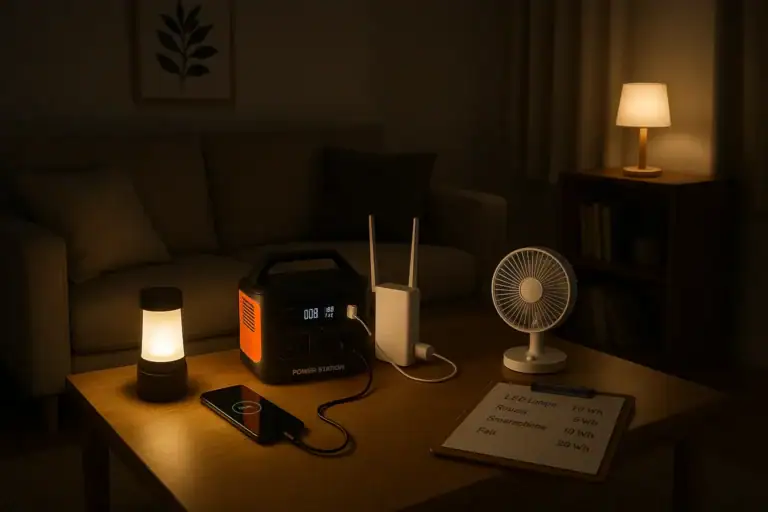
Appliances like mini-fridges, CPAP machines, fans, and LED lights are where portable power stations shine. Their AC outlets and higher surge capacity make them suitable for running small appliances during longer outages or off-grid trips. They are also useful on job sites for power tools, as long as you respect surge and continuous watt limits.
Short, frequent outages vs long, rare outages also guide your choice. For short, frequent blips, a UPS is most valuable. For long outages, a portable power station with enough watt-hours and the ability to recharge from various sources is more effective. Power banks fill the gap of personal device charging in both scenarios.
In practice, many households use a mix: a UPS for the main computer and router, a portable power station for essential appliances and flexible AC power, and a few power banks scattered in bags and drawers for phones and small electronics.
Common Mistakes and Troubleshooting Power Limits
People often run into issues when they assume all battery backups behave the same. Recognizing common mistakes helps you troubleshoot problems before they damage gear or drain batteries too quickly.
1. Confusing watts and watt-hours
Watts describe how much power your gear draws; watt-hours describe how much energy the battery holds. A portable power station with 500 Wh and a 500 W inverter can theoretically run a 250 W device for about two hours, but only if you account for inverter losses and real-world efficiency. Mistaking these units leads to overestimating runtime.
2. Ignoring surge watts on appliances
Devices with motors or compressors, like fridges and some power tools, may need two to three times their running watts for a brief startup surge. If your portable power station or UPS only matches the running watts and not the surge, it may shut down or fail to start the device. Check both continuous and surge ratings.
3. Overloading USB ports on power banks
Power banks have total output limits. Plugging in multiple devices that collectively exceed the maximum output (for example, trying to pull 60 W from a bank rated for 30 W total) can cause ports to shut off or charging to slow dramatically. If your phone or laptop charges slowly, check both the PD profile and total output rating.
4. Using a UPS for long-duration loads
UPS units are designed primarily for short runtimes. Running a high-wattage desktop or multiple monitors for extended periods will drain the battery quickly and can overheat the UPS. If your UPS battery seems to die in minutes, calculate the total load and compare it to the unit’s VA/W rating and expected runtime chart.
5. Expecting seamless switchover from portable power stations
Most portable power stations are not designed as inline UPS replacements. When grid power fails, they do not instantly switch without interruption unless specifically engineered for that role. If your PC or sensitive gear reboots when you switch sources, it is a sign you are using the wrong type of backup for that task.
6. Overlooking input limits when recharging
Large portable power stations can take many hours to recharge if the input wattage is low. If your station accepts only 100 W of input but you expect it to refill a 1000 Wh battery in a couple of hours, you will be disappointed. Similarly, small power banks may not support high-wattage fast charging unless both the charger and cable match the required PD profile.
When troubleshooting, start by listing your devices, their wattage, and how long you need them to run. Compare those numbers with the backup’s continuous watts, surge watts, and watt-hour capacity. Many issues become obvious once you see the math.
Safety Basics for Battery Backup Devices
Portable power stations, power banks, and UPS units all pack significant energy into compact enclosures. Treating them with basic respect helps avoid overheating, damage, or fire risk.
Use within rated limits. Never exceed the maximum continuous watt rating or the maximum current per port. Running near the limit for long periods increases heat and stress on internal components.
Allow ventilation. All three device types need airflow, especially under heavy load or while charging. Avoid covering vents, stacking devices, or tucking them into tightly closed cabinets during use.
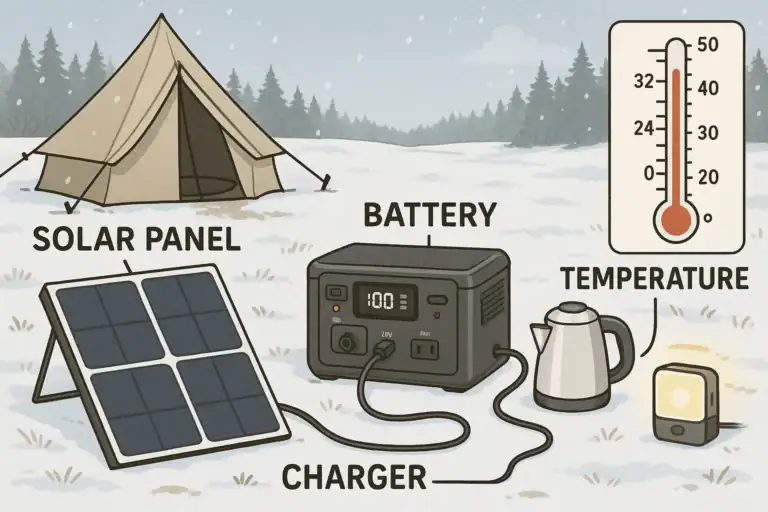
Protect from moisture and extreme temperatures. Keep units dry and away from direct rain, condensation, or spills. High heat accelerates battery wear and can trigger thermal protection; extreme cold reduces available capacity and may cause charging to pause until temperatures rise.
Use appropriate cables and adapters. For power banks and portable power stations, use cables rated for the voltage and current you need. Damaged or undersized cables can overheat. Avoid daisy-chaining multiple adapters or using improvised plug combinations.
Avoid DIY modifications. Do not open cases, bypass fuses, or modify battery packs. Internal battery management systems and protections are calibrated for the original design. If you need custom wiring or integration with home circuits, consult a qualified electrician rather than attempting panel connections yourself.
Store and transport safely. When traveling, especially by air, follow rules for lithium batteries. Prevent terminals from shorting, and avoid packing heavy objects that could crush or puncture the case.
By respecting these basics, you greatly reduce the chance of failures and help your backup power gear deliver its rated performance over many charge cycles.
Maintaining and Storing Your Backup Power Gear
Good maintenance practices extend the life of portable power stations, power banks, and UPS units and ensure they are ready when you need them.
1. Manage state of charge during storage
For long-term storage, many lithium-based systems do best when kept partially charged rather than full or empty. Check your device manual, but a common guideline is around 40–60% charge. For a portable power station used mostly for emergencies, top it up, then periodically check and recharge to keep it in that mid-range if you will not use it for months.
2. Cycle the battery periodically
Completely idle batteries can drift out of calibration. Every few months, lightly use and recharge your portable power station and power banks. For a UPS, perform a controlled test by safely shutting down connected equipment and letting the UPS run on battery for a short period, then recharge fully.
3. Keep firmware and software up to date
Some modern portable power stations and UPS units support firmware updates that improve charging profiles, efficiency, or safety behavior. If your device offers this, check for updates occasionally and follow the manufacturer’s instructions without interrupting the process.
4. Maintain a clean, stable environment
Dust buildup in vents can trap heat, especially for UPS units that run continuously. Periodically inspect and gently clean external vents. Keep all devices on stable surfaces away from direct sunlight, heaters, or very cold drafts.
5. Watch for aging signs
Shortened runtime, unusual noises from fans or relays, swelling cases, or strong odors are warning signs. If a power bank or portable power station gets noticeably hot under light load, or a UPS fails self-tests, retire or service the device rather than pushing it harder.
6. Label and organize
For households using multiple backup devices, label which gear is intended for which loads: one UPS for networking, one portable power station for appliances, specific power banks for travel. Keep matching cables nearby so you do not scramble for the right connector during an outage.
| Device Type | Check Interval | Storage Charge Target |
|---|---|---|
| Portable Power Station | Every 3–6 months | Around half to two-thirds full |
| Power Bank | Every 3–4 months | Roughly 40–60% charged |
| UPS | Self-test every 1–3 months | Kept plugged in and topped off |
Related guides: Portable Power Station vs Power Bank • Surge Watts vs Running Watts: How to Size a Portable Power Station • Do Portable Power Stations Work While Charging? Pass-Through vs UPS Mode • How to Estimate Runtime for Any Device: A Simple Wh Formula + 5 Worked Examples
Choosing the Right Backup and Key Specs to Compare
When deciding between a portable power station, power bank, and UPS, start with your primary goal: uninterrupted power for sensitive electronics, extended runtime for appliances, or mobile charging for personal devices.
If you need seamless protection for desktops and networking gear, a UPS is the right tool. Focus on enough runtime to save work and shut down cleanly rather than all-day operation. For running AC appliances and multiple devices during outages or off-grid trips, a portable power station offers the versatility and capacity you need. For daily convenience and travel, power banks keep phones, tablets, and small laptops topped up with minimal bulk.
It is common to combine all three: a UPS for your workstation and router, a portable power station for essential household loads and flexible AC power, and several power banks for personal electronics. The key is to match each device’s strengths to specific jobs rather than expecting a single solution to do everything perfectly.
Specs to look for
- Battery capacity (Wh or mAh): For portable power stations, compare watt-hours (for example, 300–1500 Wh) to estimate runtime for your total load; for power banks, higher mAh (10,000–30,000 mAh) means more phone or laptop recharges.
- Continuous and surge output (W): Check both continuous watts and surge watts; aim for at least 20–30% headroom above your devices’ combined running watts, and ensure surge capacity can handle motor or compressor startups.
- Output types and PD profiles: Look for the right mix of AC outlets, DC ports, and USB/USB-C with PD levels that match your gear (for example, 18–65 W for laptops) so you do not need extra adapters.
- Input charging power and options: Higher input wattage (for example, 100–500 W on larger stations) shortens recharge time; multiple input methods (wall, car, solar) add flexibility during extended outages.
- Inverter waveform (for AC outputs): Pure sine wave inverters are generally better for sensitive electronics and some appliances; modified sine wave may be acceptable for simple resistive loads but can cause noise or heat in others.
- UPS capacity and runtime rating: For UPS units, compare VA/W ratings and manufacturer runtime charts at 50–80% load to ensure you get at least several minutes to shut systems down safely.
- Cycle life and battery chemistry: Look for approximate cycle life (for example, 500–3000 cycles to a given percentage of original capacity) and note whether the chemistry is typical lithium-ion or a longer-life variant, which affects long-term value.
- Weight, size, and portability: For power stations and power banks, balance capacity against portability; a 5–10 lb station is easier to move frequently, while larger units may be better as semi-permanent outage backups.
- Safety certifications and protections: Check for overcurrent, overvoltage, short-circuit, and temperature protections, plus relevant safety marks, to reduce risk when running higher loads or using the device frequently.
- Noise level and cooling: Fans in portable power stations and UPS units can be noticeable; if you plan to use them in bedrooms or quiet offices, consider typical fan behavior under light and heavy loads.
By comparing these specs against your actual devices and usage patterns, you can confidently choose whether a portable power station, power bank, UPS, or a combination of all three is the best fit for your backup power needs.
Frequently asked questions
What specs and features matter most when choosing between a portable power station, power bank, and UPS?
Key specs include battery capacity (Wh or mAh), continuous and surge watt ratings, available output types and PD profiles, input charging power, inverter waveform, and safety protections. Match capacity to your runtime needs, ensure watt ratings exceed your total load, and confirm the ports and PD levels fit your devices.
How can I estimate how long a backup unit will run my devices?
Divide the battery capacity in watt-hours by the device’s watt draw to get a baseline runtime, then reduce the result to account for converter or inverter losses (typically 10–20%). For multiple devices, add their wattages to calculate total load before dividing. This gives a practical runtime estimate to plan around.
What is a common mistake people make when sizing backup power?
A frequent mistake is confusing watts (instantaneous power draw) with watt-hours (stored energy), which leads to overestimating runtime. Other common errors include ignoring surge demands for motors and compressors and overlooking input limits that make recharging slow. Double-check continuous and surge ratings plus input wattage to avoid these pitfalls.
Are battery backup devices safe to use at home?
Yes, when used according to manufacturer guidelines: keep units ventilated, avoid moisture and extreme temperatures, and do not exceed rated outputs or modify internals. Use properly rated cables and follow storage and transport rules for lithium batteries. Retire or service units that show swelling, strong odors, or abnormal heat.
Can I use a portable power station as a UPS for my desktop or router?
Most portable power stations do not provide true instant switchover and may cause brief interruptions when grid power fails, which can reboot sensitive equipment. Some models offer UPS-like passthrough, but you should verify the device explicitly supports seamless switchover. For guaranteed uninterrupted protection, a purpose-built UPS is typically the safer choice.
How long will it take to recharge a large portable power station during an outage?
Recharge time equals battery capacity divided by the station’s maximum input wattage, adjusted for charging inefficiency; faster AC or car inputs recharge quicker than solar. Solar recharging is subject to panel wattage and sunlight variability, so plan for slower and variable recharge rates. Check the unit’s maximum input rating to set realistic expectations.
Recommended next:
- Portable Power Station vs Power Bank
- Portable Power Station vs UPS: What Changes for Computers and Networking?
- Portable Power Station vs Power Bank: Where the Line Really Is
- Portable Power Station vs Inverter + Car Battery: Pros, Cons, and Safety
- Portable Power Station vs DIY Solar Battery Box: When DIY Makes Sense
- Portable Power Station vs Home Backup Battery: Which Fits Apartments Best?
- More in Comparison →
Related guides
Browse this topic →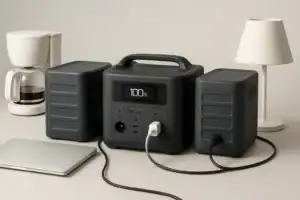
- Beginner-friendly sizing, runtime & specs
- Solar & charging (MPPT, fast charging, cables)
- Batteries (LiFePO4, cycles, care & storage)
- Safety, cold-weather performance, real-world tips
More in Comparison
See all →Keep reading
About this site
Portable Energy Lab publishes practical, independent guides about portable power—clear sizing, safe use, and real-world expectations.
Affiliate disclosure
Some links on this site may be affiliate links. If you buy through these links, we may earn a small commission at no extra cost to you. This helps support our content. Learn more.