
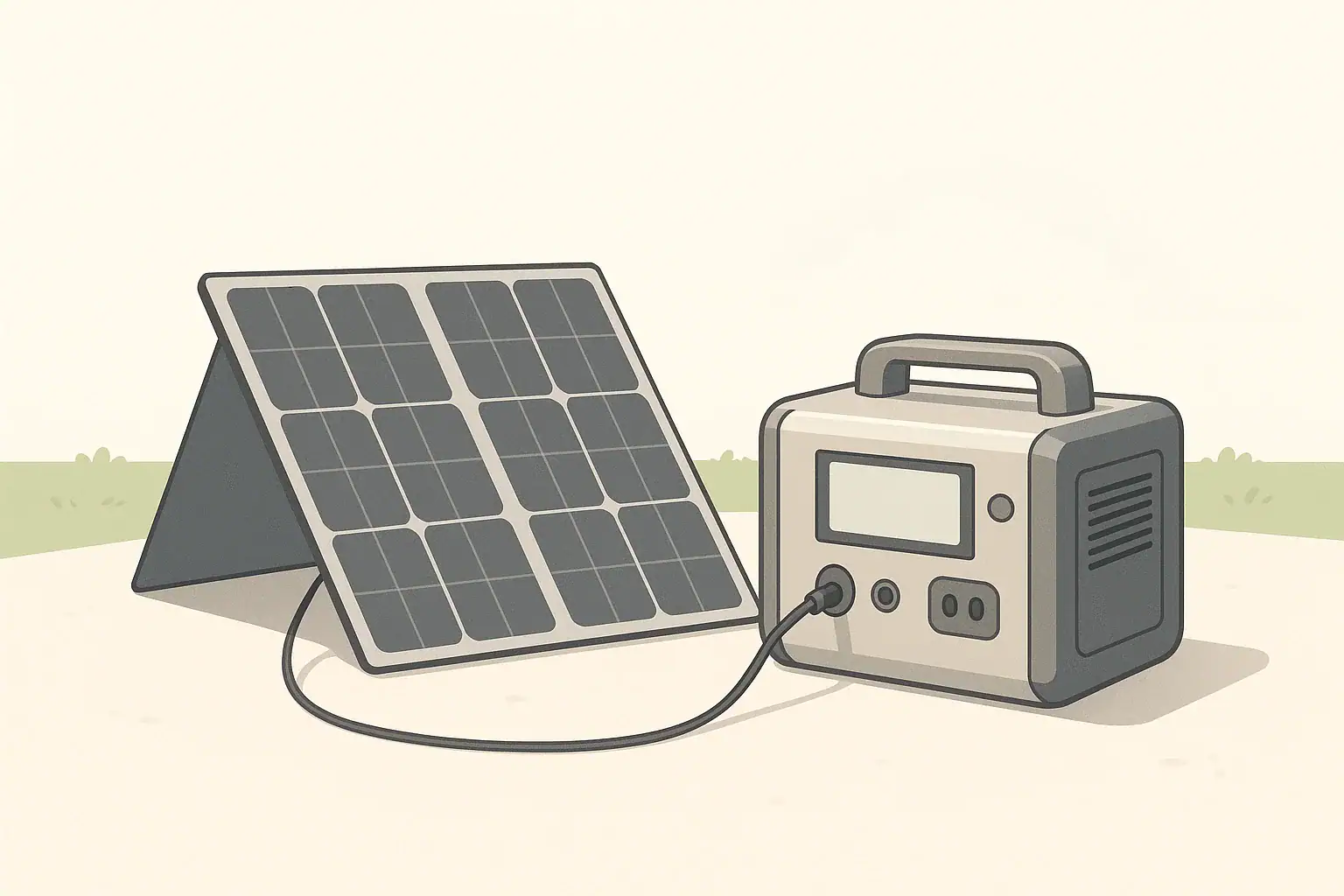
Solar connectors and adapters let you safely join mismatched solar panels and portable power stations so you can actually charge your battery in the real world. Most panels use MC4, while many power stations use Anderson-style or DC barrel inputs, so understanding how these plug types relate is essential for a reliable setup.
This guide explains how common low-voltage solar connectors work, how to pick the right adapter cable, and what limits to watch so you do not damage your gear. It focuses on practical, brand-neutral information you can apply to camping systems, RV setups, and home backup power. Along the way, you will see concrete examples, quick sizing tips, and a checklist of specs to check before you click “buy” or head out on a trip.
What Solar Connectors and Adapters Are (and Why They Matter)
In a portable solar setup, the connector is simply the physical interface that carries low-voltage DC power between components. Adapters convert from one connector style to another, such as MC4 from a panel to an Anderson or DC barrel plug on a power station.
For portable power stations and small off-grid systems, connector choice matters for four main reasons:
- Compatibility: Panels and power stations rarely share the same plug type.
- Safety: Wrong polarity or undersized connectors can damage equipment or overheat.
- Performance: Cable length, connector size, and wiring gauge affect voltage drop and charging speed.
- Convenience: Some connectors lock and are weather-resistant; others are compact but more delicate.
Most portable systems in the 12–48 V DC range rely on three connector families:
- MC4: The default for many rigid and foldable solar panels.
- Anderson-style: Flat, high-current DC connectors common in RV and hobby systems.
- DC barrel and round plugs: Compact inputs on many portable power stations and small devices.
Once you know which connector is on your panel and which is on your power station, you can choose an adapter that safely bridges the gap without wasting power or creating a weak link.
Key Connector Types and How They Work Together
Most portable solar systems use the same basic power path: solar panel → extension cable (optional) → adapter → portable power station input. The pieces in that chain are defined by their connector types.
MC4 Panel Connectors
MC4 connectors are the weather-resistant, locking plugs found on many solar panels. Each panel usually has two MC4 leads:
- One positive (+) conductor
- One negative (−) conductor
Key traits:
- Outdoor-ready: Designed to stay on the panel side, exposed to sun and rain.
- Locking mechanism: Clicks together and requires a tool or firm squeeze to separate.
- Polarized: Keyed so positive and negative only connect in one orientation.
MC4 connectors are also used to combine multiple panels in series or parallel using MC4 “Y” or branch connectors and MC4 extension leads.
Anderson-Style Connectors
Anderson-style connectors use two flat contacts inside a rectangular housing. In portable solar and DC power applications, they are often:
- High-current capable: Suitable for higher wattage inputs than many small barrel plugs.
- Genderless: Identical halves plug into each other, which simplifies cable routing.
- Modular: Common on extension leads, combiner boxes, and DC distribution points.
On portable power stations, an Anderson-style port is typically used as a dedicated high-current solar input or DC input. Panels with MC4 leads connect to this port via an MC4-to-Anderson adapter cable.
DC Barrel and Other Round Connectors
DC barrel connectors are the round plugs found on many laptops and small electronics, and they are common on compact power stations for solar or car charging.
Important characteristics:
- Many sizes: Inner and outer diameters vary, so you must match the exact size.
- Polarity sensitive: Most are center-positive, but you must confirm for each device.
- Moderate current handling: Suitable for smaller to mid-size solar inputs when properly sized.
Panels rarely ship with barrel plugs; instead, an adapter converts from MC4 or another panel-side connector to the barrel size your power station uses.
Other Low-Voltage Connectors You May Encounter
In addition to MC4, Anderson-style, and DC barrel connectors, you may occasionally see:
- Proprietary round solar ports: Similar to barrel connectors but with brand-specific dimensions or extra pins.
- Automotive-style 12 V plugs: Used when charging through a vehicle or 12 V socket on a power station.
- Terminal blocks or ring terminals: More common on separate charge controllers or distribution panels than on integrated power stations.
In most portable setups, the common pattern is MC4 leads on the panel side and either Anderson-style or barrel-type connectors on the power station side.
| Panel side | Power station input | Typical adapter path | When this makes sense |
|---|---|---|---|
| MC4 (rigid or folding panel) | DC barrel | MC4 → DC barrel cable | Small to mid-size power stations with solar input under roughly 200 W |
| MC4 (one or two panels) | Anderson-style | MC4 → Anderson cable | Higher solar input, RV or van setups, longer cable runs with heavier wire |
| MC4 (multiple panels via MC4 Y-branches) | Anderson-style | MC4 combiner → Anderson cable | Combining several portable panels into one higher-power input |
| MC4 (panel) | Proprietary round solar port | MC4 → proprietary plug cable | Compact power stations with brand-specific solar input jacks |
| MC4 (panel) | 12 V car-style socket | MC4 → charge controller → 12 V plug | Less common; usually used when charging through a separate controller |
Real-World Solar Connector and Adapter Examples
Putting the connector types into real scenarios makes it easier to see what you actually need to buy and how to set things up.
Example 1: Small Camping Power Station with One Panel
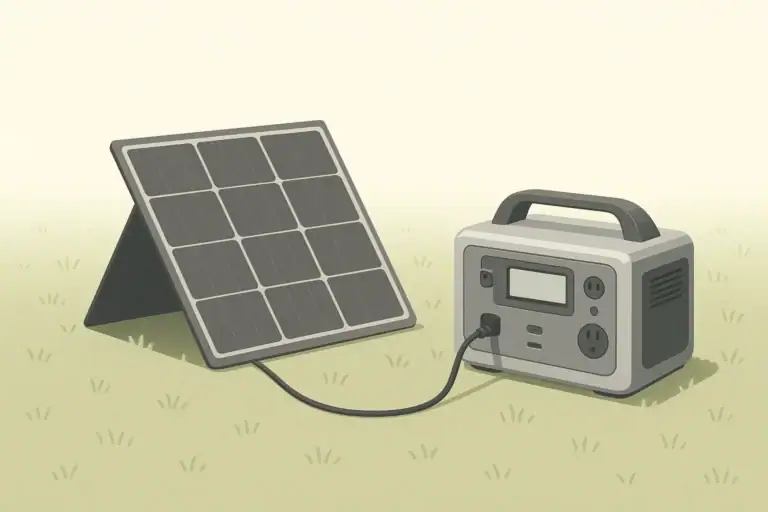
Imagine a compact power station with a DC barrel solar input and a single 100 W folding panel with MC4 leads.
- Connectors involved: MC4 on the panel, barrel on the power station.
- Adapter needed: A single MC4-to-barrel cable of the correct barrel size and polarity.
- Typical cable run: 10–20 ft of extension between the panel and the station, often using MC4 extension leads.
In this case, the MC4 connectors stay outside at the panel, while the barrel plug connects to the power station placed under cover. Total power is moderate, so a correctly sized barrel connector and reasonably thick cable are usually sufficient.
Example 2: RV Setup with Multiple Portable Panels
Consider an RV owner using three portable 100 W panels to charge a mid-size power station with an Anderson-style solar input.
- Panel side: Each panel has MC4 connectors.
- Combining panels: The panels are wired in parallel using MC4 Y-branch connectors so voltage stays within the power station’s input range while current adds up.
- Adapter path: MC4 combiner → heavy-gauge cable → Anderson plug at the power station.
Here, Anderson-style connectors and thicker cable are helpful because the combined current from three panels is higher. The RV owner can place the power station inside and run a single robust cable through a grommet or window to the outside panels.
Example 3: Home Backup with a Ground-Deployed Array
For a home backup system using a larger portable power station, a user might deploy two or three rigid panels in the yard and bring power inside during outages.
- Panel side: Rigid panels with MC4 leads mounted on a temporary rack.
- Wiring: Panels wired in series or series-parallel to stay within the power station’s voltage and current limits.
- Adapters: MC4 extension cables running to a single MC4-to-Anderson or MC4-to-barrel adapter at the power station.
This setup emphasizes weather-resistant MC4 connections outdoors and a minimal number of adapter transitions near the power station indoors. Correct connector choice and cable gauge help reduce voltage drop over the longer run.
| Use case | Typical solar watts | Common connector combo | Potential weak point to watch |
|---|---|---|---|
| Weekend camping with one folding panel | 60–120 W | MC4 panel → MC4 extension → DC barrel input | Loose or undersized barrel plug heating up under sun |
| RV roof plus portable panel add-on | 200–400 W | MC4 roof array → MC4 combiner → Anderson input | Multiple MC4 joints exposed to vibration and weather |
| Home outage backup with ground array | 200–600 W | MC4 panels → heavy-gauge MC4 extension → Anderson or barrel | Long cable runs causing voltage drop and slower charging |
| Remote work site with compact station | 80–200 W | MC4 panel → MC4 to proprietary round plug | Ad-hoc adapters with unknown polarity or ratings |
Common Mistakes and Troubleshooting Solar Connections
Most issues with solar connectors and adapters fall into a few predictable categories. Recognizing them makes troubleshooting much faster.
Mistake 1: Ignoring Voltage and Current Limits
Connecting panels that exceed your power station’s voltage or current rating is one of the most serious errors. Symptoms include:
- No charging and an error message or fault indicator on the power station.
- Unexpected shutdown of the DC input.
- In extreme cases, permanent damage to the input circuitry.
Before combining panels in series or parallel, add up their open-circuit voltages (for series) and currents (for parallel) and compare them to the power station’s published limits.
Mistake 2: Wrong Polarity at the Adapter
Reversed polarity (positive and negative swapped) can instantly damage some devices. It most often occurs when:
- Using third-party adapter cables wired differently than expected.
- Crimping or soldering your own connectors without verifying wiring.
- Mixing up color codes when extending or repairing cables.
If the power station does not charge or immediately shows an error after connecting, disconnect at once and verify polarity with markings or a multimeter if you are comfortable doing so.
Mistake 3: Using Undersized or Excessively Long Cables
Thin or overly long cables cause voltage drop and heating. Common signs include:
- Power station shows much lower solar input watts than expected.
- Cables feel noticeably warm under load, even in mild weather.
- Charging cuts in and out as connectors expand and contract with heat.
Shorter, thicker cables reduce voltage drop and improve charging efficiency, especially at higher power levels.
Mistake 4: Daisy-Chaining Too Many Adapters
Stacking adapters (for example, MC4 to Anderson, Anderson to barrel, barrel to proprietary plug) adds resistance and extra failure points. Problems you might see include:
- Intermittent charging when cables are bumped or moved.
- Visible arcing or small sparks when connecting under load.
- Discolored or melted plastic around one of the intermediate adapters.
Whenever possible, use a single, purpose-built adapter cable from panel connector to power station input.
Quick Troubleshooting Steps When Solar Input Is Low or Zero
If your power station is not charging from solar, work through these checks:
- Step 1: Confirm the panel is in full sun and not shaded.
- Step 2: Verify all connectors are fully seated and locked (especially MC4).
- Step 3: Check that the adapter plug fits snugly in the power station and is the correct size.
- Step 4: Compare panel voltage and power station input rating to rule out over-voltage or under-voltage.
- Step 5: If comfortable and qualified, measure voltage at the end of the adapter cable to confirm polarity and approximate voltage.
Safety Basics for Low-Voltage Solar Connectors
Even though portable solar systems operate at relatively low voltage, they can still produce high current and enough energy to cause damage or injury if misused.
General Low-Voltage Solar Safety
- Avoid live plugging under heavy load: Connect panels to the power station before placing them in full sun when practical.
- Prevent shorts: Do not let exposed connectors or stripped wires touch each other or conductive surfaces.
- Keep connectors dry: Water in connectors can cause corrosion or arcing; allow wet connectors to dry before use.
- Use rated components: Select cables and connectors with voltage and current ratings that exceed your expected operating conditions.
Safe Routing Around Vehicles and Buildings
- Route cables where they will not be pinched by doors, windows, or slide-outs.
- Keep low-voltage solar wiring clearly separate from any household AC extension cords.
- Avoid running cables where vehicles or equipment might drive over them.
Connector-Specific Safety Tips
- MC4: Fully seat and lock the connectors; partially engaged MC4 plugs can overheat.
- Anderson-style: Ensure contacts are crimped correctly and fully inserted into the housing so they cannot back out under load.
- DC barrel: Do not use excessive force when inserting; if the plug does not seat cleanly, verify size and polarity instead of forcing it.
Long-Term Use, Maintenance, and Storage of Solar Cables
Connectors and adapters are wear items. Taking care of them extends their life and keeps your solar system reliable.
Routine Inspection and Cleaning
- Periodically inspect MC4, Anderson-style, and barrel connectors for cracks, discoloration, or melted plastic.
- Check for green or white corrosion on metal contacts, especially on outdoor MC4 connections.
- Wipe dust and grit off connectors before plugging them together to reduce wear.
Protecting Cables from Mechanical Damage
- Avoid tight bends near the connector; use gentle curves to reduce strain.
- Use simple strain relief (such as cable ties or clips) to keep weight off the connector body.
- Keep cables away from sharp edges and high-traffic walkways.
Storage Between Trips or Seasons
- Coil cables loosely rather than folding them sharply.
- Store connectors in a dry, cool place out of direct sunlight.
- Cap or cover MC4 ends when not in use to keep out dust and moisture.
When to Retire or Replace Connectors and Adapters
- Retire any cable that shows melted insulation, exposed conductors, or deformed plastic near the connector.
- Replace barrel plugs that wobble noticeably or lose contact with minor movement.
- Discard adapters that have been involved in a short circuit or show burn marks.
Practical Takeaways and Specs to Look For
By matching solar connectors and adapters correctly, you can safely get the most from your panels and portable power station without complex wiring.
Key Practical Takeaways
- Identify the connector type on your panel (often MC4) and on your power station (often Anderson-style or DC barrel) before buying adapters.
- Use as few adapter pieces as possible; a single well-made cable is usually better than a chain of small adapters.
- Keep cable runs short and use adequately thick wire to limit voltage drop and heat.
- Always confirm polarity and input voltage range before plugging into a power station.
- Inspect connectors periodically and replace any that show signs of overheating or damage.
Specs to Look For When Choosing Cables and Adapters
When shopping for connectors, extension cables, and adapters for portable solar use, pay close attention to these specifications and details:
- Connector type and size: MC4, Anderson-style, DC barrel diameter, or proprietary round plug.
- Voltage rating: Should exceed the maximum open-circuit voltage of your panel or combined array.
- Current or watt rating: Should comfortably exceed the expected solar current or power.
- Wire gauge (AWG): Thicker wire (lower AWG number) is better for longer runs and higher currents.
- Cable length: Long enough for convenient panel placement, but not so long that voltage drop becomes significant.
- Weather resistance: UV-resistant insulation and sealed connectors for outdoor portions of the run.
- Locking or strain relief features: Especially important in RVs, boats, and windy sites.
- Clear polarity markings: Plus/minus symbols or color coding that make wiring orientation obvious.
Taking a few minutes to match connector types, ratings, and cable sizes to your actual solar input needs can prevent many common problems and help your portable power station charge faster and more reliably in everyday use.
Frequently asked questions
What specs and features matter most when choosing solar connector adapters?
Check connector type and exact size, voltage rating, and current or watt rating first to ensure safe operation. Also confirm wire gauge and overall cable length for acceptable voltage drop, plus weather resistance and clear polarity markings for outdoor use.
How can I avoid common polarity or wiring mistakes with adapter cables?
Always verify the adapter’s polarity markings before connecting and, if unsure, confirm with a multimeter or vendor documentation. Prefer purpose-built adapter cables over homemade or patched-together assemblies to reduce the risk of reversed wiring.
What basic safety steps should I follow when connecting portable solar panels?
Avoid live plugging under heavy sun when possible, prevent exposed conductors from touching, and use components rated above your expected voltage and current. Route cables safely to prevent pinching or abrasion and keep outdoor connectors dry and clean.
Why are undersized or overly long cables a frequent issue with solar setups?
Thin or long cables create significant voltage drop and can heat under load, reducing charging power and stressing connectors. Using a thicker gauge and keeping runs shorter preserves charging efficiency and lowers the risk of overheating.
Is it okay to daisy-chain several adapters to get the right connector combination?
Daisy-chaining multiple adapters is discouraged because each extra junction adds resistance and potential failure points, increasing the chance of intermittent contact or overheating. Whenever possible, use a single purpose-built cable from panel connector to device input.
What signs indicate an adapter or connector should be replaced?
Replace any connector or cable that shows melted or deformed plastic, exposed conductors, burn marks, loose or wobbling plugs, or heavy corrosion on contacts. These symptoms indicate compromised safety or reliability and warrant immediate replacement.
Related guides
Browse this topic →
- Beginner-friendly sizing, runtime & specs
- Solar & charging (MPPT, fast charging, cables)
- Batteries (LiFePO4, cycles, care & storage)
- Safety, cold-weather performance, real-world tips
More in Solar
See all →- How to Clean Portable Solar Panels Without Damage
- Solar Charging on Cloudy Days: What Output Can a Portable Power Station Expect?
- How Many Portable Solar Panels Do You Need for a 1,000Wh Power Station?
- Solar Adapter Polarity Mistakes: How to Avoid Reverse-Polarity Charging Problems
- Portable Solar Panel Waterproof Ratings: What Rain, Dew, and Splash Resistance Mean
Keep reading
About this site
Portable Energy Lab publishes practical, independent guides about portable power—clear sizing, safe use, and real-world expectations.
Affiliate disclosure
Some links on this site may be affiliate links. If you buy through these links, we may earn a small commission at no extra cost to you. This helps support our content. Read our affiliate disclosure.