
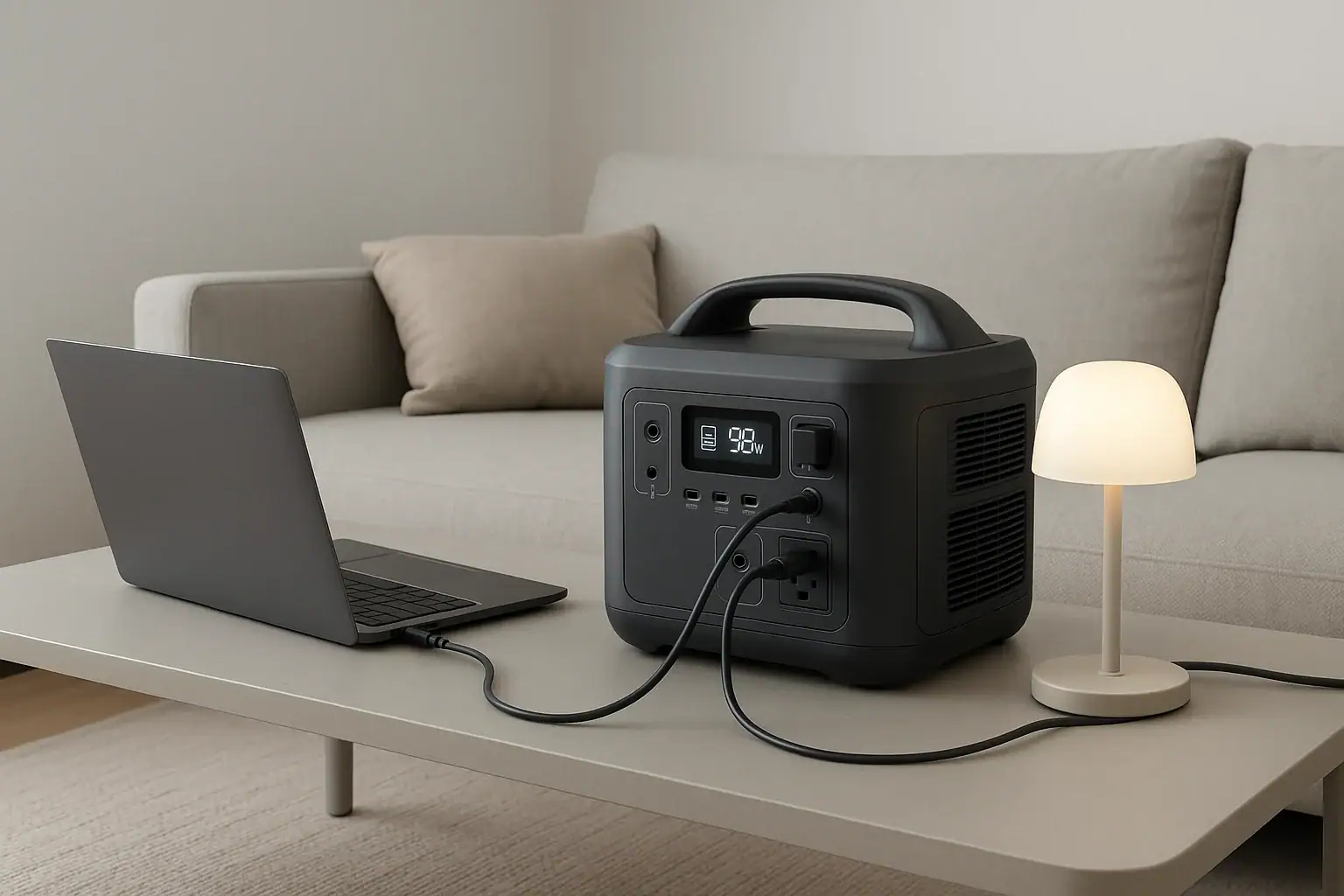
Portable power stations are generally allowed indoors as long as they are battery-based units with no fuel-burning engine and are used within their safety limits. Many people rely on them for backup power, off-grid work, and charging electronics where wall outlets are not available. Understanding indoor use rules helps you avoid fire hazards, overloads, and ventilation problems.
When people search terms like “indoor safe power station,” “battery generator inside,” “surge watts limits,” or “runtime for fridge,” they are usually asking if these devices can run safely in bedrooms, apartments, or offices. The short answer is yes for modern battery power stations, but no for gasoline or propane generators because of carbon monoxide. The details come down to wattage, ventilation, heat buildup, and what you plug in.
This guide explains how portable power stations work indoors, what loads they can realistically handle, how to spot misuse, and which specs matter most so you can choose and operate one safely in any room.
What It Means To Use a Portable Power Station Indoors and Why It Matters
Using a portable power station indoors means operating a self-contained battery power unit inside an enclosed space such as a house, apartment, RV, office, or workshop. These devices store energy in a rechargeable battery and provide AC outlets and DC ports for running or charging devices without a wall outlet.
Indoor use matters because enclosed spaces change the risk profile. There is less airflow, more flammable materials, and closer contact with people, pets, and sensitive electronics. While battery-based power stations do not emit exhaust fumes like fuel generators, they can still overheat, be overloaded, or be used in ways that increase fire and shock risk.
Indoor suitability depends on:
- Power source type – Battery power stations are generally indoor-safe; engine-driven generators are not.
- Electrical load – How many watts you draw and for how long affects heat, noise, and runtime.
- Environment – Temperature, humidity, and available airflow around the unit.
- User behavior – Where the device sits, how it is plugged in, and whether limits are respected.
Understanding these factors helps you decide what is safe to run in a bedroom versus a garage, and how to plan for outages without turning your power station into a hazard.
Key Concepts: How Portable Power Stations Work Indoors
Portable power stations are essentially large rechargeable batteries with built-in electronics that convert stored energy into usable power for your devices. Knowing the core concepts makes it easier to judge whether indoor use is safe and appropriate.
Battery chemistry and capacity
Most modern power stations use either lithium-ion (often NMC) or lithium iron phosphate (LiFePO4) batteries. Capacity is usually expressed in watt-hours (Wh), which describes how much energy is stored. For example, a 500 Wh unit can theoretically supply 500 watts for 1 hour, or 100 watts for 5 hours, before losses.
Indoors, capacity determines how long you can run essentials like lights, routers, laptops, or a CPAP machine without recharging. Larger capacities support more devices but are heavier and may produce more heat under high loads.
Inverter output and surge handling
The inverter converts the battery’s DC power to AC power similar to a household outlet. It has two important ratings:
- Continuous output (watts) – The power it can supply steadily, such as 500 W or 1500 W.
- Surge output (peak watts) – Short bursts above the continuous rating to start devices with motors or compressors.
Indoors, continuous output determines what you can run at the same time (for example, laptop + TV + fan), while surge output determines whether appliances like small refrigerators or power tools will start without tripping protection.
AC and DC ports
Power stations typically provide:
- AC outlets for standard plugs.
- USB-A and USB-C ports for phones, tablets, and laptops.
- 12 V DC ports (car-style) for certain appliances.
Using DC ports where possible is more efficient and produces less waste heat, which is beneficial in enclosed indoor spaces.
Charging methods and indoor considerations
Common charging inputs include wall AC, car 12 V, and solar panels. Indoors, wall charging is most common. Charging generates heat, so units should not be covered or pushed into tight cabinets while fast charging. High input wattage (for example, 300–800 W) can warm the unit quickly, especially in small rooms.
Built-in protections
Quality power stations include protections against overcurrent, overvoltage, short circuits, overheating, and overcharging. These are essential for indoor use where a failure could damage nearby property. However, protections are not a substitute for proper placement, ventilation, and respecting ratings.
| Concept | Typical Example | Indoor Impact |
|---|---|---|
| Battery capacity | 500–1500 Wh | Determines runtime for lights, router, and small appliances |
| Continuous AC output | 300–1500 W | Limits how many devices you can run at once |
| Surge output | 600–3000 W | Affects ability to start fridges, pumps, or tools |
| AC charging input | 100–800 W | Higher input = faster charging and more heat |
| USB-C PD output | 60–140 W | Efficient laptop charging with less heat and noise |
Indoor Use Examples: What You Can Safely Power
Real-world examples make it easier to see how portable power stations fit into everyday indoor scenarios. The key is matching your devices’ wattage and runtime needs to the unit’s capacity and output ratings.
Quiet backup in a bedroom or home office
In a bedroom or office, people often want to keep critical low-wattage devices running during an outage:
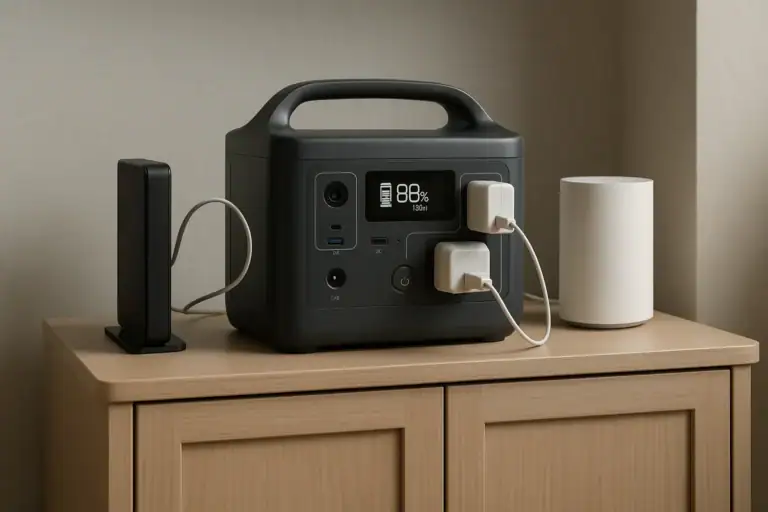
- Wi-Fi router and modem (10–30 W total)
- Laptop (30–90 W depending on use)
- Phone chargers (5–20 W each)
- LED desk lamp or bedside lamp (5–15 W)
- CPAP machine without heated humidifier (30–60 W)
A mid-sized power station can often run these loads quietly overnight. Because the wattage is low, heat output is modest, making this scenario well-suited to indoor use as long as the unit has some open space around it.
Living room entertainment and small appliances
In a living room, common loads include:
- Television (60–150 W)
- Streaming device or game console (15–200 W depending on model and usage)
- Soundbar or small speakers (20–50 W)
- LED floor lamp (10–25 W)
These can typically be powered safely indoors as long as you stay below the continuous watt rating. The main concern is not overloading the unit or daisy-chaining too many power strips, which can create messy wiring and tripping hazards.
Kitchen essentials during an outage
Kitchen appliances draw more power and require more attention to surge watts:
- Refrigerator or mini-fridge (50–150 W running, much higher surge)
- Coffee maker (600–1200 W while heating)
- Microwave (700–1200 W while cooking)
- Blender (300–1000 W depending on model)
Running a refrigerator indoors from a power station is common, but you must ensure surge capacity is sufficient to start the compressor. High-draw appliances like microwaves and coffee makers may be used briefly if the inverter rating allows it, but not at the same time as other heavy loads.
RV, camper, and small cabin use
In RVs and small cabins, portable power stations often supplement or replace built-in systems. Typical indoor loads include lights, fans, device charging, and sometimes a small induction cooktop or electric kettle for short periods. Because these spaces are compact, good ventilation and avoiding placing the unit near bedding or curtains is especially important.
Workshops and hobby rooms
Indoors, power stations can run tools like soldering irons, low-wattage power tools, or 3D printers. The main constraints are continuous wattage and the duty cycle of the tool. Long, high-load sessions in a small room can warm both the unit and the room itself; leaving extra clearance around vents helps avoid thermal throttling or shutdowns.
Common Indoor Use Mistakes and Warning Signs
Most portable power stations are designed with indoor use in mind, but misuse can still lead to nuisance shutdowns or, in the worst case, safety issues. Recognizing common mistakes and early warning signs helps you correct problems before they escalate.
Using fuel generators indoors by mistake
One of the most dangerous errors is confusing a battery power station with a fuel-powered generator. Any device that burns gasoline, diesel, or propane must remain outdoors because of carbon monoxide and exhaust fumes. Only fully enclosed battery power stations with no exhaust are appropriate for indoor use.
Overloading the inverter
Plugging in too many devices, or a single device that exceeds the inverter’s continuous output rating, can cause:
- Frequent shutdowns when high-wattage appliances start.
- Warning icons or overload messages on the display.
- Warm cables and power strips as they carry more current than intended.
If you see the lights flicker on connected devices or the unit shuts off when a motor starts, you are likely at or above the surge limit. Reduce the load or run high-draw appliances one at a time.
Poor placement and blocked ventilation
Placing the unit in a tight cabinet, under bedding, or pressed against a wall can block airflow. Warning signs include:
- Loud or constantly running cooling fans.
- Hot surfaces around vents or on the case.
- Thermal shutdowns under moderate loads.
Always allow open space around intake and exhaust vents, especially during charging or when running near the upper wattage limit.
Stacking items on top of the unit
Stacking books, clothing, or electronics on top of a power station can trap heat and increase fire risk. It also raises the chance of spills if drinks are placed nearby. Indoors, keep the top and sides clear and avoid using the unit as a table or shelf.
Improper extension cord and power strip use
Using cheap, undersized extension cords or daisy-chaining power strips is a common indoor mistake. Symptoms include warm cords, discolored plugs, or intermittent power. Use properly rated extension cords and avoid creating a web of adapters and splitters that is difficult to inspect or unplug quickly.
Ignoring humidity and condensation
Running or charging a power station in damp basements, bathrooms, or near open windows during rain can introduce moisture. Condensation on ports or casing is a warning sign. Power electronics and moisture do not mix; move the unit to a dry, stable environment before use.
Indoor Safety Basics for Portable Power Stations
Safe indoor operation comes down to a few high-level practices: correct placement, appropriate loads, and respect for environmental limits. These basics apply regardless of battery chemistry or capacity.
Placement and clearance
Indoors, place the power station on a stable, flat, non-flammable surface such as a floor or sturdy shelf. Maintain clear space around all sides, especially near cooling vents. Avoid carpets with long fibers that can obstruct airflow or collect dust inside vents over time.
Ventilation and temperature
Even though power stations do not produce exhaust, they do generate heat. Operate them in rooms within the manufacturer’s recommended temperature range, typically around typical indoor temperatures. Avoid direct sunlight, proximity to heaters, or enclosed cabinets. If the room feels stuffy or hot, improve airflow by opening doors or using a fan, but do not blow dust directly into vents.
Load management and device selection
Indoors, prioritize essential and low-wattage loads. Use LED lighting, efficient electronics, and DC outputs when possible. For high-draw appliances like space heaters, hair dryers, or large microwaves, consider whether the power station is the right tool at all; many of these loads can quickly drain the battery and stress the inverter.
Cable routing and trip hazards
Running cords across walkways or under rugs is risky. Indoors, position the power station close enough to devices that cords can run along walls or behind furniture. Keep the unit where you can easily access the power button and display without stepping over cables.
Child and pet safety
In homes with children or pets, avoid placing the power station on high shelves that could be pulled down by cords. Use outlet covers where appropriate and discourage tampering with buttons and ports. Some units have locking or eco modes that can reduce accidental activation.
Electrical system boundaries
Do not attempt to wire a portable power station directly into household circuits or breaker panels. Backfeeding a home’s wiring without proper equipment and permits is dangerous and may be illegal. If you want a whole-home backup solution, consult a qualified electrician for appropriate options.
| Safety Area | Good Indoor Practice | Risk if Ignored |
|---|---|---|
| Placement | Flat, stable, open surface | Tipping, blocked vents, overheating |
| Load limits | Stay below continuous and surge ratings | Shutdowns, tripped protection, damaged devices |
| Cabling | Short, rated cords routed along walls | Trips, warm cords, loose connections |
| Environment | Dry, moderate temperature room | Condensation, corrosion, thermal stress |
| Supervision | Accessible, periodically checked | Undetected faults or overheating |
Related guides: Portable Power Stations for Apartments • Portable Power Station Buying Guide • Indoor Use Safety: Ventilation, Heat, and Fire-Prevention Basics
Indoor Storage, Charging, and Long-Term Care
How you store and maintain a portable power station indoors has a direct impact on safety, lifespan, and performance. Treat it as both a power appliance and an energy storage device.
Ideal indoor storage conditions
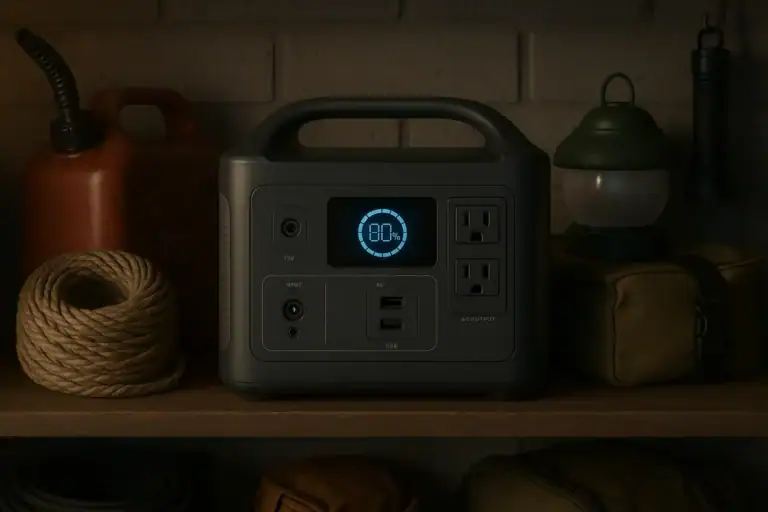
For long-term storage, choose a cool, dry, and well-ventilated indoor location away from direct sunlight and heat sources. Avoid attics that experience extreme temperatures or damp basements. A closet or interior room with stable temperatures is usually best.
Store the unit where it will not be buried under boxes or clothing. Easy access encourages regular checks and prevents accidental damage.
State of charge for storage
Most lithium-based batteries prefer being stored partially charged rather than at 0% or 100%. Many manufacturers recommend a mid-range charge level. Indoors, you can conveniently top up the battery every few months to maintain this range and compensate for natural self-discharge.
Indoor charging habits
Charging indoors is normal, but a few habits improve safety:
- Place the unit on a hard, non-flammable surface while charging.
- Avoid covering the unit with blankets, papers, or clothing.
- Do not charge in cramped cabinets or tightly packed shelves.
- Unplug from the wall once charging is complete if you will not use it for a while.
Monitor the first few full charge cycles in a new environment to understand how warm the unit becomes and how long it takes.
Periodic inspection and cleaning
Indoors, dust accumulation is a common issue. Every few months, visually inspect the unit:
- Check vents for dust buildup and gently clean around them without forcing debris inside.
- Inspect cables and plugs for discoloration, cracks, or loose connections.
- Confirm that buttons and the display operate normally.
If you notice swelling, unusual odors, or visible damage to the casing or ports, discontinue use and contact the manufacturer or a qualified professional.
Rotation and readiness for outages
To ensure your power station is ready for indoor emergency use, periodically discharge it under light to moderate loads (for example, powering a laptop and lamp) and then recharge it. This keeps the battery active and familiarizes you with real-world runtimes so you can plan which devices to prioritize during an outage.
End-of-life considerations
When a power station no longer holds useful charge, do not dispose of it with household trash. Most regions require special handling for large lithium batteries. Store the unit in a safe indoor location until it can be taken to an appropriate recycling or collection point.
Practical Takeaways and Indoor “Specs to Look For” Checklist
Portable power stations can be used indoors safely when they are true battery-based units, placed correctly, and operated within their limits. Think of them as large, smart batteries rather than indoor generators. Match your expected loads to the unit’s capacity and inverter ratings, give it room to breathe, and treat it with the same respect you would give to any high-energy electrical device.
For bedrooms and offices, focus on quiet operation, modest wattage, and long runtimes for small electronics. For kitchens and workshops, pay closer attention to surge watts and continuous output, and run high-draw appliances one at a time. Store and charge the unit in a stable, dry indoor environment, and periodically test it so you know exactly what it can handle before you need it in an emergency.
Specs to look for
- Battery capacity (Wh) – Look for a capacity that comfortably covers your critical loads for several hours (for example, 300–1500 Wh). Higher capacity means longer indoor runtime but more weight and size.
- Continuous AC output (W) – Choose a rating that exceeds your expected simultaneous indoor load (for example, 300–2000 W). This prevents overloads when multiple devices are running.
- Surge/peak output (W) – Ensure surge capacity is at least 1.5–2 times the continuous rating for starting fridges, pumps, or tools. Adequate surge helps avoid nuisance shutdowns when motors kick on.
- AC charging input (W) – A moderate to high input (for example, 100–800 W) enables faster indoor recharging between outages. Higher input shortens downtime but can generate more heat, so ventilation space matters.
- USB-C PD output (W) – Look for at least one high-wattage USB-C port (for example, 60–140 W) for efficient laptop and device charging indoors without extra adapters.
- Noise level and cooling design – Fan-cooled units should remain relatively quiet under typical indoor loads. A well-designed airflow path and multiple vents help manage heat in small rooms.
- Display and monitoring – A clear screen showing input, output, and remaining runtime helps you manage indoor loads and avoid surprises during outages.
- Port layout and quantity – Sufficient AC outlets and USB ports reduce the need for extra power strips indoors, simplifying cable management and lowering trip and overload risks.
- Operating temperature range – A range that covers typical indoor conditions ensures reliable performance in bedrooms, living rooms, and utility rooms throughout the year.
- Safety certifications and protections – Look for built-in protections (overcurrent, overvoltage, short circuit, overtemperature) and recognized safety markings to support safe long-term indoor use.
Frequently asked questions
Are portable power stations safe to use inside apartments and homes?
Battery-based portable power stations without combustion engines are generally safe for indoor use when you follow the manufacturer’s guidelines. Keep vents clear, avoid damp locations, and stay within the unit’s continuous and surge wattage limits to reduce risk of overheating or electrical faults.
What specifications and features should I prioritize when choosing a power station for indoor use?
Prioritize battery capacity (Wh) for runtime, continuous AC output and surge rating for the loads you plan to run, and AC charging input for recharge speed. Also consider USB-C PD ports, cooling/noise characteristics, port layout, and safety certifications to ensure reliable and convenient indoor operation.
What happens if I overload the inverter by plugging in too many appliances?
Overloading typically triggers the station’s protection system, causing shutdowns, warning messages, or tripped circuits; cables and power strips may become warm under sustained overload. To avoid repeated trips or potential damage, reduce the simultaneous load and run high-draw devices one at a time.
How should I position and ventilate a power station when using it indoors?
Place the unit on a flat, non-flammable surface with several inches of clearance around intake and exhaust vents and avoid enclosed cabinets or stacking items on it. If the room is warm or the unit gets hot during charging, improve room airflow but don’t direct dusty air into the vents.
Is it safe to backfeed my home’s wiring with a portable power station?
No. Connecting a portable power station directly to household circuits or a breaker panel without a proper transfer switch and professional installation can be dangerous and may be illegal. Consult a qualified electrician for whole-home backup options and to prevent risks to utility workers and equipment.
How should I store and maintain a power station indoors when it’s not in use?
Store it in a cool, dry, well-ventilated location away from direct heat and moisture, and keep it accessible for periodic checks. Maintain a mid-range state of charge, exercise the battery occasionally, and inspect vents, cables, and the case for damage or dust buildup.
Recommended next:
- Can a Portable Power Station Replace a UPS?
- Do Portable Power Stations Work While Charging? Pass-Through vs UPS Mode
- Why Does My Power Station Turn Off? Auto-Shutoff Explained
- Why Won’t It Charge From Solar? A Troubleshooting Checklist
- Why Is the Fan So Loud? Cooling Behavior Explained
- Why Does AC Output Stop Under Load? Common Causes and Fixes
- More in FAQ →
Related guides
Browse this topic →
- Beginner-friendly sizing, runtime & specs
- Solar & charging (MPPT, fast charging, cables)
- Batteries (LiFePO4, cycles, care & storage)
- Safety, cold-weather performance, real-world tips
More in FAQ
See all →- Portable Power Station Error Codes: What Common Warnings Mean
- Do Portable Power Stations Lose Charge Over Time?
- Do Portable Power Stations Work in Cold Weather?
- Is It Normal for Battery Percent to Jump? Display Accuracy Explained
- Can You Take a Portable Power Station on a Plane? Rules, Limits, and Safer Alternatives
Keep reading
About this site
Portable Energy Lab publishes practical, independent guides about portable power—clear sizing, safe use, and real-world expectations.
Affiliate disclosure
Some links on this site may be affiliate links. If you buy through these links, we may earn a small commission at no extra cost to you. This helps support our content. Learn more.