
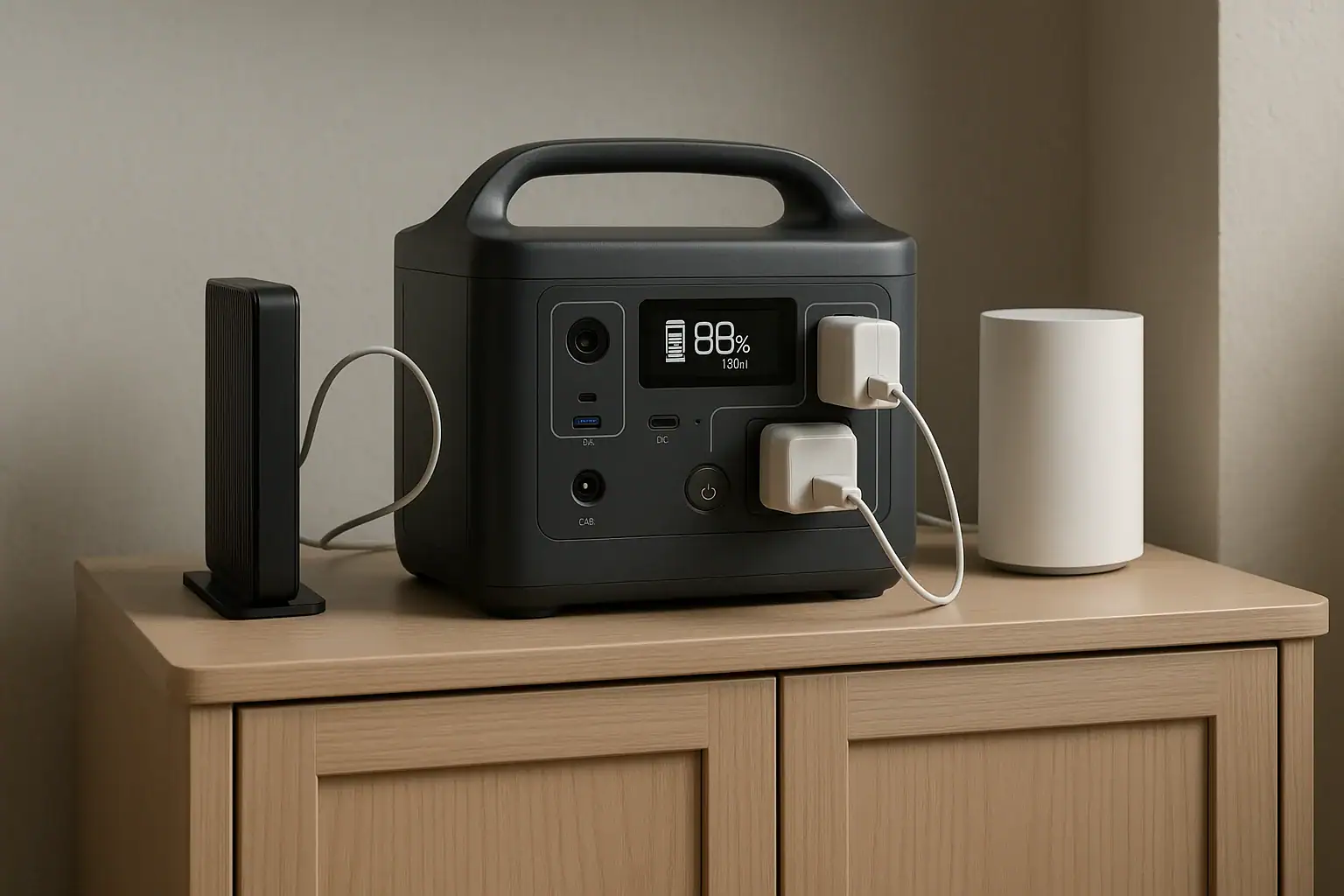
A portable power station can usually keep a Wi-Fi mesh system online for about 8 to 30 hours, depending on battery capacity and the total watts used by the modem, main router, and mesh nodes. A small setup may draw only 20 to 35 watts, while a larger home network with an ONT, router, switch, and several satellites may use 50 to 100 watts or more.
The key number is runtime: usable watt-hours divided by the network’s average power draw. In real homes, AC inverter losses, idle load, battery reserve, and whether each device uses a power brick can change the result. This makes a portable power station a practical router battery backup for outages, but the right size depends on the exact equipment. Unlike surge watts for appliances, Wi-Fi gear usually has a steady low draw, so watt-hours and output efficiency matter more than peak power.
What a portable power station does for a Wi-Fi mesh system
A portable power station is a rechargeable battery with built-in outputs such as AC outlets, USB, and sometimes DC ports. For a Wi-Fi mesh system, it acts as a temporary power source for the equipment that makes your home internet connection work: the modem or fiber ONT, the main router or gateway, and any mesh nodes that need wall power.
This matters because a mesh system cannot keep the internet online by itself during an outage. If the modem or ONT loses power, the router can still broadcast a Wi-Fi name for a short time if powered, but there may be no internet service behind it. If the main router is off, satellite nodes cannot maintain a normal mesh connection. If a remote node is off, Wi-Fi coverage may shrink even though the internet is still working near the main router.
A power station is useful when you need internet for remote work, emergency alerts, messaging, security cameras, or smart-home controls. It is not a guarantee that service will remain available, because the internet provider’s local infrastructure also needs power. Still, if the outside network is active, powering your home networking equipment can keep phones, laptops, and low-bandwidth devices connected for many hours.
How runtime works for mesh Wi-Fi equipment
The basic runtime formula is simple: usable battery watt-hours divided by average load in watts. For example, if a power station has roughly 450 usable watt-hours after conversion losses and your network uses 30 watts, the estimated runtime is about 15 hours. If the network uses 75 watts, the same battery may last about 6 hours.
Published battery capacity is not always the same as usable energy at the outlet. When you use AC outlets, the power station converts battery DC power to household AC power. That conversion commonly reduces usable energy. Some power stations also keep a small reserve to protect the battery, and some have their own standby consumption while the inverter is on.
Devices to include in the load estimate
- Modem or ONT: Cable modems, fiber terminals, and fixed wireless gateways are often essential for the internet connection.
- Main router or mesh base: This is the device that manages the network and connects to the modem or ONT.
- Mesh satellites: Nodes extend coverage, but not every node must run if you only need Wi-Fi in one area.
- Network switch: A small Ethernet switch adds load if wired devices or access points depend on it.
- Accessories: Smart-home hubs, network storage, and security camera recorders can shorten runtime quickly.
For the most accurate estimate, check the watt rating on each power adapter or use a plug-in power meter. Adapter labels often state a maximum output, such as 12 volts at 1.5 amps, which equals 18 watts. Real average use may be lower, but using the label rating gives a conservative planning number.
| Network component | Typical power draw | Runtime impact |
|---|---|---|
| Fiber ONT or cable modem | 8 to 25 watts | Usually required for internet access |
| Main mesh router | 10 to 25 watts | Required for the mesh network to operate |
| Mesh satellite node | 6 to 18 watts each | Improves coverage but may be optional during an outage |
| Small Ethernet switch | 3 to 15 watts | Needed only if wired devices depend on it |
| Smart-home hub or camera bridge | 3 to 20 watts | Can reduce runtime if left connected |
Real-world runtime examples for home mesh internet
The following examples show why runtime varies so much. They are not product recommendations; they are planning scenarios based on common home network loads and typical conversion losses. Actual results depend on battery age, room temperature, device behavior, and whether the power station is using AC or DC output.
Small apartment or single-floor setup
A modem and one mesh router may use around 25 to 35 watts together. With a portable power station in the 300 watt-hour class, usable AC energy might be roughly 240 to 270 watt-hours. That can deliver about 7 to 10 hours of runtime. A 500 watt-hour class unit might stretch the same setup to 12 to 16 hours.
Average home with one or two mesh satellites
A modem, main router, and two satellites might average 45 to 65 watts. A 500 watt-hour class station may keep that system running roughly 6 to 10 hours. A 1,000 watt-hour class station may run it for around 14 to 20 hours if the load stays steady. Turning off a distant satellite that is not needed can add noticeable time because every always-on device drains the battery continuously.
Larger network with extra equipment
A fiber ONT, main router, three mesh nodes, Ethernet switch, and smart-home hub can reach 80 to 120 watts. In that case, a 1,000 watt-hour class power station may provide about 7 to 11 hours. If security camera recorders, external drives, or desktop networking gear are added, runtime can drop further. For long outages, separating essential internet gear from optional devices is often the easiest way to extend battery life.
Common mistakes and troubleshooting cues
The most common mistake is powering the router but not the modem or ONT. Your devices may still connect to Wi-Fi, but web pages will not load because the internet connection outside the router is down. During an outage, trace the connection path and confirm that the service-entry device and main router both have power.
Another common issue is underestimating the load. Mesh satellites, switches, and hubs seem small individually, but together they can double the power draw. If runtime is much shorter than expected, disconnect nonessential nodes and accessories, then compare the change.
- Wi-Fi name appears but there is no internet: The router may be powered, but the modem, ONT, or provider network may be offline.
- Power station shuts off unexpectedly: Some units have energy-saving modes that turn off AC output when they detect a low load. Networking gear may be low enough to trigger this on certain settings.
- Runtime estimate on the display drops quickly: The total load may be higher than planned, or the inverter may be using more energy than expected.
- Mesh coverage is weak: A satellite node may be unpowered, too far from the main router, or connected to an outlet that is not backed up.
- Devices reboot when utility power fails: Not every power station functions like a true uninterruptible power supply. Transfer time and pass-through behavior vary by model.
- AC adapters feel crowded or loose: Large wall adapters can block outlets or strain cords. Use only properly rated cords and avoid stacking adapters in unsafe ways.
If you need uninterrupted service for work calls or medical communications, test the setup before an outage. A brief real-world test often reveals whether the modem reconnects cleanly, whether the mesh nodes recover, and whether the station’s low-load behavior is suitable.
Safety basics when powering internet equipment
Home networking gear is low power compared with refrigerators, heaters, and power tools, but basic electrical safety still matters. Place the portable power station on a stable, dry surface with ventilation around it. Do not cover the vents, place it next to heat sources, or use it where water can splash onto outlets or adapters.
Use the outputs as intended. Do not open the power station, modify battery packs, defeat protections, or attempt improvised wiring. Do not wire a portable power station into a home electrical panel, transfer switch, or interlock unless the equipment is specifically designed for that use and the installation is handled by a qualified electrician. For a mesh Wi-Fi system, normal plug-in use is usually the appropriate approach.
Keep total connected load below the power station’s continuous output rating. Wi-Fi equipment normally has little surge demand, but adding laptops, monitors, or other household devices can raise the load quickly. If you recharge the power station from a fuel-powered generator during a long outage, keep the generator outdoors and away from windows, doors, and vents according to general carbon monoxide safety practices.
Maintenance and storage for reliable outage internet
A portable power station is most useful when it is charged, accessible, and already matched to the devices it must run. Store it where household members can find it, along with the correct adapters or short extension cords for the modem, ONT, and router. Labeling the essential plugs can prevent confusion when the lights are out.
For battery health, avoid leaving the station completely empty for long periods. Many lithium battery systems store best at a partial charge in a cool, dry location, though the exact recommendation depends on the model and battery chemistry. If the unit supports a storage mode or charge limit, use the manufacturer’s general guidance. Top it off before storms or planned utility work.
Periodic testing is important because networks change. A new mesh node, upgraded modem, or added switch can alter the load. Run the network from the power station for an hour or two and note the battery percentage used. That practical measurement is often more useful than a theoretical estimate.
| Task | Suggested interval | Why it matters |
|---|---|---|
| Check state of charge | Monthly or before storm season | Confirms the battery is ready when needed |
| Test modem and mesh startup | Every few months | Verifies the network reconnects on backup power |
| Review connected devices | After network changes | Prevents hidden loads from reducing runtime |
| Inspect cords and adapters | Before each outage use | Helps avoid loose plugs, damage, or overheating |
| Store in a cool, dry place | Ongoing | Supports battery health and safer operation |
Practical takeaways and specs to look for
For most homes, the best portable power station for a Wi-Fi mesh system is not necessarily the one with the highest peak watts. It is the one with enough usable battery capacity, efficient low-load operation, the right outlets, and reliable behavior when powering small electronics for many hours. Start by adding the wattage of the modem or ONT, main router, and any mesh nodes you truly need during an outage.
Related guides: Running a Router and Modem During a Power Outage: How Many Hours Can You Get? • Portable Power Station vs UPS: What Changes for Computers and Networking? • Portable Power Station Watt-Hours Explained
A simple planning target is 300 to 500 watt-hours for short outages and smaller networks, 700 to 1,000 watt-hours for overnight coverage, and more capacity for large networks or multi-day outage plans. If constant internet is critical, test the actual setup rather than relying only on estimates.
Specs to look for
- Battery capacity: Look for roughly 300 to 1,000 watt-hours for most home mesh setups; capacity is the main factor that determines runtime.
- Usable AC efficiency: Look for clear runtime or efficiency information at low loads, such as 20 to 80 watts; inverter losses can noticeably reduce available energy.
- Continuous AC output: Look for at least 100 to 300 watts for networking gear plus small accessories; this leaves headroom without oversizing around surge watts.
- Low-load operation: Look for a way to keep AC output on for small loads; some power-saving modes may shut off when only a modem and router are connected.
- Outlet layout: Look for enough spaced AC outlets or suitable DC/USB outputs for bulky power adapters; crowded outlets can make a backup setup harder to use.
- UPS or pass-through behavior: Look for stated transfer behavior if you want the network to stay on during a utility failure; some units may allow a brief reboot.
- Recharge options: Look for AC charging plus practical car or solar input ranges if long outages are likely; faster recharge helps cycle the station between uses.
- Battery chemistry and cycle life: Look for a chemistry and cycle rating suited to repeated backup use, such as hundreds to thousands of cycles; it affects long-term value and reliability.
- Display and load monitoring: Look for watts-in, watts-out, battery percentage, and estimated runtime; these readouts help troubleshoot short runtimes.
- Operating temperature range: Look for indoor-friendly operation and storage ranges, such as cool dry storage and normal room-temperature use; heat and cold can affect performance.
The shortest reliable answer is to size the power station from the network’s watt draw, not from the number of devices alone. A modest mesh system may stay online most of a day with a mid-size battery, while a larger network with many nodes may need a high-capacity station or a plan to power only the essential pieces.
Frequently asked questions
How do I estimate the runtime of a portable power station for a Wi-Fi mesh system?
Add the watt draw of the modem or ONT, main router, and any mesh nodes you plan to keep on. Then divide the power station’s usable watt-hours by that total load to get an estimated runtime in hours. Real-world runtime is usually lower than the label capacity suggests because of inverter losses and standby consumption.
What specs matter most when choosing backup power for mesh Wi-Fi?
Battery capacity, usable AC efficiency, and low-load behavior matter most for networking equipment. Continuous output should be high enough for the modem, router, and any accessories, but peak surge watts are usually less important than steady runtime. If you want the network to stay online through brief outages, pass-through or UPS-like behavior is also useful.
What is the most common mistake people make with backup internet power?
A frequent mistake is powering only the router and forgetting the modem or fiber ONT. In that case, Wi-Fi may still appear on devices, but there is no internet connection behind it. Another common issue is leaving extra mesh nodes or accessories connected, which shortens runtime more than expected.
Is it safe to run a Wi-Fi mesh system from a portable power station overnight?
Yes, as long as the power station is used according to the manufacturer’s instructions and the total load stays within its continuous output rating. Keep it on a dry, ventilated surface and avoid covering vents or using damaged cords. Do not connect it to home wiring unless the unit and installation are specifically designed for that purpose.
Can I power only part of my mesh network during an outage?
Yes. If you only need internet in one area, you can often run the modem or ONT, the main router, and just one mesh node. Turning off extra satellites, switches, and hubs can significantly extend runtime.
Why does my power station shut off when the mesh system is connected?
Some power stations have energy-saving settings that turn off AC output when the load is very low. A modem and router may draw too little power to keep certain units awake. If that happens, check whether the device has a low-load or eco mode that can be adjusted.
Recommended next:
Related guides
Browse this topic →

- Beginner-friendly sizing, runtime & specs
- Solar & charging (MPPT, fast charging, cables)
- Batteries (LiFePO4, cycles, care & storage)
- Safety, cold-weather performance, real-world tips
More in Home / Appliances
See all →- Portable Power Station for a Portable Fan During a Heat Wave: Runtime Planning Guide
- Backup Power for a Smart Home Hub, Door Locks, and Security Sensors
- Powering a Heated Mattress Pad or Electric Throw: Runtime and Safety Notes
- Portable Power Station for Baby Monitor, Sound Machine, and Nursery Essentials
- What Size Portable Power Station for an Electric Recliner or Lift Chair?
Keep reading
About this site
Portable Energy Lab publishes practical, independent guides about portable power—clear sizing, safe use, and real-world expectations.
Affiliate disclosure
Some links on this site may be affiliate links. If you buy through these links, we may earn a small commission at no extra cost to you. This helps support our content. Learn more.