
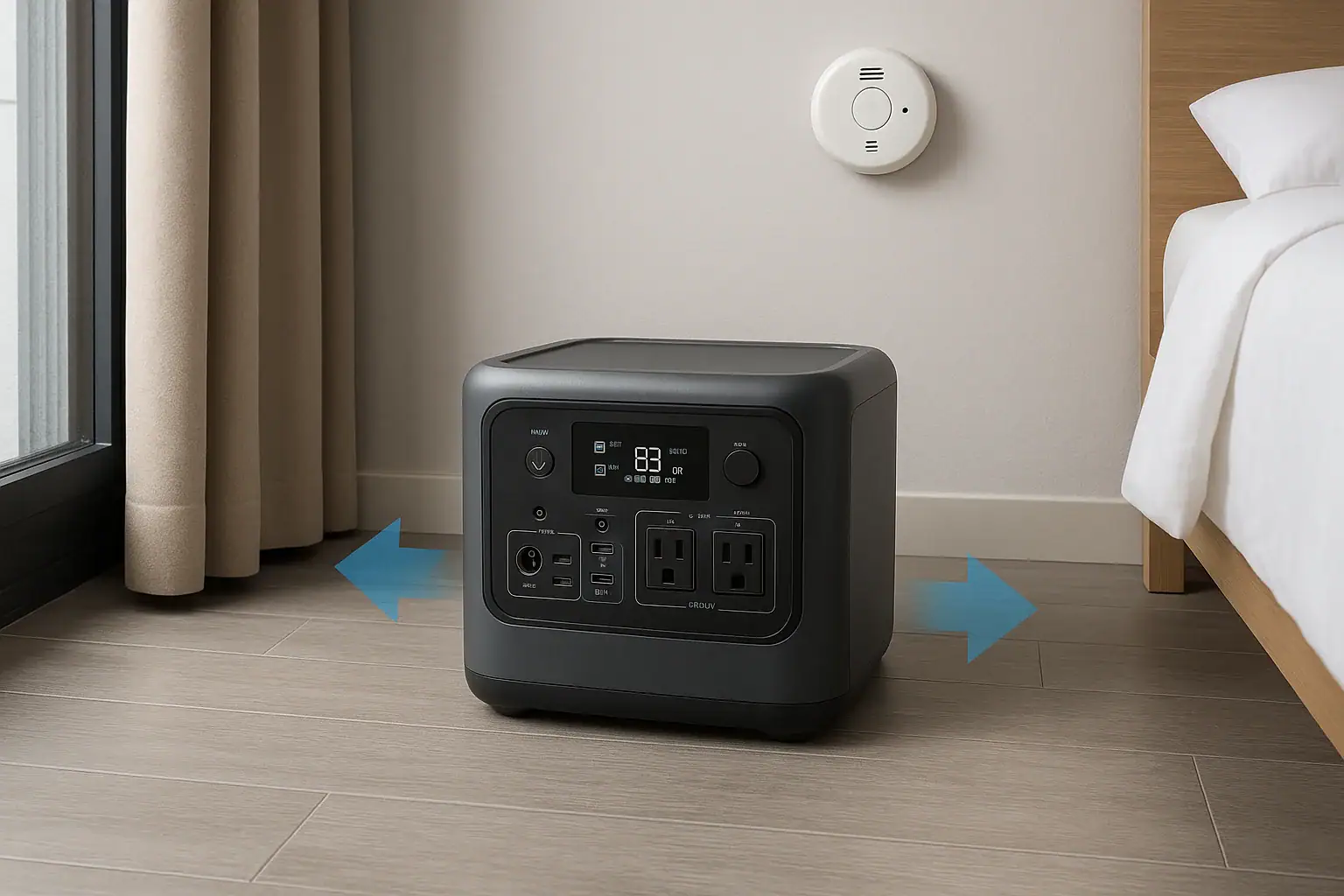
A portable power station can be used safely in an apartment when it is charged, stored, and operated with clear space, the right load, and attention to warning signs.
The main fire safety concerns are heat buildup, overloaded AC outlets, damaged cords, improper storage, and charging outside the unit’s input limit. Apartment users also need to think about ventilation, surge watts, runtime, smoke alarms, battery management system protections, and whether a device has a thermal cutoff before using it near furniture or sleeping areas.
This checklist explains what to inspect before, during, and after use. It is written for everyday apartment situations such as outage backup, working from home, medical-adjacent comfort devices, internet equipment, and small kitchen or lighting loads. It does not cover wiring a power station into a home electrical panel.
What an Apartment Fire Safety Checklist Means and Why It Matters
A portable power station fire safety checklist is a simple routine for reducing the chance of heat, electrical faults, smoke, or battery damage while using stored battery power indoors. In an apartment, the margin for error can be smaller because rooms are compact, exits may be shared, storage closets may be crowded, and neighbors can be affected by smoke or fire.
The goal is not to treat every power station as dangerous. Modern units commonly include protective electronics, a battery management system, internal fusing, over-temperature protection, and automatic shutoff. However, those protections work best when the unit is used within its design limits. A power station placed under blankets, pushed against a wall, connected to a damaged extension cord, or asked to run a load above its rating can still become a hazard.
A good checklist focuses on four questions: Is the power station physically sound? Is the location safe? Is the connected load within the rated output? Is the charging method appropriate? If any answer is uncertain, pause before use. In an apartment, a pause is much easier than dealing with burned flooring, smoke damage, or a blocked exit path.
Fire safety also matters for practical reasons. A power station that overheats or trips repeatedly may not be available during an outage. A unit stored at an extreme state of charge or in a hot closet can lose capacity faster. Proper safety habits protect both the apartment and the usefulness of the battery over time.
How Fire Risk Develops in Portable Power Stations
Most apartment fire risks around portable power stations come from heat. Heat can be created by the battery during charging or discharging, by the inverter while producing AC power, by a wall charger, or by undersized cords and adapters. Heat becomes more concerning when the unit has poor airflow or is surrounded by combustible materials.
The battery management system monitors conditions such as voltage, current, temperature, and charging behavior. If the system detects a problem, it may reduce output or shut the unit down. This is why sudden shutdowns, error icons, repeated beeping, or charging interruptions should be treated as troubleshooting cues rather than annoyances to bypass.
Output ratings also matter. A power station may list continuous watts and surge watts. Continuous watts describe what it can provide steadily. Surge watts describe short startup bursts for motors, pumps, compressors, and similar devices. A load that looks acceptable at first can still trip protection or create excess heat if its startup surge is high.
Charging is another key area. Charging from a wall outlet, vehicle port, or solar input should stay within the unit’s input limit. Using mismatched adapters, daisy-chained power strips, or damaged cords can increase resistance and heat. If a plug, brick, or cable feels unusually hot, stop using it and inspect the setup after it cools.
| Checklist area | What to check | Why it matters |
|---|---|---|
| Placement | Hard, flat surface with open space around vents | Reduces heat buildup near soft or combustible materials |
| Load | Connected devices stay below continuous output and surge capacity | Prevents overloads, shutdowns, and excess inverter heat |
| Charging | Correct charger or input method within the listed input range | Limits overheating from mismatched charging equipment |
| Cords | No fraying, loose plugs, scorch marks, or warm extension cords | Damaged conductors and poor contacts can create hot spots |
| Warning signs | No swelling, odor, smoke, hissing, error codes, or rapid heat rise | Early action can prevent a minor issue from becoming dangerous |
Real-World Apartment Examples
Consider a work-from-home outage setup. A renter wants to keep a modem, router, laptop, monitor, and lamp running. These are usually modest loads, but the checklist still applies. The power station should sit on a hard floor or open shelf, not on a bed or sofa. The AC adapter for the laptop should fit securely, cords should not run under rugs, and the total wattage should leave headroom below the power station’s continuous output.
A second example is a refrigerator or mini fridge. These can be more demanding because compressors often draw a brief startup surge. A power station that can run lights and electronics may still be undersized for a compressor load. If the unit trips when the compressor starts, repeatedly resetting it is not a solution. The safer response is to reduce the load or use equipment sized for that surge behavior.
A third example is overnight use for fans, communication devices, or medical-adjacent comfort items that are not life-support equipment. The power station should not be placed beside bedding, behind curtains, or inside a closed cabinet. It should be accessible, visible if possible, and near a working smoke alarm. Apartment users should avoid creating trip hazards across walking paths, especially near exits.
A fourth example is solar charging from a balcony. The power station itself should remain protected from rain, puddles, and direct overheating on extremely hot surfaces. Cables should not be pinched by doors or windows. If balcony rules, lease terms, or building fire policies restrict equipment placement, those rules should be followed. For anything involving building wiring, a qualified electrician or property management approval is appropriate.
Common Mistakes and Troubleshooting Cues
The most common mistake is treating watt-hours as the only number that matters. Watt-hours estimate energy storage and runtime, but fire safety also depends on output watts, surge capacity, charge rate, temperature, cords, and ventilation. A large battery can still be unsafe if it is overloaded or trapped in a hot, cluttered corner.
Another mistake is covering the unit to reduce fan noise or hide display lights. Vent openings and cooling fans are there to move heat away from internal components. Blocking them can force the inverter and battery to operate hotter than intended. If fan noise is a problem, move the unit to a safer open location rather than covering it.
Loose connections are also warning signs. A plug that wiggles, sparks, or must be positioned at an angle should not be used. Brown discoloration, melting, crackling sounds, or a hot plastic smell around outlets, adapters, or cords should be treated seriously. Unplug the load if it is safe to do so, stop use, and replace damaged accessories. If smoke or fire appears, leave the area and call emergency services.
Repeated overload shutdowns are a troubleshooting cue. They may mean the appliance surge is too high, the total combined load is too large, or the unit is too warm. Do not bypass protections or attempt to modify the battery, inverter, or internal wiring. Choose a smaller load, improve ventilation, or use a power station with more suitable ratings.
Charging that stops unexpectedly can also signal a problem. It may be caused by high temperature, low temperature, a mismatched charger, or an input that exceeds the unit’s allowed range. Allow the unit to return to normal indoor temperature and review the correct charging method. If errors continue, discontinue use and seek qualified service support.
High-Level Fire Safety Basics for Apartment Use
Place the power station on a stable, hard, nonflammable or low-flammability surface whenever possible. Keep it away from bedding, clothing, paper piles, curtains, upholstered furniture, trash bins, and pet areas. Leave open space around intake and exhaust vents so cooling air can move freely.
Keep the unit dry. Portable power stations are electrical devices, and apartment risks often include spills, wet balcony floors, humid bathrooms, and kitchen counters near sinks. Do not operate a non-weather-rated unit in rain or where water can pool. If liquid enters the unit, stop using it and follow the manufacturer’s safety guidance.
Use only appropriate charging equipment and avoid daisy-chaining power strips. A wall outlet already serving a space heater, microwave, air conditioner, or other high-draw appliance is a poor place to add heavy charging demand. If an outlet is loose, discolored, buzzing, or frequently trips a breaker, ask property management or a qualified electrician to inspect it.
Do not use a portable power station as a substitute for proper apartment wiring. Avoid any attempt to feed power into wall outlets, breaker panels, transfer switches, or interlocks unless the setup has been designed and installed by a qualified electrician and approved where required. Backfeeding and improvised wiring can endanger residents, maintenance workers, and utility crews.
Keep exits clear. During an outage, cords and devices can spread across floors quickly. Route cords so they do not create trip hazards, especially between bedrooms and exits. A fire safety plan is not only about preventing ignition; it is also about making sure people can leave quickly if something goes wrong.
Maintenance and Storage for Lower Fire Risk
Maintenance is mostly about observation and clean habits. Before use, look for cracked housing, bulging, unusual odors, loose ports, missing covers, melted plastic, or signs of impact. A unit that has been dropped or crushed should be treated cautiously even if it still turns on.
Keep vents clear of dust and lint. In apartments with pets, carpet, or limited storage, debris can collect around cooling openings. Use only external cleaning methods recommended for consumer electronics, such as a dry cloth around the exterior. Do not open the case or attempt to clean internal parts.
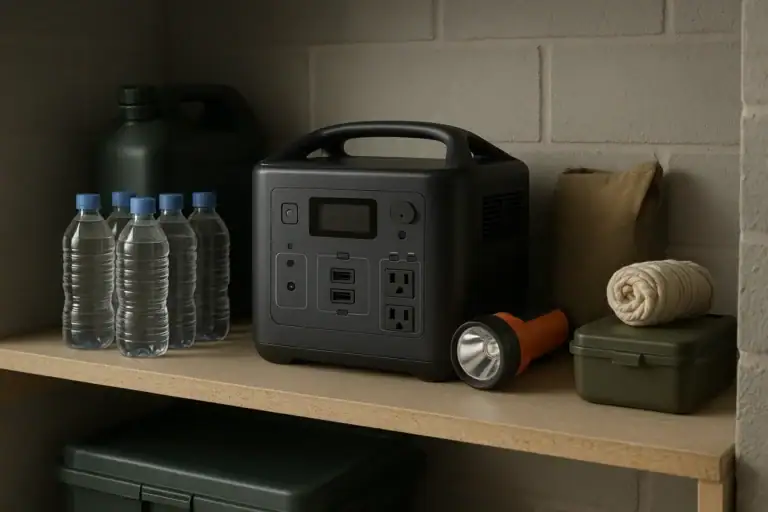
Store the power station in a dry indoor location with moderate temperature. Avoid hot cars, direct sun through windows, radiator areas, damp storage rooms, and tightly packed closets. Leaving space around the unit during storage helps prevent unnoticed heat exposure and physical damage.
State of charge matters for long-term battery health. Many manufacturers suggest storing lithium battery products partially charged rather than completely full or empty for long periods. A practical apartment habit is to check the display periodically and recharge if it has dropped significantly. Follow the unit’s manual for its specific storage range.
Test the unit before storm season or planned outages. A short test with a modest load can confirm that outlets, display, fans, and charging behavior appear normal. Testing also helps you estimate runtime realistically instead of discovering during an outage that the load is too high or the battery was stored nearly empty.
| Storage factor | Lower-risk practice | Concern to avoid |
|---|---|---|
| Temperature | Store at typical indoor room temperatures | Hot windows, heaters, freezing balconies, or parked vehicles |
| Charge level | Store partially charged and check periodically | Leaving the battery empty or full for many months |
| Location | Use an open shelf or uncluttered closet area | Crushing the unit under boxes or surrounding it with fabrics |
| Inspection | Look for damage before charging or use | Ignoring cracks, swelling, odors, or repeated error codes |
| Readiness | Test with a small load before outage season | Relying on an untested unit during an emergency |
Related guides: Are Portable Power Stations Safe for Indoor Use? • Portable Power Stations for Apartments • Extension Cords and Power Strips: Safe Practices With Portable Power Stations
Practical Takeaways and Specs to Look For
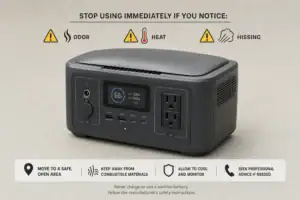
The safest apartment setup is simple: keep the power station visible, cool, dry, undamaged, and comfortably within its ratings. Do not cover it, overload it, charge it with unknown accessories, or place it where a problem could block an exit. Treat heat, odor, smoke, swelling, sparking, and repeated shutdowns as stop signs.
For apartment users, the right specifications are not only about maximum capacity. A safer, more practical unit provides enough output for the intended devices, enough surge capacity for startup loads, clear safety certifications, readable status information, and charging options that fit ordinary indoor use without improvised adapters.
Specs to look for
- Battery chemistry: Look for clearly stated lithium chemistry, such as LFP or another documented type, with safety information; chemistry affects cycle life, heat behavior, and storage confidence.
- Battery capacity: Look for watt-hours matched to the expected runtime, such as 300–700 Wh for small electronics or 1,000 Wh and above for larger backup needs; capacity helps prevent overdraining during outages.
- Continuous AC output: Look for a watt rating above your normal combined load with headroom, such as keeping a 400 W load on a unit rated well above that; headroom reduces heat and nuisance shutdowns.
- Surge watts: Look for surge capacity that can handle motors or compressors, often 1.5–2 times the running wattage; startup loads can exceed the number shown on an appliance label.
- Charge input limit: Look for clearly listed AC, solar, or DC input ranges and maximum watts; staying within the input limit reduces overheating and charging errors.
- Thermal protection: Look for over-temperature shutdown, fan cooling, and temperature warnings; these features help the unit respond before heat becomes unsafe.
- Battery management system: Look for overcurrent, overvoltage, undervoltage, short-circuit, and temperature protections; a robust BMS is central to safe lithium battery operation.
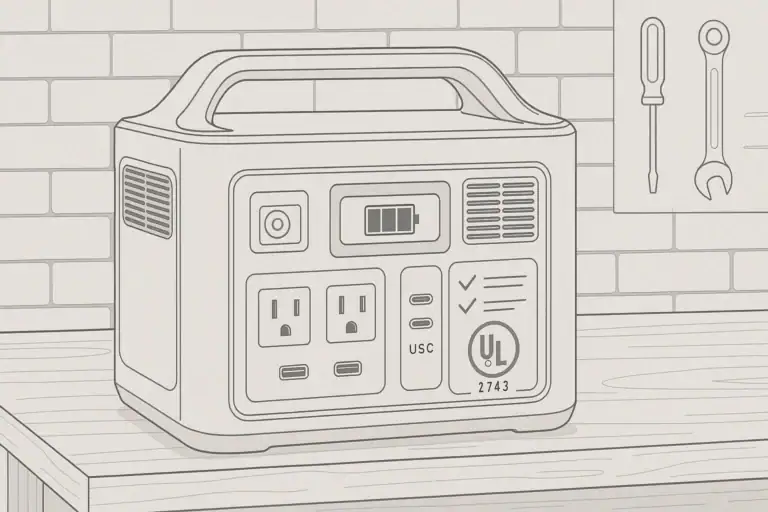
- Safety certifications: Look for recognized electrical and battery safety testing marks appropriate to the device category; third-party testing adds confidence beyond marketing claims.
- Display and alerts: Look for readable input watts, output watts, battery percentage, runtime estimate, and error indicators; clear feedback helps you spot overloads and abnormal charging early.
Use this checklist before every extended apartment use: inspect the unit, place it on a hard open surface, confirm the load is within continuous and surge ratings, use the correct charger, keep cords cool and undamaged, and stop immediately if warning signs appear. For any connection involving building wiring, panels, or permanent electrical work, consult a qualified electrician rather than improvising.
Frequently asked questions
How do I know if my portable power station is safe to use in an apartment?
Check that the unit has no swelling, cracks, unusual odors, loose ports, or signs of overheating. It should be used on a hard surface with open space around vents, and the connected load should stay within the rated output. If anything looks or smells abnormal, stop using it and inspect it before continuing.
What specs matter most for apartment fire safety?
Look for clear continuous watt ratings, surge watt ratings, listed charge input limits, and built-in temperature and battery protections. A visible display with error indicators also helps you spot problems early. Safety certifications and a documented battery management system add another layer of confidence.
What is the most common mistake people make with portable power stations?
One common mistake is covering the unit or placing it in a cramped spot to hide noise or lights. That blocks airflow and can raise internal temperatures. Another frequent issue is using damaged cords or overloaded power strips, which can create hot spots and electrical stress.
Can I leave a portable power station charging overnight in my apartment?
It can be acceptable if the unit and charger are designed for that use and the setup stays cool, dry, and unobstructed. Keep it away from bedding, curtains, and other combustibles, and avoid charging through damaged cords or questionable adapters. If the unit becomes hot, stops charging repeatedly, or shows an error, disconnect it and investigate.
Where should I place it to reduce fire risk?
Place it on a stable hard floor or open shelf with clear space around the vents. Keep it away from bedding, paper, clothing, curtains, and other flammable items. It should also be positioned so it does not block exits or create a trip hazard.
What should I do if the unit smells hot or shuts off repeatedly?
Stop using it and disconnect the load if it is safe to do so. A hot smell, repeated shutdowns, or error messages can indicate overload, poor ventilation, a charging issue, or internal fault protection activating. Let it cool, check the cords and load, and seek qualified service if the problem continues.
Related guides
Browse this topic →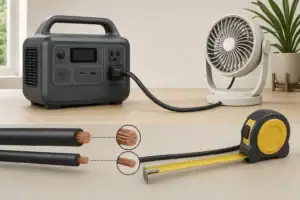
- Beginner-friendly sizing, runtime & specs
- Solar & charging (MPPT, fast charging, cables)
- Batteries (LiFePO4, cycles, care & storage)
- Safety, cold-weather performance, real-world tips
More in Safety
See all →- Childproofing a Portable Power Station at Home: Cables, Heat, Buttons, and Pets
- Can You Take a Portable Power Station on a Plane? Battery Limits and Safer Travel Planning
- What to Do If a Portable Power Station Gets Wet
- UL 2743 Certification Explained for Portable Power Stations
- Lithium Battery Safety Myths vs Reality: What Actually Causes Incidents
Keep reading
About this site
Portable Energy Lab publishes practical, independent guides about portable power—clear sizing, safe use, and real-world expectations.
Affiliate disclosure
Some links on this site may be affiliate links. If you buy through these links, we may earn a small commission at no extra cost to you. This helps support our content. Read our affiliate disclosure.