
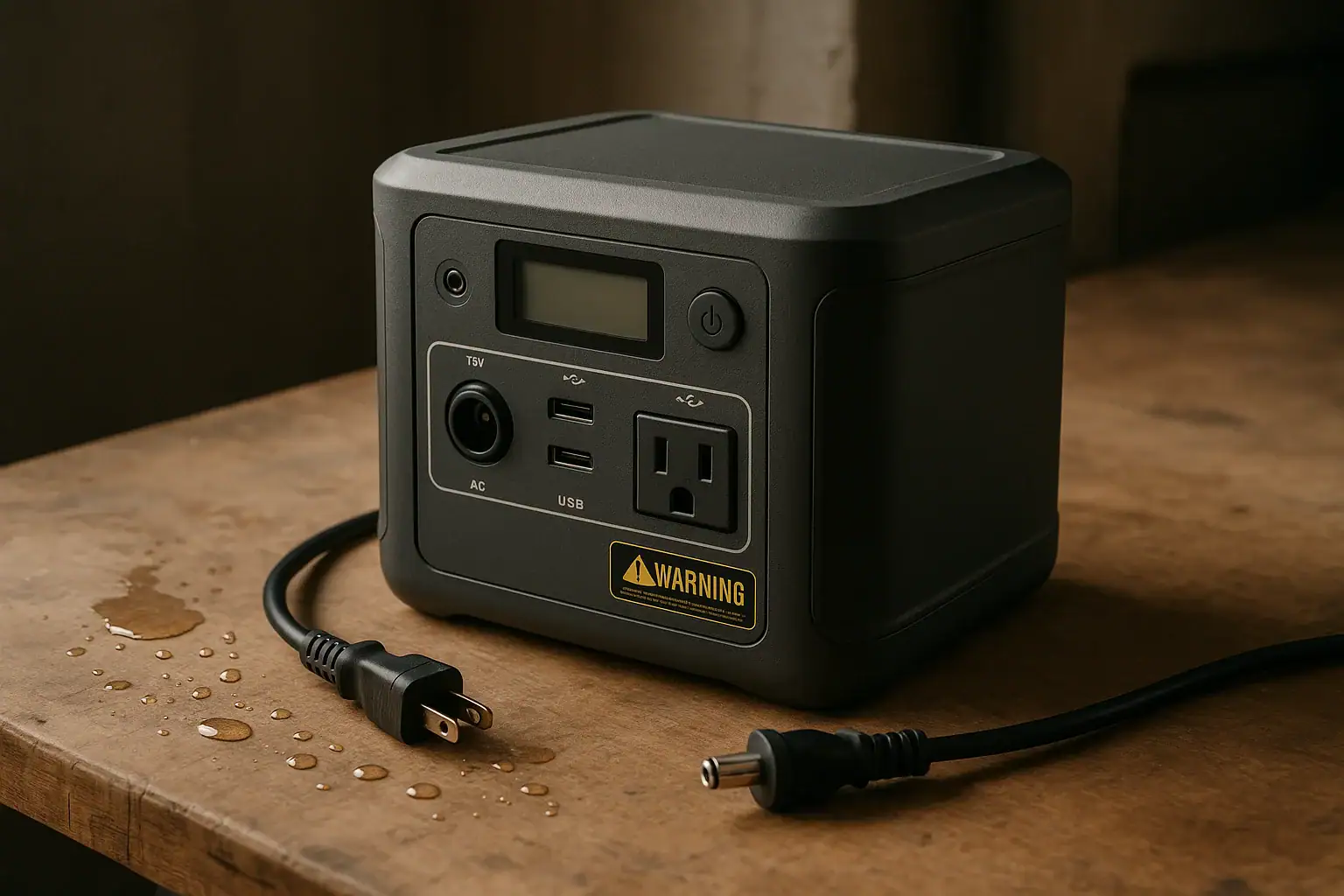
If a portable power station gets wet, turn it off if it is safe to do so, disconnect all cables, stop charging or discharging it, and keep it away from people and flammable materials until it is fully assessed.
Water can create a short circuit, corrode charging ports, damage AC outlets, confuse the battery management system, or make a unit unsafe even after the outside looks dry. Search terms like IP rating, wet charging port, inverter fault, USB-C PD profile, and water-damaged battery all point to the same issue: moisture and electricity do not mix.
The safest response depends on how wet it got. A few raindrops on a closed, rated case are different from water inside a port, a spilled drink, or flood exposure. This guide explains what to do, what not to do, and which specs matter when choosing or evaluating a portable power station for damp real-world conditions.
What it means when a portable power station gets wet and why it matters
A portable power station is a battery-powered electrical device with high-capacity cells, a control board, charging circuits, DC outputs, USB ports, and usually an AC inverter. When it gets wet, the problem is not only the visible water on the outside. The larger concern is whether moisture has reached electronic components, ports, cooling vents, seams, buttons, or the internal battery enclosure.
Water can conduct electricity, especially when it contains minerals, dirt, salt, soap, or residue from a drink. Even a small amount of contaminated moisture can bridge contacts that were never meant to touch. That can trigger a fault, create heat, damage a circuit board, or start corrosion that appears days or weeks later.
The risk also depends on whether the unit was operating at the time. A power station that was off, unplugged, and exposed to light mist may only need careful drying and inspection. A unit that was charging from solar, powering an appliance, or sitting in standing water should be treated as potentially unsafe. If there was smoke, a burning smell, popping sounds, swelling, unusual heat, or repeated error codes, do not keep trying to use it.
Portable power stations are not all built for the same environment. Some have gasketed covers and limited splash resistance, while others are intended only for dry indoor or sheltered outdoor use. Understanding what the exposure means helps prevent two common outcomes: discarding a unit that only had minor surface moisture, or continuing to use a unit that may have hidden water damage.
How water affects the battery, inverter, ports, and protective systems
The battery cells inside a modern portable power station are managed by a battery management system, often called a BMS. The BMS monitors conditions such as voltage, temperature, current, and sometimes cell balance. It can shut the device down during overcurrent, overheating, overdischarge, or other fault conditions. However, protective electronics are not a guarantee against water damage. Moisture can affect the sensors and control circuits that those protections depend on.
The AC inverter is another sensitive area. It changes stored DC battery power into household-style AC power. Inverter electronics operate at voltages that require insulation, spacing, and clean pathways. Water, dirt, or residue can compromise those pathways. That is why a wet AC outlet or inverter fault should be taken seriously, even if the display still turns on.
USB-A, USB-C, DC barrel ports, car-style sockets, and solar charging inputs are also vulnerable. Ports can trap droplets, and metal contacts may corrode. USB-C ports are especially compact, so moisture or residue can interfere with data negotiation, PD profile selection, or fast-charging behavior. A power station may appear normal but charge slowly, disconnect repeatedly, or report an input error after the port has been wet.
Cooling vents and fans matter too. If water enters through a vent, it may reach internal boards or remain trapped where air circulation cannot dry it quickly. A fan that starts while moisture is inside can spread droplets or pull humid air deeper into the device. For that reason, avoid the temptation to immediately power the unit on just to see if it still works.
| Wetness scenario | What it may indicate | Typical risk level |
|---|---|---|
| Light rain on a closed case | Surface moisture, especially if port covers were closed | Lower, but still inspect before use |
| Water in output or charging ports | Possible contact corrosion or shorting path | Moderate to high |
| Spill from coffee, soda, or saltwater | Conductive or sticky residue that can remain after drying | High |
| Standing water or flood exposure | Possible internal contamination and battery damage | Very high |
Real-world examples of wet portable power station situations
One common scenario is light rain at a campsite. The power station may be under an awning, but wind pushes water onto the case. If the outlets were covered, the unit was not plugged in, and no water entered the vents, the main response is to move it to a dry sheltered location, wipe the exterior, and allow time for moisture to evaporate before use. The important point is not to keep running appliances while the case is wet.
Another example is a solar charging setup on a cloudy day. The power station may be outdoors while panels are connected. If rain starts, the solar input cable and port can become wet. In that case, disconnecting should only be done if you can do it safely and without touching wet metal contacts. Afterward, the input port should be allowed to dry completely before another charging attempt.
A kitchen spill is different. A drink spilled onto the top of a power station can flow into buttons, display edges, outlet covers, fan grilles, or USB ports. Sugary and acidic liquids are more damaging than clean water because they leave residue. Even when the unit powers on later, sticky residue can cause intermittent faults. This is a case where professional evaluation or manufacturer guidance is more appropriate than repeated testing.
Garage and basement use creates another set of risks. A power station stored on the floor can be exposed to seepage, condensation, or minor flooding before anyone notices. If the bottom of the unit sat in water, assume that moisture may have reached seams, vents, or low-mounted ports. Do not connect it to refrigerators, sump pumps, heaters, or other loads until it has been fully evaluated.
Vehicle and boat use can also be deceptive. Humid air, wet gear, open coolers, and salt spray may not look like a dramatic event, but they can still affect connectors over time. Saltwater exposure is especially serious because salt residue remains conductive and corrosive after the visible water is gone.
Common mistakes and troubleshooting cues after water exposure
The biggest mistake is immediately turning the unit back on to check whether it works. A display that lights up does not prove that the device is safe. Powering electronics while moisture is present may turn a recoverable exposure into permanent damage. If the unit was already on when it got wet, turn it off only if it can be done safely without touching wet outlets, wet plugs, or standing water.
Another common mistake is charging too soon. Charging stresses the battery and charging circuits. A wet input port, damp solar connector, or moisture around the AC charging socket can cause arcing, heat, or error codes. If a portable power station was wet, do not connect it to wall power, solar panels, a vehicle outlet, or another charger until it is dry and inspected.
Users also underestimate residue. Clean-looking water may contain minerals. Outdoor water may contain dirt. Floodwater may contain chemicals or sewage. Soda, coffee, and sports drinks can leave conductive films. If the exposure involved anything other than clean freshwater on the exterior, the caution level should be higher.
Troubleshooting cues include repeated shutdowns, a fan running unusually, a flickering display, unexpected beeping, reduced charging input, unstable USB-C charging, an inverter overload message with no load attached, a warm spot on the case, or a strange smell. Any of these signs after wet exposure suggest that the unit should be taken out of service until it can be evaluated.
A practical rule is to separate exterior drying from safety confirmation. Wiping the case and waiting can remove visible moisture, but it does not confirm that internal areas are dry or undamaged. If water may have entered the unit, do not open the case yourself or attempt to dry internal parts. Opening a battery power station can expose hazardous components and may damage seals or protections.
Safety basics before handling or using a wet power station
Start by thinking about personal safety. Do not touch wet plugs, wet outlets, or a power station sitting in water. If it is connected to household circuits, an RV system, a vehicle, solar panels, or appliances, avoid contact until the situation is safe. If there is any possibility that water and live AC power are involved, get help from a qualified electrician or emergency professional as appropriate.
Move people, pets, paper, fabric, fuel, and other flammable items away from the power station if you can do so without risk. A lithium battery device that is hot, smoking, hissing, swollen, leaking, or giving off a sharp chemical odor should be treated as a serious hazard. Do not place it inside a living area, closet, vehicle cabin, or near exits while it is suspect.
If the unit is only damp on the exterior and there is no sign of damage, place it in a dry, ventilated, shaded area. Do not use an oven, space heater, hair dryer at close range, open flame, or direct high heat to speed drying. Excessive heat can damage the battery, deform seals, or create a new hazard. Gentle airflow in a dry environment is safer than heat.
Do not put rice, loose desiccant, powders, or absorbent material into ports or vents. These materials can leave dust, starch, or particles that create new problems. Also avoid spraying cleaners, alcohol, or contact cleaner into the unit. Surface cleaning is different from internal repair, and wet internal electronics should not be treated casually.
If the power station was submerged, exposed to saltwater, contaminated by floodwater, or showed any thermal or electrical warning signs, stop using it. Contact the manufacturer’s support channel, a qualified electronics service provider, or a battery recycling facility for next steps. If the device is part of a home backup setup, have the connected electrical equipment inspected by a qualified electrician before reuse.
Maintenance and storage practices that reduce wet-weather risk
Most wet power station problems can be prevented with storage and handling habits. Store the unit above floor level, especially in basements, garages, sheds, or utility rooms where minor flooding can occur. A shelf, dry cabinet, or raised platform reduces the chance that the bottom of the case sits in water unnoticed.
Keep port covers closed when outputs are not in use. Covers are not the same as waterproofing, but they help reduce dust and splashes. When using the unit outdoors, place it under a shelter that protects against wind-driven rain while still allowing airflow. Do not wrap it tightly in plastic during operation, because blocked ventilation can lead to overheating.
Check the unit before seasonal use. Look for cracked outlet covers, missing rubber flaps, damaged charging cables, corrosion around ports, loose buttons, or a display window that appears foggy. Fogging can indicate moisture trapped near the screen or inside the enclosure. If you see corrosion or residue, do not scrape contacts aggressively or insert metal tools into ports.
Storage charge level also matters for long-term battery health, although it does not make the unit water-resistant. Many lithium power stations store best at a partial charge rather than completely full or completely empty. During storage, keep the device in a cool, dry, ventilated area away from direct sun, freezing condensation, and high humidity.
After outdoor trips, wipe the case, inspect the cable ends, and let the unit acclimate before storing it in a closed bag or bin. Trapping humid air around a warm device can encourage condensation. If the unit has been in a cold vehicle and is brought indoors, give it time to reach room temperature before charging so condensation does not form around cooler internal parts.
| Storage or use condition | Better practice | Why it helps |
|---|---|---|
| Garage or basement floor | Store on a raised, dry shelf | Reduces flood and seepage exposure |
| Outdoor use in changing weather | Use a ventilated shelter, not a sealed bag | Limits splash risk while preserving cooling |
| After cold-to-warm temperature changes | Let the unit acclimate before charging | Helps reduce condensation around electronics |
| Ports not in use | Keep covers closed and cables dry | Protects connectors from droplets and debris |
Related guides: Water, Humidity, and IP Ratings: What “Splash Resistant” Really Means • How to Clean and Inspect Ports, Cables, and Fans (Without Causing Damage) • How to Maintain a Portable Power Station
Practical takeaways and specs to look for before the next purchase
If a portable power station gets wet, the safest default is to stop using it until the exposure is understood. Disconnect loads and chargers if safe, keep it away from people and combustibles, let exterior moisture dry in a ventilated area, and watch for warning signs. Do not open the unit, bypass protections, force charging, or assume that a working display means the device is safe.
For minor surface moisture on a closed case, careful drying and inspection may be enough. For wet ports, spilled liquids, saltwater, floodwater, heat, odor, smoke, swelling, or repeated faults, take the unit out of service and seek qualified guidance. Water exposure is not only an inconvenience; it can affect electrical safety, battery health, and long-term reliability.
Specs to look for
- IP rating: look for examples such as IPX4 for splash resistance or higher ratings for more demanding environments; this helps set realistic expectations for rain, splashes, and dust.
- Covered ports and gasket design: look for firm-fitting covers over AC, DC, USB, and charging inputs; protected connectors are less exposed when the unit is stored or idle.
- Operating humidity range: look for a stated range such as 10% to 90% relative humidity, non-condensing; this matters in garages, RVs, coastal areas, and damp campsites.
- Operating temperature range: look for examples around 32°F to 104°F for charging and a wider range for discharging; temperature swings can create condensation and affect battery safety.
- Battery management protections: look for overcurrent, overtemperature, short-circuit, overcharge, and overdischarge protection; these safeguards can reduce risk when abnormal conditions occur.
- Input port design and limits: look for clearly labeled solar, AC, vehicle, and USB-C input limits, such as maximum volts and amps; wet or dirty inputs are easier to manage when connectors and limits are clear.
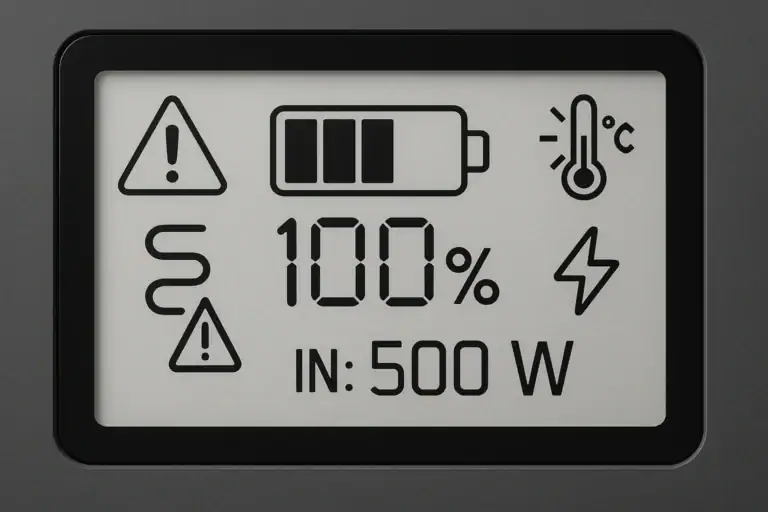
- Charging status and fault display: look for visible error messages, input watt readings, and temperature warnings; clear diagnostics help identify problems after moisture exposure.
- Cooling layout: look for vents and fans that are easy to keep unblocked and away from ground splash; good airflow supports safe operation without encouraging unsafe sealed coverings.
- Service and recycling guidance: look for documentation that explains water exposure, inspection, and end-of-life handling; this matters if the unit is submerged, contaminated, or no longer safe to use.
The best protection is prevention: keep the power station dry, elevated, covered from weather, and ventilated during use. If water exposure does happen, respond slowly and cautiously rather than testing repeatedly. A portable power station can be extremely useful in emergencies and outdoor settings, but it should be treated as a high-energy electrical device whenever moisture is involved.
Frequently asked questions
Can a portable power station still work after it gets wet?
Yes, it may still power on after a minor exposure, but that does not mean it is safe to use. Moisture can cause delayed corrosion, intermittent faults, or hidden damage inside ports and circuits. If there was any sign of submersion, residue, heat, odor, or error codes, it should be taken out of service until it is evaluated.
What should I do first if my portable power station gets wet?
If it is safe, turn it off, disconnect all cables, and stop charging or discharging it. Move it away from people and flammable materials, then let the exterior dry in a ventilated area. Do not try to power it back on right away to test it.
What common mistake should I avoid after water exposure?
The most common mistake is charging or turning the unit on too soon. Wet ports, damp connectors, and moisture inside the case can create arcing, heat, or a short circuit. Repeated testing can make a recoverable issue worse.
What specs or features matter most for wet-weather use?
Look for a clear IP rating, covered ports, gasketed covers, and a stated non-condensing humidity range. It also helps to have visible fault messages, temperature warnings, and well-labeled input limits. These features do not make a unit waterproof, but they help reduce risk and make problems easier to spot.
Is it safe to dry a wet power station with a hair dryer or heater?
No, high heat is not recommended. Excessive heat can damage seals, deform plastic parts, and stress the battery. Gentle airflow in a dry, shaded, ventilated area is the safer approach.
When should a wet portable power station be professionally checked?
Professional evaluation is a good idea if the unit was submerged, exposed to saltwater or floodwater, or shows smoke, swelling, odor, repeated faults, or unusual heat. It is also wise to seek help if water entered the ports or if the unit is part of a home backup system. In those cases, the risk is higher than simple surface moisture.
Related guides
Browse this topic →
- Beginner-friendly sizing, runtime & specs
- Solar & charging (MPPT, fast charging, cables)
- Batteries (LiFePO4, cycles, care & storage)
- Safety, cold-weather performance, real-world tips
More in Safety
See all →- Childproofing a Portable Power Station at Home: Cables, Heat, Buttons, and Pets
- Can You Take a Portable Power Station on a Plane? Battery Limits and Safer Travel Planning
- Portable Power Station Fire Safety Checklist for Apartments
- UL 2743 Certification Explained for Portable Power Stations
- Lithium Battery Safety Myths vs Reality: What Actually Causes Incidents
Keep reading
About this site
Portable Energy Lab publishes practical, independent guides about portable power—clear sizing, safe use, and real-world expectations.
Affiliate disclosure
Some links on this site may be affiliate links. If you buy through these links, we may earn a small commission at no extra cost to you. This helps support our content. Read our affiliate disclosure.