
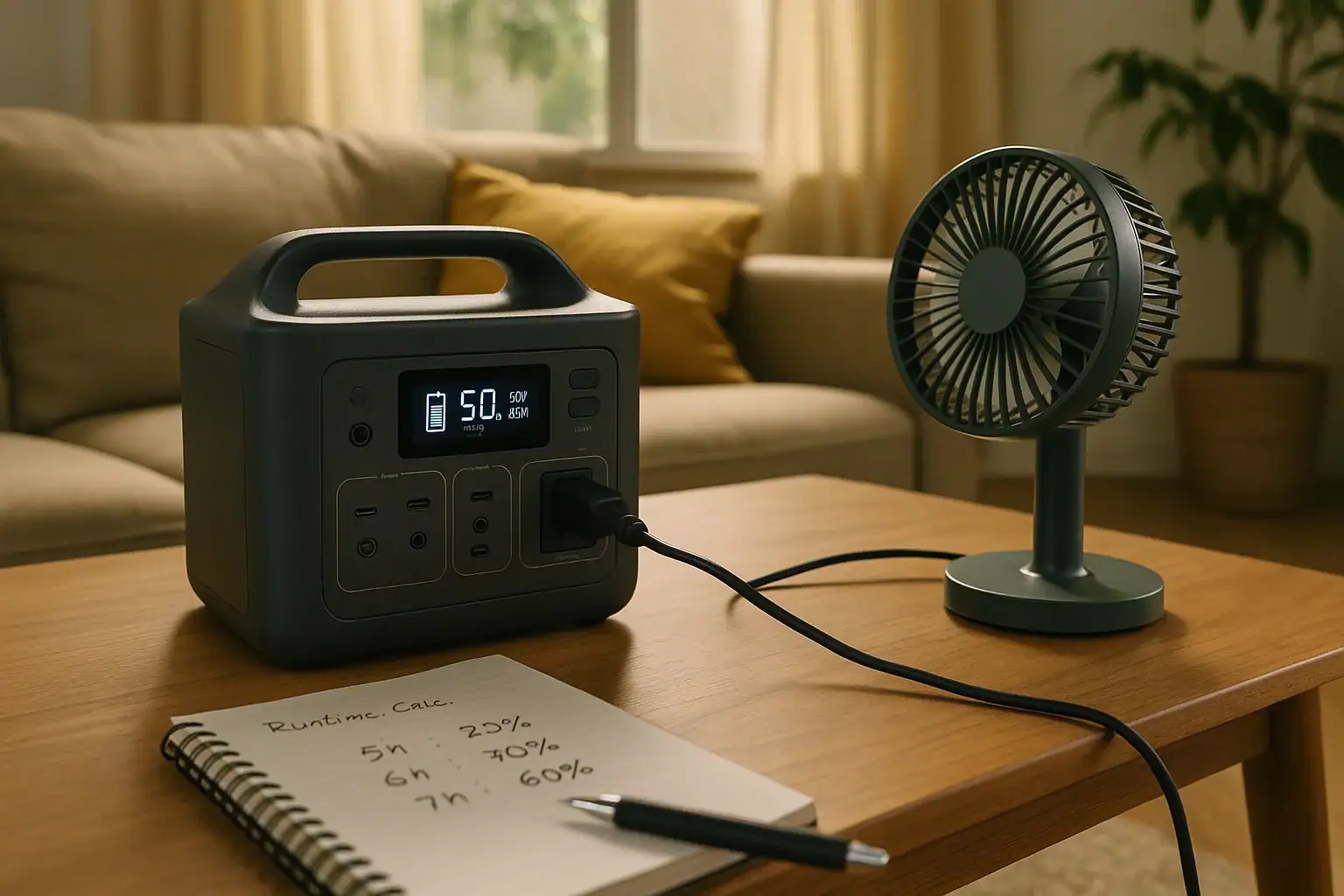
A portable power station can run a portable fan during a heat wave, but the actual runtime depends on the fan wattage, battery capacity in watt-hours, inverter efficiency, and whether you are using AC or DC power.
For most small fans, a mid-size power station can provide many hours of airflow, while a large floor fan or box fan can drain the battery much faster. The key is to compare the fan’s running watts with the station’s usable battery capacity, not just the advertised maximum output.
This guide explains how to plan fan runtime, estimate power draw, avoid common mistakes, and choose useful specs such as watt-hours, AC output, DC ports, recharge time, and pass-through charging support. It is written for home heat-wave preparedness, especially when utility power is unreliable or a room becomes unsafe without airflow.
What a Portable Power Station Does for a Fan During a Heat Wave
A portable power station is a rechargeable battery system with built-in outputs for powering small appliances and electronics. For a portable fan, it acts like a temporary outlet when grid power is unavailable, unstable, or inconvenient. In a heat wave, that can mean keeping air moving near a sleeping area, cooling one room instead of a whole home, or extending comfort during a short outage.
The most important idea is that a fan is usually a continuous load. Unlike a phone charger that may draw power for a short period, a fan may run for hours. That makes runtime planning more important than peak output alone. A fan that uses 20 watts is very different from one that uses 90 watts, even if both plug into the same AC outlet.
Portable power stations are not air conditioners. They do not lower room temperature by themselves unless they power cooling equipment, and most battery units are not sized to run high-wattage air conditioning for long. A fan can still help by improving evaporative cooling from skin, moving cooler air from another part of the home, and preventing stagnant indoor air. During extreme heat, however, airflow is only one part of safety planning.
How Runtime Planning Works: Watts, Watt-Hours, and Efficiency
Runtime planning starts with two numbers: the fan’s power draw in watts and the power station’s battery capacity in watt-hours. Watts measure how fast energy is being used. Watt-hours measure how much stored energy is available. A simple estimate is battery watt-hours divided by fan watts.
For example, a 500 watt-hour power station running a 25-watt fan might appear to provide 20 hours of runtime. In real use, the result is usually lower because of conversion losses, standby power, display power, fan speed changes, and automatic inverter overhead. When using an AC outlet, a practical planning estimate is often 80% to 90% of the stated battery capacity for small to moderate loads. Very tiny loads may be affected more by inverter overhead.
Connection type matters. If your fan can run from USB-C, USB-A, or a DC barrel output, it may avoid the AC inverter and use less energy. If it must plug into a standard wall-style outlet, the inverter converts battery DC into AC, which costs some energy. For heat-wave planning, use conservative numbers so you are not surprised late at night.
| Fan type | Typical running watts | Estimated runtime from 500 Wh usable at 85% |
|---|---|---|
| Small USB desk fan | 5 to 10 W | About 42 to 85 hours |
| Compact personal AC fan | 15 to 30 W | About 14 to 28 hours |
| Medium pedestal fan | 35 to 60 W | About 7 to 12 hours |
| Large box fan | 60 to 100 W | About 4 to 7 hours |
Real-World Runtime Examples for Home Heat-Wave Use
Consider a small bedroom at night. A 20-watt personal fan connected to a 300 watt-hour power station through AC may have a practical usable energy budget around 240 to 270 watt-hours. Dividing by 20 watts gives roughly 12 to 13.5 hours. That is usually enough for one overnight period, especially if the fan is placed close to the person who needs cooling.
Now compare that with a 70-watt box fan on the same 300 watt-hour unit. The practical runtime may fall to about 3.5 to 4 hours. The fan moves more air, but it consumes energy quickly. In that case, a lower fan speed, smaller fan, or larger battery can make a noticeable difference.
A daytime living-room plan may be different. Suppose a 40-watt pedestal fan runs from a 700 watt-hour power station with 85% usable capacity. The practical energy budget is about 595 watt-hours, giving roughly 14 to 15 hours. If the power station is also charging phones, running a router, or powering a lamp, subtract those watts from the budget.
For emergency planning, think in blocks of time. You might need 8 hours for sleeping, 4 hours for the hottest afternoon period, and reserve capacity for communications. A fan that feels efficient for casual use may not be the best choice if it uses twice the wattage of another fan at a similar comfort level.
Common Mistakes and Troubleshooting Cues
One common mistake is planning from the power station’s output rating instead of its capacity. A unit that can output 600 watts is not guaranteed to run a fan longer than a unit that outputs 300 watts. Output rating tells you what the station can handle at one moment. Watt-hours tell you how long it may last.
Another mistake is ignoring fan speed. Many fans use significantly more power on high than on low. If comfort allows, a lower speed can stretch runtime. Oscillation, lights, digital controls, and ionizer-style features may also add small amounts of draw.
If the fan will not start, check whether the station’s AC outlet is turned on, whether the fan’s plug is fully seated, and whether the fan’s starting surge is briefly exceeding the inverter output. Most portable fans do not have large surge watts compared with refrigerators or pumps, but some motors may still draw more at startup than while running. Trying a lower speed setting at startup may help if the fan design allows it.
If the power station shuts off while the fan is running, possible causes include low battery, overload protection, overheating, blocked ventilation, or an automatic eco mode that does not detect very low loads. Small USB fans can be especially tricky because their draw may be below the station’s minimum detection threshold on some outputs.
If runtime is far shorter than expected, recheck the actual watts with the fan on the intended speed. Also account for other connected loads. A router, modem, phone charger, and light may seem minor, but together they can reduce overnight fan runtime.
Safety Basics for Using a Fan and Power Station in Extreme Heat
Use the power station in a dry, ventilated location and keep its vents clear. Battery systems generate heat while discharging and especially while recharging. Do not cover the unit with towels, bedding, clothing, or curtains. In a heat wave, indoor temperatures can already be high, so extra airflow around the unit matters.
Keep the fan cord routed where it will not be pinched, tripped over, or pulled loose. Do not use damaged cords, loose adapters, or devices that smell hot or show signs of melting. If an extension cord is necessary, use one rated for the load and keep it as short and neat as practical.
Do not open the power station, modify battery packs, bypass protection circuits, or attempt improvised wiring. A portable power station should be used as a standalone device through its built-in ports and outlets. For any connection to home electrical systems, transfer equipment, or permanent backup wiring, consult a qualified electrician.
Heat illness risk should be taken seriously. A fan may not be enough when indoor temperatures are extremely high, especially for older adults, infants, people with certain medical conditions, and pets. If the room remains dangerously hot, prioritize moving to a cooler location, using a cooling center, or seeking medical help when symptoms such as confusion, fainting, or inability to cool down appear.
Maintenance, Storage, and Recharge Planning
Heat-wave readiness depends on the power station being charged before it is needed. Store it according to the manufacturer’s general guidance, usually in a cool, dry place away from direct sun. Avoid leaving it in a hot vehicle, attic, or unventilated shed during summer, because high heat can accelerate battery wear.
Check the state of charge periodically during the season. For emergency use, many households keep the unit partially or fully charged depending on expected outage risk and the battery chemistry. The practical goal is simple: do not discover an empty battery when the room is already hot.
Recharge time is part of runtime planning. If grid power returns briefly, a station with faster AC recharge can be ready again sooner. If solar charging is part of the plan, remember that heat waves can bring strong sun but also clouds, smoke, storms, or limited panel placement. Solar input rating, panel angle, and shade can all affect recharge speed.
Test the fan and power station together before summer peaks. Run the fan on the speed you expect to use for one or two hours and note the battery percentage drop. This real-world check is often more useful than relying only on label estimates.
| Preparation task | Suggested timing | Why it helps |
|---|---|---|
| Charge the power station | Before forecasted extreme heat | Maximizes available fan runtime |
| Test fan wattage by speed | Early summer or before outage season | Improves runtime estimates |
| Inspect cords and ports | Monthly during heavy-use season | Reduces connection and heat risks |
| Plan recharge options | Before an outage | Helps extend use beyond one battery cycle |
Practical Takeaways and Specs to Look For
Related guides: Portable Power Station Watt-Hours Explained • AC vs DC Power: How to Maximize Efficiency and Runtime • Inverter Efficiency Explained: Why Your Runtime Is Shorter Than Expected
The best portable power station for a portable fan is not automatically the biggest or highest-output unit. It is the one with enough usable watt-hours for your target runtime, the right outlets for your fan, safe operation in warm indoor conditions, and a reasonable recharge plan. Start with the fan’s wattage, decide how many hours of airflow you need, then add a margin for efficiency losses and other small loads.
For one person sleeping near a small fan, a lower-wattage setup can be very effective. For a shared room, larger fan, or multi-day outage plan, capacity and recharge speed become more important. A practical plan should also include non-battery measures such as shading windows, using the coolest room, drinking water, and checking on vulnerable household members.
Specs to look for
- Battery capacity: Look for watt-hours that match your runtime target, such as 300 to 500 Wh for a small fan overnight or 700 Wh and above for longer use; this is the main driver of how long the fan can run.
- Usable capacity estimate: Plan around roughly 80% to 90% of rated capacity when using AC; this accounts for inverter losses and prevents overestimating runtime.
- AC output rating: Choose an output comfortably above the fan’s running watts, with extra room for startup; this helps avoid overload shutdowns.
- DC and USB outputs: Look for USB-C, USB-A, or regulated DC options if your fan supports them; DC operation can improve efficiency compared with AC inverter use.
- Low-load handling: Check whether the unit can keep very small loads running without shutting off; this matters for USB desk fans and ultra-efficient personal fans.
- Recharge speed: Compare AC recharge times such as 2 to 6 hours for many home-ready units; faster charging helps when grid power is intermittent.
- Solar input capability: Look for an input wattage and voltage range compatible with portable panels; this can extend fan use during longer outages if sunlight is available.
- Operating temperature range: Favor units designed to operate safely in typical hot indoor conditions; heat tolerance matters during summer outages.
- Display and watt meter: A screen showing watts in and out plus remaining battery percentage helps you adjust fan speed and predict remaining runtime.
As a quick planning formula, multiply your fan watts by the hours you need, then divide by an efficiency factor such as 0.85 for AC use. A 30-watt fan for 10 hours needs about 300 watt-hours at the fan, or roughly 353 watt-hours of rated battery capacity after accounting for losses. Add more capacity if you plan to power phones, medical devices, internet equipment, or lights at the same time.
During a heat wave, the goal is dependable airflow with realistic expectations. Know the fan’s draw, keep the battery charged, avoid unnecessary loads, and use the lowest comfortable fan speed. That simple approach can turn a portable power station into a practical part of a home heat-safety plan.
Frequently asked questions
How long can a portable power station run a portable fan?
Runtime depends mainly on the fan’s wattage and the power station’s usable watt-hours. A small 10-watt fan can run much longer than a 60-watt fan on the same battery. For a realistic estimate, divide usable watt-hours by the fan’s running watts and then reduce the result a bit for inverter losses if you are using AC.
What size portable power station do I need for a fan overnight?
For one small personal fan, a unit in the 300 to 500 watt-hour range is often enough for overnight use. If the fan is larger, or if you also want to charge phones or run a router, a larger battery is safer. The right size depends on the fan’s actual watt draw and how many hours you need.
What specs matter most when choosing a portable power station for a portable fan?
The most important specs are battery capacity in watt-hours, AC or DC output compatibility, and a continuous output rating above the fan’s running watts. Recharge speed, low-load handling, and a clear battery display also matter because they help with planning and avoid surprise shutdowns. If your fan supports DC or USB power, that can improve efficiency compared with AC use.
What is the most common mistake people make when estimating fan runtime?
The most common mistake is using the power station’s output rating instead of its battery capacity. Output rating tells you how much power the station can supply at one time, not how long it will last. Another common error is forgetting that fan speed changes power use, so runtime on high can be much shorter than on low.
Is it safer to run a fan from AC or DC on a portable power station?
Both can be safe if the equipment is compatible and used as intended. DC or USB power is often more efficient because it avoids inverter losses, but AC is fine for fans that only have a wall plug. Use the outlet type your fan is designed for and keep cords, vents, and the battery unit in good condition.
Can a portable power station keep a room cool during a heat wave?
A fan can improve comfort by moving air, but it does not actually cool a room the way an air conditioner does. It is most effective when used to move air across the body, improve ventilation, or support sleep in one occupied room. During extreme heat, a fan should be part of a broader safety plan that may include hydration, shade, and a cooler location.
Related guides
Browse this topic →
- Beginner-friendly sizing, runtime & specs
- Solar & charging (MPPT, fast charging, cables)
- Batteries (LiFePO4, cycles, care & storage)
- Safety, cold-weather performance, real-world tips
More in Home / Appliances
See all →Keep reading
About this site
Portable Energy Lab publishes practical, independent guides about portable power—clear sizing, safe use, and real-world expectations.
Affiliate disclosure
Some links on this site may be affiliate links. If you buy through these links, we may earn a small commission at no extra cost to you. This helps support our content. Read our affiliate disclosure.