Portable Power Station for Coffee Makers and Electric Kettles: Why Small Units Struggle

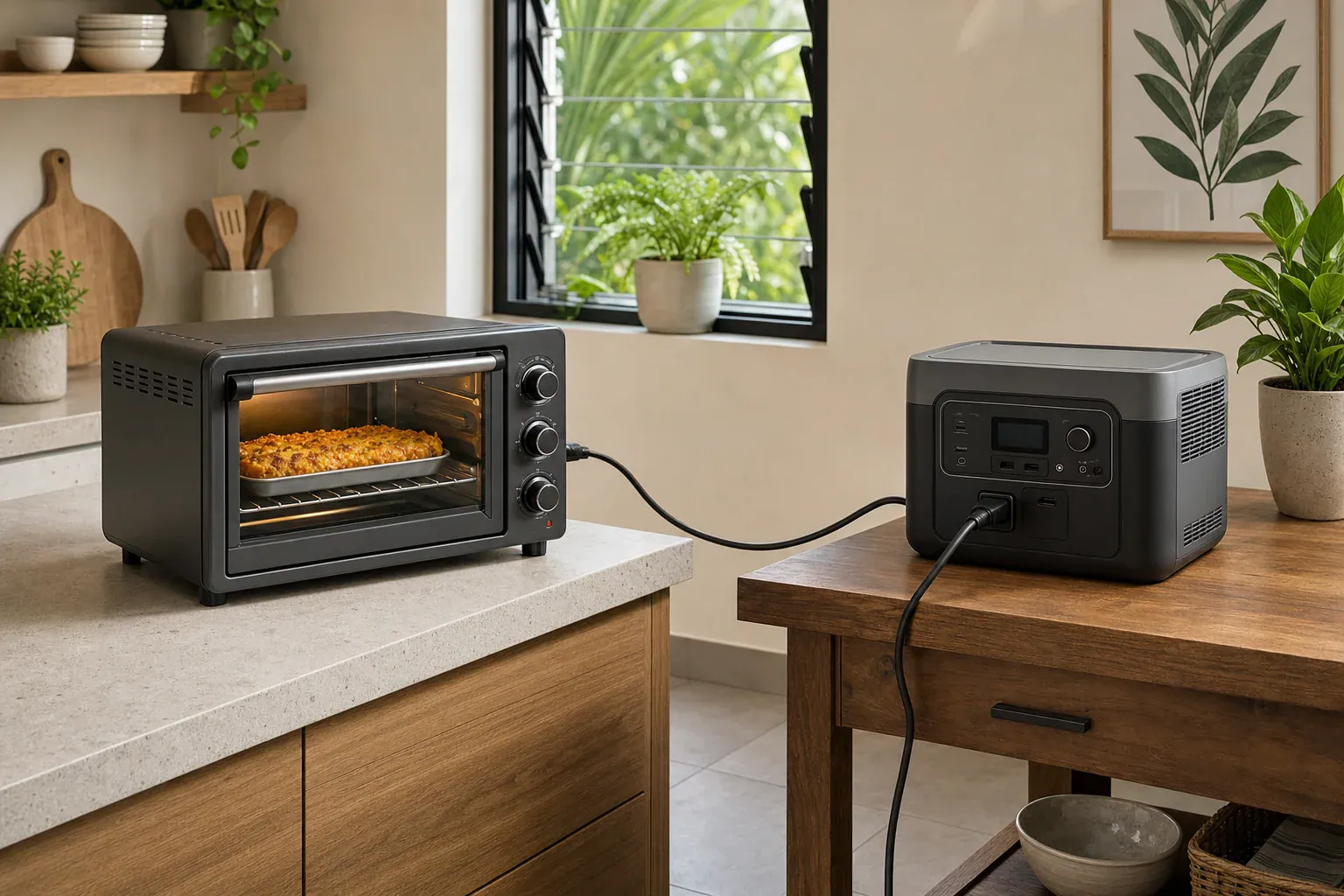
Portable power station powering a coffee maker and electric kettle on a kitchen counter

The most common reasons small portable power stations struggle with coffee makers and electric kettles are high heating wattage, limited inverter output, and short battery runtime.

These appliances look simple, but they often draw 700 to 1,500 watts continuously while heating water. That can exceed the continuous watts rating of a compact unit, trigger an overload warning, or drain the battery much faster than expected. Even if the battery capacity looks adequate on paper, inverter losses, surge watts, pure sine wave requirements, and the power station output limit all affect whether the setup will actually work.

If your goal is to make coffee during an outage, in a van, at a campsite, or in a small apartment backup setup, the key is matching the appliance load to the power station’s inverter and usable watt-hours, not just choosing the smallest unit that has an AC outlet.

What This Problem Means and Why It Matters

A portable power station is a battery with built-in outlets, a charge controller, and an inverter that turns stored DC battery power into household-style AC power. Coffee makers and electric kettles usually need AC power because they contain heating elements designed for a wall outlet. The problem is that heating water takes a lot of energy quickly.

Small power stations are often designed for phones, laptops, lights, routers, CPAP machines, small fans, and other modest loads. Those devices may draw 10 to 100 watts. A coffee maker or kettle may draw ten times that amount. A compact unit may have enough stored energy to run a low-watt device for hours, but it may not have an inverter powerful enough to start and sustain a water-heating appliance.

This matters because the failure mode is not always obvious. A power station may turn on, show a high battery percentage, and still shut off as soon as the kettle starts heating. Another unit may run the coffee maker for one brew cycle but lose a large part of its charge. In some cases, the appliance works only if no other loads are connected. Understanding the difference between battery capacity and AC output prevents frustration and helps you choose safer, more realistic expectations.

How Coffee Makers, Kettles, and Power Station Inverters Work Together

Coffee makers and electric kettles are primarily resistive heating loads. That means they convert electricity into heat through a heating element. Unlike a phone charger or LED light, a heating element usually draws near its rated wattage the entire time it is active. A 1,200-watt kettle is not a small load just because it runs for only a few minutes.

The inverter is the part of the power station that determines whether AC appliances can run. Two ratings matter most: continuous output and surge output. Continuous output is the amount of power the inverter can provide steadily. Surge output is a short burst for startup loads. Kettles and basic drip coffee makers usually do not have a large motor surge, but some coffee machines with pumps, grinders, or electronics may have brief startup peaks. If the appliance wattage is close to the inverter limit, even a small peak can cause a shutdown.

Battery capacity is measured in watt-hours. In simple terms, a 500 watt-hour battery could theoretically supply 500 watts for one hour. In real use, AC inverter losses, battery protection limits, cold temperatures, and high discharge rates reduce usable runtime. A rough planning estimate is to assume that 80% to 90% of rated capacity may be available at the AC outlet under favorable conditions, and sometimes less under heavy loads.

Pure sine wave output also matters. Many modern power stations provide pure sine wave AC, which is generally preferred for appliances with electronic controls, timers, pumps, or temperature sensors. Modified sine wave power can cause some devices to run hotter, buzz, behave unpredictably, or refuse to operate. For heat-only appliances, waveform sensitivity may be lower, but for coffee machines with electronics, pure sine wave output is the safer specification to look for.

Appliance type Typical running watts What it means for a small power station
Single-serve coffee maker 900 to 1,500 W Often exceeds compact inverter limits, especially during heating
Basic drip coffee maker 600 to 1,200 W May work only on power stations with enough continuous AC output
Electric kettle 1,000 to 1,500 W Heavy short-duration load that can drain battery quickly
Travel kettle 300 to 800 W More realistic for mid-size portable power stations
Manual pour-over with separate low-watt heater 200 to 700 W Usually easier to match with smaller units, but slower
Example values for illustration.

Real-World Examples of Why Small Units Struggle

Consider a compact power station rated for 300 watts continuous AC output with a 300 watt-hour battery. It may be excellent for charging electronics or running a few lights. However, a 1,000-watt kettle asks for more than three times the inverter’s continuous output. The power station will likely display an overload message, beep, or shut off immediately. The battery percentage does not solve the problem because the inverter cannot deliver the required power.

Now consider a 600-watt power station connected to a 650-watt drip coffee maker. This looks close, but it is still risky. The coffee maker may momentarily exceed its nameplate rating, or the power station may reduce output as it warms up. If another device is plugged in, such as a router or phone charger, the combined load may push the inverter over its limit. Even if it runs once, repeated cycles could cause heat buildup or a low-battery cutoff.

A larger example shows the runtime issue. Suppose a kettle uses 1,200 watts for five minutes to boil water. That is about 100 watt-hours before inverter losses. With losses included, the power station might use roughly 110 to 130 watt-hours from the battery. On a small 300 watt-hour unit, one boil can consume a large share of usable capacity. On a 1,000 watt-hour unit, the same task is much less stressful and leaves more reserve for lights, refrigeration, communications, or additional brews.

Coffee makers can be less predictable than kettles because they may heat water in pulses, operate pumps, keep a warming plate hot, or run electronics after brewing. A warming plate can continue drawing power long after the coffee is made. For backup power planning, the brewing cycle and the keep-warm function should be treated as separate loads.

Common Mistakes and Troubleshooting Cues

The biggest mistake is focusing only on watt-hours. Battery capacity tells you how much energy is stored, not how much power can be delivered at one moment. For coffee makers and kettles, the inverter’s continuous AC output must meet or exceed the appliance’s running watts with a comfortable margin.

Another common mistake is assuming that short use means low energy use. A kettle may run for only three to seven minutes, but while it runs, it demands a very high power level. Small batteries also experience more stress at high discharge rates, which can reduce usable capacity and trigger protective limits sooner than expected.

A third mistake is ignoring the appliance label. Many people estimate based on size, but a compact single-serve machine can draw more power than a larger-looking drip coffee maker. The label, manual, or a plug-in power meter can reveal the actual watts. If the appliance lists amps instead of watts, multiplying amps by 120 volts gives a rough wattage estimate for standard North American household power.

Troubleshooting usually starts with the symptoms. If the power station shuts off instantly, the appliance likely exceeds the inverter output or triggers overload protection. If it runs briefly and then stops, the battery may be too low, the inverter may be overheating, or the load may be near the limit. If the appliance display flickers, resets, buzzes, or behaves oddly, waveform quality or voltage stability may be involved. If the unit works with nothing else plugged in but fails with added devices, the total combined load is too high.

It also helps to separate brewing from convenience features. Turn off keep-warm mode if possible, avoid running a kettle and coffee maker at the same time, and do not add other AC loads during the heating cycle. These are not upgrades to the power station, but they can reduce nuisance shutdowns when the system is nearly adequate.

Safety Basics for Heating Appliances on Portable Power

Portable power stations include protective electronics, but the load still needs to be reasonable. Do not try to bypass overload protection, modify outlets, open the battery pack, or defeat safety shutoffs. If a power station refuses to run a coffee maker or kettle, that is useful safety information, not a problem to work around.

Use the AC outlet only within the power station’s stated output range. Avoid damaged cords, loose plugs, wet surfaces, or placing a kettle where steam can enter the power station vents. Heating appliances should sit on a stable, heat-resistant surface with room for airflow around both the appliance and the power station. Keep water away from outlets and charging ports.

Extension cords should be used carefully. Undersized or damaged cords can heat up under high loads. If an extension is necessary, it should be rated for the appliance load and kept as short as practical. Power strips are not a way to increase capacity; they only divide the same inverter output among more devices.

Do not connect a portable power station directly into household wiring or a breaker panel unless the system is designed for that purpose and installed with appropriate equipment by a qualified electrician. Backfeeding and improvised connections can create shock and fire hazards. For home backup use, high-level load planning is appropriate for homeowners, but electrical integration should be handled professionally.

Maintenance and Storage Factors That Affect Performance

A portable power station that is stored poorly may perform worse when asked to run a high-watt appliance. Lithium-based batteries generally prefer moderate temperatures and partial charge for long-term storage. Very cold conditions can reduce available power, while high heat can accelerate aging. Even a unit that handled a kettle when new may struggle after years of use if the battery has lost capacity.

Before relying on a power station for coffee during outages, test it under realistic conditions. A practical test is not a complicated procedure: confirm the appliance wattage, fully charge the power station, run one normal brew or boil cycle, and note the battery percentage afterward. This gives a more useful estimate than a specification sheet alone. Avoid repeated overload tests, because those only confirm that the setup is mismatched.

Keep vents clean and give the unit space to cool. High AC loads make inverters generate heat, and heat can cause derating or shutdown. Store charging cables and adapters where they will not be damaged, and periodically recharge the unit according to its general storage guidance. If the display, outlets, case, or cords show damage, stop using the unit for high-load appliances until it has been inspected or replaced.

Storage or care factor Practical target Why it matters
Storage temperature Cool, dry indoor conditions Helps preserve battery capacity and electronics
Stored charge level Often around 40% to 80% for longer storage Reduces stress compared with empty or full storage
Vent clearance Several inches around vents during use Helps prevent inverter heat shutdowns
Periodic test One realistic brew or boil cycle before outage season Shows actual runtime and overload behavior
Cord condition No fraying, looseness, melting, or discoloration Reduces overheating and shock risk under high load
Example values for illustration.

Practical Takeaways and Specs to Look For

Small portable power stations struggle with coffee makers and electric kettles because water heating is a high-watt task. The best match is usually not the smallest battery with an AC outlet, but a unit with enough continuous inverter output, adequate usable watt-hours, and a safety margin for heat, losses, and other loads.


Related guides:
Powering a Coffee Maker, Kettle, or Induction Cooktop: What Works and Why
Surge Watts vs Running Watts: How to Size a Portable Power Station
Pure Sine Wave vs Modified Sine Wave: Does It Matter for a Portable Power Station?

For a realistic setup, start with the appliance label. If the coffee maker or kettle draws 1,200 watts, look for an inverter that can supply more than that continuously, not just as a surge rating. Then estimate runtime using watt-hours and assume some energy will be lost through the inverter. If the power station will also run lights, a router, a refrigerator, or medical equipment, those loads need to be counted separately.

Specs to look for

  • Continuous AC output: Look for a rating above the appliance’s running watts, often 1,200 to 1,800 W for full-size kettles and many coffee makers, because this is the main limit that prevents overload shutdowns.
  • Surge output: Look for headroom above the continuous rating, such as 2,000 W or more on larger units, because pumps, electronics, or brief peaks can trip a unit that is already near its limit.
  • Battery capacity: Look for enough watt-hours for the number of brew or boil cycles you expect, such as 500 to 1,000 Wh or more for repeated use, because high heat loads consume energy quickly.
  • Usable AC efficiency: Plan around roughly 80% to 90% usable energy in favorable conditions, because inverter losses reduce the runtime you get from the battery rating.
  • Pure sine wave inverter: Look for pure sine wave AC output, because coffee machines with pumps, timers, sensors, or digital controls may operate more reliably on cleaner power.
  • AC outlet rating and voltage: Look for outlets rated to support the total wattage at standard household voltage, because outlet count does not increase the inverter’s total capacity.
  • Thermal management: Look for clear ventilation design and high-load cooling capability, because heating appliances can keep the inverter near its limit long enough to cause heat-related shutdowns.
  • Display or load meter: Look for real-time watts and remaining-runtime estimates, because they make it easier to see whether the kettle, coffee maker, or warming plate is using more power than expected.
  • Recharge options: Look for AC and solar input levels that fit your use case, such as several hundred watts of input for faster recovery, because a power station that can run a kettle still needs to be recharged afterward.

The simplest rule is this: match the appliance’s watts to the inverter first, then match the number of brew cycles to the battery capacity. A small power station can be very useful around the home, but for coffee makers and electric kettles, undersized inverters are the reason many setups fail.

Frequently asked questions

Can a small portable power station run a coffee maker or electric kettle?

Sometimes, but only if the power station’s continuous AC output is high enough for the appliance’s running watts. Many compact units are too small for full-size kettles and higher-watt coffee makers, even if the battery percentage looks sufficient. The inverter limit is usually the first constraint, followed by battery runtime.

What specs matter most when choosing a portable power station for coffee makers and electric kettles?

The most important specs are continuous AC output, usable battery capacity in watt-hours, and pure sine wave inverter output. Continuous output must cover the appliance’s wattage, while watt-hours determine how many brew or boil cycles you can get. Thermal management and a clear load display are also helpful for high-watt appliances.

Why does my power station shut off even though the battery is not empty?

That usually means the appliance is asking for more power than the inverter can supply, or the unit is hitting a protection limit. A kettle or coffee maker can overload the AC output even when the battery still has plenty of stored energy. Heat buildup, voltage drop, or a brief startup peak can also trigger shutdowns.

What is the most common mistake people make with these appliances?

The most common mistake is checking battery capacity but ignoring inverter output. A large battery does not help if the power station cannot deliver enough watts at once. Another frequent error is forgetting that warming plates, pumps, and electronics can add to the load after brewing starts.

Is it safe to use a portable power station with a kettle or coffee maker?

It can be safe when the appliance load is within the power station’s rated output and the setup is used correctly. Keep cords in good condition, avoid wet surfaces, and do not bypass overload protection. If the unit repeatedly trips or overheats, the load is too high for that system.

How can I estimate how long a power station will run a kettle or coffee maker?

Start with the appliance wattage and the power station’s watt-hour rating, then account for inverter losses. A high-watt appliance may use a large amount of energy in just a few minutes, so runtime is often shorter than people expect. Real-world testing with one normal cycle gives the most reliable estimate.

Can a Portable Power Station Run an Induction Cooktop? Wattage and Safety Limits

Portable power station running a single-burner induction cooktop on a kitchen counter

Yes, a portable power station can run an induction cooktop if its AC inverter wattage, outlet rating, and battery capacity are high enough for the cooktop’s load.

The important limits are continuous watts, peak watts, AC voltage, outlet amps, runtime, and heat management. A small power station may turn on a cooktop display but shut down when the burner starts drawing real power. A larger unit with a pure sine wave inverter and enough watt-hours can usually run a single portable induction burner for short cooking sessions.

The answer changes quickly with cooktop size. A compact 600-watt setting is very different from a full 1,800-watt countertop burner or a built-in 240-volt induction range. Understanding those wattage and safety limits helps prevent overload trips, short runtime, overheating, and unsafe extension-cord use.

What it means to run an induction cooktop from a portable power station

Running an induction cooktop from a portable power station means the station’s battery feeds an inverter, and that inverter supplies household-style AC power to the cooktop. The cooktop then creates a magnetic field that heats compatible cookware directly. This is different from powering a phone, router, light, or small fan because induction cooking is a high-wattage heating load.

The main question is not only whether the plug fits. The power station must be able to deliver the cooktop’s required watts continuously without exceeding the AC outlet rating or the inverter’s temperature limits. It also needs enough usable battery capacity to cook for the time you expect.

This matters because induction cooktops can pull a lot of power even at moderate settings. Many single-burner portable units advertise maximum power around 1,300 to 1,800 watts. Some can be set lower, but they may cycle power on and off, which can still create momentary high demand. If the power station is undersized, it may show an overload warning, shut off the AC output, or drain the battery much faster than expected.

For home backup, camping, apartments, emergency cooking, or off-grid meal prep, the most realistic use case is a single portable induction burner used at low to medium power. A full-size built-in induction cooktop or range usually requires higher voltage and dedicated electrical service, which is outside what most portable power stations are designed to provide.

Key wattage concepts: inverter output, battery capacity, and cooktop settings

The first specification to check is continuous AC output. This is the amount of power the station can provide steadily. If a cooktop can draw 1,500 watts, the power station should have a continuous AC rating above that level, with some headroom for heat, cycling, and measurement differences. A station rated at exactly the same wattage as the cooktop may still overload in real use.

Peak or surge watts are less important for induction than for motors, but they still matter. Some cooktops briefly draw near maximum power when heating starts or when changing settings. Surge capacity can help, but it should not be used as the main rating. A 1,800-watt cooktop should not be judged safe just because the station lists an 1,800-watt surge number if the continuous rating is much lower.

Battery capacity is measured in watt-hours. A simple estimate is usable watt-hours divided by cooktop watts. For example, a 1,000 watt-hour station running a 1,000-watt cooking load might not run for a full hour because inverter losses and internal protections reduce usable energy. Many real-world estimates use about 80 to 90 percent of rated capacity, depending on the station and conditions.

Outlet voltage and amperage are also important. In North America, many portable induction burners plug into a standard 120-volt outlet and may draw up to about 12 to 15 amps at high power. Larger built-in induction appliances are often 240-volt loads and should not be treated like a portable countertop burner.

Cooktop use Typical power draw What it means for a power station
Keep warm or very low simmer 300 to 600 watts Potentially workable on many mid-size units, with longer runtime
Gentle cooking or simmering 700 to 1,000 watts Needs a solid continuous AC rating and enough battery capacity
Boiling water or searing 1,200 to 1,800 watts Requires a high-output inverter and shorter expected runtime
Built-in multi-burner cooktop Often above portable station limits Usually requires specialized high-voltage equipment and professional planning
Example values for illustration.

Real-world examples of runtime and cooking performance

Consider a portable induction burner set to 800 watts and connected to a power station with 1,000 watt-hours of rated capacity. If about 85 percent of that energy is usable after inverter losses, the practical energy available may be around 850 watt-hours. At 800 watts, that suggests roughly one hour of burner time. In real cooking, the burner may cycle, so simmering soup could last longer than a constant full-power boil.

Now consider the same station with a burner running near 1,500 watts. The estimated runtime drops to a little over half an hour under ideal conditions, and possibly less if the station heats up or the battery is not full. This may be enough to boil water, cook pasta, fry eggs, or prepare a simple one-pan meal, but it is not the same as running a kitchen range for an evening of heavy cooking.

A smaller 500 watt-hour station can be useful at low settings, but it is a poor match for high-power induction cooking. At 1,200 watts, the battery may be depleted quickly, and the inverter may be near its limit. Even if the cooktop starts, the station may shut down when the burner cycles up.

A larger 2,000 watt-hour power station with a 2,000-watt or higher continuous inverter is more realistic for induction cooking. It may handle a 1,500-watt portable burner with useful headroom and enough battery capacity for multiple short cooking tasks. However, the user still needs to watch ventilation, cord rating, outlet rating, and the power station’s stated operating temperature range.

Cooking technique also affects runtime. Keeping a lid on the pot, using flat magnetic cookware, matching pot size to the burner, and reducing power after reaching a boil can significantly cut energy use. Induction is efficient, but high heat is still high heat; battery capacity is finite.

Common mistakes and troubleshooting cues

One common mistake is comparing only battery capacity and ignoring inverter output. A large battery with a low AC output rating may store plenty of energy but still be unable to run a 1,500-watt cooktop. Capacity determines how long the station can run a load. Inverter wattage determines whether it can run the load at all.

Another mistake is relying on peak watts as if they were continuous watts. Peak output is temporary. If the cooktop needs high power for several minutes, the station must support that demand continuously. If it cannot, the AC output may cut off even though the display initially turns on.

If the cooktop powers on but stops heating, the likely causes are overload protection, incompatible cookware, a low battery state of charge, or a cooktop setting that is too high for the station. If the power station shuts down immediately, check whether the cooktop’s maximum draw exceeds the AC output rating. If it works at low power but fails at high power, the inverter or outlet amp limit is probably being exceeded.

If runtime is much shorter than expected, the cooktop may be drawing more watts than the selected temperature suggests. Some induction units use cycling behavior, briefly pulling high wattage and then pausing. Cold weather, battery age, high ambient temperature, and charging other devices at the same time can also reduce available runtime.

Extension cords are another troubleshooting point. A thin or very long cord can cause voltage drop and heat buildup under high loads. For high-wattage cooking, the safest approach is to plug directly into the power station when possible, or use only a heavy-duty cord appropriate for the load and environment.

Safety basics for induction cooking on battery power

Use the cooktop only within the power station’s AC output rating, battery operating range, and ventilation requirements. High-wattage loads create heat inside both the cooktop and the inverter. Keep the power station on a stable, dry, open surface with clear airflow around vents. Do not cover it, place it next to a hot pan, or operate it where steam or spills can enter the unit.

Use compatible cookware that sits flat on the induction surface. Poor contact or non-magnetic cookware can cause error codes, cycling, or inefficient heating. Keep the cooking area clear of flammable materials, and do not leave a powered cooktop unattended just because it is running from a battery.

Avoid daisy-chaining power strips, adapters, or light-duty cords. Induction cooktops are continuous high-load appliances, and accessory devices can become weak points. If the outlet, cord, or plug feels hot, stop using the setup and let everything cool before investigating.

Do not modify the power station, open the battery pack, bypass overload protections, or attempt to connect a portable power station into household wiring unless the system is specifically designed for that purpose and installed by a qualified electrician. Backfeeding a home circuit without proper equipment is dangerous. For home backup cooking, it is usually safer to treat the power station as a standalone source for a plug-in portable burner.

Also consider indoor air quality and fire safety. Induction does not create combustion fumes, which is one reason it is attractive for emergency indoor cooking. Still, cooking itself can produce smoke, grease vapor, and steam, so use normal kitchen ventilation and keep a suitable fire extinguisher accessible.

Maintenance, storage, and habits that support reliable performance

High-power cooking is demanding, so battery condition matters. Store the power station in a dry, moderate-temperature location and avoid leaving it fully depleted for long periods. Before relying on it for emergency cooking, charge it according to the manufacturer’s guidance and test the cooktop at realistic settings.

Keep ports, plugs, and vents clean. Dust can restrict cooling, and loose plugs can increase resistance and heat. Inspect cords for damage before using them with a high-wattage appliance. If the AC plug does not seat firmly, do not use that connection for cooking.

Plan meals around the battery. Foods that need a short boil, quick sauté, or reheating are better matches than recipes requiring long high-power simmering. If the station supports solar or wall charging, remember that input power may be far lower than cooktop output. A solar input of a few hundred watts cannot keep up with a burner drawing over 1,000 watts, though it can help recover energy over time.

Let the station cool after heavy use, especially in warm rooms or summer conditions. Thermal protection is a safety feature, not a defect. If the station repeatedly shuts down during cooking, reduce the cooktop setting, improve airflow, remove other loads, or use a power source with more continuous output headroom.

Care habit Why it helps Practical cue
Store at moderate temperature Protects battery health and output capability Avoid hot cars, freezing storage, and damp spaces
Test before an outage Confirms the cooktop and power station are compatible Try the settings you would actually use for meals
Keep vents unobstructed Reduces thermal shutdown risk Leave open space around fan intakes and exhausts
Use efficient cookware Shortens cooking time and saves watt-hours Choose flat-bottom magnetic pans with fitted lids
Example values for illustration.

Related guides: Pure Sine Wave vs Modified Sine Wave: Does It Matter for a Portable Power Station?Surge Watts vs Running Watts: How to Size a Portable Power StationInverter Efficiency Explained: Why Your Runtime Is Shorter Than ExpectedExtension Cords and Power Strips: Safe Practices With Portable Power Stations

Practical takeaways and specs to look for

A portable power station can run a portable induction cooktop when the station has enough continuous AC output, the correct outlet voltage, sufficient battery capacity, and enough thermal headroom. For most households, the practical target is a single-burner 120-volt induction cooktop used at low to medium settings, not a built-in multi-burner range.

For occasional emergency cooking, prioritize controllable power settings and realistic runtime over headline battery size alone. A setup that can reliably simmer at 700 to 1,000 watts may be more useful than one that barely supports a maximum-power boil for a few minutes. Match the cooking task to the battery, and leave margin instead of operating every component at its limit.

Specs to look for

  • Continuous AC output: Look for more than the cooktop’s maximum draw, such as 1,800 to 2,400 watts for many portable burners, because continuous rating determines whether the station can sustain cooking.
  • Surge or peak output: Look for reasonable headroom above continuous output, such as 2,500 watts or more on larger units, because brief power spikes can trigger overload protection.
  • Battery capacity: Look for capacity in watt-hours, such as 1,000 to 2,000 watt-hours for meaningful cooking time, because high-heat settings drain batteries quickly.
  • Usable energy estimate: Look for efficiency expectations around 80 to 90 percent of rated capacity, because inverter losses reduce actual runtime.
  • AC voltage and outlet amperage: Look for a 120-volt outlet with enough amp capacity for the burner, commonly around 12 to 15 amps for high settings, because the plug fitting does not guarantee safe output.
  • Pure sine wave inverter: Look for pure sine wave AC output, because sensitive appliance electronics generally operate more reliably on cleaner power.
  • Thermal design: Look for clear ventilation requirements, cooling fans, and high-load operating guidance, because induction cooking can keep the inverter under heavy load.
  • Low-power cooktop control: Look for adjustable wattage settings such as 300, 600, 900, and 1,200 watts, because lower settings extend runtime and reduce overload risk.
  • Recharge input: Look for wall, car, or solar input that fits your use case, such as several hundred watts of solar input for recovery, because recharging may take far longer than cooking consumes energy.

The safest rule is simple: check the cooktop’s wattage, compare it with the power station’s continuous AC rating, estimate runtime from watt-hours, and leave margin. If the load involves a built-in cooktop, a 240-volt appliance, or any connection to home wiring, consult a qualified electrician instead of improvising.

Frequently asked questions

What size portable power station do I need for an induction cooktop?

For a portable induction burner, a power station with at least 1,500 to 2,000 watts of continuous AC output is often a practical starting point, depending on the cooktop’s maximum draw. Battery capacity matters too, because higher wattage settings drain energy quickly. If you want longer cooking time, look for a larger watt-hour rating rather than only a higher surge number.

Can a small power station run an induction cooktop at low power?

Sometimes, yes, if the cooktop has a low setting and the station’s continuous AC output is still above that draw. A small unit may handle keep-warm or simmer settings, but runtime will be limited. If the cooktop cycles upward or the inverter is near its limit, the station may shut off.

What is the most common mistake people make with a portable power station induction cooktop setup?

The most common mistake is checking battery capacity but ignoring continuous inverter output. A large battery does not help if the AC inverter cannot supply the cooktop’s wattage. Another frequent error is assuming surge watts are the same as continuous watts.

Is it safe to use an extension cord with an induction cooktop and power station?

It can be safe only if the cord is heavy-duty, short enough for the load, and rated for the current involved. Thin or long cords can overheat or cause voltage drop under high wattage. For the safest setup, plug directly into the power station whenever possible.

What specs and features matter most when choosing a power station for induction cooking?

The most important specs are continuous AC output, battery capacity in watt-hours, outlet voltage and amperage, and a pure sine wave inverter. Thermal management also matters because induction cooking can keep the inverter under sustained load. Adjustable cooktop power levels are helpful because they reduce overload risk and extend runtime.

Can I use a built-in induction cooktop with a portable power station?

Usually not, because built-in induction cooktops often need higher voltage and more power than a portable station can safely provide. Many are designed for dedicated household circuits rather than standalone battery inverters. If the appliance is 240 volts or part of home wiring, it should be evaluated by a qualified electrician.

Portable Power Station for a Tankless Gas Water Heater: Ignition, Controls, and Runtime

Portable power station connected to a tankless gas water heater for ignition controls and runtime

A portable power station can usually run a tankless gas water heater because the heater uses gas for heat and electricity mainly for ignition, controls, sensors, and sometimes a fan or freeze protection.

The key is not just battery size. You need the right AC output, enough running watts, enough surge watts, a compatible grounding behavior, and enough watt-hours for the runtime you expect. Many troubleshooting searches start when a heater lights on wall power but will not ignite, clicks repeatedly, shows an error code, or shuts down when connected to backup power.

This guide explains how the electrical side of a gas tankless unit works, what portable power station specs matter, and how to estimate runtime without assuming every heater is the same. It does not apply to electric tankless water heaters, which typically require far more power than a portable power station can provide.

What a portable power station does for a tankless gas water heater

A tankless gas water heater heats water with natural gas or propane, but it still needs electricity to operate. The portable power station acts like a temporary AC power source for those low-to-moderate electrical loads. In an outage, it may allow the unit to start, monitor water flow, open gas valves, run a combustion fan, power the control board, and keep safety sensors active.

This matters because hot water is often one of the most practical outage needs. A gas tankless unit may have plenty of fuel available, yet it will not operate if the electronic ignition and controls have no power. Unlike a storage tank with a standing pilot, many modern tankless units are fully dependent on electrical control.

The electrical demand is usually much lower than the heat output rating suggests. A heater described as producing large amounts of hot water may still use only a small amount of electricity while firing. However, some units have higher loads because of powered venting, recirculation settings, integrated freeze protection, or accessories such as condensate pumps.

The goal is to match the power station to the actual electrical requirements on the heater nameplate and manual. A power station that is too small may shut off, overload, or fail to support ignition. A power station with a poor AC waveform may cause nuisance faults or unreliable startup. A unit with an incompatible neutral-ground configuration may also create problems with certain flame-sensing or safety circuits.

How ignition, controls, fans, and sensors use electricity

A tankless gas water heater normally begins operation when a flow sensor detects water movement. The control board checks safety conditions, starts the combustion fan if equipped, activates the igniter, opens the gas valve, confirms flame, and then modulates gas and airflow to maintain the target outlet temperature. Electricity supports every part of that sequence.

The igniter is usually a short-duration load. It may draw more power for a brief moment during startup, but it does not run continuously. The control board and display use relatively little power, but they are sensitive to voltage quality. The combustion fan can be one of the larger continuous loads while the burner is operating, especially in sealed-combustion or forced-draft models.

Standby power matters for runtime when the heater stays plugged in all day waiting for use. A few watts of idle draw can consume noticeable energy over long outages. Freeze protection is another major variable. Some outdoor or garage-installed units use electric heaters to protect internal components in cold weather. Those loads can run intermittently and may be much higher than normal standby draw.

A portable power station converts stored DC battery energy into AC power through an inverter. For sensitive appliance controls, a pure sine wave vs modified sine wave inverter is generally preferred. Modified waveform output can cause hum, heat, false faults, or startup failures in some electronics and motors. The inverter also has an output watt rating and a surge rating. The output watt rating must cover the heater while running, and the surge rating must cover brief startup peaks.

Electrical load Typical range Why it matters
Control board and display 2 to 15 watts Low draw, but sensitive to clean voltage and stable frequency
Igniter during startup 20 to 80 watts briefly Can cause clicking or failed ignition if voltage sags
Combustion fan 30 to 150 watts while firing Often the main running load during hot water use
Gas valve and sensors Small continuous load Must remain powered for safe burner operation
Freeze protection 50 to 200 watts intermittently Can dominate runtime in cold locations
Condensate or recirculation pump 40 to 150 watts when active Adds load and may increase surge demand
Common electrical loads in a gas tankless water heater. Example values for illustration.

Real-world runtime examples for outage planning

Runtime depends on battery capacity, inverter efficiency, and how often the heater actually fires. A power station rated at 1,000 watt-hours does not deliver every watt-hour to the appliance. After inverter losses and automatic shutoff reserves, usable AC energy is often lower. A reasonable planning estimate is to assume about 80 to 90 percent usable AC energy unless the product documentation says otherwise.

For a simple example, imagine a tankless gas water heater that draws 80 watts while firing and 5 watts in standby. If it fires for one total hour during a day and remains plugged in for the other 23 hours, the energy use is about 80 watt-hours plus 115 watt-hours, or 195 watt-hours before accounting for inverter losses. With losses, the power station may need roughly 220 to 245 watt-hours for that day of light use.

A larger or more complex setup can use more energy. If the heater draws 140 watts while firing, includes a small condensate pump, and sees several showers, dishwashing, and handwashing, total daily electrical use may rise substantially. If freeze protection runs during cold weather, it can add hundreds of watt-hours, especially if the unit is outdoors or in an unheated space.

Short hot-water events are usually easier on a power station than long continuous draws. A few handwashing cycles may barely dent the battery. Multiple back-to-back showers can use more energy because the combustion fan and controls stay active. The gas supply still provides the heat, but the electrical system must remain stable for the burner to stay lit.

To estimate runtime, multiply the heater wattage by the number of hours it operates, add standby wattage multiplied by standby hours, then divide the usable watt-hours of the power station by that daily demand. This gives a planning estimate, not a guarantee. Real output changes with water temperature, setpoint, flow rate, venting load, battery temperature, and accessory equipment.

Common mistakes and troubleshooting cues

One common mistake is sizing only by battery capacity while ignoring inverter output. A large battery with a small AC inverter may still overload if the heater, fan, pump, or startup surge exceeds the output limit. Look at both watt-hours and AC watts.

Another mistake is assuming a gas tankless unit needs no electricity. Most modern models need power for ignition and control. If the display is off, the unit is usually not ready to heat water. If the display turns on but the burner does not light, the cause may be voltage quality, grounding behavior, gas supply, venting, water flow, or an appliance fault.

Repeated clicking without ignition can indicate the igniter is trying but flame is not being established. On backup power, this may happen if the inverter voltage drops during startup, if the waveform is not suitable, or if the heater’s flame-sensing circuit does not like the power source. It can also happen for non-power reasons such as air in the gas line, closed gas valves, low gas pressure, or blocked venting.

An overload warning on the power station points to excessive connected load. Check whether other items are plugged into the same power station. Pumps, heat tape, refrigerators, and chargers can add enough load to push the inverter over its limit. If the heater works until a pump starts, the pump surge may be the issue.

Unexpected shutdowns can also come from the power station’s energy-saving mode. Some units turn off AC output when the load is very low for a period of time. A tankless heater in standby may draw so little power that the power station assumes nothing important is connected. For this use case, the ability to disable sleep mode or keep AC output active can be important.

Error codes should be read in the heater manual rather than guessed. Backup power can reveal marginal conditions, but it does not make normal safety checks optional. If the unit reports flame failure, fan failure, vent blockage, overheating, or combustion-related errors, treat them as appliance issues that may need qualified service.

Safety basics when using backup power for hot water

Use the portable power station as a temporary power source for the appliance plug or a manufacturer-approved connection method. Do not attempt to backfeed a home circuit, wire into a panel, bypass a breaker, or improvise a transfer setup. If the heater is hardwired or you want it connected through home wiring during outages, consult a qualified electrician.

Keep the power station dry, ventilated, and away from direct water spray. Utility rooms, garages, and outdoor installations can expose equipment to moisture. A power station is an electrical device and should not sit where a leaking pipe, pressure relief discharge, condensate line, or floor drain backup can wet it.

Do not use a power station to bypass heater safety systems. Flame sensors, limit switches, vent checks, and control-board shutdowns exist to prevent unsafe operation. If the heater will not run on a properly rated clean AC source, the right answer is diagnosis, not defeating protections.

Carbon monoxide safety still matters because the heater is burning gas. Backup electricity does not change venting requirements. Make sure combustion air and exhaust paths are unobstructed, and use carbon monoxide alarms according to local code and manufacturer instructions.

Extension cords should be treated carefully. If a cord is necessary, it should be rated for the load, as short as practical, and in good condition. Undersized or damaged cords can cause voltage drop, heat, and nuisance faults. Avoid running cords where they can be pinched, soaked, or tripped over.

Maintenance, storage, and readiness for outages

A portable power station is most useful for a tankless gas water heater when it is charged, accessible, and tested before an outage. Store it in a dry location within the temperature range recommended by the manufacturer. Extreme heat and freezing temperatures can reduce performance and shorten battery life.

Check the battery level periodically. Many lithium-based power stations hold a charge well, but they are not maintenance-free. If the unit sits unused for months, confirm that it still powers on, the AC outlet works, and the display or app reports a healthy state of charge. For long-term storage, follow the product guidance for storage charge level.

Do a practical test during normal conditions. Plug the heater into the power station only if the connection method is safe and appropriate for your installation, then run hot water long enough for the burner to ignite and stabilize. Watch for overload warnings, abnormal heater errors, or the power station turning AC output off during standby. This is a readiness test, not a repair procedure.

Keep appliance documentation available. The water heater nameplate, installation manual, and error-code chart are often more useful than general estimates. Note the heater’s rated electrical input, voltage, and any accessory loads. If the unit uses a condensate pump, recirculation pump, or freeze protection, include those loads in your planning.

Battery condition affects runtime. Older batteries may deliver less usable energy than their original rating. Cold batteries can also have reduced output. If you rely on hot water during winter outages, store the power station where it can remain within a reasonable operating temperature before use.

Planning item Example value Practical note
Power station capacity 500 to 1,500 watt-hours Often enough for intermittent hot water, depending on standby and accessories
Usable AC energy 80 to 90 percent of rated capacity Accounts for inverter losses and reserve behavior
Heater running draw 60 to 150 watts Varies by fan, controls, and operating mode
Standby draw 2 to 10 watts Important during long outages with light hot-water use
Freeze protection draw 50 to 200 watts intermittent Can sharply reduce runtime in cold weather
Estimated light-use runtime 1 to 3 days from a mid-size unit Depends on actual hot-water use and idle draw
Runtime planning variables for a tankless gas water heater. Example values for illustration.

Practical takeaways and specs to look for


Related guides:
Pure Sine Wave vs Modified Sine Wave: Does It Matter for a Portable Power Station?
Surge Watts vs Running Watts: How to Size a Portable Power Station
Inverter Efficiency Explained: Why Your Runtime Is Shorter Than Expected

A portable power station can be a practical backup source for a tankless gas water heater when the heater is gas-fired, the electrical load is modest, and the source provides clean, stable AC power. The most important step is to confirm the heater’s actual electrical requirements and include every accessory that may run at the same time.

For most households, the main sizing question is not whether the power station can create heat. The gas does that. The question is whether the power station can keep ignition, controls, fan, sensors, and support equipment powered for the length of the outage. Runtime estimates should include both active hot-water use and standby time.

If the heater is hardwired, uses unusual grounding requirements, or shows flame-sensing errors on backup power, do not improvise wiring changes. Have the installation reviewed by a qualified electrician or a qualified water-heater technician. Safe operation depends on both the electrical source and the combustion appliance working as designed.

Specs to look for

  • Pure sine wave AC output: Look for clean 120-volt AC power because control boards, igniters, and fan motors are more reliable on a utility-like waveform.
  • Continuous AC watt rating: Look for at least several times the heater’s listed running watts, such as 300 to 600 watts for many gas tankless setups, to leave room for fans and small accessories.
  • Surge watt rating: Look for enough short-term headroom, such as 2 times the expected running load, because igniters, fans, and pumps can draw more at startup.
  • Battery capacity in watt-hours: Look for 500 to 1,500 watt-hours for intermittent use, or more if standby, freeze protection, or multiple daily showers are expected.
  • Low-load AC behavior: Look for an option to keep AC output on or disable sleep mode because a heater in standby may draw only a few watts.
  • Grounding and neutral behavior: Look for documentation on neutral-ground bonding compatibility because some heater flame-sensing systems may be sensitive to the power source configuration.
  • Recharge options: Look for AC and solar or vehicle charging options because multi-day outages require a way to replace energy used by standby and hot-water cycles.
  • Operating temperature range: Look for ratings suitable for garages, utility rooms, or winter storage because cold batteries can deliver less power and freeze protection can increase demand.
  • Clear display or monitoring: Look for real-time watts and remaining battery estimates because they help you confirm actual heater draw and adjust hot-water use during an outage.

The best approach is to test the combination before you need it. If the heater starts cleanly, runs without error codes, and the power station shows a manageable watt draw, you can estimate runtime with much more confidence. If it fails during testing, use the error code, the heater manual, and qualified help rather than relying on trial-and-error changes.

Frequently asked questions

What size portable power station do I need for a tankless gas water heater?

Size it by the heater’s running watts, startup surge, and expected daily watt-hours, not just battery capacity. Many gas tankless units can work with a modest inverter, but the exact requirement depends on the fan, controls, pumps, and freeze protection. A unit with enough continuous AC output and a few hundred to over a thousand watt-hours of capacity is often the practical range for intermittent use.

What specs matter most when choosing a portable power station for a tankless gas water heater?

The most important specs are pure sine wave output, sufficient continuous watts, enough surge watts, and usable watt-hours for your expected runtime. Low-load AC behavior also matters because the heater may draw very little power in standby. If the heater is sensitive to grounding or neutral configuration, check that documentation before buying.

Why does my tankless gas water heater click but not ignite on backup power?

Clicking usually means the ignition sequence is starting but flame is not being established. On a portable power station, the cause can be voltage sag, an unsuitable waveform, or a compatibility issue with the heater’s sensing circuits. It can also be unrelated to power, such as low gas pressure, air in the line, or a venting problem.

What is the most common mistake people make when powering a gas tankless heater from a battery?

The most common mistake is focusing only on battery size and ignoring inverter output and surge capability. A large battery can still fail if the AC inverter cannot support the heater’s startup or fan load. Another frequent mistake is forgetting standby draw and accessory loads like pumps or freeze protection.

Is it safe to run a tankless gas water heater from a portable power station during an outage?

It can be safe when the power station is used as a temporary, properly rated AC source and the heater is connected the way the manufacturer allows. Do not backfeed a panel, bypass safety devices, or use damaged cords. The heater still needs normal venting, combustion air, and carbon monoxide precautions.

How long will a portable power station run a tankless gas water heater?

Runtime varies widely because the heater may draw only a few watts in standby and much more while firing or running freeze protection. A mid-size power station can sometimes support light intermittent hot-water use for one to several days, but heavy use or cold-weather protection can shorten that significantly. The best estimate comes from the heater’s actual watt draw and your expected daily usage.

Portable Power Station for a Portable Fan During a Heat Wave: Runtime Planning Guide

Portable power station running a portable fan during a heat wave with runtime planning notes

A portable power station can run a portable fan during a heat wave, but the actual runtime depends on the fan wattage, battery capacity in watt-hours, inverter efficiency, and whether you are using AC or DC power.

For most small fans, a mid-size power station can provide many hours of airflow, while a large floor fan or box fan can drain the battery much faster. The key is to compare the fan’s running watts with the station’s usable battery capacity, not just the advertised maximum output.

This guide explains how to plan fan runtime, estimate power draw, avoid common mistakes, and choose useful specs such as watt-hours, AC output, DC ports, recharge time, and pass-through charging support. It is written for home heat-wave preparedness, especially when utility power is unreliable or a room becomes unsafe without airflow.

What a Portable Power Station Does for a Fan During a Heat Wave

A portable power station is a rechargeable battery system with built-in outputs for powering small appliances and electronics. For a portable fan, it acts like a temporary outlet when grid power is unavailable, unstable, or inconvenient. In a heat wave, that can mean keeping air moving near a sleeping area, cooling one room instead of a whole home, or extending comfort during a short outage.

The most important idea is that a fan is usually a continuous load. Unlike a phone charger that may draw power for a short period, a fan may run for hours. That makes runtime planning more important than peak output alone. A fan that uses 20 watts is very different from one that uses 90 watts, even if both plug into the same AC outlet.

Portable power stations are not air conditioners. They do not lower room temperature by themselves unless they power cooling equipment, and most battery units are not sized to run high-wattage air conditioning for long. A fan can still help by improving evaporative cooling from skin, moving cooler air from another part of the home, and preventing stagnant indoor air. During extreme heat, however, airflow is only one part of safety planning.

How Runtime Planning Works: Watts, Watt-Hours, and Efficiency

Runtime planning starts with two numbers: the fan’s power draw in watts and the power station’s battery capacity in watt-hours. Watts measure how fast energy is being used. Watt-hours measure how much stored energy is available. A simple estimate is battery watt-hours divided by fan watts.

For example, a 500 watt-hour power station running a 25-watt fan might appear to provide 20 hours of runtime. In real use, the result is usually lower because of conversion losses, standby power, display power, fan speed changes, and automatic inverter overhead. When using an AC outlet, a practical planning estimate is often 80% to 90% of the stated battery capacity for small to moderate loads. Very tiny loads may be affected more by inverter overhead.

Connection type matters. If your fan can run from USB-C, USB-A, or a DC barrel output, it may avoid the AC inverter and use less energy. If it must plug into a standard wall-style outlet, the inverter converts battery DC into AC, which costs some energy. For heat-wave planning, use conservative numbers so you are not surprised late at night.

Fan type Typical running watts Estimated runtime from 500 Wh usable at 85%
Small USB desk fan 5 to 10 W About 42 to 85 hours
Compact personal AC fan 15 to 30 W About 14 to 28 hours
Medium pedestal fan 35 to 60 W About 7 to 12 hours
Large box fan 60 to 100 W About 4 to 7 hours
Example values for illustration.

Real-World Runtime Examples for Home Heat-Wave Use

Consider a small bedroom at night. A 20-watt personal fan connected to a 300 watt-hour power station through AC may have a practical usable energy budget around 240 to 270 watt-hours. Dividing by 20 watts gives roughly 12 to 13.5 hours. That is usually enough for one overnight period, especially if the fan is placed close to the person who needs cooling.

Now compare that with a 70-watt box fan on the same 300 watt-hour unit. The practical runtime may fall to about 3.5 to 4 hours. The fan moves more air, but it consumes energy quickly. In that case, a lower fan speed, smaller fan, or larger battery can make a noticeable difference.

A daytime living-room plan may be different. Suppose a 40-watt pedestal fan runs from a 700 watt-hour power station with 85% usable capacity. The practical energy budget is about 595 watt-hours, giving roughly 14 to 15 hours. If the power station is also charging phones, running a router, or powering a lamp, subtract those watts from the budget.

For emergency planning, think in blocks of time. You might need 8 hours for sleeping, 4 hours for the hottest afternoon period, and reserve capacity for communications. A fan that feels efficient for casual use may not be the best choice if it uses twice the wattage of another fan at a similar comfort level.

Common Mistakes and Troubleshooting Cues

One common mistake is planning from the power station’s output rating instead of its capacity. A unit that can output 600 watts is not guaranteed to run a fan longer than a unit that outputs 300 watts. Output rating tells you what the station can handle at one moment. Watt-hours tell you how long it may last.

Another mistake is ignoring fan speed. Many fans use significantly more power on high than on low. If comfort allows, a lower speed can stretch runtime. Oscillation, lights, digital controls, and ionizer-style features may also add small amounts of draw.

If the fan will not start, check whether the station’s AC outlet is turned on, whether the fan’s plug is fully seated, and whether the fan’s starting surge is briefly exceeding the inverter output. Most portable fans do not have large surge watts compared with refrigerators or pumps, but some motors may still draw more at startup than while running. Trying a lower speed setting at startup may help if the fan design allows it.

If the power station shuts off while the fan is running, possible causes include low battery, overload protection, overheating, blocked ventilation, or an automatic eco mode that does not detect very low loads. Small USB fans can be especially tricky because their draw may be below the station’s minimum detection threshold on some outputs.

If runtime is far shorter than expected, recheck the actual watts with the fan on the intended speed. Also account for other connected loads. A router, modem, phone charger, and light may seem minor, but together they can reduce overnight fan runtime.

Safety Basics for Using a Fan and Power Station in Extreme Heat

Use the power station in a dry, ventilated location and keep its vents clear. Battery systems generate heat while discharging and especially while recharging. Do not cover the unit with towels, bedding, clothing, or curtains. In a heat wave, indoor temperatures can already be high, so extra airflow around the unit matters.

Keep the fan cord routed where it will not be pinched, tripped over, or pulled loose. Do not use damaged cords, loose adapters, or devices that smell hot or show signs of melting. If an extension cord is necessary, use one rated for the load and keep it as short and neat as practical.

Do not open the power station, modify battery packs, bypass protection circuits, or attempt improvised wiring. A portable power station should be used as a standalone device through its built-in ports and outlets. For any connection to home electrical systems, transfer equipment, or permanent backup wiring, consult a qualified electrician.

Heat illness risk should be taken seriously. A fan may not be enough when indoor temperatures are extremely high, especially for older adults, infants, people with certain medical conditions, and pets. If the room remains dangerously hot, prioritize moving to a cooler location, using a cooling center, or seeking medical help when symptoms such as confusion, fainting, or inability to cool down appear.

Maintenance, Storage, and Recharge Planning

Heat-wave readiness depends on the power station being charged before it is needed. Store it according to the manufacturer’s general guidance, usually in a cool, dry place away from direct sun. Avoid leaving it in a hot vehicle, attic, or unventilated shed during summer, because high heat can accelerate battery wear.

Check the state of charge periodically during the season. For emergency use, many households keep the unit partially or fully charged depending on expected outage risk and the battery chemistry. The practical goal is simple: do not discover an empty battery when the room is already hot.

Recharge time is part of runtime planning. If grid power returns briefly, a station with faster AC recharge can be ready again sooner. If solar charging is part of the plan, remember that heat waves can bring strong sun but also clouds, smoke, storms, or limited panel placement. Solar input rating, panel angle, and shade can all affect recharge speed.

Test the fan and power station together before summer peaks. Run the fan on the speed you expect to use for one or two hours and note the battery percentage drop. This real-world check is often more useful than relying only on label estimates.

Preparation task Suggested timing Why it helps
Charge the power station Before forecasted extreme heat Maximizes available fan runtime
Test fan wattage by speed Early summer or before outage season Improves runtime estimates
Inspect cords and ports Monthly during heavy-use season Reduces connection and heat risks
Plan recharge options Before an outage Helps extend use beyond one battery cycle
Example values for illustration.

Practical Takeaways and Specs to Look For


Related guides: Portable Power Station Watt-Hours ExplainedAC vs DC Power: How to Maximize Efficiency and RuntimeInverter Efficiency Explained: Why Your Runtime Is Shorter Than Expected

The best portable power station for a portable fan is not automatically the biggest or highest-output unit. It is the one with enough usable watt-hours for your target runtime, the right outlets for your fan, safe operation in warm indoor conditions, and a reasonable recharge plan. Start with the fan’s wattage, decide how many hours of airflow you need, then add a margin for efficiency losses and other small loads.

For one person sleeping near a small fan, a lower-wattage setup can be very effective. For a shared room, larger fan, or multi-day outage plan, capacity and recharge speed become more important. A practical plan should also include non-battery measures such as shading windows, using the coolest room, drinking water, and checking on vulnerable household members.

Specs to look for

  • Battery capacity: Look for watt-hours that match your runtime target, such as 300 to 500 Wh for a small fan overnight or 700 Wh and above for longer use; this is the main driver of how long the fan can run.
  • Usable capacity estimate: Plan around roughly 80% to 90% of rated capacity when using AC; this accounts for inverter losses and prevents overestimating runtime.
  • AC output rating: Choose an output comfortably above the fan’s running watts, with extra room for startup; this helps avoid overload shutdowns.
  • DC and USB outputs: Look for USB-C, USB-A, or regulated DC options if your fan supports them; DC operation can improve efficiency compared with AC inverter use.
  • Low-load handling: Check whether the unit can keep very small loads running without shutting off; this matters for USB desk fans and ultra-efficient personal fans.
  • Recharge speed: Compare AC recharge times such as 2 to 6 hours for many home-ready units; faster charging helps when grid power is intermittent.
  • Solar input capability: Look for an input wattage and voltage range compatible with portable panels; this can extend fan use during longer outages if sunlight is available.
  • Operating temperature range: Favor units designed to operate safely in typical hot indoor conditions; heat tolerance matters during summer outages.
  • Display and watt meter: A screen showing watts in and out plus remaining battery percentage helps you adjust fan speed and predict remaining runtime.

As a quick planning formula, multiply your fan watts by the hours you need, then divide by an efficiency factor such as 0.85 for AC use. A 30-watt fan for 10 hours needs about 300 watt-hours at the fan, or roughly 353 watt-hours of rated battery capacity after accounting for losses. Add more capacity if you plan to power phones, medical devices, internet equipment, or lights at the same time.

During a heat wave, the goal is dependable airflow with realistic expectations. Know the fan’s draw, keep the battery charged, avoid unnecessary loads, and use the lowest comfortable fan speed. That simple approach can turn a portable power station into a practical part of a home heat-safety plan.

Frequently asked questions

How long can a portable power station run a portable fan?

Runtime depends mainly on the fan’s wattage and the power station’s usable watt-hours. A small 10-watt fan can run much longer than a 60-watt fan on the same battery. For a realistic estimate, divide usable watt-hours by the fan’s running watts and then reduce the result a bit for inverter losses if you are using AC.

What size portable power station do I need for a fan overnight?

For one small personal fan, a unit in the 300 to 500 watt-hour range is often enough for overnight use. If the fan is larger, or if you also want to charge phones or run a router, a larger battery is safer. The right size depends on the fan’s actual watt draw and how many hours you need.

What specs matter most when choosing a portable power station for a portable fan?

The most important specs are battery capacity in watt-hours, AC or DC output compatibility, and a continuous output rating above the fan’s running watts. Recharge speed, low-load handling, and a clear battery display also matter because they help with planning and avoid surprise shutdowns. If your fan supports DC or USB power, that can improve efficiency compared with AC use.

What is the most common mistake people make when estimating fan runtime?

The most common mistake is using the power station’s output rating instead of its battery capacity. Output rating tells you how much power the station can supply at one time, not how long it will last. Another common error is forgetting that fan speed changes power use, so runtime on high can be much shorter than on low.

Is it safer to run a fan from AC or DC on a portable power station?

Both can be safe if the equipment is compatible and used as intended. DC or USB power is often more efficient because it avoids inverter losses, but AC is fine for fans that only have a wall plug. Use the outlet type your fan is designed for and keep cords, vents, and the battery unit in good condition.

Can a portable power station keep a room cool during a heat wave?

A fan can improve comfort by moving air, but it does not actually cool a room the way an air conditioner does. It is most effective when used to move air across the body, improve ventilation, or support sleep in one occupied room. During extreme heat, a fan should be part of a broader safety plan that may include hydration, shade, and a cooler location.

Backup Power for a Smart Home Hub, Door Locks, and Security Sensors

Portable backup power setup for a smart home hub, door lock, and security sensors

Backup power for a smart home hub, door locks, and security sensors usually means keeping the hub, internet equipment, and low-voltage accessories running while the locks and sensors continue on their own batteries.

The key is not raw size alone. You need enough watt-hours for the desired runtime, stable AC or DC output for small electronics, the right UPS mode or pass-through behavior if you want automatic switchover, and enough ports for the hub, router, modem, and any bridge devices. Because these loads are usually small, inverter efficiency, output waveform, and how the unit behaves at very low power draw matter more than surge watts.

A portable power station can work well for smart home backup when it is sized around the actual devices that must stay online. For security-focused homes, that often includes the smart home hub, Wi-Fi router, modem or fiber terminal, camera base station, alarm bridge, and maybe a keypad charger rather than every sensor in the home.

What smart home backup power means and why it matters

Smart home backup power is the plan that keeps the control layer of your home security system available during an outage. The control layer usually includes the hub that coordinates automations, the network equipment that provides local or cloud access, and any bridge that connects locks, contact sensors, motion sensors, sirens, or cameras.

This matters because many smart devices can still perform basic local functions without utility power, but they may lose remote control, alerts, automations, or status reporting if the hub or internet connection goes down. A smart lock may still unlock with a keypad or physical key. A door sensor may still have battery power. But if the hub is off, the system may not send notifications, trigger routines, or show real-time status in an app.

Backup planning should start with the question, what must remain available during a power outage? For a security-focused setup, the answer is often narrower than people expect. You may not need to run lights, speakers, displays, or all smart plugs. You may only need the hub, router, modem, and a few support devices that allow alerts and remote access.

For most homes, the objective is continuity, not heavy power delivery. A reliable small-load backup can be more useful than an oversized unit that wastes energy at low output or shuts itself off because the devices draw too little power.

How backup power works for hubs, locks, sensors, and network gear

A portable power station stores energy in a battery and provides it through AC outlets, DC ports, USB ports, or USB-C ports. For a smart home system, the most common setup is to plug the hub, router, modem, and bridges into the power station during an outage. Some power stations can remain plugged into the wall and pass power through to connected devices, switching to battery when utility power fails. This is often described as UPS mode, EPS mode, pass-through, or backup mode, though performance varies by design.

Door locks and sensors are different from hubs. Most smart locks use internal batteries, so the backup plan is usually fresh lock batteries, a physical key option where available, and continued hub/network power for remote commands. Contact sensors, motion sensors, glass-break sensors, leak sensors, and keypads are also commonly battery powered. Their main backup need is not a big power station; it is battery maintenance and a powered hub so their signals can still be processed.

Runtime is estimated by dividing usable battery capacity by total power draw. For example, if your active load is 25 watts and the power station has about 250 usable watt-hours, the rough runtime is around 10 hours before accounting for conversion losses, low-load behavior, and battery reserve. AC output is convenient but may be less efficient than direct DC or USB-C if your devices can safely use those outputs with the correct voltage and connector.

The most important concept is system dependence. A hub may be online, but remote access may still fail if the modem is off. A lock may have battery power, but scheduled automations may fail if the hub is off. Sensors may detect motion, but alerts may not reach you if the network path is unavailable.

Device or loadTypical power rangeBackup priorityWhy it matters
Smart home hub or bridge2 to 10 wattsHighCoordinates locks, sensors, routines, and status updates.
Wi-Fi router6 to 20 wattsHighKeeps local wireless devices connected and supports app access.
Modem or fiber terminal5 to 20 wattsHigh if remote alerts matterAllows cloud notifications and remote control when service is available.
Smart lockUsually internal batteriesMaintain batteriesPhysical entry may still work, but remote commands depend on hub and network.
Door or motion sensorUsually internal batteriesMaintain batteriesDetection may continue, but reporting depends on hub operation.
Camera base station or alarm bridge5 to 15 wattsMedium to highMay be required for recording, alarm events, or device communication.
Example values for illustration.

Real-world backup examples for common smart home setups

A small apartment setup might include one hub, one router, one modem, a smart lock, and several contact sensors. If the hub draws 5 watts, the router 10 watts, and the modem 10 watts, the total continuous load is about 25 watts. A compact power station with a few hundred watt-hours could support this core system for many hours, depending on inverter efficiency and whether the devices are powered through AC or lower-voltage ports.

A larger house may have a hub, mesh router node, modem, fiber terminal, camera bridge, and alarm keypad charger. The total could be closer to 40 to 70 watts. In that case, the same small power station may still work, but runtime drops quickly. If the outage goal is overnight operation, you would size the battery for the combined load and add margin for conversion losses.

A local-only smart home can be more resilient than a cloud-dependent one if the hub and router stay powered. In this example, the modem may be less critical for basic automations inside the home, but the router and hub still matter. If the router provides the local network and the hub can process sensor events locally, door sensors and motion triggers may continue even without internet service.

A remote-monitoring setup has different priorities. If you want phone alerts while away from home, the modem or internet terminal becomes part of the essential load. This assumes the local internet service remains available during the outage. Some neighborhoods lose broadband equipment when utility power fails, so backup power inside the home cannot guarantee outside connectivity.

A security-first setup should also consider entry behavior. If a smart lock battery is low before an outage, running the hub will not solve a weak lock battery. Good backup planning includes replacing lock batteries before they are critically low, keeping a physical key or approved emergency entry method available, and understanding which features work locally versus through the hub.

Common mistakes and troubleshooting cues

One common mistake is backing up only the hub and forgetting the router or modem. The hub may appear powered, but the app may show devices offline because the network path is down. If remote control and notifications matter, include every required network device in the backup load.

Another mistake is assuming all portable power stations act like an uninterruptible power supply. Some switch quickly enough for routers and hubs, while others may briefly interrupt power. A short interruption can reboot a router, delay alerts, or cause the hub to reconnect. If automatic continuity matters, look for the stated transfer behavior and test it with noncritical equipment before relying on it.

Low-load shutoff is a frequent issue with small electronics. Some power stations are designed to turn off outputs when the connected load is very low. A hub that draws only a few watts may not be enough to keep an AC inverter awake. If devices unexpectedly turn off after a period of time, check whether eco mode, auto-off, or low-current shutoff is enabled.

Runtime estimates can also be misleading. A unit rated at a certain watt-hour capacity may deliver less usable energy through AC output because the inverter consumes power. Small loads may also be affected by standby drain. If a hub and router draw 20 watts, the real runtime may be shorter than a simple battery-size calculation suggests.

Port mismatch is another practical problem. Many hubs and routers use barrel connectors with specific voltages. USB ports are not automatically compatible with them. Using the wrong voltage or cable can damage equipment. If you are not using the original AC adapters, verify that any DC or USB-C power method matches the device requirements.

Troubleshooting should be simple and noninvasive. Confirm that the power station output is on, the device adapters are firmly connected, eco mode is not shutting the output down, the hub has rejoined the network, and the router or modem has fully rebooted. Avoid opening devices, modifying batteries, bypassing protections, or improvising wiring.

Safety basics for smart home backup power

For smart home hubs and sensors, backup power is usually low risk compared with large appliance backup, but basic safety still matters. Use the original power adapters when possible, keep the power station in a dry indoor location, and do not cover vents or place the unit in an enclosed cabinet that traps heat.

Do not wire a portable power station into a home electrical panel unless the system is specifically designed for that purpose and installed by a qualified electrician using appropriate equipment. This article focuses on plug-in backup for small electronics, not whole-home wiring, transfer switches, or interlock installation.

Keep cables organized so they are not pinched by doors, stretched across walkways, or overloaded on one power strip. Smart home gear draws little power, but messy cabling can still create trip hazards or loose connections. If you use a power strip, choose one intended for the load and avoid daisy-chaining multiple strips together.

Pay attention to heat and battery condition. If a power station, adapter, or cable becomes unusually hot, smells abnormal, swells, sparks, or behaves unpredictably, stop using it and follow the manufacturer’s safety guidance. Do not open battery packs or attempt repairs on lithium batteries.

For smart locks, safety includes access planning. Maintain backup entry options according to the lock design, such as a physical key, alternate authorized entry, or approved emergency power contact if the lock provides one. Do not depend only on an app during an outage.

Maintenance and storage for reliable outage readiness

Backup power is only useful if it is charged, accessible, and tested before an outage. Store the power station indoors in a cool, dry area and keep it within the charging range recommended for the battery type. Periodically check the state of charge so it is not empty when needed.

A simple maintenance routine should include testing the core smart home load. Plug in the hub, router, modem, and bridges you intend to support, then confirm that the hub stays online, sensors report correctly, and the app shows the expected status. If you plan to use automatic backup mode, test whether devices reboot when utility power is interrupted.

Lock and sensor batteries should be treated as part of the backup system. Replace them based on low-battery alerts, seasonal checks, or a schedule that fits your device history. Cold weather can reduce battery performance in exterior locks, so entry devices may need more attention than indoor sensors.

Firmware and app updates can also affect reliability. Keep hubs and network gear updated during normal conditions rather than waiting until outage season. After major updates, verify that automations, sensor alerts, and lock status reporting still work as expected.

If the power station will sit unused for long periods, avoid storing it completely full or completely depleted for months unless its guidance says otherwise. Recharge it periodically, inspect cables and adapters, and keep a small checklist with your essential devices so you can reconnect quickly during an outage.

Maintenance itemSuggested intervalWhat to checkWhy it matters
Power station charge levelMonthly or before stormsState of charge and output readinessPrevents discovering an empty battery during an outage.
Core load testEvery 3 to 6 monthsHub, router, modem, and bridges stay onlineConfirms real runtime and switchover behavior.
Lock batteriesWhen alerts appear or seasonallyBattery level, keypad response, backup entry methodKeeps entry available even if remote control is interrupted.
Sensor batteriesSeasonallyContact, motion, and leak sensor statusMaintains detection and avoids silent offline devices.
Cables and adaptersDuring each testLoose plugs, heat, wear, and correct voltageReduces failures caused by damaged or mismatched power supplies.
Example values for illustration.

Practical takeaways and specs to look for


Related guides: Portable Power Station vs UPS: What Changes for Computers and Networking?Running a Router and Modem During a Power Outage: How Many Hours Can You Get?Backup Power for Security Cameras and Wi-Fi: Sizing a 24/7 Setup

The best backup plan for a smart home security setup is usually modest, focused, and tested. Keep the hub and network path powered, maintain batteries in locks and sensors, and understand which functions depend on the cloud, the local hub, or the device itself. For most homes, a compact portable power station can cover the critical electronics, but only if it works well with low continuous loads.

Before buying or sizing any backup device, add up the wattage of the hub, router, modem, bridge devices, and any security base station that must remain on. Then choose a runtime target, such as 4 hours for short interruptions, 8 to 12 hours for overnight coverage, or longer if outages are common. Add margin for inverter losses, standby drain, cold conditions, and battery aging.

Specs to look for

  • Usable capacity: Look for enough watt-hours to cover your total load for the desired runtime, such as 250 to 500 watt-hours for many small hub and router setups; this determines how long the system can stay online.
  • Low-load efficiency: Look for good performance with loads under about 50 watts; smart home gear draws little power, so inefficient standby operation can noticeably shorten runtime.
  • UPS or pass-through behavior: Look for backup mode with a transfer time suitable for routers and hubs; this reduces the chance of reboots when utility power fails.
  • Auto-off control: Look for the ability to disable eco mode or low-current shutoff; hubs and sensors bridges may draw too little power to keep some outputs awake.
  • AC output quality: Look for stable pure sine wave AC when using original wall adapters; sensitive electronics and networking gear are generally happier with clean output.
  • Port selection: Look for enough AC, USB-A, USB-C, or DC outputs for the hub, router, modem, and bridges; this avoids unsafe adapters and overloaded power strips.
  • USB-C PD or DC output options: Look for output profiles that match supported devices, such as 5, 9, 12, 15, or 20 volts where appropriate; direct DC can be more efficient than running every device through AC.
  • Recharge speed: Look for a recharge rate that fits local outage patterns, such as returning to a useful charge within a few hours; faster recovery helps when outages happen close together.
  • Operating noise and heat: Look for quiet cooling and reasonable ventilation needs at low loads; smart home hubs are often near living areas, bedrooms, or entry spaces.

In practical terms, start with the communication chain: hub, router, modem or internet terminal, and any required bridge. Then maintain independent device batteries for locks and sensors. A smart home backup system does not need to be complicated, but it does need to match the way your security devices actually communicate during an outage.

Frequently asked questions

What size backup power do I need for a smart home hub and router?

Start by adding the wattage of the hub, router, modem, and any required bridge devices. Then choose a battery capacity that matches your runtime goal, such as a few hours for short outages or overnight coverage for longer ones. Because these loads are small, low-load efficiency and automatic switchover behavior matter as much as raw capacity.

What features matter most when choosing backup power for smart home hub equipment?

Look for usable watt-hours, low-load efficiency, and a transfer mode that can keep the hub and network gear running without frequent reboots. Port options also matter, especially if you can power devices through DC or USB-C instead of AC. If your devices draw very little power, make sure the unit does not shut outputs off in eco mode.

Do smart locks and sensors need to be connected to backup power too?

Most smart locks and sensors use their own batteries, so they usually do not need to be plugged into backup power. What they do need is a powered hub or bridge so their signals can still be processed and reported. Keeping their batteries fresh is part of the backup plan.

What is a common mistake people make with backup power for smart home hub systems?

A common mistake is backing up only the hub and forgetting the router or modem. The hub may stay on, but remote access and notifications can still fail if the network path is down. Another issue is assuming every power station behaves like a true UPS without testing it first.

Is it safe to run smart home devices from a portable power station during an outage?

Yes, if you use the equipment as intended and keep it indoors, dry, and well ventilated. Use the correct adapters and avoid overloading power strips or modifying wiring. Do not connect a portable power station to home panel wiring unless the system is specifically designed and installed for that purpose.

How long can backup power keep a smart home hub online?

Runtime depends on the total wattage of the devices and the usable battery capacity. A small hub-and-router setup may run for many hours on a modest power station, while a larger security setup with more network gear will reduce runtime. Real-world performance is usually lower than the simple watt-hour rating because of inverter losses and standby drain.

Powering a Heated Mattress Pad or Electric Throw: Runtime and Safety Notes

Heated electric throw powered by a portable power station in a bedroom

A portable power station can run a heated mattress pad or electric throw if its AC outlet supports the blanket’s wattage and its battery has enough usable watt-hours for the runtime you need. In most homes, these items are modest loads compared with space heaters, but their controllers, heat cycling, and auto shutoff features can change the real-world result.

The key terms are runtime, watt-hours, inverter capacity, AC outlet output, pure sine wave power, and automatic shutoff. A heated mattress pad may draw low to moderate power for many hours, while an electric throw often uses less area and may cycle more frequently. The main goal is not only making it turn on, but keeping it operating safely through the night, during an outage, or in a cold room without overloading the power station or misusing the bedding.

What Powering Heated Bedding Means and Why Runtime Matters

Powering heated bedding means using a portable power station as the energy source for a plug-in heated mattress pad, heated blanket, or electric throw. Instead of drawing from a wall outlet, the bedding draws from the power station’s inverter through a standard AC outlet. The power station converts stored battery energy into household-style AC power, and the bedding controller regulates heat output.

This matters because heated bedding is often used when comfort and safety are important: a winter outage, a chilly bedroom, recovery from illness, or reducing the need to heat an entire room. Compared with a space heater, a heated mattress pad or throw usually uses far less electricity because it warms a person directly rather than warming all the air in the room. That makes it one of the more practical comfort loads for a portable power station.

Runtime is still limited by battery capacity. A power station rated at a certain number of watt-hours does not deliver every watt-hour to the device. Some energy is lost in the inverter, internal electronics, DC-to-AC conversion, and standby consumption. A practical estimate often uses 80% to 90% of rated battery capacity for AC loads, depending on the model and conditions.

For example, if a mattress pad averages 70 watts after cycling and the power station can deliver about 450 usable watt-hours, the estimated runtime is about six hours. If the same bedding averages only 40 watts on a lower setting, the runtime may be closer to eleven hours. The heat setting, room temperature, insulation, and whether two zones are active all affect the final number.

How Heated Mattress Pads and Electric Throws Use Power

Heated bedding does not always pull the same amount of power continuously. Many pads and throws use resistance heating elements controlled by a thermostat, heat setting, or electronic controller. On a high setting, the item may draw near its rated wattage during warm-up. Once it reaches the selected temperature, it may cycle on and off, lowering the average wattage over time.

A heated mattress pad usually covers a bed and may have one or two controllers. A twin or single-zone pad may be a relatively light load. A queen or king pad with dual zones can draw more power, especially if both sides are set high. An electric throw covers a smaller area and is often used on a couch or chair, so its total wattage is commonly lower than a large mattress pad. However, the controller design matters more than size alone.

The power station’s inverter must support the bedding’s AC power requirement. Heated bedding is mainly a resistive load, so it generally does not have a large startup surge like a refrigerator or power tool. Still, the controller may not behave well with rough or modified waveforms. A pure sine wave inverter is preferred for electronic controls because it more closely matches normal household AC power and reduces the chance of buzzing, controller errors, or nuisance shutoffs.

Auto shutoff is another important factor. Many heated throws and mattress pads turn off after a fixed period, such as two to ten hours. That feature can be helpful for safety and power savings, but it also means the bedding may stop heating even if the power station still has charge. When estimating overnight comfort, include both battery runtime and the bedding’s built-in shutoff behavior.

Heated bedding typeTypical draw while heatingAverage draw after cyclingRuntime note
Small electric throw50 to 100 watts30 to 70 wattsOften practical for several hours on a mid-size power station
Twin heated mattress pad60 to 120 watts40 to 80 wattsLower settings can extend overnight use
Queen dual-zone pad120 to 200 watts70 to 150 wattsRuntime depends heavily on whether one or both zones are active
King dual-zone pad150 to 250 watts90 to 180 wattsMay require a larger battery for full-night use
Typical power ranges for heated bedding. Example values for illustration.

Real-World Runtime Examples for Home Comfort

The basic runtime formula is simple: usable watt-hours divided by average watts equals estimated hours. If a power station has 500 watt-hours of rated capacity and about 425 watt-hours are usable through the AC outlet, a 50-watt average load may run for about 8.5 hours. A 100-watt average load may run for about 4.25 hours.

Consider a small electric throw used on a low or medium setting in a cool living room. It might draw 80 watts during warm-up, then average about 45 watts after cycling. A compact power station with roughly 250 usable watt-hours could run it for about five to six hours, assuming the throw does not shut itself off sooner. This can be enough for evening use during an outage or while working in a cold room.

A twin heated mattress pad on medium may average around 60 watts. With 500 usable watt-hours, it may run for about eight hours. If the user preheats the bed for 30 minutes on high and then lowers the setting, the average consumption may be lower than leaving it on high all night. Bedding insulation also helps; a warm comforter above the pad can reduce how often the heating element cycles.

A queen dual-zone mattress pad with both sides active can change the equation. If it averages 120 watts, a power station with 500 usable watt-hours may run it for about four hours. If only one side is active or both sides are set low, the average may be closer to 70 watts, which could stretch runtime to seven hours or more. Dual controls are useful because they allow comfort without powering unused zones.

A cold room reduces runtime because the pad or throw loses heat faster. Drafts, thin blankets, cold floors, and an uninsulated bed can all increase cycling. For best results, use heated bedding as part of a layered warmth strategy: dry bedding, insulating blankets, warm clothing, and blocking drafts. The portable power station supplies electricity, but basic heat retention determines how efficiently that electricity becomes comfort.

Common Mistakes and Troubleshooting Cues

One common mistake is looking only at peak wattage or only at battery capacity. Both matter, but average wattage is what determines runtime. A blanket that says 100 watts may not consume 100 watts every minute after it warms up. Conversely, a large dual-zone pad may use more than expected if both sides are on high in a cold room.

Another mistake is using the wrong outlet type. Heated mattress pads and electric throws are usually designed for AC wall outlets, so they normally need the AC outlet on the power station. USB ports and low-voltage DC outputs are not substitutes unless the bedding was specifically designed for those outputs. If the controller does not power on, confirm that the power station’s AC inverter is turned on and that the outlet is not in an eco mode that shuts off low loads.

If the controller flashes, resets, buzzes, or refuses to heat, the inverter waveform or protection logic may be involved. Some electronic controllers prefer pure sine wave AC. Modified sine wave output can cause some devices to run poorly or not at all. A power station may also shut down if it senses overload, overheating, low battery, or an abnormal load. These are protective behaviors, not problems to bypass.

If runtime is shorter than expected, check the heat setting, room temperature, power station state of charge, and whether other devices are also plugged in. A phone charger, lamp, router, or CPAP machine may seem small individually, but combined loads reduce available hours. Also consider cold battery performance. Lithium batteries can deliver less usable energy in low temperatures, especially if the power station itself is stored in a cold area.

If the bedding turns off while the power station still has battery remaining, the cause may be the bedding’s auto shutoff timer. This is normal. Restarting the controller may be possible according to the bedding’s instructions, but avoid defeating or bypassing automatic shutoff. If heated bedding shows visible damage, unusual odors, scorch marks, hot spots, or intermittent operation, stop using it.

Safety Basics for Heated Bedding on Portable Power

Use heated bedding only as intended by its documentation. A heated mattress pad should lie flat in the proper position, and an electric throw should not be crushed, sharply folded, pinned, or trapped under heavy objects. Heating wires can be damaged by repeated creasing, pressure, pets, or furniture. Damaged wires can create hot spots even if the product still turns on.

Place the portable power station where it has ventilation and is protected from bedding, pillows, and clothing. Do not cover the power station to keep it warm. Inverters generate heat, and blocked vents can cause shutdown or create unsafe conditions. Keep the unit on a stable, dry surface away from spilled drinks, damp floors, and direct contact with snow or rain brought indoors.

Do not use damaged cords, loose plugs, cracked controllers, or extension cords that are undersized for the load. If an extension cord is necessary, it should be in good condition and rated appropriately for household AC use. Avoid running cords where people may trip, where bed frames may pinch them, or where recliners and chairs may crush them.

Heated bedding may not be suitable for everyone. Infants, people who cannot sense heat reliably, people with limited mobility, and anyone unable to operate the controller may be at higher risk of burns. Follow the product’s warnings for users, pets, laundering, and placement. If medical equipment is also in use, prioritize that equipment and consult the relevant professionals for backup power planning.

Do not open the power station, modify the battery, bypass protective circuits, or alter the heated bedding controller. Do not attempt to wire a power station into home electrical panels, transfer switches, or fixed circuits without qualified professional help. For whole-home power, panel connections, or permanent backup systems, use a qualified electrician and code-compliant equipment.

Maintenance and Storage for the Bedding and Power Station

Good maintenance improves reliability and reduces surprises during an outage. Before seasonal use, inspect the heated mattress pad or throw when it is unplugged. Look for worn fabric, exposed wires, stiff or kinked sections, damaged connectors, and controller issues. If the item has been stored tightly folded under heavy objects, give it time to relax flat before use and inspect creased areas carefully.

Follow the bedding’s cleaning instructions. Some heated bedding is machine washable only after detaching controllers; some requires gentle cycles or air drying. Never reconnect a controller to damp bedding. Moisture in connectors or controls can cause malfunction and may create a shock or fire hazard. If the care label conflicts with general advice, follow the product’s own instructions.

Store heated bedding loosely folded or rolled, not compressed under boxes. Keep it away from pets, sharp objects, and damp areas. Controllers and cords should be stored without tight bends. Labeling the controller with the matching bedding item can also prevent mix-ups, especially if you own multiple heated blankets or pads.

For the portable power station, store it within a moderate temperature range and recharge it periodically according to its instructions. Do not leave it fully depleted for long periods. Before winter storm season, test the setup for an hour or two at normal settings. Note the wattage shown on the display, how the bedding behaves, and how quickly the battery percentage drops. A short test gives a better estimate than a printed wattage rating alone.

ItemWhat to checkWhy it mattersSuggested timing
Heated pad or throwFabric, wires, plugs, controller, and hot spotsDamage can create uneven heating or unsafe operationBefore seasonal use and after washing
Power stationCharge level, vents, display, AC outlet, and fault messagesConfirms it can run the load when neededMonthly during outage season
Cords and placementPinch points, trip paths, moisture, and ventilationReduces overheating, falls, and cord damageEach use
Runtime estimateObserved watts and battery drop over one to two hoursProvides a realistic overnight planning numberBefore relying on it in cold weather
Maintenance checks for heated bedding and portable power stations. Example values for illustration.

Related guides: Portable Power Station Watt-Hours ExplainedPure Sine Wave vs Modified Sine Wave: Does It Matter for a Portable Power Station?Why Does My Power Station Turn Off? Auto-Shutoff Explained

Practical Takeaways and Specs to Look For

A heated mattress pad or electric throw is usually a practical load for a portable power station because it provides direct warmth at relatively low wattage. The best results come from matching the bedding’s wattage to the inverter, estimating runtime from usable watt-hours, and using lower heat settings after preheating. Large dual-zone pads and high settings require more battery capacity than small throws or single-zone pads.

For planning, think in averages rather than absolutes. A short test at home is the most reliable way to estimate runtime because it reflects your bedding, your room, your heat setting, and your power station. If the setup is for outages, test it before severe weather and keep the power station charged. If anything smells hot, shows damage, or behaves unpredictably, stop using it and replace or service the affected item according to qualified guidance.

Specs to look for

  • Battery capacity: Look for enough rated watt-hours to cover the desired runtime after losses, such as 300 to 600 watt-hours for shorter use or 700 watt-hours and above for longer overnight loads; this determines how many hours of heat are realistic.
  • Usable AC capacity: Look for clear AC runtime expectations or efficiency information, often around 80% to 90% of rated capacity; this matters because heated bedding usually plugs into the inverter, not directly into the battery.
  • Continuous AC output: Look for an inverter rating comfortably above the bedding’s maximum draw, such as at least 200 to 300 watts for many single items; this prevents overload when the pad or throw is warming up.
  • Pure sine wave inverter: Look for pure sine wave AC output; this helps electronic blanket controllers operate more like they would on a normal wall outlet.
  • Low-load behavior: Look for an option to disable eco shutoff or support small continuous AC loads; this reduces the chance that the station turns off when the bedding cycles to a low draw.
  • Display and watt meter: Look for live watts, estimated time remaining, and battery percentage; these make it easier to confirm actual heated mattress pad runtime instead of guessing.
  • Recharge options: Look for AC charging plus practical backup charging methods such as vehicle or solar input; this matters during extended outages when a single charge may not be enough.
  • Thermal and overload protection: Look for automatic shutdown protections and clear fault indicators; these features help protect the power station if the load, temperature, or battery condition is outside a safe range.
  • Operating temperature range: Look for storage and operating guidance suitable for indoor winter conditions; cold batteries can reduce runtime and may limit charging.

The simplest rule is to compare the bedding’s wattage with the power station’s AC output, then divide usable watt-hours by average watts. Add a margin for cold rooms, high settings, inverter losses, and other devices. Used within its limits, a portable power station can be an efficient way to power heated bedding for comfort, backup warmth, and targeted nighttime heat.

Frequently asked questions

How do I estimate heated mattress pad runtime from a portable power station?

Start with the power station’s usable watt-hours, not just its rated capacity, then divide by the bedding’s average watt draw. Because heated bedding cycles on and off, the average wattage is usually lower than the peak rating after warm-up. A short test is the most reliable way to confirm real-world runtime.

What specs matter most when choosing a power station for heated bedding?

Look for enough usable watt-hours, an AC inverter rated above the bedding’s draw, and a pure sine wave output. It also helps to have a display that shows live watts and battery percentage, plus low-load support if the bedding cycles down to a small draw. These features make heated mattress pad runtime easier to predict and more stable in use.

What is a common mistake people make with heated mattress pad runtime?

A common mistake is assuming the printed wattage equals constant power use for the entire night. In practice, the bedding may cycle, preheat at a higher draw, or shut off on its own before the battery is empty. Another frequent error is forgetting to account for inverter losses and other devices sharing the same power station.

Is it safe to run a heated mattress pad or electric throw from a portable power station?

It can be safe when the bedding is in good condition, the power station can handle the load, and the items are used according to their instructions. Keep the power station ventilated, avoid damaged cords or controllers, and do not fold or crush the heated bedding. If anything smells hot, shows damage, or behaves erratically, stop using it.

Why does my heated blanket shut off even though the power station still has charge?

Many heated blankets and mattress pads have built-in auto shutoff timers that turn the heat off after a set period. That feature is independent of the battery level in the power station. If the product is working normally, the controller may need to be restarted according to its instructions.

Will a modified sine wave inverter work for heated bedding?

Some simple resistive heating elements may run on modified sine wave power, but electronic controllers can behave poorly or shut down. A pure sine wave inverter is the safer choice because it more closely matches standard household AC power. It also reduces the chance of buzzing, errors, or nuisance shutdowns.

Portable Power Station for Baby Monitor, Sound Machine, and Nursery Essentials

Portable power station supporting a baby monitor, sound machine, and nursery night light

A portable power station can run a baby monitor, sound machine, night light, and other low-watt nursery essentials during an outage if its capacity, outputs, and runtime match the devices you need to keep on.

For most nurseries, the important questions are not just battery size. You also need to check watt-hours, AC outlet needs, USB-C PD profile, input limit, surge watts, standby draw, and whether the unit can recharge while powering small electronics. Baby gear usually uses modest power, but a few items, such as a humidifier or bottle warmer, can change the sizing quickly.

This guide explains how a portable power station fits into a nursery backup plan, how to estimate runtime, which specs matter, and what safety habits help keep the sleep space calm and practical during short blackouts or longer weather-related outages.

What a Nursery Portable Power Station Is and Why It Matters

A portable power station is a rechargeable battery system with built-in outlets and charging ports. Instead of burning fuel, it stores electricity and delivers it through AC outlets, USB ports, USB-C ports, and sometimes 12-volt DC outputs. For a nursery, the goal is simple: keep communication, soothing, and basic comfort devices working when the wall outlet is unavailable.

The most common nursery loads are small electronics. A baby monitor camera, parent unit, sound machine, small fan, night light, air purifier on low, or a low-power humidifier may draw far less than kitchen or heating equipment. That makes a portable power station a practical option for quiet indoor backup power.

It matters because nursery routines can be sensitive to interruption. A monitor helps caregivers stay aware, a sound machine may help maintain sleep, and a night light can make nighttime feeding or diaper changes safer. During an outage, even a few hours of backup power can reduce stress.

However, not every nursery device should be treated the same way. A sound machine that uses a USB cable may draw only a few watts, while a steam humidifier, bottle warmer, or space heater can demand much more power and may be inappropriate for small battery units. The right approach is to identify essential devices first, then size the power station around the total load and expected outage length.

How Portable Power Stations Run Baby Monitors and Sound Machines

A power station works by converting stored battery energy into the type of power your devices use. Battery capacity is usually listed in watt-hours. A 300 watt-hour unit can theoretically supply 300 watts for one hour, 30 watts for ten hours, or 10 watts for thirty hours, before losses. In real use, conversion losses and the power station’s own standby consumption reduce usable runtime.

Many nursery items can run from USB power. If your baby monitor or sound machine accepts USB-A or USB-C, using a DC port may be more efficient than using an AC adapter. AC outlets are convenient, but the inverter uses energy just to stay on. For very small loads, that overhead can be noticeable.

The basic runtime formula is simple: usable watt-hours divided by total watts equals estimated hours. If a power station has 500 watt-hours and you expect about 400 usable watt-hours after losses, a 20-watt nursery load may run for roughly 20 hours. This is an estimate, not a guarantee, because device settings, room temperature, battery age, and inverter efficiency all affect results.

Output type also matters. A baby monitor base may need its original wall adapter, a sound machine may need USB power, and a humidifier may need an AC outlet. Check the label on each adapter for volts, amps, and watts. If the device lists volts and amps but not watts, multiply volts by amps to estimate watts.

Typical nursery device power ranges. Example values for illustration.
Nursery deviceCommon power rangeBackup implication
Audio or video baby monitor3 to 12 wattsUsually easy to run for many hours
Sound machine2 to 10 wattsBest on USB when available
LED night light1 to 5 wattsVery low battery impact
Small fan10 to 35 wattsRuntime depends heavily on speed setting
Cool mist humidifier15 to 45 wattsOften manageable, but verify label
Bottle warmer or steam device200 to 800 wattsShort runtime and higher output requirement

Real-World Nursery Backup Examples

Consider a simple overnight setup: a video baby monitor using 8 watts, a sound machine using 5 watts, and a night light using 2 watts. The combined load is 15 watts. If a power station provides about 250 usable watt-hours, the estimated runtime is about 16 hours. That is enough for many overnight outages if the unit starts fully charged.

A second example is a nursery comfort setup with a monitor at 8 watts, sound machine at 5 watts, small fan at 20 watts, and cool mist humidifier at 25 watts. The total is 58 watts. A 500 watt-hour power station with roughly 425 usable watt-hours might run that group for about 7 hours. Turning down the fan or cycling the humidifier could extend runtime.

A third example shows why heating devices are different. Add a bottle warmer that draws 400 watts, even for short periods, and the power station must support that output. A small battery unit may handle the monitor and sound machine easily but trip off when the warmer starts. High-watt appliances also drain capacity quickly, so they usually belong in a separate emergency plan rather than the always-on nursery load.

For longer outages, prioritize the devices that are most important to safety and caregiving. The monitor, sound machine, and a small light will usually give the best value per watt. Humidity, air movement, and feeding accessories can be added if the power station has enough capacity and output headroom.

Charging phones or a parent-unit monitor from the same station is also common. Add those watts to the total, especially if multiple devices charge at once. Phone charging may be brief, but it still reduces available energy for overnight nursery equipment.

Common Mistakes and Troubleshooting Cues

One common mistake is buying based only on peak watt rating. A large output number does not tell you how long a power station will run a baby monitor. For nursery use, watt-hours and low-load efficiency are often more important than maximum wattage.

Another mistake is assuming every outlet behaves the same. Some power stations shut off automatically when the load is very small. This can affect a single low-watt sound machine or night light. If a device turns off unexpectedly even though the battery is not empty, the power station may be entering an auto-sleep mode because the load is below its detection threshold.

A third issue is using AC when USB would work better. If the sound machine has a USB input, using the USB port can reduce inverter losses. If the baby monitor requires its AC adapter, then the AC outlet may be necessary. Mixed use is normal: one device on AC and another on USB.

If the power station beeps, shuts down, or shows an overload warning, the connected devices may exceed the output rating or surge capability. This is more likely with motors, warming devices, or humidifiers than with monitors. Remove nonessential loads and restart according to the normal user controls. Do not bypass protections or alter cords to force operation.

If runtime is much shorter than expected, recheck the actual watts of each device, the power station’s state of charge, whether the inverter stayed on all night, and whether additional devices were plugged in. Also remember that battery capacity can be lower in cold environments or as the battery ages.

Safety Basics for Using Backup Power in a Nursery

For a nursery, placement matters as much as capacity. Keep the power station outside the crib, bassinet, play yard, or any sleep area. Place it on a stable, dry surface where air can circulate around the vents. Avoid covering it with blankets, clothing, curtains, or bedding.

Manage cords carefully. Cables should be routed away from the crib and out of reach of babies and toddlers. Avoid creating loops, dangling cords, or trip hazards near nighttime walking paths. Use only intact charging cables and adapters that fit securely.

Portable power stations are generally intended for indoor battery use, but they still produce heat during charging and discharging. Keep them away from water, humidifier mist, diaper pails with liquids, and open windows during storms. Do not place a power station where a humidifier can blow mist directly into vents or ports.

Do not use fuel-powered generators indoors, in garages, or near windows to power nursery equipment. A battery power station is different from a combustion generator, but it still should be used according to its manual and kept in a ventilated location.

Avoid powering high-heat devices in the nursery unless the power station and the device are clearly suitable for the load and the setup is supervised. Space heaters, heated blankets, steam humidifiers, and bottle warmers can draw high wattage and add burn or overheating concerns. For any permanent wiring, transfer equipment, or whole-room electrical modification, use a qualified electrician rather than improvised connections.

Maintenance, Charging, and Storage for Reliable Nursery Use

A nursery backup power plan works best when the battery is ready before an outage. Store the power station with an adequate charge level, check it periodically, and recharge it after use. Many owners keep a reminder to inspect charge status monthly or before storm seasons.

Temperature affects battery performance and long-term health. Store the unit in a dry indoor location, away from direct sun, extreme heat, freezing conditions, and high humidity. A closet shelf outside the nursery or an accessible household emergency area is often better than storing it on the floor.

Test the actual nursery setup before relying on it. Plug in the baby monitor, sound machine, and other essentials you plan to use, then observe whether the power station stays on and whether the estimated runtime looks realistic. This is especially helpful for low-watt devices that may trigger auto-shutoff on some units.

Keep the cables you need with the unit. During a nighttime outage, searching for the correct USB-C cable or monitor adapter can waste time. A small labeled pouch for nursery backup cords can make the system easier to use.

If the power station supports pass-through charging, it may be able to charge from the wall while powering devices. That can be convenient, but it is not the same as a dedicated uninterruptible power supply unless the unit specifically supports fast transfer behavior. For a baby monitor that must not blink off, confirm behavior with a simple home test rather than assuming seamless operation.

Sample runtime estimates for small nursery loads. Example values for illustration.
Usable capacity15-watt load35-watt load60-watt load
250 watt-hoursAbout 16 hoursAbout 7 hoursAbout 4 hours
425 watt-hoursAbout 28 hoursAbout 12 hoursAbout 7 hours
850 watt-hoursAbout 56 hoursAbout 24 hoursAbout 14 hours

Related guides: Portable Power Station Watt-Hours ExplainedAC vs DC Power: How to Maximize Efficiency and RuntimeUSB-C Power Delivery (PD) Explained for Portable Power Stations

Practical Takeaways and Specs to Look For

For most nursery backup needs, start with the essentials: baby monitor, sound machine, and a small light. Add comfort devices only after you know their wattage. The best fit is usually a quiet battery unit with enough watt-hours for the expected outage, efficient low-load operation, and the right mix of USB and AC outputs.

Do not size the system around rare, high-watt nursery tasks unless you truly need them during an outage. A portable power station that easily runs small electronics overnight may not be the right tool for heating, steaming, or large appliances. Separating essential sleep and monitoring loads from occasional high-power loads makes the backup plan more reliable.

Specs to look for

  • Battery capacity: Look for roughly 300 to 700 watt-hours for typical monitor, sound machine, light, and small fan setups; this range often supports overnight operation without excessive size.
  • Continuous AC output: Look for at least 200 to 500 watts if you may use a humidifier or small appliance; it provides headroom beyond low-watt electronics.
  • Surge watts: Look for a surge rating above the highest starting load you plan to connect; motors and some humidifiers may briefly draw more than their running watts.
  • USB-C PD output: Look for 30 to 100 watts with common power delivery profiles; this helps run or charge modern monitors, phones, tablets, and parent units efficiently.
  • Low-load behavior: Look for a unit that can stay on with small 2 to 10 watt devices or has adjustable auto-shutoff; this matters for sound machines and night lights.
  • Pure sine wave inverter: Look for pure sine wave AC output when using sensitive adapters or electronics; it reduces compatibility issues compared with rougher AC output.
  • Recharge time and input limit: Look for a wall recharge time of a few hours to overnight depending on capacity; faster input helps restore readiness between outages.
  • Port mix: Look for at least one AC outlet, multiple USB-A or USB-C ports, and enough simultaneous outputs for your nursery list; adapters should not crowd or block each other.
  • Noise and display controls: Look for quiet operation, dimmable screens, or no loud fan at low loads; nursery use benefits from minimal light and sound disruption.

The practical goal is not to power every device in the room. It is to keep essential monitoring and comfort available for the hours when household power is unavailable. With a clear load list, realistic runtime estimate, safe placement, and regular charging habit, a portable power station can be a useful part of a nursery emergency plan.

Frequently asked questions

How long can a portable power station run a baby monitor overnight?

It depends on the monitor’s wattage and the power station’s usable capacity. A low-watt baby monitor may run for many hours, and a larger battery can often cover a full night or more. To estimate runtime, divide usable watt-hours by the monitor’s total watts, then reduce the result a bit for conversion losses.

What specs matter most when choosing a portable power station for nursery use?

The most important specs are watt-hours, low-load efficiency, and the right output types for your devices. USB-C PD, AC outlet count, surge rating, and recharge time also matter if you plan to power a monitor, sound machine, light, or small fan. For nursery use, a unit that stays on reliably with small loads is often more useful than one with a very high peak watt rating.

Can I use the power station while it is charging?

Many units support pass-through charging, which means they can charge and power devices at the same time. That said, behavior varies by model, and some units may pause output or switch modes during charging. If a baby monitor must stay on continuously, test the setup at home before an outage.

What is a common mistake people make with nursery backup power?

A common mistake is sizing the system by output watts alone instead of watt-hours and actual device draw. Another frequent issue is using AC power for a very small USB device, which can waste battery energy. It is also easy to overlook auto-shutoff behavior on low-watt loads like sound machines or night lights.

Is it safe to keep a portable power station in the nursery?

It can be safe when it is placed outside the crib and sleep area, kept on a stable surface, and used with clear cords and proper ventilation. Keep it away from water, mist, bedding, and anything that could block airflow. For any setup that involves high-heat devices or permanent wiring changes, use a qualified professional.

Should I power a humidifier or bottle warmer from the same unit as the baby monitor?

Only if the power station has enough capacity and output headroom for the added load. Humidifiers may be manageable, but bottle warmers and other heating devices can drain battery quickly and may exceed the inverter rating. For most backup plans, the monitor and sound machine should stay on the priority list, while high-watt devices are treated as optional.

What Size Portable Power Station for an Electric Recliner or Lift Chair?

Portable power station next to an electric recliner lift chair in a living room

A 300 to 500 watt-hour portable power station with a 300-watt pure sine wave AC inverter is usually enough for one electric recliner or lift chair during a typical outage.

The exact size depends on the chair motor wattage, surge watts at startup, how many lift or recline cycles you need, and whether the chair has heat, massage, USB charging, or other powered features. For basic reclining and lifting only, the chair often uses power for less than a minute at a time, so runtime is based more on the number of cycles than on continuous hours.

If the chair is used for mobility support, size the station conservatively. Look at watt-hours, AC output watts, inverter type, output behavior at low loads, and safe indoor placement. The goal is not just to turn the chair on once, but to provide dependable backup power when someone may need to stand, sit, or return to an upright position.

What size portable power station means for an electric recliner or lift chair

For this use case, size has two meanings: how much power the station can deliver at one moment, and how much energy it can store. Power output is measured in watts. Stored energy is measured in watt-hours. A lift chair needs enough watts to start and move the motor, and enough watt-hours to repeat that movement through an outage.

Most electric recliners and lift chairs are intermittent loads. The motor runs only while the chair is moving. A basic chair may draw modest power during motion and almost nothing when idle. A larger lift chair, dual-motor chair, or chair with a heavier occupant may draw more. Features such as heat and massage can change the situation because they may run continuously for long periods.

For many homes, a compact power station in the 300 to 500 watt-hour range is a practical starting point for a single chair with no heat or massage. A larger 500 to 1000 watt-hour unit is more appropriate if the chair is used often, the outage may last all day, the person depends on it for safe transfers, or the same station also powers lights, phones, or medical-support accessories that are not life-sustaining.

The most important point is that the inverter must handle the chair’s startup demand. A station with plenty of watt-hours but a weak AC inverter may still shut off when the motor starts. For motorized furniture, inverter output is just as important as battery capacity.

How lift chair power use works

An electric recliner or lift chair usually uses one or more small electric motors controlled by a handset or side switch. When you press the control, the motor draws power from the wall through the chair’s power supply. During movement, the load rises. When the chair reaches position and the button is released, the load drops sharply.

Because this is not a continuous load, a simple hours-of-runtime estimate can be misleading. A chair that draws 150 watts while moving does not draw 150 watts for the entire outage. If each movement lasts 30 seconds, ten full movements may use only a small amount of stored energy. However, the station must still supply the short burst of power without tripping an overload.

There are three ratings to understand. Continuous watts describe what the station can supply steadily. Surge or peak watts describe a brief startup allowance for motors. Watt-hours describe the battery capacity. For motorized chairs, choose a station with continuous AC output comfortably above the chair’s running watts and surge capacity above the startup draw. Pure sine wave AC output is strongly preferred because it is the cleanest match for most household motor power supplies.

Heat and massage are different. Heat pads and massage motors can run for many minutes, so they consume far more energy than a quick lift cycle. If those features must be used during an outage, size the power station as a continuous appliance backup, not just a chair-position backup.

Chair use caseTypical power behaviorPractical station size rangeWhy it matters
Basic recline onlyShort motor use, often under 150 watts while moving300 to 500 watt-hours with about 300 watts AC outputUsually enough for many position changes with a margin for startup
Lift chair for mobility supportHigher motor load during lifting and standing assistance500 to 1000 watt-hours with 500 watts or more AC outputAdds reserve for repeated transfers and less ideal conditions
Dual-motor or heavy-duty chairMore motors, higher startup demand, longer movement time500 to 1000 watt-hours or larger with strong surge ratingReduces overload trips when moving under load
Chair with heat or massageContinuous accessory load in addition to motor use1000 watt-hours may be more suitable if accessories are used oftenContinuous heating can drain small stations quickly
Example values for illustration.

Real-world sizing examples for recliners and lift chairs

Consider a basic electric recliner that draws about 100 watts while moving and takes 20 seconds to go from upright to reclined. One movement uses very little energy because it is only a fraction of a minute. Even after many movements, a 300 watt-hour station may still have substantial capacity remaining. In this case, inverter quality and startup handling may matter more than total battery size.

Now consider a lift chair used by someone who needs help standing several times during a power outage. The chair may draw 150 to 250 watts while lifting, with a higher startup spike. Each lift cycle may last 30 to 60 seconds. The energy per cycle is still modest, but reliability matters more. A 500 watt-hour station with a stronger pure sine wave inverter provides more confidence than a very small unit, especially if the person cannot easily get out of the chair without power.

A third example is a larger dual-motor chair with independent back and footrest controls. If both motors operate at times, the momentary load can be higher. The station should have enough continuous output for normal movement and enough surge capacity for motor startup. If the power station shuts off or beeps when the chair begins moving, the issue is often inverter overload rather than lack of stored energy.

A final example is a lift chair with heat and massage. A heat pad might draw power continuously while it is on, and massage motors add more consumption. Running heat for two hours can use far more energy than dozens of lift cycles. If comfort features are a priority during an outage, move up in watt-hours and confirm that the total AC load remains within the station’s rating.

Common mistakes and troubleshooting cues

One common mistake is buying only by watt-hours. A large battery with a small AC inverter may not start the chair motor. Check both battery capacity and AC output. For a lift chair, a station rated around 300 watts continuous is often the minimum practical range, while 500 watts or more gives more headroom for larger chairs.

Another mistake is ignoring surge watts. Motors can draw more current at startup than they do while running. If the station clicks off, shows overload, or stops the moment the chair begins moving, the motor’s startup draw may exceed the station’s surge capability. A stronger inverter is the proper fix; do not bypass protections or modify the chair.

Auto-shutoff can also cause confusion. Some portable power stations turn off AC output when the detected load is very low. Because a recliner may draw almost nothing while idle, the station may go to sleep before the next button press. If this happens, look for a unit with an AC output setting that can stay on, or be prepared to wake the station before using the chair.

Modified sine wave output is another possible problem. Some chair power supplies may buzz, run hot, behave erratically, or refuse to operate on lower-quality AC output. A pure sine wave vs modified sine wave inverter is the safer general choice for motorized furniture and electronics.

If the chair does not work from the station, test only at a high level: confirm the station is charged, AC output is turned on, the chair plug is fully seated, the chair works from a normal wall outlet, and the station is not showing overload or fault status. If the chair’s transformer, cord, or control system appears damaged, stop using it and contact a qualified service technician.

Safety basics for powering a lift chair during an outage

Use a portable power station as a plug-in backup source for the chair, not as a way to energize household wiring. Do not connect a power station to a home electrical panel, transfer switch, interlock, or wall receptacle unless the system is specifically designed for that purpose and installed by a qualified electrician. For a lift chair, the intended approach is simple: plug the chair into the station’s AC outlet within the station’s rated limits.

Place the station where it will not block walking paths, wheelchair movement, or caregiver access. Cords should not create a trip hazard near the chair, especially because the user may stand slowly or rely on a walker. Keep the station on a stable, dry surface with ventilation around it. Do not cover it with blankets, cushions, or clothing.

Protect the station from moisture, spilled drinks, and excessive heat. Indoor-rated portable power stations should remain indoors in a dry area. If charging from solar panels, keep the station itself protected according to its instructions while the panel is outside.

If the chair is medically necessary for safe transfers, have a backup plan beyond a power station. That may include the chair’s built-in battery backup if available, a caregiver plan, or a larger emergency power setup reviewed by a professional. A portable power station can be very useful, but it should not be the only plan for someone who cannot safely stand or reposition without assistance.

Maintenance and storage for reliable backup power

A portable power station is most useful when it is charged, reachable, and ready before the outage starts. Store it near the chair or in a known location, but not where it blocks access. Keep the AC charging cord with it. If the chair user depends on the backup, label the station clearly so caregivers know what it is for.

Check the battery level periodically. Many lithium power stations store best at a partial charge for long periods, but emergency equipment also needs enough charge to be useful. A practical compromise is to inspect it monthly and recharge when it drops below a comfortable reserve. Follow the unit’s storage guidance for charge level and temperature.

Test the chair with the station before relying on it. A brief functional test can reveal overload behavior, auto-sleep settings, or cord-placement issues. You do not need to run the chair repeatedly; the goal is to confirm that the chair moves normally and the station remains stable.

Keep vents clean and avoid stacking items on the station. Inspect the power cord and chair plug for obvious wear before use. Do not open the station, replace cells, alter the chair’s power supply, or defeat any safety shutoff. If something smells hot, sparks, melts, or repeatedly trips, stop using it and seek qualified help.

Maintenance itemSuggested intervalWhat to checkReason
Battery charge levelMonthlyConfirm the station has enough reserve for an outageA fully forgotten station may be empty when needed
Chair function testEvery few monthsRun a short lift or recline movement from the stationVerifies inverter compatibility and output behavior
Cord and placement checkBefore outage season or after moving furnitureLook for trip hazards, pinched cords, or blocked ventsReduces fall and overheating risks
Storage conditionSeasonallyKeep the unit dry, moderate in temperature, and easy to accessImproves battery life and emergency readiness
Example values for illustration.

Practical takeaways and specs to look for


Related guides: Portable Power Station Watt-Hours ExplainedSurge Watts vs Running Watts: How to Size a Portable Power StationPure Sine Wave vs Modified Sine Wave: Does It Matter for a Portable Power Station?

For a basic electric recliner, a 300 to 500 watt-hour portable power station with a pure sine wave AC inverter is often enough. For a lift chair that supports mobility, a larger 500 to 1000 watt-hour station with more inverter headroom is the more conservative choice. If heat or massage will be used, size up because those features can run continuously and drain capacity much faster than lifting or reclining.

The best fit is not simply the biggest battery. It is the station that can start the chair motor, stay on when the chair is idle, provide enough cycles for the expected outage, and sit safely near the user without creating hazards.

Specs to look for

  • Battery capacity: Look for about 300 to 500 watt-hours for a basic chair, or 500 to 1000 watt-hours for mobility-dependent use; this determines how many cycles and how much reserve you have.
  • Continuous AC output: Look for at least 300 watts for many basic recliners and 500 watts or more for larger lift chairs; this helps the station support the motor while it is moving.
  • Surge rating: Look for a surge capacity roughly 2 times the expected running load when possible; motor startup can briefly demand more power than normal movement.
  • Pure sine wave inverter: Look for pure sine wave AC output rather than modified sine wave; it is the better match for chair power supplies and small motors.
  • AC outlet behavior: Look for an option to keep AC output on or manage low-load standby; some chairs draw so little at idle that auto-sleep can interrupt use.
  • Recharge time: Look for a wall recharge time that matches your outage planning, such as a few hours for smaller units; faster recovery helps between storms or rolling outages.
  • Pass-through or UPS-style behavior: Look for clearly stated support if you intend to leave the chair connected while the station charges; this affects convenience but should still be used within the station’s limits.
  • Portability and placement: Look for a manageable weight, stable shape, and easy-to-read display; the station must be safe to position near the chair without blocking movement.
  • Battery chemistry and cycle life: Look for a chemistry and rated cycle life suited to standby use, such as long-cycle lithium options; this affects long-term reliability if the station is kept for emergency backup.

When in doubt, choose more inverter headroom before choosing more capacity. A chair that overloads the AC output will not work reliably even if the battery is large. For one recliner used only for occasional position changes, moderate capacity is usually sufficient. For a lift chair that someone relies on to stand safely, build in extra margin and test the setup before an outage.

Frequently asked questions

What specs matter most when choosing a portable power station for an electric recliner?

The most important specs are continuous AC output, surge or peak watts, watt-hours, and pure sine wave inverter type. Continuous output and surge capacity determine whether the chair motor can start and move reliably, while watt-hours determine how many cycles you can get during an outage. Low-load AC behavior also matters because some chairs draw very little power when idle.

Can a portable power station run a lift chair with heat or massage?

Yes, but heat and massage use much more energy than a short lift or recline cycle. If those features will be used for more than a brief period, you usually need a larger battery capacity than you would for chair movement alone. Check the total AC load and make sure it stays within the station’s continuous output rating.

What is the most common mistake people make when sizing a power station for a recliner?

The most common mistake is focusing only on watt-hours and ignoring inverter output and surge watts. A station can have a large battery but still fail if it cannot handle the motor’s startup demand. For motorized furniture, both energy capacity and AC output need to be checked together.

Is it safe to use a portable power station indoors with an electric recliner?

Yes, if the unit is used as intended, placed on a stable dry surface, and kept clear of vents and walkways. Do not connect it to household wiring unless the system is specifically designed for that purpose and installed by a qualified electrician. Keep cords arranged to reduce trip hazards near the chair.

Why does my power station shut off when the chair is not moving?

Some portable power stations turn off AC output when the load is very low. Because a recliner may draw almost nothing while idle, the station can go to sleep between uses. Look for a model with a stay-on AC setting or low-load standby behavior that works better with intermittent motor loads.

How much backup time do I need for one electric recliner?

That depends on how many lift or recline cycles you expect, not on continuous hours of use. A basic chair may use very little energy per movement, so even a modest station can provide many cycles. If the chair is needed for mobility support, it is wise to add extra reserve for repeated use and unexpected delays.

Portable Power Station for a Garage Workshop: Tools, Chargers, and Safe Setup

Portable power station safely set up in a garage workshop with tool chargers and work lights

A portable power station can run many garage workshop tools and chargers if its continuous watts, surge watts, battery capacity, and outlets match the load. The main sizing questions are how much power each tool draws, how long you need the runtime, whether the inverter can handle motor startup, and whether the station has the right AC output, DC ports, input limit, and USB-C PD profile for your chargers.

In a garage, a power station is usually best for cordless tool chargers, LED lighting, small benchtop tools, electronics, and short jobs with moderate loads. It is not a replacement for a properly wired shop circuit when you need sustained high power for large compressors, welders, dust collectors, or heavy table saw work. Used correctly, it can reduce extension cord clutter, provide backup power during an outage, and make a detached garage or temporary work area more useful without running an engine indoors.

What a portable power station does in a garage workshop

A portable power station is a rechargeable battery system with built-in outlets and charging ports. In a garage workshop, it acts as a movable power source for tools, lights, chargers, and low-to-moderate shop equipment. It typically includes a battery, inverter, charge controller, display, safety protections, and several output types such as AC outlets, USB ports, and 12-volt DC connections.

The reason it matters in a workshop is that garage loads are mixed. A cordless drill charger may use very little power, while a shop vacuum, miter saw, grinder, or small air compressor may demand a high startup surge. Two tools with similar names can behave very differently electrically. A battery charger is usually steady and predictable. A motor load may spike, cycle, or briefly exceed the running wattage shown on its label.

A power station is most useful when it is treated as a limited energy source rather than a wall outlet with endless capacity. Wall outlets are constrained by circuit rating, while portable stations are constrained by inverter watts, battery watt-hours, thermal limits, and charging speed. Matching those limits to real workshop tasks is the difference between a smooth setup and frequent overload warnings.

Key power concepts for tools, chargers, and shop loads

The first concept is continuous watts. This is the amount of AC power the station can supply steadily. If a tool draws 900 watts while running, the station should have enough continuous AC output to support that load with margin, especially if anything else is plugged in at the same time.

The second concept is surge watts. Motors, pumps, compressors, and some saws can briefly draw more power at startup than they use while running. A station may start a small fan or charger easily but shut down when a compressor kicks on because the surge exceeds the inverter limit.

The third concept is battery capacity, usually listed in watt-hours. A 1,000 watt-hour station does not always deliver 1,000 usable AC watt-hours because the inverter, heat, and internal protections consume some energy. For simple planning, assume some losses and avoid sizing a station with no reserve.

The fourth concept is charging compatibility. Many cordless tool chargers use standard AC plugs, while phones, tablets, work lights, and laptops may need USB-A, USB-C, or a specific PD profile such as 20 volts. If the station has a strong USB-C Power Delivery portable power stations output, it may reduce the need to run a separate AC adapter.

The fifth concept is input limit. This affects how quickly the station can recharge from a wall outlet, vehicle port, or solar input. A garage user who drains the station during a project may care as much about recharge time as total capacity.

Workshop loadTypical power behaviorWhat to check
Cordless tool chargerLow to moderate steady drawAC outlet count, charger watts, total charging time
LED work lightsLow steady drawTotal watts for all lights and desired runtime
Shop vacuumHigh running draw with motor surgeContinuous watts, surge watts, cord rating
Small air compressorCycling motor with strong startup surgeSurge capacity and restart behavior under pressure
Laptop or diagnostic toolLow steady draw or USB-C drawUSB-C PD profile or AC adapter requirement
Common garage loads and what matters when sizing. Example values for illustration.

Real-world garage workshop examples

For a cordless-tool-focused workshop, a portable station can be very practical. Several battery chargers, a phone, a task light, and a small radio may together draw far less power than a single high-demand corded tool. In this case, capacity and outlet count matter more than maximum surge rating. A station in the 500 to 1,000 watt-hour range may support many charging sessions, depending on charger wattage and battery pack size.

For a lighting and backup setup, the calculation is usually simple. If a group of LED shop lights uses 80 watts total, a station with several hundred usable watt-hours can run them for multiple hours. This can be helpful during an outage, when working in a detached garage, or when lighting a temporary bench before permanent electrical work is installed.

For a small benchtop tool setup, look more closely at watts and surge. A small drill press, rotary tool, soldering station, or bench grinder may be reasonable if the inverter rating is high enough. A tool that starts hard, bogs down under load, or has a large motor may trip overload protection even if it appears to be within the published running wattage.

For dust collection and cleanup, the station needs a stronger inverter. Shop vacuums often draw substantial power, especially at startup. Running a vacuum at the same time as a saw may exceed the station even if each tool individually works. A better pattern is often to run one major motor load at a time, with lights and chargers as the background loads.

For air tools, the compressor is the limiting device, not the pneumatic tool. A small inflator or compact compressor may work for occasional tire inflation or light tasks, while a larger compressor can require more surge power than many portable stations can supply. If the compressor struggles to restart under tank pressure, do not keep forcing repeated starts.

Common mistakes and troubleshooting cues

One common mistake is sizing only by battery capacity. A large battery with a modest inverter may run lights for a long time but still fail to start a high-surge tool. For garage use, inverter rating and surge behavior are just as important as watt-hours.

Another mistake is adding loads one at a time without tracking the total. A charger, light, fan, and vacuum can push the station over its limit. If the display shows rising output before an overload shutdown, unplug nonessential loads and test the highest-demand tool by itself.

If a tool starts and immediately shuts the station down, the likely issue is surge watts, not runtime. If the station runs for a while and then stops or derates, heat, battery state of charge, or sustained load may be the problem. If a charger works on a wall outlet but not on the station, check whether the station provides pure sine wave AC and whether the charger has unusual power requirements.

If USB-C charging is slow or inconsistent, the issue may be the PD profile or cable rating. A laptop that needs 20 volts may charge slowly from a low-output USB-C port. A high-watt USB-C port still needs a compatible cable and device negotiation.

If recharge time is longer than expected, check the input limit and the charging source. Some stations accept only a limited AC input, and vehicle ports are usually much slower than wall charging. Solar charging can be useful, but output changes with sun angle, temperature, panel rating, and controller limits.

Safety basics for a garage setup

Use the power station on a stable, dry, well-ventilated surface away from sawdust piles, metal shavings, solvents, paint fumes, and direct impact zones. A garage can be dusty and cluttered, so the safest location is usually a shelf or bench area where cords can be routed without crossing walkways or work paths.

Do not use a portable power station to backfeed a wall outlet or energize garage wiring. That can create shock, fire, and utility worker hazards. If you want a permanent backup-power connection for a garage or home circuit, use a qualified electrician and approved equipment. A portable station should power devices directly through its outlets unless a professional has designed a compliant system.

Use cords and power strips carefully. Extension cords should be in good condition, appropriately rated, and fully visible rather than buried under mats, lumber, or debris. Avoid daisy-chaining multiple power strips. If a cord, plug, or outlet becomes warm, damaged, loose, or discolored, stop using it.

Keep high-heat tools separate from the station. Grinders, soldering equipment, heat guns, and chargers can all add heat to a small work area. Leave space around the station vents and do not cover it with rags, jackets, cardboard, or tool cases. If the unit reports over-temperature, let it cool in a safe location before using it again.

For critical safety equipment such as garage door openers, medical devices, or security systems, verify compatibility in advance. A workshop power station is convenient, but it should not be the only plan for loads where failure would create a serious risk.

Maintenance and storage for dependable garage use

Good maintenance starts with keeping the station clean, dry, and within a reasonable temperature range. Garages can get very hot in summer and very cold in winter, both of which can affect battery performance and charging behavior. Avoid leaving the unit where it will freeze, bake in direct sun, or sit near chemicals and fuels.

Store the station with a partial charge if it will not be used for a while, and check it periodically. Many lithium-based power stations lose charge slowly over time, and the display may not be perfectly accurate after long storage. A quick top-off before storm season or a planned project is more reliable than assuming it is ready.

Inspect cords, plugs, charger bricks, and ports before use. Dust can accumulate around outlets and vents in a woodworking or metalworking space. Wipe exterior surfaces with the unit unplugged, avoid liquids, and do not open the case or attempt battery repairs. If a station is swollen, cracked, smells unusual, has been dropped hard, or behaves erratically, stop using it and follow the manufacturer’s service guidance.

Exercise the setup occasionally. Running the lights, chargers, and a typical tool load for a short test helps confirm that the station still meets your needs. It also reveals missing adapters, weak cables, overloaded power strips, and unrealistic runtime assumptions before a real outage or project deadline.

Practical takeaways and spec checklist

Planning targetExample rangeGarage relevance
Light charging station300 to 700 watt-hoursTool batteries, phone charging, LED lights
General workshop backup700 to 1,500 watt-hoursLonger lighting runtime and multiple chargers
Motor-load support1,000 watts AC output or moreSmall vacuums, compact tools, brief high loads
Heavy-duty useHigher inverter and surge marginOnly for selected tools, not a full shop circuit
Quick planning ranges for garage workshop use. Example values for illustration.

Related guides: Surge Watts vs Running Watts: How to Size a Portable Power StationPure Sine Wave vs Modified Sine Wave: Does It Matter for a Portable Power Station?Extension Cords and Power Strips: Safe Practices With Portable Power Stations

The best portable power station for a garage workshop is the one that matches your actual tool list, not the biggest number on a spec sheet. List the devices you expect to run, note their watts, identify which ones have motors, and decide whether your priority is charging, lighting, outage backup, or short tool operation.

For most garage users, a balanced setup includes enough inverter capacity for the largest single load, enough surge margin for motor startup, enough watt-hours for the desired runtime, and enough outlet variety to avoid unnecessary adapters. If your plan involves permanent wiring, fixed circuits, or powering multiple building loads, involve a qualified electrician instead of improvising.

Specs to look for

  • Continuous AC output: Look for a rating above your largest running load, such as 600 to 2,000 watts for many light to moderate garage tasks, because this determines what can run steadily.
  • Surge watts: Look for meaningful surge headroom, often roughly 1.5 to 2 times the running draw of motor loads, because compressors, vacuums, and saws can spike at startup.
  • Battery capacity: Look for watt-hours that fit your runtime goal, such as 500 watt-hours for charging and lighting or 1,000 watt-hours or more for longer backup use, because capacity controls how long loads can run.
  • Pure sine wave inverter: Look for pure sine wave AC output, because many chargers, variable-speed tools, and electronics operate more predictably on cleaner power.
  • Outlet mix: Look for enough grounded AC outlets plus USB-A, USB-C, and 12-volt options, because a garage often uses chargers, lights, phones, and accessories at the same time.
  • USB-C PD output: Look for ports such as 60 to 100 watts with common PD profiles when you charge laptops, tablets, or inspection tools, because wattage alone does not guarantee fast charging.
  • Recharge input limit: Look for AC recharge rates that fit your schedule, such as several hundred watts or more on larger units, because a slow input can leave the station unavailable between projects.
  • Operating temperature range: Look for a range suitable for your garage climate, because cold and heat can reduce performance, slow charging, or trigger protection.
  • Display and load monitoring: Look for real-time watts, remaining runtime, and warning indicators, because they help identify overloads and manage battery reserve before a shutdown.

Use the station for the jobs it does well: charging batteries, running lights, supporting electronics, and powering selected tools within its limits. Treat high-surge equipment cautiously, keep the setup clean and ventilated, and plan around both watts and watt-hours for a safer, more reliable garage workshop.

Frequently asked questions

What size portable power station do I need for a garage workshop?

The right size depends on the largest tool you want to run and how long you need it to run. For charging batteries and LED lights, a smaller unit may be enough, while motor-driven tools usually need higher continuous watts and surge capacity. A portable power station for garage workshop use should be sized from the actual load list, not just the battery capacity.

Which specs matter most when choosing a unit for tools and chargers?

The most important specs are continuous AC output, surge watts, battery capacity, outlet mix, and recharge input speed. For garage use, pure sine wave output and USB-C PD support can also matter if you charge electronics or use sensitive chargers. The best choice is the one that matches both the power draw and the runtime you need.

Can I run a shop vacuum or small compressor from a portable power station?

Sometimes, but only if the inverter can handle both the running load and the startup surge. Shop vacuums and compressors often draw much more power at startup than their labels suggest. If the station overloads or the tool struggles to restart, it is not a good match for that load.

What is the most common mistake people make in a garage setup?

A common mistake is buying by watt-hours alone and ignoring inverter size and surge rating. Another is plugging in several devices at once without checking the total draw. In a garage workshop, a setup can fail even when each device seems reasonable on its own.

Is it safe to use a portable power station in a garage?

Yes, if it is used on a stable, dry, ventilated surface and kept away from dust, solvents, and heat sources. Use proper cords, avoid overloading outlets, and never backfeed house wiring through a wall outlet. For permanent backup wiring or critical circuits, a qualified electrician is the safer choice.

How long will it run my lights or chargers?

Runtime depends on the station’s usable watt-hours and the total load in watts. Low-draw LED lights and battery chargers can run for hours, while motor tools consume energy much faster. A simple estimate is to divide usable watt-hours by the load, then reduce the result to account for inverter losses and reserve.

Can a Portable Power Station Run a Washing Machine? Motor Surge and Runtime Limits

Portable power station connected to a washing machine for backup laundry power

Yes, a portable power station can run some washing machines, but only if its inverter can handle the motor surge and its battery has enough usable capacity.

The hard part is not usually the average running watts. It is the short starting watts spike from the washer motor, plus changing loads during agitation, drain, and spin. A unit that looks large enough on paper may shut off with an overload warning if the surge watts exceed the inverter output.

Runtime also depends on the wash cycle, water temperature, machine type, and battery capacity. A small portable washer may be easy to run, while a full-size top-load or front-load washer can require a much larger power station with a pure sine wave inverter, strong surge rating, and enough watt-hours for the full cycle.

What It Means to Run a Washing Machine From a Portable Power Station

Running a washing machine from a portable power station means the station is acting as a temporary AC power source for the appliance. Instead of drawing electricity from a wall outlet, the washer draws from the power station’s battery through an inverter that converts stored DC power into household-style AC power.

This matters because washing machines are not steady, simple loads. A lamp or fan may draw a fairly consistent amount of power. A washer changes demand throughout the cycle. It fills using control valves, agitates or tumbles using a motor, drains using a pump, and spins at higher speed. The highest demand often appears for only a moment, but that moment can decide whether the power station keeps running or shuts down.

For backup use, the goal is not only to make the washer turn on. The goal is to complete a cycle without tripping the inverter, draining the battery too deeply, overheating cables, or leaving wet clothes stuck mid-cycle. That is why both power rating and runtime must be considered together.

How Washer Load, Motor Surge, and Inverter Output Work

A portable power station has two major limits for this use: continuous AC output and surge output. Continuous output is the wattage it can supply over time. Surge output is the brief peak it can tolerate when a motor starts or suddenly works harder. Washing machines can create surge demand when the drive motor starts, when the drum changes direction, or when the pump begins moving water.

Battery capacity is measured in watt-hours. A 1,000 watt-hour battery does not mean a 1,000-watt appliance will run for exactly one hour. Inverter losses, battery management limits, age, temperature, and the appliance’s cycling behavior all reduce usable energy. Many real-world AC loads use roughly 80% to 90% of the listed battery capacity after conversion losses, sometimes less under heavy load.

Modern high-efficiency washers may use less electricity than older machines, especially with cold water. However, a washer with an internal water heater or steam function can draw far more power than a motor-only cycle. Heated wash settings are usually the least practical option for a portable power station.

Pure sine wave output is also important. Most household appliances are designed for standard utility power. A pure sine wave inverter is generally the safer match for motors, pumps, and electronic controls because it more closely resembles grid power and may reduce motor noise, heat, and error behavior.

Washer type or functionTypical running drawPossible surge behaviorPractical note
Compact portable washer150 to 500 wattsModerate motor and pump spikesOften the easiest washer type for a power station
High-efficiency front-load washer300 to 900 watts during active phasesMotor surge can exceed running drawCold cycles may be manageable with a larger unit
Traditional top-load washer400 to 1,200 watts during agitation or spinHigher surge possible with heavy loadsLoad balance and cycle choice matter
Internal water heating or steam1,000 to 2,000+ wattsMay stack with motor demandOften impractical for battery-only operation
Example values for illustration.

Real-World Runtime Examples for Laundry Loads

Runtime depends on energy used per cycle, not just the washer’s highest wattage. A washer may briefly draw 800 watts, then drop to much lower levels between motor actions. That is why the total watt-hours consumed by a cycle can be much lower than multiplying the peak wattage by the full cycle length.

For example, a compact portable washer using roughly 200 watt-hours for a short cold-water cycle could complete several loads from a 1,000 watt-hour power station if the inverter can handle the motor surge. The same power station may only complete one or two full-size loads if each cycle uses 300 to 600 watt-hours in real conditions.

A high-efficiency front-load washer on a cold, normal cycle might be reasonable for a medium to large power station if the motor surge is within range. A heavy-soil cycle, high-speed spin, or heated wash can push the demand much higher. If the washer tries to heat water internally, the power station may shut down or drain very quickly.

Dryers are a separate issue. Electric clothes dryers usually draw several thousand watts and are not a practical match for most portable power stations. The washer may be possible; the electric dryer usually is not. If laundry backup is the goal, plan on washing only and using air drying, a drying rack, or another non-electric drying method.

To estimate runtime, start with the washer’s energy use per cycle if listed on its appliance label or manual. If you only know watts, use a conservative estimate. Multiply average watts by hours of operation, then add a margin for inverter losses. For instance, a cycle averaging 500 watts for half an hour uses about 250 watt-hours before losses; a practical estimate may be closer to 300 watt-hours from the battery.

Common Mistakes and Troubleshooting Cues

The most common mistake is sizing the power station only by the washer’s running watts. If a washer says it uses 600 watts while running, the startup or spin surge may still exceed 1,200 watts for a moment. If the inverter cannot absorb that spike, the station may beep, display overload, or shut off as soon as the motor starts.

Another mistake is ignoring cycle settings. Warm, hot, sanitize, steam, and heavy-duty cycles can add heating demand or longer motor time. A cold, normal, low-soil cycle is usually more realistic for backup power. Smaller loads can also reduce strain, especially during spin, because an unbalanced drum can cause repeated restarts and higher motor load.

If the washer powers on but stops during agitation, the motor load may be too high. If it stops during drain, the pump may be creating a surge or blockage-related strain. If it stops during high-speed spin, the load may be unbalanced, too heavy, or too wet. If the power station starts loudly ramping its fan before shutdown, the continuous load or internal temperature may be near its limit.

Pay attention to error codes from the washer as well as warnings from the power station. A washer error may indicate water supply, drain, lid lock, or load balance rather than a power problem. A power station overload or low-battery warning points more directly to inverter capacity or battery capacity.

Extension cords can also create trouble. Long, thin cords cause voltage drop, heat, and nuisance shutdowns. For a heavy appliance load, use a short, appropriately rated cord if one is needed at all. Avoid daisy-chaining power strips or adapters.

Safety Basics for Battery-Powered Laundry

Use a portable power station only within its published AC output limits and in a dry, ventilated location. Laundry areas combine water, vibration, and heavy appliances, so placement matters. Keep the power station off the floor if there is any chance of standing water, and do not place it where hoses, drains, or wet clothing can drip onto it.

Do not bypass overload protection, modify plugs, open the power station, alter the washing machine cord, or attempt to increase output beyond the design limits. Protective shutdowns are there to prevent overheating, battery stress, and electrical faults. If a washer repeatedly trips the station, the safer answer is usually a larger proper-rated power source or a lower-demand laundry method.

Do not connect a portable power station into home wiring unless the equipment and installation are specifically designed for that purpose and handled by a qualified electrician. Backfeeding a home circuit can be dangerous. For ordinary portable use, the washer should be plugged directly into the power station’s AC outlet while following the station’s appliance-load guidance.

Ventilation is also important. Inverters produce heat under load, and washers can run for 30 to 60 minutes or more. Leave space around the station for airflow, keep vents clear, and avoid enclosing it in a cabinet or laundry basket. If the unit becomes unusually hot, smells abnormal, or shows repeated faults, stop using it for that load.

Maintenance and Storage Considerations for Occasional Washer Backup

If the power station is intended for occasional outage laundry, store it in a moderate, dry location and keep it charged within the manufacturer’s recommended range. Batteries age faster when stored in high heat or left fully depleted for long periods. A station that has been sitting unused for months may not deliver the runtime you expect unless it has been maintained.

Before relying on it, test the washer with the same cycle you would use during an outage. A short test can reveal whether the inverter handles the start, agitation, pump, and spin phases. It also gives a more realistic sense of battery percentage used per load. Testing is better than discovering incompatibility when the washer is full of water.

Keep the AC outlet area, charging ports, and cooling vents clean and dry. Dust can reduce cooling performance, while moisture can increase electrical risk. Inspect cords for damage before use, and avoid using a cord that feels warm, has loose plugs, or shows cracking.

Battery age affects performance. Over time, usable capacity gradually declines, which shortens runtime. Cold temperatures can also reduce available battery output. If a station barely completes a washer cycle when new, it may become unreliable for that same load after years of use or in a cold garage.

Maintenance itemWhat to checkWhy it matters
Charge levelStore within a healthy partial-to-high range and recharge periodicallyHelps preserve usable capacity for outage use
Test cycleRun a cold normal cycle with a modest loadConfirms surge handling and realistic battery use
VentilationKeep vents clear before and during operationReduces heat-related shutdowns
Cords and plugsLook for looseness, damage, or warmthReduces voltage drop and electrical risk
Example values for illustration.

Practical Takeaways and Specs That Matter Most


Related guides: Surge Watts vs Running Watts: How to Size a Portable Power StationPortable Power Station Watt-Hours ExplainedPure Sine Wave vs Modified Sine Wave: Does It Matter for a Portable Power Station?

A portable power station can run a washing machine when three things line up: the continuous inverter output is high enough, the surge rating can handle motor startup and spin changes, and the battery has enough usable watt-hours for the selected cycle. Compact washers and cold-water high-efficiency cycles are the best candidates. Heated cycles, oversized loads, and older high-demand machines are much harder.

For troubleshooting, match the shutdown point to the washer phase. Failure at motor start suggests surge capacity. Failure near the end of the cycle may be low battery or high-speed spin demand. Failure with hot or steam settings suggests heating load. Reducing load size, using cold water, and selecting a normal cycle can make the difference between a completed wash and an overload stop.

Specs to look for

  • Continuous AC output: Look for a rating above the washer’s likely active running load, such as 1,000 to 2,000 watts for many full-size machines, because the inverter must support the appliance beyond brief startup.
  • Surge or peak output: Look for roughly 2x the expected running draw when possible, such as 2,000 to 4,000 watts, because washer motors and pumps can spike briefly.
  • Usable battery capacity: Look for enough watt-hours for at least one full cycle plus margin, such as 800 to 2,000+ watt-hours, because conversion losses and cycle variation reduce runtime.
  • Pure sine wave inverter: Look for pure sine wave AC output, because washing machine motors and electronic controls are generally better suited to clean household-style power.
  • AC outlet current rating: Look for an outlet rating that matches appliance-level loads, commonly around 10 to 15 amps, because wattage alone does not tell the whole outlet limit.
  • Overload and temperature protection: Look for clear fault indicators and automatic shutdown protections, because motor loads can stress an undersized inverter.
  • Recharge speed: Look for AC or solar recharge rates that fit your outage plan, such as several hundred watts or more, because laundry can consume a meaningful share of stored energy.
  • Display detail: Look for live watts, remaining percentage, and estimated runtime, because these readings help identify whether the washer is near the station’s limits.
  • Operating temperature range: Look for ratings suitable for your laundry or storage location, because heat and cold can affect output, runtime, and battery health.

The safest sizing approach is to leave margin. If a washer’s demand is close to the power station’s maximum, normal changes in load balance, battery age, or temperature can cause shutdowns. A more comfortable power margin, cold-water cycles, and modest laundry loads make portable washer backup more dependable.

Frequently asked questions

Can a portable power station run a washing machine for a full cycle?

Yes, but only if the power station has enough continuous output, surge capacity, and battery capacity for that specific washer and cycle. Compact washers and cold-water cycles are the most likely to complete a full cycle. Heated settings, heavy loads, and older machines can exceed the station’s limits.

What specs matter most when choosing a power station for a washer?

The most important specs are continuous AC output, surge or peak output, usable watt-hours, and pure sine wave AC power. A washer motor can need a brief startup surge that is much higher than its running draw. Battery capacity then determines how many loads or how much of a cycle the station can actually support.

Why does my power station shut off when the washer starts?

This usually means the washer’s startup surge is higher than the inverter can handle. The running wattage may look acceptable, but the motor can briefly demand much more power at startup or during spin changes. A larger surge rating or a lower-demand cycle may solve the issue.

Is it a mistake to size the power station only by running watts?

Yes. Running watts do not show the short surge that happens when the motor starts or when the washer changes phases. If the surge exceeds the inverter’s limit, the station can overload even when the average wattage seems safe. Both surge and runtime need to be checked.

Is it safe to use a portable power station with a washing machine?

It can be safe when the station is used within its rated limits, kept dry, and placed with good ventilation. Do not bypass protection features or connect it to home wiring unless the setup is specifically designed for that purpose. If the washer repeatedly trips the station, the load is likely too high for that unit.

Can a portable power station run a washer and dryer?

Usually not both, and the dryer is the bigger challenge. Electric dryers typically need far more power than most portable power stations can supply. In a backup setup, the washer may be possible while drying is usually handled by air drying or another non-electric method.