
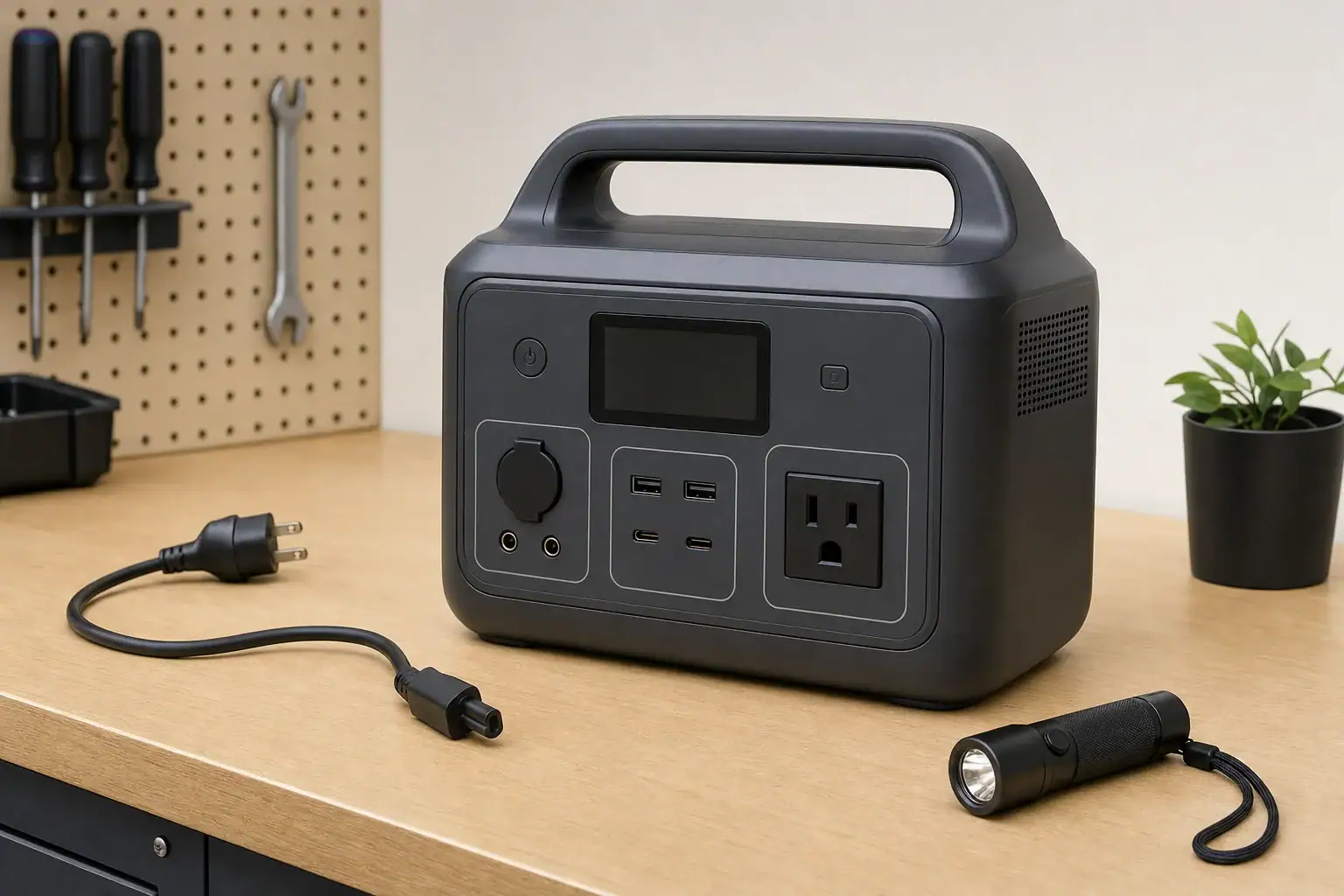
If a portable power station screen is frozen or blank, disconnect its loads and charging cables, let the unit return to a safe room temperature, and perform the normal shutdown or restart described in its manual. Then reconnect only a manufacturer-approved charging source. A blank display may reflect sleep mode or an empty battery, but it can also indicate temperature protection, a software lockup, or a display failure.
Do not assume the unit is off merely because the screen is dark. If its outlets still work, turn them off using the normal controls and avoid powering critical equipment until battery level, warnings, and operating status are visible again.
Start with these checks
- Disconnect everything. Remove appliances from the AC, DC, and USB outputs. Disconnect solar panels, vehicle charging cables, expansion batteries, and AC charging equipment.
- Inspect the unit without opening it. Stop using it if you notice swelling, leaking, smoke, unusual odor, crackling, severe impact damage, water intrusion, or excessive heat. Move away from the unit and follow the manufacturer’s emergency guidance.
- Try the normal wake control. Briefly press the main power or display button. Some screens turn off after a period of inactivity even while the station remains on.
- Perform a normal power cycle. Use the shutdown and restart procedure in the manual. Button combinations and required hold times vary, so do not guess at a reset sequence.
- Allow temperature recovery. If the station was in a hot vehicle, direct sun, or freezing conditions, switch it off and let it gradually reach a dry indoor temperature within its specified operating range. Do not charge a battery that is excessively hot or cold.
- Connect an approved charger. Use the supplied charger or another source the manufacturer identifies as compatible. Confirm that the wall outlet works, then leave the station connected for the minimum wake-up period specified in its instructions.
If the screen is blank
Look for other signs of power, such as button illumination, cooling-fan activity, app connectivity, charging indicators, or output status lights. These observations help separate a display problem from a station that is completely unresponsive.
Blank screen, but the station otherwise responds
The display may be asleep, set to very low brightness, or malfunctioning. If the model supports an official app, check whether it reports display brightness, screen timeout, battery level, temperature warnings, or firmware status. Treat app readings cautiously if they stop updating.
Turn off all outputs when finished. Operating with no working display makes it harder to see overload, temperature, and low-battery warnings.
Blank screen and no response
A deeply discharged battery may need time on an approved charger before the controls wake. If there is still no response after the manufacturer’s stated charging period, try another known-good compatible charging method only if the manual permits it. For example, a model that accepts both its supplied AC charger and specified USB-C charging may allow one source to help identify a failed adapter or input port.
Do not substitute a charger based only on connector fit. Voltage, current, polarity, communication protocols, and input limits must all be compatible.
If the screen is frozen
A frozen screen may continue showing an old battery percentage, wattage reading, or warning even though conditions have changed. Disconnect all loads first so that an outdated display cannot hide a falling battery level or overload.
After a normal power cycle, reconnect the charger with no loads attached. If the screen works again, add devices one at a time. A particular cable, accessory, high-starting-power appliance, or overloaded output may be triggering the problem.
Appliances with motors or compressors can briefly draw more than their normal running watts. That surge can exceed the station’s surge rating even when the appliance’s continuous wattage is below the station’s continuous output rating. Both ratings vary by model, and a display lockup during such an event should not be treated as proof that the load is compatible.
Use reset and firmware options carefully
Some power stations provide separate soft-restart, system-reset, battery-management reset, and factory-reset procedures. These are not interchangeable. A factory reset may erase settings, while an undocumented button combination may have unintended effects. Use only the exact procedure in the current manufacturer instructions for the model and hardware revision.
If an official firmware update specifically addresses display behavior, follow the manufacturer’s prerequisites. The station may need a minimum charge level, stable app connection, or uninterrupted external power. Do not start an update while the unit is supplying a critical load.
A full discharge-and-recharge cycle is not a universal screen fix and adds battery wear. Perform battery-meter calibration only when the manufacturer recommends it for that model.
Record clues before requesting service
- Whether the screen is fully dark, flickering, dim, or stuck on one image
- The displayed battery percentage or error code, preferably photographed
- Which inputs and outputs were connected when the problem began
- Approximate ambient temperature and whether the unit was recently moved from heat or cold
- Whether buttons, fans, lights, outputs, or an official app still respond
- Model, serial number, firmware version, and purchase information
When to stop troubleshooting
Contact the manufacturer or an authorized service provider if the screen remains blank or repeatedly freezes after an approved restart and charging attempt. Service is also appropriate if the problem returns under light loads, the reported charge changes erratically, controls stop responding, or the enclosure shows damage.
Do not open the power station, probe internal components, bypass protection systems, or attempt battery repairs. Until the display and warning functions are reliable, do not depend on the station for medical equipment or other critical backup needs.
Related guides
Browse this topic →
- Beginner-friendly sizing, runtime & specs
- Solar & charging (MPPT, fast charging, cables)
- Batteries (LiFePO4, cycles, care & storage)
- Safety, cold-weather performance, real-world tips
More in FAQ
See all →Keep reading

About this site
Portable Energy Lab publishes practical, independent guides about portable power—clear sizing, safe use, and real-world expectations.
Affiliate disclosure
Some links on this site may be affiliate links. If you buy through these links, we may earn a small commission at no extra cost to you. This helps support our content. Read our affiliate disclosure.