
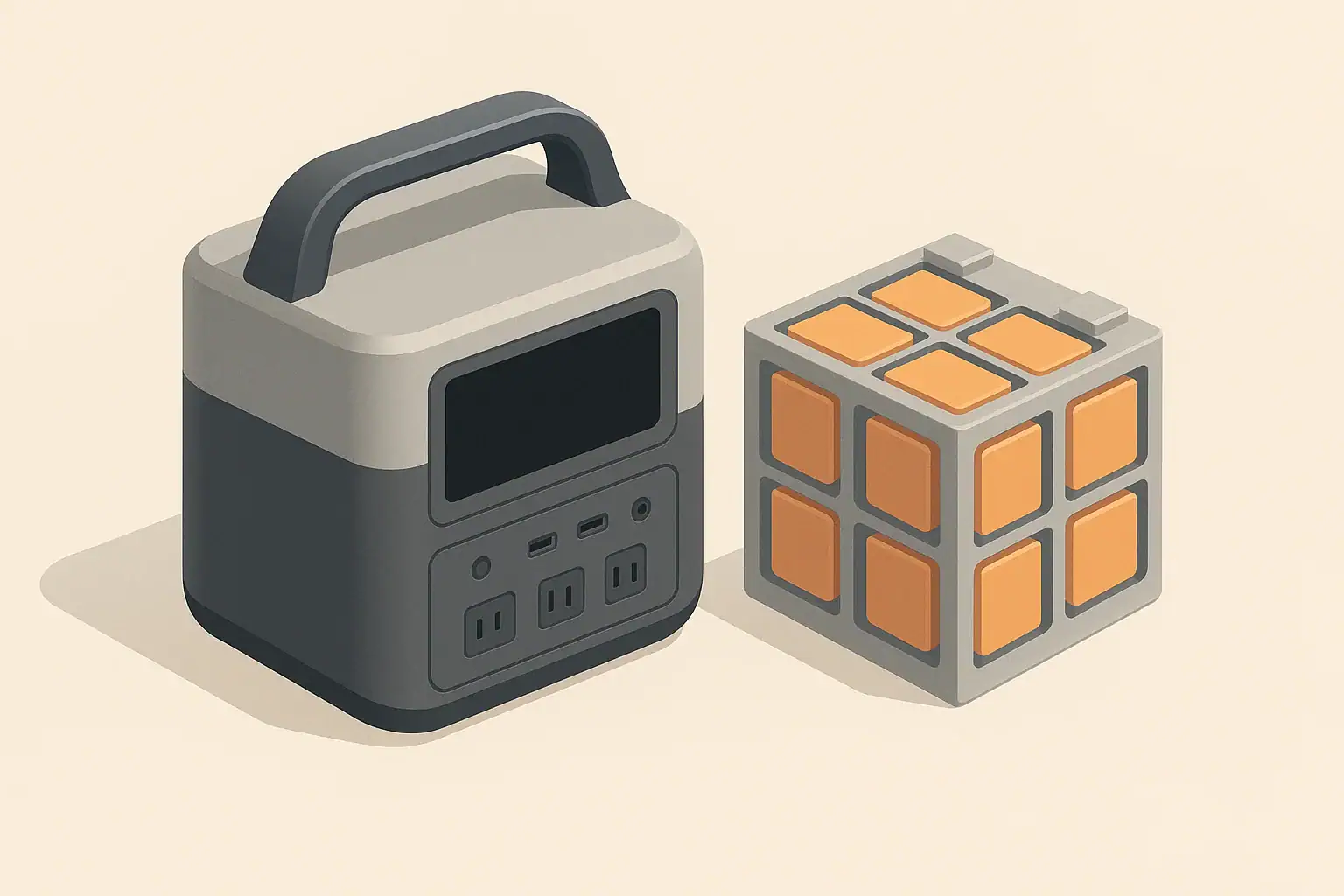
Portable power stations are generally safe to use and charge between about freezing and a warm room, but both charging and discharging have specific temperature limits that you should respect. Staying within those limits protects the lithium battery, keeps runtimes predictable, and reduces the chance of sudden shutdowns or long‑term damage.
In practice, that means charging near typical indoor temperatures and avoiding fast charging when the unit is very cold or very hot. Discharging is usually allowed over a wider range, but extreme heat or cold will still cut usable capacity and may trigger protective shutdowns. Understanding how temperature limits work lets you plan for hot vehicles, winter camping, and long‑term storage without guessing.
This guide explains what “safe temperature range” really means, how it affects charging, discharging, and runtime, and what to do when your power station slows down or refuses to work because it is too hot or too cold.
What temperature limits mean and why they matter
Portable power stations use lithium‑based batteries that are sensitive to temperature. Every model has defined temperature limits for three basic states:
- Charging range – the battery temperature window where it can safely accept charge.
- Discharging range – the window where it can safely deliver power to your devices.
- Storage range – the conditions that minimize long‑term wear when the unit is not in use.
Charging is the most restrictive. When you push energy into a lithium battery, chemical reactions are more stressed and more heat is generated. That is why most power stations allow discharging at lower and higher temperatures than they allow charging.
Staying inside the recommended temperature limits matters for three main reasons:
- Safety – protections reduce the risk of overheating, venting, or internal damage.
- Performance – heat and cold both reduce usable watt‑hours and can limit inverter output.
- Battery life – repeated use or storage at extreme temperatures permanently shortens capacity over time.
Modern power stations include temperature sensors and control circuits that will slow charging, reduce output, or shut down entirely when temperatures are out of bounds. Those are last‑resort protections. Good temperature planning keeps you well away from those hard limits, so your unit feels predictable instead of “finicky.”
Key temperature concepts: charging, discharging, and runtime
Temperature limits interact with the basic sizing math of a portable power station: power (watts), energy (watt‑hours), and efficiency losses. Understanding this helps you translate a spec sheet into realistic runtimes in hot or cold conditions.
Charging vs. discharging temperature ranges
While exact numbers vary by model, many portable power stations use ranges similar to these:
- Typical charging window: roughly around 32–95°F (0–35°C).
- Typical discharging window: roughly around 14–104°F (−10–40°C) or wider.
Charging limits are tighter for two reasons:
- Cold charging risks – below freezing, charging can cause internal plating on battery electrodes, which permanently reduces capacity.
- Hot charging risks – at high temperatures, chemical reactions speed up and pressure can build, raising safety concerns.
Discharging is more tolerant because you are taking energy out, not pushing it in. The battery still heats internally, but the chemical stress is lower than during fast charging.
How temperature changes usable watt‑hours
Even when you stay within the allowed range, temperature changes how much of the rated capacity you can actually use. Three effects stack together:
- Battery efficiency – cold increases internal resistance, so voltage drops sooner and the system shuts down earlier.
- Inverter and electronics losses – heat makes internal components less efficient, wasting more energy as heat.
- Thermal throttling – the battery management system may limit charging or output power to keep temperatures safe.
That is why a 500 Wh portable power station might feel like a 350–400 Wh unit in mild indoor conditions, a 250–300 Wh unit on a freezing night, and a 300–350 Wh unit in a very hot van with fans running constantly.
Planning runtimes with temperature in mind
When you estimate runtime, you can treat the printed watt‑hours as a best‑case starting point, then adjust for temperature and normal conversion losses. The table below shows a simple way to do that using rough percentages.
| Environment | Approx. battery temp | Planning factor vs. rated Wh | Example: 500 Wh unit usable Wh |
|---|---|---|---|
| Cool indoor room | 60–75°F (15–24°C) | 70–80% | 350–400 Wh |
| Hot shaded area | 85–95°F (29–35°C) | 60–70% | 300–350 Wh |
| Very hot vehicle interior | 100–120°F (38–49°C) | 50–65% (plus risk of shutdown) | 250–325 Wh |
| Cool outdoor evening | 40–55°F (4–13°C) | 65–75% | 325–375 Wh |
| Near freezing campsite | 25–35°F (−4–2°C) | 50–60% | 250–300 Wh |
| Below typical discharge limit | Below about 14°F (−10°C) | Unreliable; possible shutdown | May not operate |
These are not specifications; they are planning numbers that help you avoid surprises when temperatures are far from ideal.
Real-world temperature scenarios and what to expect
To make the abstract ranges more concrete, it helps to walk through common situations where people use portable power stations: parked cars, winter camping, garages, and backup power during heat waves.
Hot vehicle or tent in summer
Scenario: A mid‑sized power station is left in a parked car at a trailhead on a sunny day. Outside air is 90°F (32°C), but inside the car it quickly climbs above 120°F (49°C).
- The battery and inverter heat up well beyond their ideal range.
- Fans may run constantly and the unit may refuse to fast charge from a car outlet.
- AC output could shut off under moderate loads, even though the state of charge still shows plenty of capacity.
When you return, the unit may display an over‑temperature warning and block charging until it cools down. In repeated use, this kind of heat exposure noticeably accelerates long‑term capacity loss.
Cold campsite or unheated cabin
Scenario: The same unit is used at a campsite where night temperatures drop to around 25°F (−4°C). It was stored in the trunk overnight and feels very cold to the touch in the morning.
- The power station may still power small DC loads or low‑draw AC devices, but runtime is shorter.
- Attempting to recharge from a vehicle or solar may result in very slow charging or no charging at all until the internal battery warms.
- Voltage sag under load can cause an early shutdown, even though the battery indicator did not reach zero.
Placing the unit inside a tent or cabin for an hour, or running a small load to let it gently warm, often restores more normal behavior.
Garage backup during a heat wave
Scenario: A power station lives in a garage and is used to run fans and a small refrigerator during summer outages. The garage reaches 95°F (35°C) in the afternoon. For a fan-specific estimate, plan the runtime of a portable fan during a heat wave separately.
- Charging from wall power may slow down or pause periodically as the internal charger manages heat.
- Running near the inverter’s continuous rating for hours can push internal temperatures near shutdown thresholds.
- Over several seasons, the combination of high storage and operating temperatures can noticeably reduce capacity.
Moving the unit to a cooler room during outages and storing it away from hot walls or windows can significantly improve both runtime and long‑term health.
Winter power outage in a cold house
Scenario: A power station is stored in a closet and brought out during a winter outage. Indoor temperature is around 45°F (7°C) because the heating system is off.
- The unit generally works, but devices that normally run for 8 hours may only run 5–6 hours.
- If the battery was stored at a low state of charge, the combination of cold and low voltage can trigger an earlier low‑battery cutoff.
- Charging from a generator or wall outlet (when power returns) may be slower until the unit warms up.
Planning for reduced runtime in these conditions helps you prioritize which devices are truly essential.
Common mistakes and troubleshooting temperature problems
Many “mystery failures” with portable power stations are actually temperature protections doing exactly what they were designed to do. Recognizing the patterns can save you from unnecessary support calls or returns.
Typical symptoms of temperature issues
- Unit will not charge even though the charger is connected and working elsewhere.
- AC output shuts off while DC ports keep working.
- Charging slows dramatically partway through, especially above 80% state of charge on a hot day.
- Runtime feels much shorter than usual in either very hot or very cold weather.
- Fans run loudly and often, even with modest loads.
These are usually the battery management system and inverter protecting themselves, not signs of immediate failure.
Common temperature‑related mistakes
- Leaving the unit in a closed car or direct sun for hours, then expecting full‑speed charging and full output right away.
- Trying to fast charge a frozen battery that has been in an unheated vehicle or shed overnight in winter.
- Blocking vents and fans with bags, blankets, or tight shelving, which traps heat.
- Running near maximum inverter load for long periods in a hot room without ventilation.
- Assuming a fault instead of checking temperature when the unit suddenly shuts off under load.
The table below links these mistakes to practical troubleshooting steps.
| Symptom | Likely temperature cause | Immediate actions | Prevention next time |
|---|---|---|---|
| Refuses to charge after hot car storage | Battery and electronics above safe charge temp | Move to shade, let cool 30–60 minutes, then retry | Avoid closed vehicles; store in cooler spot when parked |
| Refuses to charge after freezing night | Battery below safe charge temp | Bring indoors, let reach room temp before charging | Store indoors or insulated; avoid leaving at very low temps |
| AC shuts off but DC still works | Inverter overheated under load | Turn off loads, improve airflow, wait for cool‑down | Use lower power mode or spread loads across time |
| Runtime far shorter than usual in cold | Higher internal resistance, early low‑voltage cutoff | Warm unit slightly, then restart with priority loads | Keep unit off cold floors; store at moderate temperature |
| Charging slows dramatically at high state of charge | Charger or battery reaching thermal limits | Accept slower charge or move to cooler area | Allow more time for full charges in hot weather |
Simple diagnostic checklist
If your portable power station behaves oddly, run through this quick mental checklist before assuming a defect:
- Has it been in direct sun, a hot car, or near a heater?
- Has it been stored in a very cold place for several hours?
- Are vents or fans blocked by objects or dust buildup?
- Are you running close to the maximum rated watts for a long time?
- Does the case feel hot or very cold to the touch?
Addressing those points first resolves a large share of real‑world complaints.
Safety basics: placement, ventilation, and cords
Good temperature management is also a safety issue. While portable power stations are designed with multiple layers of protection, simple habits reduce risk further and help those protections work as intended.
Placement and ventilation
- Use stable, dry, nonflammable surfaces such as floors or sturdy tables, not soft bedding or piles of clothing that trap heat.
- Keep vents and fans clear on all sides. A few inches of space around the unit is usually enough for airflow.
- Avoid enclosed spaces like sealed cabinets, tightly packed gear bins, or under blankets while operating or charging.
- Protect from direct radiant heat sources such as space heaters, stoves, or south‑facing windows.
Cords, adapters, and heat
- Use appropriately rated extension cords for AC loads. Undersized or very long cords can overheat and drop voltage.
- Do not operate with tightly coiled cords; coils act like a heater under load.
- Inspect insulation and plugs for discoloration, melting, or a burnt smell, which can indicate overheating.
- Avoid pinching or sharply bending DC and USB cables, especially near connectors where heat can concentrate.
Moisture and shock considerations
Temperature and moisture often go together, especially outdoors. When powering devices near sinks, showers, or wet ground, extra care is warranted. Using outlets, adapters, or power strips with ground‑fault protection can add a layer of safety by shutting off power if a fault is detected. For any setup that interacts with building wiring or permanent installations, consulting a qualified electrician is safer than improvising.
Maintenance and storage for long-term battery health
How and where you store a portable power station between trips or outages has a major impact on how the battery ages. Temperature is one of the biggest levers you can control.
Best storage temperatures
Lithium batteries generally age slowest when stored cool and dry, away from direct sun. Long‑term exposure to high heat is one of the fastest ways to lose capacity, even if you rarely use the unit.
- Aim for room‑temperature storage whenever possible, roughly 50–77°F (10–25°C).
- Avoid attics, hot garages, and car trunks that can exceed 100°F (38°C) for hours.
- Cold storage is less harmful than hot, but extremely low temperatures can still cause temporary performance loss and condensation risk.
State of charge during storage
Most lithium batteries prefer not to sit at 0% or 100% for months. A moderate state of charge reduces stress on the cells.
- For general storage, many users aim for roughly 40–60% charge.
- For seasonal backup (storms, fire season), slightly higher, like 60–80%, can be practical.
- Check and top up every few months to account for self‑discharge and idle drain.
Routine temperature-aware checks
Periodic checks help catch temperature‑related issues before you rely on the unit in an emergency or on a trip.
- Every few months, power it on, run a small load, and confirm fans operate as expected.
- Start a charge cycle and watch for unusual error indicators or very early thermal throttling.
- Inspect vents for dust or pet hair that could block airflow.
- Look for signs of moisture exposure or corrosion around ports.
Aligning these checks with seasonal changes (before summer heat and before winter cold) ensures the power station is ready for the conditions where you are most likely to use it.
Practical takeaways and specs to look for
Temperature limits are not just fine print; they shape how your portable power station behaves in the real world. By assuming reduced capacity in heat and cold, avoiding fast charging when the battery is very hot or very cold, and storing at moderate temperatures and partial charge, you can keep your system safer and more predictable for years.
When comparing or setting up portable power stations, it helps to know which temperature‑related specifications and features to look for. These details can make the difference between a unit that only works in perfect conditions and one that stays useful in real‑world weather.
Specs to look for on datasheets and manuals
- Charging temperature range – Look for a clearly stated minimum and maximum battery temperature for charging. A wider, realistic range (with protections) gives more flexibility.
- Discharging temperature range – Check both the low‑temperature and high‑temperature limits, especially if you plan winter camping or hot‑climate use.
- Storage temperature range – Note both short‑term and long‑term storage recommendations to avoid leaving the unit in damaging conditions.
- Low‑temperature charging protection – Confirm that the system automatically blocks or limits charging when the battery is too cold.
- Over‑temperature protection – Look for protections on both the battery and inverter, including automatic shutdown or throttling.
- Cooling design – Fans, vents, and internal heat management matter if you plan to run high loads or fast charging in warm environments.
- Efficiency or usable capacity notes – Some documentation includes typical usable watt‑hours or efficiency percentages, which you can adjust further for hot or cold conditions.
- Recommended storage state of charge – A clear guideline (for example, mid‑range storage) makes it easier to maintain the battery between trips.
By reading these specs through a temperature lens and adjusting your expectations accordingly, you can choose and use portable power stations that remain reliable across seasons instead of only on mild spring days.
Primary reference: UL Solutions’ explanation of battery charging-temperature safeguards notes that charging should stop outside the limits specified for the cells and end product. Use the temperature range in the manual for the exact power station.
Frequently asked questions
What temperature-related specifications and features matter most when choosing a portable power station?
Prioritize clearly stated charging, discharging, and storage temperature ranges along with protections for low-temperature charging and over-temperature shutdowns. Also consider cooling design (fans and vents) and any documented usable capacity or efficiency notes to understand real-world performance in heat or cold.
Why won’t my power station charge after being left in a hot car?
Many units automatically block or throttle charging when internal sensors detect battery temperatures above the safe charging range to prevent damage and safety risks. Allow the unit to cool in shade or a cooler environment before attempting to charge again.
Is it dangerous to operate a portable power station outside its recommended temperature limits?
Operating outside the recommended limits raises the risk of reduced performance, accelerated battery aging, or protective shutdowns; extreme cases can stress internal components. Built-in safety systems reduce immediate hazards, but avoiding temperature extremes is the safer long-term strategy.
How can I avoid common temperature-related mistakes when using a power station outdoors?
Avoid leaving the unit in closed vehicles or direct sun, keep ventilation clear, and don’t attempt fast charging when the battery is very cold or hot. Planning placement, using insulation or shade, and allowing gradual warm-up or cool-down can prevent many common failures.
How should I store a portable power station to minimize temperature-related aging?
Store at moderate temperatures (roughly 50–77°F / 10–25°C) and a partial state of charge (about 40–60%), checking and topping up every few months. Avoid prolonged storage in attics, hot garages, or car trunks where temperatures can exceed safe limits.
What first steps should I take if my unit shuts down due to temperature?
Turn off loads, move the unit to a cooler or warmer location as appropriate, and allow it to reach a normal operating temperature before restarting or charging. Inspect vents and cables and only resume use once sensors no longer report faults.
Related guides
Browse this topic →
- Beginner-friendly sizing, runtime & specs
- Solar & charging (MPPT, fast charging, cables)
- Batteries (LiFePO4, cycles, care & storage)
- Safety, cold-weather performance, real-world tips
More in Battery
See all →- Low-Temperature Charging Protection in LiFePO4 Power Stations Explained
- Portable Power Station Expansion Batteries: When Extra Capacity Makes Sense
- Lithium-Ion vs LiFePO4 Batteries Explained
- LiFePO4 vs Lithium-Ion in Cold Weather: Which Holds Up Better?
- Best Storage Charge Percentage: 40% vs 60% vs 80% for Different Battery Chemistries
Keep reading
About this site
Portable Energy Lab publishes practical, independent guides about portable power—clear sizing, safe use, and real-world expectations.
Affiliate disclosure
Some links on this site may be affiliate links. If you buy through these links, we may earn a small commission at no extra cost to you. This helps support our content. Read our affiliate disclosure.