
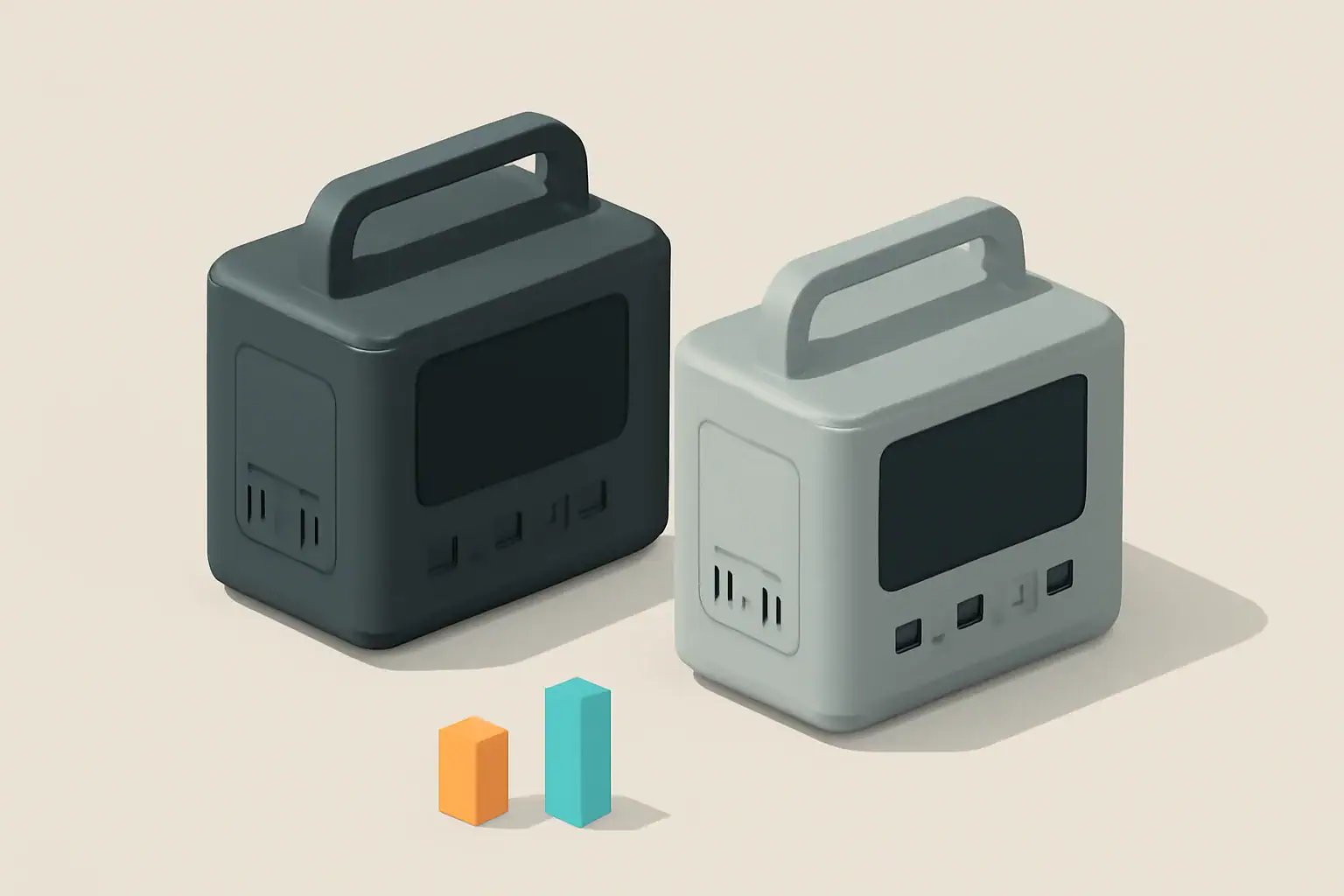
To maximize runtime, use DC power whenever your devices allow it and reserve AC power for appliances that truly need a household-style outlet. Every time your portable power station converts DC battery energy into AC and back again, you lose usable capacity and shorten runtime.
This guide explains AC vs DC power in plain language, shows where energy is lost in a portable power station, and walks through realistic examples and calculations. You will see how different connection choices change runtime, what numbers on the spec sheet matter, and how to avoid common mistakes that quietly waste power.
Whether you use a power station for camping, vanlife, home backup, or medical and work equipment, understanding how AC and DC behave in this context lets you plan loads, choose the right outputs, and get more hours of reliable power from the same battery size.
AC vs DC Power in Portable Power Stations and Why It Matters
Portable power stations store energy in batteries as direct current (DC). To run typical household appliances, they use an internal inverter to convert that DC into alternating current (AC) that looks like wall power. Many smaller devices, however, can run directly from DC outputs such as USB or 12 V ports.
The key difference for runtime is simple: every conversion step wastes some energy as heat. DC devices powered from a DC port usually get more runtime from the same battery than the same devices powered through the AC inverter. When you power an AC device that internally converts AC back to DC (like most electronics), you often have two or more conversion stages.
Understanding the path from battery to device helps you decide:
- Which port to use (AC outlet vs DC output)
- How many devices you can run at once
- How long your battery is likely to last under different loads
Once you see where losses occur, you can make small connection and usage changes that add up to hours of extra runtime.
Key Concepts: How AC and DC Power Flow Through a Power Station
Inside a portable power station, energy moves through several stages from the battery to your devices. Each stage has an efficiency rating that affects how much of the stored energy is actually delivered.
Direct Current (DC) Path
DC power flows in one direction and is the native form of energy in the battery. Common DC outputs include:
- USB-A and USB-C ports for phones, tablets, and laptops
- 12 V car-style sockets for fridges, fans, and pumps
- Barrel or high-current DC ports for dedicated DC appliances
When you use these outputs, the power station may use DC-DC converters to adjust the voltage (for example, from a higher battery voltage down to 5 V USB). These converters are usually very efficient, especially near their rated load.
Alternating Current (AC) Path
AC power alternates direction and is what you get from household wall outlets. To provide this, the power station uses an inverter to convert DC battery power into AC at a standard voltage and frequency. This allows you to run devices such as:
- Laptops with AC bricks and desktop computers
- Small kitchen appliances, tools, and entertainment gear
- Some medical or specialty devices that specify AC input only
Inverters are less efficient than DC-DC converters and have additional standby losses whenever they are turned on, even with no load connected.
Where Energy Is Lost
Energy losses primarily occur in these stages:
- Battery round-trip losses when charging and discharging
- DC-DC conversion losses when stepping voltage up or down
- Inverter losses when converting DC to AC
- Device-side losses in chargers, adapters, and internal power supplies
Typical efficiency ranges under realistic loads are:
- Battery round-trip efficiency: about 85%–95%
- DC-DC conversion: about 90%–98%
- Inverter conversion: about 85%–95%, often worse at very low or very high loads
| Power path | Typical components | Approximate overall efficiency | When to use |
|---|---|---|---|
| Battery → DC-DC → Device | Battery, internal DC-DC converter, phone or laptop charger | 80%–90% (battery × DC-DC × device losses) | Phones, tablets, DC lights, 12 V fridge, USB-C laptops |
| Battery → Inverter (AC) → Device | Battery, inverter, AC power brick or appliance | 70%–85% (battery × inverter × device losses) | Appliances that require AC only, tools, some medical devices |
| Battery → Inverter (AC) → Device → Internal DC | Battery, inverter, device’s internal AC-DC supply | 65%–80% (extra AC-DC stage inside device) | Electronics with built-in power supplies, monitors, routers |
Runtime Estimation Formula
You can estimate runtime with a simple equation using watt-hours (Wh) and watts (W):
Estimated runtime (hours) = (Battery Wh × usable battery fraction × system efficiency) ÷ load W
Where:
- Battery Wh is the rated capacity of the battery pack
- Usable battery fraction accounts for the fact that most systems do not use 100% of the rated capacity (often 0.85–0.95)
- System efficiency includes inverter or DC-DC conversion and device-side losses
- Load W is the actual power draw of your device or devices
Real-World Examples: How AC vs DC Changes Runtime
Seeing actual numbers makes the impact of AC vs DC power much clearer. The following examples assume a 1,000 Wh portable power station with 90% usable capacity (0.90) and typical efficiencies.
Example 1: Charging a Laptop
Assume the laptop draws 60 W while charging.
- Via AC inverter: inverter efficiency 90%, laptop charger 90%
- Via USB-C PD (DC): DC-DC efficiency 95%, laptop charging circuit 95%
Approximate system efficiency:
- AC path: 0.90 (battery) × 0.90 (inverter) × 0.90 (charger) ≈ 0.73
- DC path: 0.90 (battery) × 0.95 (DC-DC) × 0.95 (charger) ≈ 0.81
Estimated runtime:
- AC: (1,000 Wh × 0.73) ÷ 60 W ≈ 12.2 hours
- DC: (1,000 Wh × 0.81) ÷ 60 W ≈ 13.5 hours
Simply switching from AC to DC gains more than an hour of runtime for the same battery.
Example 2: Running a 12 V Fridge
Assume an efficient 12 V fridge averages 45 W over time (including compressor cycling).
- 12 V DC socket: DC-DC efficiency about 95%
- Through AC adapter: inverter 90%, fridge AC adapter 90%
Estimated runtime:
- DC: (1,000 Wh × 0.90 × 0.95) ÷ 45 W ≈ 19.0 hours
- AC: (1,000 Wh × 0.90 × 0.90 × 0.90) ÷ 45 W ≈ 16.2 hours
Using the native DC input for a DC appliance can add several hours of cooling on the same charge.
Example 3: Multiple Small Gadgets at Once
Consider charging three phones (10 W each) and one tablet (15 W) for a total of 45 W.
- All via USB ports: DC-DC at about 95% efficiency
- All via AC chargers: inverter 88% at light load, chargers 90%
Estimated runtime:
- DC: (1,000 Wh × 0.90 × 0.95) ÷ 45 W ≈ 19.0 hours
- AC: (1,000 Wh × 0.90 × 0.88 × 0.90) ÷ 45 W ≈ 15.8 hours
Light AC loads are often less efficient because inverter overhead becomes a larger share of total power.
| Scenario | Connection type | Approx. load (W) | Estimated runtime (1,000 Wh battery) |
|---|---|---|---|
| Laptop charging | AC inverter | 60 | ≈ 12.2 hours |
| Laptop charging | USB-C DC | 60 | ≈ 13.5 hours |
| 12 V fridge | 12 V DC socket | 45 (average) | ≈ 19.0 hours |
| 12 V fridge | AC adapter | 45 (average) | ≈ 16.2 hours |
| 3 phones + 1 tablet | USB DC | 45 total | ≈ 19.0 hours |
| 3 phones + 1 tablet | AC chargers | 45 total | ≈ 15.8 hours |
Common Mistakes and Troubleshooting Short Runtime
Many users think their power station is underperforming when the real issue is how loads are connected or measured. The following mistakes frequently shorten runtime in AC vs DC power setups.
Mistake 1: Powering DC Devices Through the AC Inverter
Devices like phones, tablets, some laptops, LED strips, and 12 V fridges typically run on DC internally. Using an AC adapter adds extra conversion stages. Symptoms include:
- Noticeably shorter runtime than expected
- Inverter fan running even with modest loads
- Power station display showing higher output than device rating suggests
Fix: Use USB, 12 V, or dedicated DC outputs whenever the device supports them.
Mistake 2: Ignoring Inverter Idle Consumption
Some inverters draw tens of watts simply by being turned on. With only a few small gadgets plugged in, this idle draw can equal or exceed the devices themselves.
- Symptom: Battery drains overnight even though only a small device (like a router or LED light) is running
- Fix: Turn off the AC inverter when not needed, or move low-power devices to DC outputs.
Mistake 3: Underestimating Startup Surge and Motor Loads
Appliances with motors, compressors, or heating elements often draw a high inrush current at startup, then settle to a lower running wattage. This can stress the inverter and reduce efficiency.
- Symptom: Inverter shuts down when a fridge, pump, or power tool starts, even though running watts seem within the rating
- Fix: Check both continuous and surge watt ratings and avoid stacking several motor loads on the same power station.
Mistake 4: Relying Only on Label Wattage
Nameplate ratings are often maximum values, not typical usage. Some devices draw much less in real use, while others (like gaming laptops or induction cooktops) can spike above their nominal rating.
- Symptom: Calculated runtime does not match real-world results
- Fix: Use the power station’s display or a plug-in meter (where safe and appropriate) to observe actual watt draw under your typical use.
Mistake 5: Running the Battery in Extreme Temperatures
Cold temperatures reduce available capacity and increase internal resistance, while high heat can cause the system to throttle or shut down to protect itself.
- Symptom: Runtime is much shorter on cold nights or very hot days than during mild weather
- Fix: Keep the unit within its recommended operating temperature range and avoid leaving it in closed vehicles in extreme heat or cold.
| Issue | Likely cause | Quick check | Suggested action |
|---|---|---|---|
| Runtime much shorter than expected | Extra AC conversions, inverter idle loss | Compare AC vs DC watt readings on display | Move compatible devices to DC outputs |
| Inverter shuts off when appliance starts | Startup surge exceeds inverter rating | Listen for click or error when device starts | Use smaller appliance or higher-rated inverter |
| Battery drains overnight on small loads | Inverter idle draw dominates | Check display with AC on and no loads | Turn off AC, use DC or timer where possible |
| Poor performance in cold weather | Reduced battery capacity at low temperature | Compare runtime at room temperature vs cold | Keep unit insulated and within spec range |
| Display watts higher than device label | Multiple devices, power factor, or surges | Measure while device is actively used | Recalculate runtime using measured watts |
Safety Basics When Using AC and DC Power
Maximizing runtime should never come at the expense of safety. AC power in particular can be hazardous if used incorrectly, and DC circuits can deliver high current that causes overheating.
Respect Voltage and Current Limits
- Do not exceed the continuous watt rating of the inverter or DC outputs.
- Avoid running the inverter at its maximum rating for long periods; this increases heat and reduces efficiency.
- Use appropriately rated cables for high-current DC loads, especially on 12 V outputs.
Use Proper Ventilation
- Place the power station on a hard, flat surface with vents unobstructed.
- Do not cover the unit with blankets, clothing, or gear while in use.
- Allow extra space around the inverter side, where heat and fan exhaust are concentrated.
Keep Moisture and Conductive Debris Away
- Keep the power station dry; avoid placing it directly on damp ground or near open water.
- Prevent metal objects such as tools, jewelry, or loose hardware from contacting ports.
- Do not operate the unit if the enclosure is damaged or cracked.
Safe Use of Extension Cords and Power Strips
- Use cords rated for the load and length you need; undersized cords can overheat.
- Avoid daisy-chaining multiple power strips or extension cords from the same AC outlet.
- Keep cords fully uncoiled during high-load operation to reduce heat buildup.
Follow Device-Specific Guidance
- Some medical devices and sensitive electronics require a clean AC waveform and stable voltage.
- Check device documentation for requirements on AC vs DC power and acceptable input ranges.
- When powering critical equipment, build in extra capacity and redundancy rather than running at the edge of ratings.
Long-Term Efficiency: Maintenance, Storage, and Usage Habits
Maintaining good efficiency over the life of a portable power station is not just about daily usage. How you store, charge, and cycle the battery also affects available runtime for both AC and DC loads.
Battery Care for Stable Runtime
- Avoid leaving the battery at 0% or 100% state of charge for long periods.
- For storage longer than a few weeks, keep the battery at a moderate charge level, typically around half to three-quarters full.
- Charge the unit every few months during storage to prevent deep discharge.
Temperature Management Over Time
- Store the power station in a cool, dry place out of direct sunlight.
- Avoid long-term storage in vehicles where temperatures can swing widely.
- Allow the unit to warm up gradually before heavy use if it has been stored in a cold environment.
Monitoring Efficiency Drift
- Periodically repeat a simple runtime test with a known load (such as a fixed 100 W AC or DC load) to see if runtime is changing over time.
- If you notice a significant drop in runtime with the same load, consider whether aging batteries, new standby devices, or inverter behavior are contributing.
- Keep notes on typical runtimes for your core devices; this makes it easier to spot changes early.
Good Habits for AC vs DC Use
- Default to DC outputs for everyday electronics and lighting.
- Turn on the AC inverter only when you actually need AC appliances.
- Group high-demand AC tasks (like cooking or power tools) into shorter sessions instead of spreading them out, to minimize idle inverter time.
Practical Takeaways and Specs to Look For
AC vs DC power choices can easily change your usable runtime by 10–30% or more. A few planning steps and the right specs make it easier to get reliable performance from your portable power station in any situation.
Key Takeaways for Everyday Use
- Use DC outputs whenever possible for phones, tablets, laptops, lights, and 12 V appliances.
- Reserve AC for devices that genuinely require a standard wall outlet.
- Account for efficiency losses when estimating runtime, not just battery size.
- Avoid leaving the inverter on with only tiny loads connected.
- Plan around surge and continuous ratings when running motor or heating loads.
Specs to Look For on a Portable Power Station
When comparing or configuring portable power stations, pay close attention to these specifications and features that directly affect AC vs DC efficiency and runtime:
- Battery capacity (Wh): Larger Wh means more stored energy. Compare devices using watt-hours, not just amp-hours.
- Usable capacity or depth-of-discharge management: Systems that manage the battery to avoid deep discharge can provide consistent runtime and longer battery life.
- Inverter continuous and surge ratings (W): Ensure both ratings comfortably exceed the combined AC loads you plan to run, including startup surges.
- Inverter efficiency curve: Look for high efficiency at the load levels you will actually use (for example, 100–500 W for typical camping setups).
- Inverter idle consumption: Lower no-load or standby draw helps when you run small AC loads or leave the unit on for long periods.
- Number and type of DC outputs: Multiple USB-A, USB-C (especially high-power USB-C), and 12 V outputs make it easier to avoid unnecessary AC conversions.
- DC output current limits: Check the maximum current or watt rating for each DC port to ensure it can support fridges, pumps, or other higher-draw DC devices.
- Charge efficiency and input options: Efficient AC charging and solar/DC input help you refill the battery with less wasted energy.
- Display accuracy: A clear, reasonably accurate display of watts in, watts out, and remaining capacity makes it easier to tune AC vs DC usage in real time.
- Thermal management and operating temperature range: Better cooling and clear temperature specs help maintain efficiency and protect the battery.
By combining the right specifications with smart choices about when to use AC vs DC power, you can stretch every watt-hour further, reduce wasted energy, and get more practical work, comfort, and safety out of your portable power station.
Frequently asked questions
Which specs and features most affect AC vs DC efficiency and overall runtime?
Battery capacity in watt-hours, usable capacity or depth-of-discharge management, inverter efficiency and idle consumption, and the number and rating of DC outputs are the most important. Thermal management and an accurate display of watts in/out also help you run the system in its most efficient range.
Why shouldn’t I power DC devices through the AC inverter?
Powering a device via the inverter adds an extra DC→AC→DC conversion, which increases losses and shortens runtime. Using native DC outputs avoids that extra conversion and usually yields noticeably longer run times.
How can I safely power sensitive or medical equipment from a portable power station?
Check the equipment’s input requirements and confirm the power station can supply a clean waveform, the required voltage, and enough continuous and surge capacity. For critical or medical devices, follow device documentation, allow a safety margin in capacity, and consider redundant power sources when possible.
What quick steps give the biggest runtime gains in the field?
Use DC ports for everyday electronics, turn off the AC inverter when you don’t need it, group high-AC tasks into shorter sessions, and monitor actual watt draw rather than relying solely on nameplate ratings. Avoid operating in extreme temperatures and use appropriately rated cables for high-current DC loads.
How do startup surges and motor loads affect performance?
Devices with motors or compressors can draw a large inrush current at startup that may exceed the inverter’s surge rating and cause shutdowns. Verify both continuous and surge ratings, avoid stacking motor loads, and choose equipment with lower startup draws if possible.
How accurate are runtime estimates and how can I measure real-world runtime?
Estimates use typical efficiency assumptions and can differ from real use due to inverter idle draw, temperature, and device-side losses. For better accuracy, measure watts out with the power station display or a meter under your normal load and repeat a timed runtime test with that known load.
Related guides
Browse this topic →
- Beginner-friendly sizing, runtime & specs
- Solar & charging (MPPT, fast charging, cables)
- Batteries (LiFePO4, cycles, care & storage)
- Safety, cold-weather performance, real-world tips
More in Comparison
See all →Keep reading
About this site
Portable Energy Lab publishes practical, independent guides about portable power—clear sizing, safe use, and real-world expectations.
Affiliate disclosure
Some links on this site may be affiliate links. If you buy through these links, we may earn a small commission at no extra cost to you. This helps support our content. Read our affiliate disclosure.