
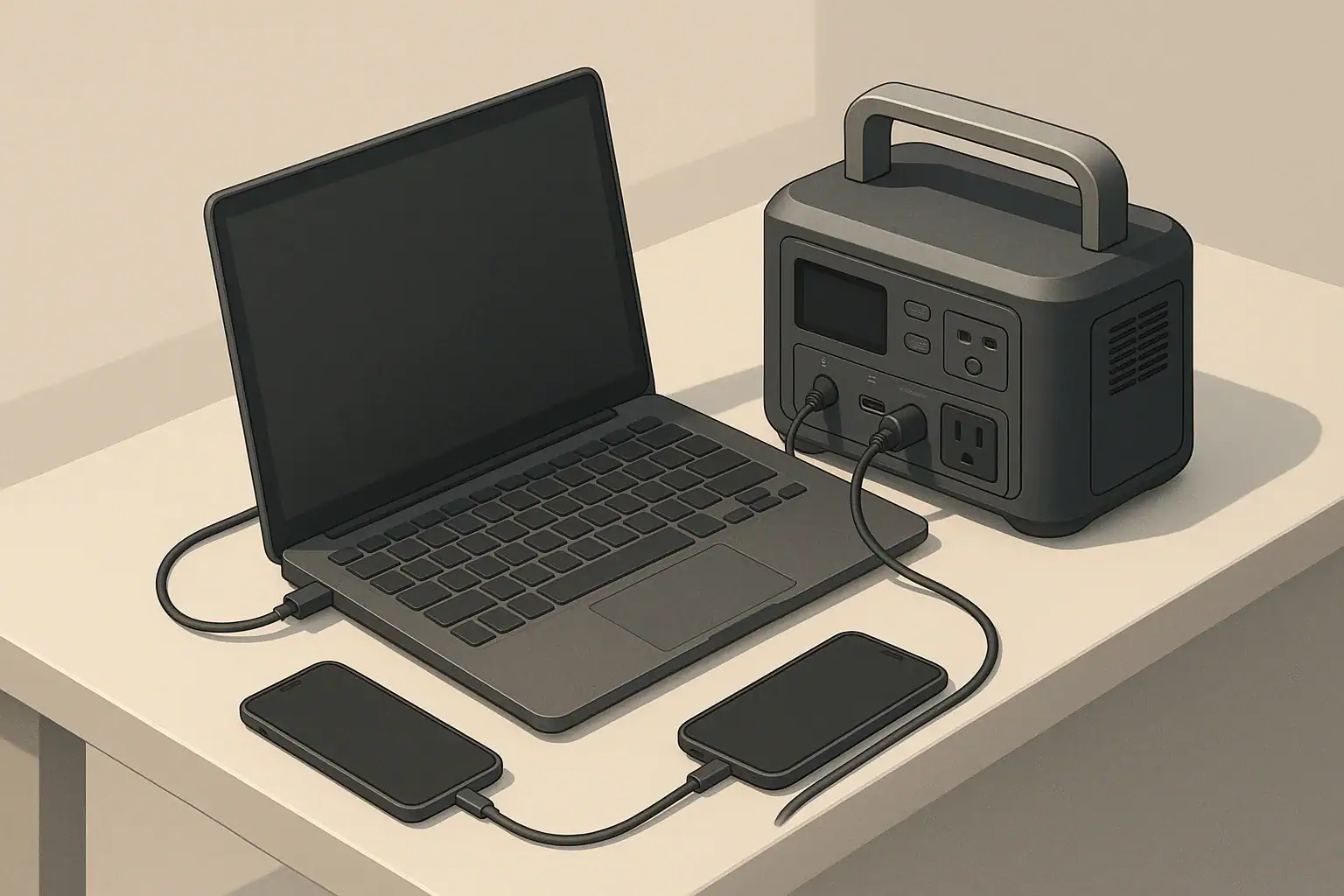
The numbers on a portable power station tell you two things: how much you can plug in at once (outputs) and how long it will run (battery capacity and inputs). When you know how to read watts, watt-hours, volts, and amps, you can quickly tell if a unit will power your fridge, laptop, CPAP, or tools without guessing.
This guide breaks down portable power station outputs and inputs in plain language. You will see how to match devices to ports, estimate runtime, understand charging times, and spot limits that are easy to miss on a spec sheet. The goal is to turn confusing labels into simple, repeatable steps you can use for camping, home backup, or mobile work.
What Portable Power Station Numbers Mean and Why They Matter
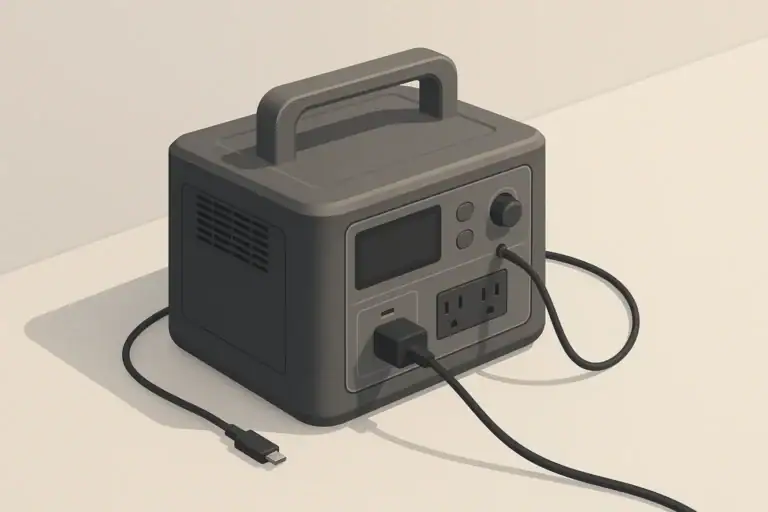
A portable power station is essentially a battery, an inverter, and a set of ports in one box. Every label or spec is describing one of three things: how much energy is stored, how fast that energy can flow out, and how fast it can be put back in.
Those three ideas show up as:
- Battery capacity (Wh) – how much total energy is stored, similar to the size of a fuel tank.
- Output power (W) – how much power you can draw at one time from AC, DC, or USB ports.
- Input power (W) – how quickly the station can recharge from the wall, a vehicle, or solar.
Understanding these numbers matters because they control real-world questions such as:
- Can this station start and run a small refrigerator without tripping off?
- Will it keep a CPAP machine running all night?
- How long will my internet and laptop stay online during an outage?
- How many hours of sun or wall charging do I need to recover after a heavy-use day?
Once you can read the basic units, any portable power station spec sheet becomes a checklist instead of a guessing game.
Key Electrical Concepts: Watts, Watt-Hours, Volts, and Amps
The same four units appear on almost every portable power station: watts, watt-hours, volts, and amps. They are related but not interchangeable.
Watts (W): Instant Power
Watts describe how much power is being used or supplied at a specific moment. Higher watts mean more power flow right now.
- LED light: about 5–10 W
- Laptop while charging: about 40–90 W
- Small microwave: about 700–1200 W
- Space heater: about 1000–1500 W
On a portable power station, watts show up as:
- AC inverter continuous watts – the maximum steady AC load you can run.
- AC inverter surge watts – a higher short burst for motor or compressor startup.
- Per-port watt limits – for example, a 100 W USB-C port or a 120 W 12 V car socket.
If the total load on a section (like AC) exceeds its continuous rating, the station will usually shut that section down to protect itself.
Watt-Hours (Wh): Stored Energy
Watt-hours measure how much energy the battery can deliver over time. This is the key number for estimating runtime.
The basic planning formula is:
Estimated runtime (hours) ≈ Battery capacity (Wh) ÷ Device load (W) × Efficiency factor
An efficiency factor of about 0.8 (80%) is a practical rule of thumb to account for inverter and conversion losses, especially for AC loads.
| Battery size (Wh) | Device load (W) | Simple runtime (Wh ÷ W) | Planned runtime with 80% efficiency | Typical use case |
|---|---|---|---|---|
| 300 Wh | 30 W (router + modem) | 10 hours | ~8 hours | Short home outage for internet only |
| 500 Wh | 60 W (CPAP without heater) | 8.3 hours | ~6.5 hours | Overnight medical device support |
| 1000 Wh | 150 W (laptop + monitor + router) | 6.7 hours | ~5 hours | Remote work setup during outage |
| 1500 Wh | 60 W average (12 V fridge cycling) | 25 hours | ~20 hours | Weekend camping with fridge |
Volts (V): Electrical Pressure
Voltage is the electrical “pressure” pushing current through a circuit. Common values on portable power stations include:
- 120 V AC for household-style outlets
- 12 V DC for car-style sockets and some barrel ports
- 5–20 V DC on USB and USB-C ports, depending on the charging profile
Devices are designed for a specific voltage. A 12 V fridge expects 12 V DC; a household blender expects 120 V AC. Matching device voltage to the correct port type is essential for safe operation.
Amps (A): Current Flow
Amps measure how much current is flowing. Watts, volts, and amps are linked by:
Watts ≈ Volts × Amps
You can rearrange this to estimate limits:
- Amps ≈ Watts ÷ Volts
- Volts ≈ Watts ÷ Amps
Example: a 12 V DC port rated at 10 A can supply about 120 W (12 V × 10 A). Staying within both the watt and amp ratings helps prevent overheated cables and tripped protections.
How Outputs and Inputs Work on a Portable Power Station
Every portable power station has two sides: outputs (power going to your devices) and inputs (power coming from the wall, vehicle, or solar). Both sides have limits.
AC Outputs and the Inverter
AC outputs look like standard wall outlets. Inside the unit, an inverter converts the battery’s DC power to 120 V AC. Key AC specs include:
- Continuous watts – maximum steady AC load, such as 600 W or 1500 W.
- Surge watts – short-term extra capacity for startup spikes from fridges, pumps, or tools.
- Waveform – many units use a pure sine wave that closely matches grid power and is friendly to electronics.
To avoid shutdowns, add up the running watts of all AC devices you plan to use at the same time and keep that total comfortably below the continuous rating. For motor loads, allow extra headroom for startup surge.
DC Outputs: 12 V and Barrel Ports
DC outputs power devices that already run on direct current, such as 12 V fridges, LED strips, routers (with the right adapter), or small pumps. Typical DC outputs include:
- 12 V car-style sockets with a current limit (for example, 10 A or 15 A).
- Barrel ports with specified voltage and amp ratings.
Using DC outputs instead of AC for DC-native devices avoids inverter losses and usually gives longer runtimes from the same battery.
USB and USB-C Ports
Most portable power stations include several USB outputs:
- USB-A for phones, headlamps, and small accessories.
- USB-C, often with Power Delivery (PD), for tablets and laptops.
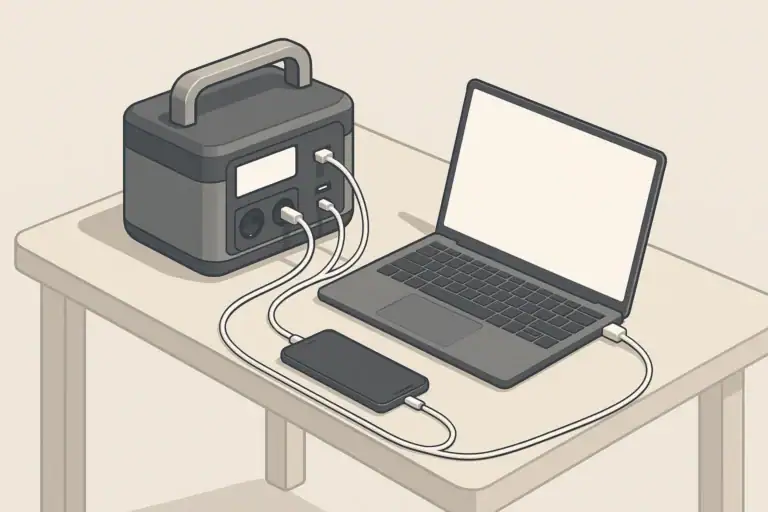
USB ports are labeled with max watts or amps. For example, a 100 W USB-C port can usually run many laptops directly without using the AC inverter, improving efficiency and reducing fan noise.
Total Output Limits and Port Sharing
Each port has its own limit, and groups of ports often share a combined limit. Common patterns include:
- All USB ports sharing one total watt limit.
- All DC ports sharing a combined watt or amp limit.
- An overall limit for the entire station, across AC and DC together.
If you plug in many devices at once and cross one of these internal limits, the station may reduce power to some ports or shut down a section until you unplug something and restart outputs.
Inputs: Wall, Vehicle, and Solar Charging
Inputs control how quickly you can refill the battery.
- AC wall charging – often the fastest input; look for the maximum AC input watts and use it to estimate charge time.
- Vehicle charging – uses a 12 V socket; usually slower than wall charging and best while driving.
- Solar input – depends on panel size, sunlight, and the station’s allowed voltage and watt range.
A simple charge-time estimate is:
Charge time (hours) ≈ Battery capacity (Wh) ÷ Input power (W) × 1.2
The 1.2 factor adds margin for conversion losses and tapering near full charge.
Pass-Through Power (Charging While Powering Devices)
Many stations can charge their battery while powering devices at the same time, called pass-through. Behavior varies by model, but in general:
- Some units allow pass-through on all outputs.
- Some limit which ports stay active or reduce output limits while charging.
- Heavy pass-through can create more heat and may increase long-term wear compared with simple charge-then-use patterns.
For non-critical loads, pass-through is convenient. For critical loads, consider how the station behaves if input power drops suddenly and how quickly it switches to pure battery output.
Real-World Output and Input Examples
Putting the numbers together is easier with concrete scenarios. The examples below show how outputs and inputs interact in common situations.
Short Power Outage at Home
Goal: keep lights, internet, and a few devices running for several hours.
- LED light: 10 W
- Router + modem: 25 W
- Laptop in use: 60 W
Total load is about 95 W. A 500 Wh station would give a simple runtime of about 500 ÷ 95 ≈ 5.3 hours. With an 80% efficiency factor, plan for about 4 hours. If you turn the laptop off part of the time, the average load drops and runtime increases.
Camping or Vanlife with a 12 V Fridge
Goal: run a 12 V fridge, charge phones, and power a few lights over a weekend.
- 12 V fridge: 50–60 W while the compressor is on, but cycling, so maybe 25–35 W average over 24 hours.
- LED lights: 10–20 W for a few hours each night.
- Phone charging: a few watts on average.
If your average daily load is around 40–50 W over 24 hours, that is roughly 960–1200 Wh per day. A 1500 Wh station might cover a weekend with careful use, especially if you add solar input during the day to offset some of the draw.
Remote Work and Mobile Office
Goal: work away from grid power with a laptop, monitor, and router for a full workday.
- Laptop on USB-C: 50–70 W while in use.
- External monitor on AC: 30–40 W.
- Router or hotspot: 10–20 W.
Assume a 120 W average load over 8 hours: 120 × 8 = 960 Wh. A 1000 Wh station, used mostly on DC and USB-C where possible, can be a good fit, especially if you take breaks or dim the monitor to reduce draw.
Running High-Power Devices and Tools
Goal: occasionally run a high-draw device like a microwave or power tool.
- Check the tool’s running watts and compare to the station’s continuous AC rating.
- Allow extra headroom for startup surge, especially for saws, compressors, or pumps.
- Remember that even a large battery drains quickly under 1000+ W loads.
For example, a 1000 W microwave running at full power on a 1000 Wh station would, in theory, drain the battery in about an hour of continuous use, and less after efficiency losses. In practice, short heating bursts are reasonable; long continuous cooking is not.
| Use case | Typical combined load (W) | Suggested minimum inverter size (continuous W) | Suggested minimum battery size (Wh) | Planning note |
|---|---|---|---|---|
| Basic outage (lights + router) | 40–60 W | 200–300 W | 300–500 Wh | Focus on quiet operation and efficiency. |
| Remote work setup | 100–150 W | 500–700 W | 700–1200 Wh | USB-C PD ports are very helpful. |
| 12 V fridge + lights (weekend) | 40–70 W average | 300–500 W | 1000–1500 Wh | Pair with solar for longer trips. |
| Small power tools | 500–900 W | 1000–1500 W | 1000+ Wh | Best for short, intermittent use. |
Common Mistakes and Troubleshooting Output/Input Issues
Most frustrations with portable power stations come from a few predictable mistakes. Recognizing them makes troubleshooting much easier.
Mistake 1: Confusing Watts with Watt-Hours
Many people focus on inverter watts (how much you can run at once) and ignore watt-hours (how long you can run it). A high-watt inverter with a small battery can start big loads but will not run them for long.
Fix: Always check that both the inverter rating and the battery capacity match your needs. Use the runtime formula before buying.
Mistake 2: Overloading a Single Port or Output Group
Another common issue is tripping protections by pulling too much power from one port or from a group of ports that share a limit.
- Symptom: AC or DC section suddenly turns off while the battery still shows plenty of charge.
- Likely cause: combined connected load exceeded a port or section limit.
Fix: Reduce the number of devices on that section or move some loads to different outputs. Check per-port and combined ratings in the manual and keep total draw below them.
Mistake 3: Ignoring Startup Surge
Devices with motors or compressors (fridges, pumps, some tools) draw more power for a second or two when starting. Even if the running watts are within spec, the surge may exceed the inverter’s peak rating and cause a shutdown.
Fix: Choose a station with surge capacity well above the running watts of your largest motor load. Avoid starting multiple heavy devices at the same time.
Mistake 4: Expecting Vehicle or Solar Charging to Be as Fast as Wall Charging
Vehicle and solar inputs usually supply much less power than a wall charger. This can surprise users who expect a large battery to refill in a couple of hours from a car or small solar panel.
- Symptom: battery percentage climbs slowly or seems to stall in poor sun.
- Likely cause: low input watts compared with battery size.
Fix: Estimate charge times with realistic input watts. For solar, remember that actual output can be half or less of the panel’s nameplate rating over a full day.
Mistake 5: Using AC When a DC or USB Option Is Available
Running a DC device through the AC inverter (for example, using a laptop’s AC brick instead of USB-C) adds an extra conversion step and wastes energy.
Fix: Whenever possible, power DC-native devices from DC or USB-C ports. This often extends runtime and reduces fan noise.
| Symptom | Probable cause | What to check | Practical next step |
|---|---|---|---|
| AC turns off under load | Inverter overload or surge spike | Total watts of all AC devices | Unplug high-draw devices and restart AC. |
| Device will not charge on USB | Port watt limit too low | Port’s watt/amp rating vs. device needs | Move to higher-power USB-C or AC if required. |
| Battery drains faster than expected | Underestimated load or inverter losses | Actual watt draw shown on display | Turn off non-essential loads; use DC where possible. |
| Charging stops in cold weather | Battery temperature protection | Temperature warnings or icons | Warm the unit to within its safe range. |
High-Level Safety Basics for Outputs and Inputs
Portable power stations are designed with built-in protections, but they still store and deliver substantial energy. A few habits greatly reduce risk and extend equipment life.
Respect Power and Current Limits
All ratings on the label exist for a reason. Pushing a station to its absolute limit for long periods generates heat and stress.
- Keep continuous loads comfortably below the inverter rating.
- Use cords and adapters that are rated for the expected amps and watts.
- Avoid daisy-chaining power strips or overloading multi-outlet adapters.
Ventilation and Placement
Most stations rely on airflow to manage heat.
- Place the unit on a stable, dry surface.
- Keep vents clear on all sides; avoid enclosing the station in tight boxes or under bedding.
- Do not operate in standing water or where moisture can enter ports.
Cord and Appliance Safety
Even if the station is within limits, cords and appliances can create hazards.
- Inspect plugs and cables for damage before use.
- Uncoil long extension cords fully under higher loads to reduce heat buildup.
- Periodically feel cords and plugs during extended high-power use; they should be warm at most, not hot.
Using a Portable Power Station as Backup Power
Many people treat a portable power station like a simple backup for electronics or small appliances.
- Only plug in devices directly or through rated power strips.
- Do not attempt to backfeed a home electrical panel or wall outlets.
- For critical medical or safety equipment, consider redundancy and professional advice.
Maintenance, Storage, and Long-Term Use
Battery health and performance change over time. Good maintenance habits help your portable power station stay reliable when you need it.
Battery Care and Cycling
Portable power stations are usually built around lithium-based batteries. These batteries prefer moderate use and moderate states of charge over extremes.
- Avoid storing the unit at 0% or 100% charge for long periods.
- Use the station periodically instead of leaving it idle for years.
- Follow any recommended charge cycle guidance in the manual.
Cold and Hot Weather Considerations
Temperature strongly affects performance and longevity.
- Cold reduces available capacity and may temporarily block charging.
- High heat accelerates aging and can trigger thermal protections.
- Whenever possible, operate and store the unit within its specified temperature range.
In cold environments, keeping the station inside a tent, vehicle, or insulated space (with vents unobstructed) helps maintain usable capacity.
Storage Practices
For seasonal or backup-only use, plan for storage between uses.
- Store in a cool, dry place away from direct sunlight.
- Charge the battery to a moderate level (often around 40–60%) before long storage.
- Top up the charge every few months, or as recommended by the manufacturer.
Periodic Checks and Testing
It is better to discover issues during a test than during an emergency.
- Every few months, power your typical critical devices from the station for an hour or two.
- Verify that ports, displays, and fans behave as expected.
- Note any unusual noises, heat, or error messages and address them early.
Practical Takeaways and Specs to Look For
When you look at a portable power station spec sheet, you can quickly narrow options by focusing on a few key numbers and matching them to your own devices.
Key Takeaways
- Battery capacity (Wh) determines how long you can run your loads.
- Inverter watts determine what you can run at the same time.
- Port types and limits determine what you can plug in directly and how efficiently.
- Input watts determine how quickly you can recharge between uses.
- Temperature and storage habits strongly affect long-term battery health.
Specs to Look For Checklist
- Battery capacity (Wh): Big enough to cover your estimated daily energy use with a margin for inefficiencies and weather.
- AC inverter continuous and surge watts: Above the combined running watts of your highest-priority AC devices, with extra headroom for startup.
- DC and USB port mix: Enough 12 V and USB-C ports to power DC-native devices without relying on AC bricks.
- Per-port limits: USB-C watt ratings suitable for your laptop; DC port amp limits suitable for fridges or pumps.
- Total output limits: Clear combined ratings so you can plan what can run simultaneously without tripping protections.
- Input options and max watts: AC, vehicle, and solar inputs that match how you actually plan to recharge.
- Display and monitoring: Real-time watt-in and watt-out readings to help with planning and troubleshooting.
- Weight and form factor: Light enough to move where you need it, or sized appropriately for semi-permanent placement.
- Environmental ratings and protections: Operating temperature range and built-in protections for overcurrent, overvoltage, and temperature.
If you match these specs to your actual devices and use patterns, the numbers on any portable power station become a straightforward guide rather than a mystery, helping you choose a unit that works reliably in everyday use and during emergencies.
Motor loads need extra startup margin; use the sump-pump surge sizing example to see why continuous watts alone may not be enough.
Frequently asked questions
Which specs and features matter most when choosing a portable power station?
Prioritize battery capacity (Wh) for runtime and the inverter’s continuous and surge watt ratings for what you can run simultaneously. Also check port types and per-port watt/amp limits, input (charging) watts for recharge speed, and practical factors like weight, monitoring, and ventilation.
How can I estimate how long a power station will run my device?
Use the rule: Estimated runtime ≈ Battery capacity (Wh) ÷ Device load (W) and apply an efficiency factor (about 0.8 for AC loads). Measure or confirm the device’s actual watt draw where possible and account for duty cycles or startup surges for motors.
What common mistake often causes a power station to shut off unexpectedly?
A frequent error is confusing watts with watt-hours or overloading a single port or shared output group, which can trip protections even when the battery still has charge. Check per-port and combined ratings and allow headroom for surge currents.
Is pass-through charging recommended, and what should I watch for?
Pass-through is convenient and supported by many models, but behavior varies: some units reduce available outputs or limit charging while powering loads. For critical devices, avoid relying solely on pass-through and be aware heavy simultaneous charging and discharging increases heat and may shorten long-term battery life.
What high-level safety precautions should I follow when using a portable power station?
Respect the station’s power and current limits, use appropriately rated cords and adapters, keep vents clear, and never attempt to backfeed a home electrical panel. For medical or otherwise critical equipment, plan redundancy and seek professional advice if needed.
How does solar or vehicle charging compare to wall charging in speed?
Wall (AC) charging is typically the fastest option; vehicle and solar inputs usually provide lower wattage and take longer to refill large batteries. Estimate charge time as Battery Wh ÷ Input W × 1.2 and remember solar output depends heavily on panel size and sunlight conditions.
Related guides
Browse this topic →
- Beginner-friendly sizing, runtime & specs
- Solar & charging (MPPT, fast charging, cables)
- Batteries (LiFePO4, cycles, care & storage)
- Safety, cold-weather performance, real-world tips
More in Beginners
See all →- Charging an Electric Wheelchair or Mobility Scooter From a Portable Power Station
- Portable Power Station for a Gaming PC: Runtime, Load Spikes, and UPS Considerations
- Portable Power Station for a Pop-Up Camper: Lights, Fans, Fridge, and Recharge Plan
- Portable Power Station for a Shed or Outbuilding: Lights, Chargers, and Security
- Portable Power Station for a Boat: 12V Loads, Salt Air, and Safer Storage
Keep reading
About this site
Portable Energy Lab publishes practical, independent guides about portable power—clear sizing, safe use, and real-world expectations.
Affiliate disclosure
Some links on this site may be affiliate links. If you buy through these links, we may earn a small commission at no extra cost to you. This helps support our content. Read our affiliate disclosure.