
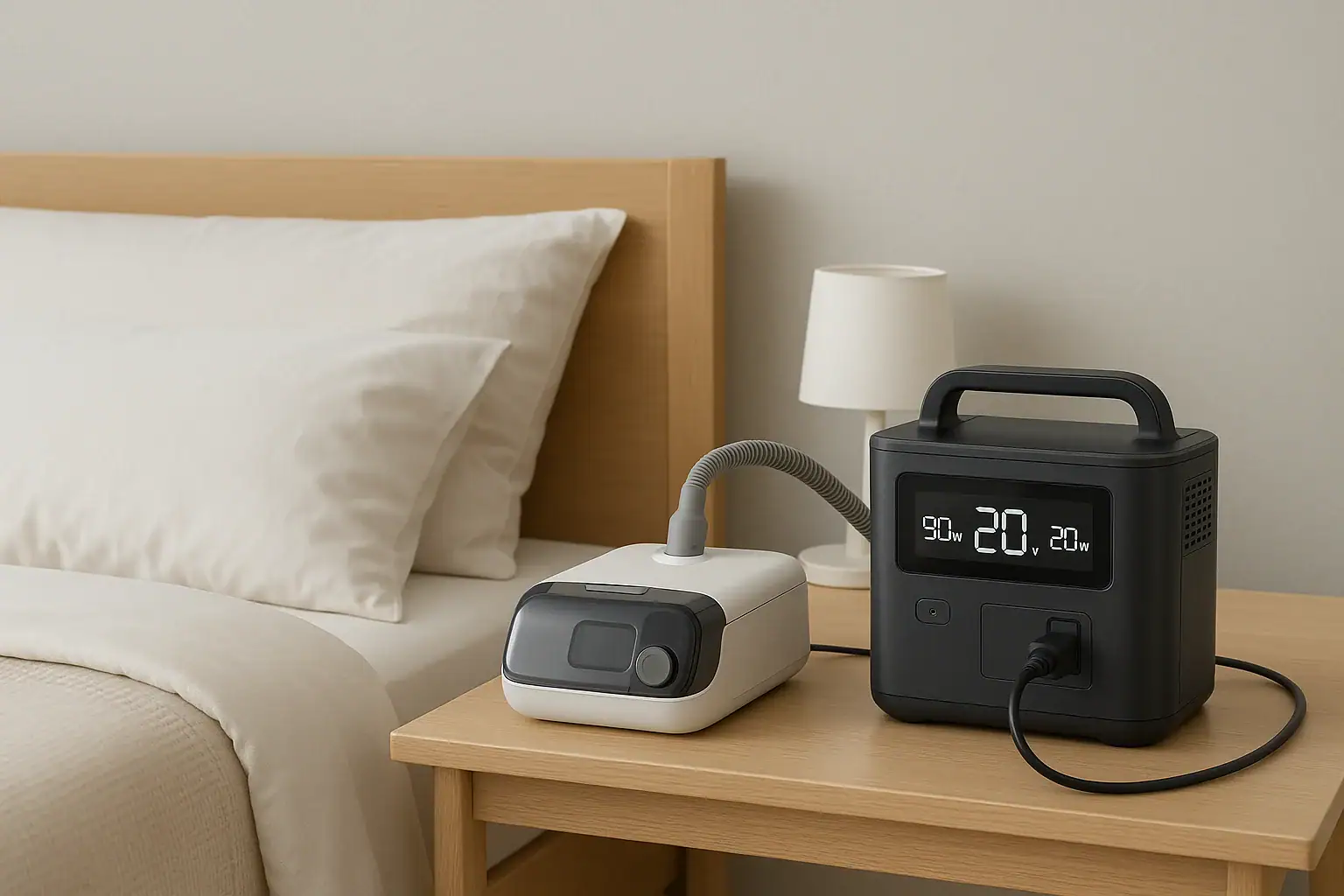
Portable power stations for CPAP and medical devices should be chosen based on wattage, battery capacity, runtime, and safety protections, not just price or size. To keep equipment running through outages or travel, you need to match your device’s power draw to the station’s output limits, inverter type, and battery capacity so you get predictable runtime and avoid overloads or alarms.
People often search for terms like CPAP backup power, watt hours, surge watts, runtime calculator, and inverter type because medical devices have strict power needs and must run reliably all night. Understanding input limits, output ports, and how battery capacity translates to hours of use helps you avoid underpowered units that shut off early. This guide explains how portable power stations work with CPAP machines, oxygen concentrators, and similar equipment, what specs matter most, and how to evaluate runtime and safety so you can choose confidently.
Understanding Portable Power Stations for CPAP and Medical Devices
A portable power station is a rechargeable battery system with built-in electronics that convert stored energy into usable AC and DC power for your devices. For CPAP machines and other medical equipment, it acts like a compact, silent generator that can keep critical devices running during power outages, camping trips, or travel where reliable grid power is not guaranteed.
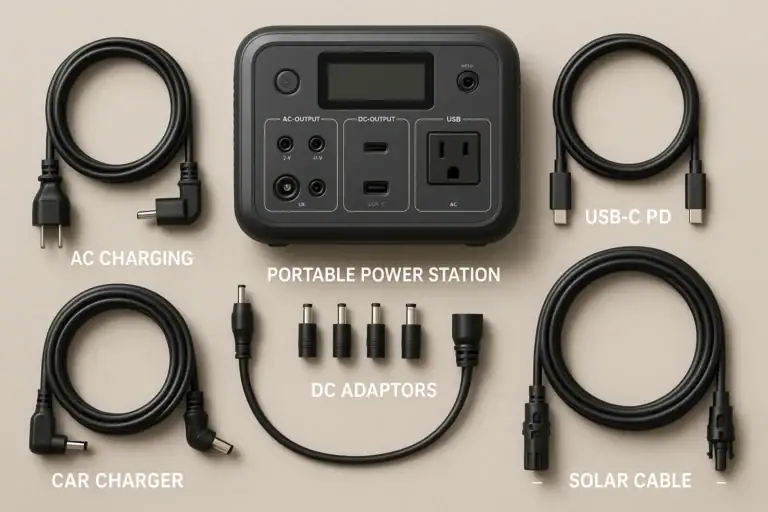
Unlike simple power banks that only offer small USB outputs, portable power stations typically provide multiple types of outputs: AC outlets for standard plugs, DC barrel or car-style ports, and USB/USB-C ports. This flexibility is important because medical devices vary widely in how they connect and how much power they draw.
For CPAP and similar devices, the most important aspects are continuous output power (in watts), surge capability for startup loads, and total stored energy (in watt-hours). These determine whether the station can power your device at all and for how many hours. When matched correctly, a portable power station can provide overnight CPAP runtime, support low-to-moderate power oxygen concentrators, or keep smaller devices like nebulizers and suction units running as needed.
Because CPAP machines and many medical devices are designed to run steadily for hours, they benefit from stable, clean power. That is why inverter type and voltage consistency matter: they help ensure your equipment works as intended, without unexpected shutdowns or errors.
Key Power Concepts: Watts, Watt-Hours, and Inverter Type
To choose a portable power station for CPAP and medical devices, you need to understand a few key electrical concepts: watts, watt-hours, and inverter type. These determine compatibility, runtime, and how safely your equipment will operate.
Watts (W) measure power at a moment in time. Your CPAP or medical device will list a watt rating or an amp rating at a certain voltage (for example, 1.5 A at 120 V). Multiply volts by amps to estimate watts. The portable power station’s AC output must exceed the continuous watts your device needs, with some margin for safety. If your device draws 60 W, a station that can continuously supply 150 W or more offers comfortable headroom.
Watt-hours (Wh) measure stored energy, similar to the size of a fuel tank. To estimate runtime, divide the power station’s usable watt-hours by your device’s average watt draw. For example, a 500 Wh station powering a 40 W CPAP might deliver around 10–11 hours in practice after accounting for inverter losses and efficiency.
Surge watts refer to short bursts of extra power available during startup. Some devices, especially those with motors or compressors, briefly draw more power when they first turn on. CPAP machines typically have modest startup surges, but oxygen concentrators and some pumps can spike higher. The power station’s surge rating should comfortably exceed these brief peaks.
Inverter type matters for how the AC power is shaped. Pure sine wave inverters closely mimic household grid power and are the preferred option for sensitive electronics and medical devices. Modified sine wave inverters may cause some equipment to run hotter, noisier, or not at all. For CPAP and most medical devices, a pure sine wave output is strongly recommended.
Finally, input limits describe how fast you can recharge the power station from wall outlets, solar, or car chargers. For medical backup, faster recharge can be valuable between outages or during extended emergencies when you have intermittent access to power.
| Concept | What it Means | Why it Matters for CPAP/Medical Use |
|---|---|---|
| Watts (W) | Instantaneous power draw | Must be below the station’s continuous output rating to avoid overload |
| Watt-hours (Wh) | Total stored energy | Determines approximate runtime for overnight or multi-hour use |
| Surge watts | Short-term peak power | Helps handle startup spikes from motors or compressors |
| Inverter type | How AC power is shaped | Pure sine wave is better for sensitive medical electronics |
| Input limit | Max charging power | Affects how quickly you can recharge between outages |
Practical Examples: Matching Portable Power to CPAP and Other Devices
Seeing real-world style examples makes it easier to estimate what size portable power station you might need for CPAP and medical devices. Exact numbers will vary by model and settings, but these scenarios illustrate typical ranges and trade-offs.
Example 1: Standard CPAP Without Humidifier
A typical CPAP machine running without a heated humidifier and at moderate pressure might draw around 30–50 W once running. If you pair this with a 500 Wh portable power station, you can estimate runtime as follows:
- Average draw: assume 40 W
- Battery: 500 Wh
- Theoretical runtime: 500 Wh ÷ 40 W = 12.5 hours
- Realistic runtime after efficiency losses: roughly 9–11 hours
This can cover a full night of sleep for most users. If you need two nights without recharging, you might look for roughly double the capacity, or plan to recharge during the day.
Example 2: CPAP With Heated Humidifier and Heated Hose
Turning on the heated humidifier and heated hose can significantly increase power draw, often into the 70–120 W range depending on settings and room temperature. With the same 500 Wh station:
- Average draw: assume 90 W
- Theoretical runtime: 500 Wh ÷ 90 W ≈ 5.5 hours
- Realistic runtime: around 4–5 hours
In this scenario, an overnight runtime may require a larger power station, reduced humidity settings, or running the CPAP without heat to conserve power during outages.
Example 3: Small Oxygen Concentrator or Suction Device
Some portable or small home oxygen concentrators draw in the range of 90–300 W depending on flow rate and design. A modest suction device might draw 50–150 W but only intermittently. For a 300 W device on a 1,000 Wh station:
- Average draw: assume 300 W continuous
- Theoretical runtime: 1,000 Wh ÷ 300 W ≈ 3.3 hours
- Realistic runtime: approximately 2.5–3 hours
This demonstrates how higher-wattage medical equipment can quickly use up stored energy, even with a larger power station. In such cases, understanding duty cycle (how often the device actually runs) and having a plan for recharging becomes essential.
Example 4: Multiple Low-Power Medical Devices Together
Many households use more than one small medical device: a CPAP, a phone for communication, maybe a small nebulizer. If your CPAP draws 40 W, your phone charger uses 10 W, and a nebulizer runs at 60 W but only for 15 minutes per session, you can estimate average combined load and total runtime. The key is adding up the approximate wattage of everything you plan to run simultaneously and then comparing that to both the continuous output rating and the battery capacity of the power station.
Common Mistakes and Troubleshooting When Powering Medical Devices
Several recurring mistakes cause portable power stations to underperform or shut down unexpectedly when used with CPAP and medical devices. Recognizing these issues helps you troubleshoot and plan more effectively.
1. Underestimating power draw
Many users assume their CPAP or medical device uses less power than it actually does, especially when heated humidifiers or other comfort features are enabled. This leads to shorter-than-expected runtimes. If you notice your station depleting much faster than you calculated, check the device’s manual for typical watt usage with and without optional features, and consider reducing heat or pressure settings if medically acceptable and advised by your care provider.
2. Ignoring inverter type
Using a power station with a modified sine wave inverter can cause some medical devices to behave unpredictably or display error codes. If your device will not start, shuts off, or makes unusual noises, inverter compatibility may be the issue. For sensitive equipment, pure sine wave output is generally the safer choice.
3. Overloading the AC output
Plugging multiple devices into one portable power station can exceed its continuous watt rating, triggering overload protection. Symptoms include the AC output shutting off, warning lights, or error messages on the station. If this happens, unplug non-essential devices and restart the AC output. Always add up the wattage of all connected devices and keep it comfortably below the station’s continuous rating.
4. Not accounting for efficiency losses
Runtime estimates based solely on watt-hours divided by device watts ignore inverter and conversion losses. In real use, you might only get 80–90% of the theoretical runtime. If your power station consistently runs out earlier than your calculations, assume a safety margin and choose a larger capacity or lower power settings.
5. Poor ventilation or placement
Placing the power station in a confined space, under blankets, or near heat sources can cause it to overheat and shut down. If you notice the cooling fan running constantly, warm casing, or thermal warnings, move the unit to a well-ventilated, dry area away from direct sunlight.
6. Forgetting to pre-charge before outages or travel
A portable power station that is only partially charged will not provide the runtime you expect. If you rely on CPAP or other critical devices, make it a habit to keep the station topped up and verify charge level before storms, planned travel, or seasons when outages are more likely.
Safety Basics When Using Portable Power for Medical Equipment
When medical devices depend on a portable power station, safety and reliability are as important as runtime. While these systems are designed to be user-friendly, there are key practices to reduce risk and keep equipment operating properly.
Use appropriate outlets and adapters
Always plug medical devices into the type of outlet they are designed for. If your CPAP has an AC power brick, use the AC outlet on the station. If it has an approved DC adapter, use the DC port specified. Avoid improvised adapters or unapproved cables that could overheat or fail.
Do not exceed rated outputs
Stay below the station’s continuous watt rating for each output type. Overloading can trip internal protections and cause sudden shutdowns, which is especially problematic during sleep or when running critical medical equipment.
Maintain dry, stable placement
Keep the power station on a stable, flat surface where it cannot be knocked over. Avoid moisture, spills, and condensation. Liquids and electronics do not mix, and even minor spills can cause failures or safety hazards.
Allow proper ventilation
Portable power stations generate heat during charging and discharging. Ensure vents are not blocked and that there is adequate airflow around the unit. Overheating can shorten battery life and trigger protective shutdowns.
Avoid DIY modifications
Do not open the power station, modify internal batteries, or bypass built-in protections. These systems include safety electronics calibrated to the original design. Altering them can create fire, shock, or failure risks. For any advanced setup involving home circuits, consult a qualified electrician rather than attempting to integrate the station directly into household wiring.
Plan for medical continuity
Portable power is one part of a broader medical preparedness plan. Discuss backup power needs with your healthcare provider, especially if you rely on oxygen concentrators, ventilators, or other life-supporting equipment. For high-dependency situations, multiple backup options and clear emergency plans are important.
| Safety Area | Good Practice | Risk if Ignored |
|---|---|---|
| Outlet usage | Use correct AC/DC ports and approved adapters | Overheating, device malfunction |
| Load limits | Stay under continuous watt rating | Sudden shutdowns during use |
| Placement | Stable, dry, ventilated location | Tipping, spills, overheating |
| Modifications | Leave unit sealed, no internal changes | Fire or shock hazards |
| Planning | Include power in medical preparedness | Insufficient backup for critical devices |
Related guides: Portable Power Station Buying Guide • Can a Portable Power Station Replace a UPS? • Portable Power Station Terminology Explained
Maintenance, Storage, and Long-Term Reliability
Proper maintenance and storage help ensure your portable power station is ready when you need it for CPAP or medical devices. Batteries age over time, and poor habits can reduce capacity or cause the unit to fail prematurely.
Regular charging cycles
Most modern portable power stations use lithium-based batteries that prefer partial rather than constant 0–100% cycles. If you rarely use the unit, top it up every few months according to the manufacturer’s guidance. Avoid leaving it fully discharged for long periods, as this can permanently reduce capacity.
Storage conditions
Store the power station in a cool, dry place away from direct sunlight and extreme temperatures. High heat accelerates battery degradation, while very low temperatures can temporarily reduce available capacity. For long-term storage, many manufacturers recommend keeping the battery partially charged rather than at 0% or 100%.
Inspect cables and connectors
Periodically check power cords, adapters, and ports for signs of wear, fraying, or damage. Replace any questionable cables before they cause intermittent connections or overheating. Clean dust and debris from vents and ports with a dry cloth or gentle air, avoiding liquids.
Test before you rely on it
Before storm seasons, travel, or anticipated outages, run a full overnight test with your CPAP or medical device connected to the power station. This confirms compatibility, gives you a realistic sense of runtime, and can reveal any issues with settings or cabling.
Monitor battery health over time
Over years of use, you may notice reduced runtime compared to when the unit was new. This is normal battery aging. If runtime becomes too short for your medical needs, consider adjusting device settings to reduce power draw, adding a second power station, or upgrading to a higher-capacity unit.
Safe transport
When traveling, secure the power station so it cannot slide or tip. Avoid crushing forces or impacts that could damage the case or internal components. If flying, check applicable rules for battery size and carry-on requirements, as larger batteries may be restricted.
Key Takeaways and “Specs to Look For” Checklist
Choosing a portable power station for CPAP and medical devices comes down to matching your equipment’s power needs to the station’s output, capacity, and safety features. Start by understanding your device’s watt draw with typical settings, decide how many hours of backup you need, and then look for a station with sufficient watt-hours and a pure sine wave inverter. Build in extra capacity for efficiency losses and future needs, and always test your setup before relying on it in an emergency.
Specs to look for
- AC continuous output (W) – Choose a rating comfortably above your total device load (for example, at least 2–3 times your CPAP watt draw) so you avoid overloads and can add small accessories.
- Battery capacity (Wh) – For overnight CPAP use, look for enough watt-hours to cover your device’s average watts times desired hours, plus 20–30% extra to account for inverter losses.
- Inverter type – Prefer pure sine wave AC output for sensitive medical electronics to minimize noise, heat, and compatibility issues.
- Number and type of outlets – Ensure there are enough AC outlets and any needed DC ports for your CPAP, oxygen concentrator, or other devices, so you do not rely on unsafe splitters.
- Surge power rating – Look for surge watts that exceed startup needs of any motor-based devices (such as concentrators or pumps) to prevent tripping protections.
- Recharge options and input limits – Consider how fast the unit can recharge from wall, car, or solar (for example, several hundred watts of input for quicker turnaround between outages).
- Display and monitoring – A clear screen showing remaining battery percentage, input/output watts, and estimated runtime helps you manage power during long outages.
- Operating temperature range – Check that the unit’s recommended temperature range aligns with your climate and storage conditions for reliable performance.
- Weight and portability – Balance capacity with a weight you can comfortably move, especially if you expect to travel or reposition the station frequently.
- Built-in protections – Look for overcurrent, overvoltage, short-circuit, and temperature protections to safeguard both the power station and your medical devices.
By focusing on these specifications and testing your setup ahead of time, you can select a portable power station that provides dependable backup for CPAP and other medical equipment when you need it most.
Building a medical backup plan beyond runtime
A runtime estimate is only one part of a medical backup plan. List every device that must remain powered, including accessories such as heated humidifiers, communication equipment, monitors, or chargers, and confirm each item’s normal and startup demand from its label or manual. Oxygen concentrators, suction devices, and similar equipment can behave differently from a basic CPAP, so test the exact setup before relying on it.
Follow the medical-device manufacturer’s instructions and guidance from the relevant healthcare professional. Do not treat one portable power station as the sole backup for life-supporting equipment. Keep an escalation plan for a longer outage, document which loads can be disabled to extend runtime, and repeat a supervised practice test as batteries and equipment age.
Primary reference: The FDA provides power-outage planning resources for home medical devices. Follow the instructions for the exact medical device and maintain a backup plan that does not depend on one battery alone.
Frequently asked questions
What specs and features should I prioritize when choosing a portable power station for CPAP and medical devices?
Prioritize AC continuous output (watts) that exceeds your combined device load, battery capacity in watt-hours to meet your required runtime, a pure sine wave inverter for clean power, and a surge rating that covers startup peaks. Also check the number and type of outlets, input charging limits, and monitoring screens to manage usage during outages.
Why does my portable power station run out faster than I calculated?
Runtime often falls short because of underestimated device draw (especially heated humidifiers), inverter and conversion losses, standby power draw, and battery aging. Use the device manual for realistic wattage, factor in 10–25% efficiency losses, and test the setup overnight to get an accurate expectation.
Is it safe to run medical devices on a portable power station?
Yes, when the station is correctly matched to the device’s power needs, uses the proper outlet or adapter, and has a pure sine wave inverter and built-in protections. Maintain ventilation, avoid overloading, and include the power station in a broader medical contingency plan discussed with your healthcare provider.
How many hours will a portable power station run a CPAP overnight?
It depends on the CPAP’s average watt draw and the station’s usable watt-hours. A rough method is: usable Wh ÷ device watts × 0.8–0.9 (for efficiency). For example, a 500 Wh station powering a 40 W CPAP typically provides roughly 9–11 hours in real-world use.
Can I recharge a portable power station with solar panels during a prolonged outage?
Yes, if the station supports solar input and you have panels sized to the unit’s input limit. Charging rate depends on the station’s maximum solar input, available sunlight, and any charge controller; plan for variable recharge times and check compatibility before relying solely on solar.
Will a modified sine wave inverter cause problems with my CPAP or oxygen concentrator?
Modified sine wave output can cause some medical devices to run poorly, display errors, overheat, or not start at all. For sensitive medical equipment, a pure sine wave inverter is recommended to avoid compatibility and reliability issues.
Related guides
Browse this topic →
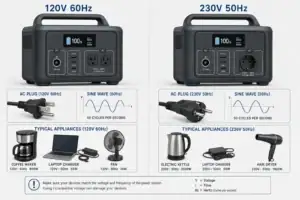
- Beginner-friendly sizing, runtime & specs
- Solar & charging (MPPT, fast charging, cables)
- Batteries (LiFePO4, cycles, care & storage)
- Safety, cold-weather performance, real-world tips
More in Beginners
See all →- Charging an Electric Wheelchair or Mobility Scooter From a Portable Power Station
- Portable Power Station for a Gaming PC: Runtime, Load Spikes, and UPS Considerations
- Portable Power Station for a Pop-Up Camper: Lights, Fans, Fridge, and Recharge Plan
- Portable Power Station for a Shed or Outbuilding: Lights, Chargers, and Security
- Portable Power Station for a Boat: 12V Loads, Salt Air, and Safer Storage
Keep reading
About this site
Portable Energy Lab publishes practical, independent guides about portable power—clear sizing, safe use, and real-world expectations.
Affiliate disclosure
Some links on this site may be affiliate links. If you buy through these links, we may earn a small commission at no extra cost to you. This helps support our content. Read our affiliate disclosure.