
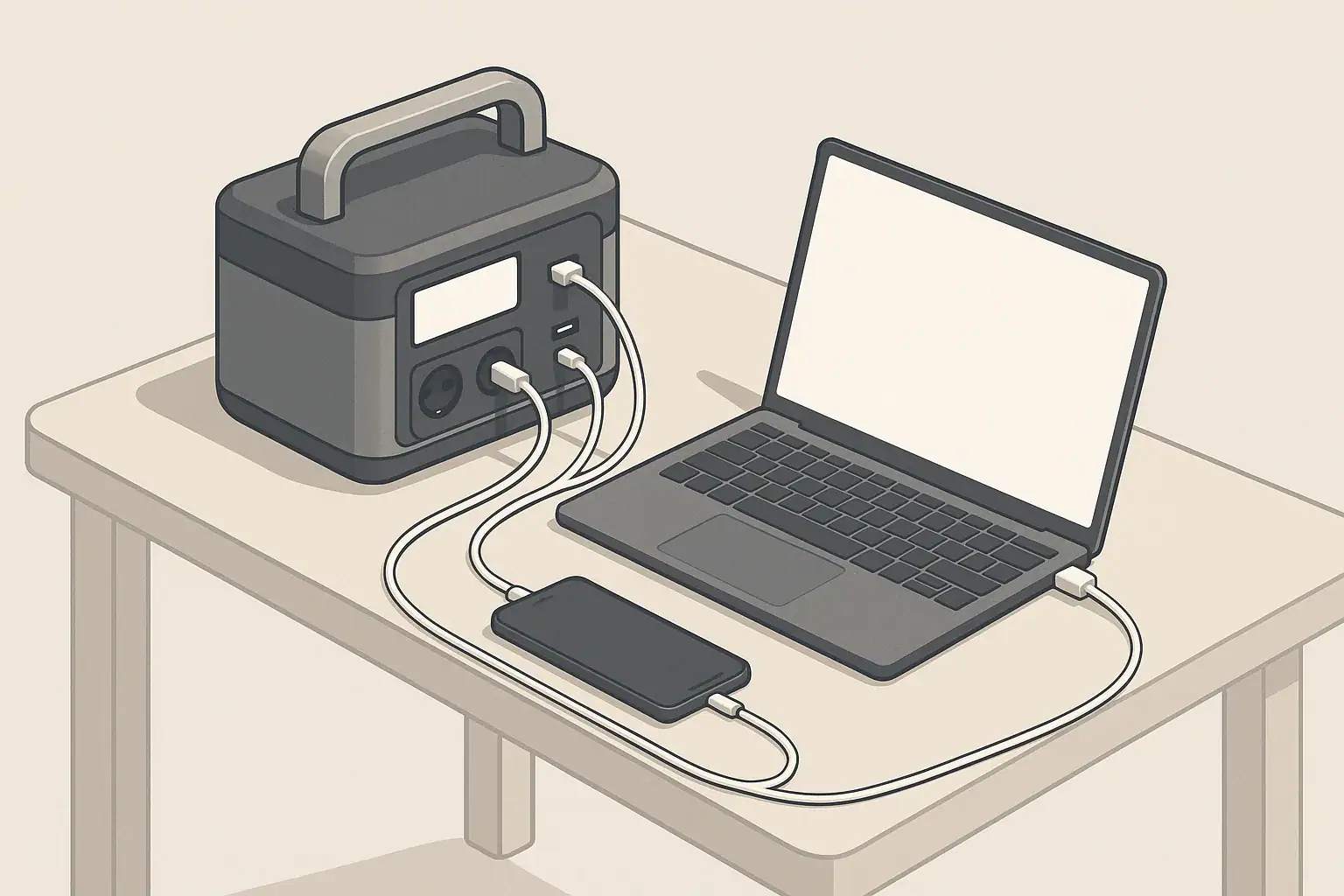
The short answer: focus on battery capacity (Wh), continuous power (running watts), and the right mix of ports for your devices; most other features are secondary. This portable power station buying checklist walks you through those core specs so you can ignore marketing noise and choose a unit that actually fits your backup power, camping, or off-grid needs.
Instead of chasing the biggest number on the box, you will learn how to estimate your real runtime, match outlet types to your gear, and decide whether extras like fast charging or solar inputs are worth paying for. The goal is a practical, step-by-step way to compare models for home backup, RVs, vanlife, or remote work.
Use this as a simple filter before you buy: what you need to power, how long you need to run it, and how you can recharge. Once those are clear, the rest of the portable generator style specs fall into place.
What a Portable Power Station Buying Checklist Really Covers (and Why It Matters)
A good portable power station buying checklist keeps you focused on the few specs that decide whether a unit works in real life. Those specs boil down to three questions:
- What will you power? Phones, laptops, lights, a router, a fridge, tools, medical devices, or something else.
- How long do you need power? A few hours, overnight, a weekend camping trip, or multi-day outages.
- How can you recharge? Wall outlet only, vehicle outlet, or solar panels.
Everything else—screens, app control, built-in lights, cosmetic design—matters far less than matching those basics to your situation.
Thinking this way helps you avoid two common outcomes: buying a small unit that cannot handle your critical loads, or overspending on a large model that is heavy, underused, and difficult to move. The checklist below turns those high-level questions into concrete numbers and features you can actually compare on a spec sheet.
Key Concepts: Capacity, Power, Ports, and Charging Methods
Most product pages are packed with numbers. Here is how to read the important ones without getting lost.
Battery capacity in watt-hours (Wh)
Battery capacity, in watt-hours, tells you how much energy is stored. A simple way to think about it:
- Under 300 Wh: emergency phone and small device charging, a laptop for a few hours.
- 300–600 Wh: full workday for a laptop and router, multiple phone charges, small fan for part of a day.
- 600–1,200 Wh: short home outages, compact fridge for several hours, multi-device remote work setups.
- 1,200+ Wh: longer outages, multiple essentials (fridge, lights, router), or more demanding camping/RV use.
To estimate runtime, divide the battery capacity (Wh) by the total watts of the devices you are running, then reduce the result by roughly 10–20% to account for conversion losses and real-world conditions.
| Use case | Typical devices | Suggested capacity range (Wh) | Suggested AC running watts |
|---|---|---|---|
| Basic outage essentials | Phones, laptop, router, 1–2 LED lights | 300–600 Wh | 300–500 W |
| Work-from-anywhere | Laptop, monitor, router, phone, small fan | 500–1,000 Wh | 500–800 W |
| Compact fridge + small loads | Compact fridge, router, lights, phone charging | 800–1,500 Wh | 800–1,200 W |
| Camping / vanlife weekend | Phones, camera, cooler, lights, occasional laptop | 500–1,000 Wh | 300–800 W |
| Light DIY / tools | Drill, saw, small compressor (intermittent use) | 1,000–2,000 Wh | 1,200–2,000 W |
Running watts vs surge watts
The inverter converts battery power to 120 V AC. It has two ratings:
- Running (continuous) watts: how much power it can supply steadily.
- Surge (peak) watts: short burst available for startup loads.
Devices with motors or compressors (fridges, some fans, power tools) often draw 2–3 times their running watts for a split second when starting. Your power station must handle both the total running watts of all devices and any startup surges without tripping protection.
For mostly electronics (laptops, phones, routers, LED lights), surge rating is less critical; continuous watts and capacity matter more.
Ports and inverter type
Once capacity and watts are in the right range, check how you will actually plug things in:
- AC outlets: Look for enough 120 V outlets so you are not constantly swapping plugs.
- Inverter type: Pure sine wave inverters are generally preferred for sensitive electronics and small appliances.
- DC and USB: A mix of USB-A, USB-C, and 12 V outlets lets you charge efficiently without using the inverter for everything.
High-power USB-C ports with power delivery can run many laptops directly, saving energy compared with using the AC brick.
Charging methods and charge time
Your power station is only as useful as your ability to recharge it:
- Wall charging (AC): Main method for most people. Check full charge time from empty.
- Vehicle charging (12 V): Helpful on road trips, but usually slower and better for topping up while driving.
- Solar charging: Important for camping or long outages. Look at supported voltage range and maximum solar input watts.
For planning, think in terms of whether you can fully recharge overnight from a wall outlet or roughly recover a day’s use during available sun hours with your planned solar panels.
Real-World Examples: Turning Specs into Actual Runtimes
To make the checklist concrete, here are example scenarios that show how capacity, watts, and ports work together.
Example 1: Short home power outage
Goal: keep communication and basic comfort going for 6 hours.
- Smartphone charging: 10 W average, used 2 hours total.
- Laptop: 60 W average, used 3 hours.
- Wi-Fi router: 15 W, running 6 hours.
- LED light: 10 W, running 4 hours.
Approximate energy use:
- Phone: 10 W × 2 h = 20 Wh
- Laptop: 60 W × 3 h = 180 Wh
- Router: 15 W × 6 h = 90 Wh
- Light: 10 W × 4 h = 40 Wh
Total: 330 Wh. Adding 20% overhead gives about 400 Wh. A unit around 400–500 Wh with at least 150–200 W of continuous AC output and several USB ports would be a reasonable match.
Example 2: Compact fridge during an outage
Goal: run a compact fridge plus a few basics for 8 hours.
- Compact fridge: 80 W running, roughly 30–40% duty cycle over time.
- Router: 15 W, 8 hours.
- Two LED lights: 10 W each, 4 hours.
Approximate energy use:
- Fridge: 80 W × 0.35 × 8 h ≈ 224 Wh
- Router: 15 W × 8 h = 120 Wh
- Lights: 20 W × 4 h = 80 Wh
Total: ~424 Wh. Adding 30–40% margin for startup surges and inefficiencies suggests targeting 600–800 Wh of capacity with at least 400–600 W of continuous AC output and a decent surge rating.
Example 3: Weekend camping without hookups
Goal: two nights of camping with no shore power.
- Two phones: 10 W each, 1 hour per day (charging time).
- Camera batteries: 20 W, 1 hour per day.
- LED lantern: 10 W, 4 hours per night.
- 12 V cooler: 45 W, 10 hours per day (intermittent).
Daily energy use estimate:
- Phones: 10 W × 2 h = 20 Wh
- Camera: 20 W × 1 h = 20 Wh
- Lantern: 10 W × 4 h = 40 Wh
- Cooler: 45 W × 10 h = 450 Wh
Total per day: ~530 Wh. For a two-day trip without recharging, around 1,000–1,200 Wh is more comfortable. With a small solar panel topping up 200–300 Wh per day, a 700–900 Wh unit could be enough.
Example 4: Remote work setup
Goal: 8-hour workday in a location without reliable outlets.
- Laptop via USB-C: 50 W, 6 hours.
- Portable monitor: 20 W, 6 hours.
- Router or hotspot: 15 W, 8 hours.
- Phone charging: 10 W, 1 hour.
Approximate energy use:
- Laptop: 50 W × 6 h = 300 Wh
- Monitor: 20 W × 6 h = 120 Wh
- Router: 15 W × 8 h = 120 Wh
- Phone: 10 W × 1 h = 10 Wh
Total: 550 Wh. A 600–800 Wh unit with strong USB-C output and quiet cooling fans is usually a good fit.
| Device type | Typical watt range | Planning tip |
|---|---|---|
| Smartphone | 5–15 W | Very low draw; many charges even from small units. |
| Laptop | 40–90 W | Plan 200–400 Wh per full workday depending on usage. |
| Wi-Fi router | 10–25 W | Continuous load; small impact on medium and large stations. |
| LED bulb / lantern | 5–15 W | Efficient lighting; long runtimes even on small batteries. |
| Small fan | 20–60 W | Good for comfort; intermittent use extends runtime. |
| Compact fridge | 50–150 W running | Needs surge headroom; runs in cycles, not constantly. |
| Power tool (corded) | 300–800 W | Short bursts; verify both running and surge capacity. |
Common Buying Mistakes and Troubleshooting Cues
Even with a checklist, it is easy to misread specs or overlook limits. These are the issues that most often lead to disappointment or confusion after purchase.
Mistake 1: Ignoring continuous watts
Many buyers look at surge watts and assume that is what the unit can run all the time. In reality, the continuous rating is what matters for steady loads.
- Symptom: Power station shuts off when you turn on a high-draw device, even though total watts seem below the advertised maximum.
- Checklist fix: Add up the running watts of all devices and keep them comfortably below the continuous rating, not the surge rating.
Mistake 2: Underestimating total energy use
People often focus on whether a power station can start a device, not how long it can keep it running.
- Symptom: Battery drains much faster than expected during an outage or camping trip.
- Checklist fix: Multiply watts by hours for each device, sum the watt-hours, then add 20–30% margin before choosing capacity.
Mistake 3: Buying too big to move comfortably
Larger capacity almost always means more weight and bulk.
- Symptom: The unit is left in one room or vehicle because it is awkward to carry where you actually need it.
- Checklist fix: Consider who will move the unit, up which stairs or distances, and set a realistic weight limit.
Mistake 4: Over-relying on slow charging methods
Vehicle and small solar inputs are much slower than wall charging.
- Symptom: The station never seems to “catch up” during a trip or during multi-day outages.
- Checklist fix: Compare input watts to battery size. As a rough rule, a 500 Wh battery needs around 250 W of input for about a 2–3 hour charge; lower inputs take proportionally longer.
Mistake 5: Treating pass-through charging as permanent power
Pass-through charging (charging the station while powering devices) is convenient, but not always ideal for continuous, heavy use.
- Symptom: The fan runs frequently, the case feels warm, or runtime seems reduced over time.
- Checklist fix: Use pass-through for short periods when needed, reduce load when charging, and unplug nonessential devices during long charging sessions.
Mistake 6: Expecting full solar panel rating all day
Solar panels are rated under ideal conditions that rarely match real life.
- Symptom: Solar charging delivers far fewer watt-hours than expected from panel ratings.
- Checklist fix: Plan for 40–60% of panel watt rating over 4–5 good sun hours as a rough daily energy estimate, and size panels accordingly.
High-Level Safety Basics for Portable Power Stations
Portable power stations are generally safer and cleaner than fuel generators, but they still store significant energy. Treat them with the same respect you would give any large battery system.
Location and ventilation
- Place the unit on a flat, stable surface where it cannot tip easily.
- Keep vents and fans unobstructed on all sides so heat can escape.
- Avoid using the unit in enclosed, unventilated spaces that trap heat or moisture.
Cord and load safety
- Use extension cords and power strips rated for the total load you plan to run.
- Avoid daisy-chaining multiple power strips or running cords under rugs where heat can build up.
- If a plug, cord, or outlet feels hot to the touch, disconnect and inspect before using it again.
Water, heat, and impact
- Keep the power station away from standing water, wet ground, and direct rain.
- Do not leave it in direct sun or near heaters for long periods.
- Avoid dropping or striking the unit; physical damage can compromise internal safety systems.
Using with home wiring or RV systems
- Do not backfeed a portable power station into home circuits through improvised connections.
- For whole-circuit backup, consult a licensed electrician about proper transfer switches and safe connection options.
- For RVs, follow manufacturer guidance for connecting portable power to onboard systems, and avoid altering factory wiring without professional help.
Maintenance, Storage, and Long-Term Use
Simple habits can extend the useful life of your portable power station and keep it ready for emergencies.
Battery health and storage
- Avoid storing the battery completely full or completely empty for long periods.
- If possible, store at a partial state of charge in a cool, dry place.
- Top up the charge every few months to offset natural self-discharge.
Do not open the case or attempt to replace internal cells yourself. The battery, inverter, and protection circuits are designed as a system and are not intended for user service.
Cold and hot weather considerations
- Cold temperatures can temporarily reduce available capacity and slow charging.
- High temperatures can accelerate long-term battery wear.
- Whenever possible, charge and store the unit within the temperature range listed in its manual.
In winter, many users store the power station indoors and only bring it outside when needed, rather than leaving it in a freezing vehicle for weeks.
Periodic testing and inspection
- Before storm seasons or long trips, fully charge the unit and test it with the devices you plan to run.
- Check that all outlets work, fans operate, and there are no error messages.
- Inspect cables and adapters for cuts, kinks, or exposed conductors; replace damaged ones.
Putting It All Together: Practical Takeaways and Specs to Look For
By this point, you can translate marketing specs into meaningful choices. Use the checklist below as a quick reference when comparing models.
Core buying takeaways
- Start with your devices and hours of use, not the product’s biggest number.
- Choose capacity (Wh) based on total daily energy needs plus a 20–30% margin.
- Match continuous watts to the combined running watts of your devices, with headroom for surges.
- Prioritize the right ports and charging options for how and where you will actually use the station.
- Treat extras like app control and decorative lighting as tie-breakers, not primary reasons to buy.
Specs to look for checklist
- Battery capacity (Wh): Enough to cover your highest-priority devices for the hours you expect, with added margin.
- AC continuous watts: Higher than the total running watts of all devices you plan to run at once.
- Surge watts: Sufficient for any motors or compressors you plan to start (fridges, some fans, tools).
- Number of AC outlets: Enough that you are not constantly unplugging and swapping cords.
- USB-C and USB-A ports: Adequate for phones, tablets, and laptops; look for at least one higher-power USB-C output if you use modern laptops.
- 12 V DC outlets: Important if you use coolers, certain camping gear, or automotive-style accessories.
- Inverter type: Pure sine wave for general-purpose use with electronics and small appliances.
- Wall charging input and time: Can it reasonably recharge overnight or between daily uses?
- Solar input support: If you camp or face long outages, check supported voltage range and maximum solar watts.
- Weight and dimensions: Realistic for whoever will carry it and wherever it must fit (closets, vehicles, RV compartments).
- Safety protections: Overload, over-temperature, short-circuit, and low-voltage protections listed in the specs.
- Operating temperature range: Compatible with your climate and intended storage locations.
Keeping this checklist in mind makes it easier to ignore distractions and choose a portable power station that quietly does its job when you need it most.
Frequently asked questions
Which specs should I prioritize when choosing a portable power station?
Start with battery capacity (Wh) to meet your expected hours of use, and match continuous (running) watts to the combined load of the devices you plan to run. Also confirm surge watts for motorized loads, the mix of AC/DC/USB ports you need, and the available charging inputs for your recharge plan.
How can I estimate how long a power station will run my devices?
Add up each device’s watt draw times the hours you expect to use it to get total watt-hours, then divide the station’s Wh by that number. Reduce the theoretical result by 10–30% to allow for inverter inefficiency, battery protection behavior, and real-world conditions.
What causes a power station to run out sooner than expected?
Common causes are underestimating total energy use, relying on surge watts instead of continuous watts, and not accounting for inverter losses and duty cycles (for devices like fridges). Slow or insufficient charging input during multi-day use can also prevent the station from keeping up.
Are portable power stations safe to use indoors, and how can I minimize risks?
Portable power stations are generally safe for indoor use but require good ventilation, protection from moisture, and proper cord management. Avoid improvised backfeeding into home wiring and consult a licensed electrician for permanent or whole-circuit backup connections.
Can I rely on solar panels alone to recharge a power station during extended outages?
Solar can work but depends on available sun hours, panel wattage, and system losses; assume 40–60% of panel rated output over a typical day when planning. Size solar input and battery capacity together so panels can meaningfully top up the battery during the available sun window.
When is it better to use high-power USB-C outputs instead of AC outlets?
If your laptops and devices support USB-C Power Delivery, charging them via USB-C is more efficient because it bypasses the inverter and reduces conversion losses. This can noticeably extend runtime compared with using AC adapters for the same devices.
Related guides
Browse this topic →
- Beginner-friendly sizing, runtime & specs
- Solar & charging (MPPT, fast charging, cables)
- Batteries (LiFePO4, cycles, care & storage)
- Safety, cold-weather performance, real-world tips
More in Beginners
See all →- Charging an Electric Wheelchair or Mobility Scooter From a Portable Power Station
- Portable Power Station for a Gaming PC: Runtime, Load Spikes, and UPS Considerations
- Portable Power Station for a Pop-Up Camper: Lights, Fans, Fridge, and Recharge Plan
- Portable Power Station for a Shed or Outbuilding: Lights, Chargers, and Security
- Portable Power Station for a Boat: 12V Loads, Salt Air, and Safer Storage
Keep reading
About this site
Portable Energy Lab publishes practical, independent guides about portable power—clear sizing, safe use, and real-world expectations.
Affiliate disclosure
Some links on this site may be affiliate links. If you buy through these links, we may earn a small commission at no extra cost to you. This helps support our content. Read our affiliate disclosure.