
Yes, it is usually normal for the battery percent on a portable power station to jump up or down a few points. The display is only an estimate of remaining charge, and that estimate changes as loads, temperature, and charging conditions change.
If you see your battery percentage jump from 80% to 73%, or climb from 18% to 25% after a short rest, it does not automatically mean your battery is failing. It almost always reflects how the battery management system (BMS) is recalculating state of charge (SoC), not a sudden loss or gain of energy.
Understanding what causes these battery level jumps helps you plan realistic runtimes, recognize early warning signs of real problems, and avoid unnecessary stress during outages, camping trips, or remote work sessions.
What a Battery Percent Jump Really Means and Why It Matters
The percent number on a portable power station is a live estimate of how full the battery is, not a precise fuel gauge. When that estimate updates, it can move in visible steps instead of a smooth, linear decline. That is what most people notice as a battery percent jump.
Several factors influence this estimate at any given moment:
- How much power your devices are drawing (load in watts)
- Whether the unit is charging, discharging, or resting
- Battery temperature (especially cold weather)
- Age and condition of the internal battery pack
This matters because many people treat the display as absolute truth. If you assume that every 1% equals the same number of minutes of runtime, you may be surprised when the last 20% disappears faster under a heavy load, or when the percent jumps up after you unplug a big appliance.
Instead, think of the display as a useful guide that needs context. Once you understand how the estimate is created, you can interpret jumps correctly, tell normal behavior from real faults, and make better decisions about what to plug in and for how long.
How Portable Power Stations Estimate Battery Percent
Portable power stations use a combination of voltage measurements, current tracking, and internal models to estimate state of charge. Each method has strengths and weaknesses, and the BMS constantly blends them in the background.
Voltage-based estimation
Voltage-based estimation reads the battery pack voltage and maps it to a percentage. This is simple and fast, but it is sensitive to what is happening right now:
- Voltage sag under load: When you start a high-power device, the voltage drops temporarily. The BMS may interpret this as a lower SoC and drop the percent several points.
- Voltage recovery at rest: When the load stops or is reduced, the voltage rebounds. The BMS may correct upward and show a higher percent than a few minutes earlier.
- Flat voltage curve: Many lithium batteries hold nearly the same voltage through a large part of their capacity, so small voltage changes can translate into big percent changes.
This is why you often see the percent fall quickly when a heater or kettle turns on, then stabilize or climb slightly when it turns off. The battery did not magically recharge; the voltage relaxed and the estimate was updated.
Coulomb counting and internal models
Many power stations also use coulomb counting, which tracks how much current flows in and out over time. In theory, if the system knows:
- Total usable capacity (in watt-hours or amp-hours)
- How much energy has been removed or added
it can calculate a more stable SoC. In practice, two main issues appear:
- Measurement drift: Tiny measurement errors add up over many cycles. The BMS has to periodically correct its estimate, which can show up as a jump.
- Changing capacity: As the battery ages, its real capacity shrinks. If the BMS still assumes the original capacity, it will miscalculate until it recalibrates.
To manage this, the BMS combines coulomb counting with voltage readings and temperature data. When it realizes that its internal estimate no longer matches reality, it corrects the displayed percent, sometimes in a noticeable step.
Why percent and runtime do not always match
What you truly care about is runtime: how long your devices will keep running. Percent is just a shortcut to help you guess that runtime. A more reliable way is to think in watt-hours (Wh) for the battery and watts (W) for your devices.
The table below shows how the same percent can mean different runtimes depending on your load. Example values are rounded for clarity.
| Battery size (Wh) | Displayed percent | Approx. available energy (Wh) | Example load (W) | Rough runtime (hours) |
|---|---|---|---|---|
| 300 | 50% | 150 | 30 (router + lights) | About 4–4.5 |
| 500 | 60% | 300 | 100 (laptop + monitor) | About 2.5–3 |
| 1000 | 40% | 400 | 200 (small fridge cycling) | About 1.5–2 |
| 1000 | 80% | 800 | 800 (space heater on high) | About 0.8–1 |
Even if the percent jumps a few points, these ballpark runtimes stay fairly similar for a given battery size and load. That is why watts and watt-hours are more useful than watching each single percent change.
Real-World Situations Where Battery Percent Jumps
Some usage patterns trigger visible jumps more than others. Recognizing these patterns helps you distinguish normal behavior from actual problems.
Starting or stopping high-wattage devices
High-power devices such as kettles, hair dryers, space heaters, and some power tools cause large current spikes when they start. Typical behavior:
- Percent drops 5–10% quickly when the device turns on
- Percent stabilizes or recovers a few points once the device cycles off
- Wattage readout jumps to hundreds or even over a thousand watts
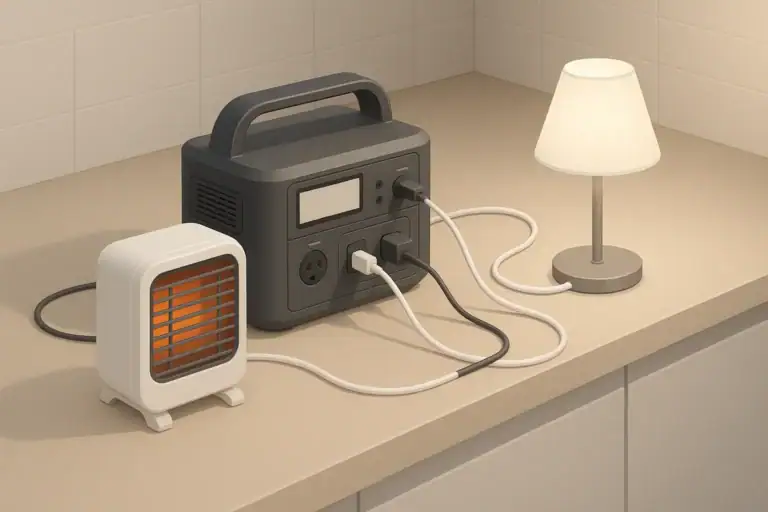
Example: A 1000 Wh station at 70% runs a 1000 W heater. Within a few minutes, the display might show 60% or less. When you turn the heater off, it may jump back up to 63–65% as the voltage recovers. This is normal as long as overall runtime matches expectations.
Using small loads for long periods
With light loads like LED lights, routers, and phone chargers, the percent tends to move slowly, then step down in chunks:
- The BMS may smooth changes, only updating every few percent
- After many hours of light use, you might see a sudden 3–5% drop
Example: A 500 Wh station running a 25 W load might sit at 100% for 20–30 minutes, then drop to 97%, then 94%, rather than ticking down one percent at a time. The runtime is still roughly what you would calculate from the load and capacity.
Charging from wall, car, or solar
Battery percent can also jump while charging, especially:
- Near full: Many units slow charging around 80–90% to protect the battery. The percent may pause, then move up in bigger steps.
- With variable solar: Cloud cover and shading change input power. The BMS adjusts its estimate, which may make the percent move up and down more than expected.
- With low-power charging: Car sockets or small solar panels may add charge slowly, so the percent appears stuck and then jumps a few points at once.
These behaviors are normal as long as the unit continues to accept charge and eventually reaches a stable high percent when input power is steady.
Cold weather use and warming back up
Cold temperatures reduce apparent capacity and cause more dramatic jumps:
- Percent may drop quickly in the cold under load
- The BMS may limit output or charging to protect the cells
- When the battery warms up, the percent can rise without additional charging
Example: A station left in a cold car overnight might show 40% in the morning and struggle to run a moderate load. After being brought indoors and warming to room temperature, it may show 50–55% and run the same load more comfortably. The energy did not appear out of nowhere; the battery simply performs better when warm.
Common Mistakes and Troubleshooting Battery Percent Jumps
Most jumps are harmless, but some patterns can signal calibration issues, incorrect expectations, or emerging hardware problems. This section helps you separate normal quirks from real faults.
Normal patterns that often look scary but are fine
- 2–10% drops when a large device starts
- Small increases after the unit rests with no load
- Stepped movement instead of a smooth 1% decline
- Slower progress from about 80–100% while charging
- Faster drops in cold weather that improve when warmed
If you see these behaviors but your runtime roughly matches what you expect from the battery size and load, your system is probably working as intended.
Warning signs that deserve attention
- Very abrupt drops under light load: For example, going from 60% to shutoff in minutes while powering only a router.
- Shutting down far above 0%: The unit repeatedly turns off at 20–30% with moderate loads.
- Large swings at rest: Percent bouncing 20% or more up and down while the unit is idle.
- Unusual heat, smell, or noise: Hot casing under light load, chemical odor, popping, or hissing.
These symptoms may indicate a failing cell, a damaged BMS, or severe calibration drift. In such cases, reduce use, document the conditions (load, temperature, time), and follow manufacturer guidance.
Simple troubleshooting steps
Before assuming the battery is failing, try these low-risk checks:
- Run a known, steady load (for example, a single 60 W device) and time how long it runs from a given percent.
- Charge the unit to 100% using a recommended charging method and let it rest off-load for a short period.
- Test again with the same load and compare runtime and percent behavior.
- Check for extreme temperatures and move the unit to a moderate environment if needed.
If runtime is reasonably consistent with the battery size and load, but the percent display still behaves oddly, the issue is likely display-related rather than a complete battery failure.
| Observed behavior | Likely cause | What to check first | When to be concerned |
|---|---|---|---|
| Drop of 5–10% when heater starts | Voltage sag under heavy load | Output watts; does percent recover when heater stops? | Concerned if unit shuts off immediately or gets very hot |
| Percent rises a few points after unplugging devices | Voltage recovery at rest | Confirm no load is connected and unit is at room temperature | Concerned only if swings exceed ~15–20% at rest |
| Unit shuts off at 25% repeatedly | Calibration error or weak cell | Try full charge, rest, then retest with modest load | Concerned if behavior repeats after recalibration attempts |
| Big drop after months in storage | Self-discharge and standby use | How long was it stored, and at what starting percent? | Concerned if it will not recharge or overheats while charging |
| Percent falls fast in cold, improves indoors | Temperature effect on capacity | Ambient temperature and any low-temp warnings on display | Concerned if unit refuses to operate within rated temperatures |
Safety Basics Around Battery Percent Behavior
Battery percent jumps themselves are not usually a safety issue. Safety concerns arise when jumps are combined with physical warning signs or misuse of the power station.
Physical warning signs to take seriously
- Visible swelling, bulging, or cracks in the casing
- Strong chemical smells, smoke, or discoloration
- Excessive heat during light use or while idle
- Unusual noises such as popping, hissing, or crackling
If you notice any of these, stop using the unit, move it to a non-flammable area if it is safe to do so, and follow the manufacturer’s safety instructions. Do not attempt to open the case or repair internal components yourself.
Safe operating habits
- Keep the unit within its specified temperature range for both charging and discharging.
- Avoid covering ventilation openings or stacking items on top of the power station.
- Use appropriately rated extension cords and avoid daisy-chaining multiple power strips.
- Do not bypass built-in protections or modify internal wiring.
Percent jumps under heavy load are often a sign that the BMS and inverter are doing their job, not failing. If the unit shuts down suddenly at high load, it may be protecting itself from overload, overheating, or low voltage.
When to seek expert help
Contact the manufacturer or a qualified technician if:
- Percent swings are extreme and repeatable under moderate, stable loads.
- The unit frequently shuts down above 0% even after careful testing.
- You observe any physical damage, swelling, or persistent overheating.
Battery systems store significant energy. When in doubt, prioritize safety over squeezing a bit more runtime from a questionable unit.
Long-Term Accuracy, Storage, and Battery Aging
Over months and years, both the battery and the BMS change. Good storage and maintenance habits help keep the percent display reasonably accurate and extend overall battery life.
Cold weather and seasonal changes
Cold conditions exaggerate percent jumps and reduce runtime. To minimize confusion and stress on the battery:
- Avoid charging or discharging aggressively at very low temperatures.
- Let a cold unit warm gradually to a moderate temperature before heavy use.
- Expect shorter runtimes in winter than in mild weather, even at the same starting percent.
Some users keep the power station in a lightly insulated space (not sealed or overheated) to reduce temperature swings and keep the display behavior more predictable.
Storage, self-discharge, and display jumps after sitting
During storage, the battery slowly loses charge and the electronics may draw a small standby current. The display may not update until you power the unit on, which can make it look like the percent suddenly dropped.
- Storing at 40–60% is usually easier on the battery than 0% or 100%.
- Checking and topping up every 1–3 months helps avoid deep discharge.
- Expect a noticeable but reasonable drop in percent after long storage.
If the unit loses most of its charge in a short storage period without being used, or refuses to take a charge afterward, that can indicate a deeper issue.
Battery aging and recalibration over time
All rechargeable batteries gradually lose capacity with use and age. As this happens:
- The same 100% reading corresponds to fewer actual watt-hours.
- Percent may seem to fall faster than when the unit was new.
- The BMS may need several full cycles to adjust its internal model.
Occasional full charges under normal conditions can help the BMS recalibrate. If, after several such cycles, the unit still shuts down far above 0% or behaves unpredictably, a professional evaluation may be needed.
Practical Takeaways and Specs to Look For
Once you understand that battery percent is an estimate, you can use it as one of several tools instead of the only one you trust. The key is to combine the display with basic knowledge of your loads, your battery size, and your typical conditions.
Key practical takeaways
- Treat 1–10% jumps as normal when loads or temperatures change.
- Plan runtimes using watt-hours and watts, not percent alone.
- Use a few controlled tests with known loads to calibrate your expectations.
- Pay more attention to repeated shutdowns above 0% than to small display swings.
- Store and operate the unit within reasonable temperature and charge ranges.
Specs to look for if display accuracy matters to you
If you care about stable, trustworthy battery readings when choosing or using a portable power station, pay attention to these specifications and features:
- Battery capacity (Wh): Larger capacities give more runtime and make small percent jumps less critical.
- Supported battery chemistry: Different chemistries have different voltage curves and temperature behavior, which affects how SoC is estimated.
- Display detail: Look for units that show input and output watts, not just a percent or bar graph.
- SoC resolution: Some models display in 1% steps, others in 5% blocks; both can be accurate, but behavior will look different.
- Low-temperature and high-temperature protections: Clear operating ranges and protections help avoid confusing jumps and protect the battery.
- Inverter continuous and surge ratings: Adequate headroom reduces large voltage sag and unexpected shutdowns under heavy loads.
- Charging options and input limits: Higher, well-managed input power can shorten charge times without stressing the battery.
- Cycle life rating: A higher rated cycle count usually means the capacity, and therefore the SoC estimate, will stay more consistent over time.
By focusing on these specs and interpreting the battery percent as a smart estimate instead of a rigid promise, you will get more predictable performance from your portable power station and fewer surprises from normal battery percent jumps.
Frequently asked questions
Which specifications and features should I check if I want more accurate battery percent readings?
Look for clear battery capacity (Wh), a display that shows input and output watts, SoC resolution (1% vs 5% steps), temperature protections, and a good cycle life rating. Units that report watts and watt-hours alongside percent and include temperature compensation typically give more useful and stable estimates.
Is relying only on the percent display a common mistake?
Yes; treating percent as an exact runtime meter is a common mistake. It’s better to estimate runtime using watt-hours and the actual load in watts or to run a controlled test with a steady draw to learn how the percent maps to real runtime for your unit.
When should I consider battery percent jumps a safety concern?
Percent jumps alone are rarely dangerous, but combine them with physical warning signs—such as swelling, strong chemical smells, smoke, excessive heat, or odd noises—and you should stop using the unit immediately. Repeated shutdowns well above 0% or extreme, repeatable swings at rest also warrant contacting the manufacturer or a qualified technician.
Why does the percent often jump upward after I unplug devices or stop a load?
When a load stops, the battery voltage recovers and the BMS recalculates state of charge, which can show a small increase in the displayed percent. This voltage rebound is normal and reflects the difference between instantaneous voltage-based estimates and the battery’s true stored energy.
How can I check whether my power station’s percent reading is accurate?
Run a known, steady load (for example, a single 60 W appliance) from a given displayed percent and time how long it runs; compare the measured energy used to the battery’s rated watt-hours. Charge to full, let the unit rest, and repeat the test—consistent results indicate reasonable accuracy, while large discrepancies or unexpected shutdowns suggest calibration or hardware issues.
Can cold temperatures make the battery percent appear lower than it actually is?
Yes. Cold reduces available capacity and increases voltage sag under load, so the BMS may report a lower percent; warming the battery often restores higher apparent SoC without adding charge. Avoid heavy use or charging at very low temperatures and let the unit warm to a moderate temperature before judging display behavior.
Related guides
Browse this topic →

- Beginner-friendly sizing, runtime & specs
- Solar & charging (MPPT, fast charging, cables)
- Batteries (LiFePO4, cycles, care & storage)
- Safety, cold-weather performance, real-world tips
More in FAQ
See all →- Why Does My Portable Power Station Show 0W Even When Something Is Plugged In?
- What Happens When a Portable Power Station Is Overloaded?
- Can a Portable Power Station Run Multiple Appliances at Once?
- Can You Use a Portable Power Station in a Dorm Room?
- Portable Power Station Error Codes: What Common Warnings Mean
Keep reading
About this site
Portable Energy Lab publishes practical, independent guides about portable power—clear sizing, safe use, and real-world expectations.
Affiliate disclosure
Some links on this site may be affiliate links. If you buy through these links, we may earn a small commission at no extra cost to you. This helps support our content. Read our affiliate disclosure.