
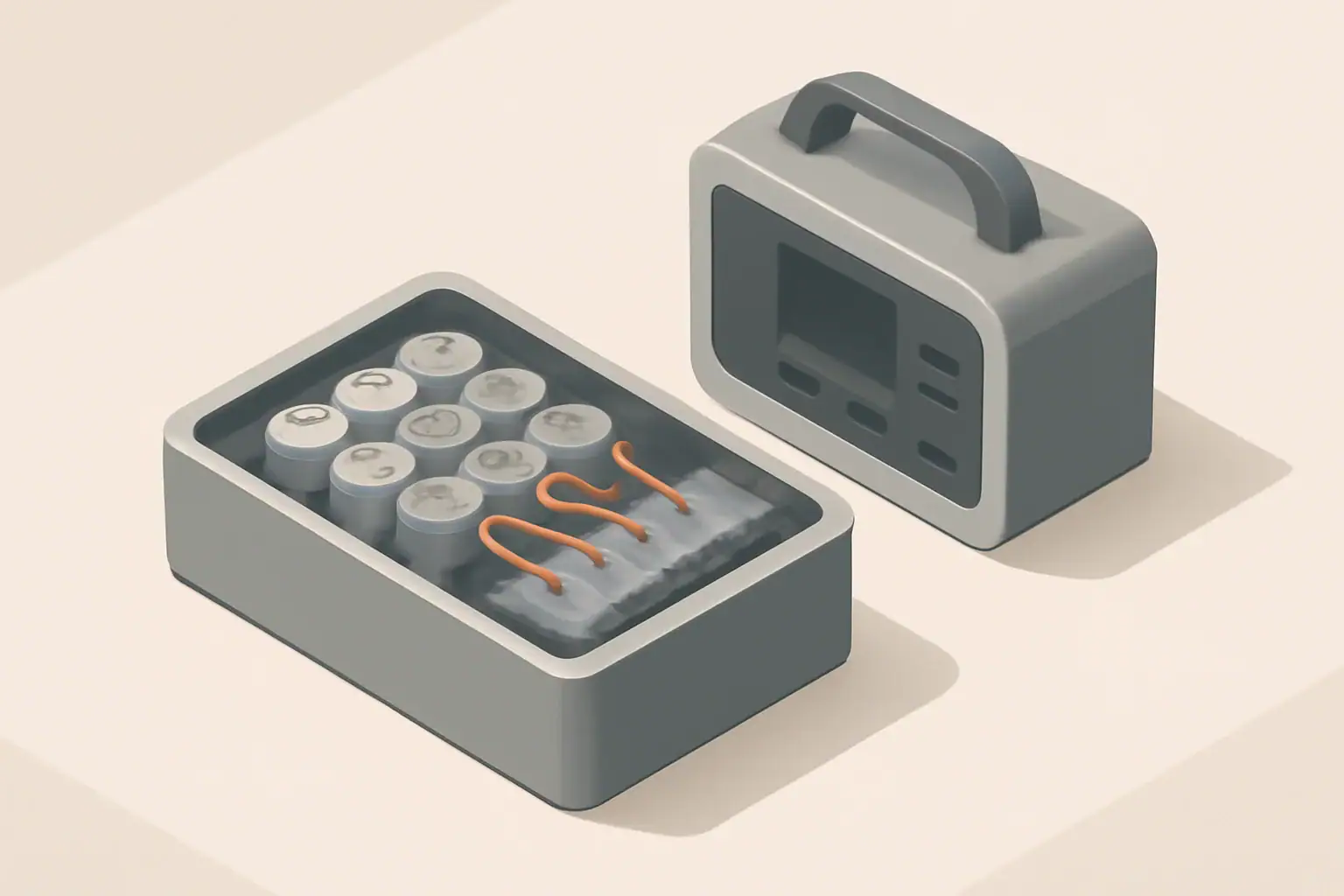
A battery management system (BMS) is the safety and control brain that keeps a battery pack in a portable power station from being overcharged, over‑discharged, overheated, or pushed beyond its limits. In plain English, the BMS constantly watches the cells and disconnects or limits power before something unsafe or damaging can happen.
Any modern portable power station, solar generator, or lithium battery pack relies on its BMS to manage voltage, current, temperature, and state of charge. The BMS decides when charging must stop, when the inverter is allowed to run, and when the unit needs to shut down to protect itself. Understanding what the BMS does helps you interpret error codes, choose safer products, and avoid habits that shorten battery life.
This guide walks through how a battery management system works, the protections it provides, real‑world examples of BMS behavior, common mistakes that trigger faults, and the key specs to look for when comparing portable power stations.
What a Battery Management System Is and Why It Matters
A battery management system is an electronic control unit that monitors and manages all the cells inside a battery pack. In a portable power station, the BMS sits between the battery cells and the rest of the system (charger, inverter, DC outputs) and enforces safe operating limits.
At a high level, a BMS is responsible for three things:
- Protection: Preventing unsafe conditions such as overcharge, overdischarge, overcurrent, short circuit, and overtemperature.
- Optimization: Balancing cells, managing charge and discharge rates, and maximizing usable capacity and cycle life.
- Information: Estimating state of charge (battery percent), state of health, and reporting faults or warnings to the display or app.
Without a functioning BMS, a portable power station would be at much higher risk of permanent cell damage, rapid capacity loss, or in extreme cases, thermal events. Even if nothing dramatic happens, a weak or poorly tuned BMS can lead to annoying behavior: early shutdowns, inaccurate battery percentage readings, or outputs that turn off unexpectedly under load.
Because the BMS is so central to safety and usability, it is one of the most important—but least visible—parts of any portable power product.
Key BMS Functions and How They Work
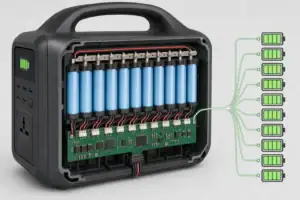
Inside a portable power station, the BMS is a combination of sensors, power electronics, and firmware. Together, they monitor the pack and make rapid decisions about when to allow or block current flow.
Core functions typically include:
- Cell voltage monitoring: Measuring individual cell or cell‑group voltages to enforce upper and lower limits.
- Current measurement: Using shunts or Hall‑effect sensors to track charge and discharge current in real time.
- Temperature sensing: Placing sensors near the cells and critical components to watch for overheating or very low temperatures.
- Switching and isolation: Using MOSFETs, contactors, or relays to connect or disconnect the battery from the rest of the system.
- Cell balancing: Equalizing cell voltages to keep all cells at similar state of charge.
- State estimation: Calculating state of charge and state of health based on voltage, current, time, and internal models.
The BMS firmware continuously compares sensor readings to configured limits. When a limit is approached or exceeded, it takes action: reducing charge current, limiting output power, or fully opening the main switches to isolate the pack.
| BMS Function | What It Monitors | Typical Action Taken |
|---|---|---|
| Overcharge protection | High cell voltage near the top of the charge range | Stops charging, may limit current before cutoff |
| Overdischarge protection | Low cell voltage near the bottom of the safe range | Shuts down outputs to prevent further discharge |
| Overcurrent / short circuit protection | Rapid current spikes or sustained high current | Disconnects the pack using MOSFETs or contactors |
| Thermal protection | Cell and electronics temperature | Reduces power, blocks charge, or shuts down system |
| Cell balancing | Differences between cell voltages | Bleeds or redistributes energy to equalize cells |
| State of charge estimation | Voltage, current, and time history | Updates battery percent display and power limits |
How the BMS Coordinates with Charger and Inverter
The BMS does not work in isolation; it constantly exchanges information with the charger and inverter circuits inside the power station. Typical interactions include:
- Enabling or disabling charging based on cell voltages and temperature.
- Reducing allowable charge current when the pack is cold, hot, or imbalanced.
- Allowing the inverter to start only if state of charge and temperatures are within safe limits.
- Requesting a power limit when the battery is nearly full or nearly empty to avoid stress.
From the user’s point of view, this coordination shows up as behavior like “fast charging until 80%, then slowing down,” or “AC output not available when the battery is too cold.” Those decisions are usually driven by the BMS.
Real‑World BMS Behavior in Portable Power Stations
Seeing how a BMS behaves in everyday situations makes its role easier to understand. The examples below assume a lithium‑ion or lithium iron phosphate pack inside a typical portable power station.
Example 1: Charging in Hot Weather
You leave a power station in a parked vehicle on a sunny day and then plug it into AC to recharge. Inside the case, the pack is already warm. As charging starts, the BMS notices temperature rising toward its upper limit. It may respond by:
- Reducing charge current so the pack warms more slowly.
- Activating internal fans to move air across the cells and electronics.
- Pausing charging entirely until the temperature drops below a safe threshold.
On the display, you might see slower charging than usual or a temperature warning. The BMS is trading speed for safety and long‑term cell health.
Example 2: Running a High‑Surge Appliance
You connect a device with a large startup surge, such as a power tool or small compressor. At the moment of startup, current spikes well above the continuous rating. The BMS measures this spike and decides whether it is acceptable:
- If the surge is brief and within the configured limit, the BMS allows it and the tool starts normally.
- If the surge exceeds the limit or lasts too long, the BMS disconnects the battery to protect the cells and switching devices.
From the user’s perspective, this may look like the AC outlet turning off suddenly or an overload icon appearing. Resetting usually involves turning the unit off and back on after the load is removed.
Example 3: Deep Discharge During an Outage
During a power outage, you run lights, a router, and a small fridge from the station. As the battery drains, cell voltages approach the lower cutoff threshold. To prevent overdischarge, the BMS will:
- Show a low state of charge and may reduce the maximum output power.
- Shut down AC and DC outputs once the minimum safe voltage is reached.
- Refuse to turn back on until the pack has been recharged above a recovery threshold.
This can feel like “sudden” shutdown even though the battery indicator still showed some percentage. In many designs, the BMS reserves a small amount of capacity below 0% to protect the cells.
Example 4: Cell Balancing Over Time
After many cycles, individual cells inside the pack drift slightly in voltage. The BMS monitors this imbalance and, usually near the top of charge, activates balancing circuits. In a passive balancing system, small resistors bleed a little energy from the highest‑voltage cells, allowing the lower ones to catch up.
As a user, you might notice that the last few percent of charging takes longer, or that fans run even though the pack is nearly full. That extra time is often the BMS balancing cells to preserve capacity and reduce stress on weaker cells.
| Scenario | What the User Sees | Likely BMS Action |
|---|---|---|
| Hot charging environment | Slow charging, fan noise, temperature icon | Limits charge current or pauses charging to control temperature |
| High‑surge tool on AC | AC output shuts off at startup | Detects overcurrent spike and opens main switches |
| Battery drains to 0% | Unit shuts down and will not restart on load | Overdischarge protection triggered; requires recharge |
| Long time at 100% charge | Fans or subtle activity even when “full” | Performs cell balancing and fine‑tunes state of charge |
| Very cold weather use | Charging disabled, reduced output power | Applies low‑temperature charge and discharge limits |
Common Mistakes and Basic Troubleshooting
Many BMS‑related “problems” are actually the system doing its job. Recognizing common patterns can help you respond correctly and avoid unnecessary stress on the battery.
Mistake 1: Treating Repeated Shutdowns as a Simple Glitch
Repeated shutdowns under load are often early warnings, not random errors. Common causes include:
- Connecting loads that exceed the continuous or surge rating.
- Blocked ventilation leading to high internal temperatures.
- Aging cells that cause cell voltage to sag under load, triggering low‑voltage cutout.
Quick check: Try a smaller load, move the unit to a cooler, well‑ventilated area, and fully recharge. If shutdowns continue with modest loads, the pack may need professional evaluation.
Mistake 2: Ignoring Error Icons or Fault Codes
Many power stations display icons or codes for overtemperature, overload, or battery faults. Ignoring these can accelerate wear or mask a developing issue. If a specific code appears repeatedly, note when it happens (during charging, discharging, or storage) and adjust usage accordingly.
Mistake 3: Assuming the BMS Will Recover from Any Deep Discharge
Leaving a power station at 0% for weeks or months can push cells below the BMS’s recovery threshold. In some cases, the BMS will not allow charging at all to avoid charging severely overdischarged cells.
Quick check: If the unit will not turn on or accept charge after long storage, it may be below the safe voltage window. Some designs can be recovered by a controlled low‑current charge, but this is typically a job for trained technicians.
Mistake 4: Using the Wrong Charging Profile
While the BMS provides protection, it cannot fully compensate for an incorrect or incompatible charging source. Feeding the pack with voltages or currents outside its intended range can cause frequent cutoffs, overheating, or long‑term damage.
Quick check: Match the charger type, voltage, and maximum current to the power station’s stated input specifications. If the BMS repeatedly stops charging, verify that the source is within those limits.
Mistake 5: Blocking Cooling Paths
Covering vents or placing the unit in a tight compartment prevents heat from escaping. The BMS will respond by throttling power or shutting down more often, especially under high loads or fast charging.
Quick check: Ensure several inches of clearance around vents and avoid stacking items on top of the power station during operation.
Safety Basics: What the BMS Can and Cannot Do
A well‑designed battery management system significantly improves safety, but it is not a complete guarantee. Understanding its limits helps you use a portable power station responsibly.
What the BMS Does for Safety
- Prevents common electrical abuse: Cuts off charge or discharge when voltage, current, or temperature exceed safe thresholds.
- Reduces fire risk under normal use: Limits conditions that can lead to thermal runaway, such as severe overcharge or sustained overcurrent.
- Provides multiple layers of protection: Combines electronic switching with fuses or thermal cutoffs as a final safety backstop.
What the BMS Cannot Prevent
- Mechanical damage: Crushing, puncturing, or bending the pack can cause internal shorts that bypass electronic controls.
- Severe external heat: Exposure to fire, direct flame, or extreme ambient temperatures can damage cells regardless of BMS logic.
- All manufacturing defects: The BMS can reduce risk but cannot fully eliminate problems from defective cells or assembly issues.
Practical Safety Habits
- Operate and charge the power station within the specified temperature range.
- Do not use or charge a unit that has been dropped hard, crushed, or visibly damaged.
- Avoid covering the unit with blankets, clothing, or other insulating materials while in use.
- Do not attempt to bypass or modify the BMS, even if it seems overly conservative.
- Store and transport the power station in a way that prevents sharp impacts and punctures.
Maintenance and Long‑Term Use
The BMS handles day‑to‑day protection, but user habits strongly influence how long the battery remains healthy. A few simple practices can extend cycle life and keep BMS protections from triggering unnecessarily.
Charging and Storage Practices
- Avoid extremes of state of charge during long storage: For multi‑month storage, many packs age more slowly when stored around a moderate state of charge rather than at 0% or 100%.
- Keep within recommended temperature ranges: Store and use the power station in cool, dry locations whenever possible.
- Allow rest after heavy use: After discharging at high power, let the unit cool before starting a full recharge.
Monitoring BMS Behavior Over Time
- Pay attention to changes in when the unit shuts down under similar loads; earlier shutdowns can indicate aging cells or increased internal resistance.
- Note any new or persistent fault codes and under what conditions they appear.
- Check that fans still operate and that vents remain free of dust and debris.
When to Seek Service
- The unit will not charge or power on after being stored within recommended conditions.
- Overcurrent, overtemperature, or cell imbalance warnings appear frequently with modest loads.
- You notice swelling, unusual odors, or localized hot spots on the case.
In these cases, further use without inspection can increase risk. A trained technician can evaluate both the cells and the BMS electronics to determine whether repair or replacement is appropriate.
Practical Takeaways and BMS Specs to Look For
When you understand what a battery management system does, you can better interpret how a portable power station behaves and make more informed buying decisions. The BMS is not just a safety feature; it shapes performance, lifespan, and day‑to‑day reliability.
Key BMS‑Related Specs and Features to Check
Product spec sheets and manuals often include details that hint at the quality and capabilities of the BMS. When comparing portable power stations, look for information such as:
- Cell chemistry and voltage limits: Confirm that charge and discharge voltage ranges are appropriate for the stated chemistry (for example, lithium‑ion or lithium iron phosphate).
- Continuous and surge power ratings: Check that the BMS and inverter can handle your typical loads plus startup surges.
- Operating temperature ranges: Note separate ranges for charging and discharging; good BMS designs enforce conservative limits.
- Overcurrent and short‑circuit protection: Look for explicit mention of electronic protection and fuses rather than relying on fuses alone.
- Cell balancing method: Passive balancing is common for smaller packs; active balancing can improve efficiency in larger systems.
- Protections listed: Overcharge, overdischarge, overcurrent, short‑circuit, and overtemperature protections should all be clearly indicated.
- Cycle life expectations: Higher cycle life claims usually rely on a BMS that limits stress and enforces conservative limits.
- Diagnostic information: A display or app that shows cell voltages, temperatures, and error codes can make troubleshooting easier.
By focusing on these BMS‑related details, you can choose portable power stations that are not only powerful on paper but also safer, more predictable, and more durable in everyday use.
Additional practical example
Vanlife and high-draw appliances
In a van or RV, it is common to try running a microwave, induction cooktop, or hair dryer from a compact power station. These can draw 1000–1500 W or more. Even if the inverter’s continuous rating looks just high enough, the BMS might:
- Allow the appliance to run for only a short burst before shutting down from overcurrent or overtemperature.
- Refuse to start the appliance at all if the battery is already partly discharged.
- Cut off early when battery voltage sags heavily under the load.
Understanding that the BMS is guarding the battery helps set expectations: heavy appliances may be possible only for brief use, or may require a larger unit with higher current limits and more thermal headroom.
Frequently asked questions
Which specifications and features matter most when evaluating a battery management system for a portable power station?
Key specs include the supported cell chemistry and voltage limits, continuous and surge power ratings, operating temperature ranges, and the types of overcurrent and short‑circuit protections implemented. Also look for information on cell balancing method and available diagnostics (per‑cell voltages, error codes) since those affect long‑term reliability and troubleshooting.
How can I prevent repeated shutdowns of my portable power station under load?
Repeated shutdowns are often the BMS protecting the pack from overcurrent, thermal stress, or voltage sag caused by aging cells. Reduce peak loads, improve ventilation, and fully charge the unit; if shutdowns persist with modest loads, have the battery and BMS inspected by a technician.
How much safety protection does a BMS actually provide for a portable power station?
A BMS significantly reduces risk by enforcing voltage, current, and temperature limits and isolating the pack during detected faults, often combined with fuses or thermal cutoffs for redundancy. It is not a complete guarantee—mechanical damage, manufacturing defects, or external fires can still cause dangerous failures despite BMS protections.
Can I reset or recover a unit if the BMS has locked out charging after deep discharge?
Some units include recovery thresholds and can be revived after a short controlled charge, but severely overdischarged packs may require a low‑current recovery performed by a trained technician. Avoid bypassing the BMS to force charge, as that can be unsafe and cause additional damage.
Will using the wrong charger harm the BMS or the battery?
Using a charger with incompatible voltage or excessive current can trigger repeated BMS cutoffs, produce excessive heat, and accelerate battery degradation; in extreme cases it can lead to protective shutdowns or damage. Always match the charger voltage, current limit, and profile to the power station’s stated input specifications.
How can I tell whether a problem is caused by the BMS or by the battery cells themselves?
Check fault codes or diagnostic readouts first: communication or sensor errors often point to BMS or electronics faults, while persistent voltage sag, imbalance between cells, or physical swelling indicates cell aging or damage. If diagnostics are unclear or problems continue, seek professional inspection rather than attempting internal repairs.
Related guides
Browse this topic →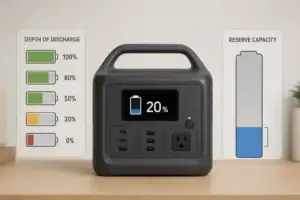
- Beginner-friendly sizing, runtime & specs
- Solar & charging (MPPT, fast charging, cables)
- Batteries (LiFePO4, cycles, care & storage)
- Safety, cold-weather performance, real-world tips
More in Battery
See all →- Low-Temperature Charging Protection in LiFePO4 Power Stations Explained
- Portable Power Station Expansion Batteries: When Extra Capacity Makes Sense
- Lithium-Ion vs LiFePO4 Batteries Explained
- LiFePO4 vs Lithium-Ion in Cold Weather: Which Holds Up Better?
- Best Storage Charge Percentage: 40% vs 60% vs 80% for Different Battery Chemistries
Keep reading

About this site
Portable Energy Lab publishes practical, independent guides about portable power—clear sizing, safe use, and real-world expectations.
Affiliate disclosure
Some links on this site may be affiliate links. If you buy through these links, we may earn a small commission at no extra cost to you. This helps support our content. Read our affiliate disclosure.