
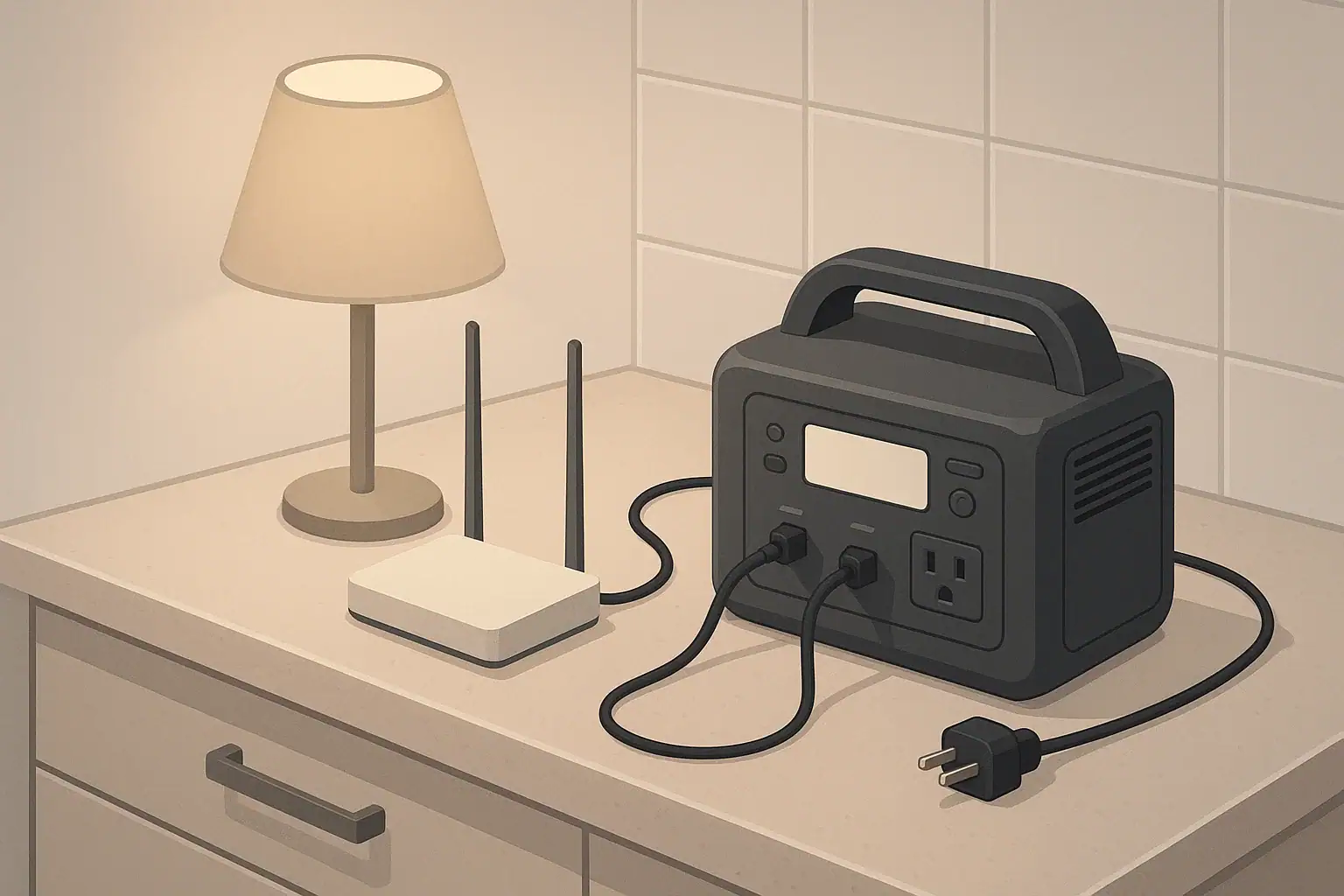
Running a router and modem during a power outage usually works for many hours because most home internet equipment draws only about 10 to 30 watts combined.
In practical terms, a 300 Wh portable power station may keep a typical modem and Wi-Fi router online for roughly 8 to 13 hours, while a 600 Wh unit may support about 16 to 26 hours if you do not add heavier loads. The exact runtime depends on your equipment wattage, battery size, inverter efficiency, starting charge, and whether your internet provider’s local network equipment still has power.
This guide explains how backup power for home internet works, how to estimate runtime, what can go wrong, and what specs to check before relying on a portable power station for Wi-Fi during storms, utility outages, or short emergency shutdowns.
What running a router and modem during a power outage means
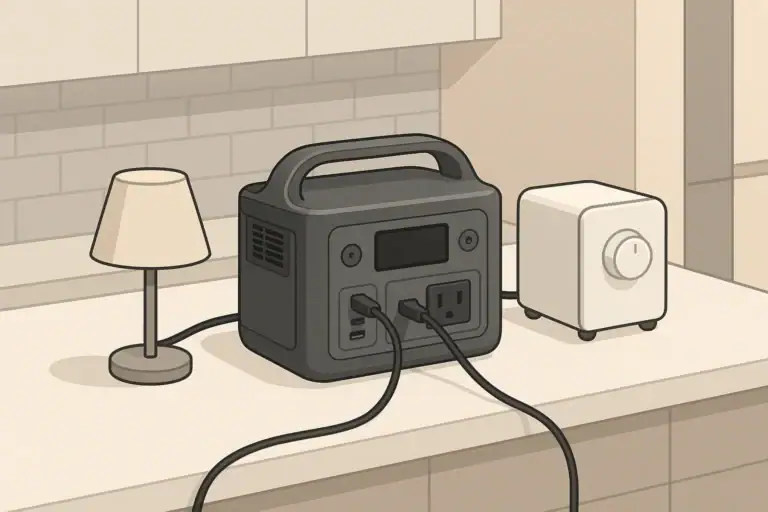
Running your router and modem during a power outage means using stored battery energy, usually from a portable power station or uninterruptible power supply, to keep your home networking equipment powered when wall outlets stop working. The goal is simple: maintain Wi-Fi and wired internet access for phones, laptops, tablets, security hubs, or basic communication devices.
The modem is the device that connects your home to the internet service coming from cable, fiber, fixed wireless, or another provider. The router distributes that connection through Wi-Fi or Ethernet. Some homes use two separate boxes, while others use a single gateway that combines both functions. Either setup can often be backed up because the power demand is usually small compared with appliances such as refrigerators, microwaves, heaters, or air conditioners.
Keeping home internet online can be more useful than it first appears. During an outage, cellular networks may become crowded, indoor signal may be weak, and phone batteries may need to be conserved. If your internet provider’s upstream equipment remains active, backup power for your modem and router can support Wi-Fi calling, work messages, outage maps, weather alerts, and short remote-work tasks.
There is one important limitation: powering your own router and modem does not guarantee internet service. If the provider’s local cabinet, node, fiber equipment, or neighborhood infrastructure loses power and has no backup, your home Wi-Fi may stay on but the internet connection may still drop. A test during a real or simulated outage is the best way to understand what happens in your area.
Key concepts and how router backup power works
The runtime calculation is based on two values: watts and watt-hours. Watts measure how quickly your equipment uses energy. Watt-hours measure how much energy the battery can store. A router and modem that draw 20 watts use about 20 watt-hours every hour before conversion losses are considered.
The basic estimate is: usable battery watt-hours divided by device watts equals runtime in hours. Because a power station must convert battery energy into AC outlet power, you should not assume the full rated capacity is available. A conservative estimate often uses 80% to 90% usable energy when powering AC adapters from the power station’s outlets.
For example, a 300 Wh unit at 85% usable energy provides about 255 Wh for your equipment. If your modem and router draw 20 watts combined, 255 divided by 20 equals 12.75 hours. Real-world runtime may be lower if the battery is cold, old, partially charged, or powering other devices at the same time.
Surge power is usually not a major issue with networking gear. Unlike refrigerators or pumps, routers and modems do not have large motors that demand a high startup wattage. The more important spec is continuous output, and nearly any properly functioning power station with AC outlets can handle a 10 to 30 watt network load. The main sizing question is battery capacity, not peak watt rating.
If your power station has compatible DC outputs, powering networking gear directly from DC can sometimes reduce conversion losses. However, voltage, connector size, polarity, and current rating must match the equipment requirements. Using the wrong DC cable can damage a router or modem, so AC adapters are often the safer default unless you are certain the DC setup is correct.
Example values for illustration.
| Battery capacity | Estimated usable energy at 85% | 15 W network load | 20 W network load | 30 W network load |
|---|---|---|---|---|
| 200 Wh | 170 Wh | About 11 hours | About 8.5 hours | About 5.5 hours |
| 300 Wh | 255 Wh | About 17 hours | About 12.5 hours | About 8.5 hours |
| 500 Wh | 425 Wh | About 28 hours | About 21 hours | About 14 hours |
| 600 Wh | 510 Wh | About 34 hours | About 25.5 hours | About 17 hours |
| 1000 Wh | 850 Wh | About 56 hours | About 42.5 hours | About 28 hours |
Real-world examples of router and modem runtime
A small apartment setup might use a combined modem-router gateway that draws about 12 to 18 watts. With a 300 Wh power station and an 85% efficiency estimate, that setup may run for roughly 14 to 21 hours if the battery starts full and no other devices are plugged in. For many short outages, that is more than enough to keep phones connected through Wi-Fi.
A typical home with a separate cable modem and Wi-Fi router may draw about 18 to 25 watts combined. On a 300 Wh unit, a fair expectation is around 10 to 13 hours. On a 600 Wh unit, that same load may run for about 20 to 28 hours. If the router has multiple Wi-Fi bands, mesh features, or powered USB accessories, the draw may land toward the high end of that range.
A larger home network may include a modem, router, mesh node, and small Ethernet switch. If the total load is around 35 watts, a 500 Wh power station at 85% usable energy may provide about 12 hours. A 1000 Wh unit may provide roughly 24 hours. In this setup, deciding which devices are essential matters. You may be able to power only the main router and modem instead of every mesh node to stretch runtime.
Adding a laptop changes the math quickly. If your router and modem draw 20 watts and your laptop averages 40 watts while charging or working, the total becomes 60 watts. A 300 Wh power station with 255 Wh usable energy would drop from about 12.5 hours for internet equipment alone to about 4 hours with the laptop included. Charging a phone for a short period is usually minor, but leaving multiple devices connected all day can noticeably reduce runtime.
The most reliable way to size your setup is to measure it. Many power stations show real-time output wattage on the display. Plug in only the modem and router, wait a few minutes after startup, and note the steady running watts. If the display fluctuates between 17 and 23 watts, use the higher number when planning. A plug-in power meter can also measure AC loads if your power station does not show output.
Common mistakes and troubleshooting cues
One common mistake is assuming Wi-Fi equals internet. Your wireless network can remain visible even if the service connection is down. If devices connect to Wi-Fi but pages do not load, check the modem status lights. A powered router with a disconnected modem will often show Wi-Fi bars but no internet access.
Another mistake is sizing the backup battery from the power station’s inverter rating instead of its watt-hour capacity. A unit that can output hundreds of watts may still have a small battery. For routers and modems, output wattage is rarely the limiting factor; runtime is controlled by stored energy.
Auto-shutoff is another frequent issue with light loads. Some portable power stations turn off AC outlets when the load is below a minimum threshold. A modem and router together may be enough to keep the output awake, but a single low-power device may not. If the station shuts off unexpectedly, look for an eco mode, AC timeout setting, or minimum-load note in the manual. Using a compatible DC output may help if the unit’s AC inverter is the part that sleeps.
Startup order can also matter. After power is restored from the battery, a modem may need several minutes to reconnect before the router receives an internet connection. If everything is powered but the internet still fails, restart the modem first, wait for its connection lights to stabilize, then restart the router. For a combined gateway, unplug it for about a minute, reconnect it to backup power, and allow it to fully boot.
Do not overlook hidden loads. A power strip may also feed a voice adapter, smart speaker, external drive, home automation hub, or mesh satellite. Each extra device may draw only a few watts, but together they can cut hours from runtime. During an outage, unplug nonessential accessories and keep the battery dedicated to communication.
Example values for illustration.
| Symptom | Likely cause | Practical check |
|---|---|---|
| Wi-Fi name appears but internet does not work | Provider connection or modem link is down | Check modem lights and restart modem before router |
| Power station turns off after a few minutes | Low-load auto sleep or eco mode | Review settings, disable timeout if available, or use compatible DC output |
| Runtime is much shorter than expected | Extra devices, lower efficiency, partial charge, or battery aging | Measure actual watts with only network gear connected |
| Battery percentage does not rise while recharging | Input power is close to output load | Reduce loads or use a stronger approved charging source |
| Router reboots repeatedly | Loose adapter, bad cable, wrong DC voltage, or unstable output | Use the original AC adapter and inspect connectors |
| Connection works near the router but not far away | Mesh nodes or extenders are unpowered | Power the most important node or move closer to the main router |
Safety basics for powering networking gear
Portable power stations are generally well suited to low-power electronics, but they still require normal electrical care. Place the unit on a stable, dry, ventilated surface. Do not cover vents, seal it in a cabinet, or place it next to heaters, direct sun, wet floors, or dripping pipes.
Use the original router and modem AC adapters when possible. They are designed to provide the correct voltage and current to the equipment. If you use a power strip, keep it simple and avoid daisy-chaining multiple strips or extension cords. The load is small, but messy wiring increases the chance of loose plugs, tripping hazards, or accidental disconnection during an emergency.
Keep the power station away from standing water, especially in basements, garages, and storm-prone areas. If the outage is related to flooding or leaks, elevate the unit and networking gear on a dry surface. Do not handle plugs with wet hands, and do not continue using any adapter that smells hot, buzzes, sparks, or shows melted plastic.
Never backfeed a wall outlet or connect a portable power station directly into household wiring unless the system is specifically designed and installed for that purpose. For this use case, the cleanest approach is simple: plug the modem and router directly into the battery unit or into a single appropriate power strip connected to the unit.
Also consider information security. During an outage, you may rely heavily on Wi-Fi calling, banking apps, or work systems. Keep your router password protected and avoid resetting network equipment to default settings unless necessary. A working but unsecured network is not a good emergency solution.
Maintenance, storage, and long-term readiness
A backup internet plan only works if the battery is charged when the outage starts. Store the power station where it is easy to reach, not buried behind seasonal items. For long-term storage, many lithium-based units are commonly kept at a partial state of charge rather than completely full or empty. Follow the instructions for your specific device, especially for storage temperature and recharge interval.
Check the charge level every few months. Batteries slowly self-discharge, and a unit that was ready in spring may be much lower by storm season. If outages are likely in your area, consider a more frequent check during high-risk months. A quick habit, such as checking the battery when you test smoke alarms or replace emergency supplies, can prevent surprises.
Run a short functional test with your actual modem and router. Plug them into the power station, confirm the internet reconnects, and note the wattage shown on the display. Let the setup run long enough to confirm it remains stable. This test can reveal auto-shutoff behavior, loose adapters, weak cables, or a battery that no longer performs as expected.
Label the right cords. In a dark room during an outage, it is easy to unplug the wrong adapter or forget which cable powers the modem. A small label on each plug can save time and avoid powering only the router while the modem remains off. If your networking equipment is in a cramped area, arrange cables so the backup power connection is easy to access.
If your power station supports pass-through operation, understand its limits before relying on it like a permanent UPS. Some units can charge while powering devices, but switching behavior, heat, fan noise, and battery wear vary. For critical work-from-home needs, test whether the modem and router stay online during the moment grid power drops and the battery takes over.
Practical takeaways and specs to look for
The simplest way to plan for running a router and modem during a power outage is to measure or estimate the combined wattage, choose a realistic efficiency factor, and divide usable watt-hours by watts. If your network load is 20 watts, every 100 usable watt-hours gives about five hours of runtime. That rule of thumb makes it easy to compare battery sizes without overcomplicating the decision.
For short outages, a small power station may be enough. For overnight internet access, remote work, or storm-prone areas, a larger watt-hour capacity gives more margin. Keep in mind that phones, laptops, mesh nodes, and security hubs all share the same energy supply. The more you plug in, the fewer hours remain for your core internet connection.
Specs to look for checklist
- Battery capacity in watt-hours: This is the main runtime spec. Higher Wh means longer router and modem operation.
- Low idle consumption: A power station that wastes less energy while its AC inverter is on can extend runtime for small electronics.
- AC outlet support: Standard outlets let you use the original modem and router adapters with fewer compatibility concerns.
- Useful DC outputs: DC can improve efficiency if voltage, polarity, connector size, and current rating match your devices.
- Configurable auto-sleep settings: The ability to disable or adjust eco mode helps prevent shutdowns under light network loads.
- Clear wattage display: Real-time output readings make it easier to measure your actual router and modem draw.
- Safe indoor operation: Look for stable construction, ventilation, overload protection, and clear operating temperature guidance.
- Recharge options: Wall charging is most important, but approved car or solar charging may help during extended outages.
- Practical size and noise level: A compact, quiet unit is easier to keep near networking equipment.
Before the next outage, do one full practice run. Charge the power station, plug in only the modem and router, confirm the internet works, and record the wattage. Then decide which extra devices, if any, are worth powering. That small test turns a vague backup plan into a realistic runtime estimate you can trust.
Include the fiber ONT and mesh nodes in the load
Fiber service usually depends on an optical network terminal (ONT) in addition to the router. Cable or DSL service may use a separate modem, while a mesh network can add one or more satellite nodes. Every powered box, PoE injector, switch, and adapter must be included in the load estimate; keeping the Wi-Fi router on does not help if the upstream ONT or modem has lost power.
For a longer outage, decide whether every mesh node is necessary. Powering only the gateway and the minimum number of satellites can extend runtime, but test coverage and reconnection behavior in advance. If the internet provider’s neighborhood equipment is offline, local backup power can keep the network hardware running but cannot restore the external service.
Frequently asked questions
How long can a portable power station keep a router and modem running?
It depends mainly on the battery’s watt-hour capacity and the combined wattage of the modem and router. Many home setups draw about 10 to 30 watts total, so a mid-size power station can often keep them running for several hours to more than a day. Actual runtime is usually lower than the label suggests because of inverter losses and battery conditions.
What size power station do I need for running a router and modem during a power outage?
For short outages, a smaller unit may be enough if your network gear uses little power. For overnight coverage or longer outages, look for higher watt-hour capacity rather than just a high watt output rating. The best choice is the smallest unit that still gives you the number of hours you want with some margin.
What specs or features matter most for backup internet power?
The most important spec is battery capacity in watt-hours, since that determines runtime. Helpful features include low idle consumption, a clear wattage display, configurable auto-sleep settings, and AC outlets that work with your original adapters. If you plan to use DC output, make sure the voltage, connector, and polarity match exactly.
What is a common mistake people make when backing up a router and modem?
A common mistake is assuming that a visible Wi-Fi signal means the internet is working. The router can stay on even when the modem or provider connection is down. Another frequent error is buying a power station based on its watt output instead of its battery capacity, which leads to shorter runtime than expected.
Is it safe to power networking equipment from a portable power station during an outage?
Yes, it is generally safe when you use the correct adapters and keep the equipment dry, ventilated, and stable. Avoid backfeeding household wiring, do not overload the unit, and keep it away from water or heat sources. If any cable, adapter, or outlet looks damaged or overheats, stop using it.
Why does my router stay on but the internet still stops working?
That usually means the local internet infrastructure outside your home has lost power or connectivity. Your modem and router can still run from backup power, but they cannot restore service if the provider’s upstream equipment is offline. In that case, your home network is powered, but the internet path is not available.
Related guides
Browse this topic →
- Beginner-friendly sizing, runtime & specs
- Solar & charging (MPPT, fast charging, cables)
- Batteries (LiFePO4, cycles, care & storage)
- Safety, cold-weather performance, real-world tips
More in Home / Appliances
See all →Keep reading
About this site
Portable Energy Lab publishes practical, independent guides about portable power—clear sizing, safe use, and real-world expectations.
Affiliate disclosure
Some links on this site may be affiliate links. If you buy through these links, we may earn a small commission at no extra cost to you. This helps support our content. Read our affiliate disclosure.