
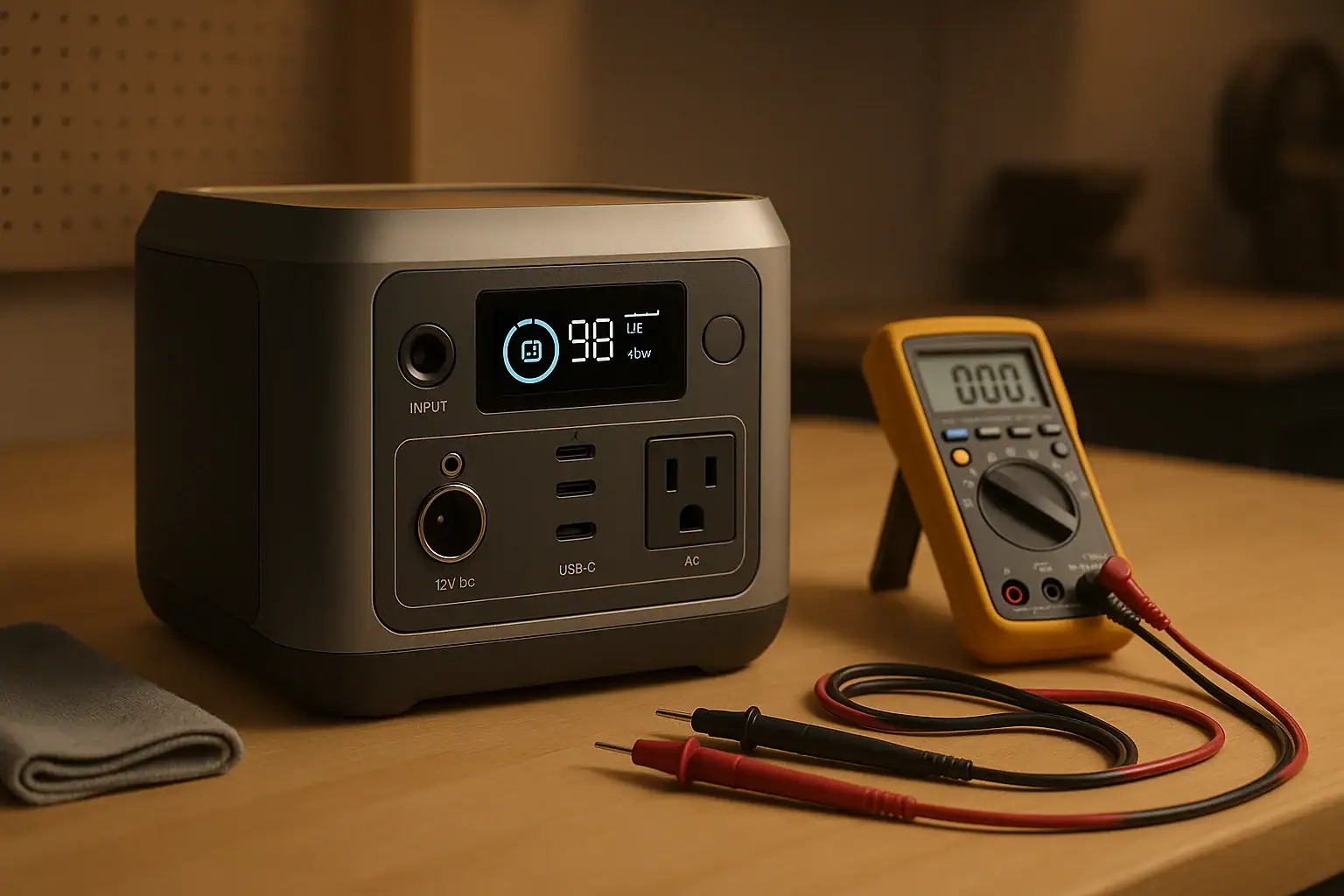
To maintain a portable power station, keep the battery within its recommended charge range, store it in a cool, dry place, and use it regularly so capacity and runtime stay reliable. Good care habits help preserve cycle life, protect surge watts performance, and keep both AC and DC output stable when you need backup or off‑grid power.
Proper maintenance is not complicated, but it does require paying attention to state of charge, input limit, charging profile, and how hard you push the inverter. Whether you use your unit for camping, emergency backup, tools, or electronics, the same principles apply: avoid extreme temperatures, avoid deep discharges, and follow safe charging practices.
This guide explains what portable power station maintenance really means, how these systems work, what to do in real-world scenarios, and which specs to watch. By the end, you will know how to keep your power station healthy for years and what to look for when comparing future models.
What Portable Power Station Maintenance Really Means and Why It Matters
Maintaining a portable power station means managing how you charge, discharge, store, and physically handle the unit so its internal battery, inverter, and electronics stay within healthy operating limits. Unlike disposable power banks, these devices use higher-capacity batteries and more complex circuitry, so small habits can add up to big differences in lifespan and reliability.
The battery is the heart of the system. Most modern portable power stations use lithium-based chemistries designed for hundreds or even thousands of charge cycles. However, pushing the battery to 0% repeatedly, leaving it at 100% for months, or exposing it to high heat can reduce its usable capacity over time. Maintenance focuses on staying in the middle ground where the battery experiences less stress.
Maintenance also matters for performance. If you take care of your unit, it is more likely to deliver its rated watt-hours, handle surge loads without tripping, and provide stable voltage for sensitive electronics. Neglect can lead to reduced runtime, unexpected shutdowns, inaccurate battery percentage readings, and, in extreme cases, safety issues such as overheating or swelling.
For people who rely on portable power stations for emergency backup, medical devices, or work equipment, maintenance is about more than just saving money; it is about confidence that the system will turn on and perform as expected when the power goes out or when you are far from the grid.
Key Concepts: How Portable Power Stations Work and What Affects Longevity
Understanding a few core concepts makes it much easier to maintain a portable power station correctly. These devices combine several subsystems: a battery pack, a battery management system (BMS), a DC-DC converter, an AC inverter, and various input and output ports. Each part has limits that influence how you should use and care for the unit.
Battery chemistry and cycle life
Most units use either lithium-ion (NMC or similar) or lithium iron phosphate (LiFePO4) cells. Lithium-ion batteries typically offer higher energy density but fewer cycles, while LiFePO4 batteries often trade a bit of size and weight for a longer cycle life. Cycle life is the number of full charge/discharge cycles the battery can handle before its capacity drops to a defined percentage of its original value.
Depth of discharge is how much of the battery’s capacity you use before recharging. Regularly running the battery from 100% to near 0% is more stressful than cycling between, for example, 30% and 80%. Shallower cycles generally extend battery life, which is why partial charging and discharging are usually recommended for long-term health.
Charge rate and input limit
The input limit is the maximum power (in watts) the station can accept from wall charging, solar panels, or a vehicle outlet. Charging below or at the recommended rate is safe; trying to exceed it by using non-matching chargers or adapters can cause overheating or force the BMS to throttle or shut down charging. High charge rates are convenient but can create more heat, which accelerates battery wear if ventilation is poor.
Inverter load, surge watts, and continuous watts
The inverter converts DC battery power into AC household-style power. It has two key ratings: continuous watts (what it can supply steadily) and surge watts (short bursts to start motors or compressors). Routinely running close to the continuous limit or frequently triggering surge capacity raises internal temperatures and stresses components. Keeping average load below about 70–80% of continuous rating is usually gentler on the system.
Temperature and ventilation
Portable power stations operate best within a defined temperature range, typically around normal room temperatures. Heat is a major enemy of battery and electronics longevity. Cold temperatures temporarily reduce available capacity and may prevent charging entirely until the pack warms up. Good ventilation around the device during charging and heavy use helps the cooling system manage heat.
Battery management system (BMS)
The BMS monitors cell voltage, temperature, and current to prevent overcharge, over-discharge, and short circuits. It is your last line of defense against misuse. While the BMS helps prevent catastrophic damage, it cannot fully eliminate wear from repeated deep discharges, high temperatures, or constant high loads. Good maintenance works with the BMS rather than relying on it to fix bad habits.
| Concept | Typical Range | Impact on Maintenance |
|---|---|---|
| Battery capacity | 300–2,000 Wh | Determines runtime; larger packs benefit more from proper storage charge. |
| Cycle life | 500–3,000+ cycles | Improved by shallow discharges and moderate temperatures. |
| Continuous AC output | 200–2,000 W | Running below max reduces heat and component stress. |
| Surge output | 1.5–3× continuous | Frequent surges can warm the inverter and shorten life. |
| Recommended storage charge | 30–60% | Helps slow long-term capacity loss during inactivity. |
Real-World Use Cases: How Maintenance Looks Day to Day
In everyday life, maintaining a portable power station means adjusting how you use it for camping, emergency backup, work, or travel so the battery and electronics are not pushed harder than necessary.
Occasional emergency backup at home
If you primarily keep a portable power station for outages, it might sit for months without use. In this case, maintenance focuses on storage and periodic cycling. Instead of leaving it at 100% plugged in all year, charge it to around 50–60%, unplug it, and store it in a cool, dry location. Every three to six months, top it up, run a light to moderate load for a short period to exercise the battery and inverter, then return it to its storage charge level.
During an outage, try not to drain it all the way to 0% if you can avoid it. Power only the essentials rather than everything at once. When the grid returns, allow the unit to cool to room temperature before recharging fully.
Frequent camping and off-grid use
For campers and van users who cycle the battery regularly, the main concern is avoiding constant deep discharges and excessive heat. Use the display or indicators to keep the battery above very low levels, ideally recharging when it reaches around 20–30% instead of waiting for automatic shutdown.
If you charge with solar, size your panels and input so the station charges at a reasonable rate within its input limit. Position the unit in the shade or inside a ventilated area while leaving the panels in the sun. Avoid placing it on hot surfaces like metal truck beds in full sun, which can quickly raise internal temperatures.
Powering tools, appliances, and electronics
When running power tools, small appliances, or electronics, maintenance is about managing load and startup surges. For example, using a portable power station to run a compact refrigerator or small power tool is fine if the continuous and surge watts are within the inverter’s ratings. However, starting multiple high-draw devices at once can cause overloads.
To reduce stress, stagger startup times and keep high-surge devices on separate cycles when possible. For sensitive electronics such as laptops, cameras, or communication equipment, avoid using the unit when it is extremely low on battery, as voltage drops during sudden heavy loads can trigger shutdowns and potential data loss.
Vehicle and travel charging
Many users top up portable power stations from a vehicle’s 12 V outlet. Here, maintenance involves respecting the vehicle outlet’s current limit and the station’s DC input specs. Use appropriate cables and avoid long, thin extension cords that can cause voltage drop and heat. If the unit warms noticeably during driving, ensure it has airflow and is not buried under luggage or blankets.
In all these scenarios, consistent habits—avoiding extremes, managing load, and giving the unit time to cool—are far more important than occasional perfect behavior. Small, repeated improvements in how you use the power station will pay off over years of service.
Common Maintenance Mistakes and Early Troubleshooting Signs
Many performance and longevity problems with portable power stations trace back to a few predictable maintenance mistakes. Recognizing them early helps you correct course before permanent damage occurs.
Letting the battery sit at 0% or 100% for long periods
Leaving a portable power station fully discharged for weeks or months can allow cell voltages to fall below safe levels, sometimes to the point where the BMS will not allow charging. On the other hand, storing it at 100% for long periods, especially in warm conditions, can accelerate capacity loss. A balanced storage state of charge, typically around the middle of the range, is much healthier.
Early signs: noticeably shorter runtime, the battery percentage dropping quickly from full, or the unit shutting down earlier than expected under modest loads.
Ignoring temperature limits
Using or charging a unit in a hot car, direct sun, or near heaters is a common mistake. High temperatures speed up chemical aging inside the battery and can stress the inverter and other electronics. Very cold conditions may temporarily reduce capacity and can make charging inefficient or blocked until the pack warms.
Early signs: the cooling fan running constantly, warm casing to the touch, temperature warning icons on the display, or the unit refusing to charge until it cools down.
Overloading the inverter
Consistently pushing the inverter to or beyond its rated continuous output can cause frequent overload shutdowns and extra heat. Attempting to start large compressors, heaters, or other high-surge devices that exceed the surge rating can trip protections repeatedly, which is hard on components and frustrating in use.
Early signs: overload warnings, sudden shutdowns when certain devices start, or the unit resetting when multiple appliances turn on together.
Using poor-quality or mismatched charging sources
Cheap or mismatched chargers, adapters, or cables can cause unstable voltage, excessive current, or heat at connectors. While the BMS often prevents major damage, repeated stress at the input ports or internal DC-DC circuitry can reduce reliability and, in some cases, damage connectors.
Early signs: intermittent charging, loose or hot connectors, the unit frequently starting and stopping charging, or unexpected error messages related to input.
Neglecting ports, vents, and physical handling
Dirt, dust, and moisture can accumulate in cooling vents and ports, reducing airflow and increasing the chance of poor contact. Dropping or striking the unit can damage internal connections, even if the outer case seems intact.
Early signs: fans becoming louder than usual, the device running hotter at lower loads, ports that feel loose or fail to hold plugs securely, or rattling sounds when the unit is moved.
When you notice these cues, respond by adjusting your usage: reduce load, improve ventilation, clean the exterior carefully, and change your storage habits. If warnings persist, consult professional service rather than attempting internal repairs.
Essential Safety Basics While Maintaining and Using Your Unit
Safety should guide every aspect of portable power station maintenance. While these devices are designed with protections, safe practices help prevent accidents and equipment damage.
Respect electrical limits
Never exceed the rated output of the AC or DC ports. Do not use adapters or splitters that encourage you to plug in more devices than the unit is designed to handle. Avoid daisy-chaining power strips and extension cords from a single outlet on the power station, as this can make it easy to overload the system without realizing it.
Keep away from moisture and flammable materials
Do not operate or charge a portable power station in standing water, heavy rain, or near flammable materials such as fuel, solvents, or piles of paper. Even if the casing looks robust, moisture can create short circuits or corrosion, and heat from the inverter and battery can be a risk near combustible items.
Use proper ventilation
Place the unit on a stable, flat surface with clearance around its vents. Do not cover it with clothing, blankets, or bags while in use or charging. Good airflow helps the cooling system manage internal temperatures, which is critical for both safety and longevity.
Avoid unauthorized modifications
Do not open the casing, bypass fuses, or attempt to modify the battery pack or wiring. Internal servicing should be left to qualified technicians. Altering the device can defeat built-in protections and create fire or shock hazards.
Be cautious when integrating with household circuits
If you intend to power parts of a home during an outage, use appropriate, code-compliant methods and consult a qualified electrician. Never backfeed power into household outlets or panels with improvised cords, as this can endanger utility workers and damage equipment.
Handle and transport carefully
When moving the unit, use handles or wheels as designed, and avoid dropping or crushing it under heavy objects. During transport in a vehicle, secure it so it cannot slide or tip, which could stress internal connections or damage ports.
By following these safety basics alongside good maintenance habits, you reduce the risk of accidents and help ensure that the power station is ready for use whenever needed.
Maintenance and Storage Best Practices for Long-Term Reliability
Long-term reliability depends on how you treat your portable power station between uses as much as during active operation. A few consistent maintenance and storage habits can significantly extend its useful life.
Optimal charging habits
Whenever possible, avoid running the battery to automatic shutdown. Instead, recharge when it reaches a moderate level, such as 20–30%. Similarly, there is usually no need to keep the unit at 100% all the time if you are not about to use it. For routine use, partial cycles are generally easier on the battery.
Allow the unit to cool to room temperature before starting a full charge, especially after heavy use. During charging, keep it on a hard, flat surface with room for airflow. Use charging sources and cables that match the manufacturer’s recommendations for voltage and current to avoid stressing the input circuitry.
Regular exercise cycles
Even if you rarely use your portable power station, it is good practice to exercise it a few times per year. A simple routine might be:
- Charge the unit to a moderate level.
- Run a small to medium load (such as lights or electronics) for an hour or two.
- Monitor temperature and fan behavior.
- Recharge to your preferred storage level.
This helps keep the BMS calibrated, ensures that the inverter and ports remain functional, and gives you a chance to spot any issues before an emergency.
Cleaning and physical inspection
Every few months, visually inspect the casing, handles, vents, and ports. Look for cracks, deformation, or signs of impact. Use a soft, dry cloth to wipe dust from the exterior and gently clear vents. For ports, avoid inserting metal tools; instead, use compressed air at a safe distance if needed to dislodge debris.
Check that plugs fit snugly into ports and that there is no discoloration or melting around connectors, which could indicate overheating. If you notice damage or persistent heat at a specific port, discontinue use of that port and seek professional inspection.
Ideal storage conditions
For storage longer than a few weeks, aim to keep the battery at a moderate state of charge, typically around 30–60%. Store the unit in a cool, dry environment away from direct sunlight, heaters, or freezing temperatures. Avoid damp locations such as basements with condensation or unprotected outdoor sheds.
If you live in a region with extreme temperatures, consider storing the power station in a climate-controlled area. Mark a reminder on your calendar to check and top up the charge every three to six months, adjusting the level back into the recommended storage range.
When to seek professional service
If you observe swelling of the case, strong chemical odors, repeated error messages, rapid self-discharge, or unusual noises from inside the unit, discontinue use and consult professional service support. Do not attempt to open or repair the battery pack or internal electronics yourself.
| Practice | Recommended Range | Maintenance Benefit |
|---|---|---|
| Storage state of charge | 30–60% | Reduces long-term capacity loss. |
| Check and top-up interval | Every 3–6 months | Keeps battery from drifting too low. |
| Operating temperature | ~50–86 °F (10–30 °C) | Minimizes thermal stress on cells and electronics. |
| Typical discharge depth | 20–80% of capacity | Improves cycle life versus full 0–100% swings. |
| Load versus continuous rating | <70–80% on average | Lowers heat and inverter strain. |
Related guides: Long-Term Storage Best Practices: Charge Level, Temperature, and Schedule • How Does a Portable Power Station Work? • Best Storage Charge Percentage: 40% vs 60% vs 80% (What Battery Chemistries Prefer)
Practical Takeaways and Specs to Watch When Comparing Units
Maintaining a portable power station comes down to a few practical rules: avoid extremes of charge and temperature, keep loads within comfortable limits, store the unit properly, and inspect it periodically. If you follow these habits, your power station is more likely to deliver its rated capacity, maintain consistent runtime, and stay safe and reliable over the long term.
When you eventually compare or upgrade units, understanding which specifications influence maintenance and longevity will help you choose a model that fits your usage patterns and is easier to care for.
Specs to look for
- Battery capacity (Wh) – Look for a capacity that comfortably covers your typical daily usage (for example, 300–1,000 Wh for light use, 1,000–2,000+ Wh for heavier loads). Sizing correctly means you avoid deep discharges that shorten battery life.
- Battery chemistry and cycle life – Check whether the unit uses standard lithium-ion or LiFePO4 and note the rated cycle count (e.g., 500–3,000+ cycles to 70–80% capacity). Higher cycle life gives more usable years, especially if you cycle the battery often.
- Continuous and surge AC output (W) – Compare continuous output (such as 300–2,000 W) and surge capacity (often 1.5–3× continuous). Having headroom above your typical loads reduces the chance of overloads and keeps the inverter running cooler.
- Charging input limit and methods – Look at maximum AC and solar input power (for example, 100–800 W) and supported charging methods (wall, vehicle, solar, USB-C). Adequate input power lets you recharge efficiently without pushing the system to its thermal limits.
- Operating and storage temperature ranges – Favor units with clearly stated safe temperature ranges that match your climate. Wider operating ranges and protections for cold charging reduce the risk of damage in hot summers or cold winters.
- Display and monitoring features – A clear screen showing remaining percentage, estimated runtime, input/output watts, and warnings makes maintenance easier. Good visibility helps you avoid overloading and recognize when the battery is being pushed too hard.
- Port selection and rated currents – Check the number and type of AC, DC, and USB ports along with their maximum currents or wattage. Appropriately rated ports mean you are less likely to rely on daisy-chained adapters that complicate safe loading and maintenance.
- Cooling and ventilation design – Look for visible vents, fan controls, and thermal protections. Effective cooling systems help maintain safe temperatures during charging and heavy use, which directly affects long-term reliability.
- Self-discharge and standby behavior – Some units hold charge better than others when stored. Lower self-discharge and an efficient standby mode mean less frequent top-ups and simpler long-term storage routines.
By combining these spec considerations with the maintenance practices outlined above, you can choose and care for a portable power station that remains dependable across camping trips, workdays, and unexpected outages year after year.
Frequently asked questions
Which specs and features should I prioritize when choosing a portable power station?
Prioritize battery capacity (Wh) to match your typical runtime needs, battery chemistry and rated cycle life, continuous and surge AC output, and the maximum charging input. Also consider port selection and current ratings, cooling/ventilation design, operating temperature ranges, and monitoring features for easier maintenance and safer use.
Is it harmful to store a portable power station fully charged or fully discharged?
Storing a unit fully discharged can allow cell voltages to fall too low and may prevent later charging, while storing at 100% in warm conditions accelerates capacity loss. A moderate storage state (commonly around 30–60%) in a cool, dry place is generally safer for long-term health.
How often should I exercise or test a power station if I only use it for emergencies?
If used seldomly, perform an exercise cycle every 3–6 months: charge to a moderate level, run a small to medium load for an hour or two, check for warnings, then return to the storage charge. This keeps the BMS calibrated and lets you spot issues before an emergency.
Can I safely charge a portable power station from my car or solar panels?
Yes, provided you respect the station’s DC input limits and the vehicle or panel output specifications, use correct cables, and avoid excessive voltage drop or overheating. Ensure the unit has ventilation while charging and do not exceed recommended currents to prevent thermal stress.
What early warning signs indicate battery or inverter problems?
Watch for rapid self-discharge, inaccurate or fluctuating battery percentage readings, frequent overload shutdowns, persistent high temperatures or fans running constantly, hot or loose ports, and any swelling, odors, or unusual noises. If these appear, stop using the unit and seek professional inspection.
How should I handle and transport a portable power station to avoid damage?
Use built-in handles or wheels, secure the unit during transport so it cannot slide or tip, and avoid dropping or packing heavy items on top of it. Keep it dry, ventilated, and protected from impacts to preserve internal connections and port integrity.
Related guides
Browse this topic →


- Beginner-friendly sizing, runtime & specs
- Solar & charging (MPPT, fast charging, cables)
- Batteries (LiFePO4, cycles, care & storage)
- Safety, cold-weather performance, real-world tips
More in Maintenance
See all →- Where to Store a Portable Power Station at Home: Heat, Humidity, and Access
- How App Control and Smart Charging Affect Portable Power Station Battery Health
- How Long Do Portable Power Stations Last?
- Are Portable Power Stations Sustainable? Repairability, Recycling, and E-Waste
- When to Replace Cables and Adapters: Signs of Wear and Overheating
Keep reading

About this site
Portable Energy Lab publishes practical, independent guides about portable power—clear sizing, safe use, and real-world expectations.
Affiliate disclosure
Some links on this site may be affiliate links. If you buy through these links, we may earn a small commission at no extra cost to you. This helps support our content. Read our affiliate disclosure.