
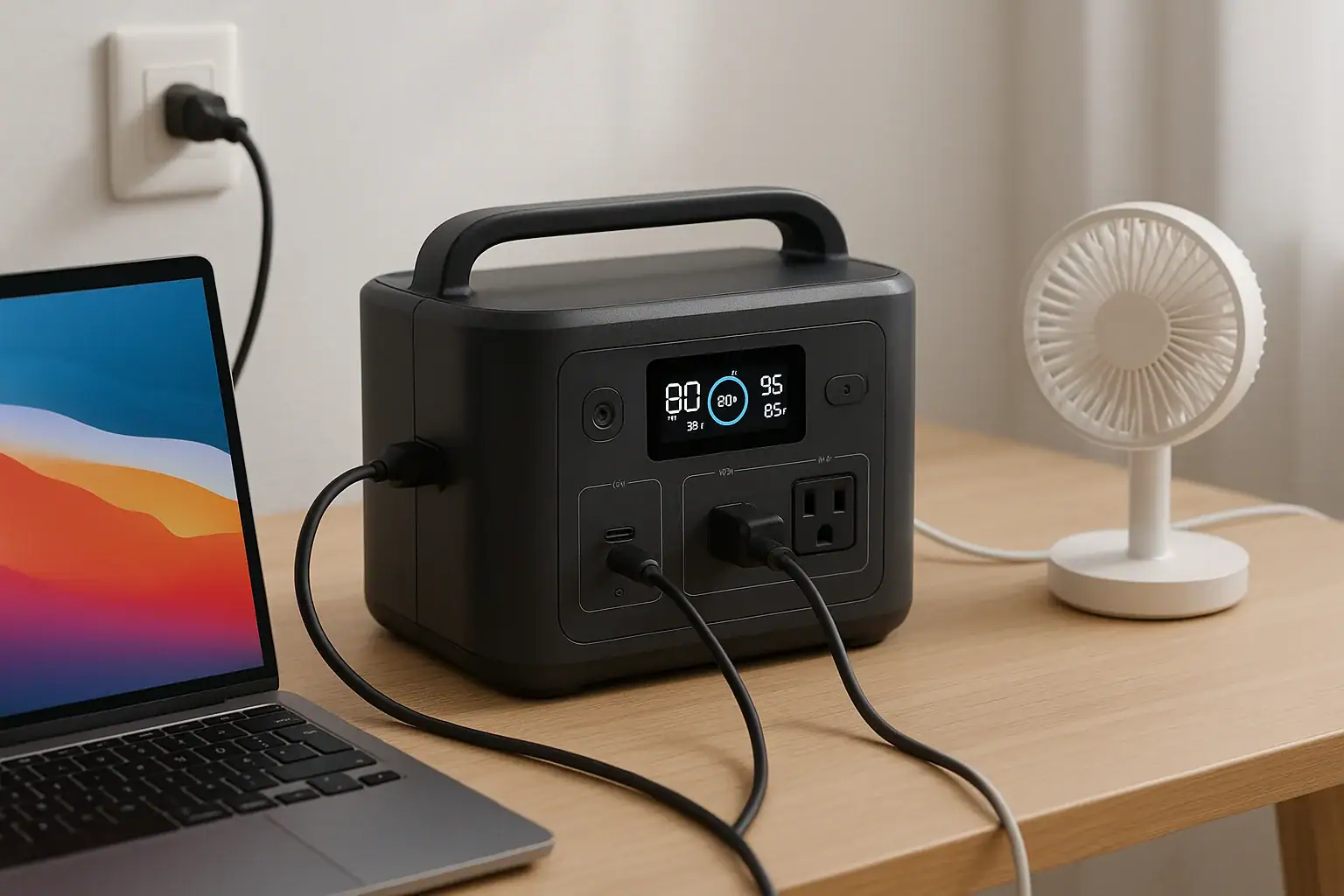
You can usually charge a power station while using it, but only if the design, input limit, and protections support what is often called pass-through charging. Whether this is safe or good for battery life depends on how much power you draw, the inverter load, and the battery management system. Many people search for terms like pass-through mode, input watts, output watts, runtime, and cycle life when trying to understand this behavior.
This article explains what it means to charge and discharge a portable power station at the same time, how it affects performance, and what specs to check before you rely on it. You will learn how to read the display, estimate runtime, avoid overloading the inverter, and protect the battery. By the end, you will know when simultaneous charging and use makes sense, when to avoid it, and which features matter if you plan to run devices while topping up your battery.
What Does Charging a Power Station While Using It Really Mean?
Charging a portable power station while using it means the battery is taking in energy through its inputs at the same time the inverter or DC ports are sending energy out to your devices. This is often described as pass-through charging or simultaneous charge and discharge.
In practice, three power flows are happening at once:
- Input power: Energy coming from a wall outlet, vehicle socket, or solar panels into the power station.
- Output power: Energy leaving the power station through AC outlets, DC ports, or USB ports to run your devices.
- Battery power: The difference between input and output, which determines whether the battery is filling, draining, or holding steady.
If input watts are higher than output watts, the battery still charges, just more slowly. If output watts are higher than input watts, the battery continues to discharge, but at a reduced rate. If input and output are roughly equal, the battery percentage may stay nearly constant.
This matters because it affects runtime, heat, battery wear, and safety. Not all power stations are optimized for continuous pass-through use. Some limit charging speed when the inverter is on; others disable certain ports while charging. Understanding what your unit is designed to do is essential before you rely on it for critical loads like medical devices or refrigeration.
How Simultaneous Charging and Discharging Works
Inside a portable power station, several electronic systems coordinate when you charge and use it at the same time. The key players are the battery pack, the battery management system (BMS), the charge controller, and the inverter or DC converters.
The battery pack stores energy as direct current (DC). The BMS monitors cell voltage, temperature, and current, and it enforces safe limits by shutting down charging or discharging if anything goes outside its safe range.
The charge controller manages incoming power from AC adapters, vehicle chargers, or solar panels. It limits input current to match the station’s rated input watts and battery chemistry. The inverter converts DC from the battery into AC for standard outlets, while DC-DC converters supply regulated DC outputs and USB ports.
When you plug in a charger and turn on the outputs:
- The charge controller sends power into the battery bus, up to the input watt limit.
- The inverter and DC converters draw power from the same bus to feed your devices.
- The BMS tracks net current into or out of the battery cells and adjusts behavior to stay within safe limits.
Some designs prioritize protecting the battery by reducing charge speed when the inverter load is high or by refusing to charge if the internal temperature is elevated. Others allow full input and full output simultaneously but may generate more heat and wear if used this way constantly.
Because of these differences, you should always assume that simultaneous charging and use is possible only within the power station’s published input and output ratings, and that long-term heavy pass-through loads may shorten battery life compared with gentler use.
| Parameter | Typical Value | What It Affects |
|---|---|---|
| Battery capacity | 500–1500 Wh | How long you can run loads |
| Max AC output | 300–2000 W | What devices you can power |
| Max input power | 100–800 W | How fast the unit can recharge |
| Pass-through support | Yes / Limited / No | Whether you can charge while using it |
Real-World Scenarios of Charging While Using a Power Station
Understanding real-world scenarios helps clarify what happens when you charge a portable power station while using it. Here are common situations and how the power flows work in each.
Running a Laptop While Plugged Into the Wall
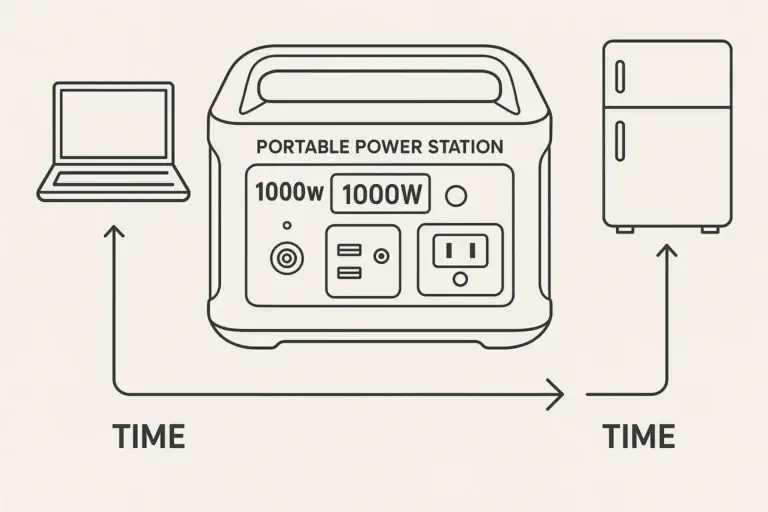
Imagine a 600 Wh power station rated for 300 W of AC output and 200 W of AC charging input. You plug it into a wall outlet and also plug in a 60 W laptop charger.
- Input: about 200 W from the wall charger
- Output: about 60 W to the laptop
- Net battery charge: roughly 140 W into the battery
The battery still charges, just more slowly than if no devices were connected. Heat and stress are moderate because both input and output are well below their limits.
Powering a Mini Fridge on Solar
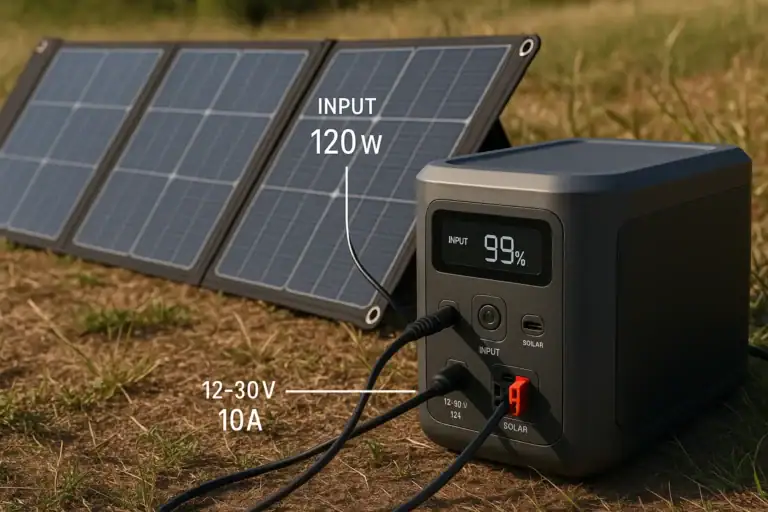
Now consider a campsite where a 1000 Wh station is connected to 300 W of solar panels, but cloudy conditions provide only about 150 W. A small fridge draws 80 W on average with occasional compressor surges.
- Input: about 150 W from solar, fluctuating with clouds
- Output: 80 W average, with brief higher spikes
- Net battery charge: roughly 70 W into the battery on average
On sunny periods, the battery slowly charges while running the fridge. During heavy clouds or at night, the input drops to near zero, and the battery discharges instead. Over a full day, you might roughly balance, gaining or losing some percentage depending on weather and fridge duty cycle.
Trying to Run High-Wattage Tools While Recharging
Suppose a 500 Wh station has a 500 W continuous inverter and a 150 W input limit. You connect it to AC charging and then plug in a 450 W power tool.
- Input: about 150 W from the wall
- Output: about 450 W to the tool
- Net battery discharge: roughly 300 W from the battery
The unit can technically run the tool because it stays under the 500 W inverter rating, but the battery still drains quickly even while plugged in. After around an hour (ignoring efficiency losses), the battery could be nearly empty. This scenario shows why “charging while using” does not always mean “infinite runtime.”
Maintaining a Steady Battery Level
Some users try to keep the battery percentage steady by matching input and output. For example, if a station accepts 200 W of solar input and you run a 200 W load, the display may hover around the same state of charge.
In reality, small variations in solar intensity, inverter efficiency, and fan activity cause the battery to drift up or down over time. Still, this approach can stretch limited capacity and is common in off-grid setups, as long as you monitor the display and avoid overconfidence in “balanced” numbers.
Common Mistakes and Troubleshooting When Charging While in Use
Many problems people experience with charging a power station while using it come from misunderstandings about power limits, heat, and protection behavior. Recognizing these issues can help you troubleshoot more quickly.
Mistake 1: Assuming Plugged In Means Not Using the Battery
A frequent misconception is that once the station is plugged into the wall or solar, the battery is “bypassed.” In reality, if your output load is higher than the input watts, the battery still discharges. Symptoms include the state of charge dropping even though the unit is plugged in.
What to check: Compare input watts and output watts on the display. If output is higher, expect the battery to drain.
Mistake 2: Overloading the Inverter During Pass-Through
Some users add up the input and output ratings and assume that is the total power available. Instead, the inverter’s continuous watt rating is the hard limit for AC loads, regardless of how much input power is available.
What to check: Add up the wattage of all AC devices. If the total approaches or exceeds the continuous inverter rating, reduce the load, even if the station is charging at the same time.
Mistake 3: Ignoring Heat Build-Up
Simultaneous charging and discharging generates more heat than either alone. If the station is in a hot room, in direct sun, or inside a cabinet, the internal temperature can rise quickly. The BMS may respond by reducing charge rate, shutting down the inverter, or turning on loud fans.
What to check: Feel the case for warmth (without blocking vents), listen for fans, and watch for thermal warnings on the display. Improve airflow or move the unit to a cooler spot.
Mistake 4: Expecting All Ports to Work While Charging
Some power stations disable certain ports while charging or limit high-wattage USB-C PD output when the AC adapter is connected. Users sometimes interpret this as a fault when it is actually a design choice.
What to check: Try different ports (for example, DC or USB only) while charging. If AC outputs shut off but DC continues, the unit may be designed that way to protect components.
Mistake 5: Misreading Runtime Estimates
Runtime estimates assume either charging or discharging, not both at once. When you charge while using the station, the display may show unstable or optimistic time remaining numbers as the internal algorithm tries to interpret fluctuating input and output.
What to check: For a rough estimate, use the net power: subtract input watts from output watts and divide battery watt-hours by that number. Treat the result as approximate, not exact.
Safety Considerations for Charging and Using a Power Station Together
Charging and using a portable power station at the same time is usually safe when you stay within the manufacturer’s limits and follow basic electrical safety practices. Still, the combination of charging circuits, inverters, and batteries in one enclosure deserves respect.
First, always operate within rated input and output limits. Do not exceed the maximum AC or DC input, and keep AC loads below the continuous inverter rating. Surges beyond these values can trip protections or, in extreme cases, damage internal components.
Second, manage heat carefully. Simultaneous charging and discharging is one of the most thermally demanding modes. Place the station on a hard, flat surface with unobstructed vents. Avoid direct sunlight, enclosed cabinets, or placing blankets and clothing over the unit. If the case feels hot or the fan runs constantly, reduce the load or pause charging.
Third, use only approved charging methods. Stick to the supplied AC adapter or properly rated DC or solar inputs. Avoid improvised adapters that could deliver the wrong voltage or polarity. Never attempt to hard-wire the power station into a building circuit or backfeed a home panel; that work belongs to a qualified electrician using proper transfer equipment.
Fourth, keep the station dry and away from flammable materials. Charging and inverting both generate heat, so maintain clearance from curtains, bedding, and combustible surfaces. Do not use the unit in wet environments or where it could be splashed.
Finally, respect the battery’s state of charge. Avoid running the battery to zero while also demanding maximum output, especially in high temperatures. Deep discharges combined with heavy use can accelerate wear and may trigger protective shutdowns at inconvenient times.
How Charging While in Use Affects Battery Life and Storage Practices
Using a power station while it charges can influence long-term battery health, especially if you do it frequently with high loads. Understanding how this affects cycle life can help you adjust your habits and storage practices.
Every charge and discharge cycle contributes to battery wear. When you charge and discharge simultaneously at high power, the battery experiences higher internal temperatures and greater current stress. Over time, this can reduce usable capacity and shorten the number of effective cycles compared with gentler use.
To minimize wear when you need pass-through operation:
- Keep loads moderate instead of running the inverter near its maximum rating for long periods.
- Allow the station to fully charge without heavy loads occasionally, so it can balance cells if designed to do so.
- Avoid stacking multiple chargers and devices that push both input and output close to their limits at the same time.
Storage habits also matter. If you plan to store the power station for weeks or months, avoid leaving it in a constant pass-through setup. Instead, charge it to a partial state of charge (often around the middle of its range), turn off the outputs, and disconnect external chargers.
Store the unit in a cool, dry place away from direct sunlight. Extreme heat accelerates aging, while very low temperatures can temporarily reduce available capacity. During long-term storage, check the battery level every few months and top it up slightly if it has dropped significantly.
Using the station occasionally while it is charging, such as topping up phones and laptops during a recharge cycle, is unlikely to cause noticeable harm. Continuous, high-load pass-through use as a semi-permanent power solution, however, will typically age the battery faster than intermittent use with full rest periods between charge and discharge cycles.
| Usage Pattern | Typical Impact on Battery | Recommended Practice |
|---|---|---|
| Light loads while charging | Low additional wear | Generally fine for daily use |
| Heavy loads during pass-through | Higher heat and faster aging | Limit duration and provide cooling |
| 24/7 pass-through operation | Noticeable capacity loss over time | Use only when necessary |
| Stored fully charged and hot | Accelerated long-term degradation | Store cool and partially charged |
Related guides: Portable Power Station Buying Guide • How to Estimate Runtime for Any Device: A Simple Wh Formula + 5 Worked Examples • Can You Charge a Portable Power Station with Solar Panels?
Key Takeaways and Specs to Look For If You Plan to Charge While Using
Charging a portable power station while using it is often possible and convenient, but it is not a magic way to get unlimited power. The real behavior depends on input limits, inverter capacity, battery size, and thermal design. If your loads are modest compared with the input power, the battery can still charge. If your loads are heavier, the battery will drain more slowly but will not hold steady forever.
For regular pass-through use, treat the station like a managed power hub rather than a permanent substitute for grid power. Keep loads within comfortable margins, pay attention to heat and fan noise, and avoid assuming that “plugged in” means “battery not in use.” When planning a setup for camping, backup power, or off-grid work, match your expected loads and charging sources to a station with the right specifications.
Specs to look for
- Battery capacity (Wh): Look for enough watt-hours to cover your typical daily usage with a margin (for example, 500–1500 Wh for light to moderate use). This determines how long you can run devices when input power is low.
- Continuous AC output (W): Choose an inverter rating comfortably above your combined device wattage (often 1.3–2x your expected load). This reduces the risk of overloads during pass-through operation.
- Surge or peak output (W): Ensure the surge rating can handle startup spikes from fridges, pumps, or tools (often 1.5–3x continuous). This helps prevent shutdowns when motors kick on while charging.
- Maximum input power (W): Higher input (for example, 200–800 W) lets you recharge faster and better offset loads while in use. This is critical if you plan to run devices continuously while topping up from AC or solar.
- Pass-through charging support: Look for clear confirmation that AC and DC outputs can operate while charging, and note any limitations (such as reduced output or disabled ports). This tells you how practical simultaneous use will be.
- Battery chemistry and cycle life: Compare estimated cycle counts and operating temperature ranges. Chemistries with higher cycle ratings generally tolerate frequent pass-through use better over time.
- Thermal management and ventilation: Check for visible vents, fan behavior, and recommended operating temperatures. Good cooling helps maintain performance and battery health under combined load and charge.
- Display and monitoring features: A clear screen showing input watts, output watts, and state of charge makes it easier to manage net power and avoid surprises during simultaneous charging and use.
- Input flexibility (AC, DC, solar): Multiple charging options with adjustable input levels help you match available sources and avoid overloading weak circuits while still supporting pass-through operation.
By focusing on these specifications and using the station within its limits, you can safely charge your power station while using it, extend runtime, and preserve battery life for years of reliable service.
Frequently asked questions
Which specifications and features most affect whether you can safely charge a power station while using it?
Key factors are maximum input watts, the inverter’s continuous and surge ratings, explicit pass-through support, the BMS limits, and the unit’s thermal management. These determine whether the charging source can offset your load and how much stress the battery and electronics will endure.
How can I tell if the battery is still discharging even though the unit is plugged in?
Check the display for input and output wattage; if the output is higher than the input, the battery is discharging by the difference and the state of charge will fall. Some models also show a net charging or discharging indicator you can monitor.
What basic safety steps should I follow when charging and using a power station at the same time?
Always operate within the manufacturer’s input and output limits, keep the unit well ventilated and away from flammable materials, and use only approved charging methods. Watch temperature and warnings, and avoid hard-wiring the unit into household circuits without proper equipment and a qualified electrician.
Will charging a power station while using it significantly shorten the battery life?
Occasional pass-through use with light to moderate loads is unlikely to cause rapid damage, but frequent high-power simultaneous charge and discharge raises internal temperature and current stress, which accelerates aging. To limit wear, avoid sustained heavy loads during charging and allow periodic full-charge rest periods if the unit supports cell balancing.
Can I run high-wattage tools or appliances indefinitely if I keep the station plugged in?
No. Continuous operation is limited by the inverter’s continuous watt rating, available input power, and thermal constraints; if your load exceeds input watts the battery will still drain. Sustained heavy loads can also trigger thermal or overload protections even when plugged in.
Which charging sources work best to maintain a steady battery level while the station is in use?
High-wattage AC chargers and properly sized solar arrays with MPPT controllers are best for matching typical loads and keeping the battery balanced, while low-power chargers often can’t keep up. Choose a charging source capable of comfortably meeting or exceeding your usual output wattage and monitor for fluctuations.
Related guides
Browse this topic →
- Beginner-friendly sizing, runtime & specs
- Solar & charging (MPPT, fast charging, cables)
- Batteries (LiFePO4, cycles, care & storage)
- Safety, cold-weather performance, real-world tips
More in Charging
See all →- Can You Daisy-Chain Portable Power Stations? Why It Usually Isn’t a Good Idea
- USB-C Input vs AC Input on Portable Power Stations: Which Charging Method Makes Sense?
- Car Alternator Charging vs Cigarette Lighter Charging: What Changes for Power Stations?
- Charging a Portable Power Station From an RV Outlet: 12V, 24V, and Safety Limits
- Fast AC Charging vs Battery Longevity: Should You Use Turbo Mode Every Time?
Keep reading
About this site
Portable Energy Lab publishes practical, independent guides about portable power—clear sizing, safe use, and real-world expectations.
Affiliate disclosure
Some links on this site may be affiliate links. If you buy through these links, we may earn a small commission at no extra cost to you. This helps support our content. Read our affiliate disclosure.