
What the topic means (plain-English definition + why it matters)
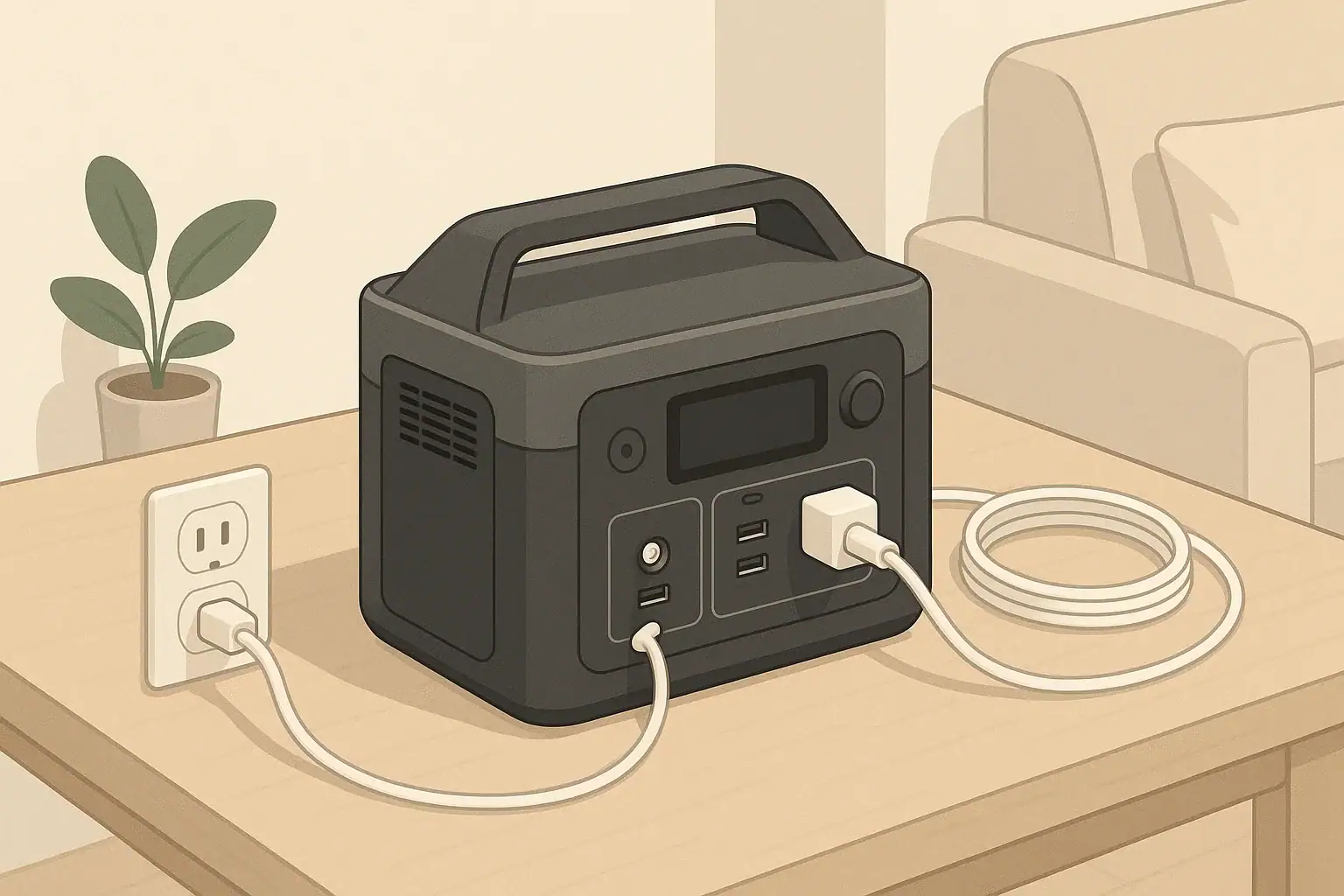
When people talk about grounding and GFCI with portable power stations, they are really asking how these devices stay safe while delivering household-style power. Grounding is the practice of connecting certain parts of an electrical system to earth or a reference point to help clear faults and keep exposed metal from becoming energized. A GFCI, or ground-fault circuit interrupter, is an electronic safety device that shuts off power quickly if it detects electricity leaking on an unintended path, such as through a person.
Most portable power stations are self-contained units with built-in batteries and inverters that create 120V AC power from DC storage. They are often designed as a floating or isolated system, which works differently from the grounded wiring in a typical home. Because of this, people are often unsure whether they need a ground rod, whether a GFCI outlet is required, or how these systems interact with household wiring and outdoor conditions.
This matters for everyday use: running tools, laptops, small appliances, or medical-adjacent equipment during an outage or on the road. Understanding the basics of grounding and GFCI helps you know when the built-in protections are enough, when an external GFCI might add safety, and when to involve a qualified electrician. The goal is not to turn every user into an electrician, but to understand what your portable power station is designed to do and how to use it within its intended safety envelope.
Ultimately, grounding and GFCI are about managing risk. You want the system to shut down safely instead of allowing a fault to linger. Knowing how these protections fit into your portable power station setup can guide your decisions about where to place it, what to plug in, and when to rely on additional protective devices in damp or high-risk environments.
Key concepts & sizing logic (watts vs Wh, surge vs running, efficiency losses)
Before diving deeper into grounding and GFCI, it helps to understand how power is sized and delivered in a portable power station. Grounding and protection choices only make sense in the context of how hard you push the system. Two key numbers are watts and watt-hours. Watts measure the rate of power draw, similar to how fast water flows. Watt-hours measure total energy capacity, like how much water is in the tank. A device that uses 100 watts for 5 hours consumes about 500 watt-hours of energy.
Portable power stations have a maximum continuous output in watts, and they usually allow a higher short-term surge wattage for starting motors or compressors. The continuous rating is what the station can deliver steadily without tripping. The surge rating covers brief inrush currents when devices such as fridges or power tools first turn on. Exceeding either rating can cause the inverter to shut down or enter protection mode, which may feel like an unexplained outage if you are not watching the load.
Efficiency losses also affect both runtime and how warm the unit gets. Power is lost as heat in the inverter, wiring, and internal components. If you draw near the maximum rated watts for long periods, the station works harder, gets warmer, and internal protections may more important. This can influence how often built-in safety features like overcurrent protection or GFCI-compatible circuits operate.
Because portable power stations are isolated systems, the way they handle grounding and fault detection is designed around their expected loads and maximum outputs. Heavier loads, especially with long extension cords or damp conditions, can benefit from additional layers of protection such as external GFCI devices. Matching your load to the station’s ratings and understanding these basic concepts helps keep both performance and safety in balance.
| Item to check | Why it matters | Example notes |
|---|---|---|
| Total running watts of devices | Prevents overloads and nuisance shutdowns | Aim to stay under about 70–80% of rated output |
| Estimated daily watt-hours | Helps plan runtime and charging needs | Add device watts × hours of use per day |
| Extension cord length and gauge | Reduces voltage drop and cord heating | Use shorter, heavier cords for higher loads |
| Environment (dry vs damp) | Guides whether to add external GFCI protection | Consider GFCI in basements, garages, outdoors |
| Device type (electronics vs motors) | Motors can have high surge demands | Check if surge rating can handle startup |
| Ventilation around unit | Supports cooling and efficient operation | Leave clearance for intake and exhaust vents |
| Built-in protections enabled | Ensures factory safety features are active | Do not bypass internal breakers or fault alarms |
Real-world examples (general illustrative numbers; no brand specs)
Consider a remote work setup during a short power outage. You might plug in a laptop drawing 60 watts, a monitor drawing 30 watts, a modem/router at 15 watts, and a small desk lamp at 10 watts. The total running load is about 115 watts. With a portable power station rated for 500 watt-hours, you could expect roughly 3 to 4 hours of operation once you account for inverter losses and the fact that most systems do not use 100% of their rated capacity in practice.
In another example, imagine a campsite where you power a portable fridge averaging 50 watts, LED string lights at 20 watts, and occasionally charge phones and a tablet totaling 30 watts while charging. The steady load might average 70 watts, but fridge compressors can briefly spike to several times their running power when they start. If your station has a modest surge rating, it can handle these short peaks while still operating comfortably below its continuous output limit.
For home essentials in a brief outage, you might run a 100-watt box fan, a 60-watt light, and a 75-watt TV, for about 235 watts total. If you add a small appliance like a coffee maker at 700 watts, you can briefly exceed the station’s output if it is a smaller unit. That can trigger an overload protection shutdown, which feels similar to a breaker tripping. This is where understanding both surge and continuous ratings becomes important, especially when multiple devices cycle on and off.
In all of these scenarios, grounding and GFCI considerations come into play based on where you are using the power. A dry living room floor with low loads is different from a damp garage floor with long cords and tools. In wetter or higher-risk environments, many users add a portable GFCI extension or GFCI adapter between the station and the loads to provide an additional layer of shock protection, even when the station itself is operating as an isolated source.
Common mistakes & troubleshooting cues (why things shut off, why charging slows, etc.)
One common mistake with portable power stations is plugging in too many appliances at once and exceeding the continuous watt rating. When this happens, the inverter usually shuts down to protect itself. Users often notice that everything suddenly turns off, and the unit may display an overload indicator. Resetting the system without reducing the load simply leads to repeated shutdowns. The fix is usually to unplug higher-wattage devices or run them one at a time.
Another issue is slow charging or charging that seems to stop before the battery is full. This can occur when the input source is limited, such as a low-wattage wall adapter or a vehicle outlet that provides less current than the station can accept. Temperature can also slow charging; many systems reduce charge rates in very cold or hot conditions to protect the battery. Users sometimes interpret this as a malfunction, when it is really a built-in protection response.
Grounding and GFCI-related confusion can show up as nuisance trips or unexpected behavior when connecting a station to devices that already have built-in GFCI protection, or when using GFCI extension cords. Some GFCI devices expect a traditional grounded source and may behave differently when connected to a floating inverter output. In some cases, malfunctioning cords or damaged tools can cause repeated GFCI trips, signaling that something downstream may need inspection or replacement.
Users also occasionally assume that because a portable power station is compact and quiet, it can be used anywhere without concern for moisture or ventilation. Placing the unit in a confined space, under bedding, or in a spot exposed to splashing water can aggravate heat buildup or increase shock risk. Unusual warmth, frequent fan operation, or a hot plastic smell are cues to shut the unit down, give it more space, and reduce the load. If problems persist, contacting the manufacturer or a qualified technician is safer than attempting internal repairs.
Safety basics (placement, ventilation, cords, heat, GFCI basics at a high level)
Safe use of a portable power station starts with placement. Keep the unit on a stable, dry surface, away from puddles, sinks, or direct rain. Most consumer stations are not designed for heavy splashing or submersion. Provide several inches of clearance around vents so cooling fans can move air freely. Poor ventilation can cause the unit to run hotter, shorten component life, and increase the likelihood of thermal protection shutdowns.
Cord management is just as important. Use properly rated extension cords with intact insulation and grounds. Avoid running cords under rugs or through doorways where they can be pinched or damaged. Coiled cords can trap heat when carrying higher loads, so it is better to uncoil them fully. Check plugs and outlets for signs of discoloration or looseness, which can indicate overheating or wear.
At a high level, GFCI protection is intended to shut off power quickly if a small imbalance in current suggests leakage through an unintended path. In homes, GFCI protection is typically used in bathrooms, kitchens, garages, and outdoor circuits. With portable power stations, GFCI protection may be integrated, or you can use a plug-in GFCI adapter or cord set if you are working in a damp or conductive environment. These devices work as an extra layer, especially helpful when tools, cords, or conditions are less controlled.
Grounding considerations depend on how the station’s inverter is designed. Many portable power stations are built so that their AC output is isolated from earth ground. This means they do not inherently bond a conductor to ground the way a household panel does. For simple, stand-alone use such as powering tools or electronics directly from the unit, that isolation can limit the fault current that flows in some scenarios. If you intend to integrate a portable power station into a building’s wiring or connect it through a transfer mechanism, that requires careful attention to grounding, bonding, and GFCI compatibility. In such cases, it is important to consult a qualified electrician and follow applicable codes rather than improvising connections.
Maintenance & storage (SOC, self-discharge, temperature ranges, routine checks)
Routine maintenance helps keep a portable power station performing reliably and safely. State of charge, often called SOC, is a key factor. Storing a battery completely full or completely empty for long periods can reduce its usable life. Many manufacturers recommend storing the unit at a moderate charge level, often around half to three-quarters full, and topping it up every few months to compensate for self-discharge. The exact interval varies by design, but checking and cycling the unit a few times per year is common practice.
Temperature control during storage also matters. Extremely high or low temperatures can stress battery cells, shorten lifespan, and affect the function of safety electronics. A cool, dry indoor location is generally preferred over attics, car trunks in hot sun, or unheated sheds in severe cold. If you need to use the station in low temperatures, some models limit charging below a certain point to protect the battery. Letting the unit warm up gradually before high-rate charging is usually safer than forcing it to accept full power when cold.
Physically inspect the unit and cords from time to time. Look for cracks in the casing, damaged outlets, frayed cords, or signs of corrosion on connectors. Verify that buttons, switches, and displays work as expected. Many users also schedule a brief functional test, running a small load to confirm that the inverter and outlets operate normally. This kind of routine check makes it more likely that the station will work when needed for an outage or trip.
From a grounding and GFCI perspective, maintenance includes respecting factory safety features. Avoid modifying cords to remove grounding pins or bypassing built-in protective devices. If you routinely operate in damp or outdoor environments, inspect portable GFCI adapters or cords and test their trip buttons according to their instructions. Treat any repeated tripping or unusual heat as a signal to investigate the loads and cords before further use.
| Task | Suggested frequency | Example notes |
|---|---|---|
| Check state of charge | Every 2–3 months | Keep around mid to high charge when stored |
| Top up battery | When below about 30–40% | Prevent deep discharge during long storage |
| Inspect cords and plugs | Before each season of use | Look for cuts, kinks, and missing ground pins |
| Functional test with small load | Every 3–6 months | Run a lamp or fan for 10–20 minutes |
| Clean vents and exterior | As needed | Gently wipe dust and keep vents unobstructed |
| Review operating environment | Before trips or storm season | Plan dry, ventilated placement locations |
| Test portable GFCI adapters | Per device instructions | Use built-in test/reset buttons where provided |
Practical takeaways (non-salesy checklist bullets, no pitch)
Portable power stations combine battery storage and inverters in a compact package, and their approach to grounding and GFCI protection differs from fixed home wiring. Understanding how watts, watt-hours, surge ratings, and efficiency losses work together helps you size your station appropriately and stay within safe operating limits. Knowing when and where to add external GFCI protection provides an additional layer of safety, especially in damp or higher-risk conditions.
Instead of memorizing technical code details, most users benefit from a simple, repeatable routine before each use. The following checklist summarizes key habits that support both performance and safety without requiring specialized tools or electrical training.
- Estimate the total running watts of your planned devices and stay comfortably below the station’s continuous output rating.
- Limit the number of high-wattage appliances running at the same time to avoid overload shutdowns.
- Use short, appropriately rated extension cords and avoid damaged or modified plugs.
- Place the station on a stable, dry, well-ventilated surface away from standing water and heat sources.
- Consider using a portable GFCI adapter or cord when operating in damp, outdoor, or garage environments.
- Do not attempt to connect the station directly into household wiring or breaker panels; consult a qualified electrician for any permanent or panel-based connection strategies.
- Store the unit at a moderate state of charge in a cool, dry indoor space, and test it periodically so it is ready when you need it.
By combining basic load planning, sensible placement, and appropriate use of GFCI devices, you can use a portable power station confidently in everyday situations while maintaining a strong margin of safety.
Frequently asked questions
Do I need to drive a ground rod for a portable power station when using it standalone?
Most portable power stations are designed as isolated or “floating” systems and do not require a dedicated ground rod for routine standalone use. Installing a ground rod is typically only relevant when permanently integrating the station with a building’s electrical system or when local code specifically requires it; such work should be done by a qualified electrician. Bonding to earth changes fault behavior and must be handled correctly to meet safety and code requirements.
Can I safely use a plug-in GFCI adapter or GFCI extension with my portable power station?
Yes—adding a certified portable GFCI adapter or GFCI-protected extension cord is a common way to provide extra shock protection in damp or outdoor locations. Be aware that some GFCI devices can nuisance-trip when connected to a floating inverter output, so test the adapter with your station before relying on it in critical situations. Always use tested, certified equipment and follow the adapter manufacturer’s test/reset instructions.
Does a floating inverter output make the station safe from electric shock?
An isolated or floating inverter reduces available fault current to earth but does not eliminate the risk of electric shock. Direct contact between a live conductor and a conductive path (including through the body) can still cause injury. Use GFCI protection, keep equipment dry, and follow safe handling practices to reduce risk.
Can I connect a portable power station directly to my home electrical panel?
Do not connect a portable power station directly to household wiring without an approved transfer switch or interlock and the work of a qualified electrician. Direct connection can backfeed utility lines, endanger utility workers, and violate local electrical codes. Proper integration requires correct transfer devices, grounding/bonding, and adherence to code.
Why does a GFCI sometimes trip when plugged into a portable power station?
GFCI trip events mean the device detected an imbalance between hot and neutral currents; causes include actual leakage, a faulty appliance, or interactions between the GFCI and a floating inverter output (such as capacitive coupling or neutral-to-ground differences). If a GFCI trips repeatedly, inspect cords and loads and try a different GFCI-rated device; persistent trips warrant stopping use of that circuit and consulting an electrician or the station manufacturer. Regular testing and properly rated accessories help reduce nuisance tripping.
Recommended next:
- Indoor Use Safety: Ventilation, Heat, and Fire-Prevention Basics
- Extension Cords and Power Strips: Safe Practices With Portable Power Stations
- GFCI Tripping Explained: Why Power Tools and Appliances Trip on Power Stations (and Solutions)
- Neutral-Ground Bonding Explained for Portable Power Stations: When It Matters (and When It Doesn’t)
- Water, Humidity, and IP Ratings: What “Splash Resistant” Really Means
- More in Safety →
Related guides
Browse this topic →
- Beginner-friendly sizing, runtime & specs
- Solar & charging (MPPT, fast charging, cables)
- Batteries (LiFePO4, cycles, care & storage)
- Safety, cold-weather performance, real-world tips
More in Safety
See all →Keep reading
About this site
Portable Energy Lab publishes practical, independent guides about portable power—clear sizing, safe use, and real-world expectations.
Affiliate disclosure
Some links on this site may be affiliate links. If you buy through these links, we may earn a small commission at no extra cost to you. This helps support our content. Learn more.