
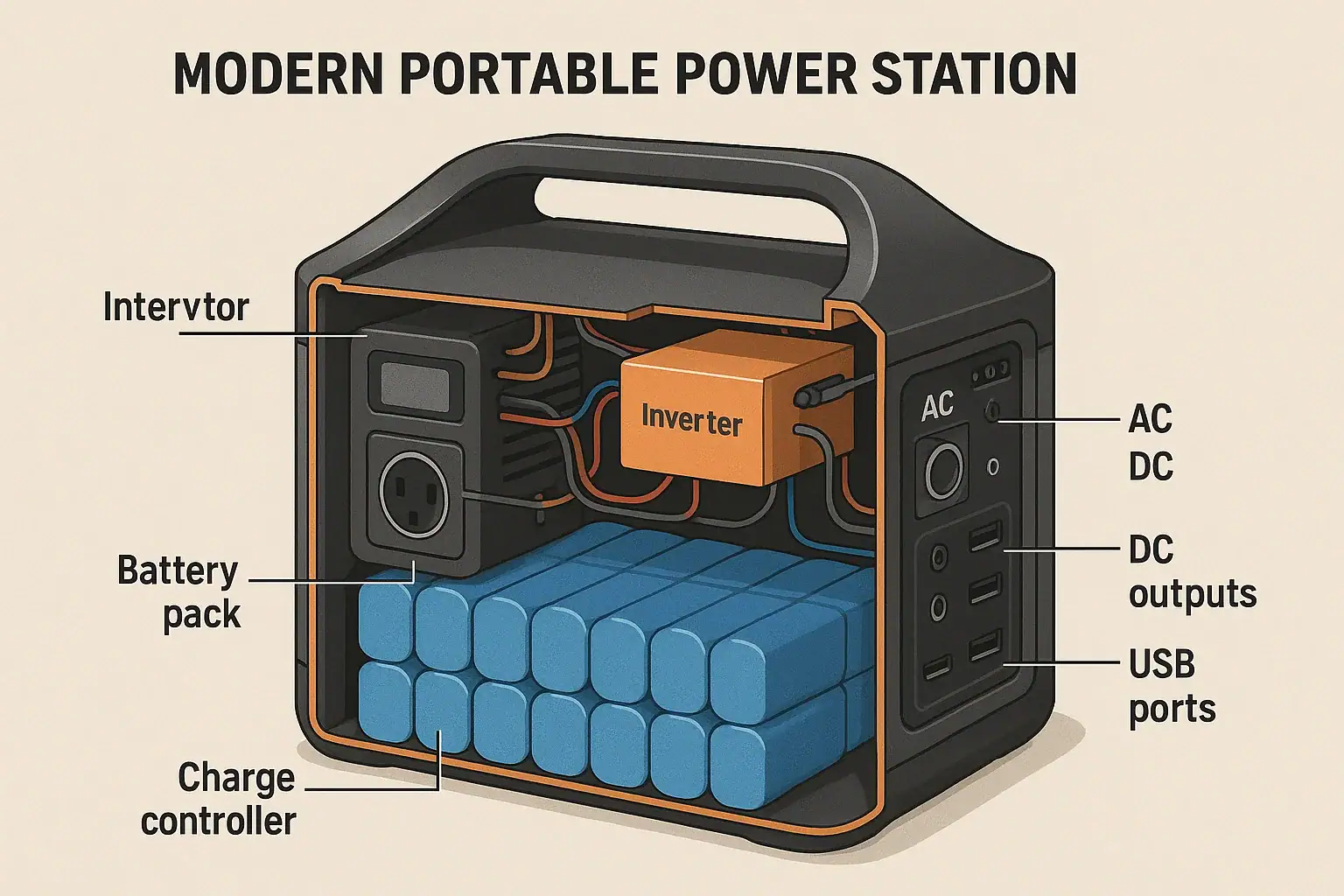
A portable power station works by storing energy in a built-in battery, then converting that stored energy into usable AC and DC power through an inverter and voltage regulators. It manages charging, runtime, surge watts, and output limits using an internal control system.
People often search how these units work when comparing capacity, wattage, or PD profiles, or when they hit input limits and wonder why charging is slow. Understanding the basic components helps you predict runtime, choose the right size for camping or backup power, and avoid overloading the outputs. Once you know what watt-hours, continuous watts, and peak power really mean, the specs on the box become much easier to interpret.
This guide breaks down the inner workings of a portable power station in plain language, shows how power flows from charging to output, and explains the key features and safety protections. You will also see what specs matter most so you can compare models confidently later on.
What Is a Portable Power Station and Why It Matters
A portable power station is a self-contained, rechargeable battery system with built-in electronics that provide household-style AC outlets, DC ports, and USB charging without needing fuel. It functions like a compact, quiet alternative to a small generator, but with no exhaust and far less maintenance.
At its core, a portable power station does three main jobs:
- Stores energy in a battery measured in watt-hours (Wh).
- Controls charging from wall outlets, solar panels, or vehicle ports.
- Delivers power at stable voltages and frequencies to your devices.
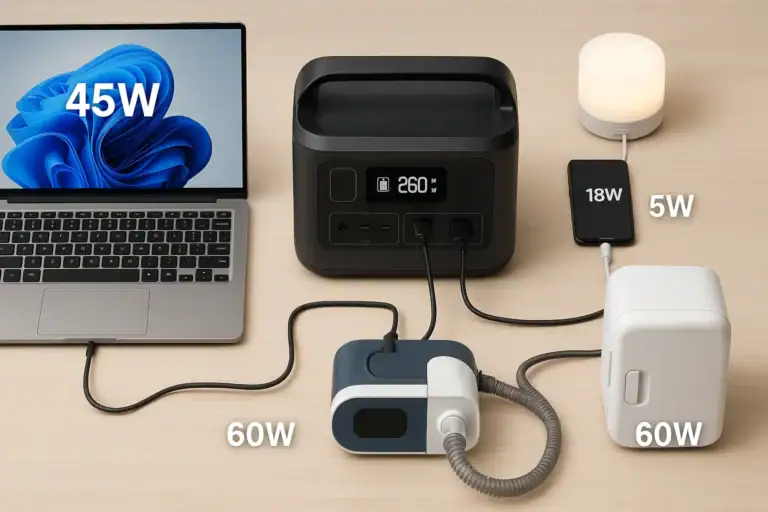
These units matter because more devices now rely on electricity: phones, laptops, CPAP machines, mini-fridges, cameras, and routers. During power outages, camping trips, road travel, or off-grid work, a portable power station can keep essential electronics running without the noise or fumes of a fuel generator.
They also give you more control over energy use. By learning the basic terminology—watt-hours, continuous watts, surge watts, input wattage, and efficiency—you can estimate how long devices will run and whether a specific power station can safely start and power them.
Core Components and How a Portable Power Station Works
Inside a portable power station, several components work together to move electricity from the charger to the battery, then from the battery to your devices. Understanding these parts helps explain why input limits, surge ratings, and runtime vary between units.
Battery pack: Energy storage in watt-hours
The battery pack is the energy reservoir. Its size is usually expressed in watt-hours (Wh), which indicates how much energy it can store. A 500 Wh battery, in theory, can provide 500 watts for one hour, 250 watts for two hours, and so on, before losses.
Most modern portable power stations use either lithium-ion or lithium iron phosphate (LiFePO4) cells. The battery management system (BMS) monitors cell voltage, temperature, and current to prevent overcharge, over-discharge, and short circuits.
Charge controller and input circuitry
The charge controller manages how power flows into the battery from different sources, such as AC wall adapters, car sockets, or solar panels. It enforces an input limit—the maximum watts the unit will accept while charging—to protect the battery and internal components.
With solar input, the controller may use maximum power point tracking (MPPT) to optimize power harvest from panels. With AC input, it regulates current to stay within safe charging profiles for the battery chemistry.
Inverter: DC to AC conversion
The battery stores direct current (DC), but many household appliances require alternating current (AC). The inverter converts DC from the battery into AC at a standard voltage and frequency. Two key ratings define how the inverter behaves:
- Continuous watts: the maximum power it can supply steadily.
- Surge watts: a short burst of higher power to start motors or compressors.
If total connected loads exceed continuous watts, the unit may shut down or alarm. If a device’s startup surge exceeds the surge rating, it may fail to start.
DC outputs and USB power delivery
Besides AC outlets, portable power stations typically provide DC barrel ports, 12 V car-style sockets, and USB ports. power delivery (PD) profiles on USB-C ports may support allowing laptops and phones to negotiate higher voltages (such as 9 V, 15 V, or 20 V) for faster charging.
Voltage regulators ensure each port delivers a stable output within its rated current. If you exceed a port’s limit, the station may shut that port off or reduce power.
Control system, display, and monitoring
A microcontroller coordinates all these parts. It tracks battery state-of-charge, input and output power, and temperatures. The display typically shows:
- Remaining battery percentage or bars.
- Estimated runtime or charge time.
- Input and output watts.
Buttons and menus let you turn AC or DC groups on and off, change settings, and sometimes update firmware. Protection circuits work in the background to disconnect power if something goes wrong.
| Component | Main Role | Typical Example Values |
|---|---|---|
| Battery pack | Stores energy | 300–2,000 Wh capacity |
| Inverter | Converts DC to AC | 300–2,000 W continuous, 600–4,000 W surge |
| Charge controller | Manages charging | 100–800 W max input |
| DC & USB outputs | Power devices directly | 5–20 V USB, 12–24 V DC ports |
| Control system | Monitors and protects | Displays watts, runtime, errors |
How Portable Power Stations Work in Real-Life Scenarios
Once you understand the components, the next step is seeing how they behave in everyday situations. The same internal system can support very different use cases depending on load, runtime needs, and charging options.
Camping and off-grid recreation
On a camping trip, a portable power station might run LED lights, charge phones, power a small fan, and occasionally top off a camera battery. These are relatively low-wattage loads, so even a modest capacity can last through a weekend.
For example, if your total average draw is 50 W and your station is 500 Wh, you might get roughly 8–9 hours of usable runtime after accounting for inverter and conversion losses. If you add a portable solar panel during the day, the charge controller can replenish some of that energy, extending your trip without needing grid power.
Emergency backup for essential devices
During a power outage, you might use a portable power station to run a Wi-Fi router, charge phones, and power a CPAP machine or small medical device. Here, reliability and runtime overnight are critical.
The internal inverter provides clean AC power similar to a wall outlet, while the BMS ensures the battery is not over-discharged. You monitor the display to see output watts and remaining runtime, then decide which devices to prioritize. If the unit supports pass-through charging, you can keep it plugged into the wall so it stays topped up between outages.
Road trips, vans, and car camping
In vehicles, portable power stations often sit between the car’s alternator and your devices. You might charge the station from a 12 V socket while driving, then use it to power a portable fridge, laptop, or air pump when parked.
The charge controller limits how much current it draws from the car to avoid blowing fuses, while the inverter and DC outputs provide stable power to your gear. This setup keeps loads off the starter battery, reducing the risk of being stranded with a dead vehicle battery.
Worksites and field work
For photographers, surveyors, or technicians in the field, a portable power station can run laptops, drones chargers, test equipment, or low-wattage tools. The ability to see real-time output watts lets you estimate how long you can operate before needing to recharge.
Where AC power is unavailable or unreliable, the combination of battery storage, inverter, and solar input provides a flexible mobile workstation without fuel logistics.
Common Mistakes, Limits, and Troubleshooting Clues
Many questions about how portable power stations work come from hitting hidden limits or misreading specs. Understanding these typical pitfalls helps you troubleshoot issues quickly.
Overestimating runtime from watt-hours
Users often assume a 1,000 Wh station will run a 1,000 W appliance for one hour. In practice, inverter inefficiency, battery chemistry, and discharge rate reduce usable energy. A rough planning factor is to assume 80–90% of the rated watt-hours are actually available, and less if running near maximum load.
If your runtime is shorter than expected, check:
- Actual output watts on the display.
- Whether multiple devices are drawing power at once.
- Inverter efficiency at high loads.
Ignoring continuous vs surge watts
Another common mistake is plugging in a device that needs more power than the inverter can continuously supply, or that has a high startup surge. Examples include refrigerators, power tools, or air conditioners.
Symptoms include the power station shutting off, beeping, or displaying an overload icon when the device starts. Always compare the device’s running wattage and estimated surge to the station’s continuous and surge ratings.
Exceeding port-specific limits
Each USB, DC, or AC outlet has its own current or wattage limit. Fast-charging laptops over USB-C may require specific PD profiles and wattage levels. If a laptop will not charge or charges slowly, it may be because the port cannot supply the voltage or watts the laptop is requesting.
Similarly, 12 V ports often have a maximum current rating. Plugging in too many devices through splitters can exceed that limit, causing the port to shut down.
Misunderstanding input limits and charge times
Charging speed is capped by the station’s input limit. Even if your solar panels or wall adapter can supply more power, the charge controller will only accept up to its rated maximum.
If charging feels slow, check:
- The displayed input watts compared to the spec sheet.
- Whether you are using all available input methods (for example, AC plus solar, if supported).
- Cable quality and length, especially for solar setups.
Over-discharging and auto shutoff
When the battery reaches a low state of charge, the BMS will shut down outputs to protect the cells. This can surprise users who expect the unit to run until zero percent. In cold conditions, effective capacity also drops, causing earlier shutdowns.
If your station turns off sooner than expected, temperature, high load, or battery age may be contributing factors.
Safety Basics: How Protections Inside a Power Station Work
Portable power stations are designed with multiple layers of safety to manage the energy stored in their batteries. Knowing these basics helps you use them appropriately and recognize when to seek professional help.
Battery management system protections
The battery management system constantly monitors cell voltage, current, and temperature. It will disconnect charging or discharging if it detects:
- Overcharge or over-discharge conditions.
- Short circuits or very high currents.
- Overheating or unsafe cold temperatures.
These protections reduce the risk of battery damage or thermal events. If the unit shuts down with an error code, it is usually the BMS preventing unsafe operation.
Inverter and output protections
The inverter includes overcurrent, overvoltage, and overtemperature safeguards. If you draw too many watts, or if internal temperatures rise too high, it will cut off AC output until conditions return to normal.
DC and USB ports often have their own current limiting and short-circuit protections. This is why a single misbehaving cable or device may only disable one port group rather than the entire station.
Ventilation and heat management
Converting and regulating power generates heat. Portable power stations rely on heat sinks, fans, and ventilation slots to keep components in a safe temperature range. Blocking vents or operating in very hot environments can trigger thermal throttling or shutdown.
For safe operation, place the unit on a stable, dry surface with space around the vents. Avoid enclosing it in tight spaces while running high loads.
Safe connection practices
Use properly rated cords and adapters, and avoid daisy-chaining multiple power strips or extension cords from a single outlet. Do not attempt to wire a portable power station directly into a building’s electrical panel or circuits. For any connection to home wiring or transfer equipment, consult a qualified electrician.
Finally, follow the manufacturer’s guidelines on maximum load, environmental conditions, and approved charging methods. The internal protections are robust, but they work best when paired with sensible use.
Maintenance and Storage: Keeping the System Working Well
Because portable power stations depend on battery health and electronics, basic maintenance and proper storage have a direct impact on performance and lifespan.
Battery care and usage patterns
Rechargeable batteries age over time and with cycles. To slow this process:
- Avoid leaving the battery at 0% for long periods.
- When possible, avoid storing long-term at 100% and high temperatures.
- Use the station periodically instead of leaving it idle for years.
Many users aim to keep the battery between roughly 20% and 80% for everyday cycling, though in emergencies it is fine to use the full range.
Long-term storage practices
If you store a portable power station for months, charge it to a moderate level beforehand. Check it every few months and top it off as needed, since small self-discharge and system overhead can slowly reduce the state of charge.
Store the unit in a cool, dry place away from direct sunlight, and avoid freezing or very hot locations such as car trunks in summer. Extreme temperatures accelerate battery degradation and can affect plastics and seals.
Cleaning, inspection, and firmware
Keep vents and ports clear of dust and debris. Wipe the exterior with a dry or slightly damp cloth, avoiding harsh chemicals. Periodically inspect cables and connectors for damage, loose fits, or discoloration.
If the manufacturer provides firmware updates via app or computer, applying them can improve charging behavior, accuracy of runtime estimates, or compatibility with new devices. Follow official instructions and avoid interrupting power during updates.
Recognizing when to retire or service a unit
Over years of use, you may notice shorter runtime, slower charging, or frequent thermal shutdowns. These can be signs of battery aging or internal wear. If you observe swelling, unusual odors, or repeated error codes, discontinue use and contact the manufacturer or a qualified technician for guidance on safe disposal or service.
| Practice | Suggested Approach | Typical Example Values |
|---|---|---|
| Storage charge level | Store at moderate state of charge | Around 40–60% before long-term storage |
| Storage temperature | Keep in cool, dry place | Roughly 50–77 °F (10–25 °C) |
| Check interval | Recharge periodically | Every 3–6 months |
| Usage | Exercise the battery | Full cycle every few months |
Related guides: Portable Power Station Buying Guide • Surge Watts vs Running Watts: How to Size a Portable Power Station • Battery Management System (BMS) Explained: Protections Inside a Power Station
Key Takeaways and Specs to Look For in a Portable Power Station
Portable power stations work by combining a rechargeable battery, inverter, charge controller, and control system into one compact unit. They store energy, manage charging from various sources, and deliver stable AC and DC power to your devices. Once you understand watt-hours, continuous and surge watts, and input limits, you can better match a power station to your needs and avoid overloads or disappointing runtimes.
For practical use, think in terms of your most important devices, how many watts they draw, and how many hours you need them to run. Then compare that to the station’s capacity and inverter ratings, considering efficiency losses and safety margins. Finally, pay attention to charging flexibility and battery chemistry, which influence how convenient and long-lasting the system will be.
Specs to look for
- Battery capacity (Wh): Look for a capacity that is at least 1.5–2 times your estimated daily energy use; this buffer accounts for inverter losses and unplanned loads.
- Inverter continuous watts: Choose a rating comfortably above your highest expected simultaneous load, for example 300–500 W for light use or 1,000+ W for small appliances.
- Surge watts: Ensure the surge rating is roughly 2–3 times the running watts of any motor-driven devices you plan to start, such as fridges or pumps.
- Max input watts and charging options: Higher input limits (for example 200–800 W) allow faster recharging from wall or solar, which is crucial for frequent use or emergencies.
- Battery chemistry and cycle life: Compare approximate cycle ratings (such as 500–3,000 cycles to 80% capacity) to gauge long-term durability and how often you plan to cycle the battery.
- AC, DC, and USB-C PD ports: Look for a mix of outlets, including USB-C PD ports in the 60–100 W range if you power laptops, and 12 V ports with sufficient current for fridges or compressors.
- Display and monitoring: A clear screen showing input/output watts, percentage, and estimated runtime makes it much easier to manage loads and troubleshoot issues.
- Weight, size, and noise: Balance capacity with portability; lighter units (under 20 lb) are easier to carry, while larger ones trade mobility for longer runtime.
- Operating temperature range: Check that the specified range matches your climate, especially if you plan to use the station in cold or hot environments.
- Built-in protections and certifications: Look for overcurrent, overvoltage, short-circuit, and temperature protections, plus relevant safety certifications, to reduce risk during everyday use.
By focusing on these core specifications and understanding how the internal systems work together, you can select and use a portable power station with realistic expectations and greater confidence.
Frequently asked questions
Which specs and features matter most when choosing a portable power station?
Key specs to compare are battery capacity (Wh), inverter continuous and surge watt ratings, and max input watts for charging speed. Also consider port types (USB-C PD, 12 V), battery chemistry and cycle life, weight/portability, and whether the unit provides clear monitoring of input/output watts and state of charge.
Why does my portable power station run out faster than the rated watt-hours?
Rated watt-hours are nominal; usable energy is reduced by inverter and conversion losses, depth-of-discharge limits, battery age, and operating conditions like temperature. A practical planning factor is 80–90% of rated Wh under typical conditions, and less when running near maximum load or in extreme temperatures.
Are portable power stations safe to use indoors?
Yes—unlike fuel generators, portable power stations do not produce exhaust and are generally safe indoors when used as intended, thanks to built-in protections. Still keep vents clear, avoid extreme temperatures, use proper cables, and do not attempt wiring into household panels without a qualified electrician.
How long does it typically take to fully charge a portable power station?
Charging time depends on the station’s capacity and its maximum input watts; divide watt-hours by input watts and allow extra for conversion inefficiency. For example, a 500 Wh unit on a 200 W input could take roughly 2.5–3 hours, while lower input limits or weaker solar conditions will lengthen that time.
Can a portable power station start and run refrigerators or power tools?
Possibly, if the station’s continuous and surge watt ratings meet the device’s running and startup requirements. Check both running watts and peak surge—motor-driven devices often need 2–3× running power briefly—and ensure the battery capacity provides the runtime you need.
What common mistakes should I avoid when using a portable power station?
Avoid overestimating runtime from nominal Wh, exceeding port-specific limits, and relying on a single charging method without checking input limits. Also don’t block ventilation, daisy-chain power strips, or connect the unit directly to home wiring without appropriate transfer equipment and a qualified electrician.
Recommended next:
- Portable Power Station Buying Guide
- Common Mistakes When Buying a Portable Power Station
- Portable Power Station Terminology Explained
- Portable Power Station Basics: Outputs, Inputs, and What the Numbers Mean
- A Simple Buying Checklist: Features That Matter (and Those That Don’t)
- Choosing the Right Size for Apartment Backup: Practical Examples
- More in Beginners →
Related guides
Browse this topic →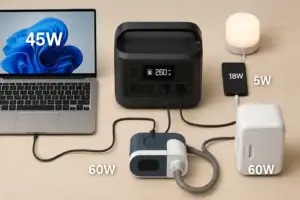

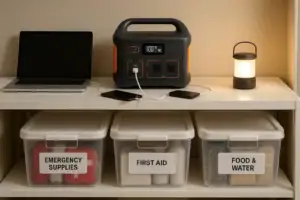
- Beginner-friendly sizing, runtime & specs
- Solar & charging (MPPT, fast charging, cables)
- Batteries (LiFePO4, cycles, care & storage)
- Safety, cold-weather performance, real-world tips
More in Beginners
See all →- Powering a 12V Fridge Efficiently: DC Options and Best Practices
- RV Basics: Using a Power Station for 12V Loads and House Power
- Camping Power Planning: A Simple Energy Budget for a Weekend
- Remote Work Power Kit: Keeping Laptop, Monitor, and Internet Running
- Portable Power Stations for Photography and Drone Charging: A Field Guide
Keep reading
About this site
Portable Energy Lab publishes practical, independent guides about portable power—clear sizing, safe use, and real-world expectations.
Affiliate disclosure
Some links on this site may be affiliate links. If you buy through these links, we may earn a small commission at no extra cost to you. This helps support our content. Learn more.