
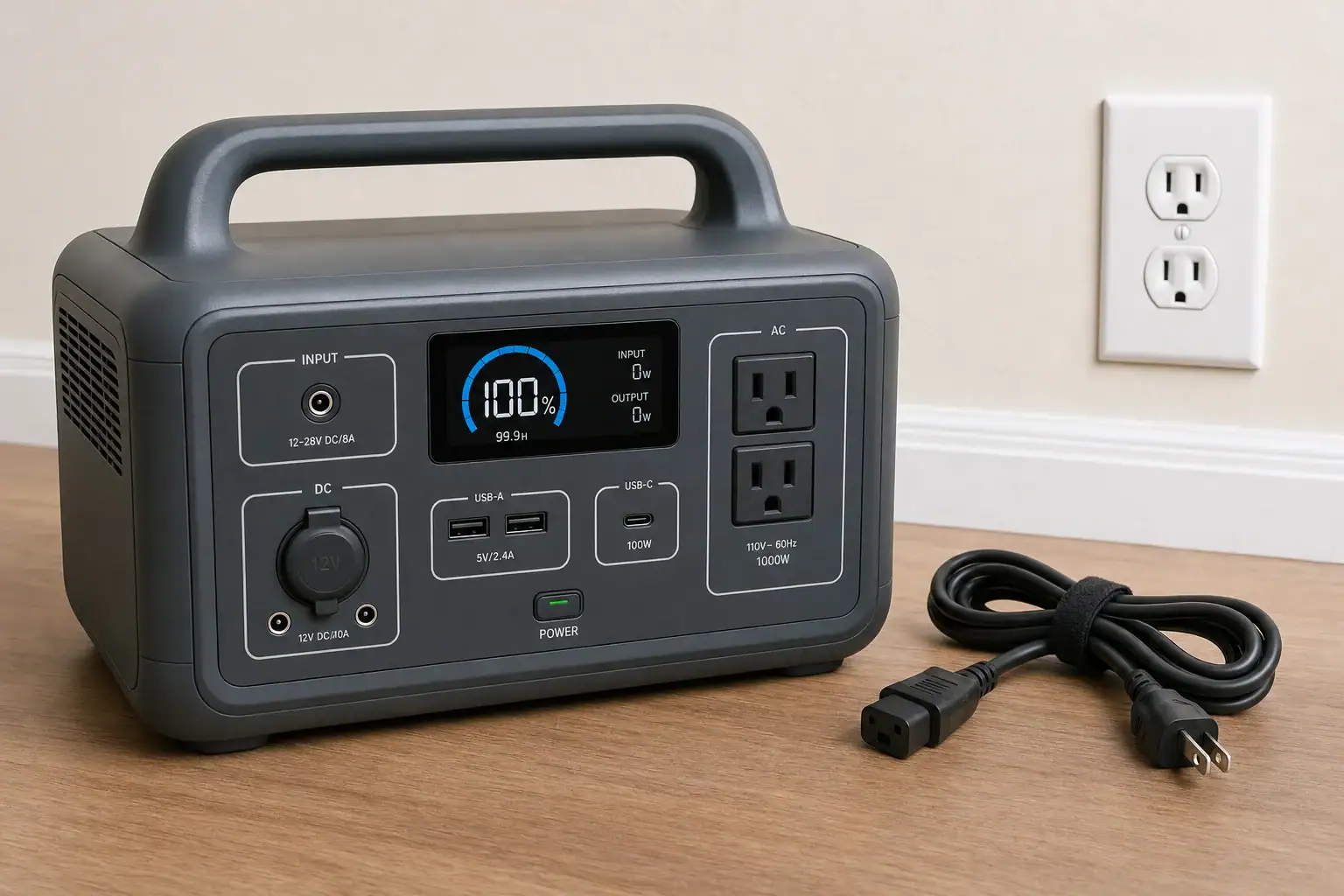
If your portable power station will not charge from a wall outlet, the most likely causes are a dead outlet, a loose or incompatible charging cord, a charging limit or schedule, an out-of-range battery temperature, connected loads consuming the incoming power, or a fault in the AC charger. Start by disconnecting all loads, checking the display for warnings, and connecting the manufacturer-specified charging equipment directly to a known-working outlet.
Stop troubleshooting if the station, plug, cord, or external adapter becomes unusually hot, smells burnt, sparks, swells, or shows visible damage. Unplug it if that can be done safely, move away from the equipment, and follow the manufacturer’s current safety guidance. Do not open the unit, bypass its protection system, or repeatedly reset a breaker or ground-fault outlet that trips.
Use This Troubleshooting Order
- Disconnect everything from the power station’s outputs. Turn off its AC inverter, USB ports, and DC outputs where the controls allow. A connected appliance can consume most or all of the incoming charging power.
- Check the screen or status lights. Look for an input-power reading, charging icon, temperature warning, scheduled-charging message, battery limit, or fault code. Consult the model’s manual for the exact meaning of any code.
- Reconnect the AC charging equipment firmly. Confirm that both ends are fully seated. If the model uses an external power brick, check the connection between the wall cord, brick, and station.
- Try a known-working wall outlet. Connect directly rather than through a questionable power strip, timer, travel adapter, or extension cord. Do not use an outlet that is loose, discolored, wet, cracked, or unusually warm.
- Verify the cord or adapter. Use the manufacturer-specified charger and a cord rated for the equipment and local electrical supply. A connector that physically fits is not proof of compatible voltage, polarity, current, or wiring.
- Check settings and temperature. Disable an unintended charging schedule and confirm that the battery has not reached its configured charge limit. Let a very hot or cold unit return naturally to the charging-temperature range stated in its manual.
- Restart it only as directed. A normal shutdown and restart may clear a temporary status error, but use the documented procedure for your model. Do not attempt an undocumented reset, battery jump, or protective-device bypass.
Confirm That the Wall Outlet Is Actually Supplying Power
A known-working lamp or other simple household device can show whether an outlet has power, but it cannot prove that the circuit will support a power station’s full charging demand. A station may begin charging and then stop if the outlet is worn, the circuit voltage drops under load, or another appliance shares the circuit.
If a ground-fault outlet or circuit breaker trips when charging begins, disconnect the station. Do not defeat grounding, hold a reset mechanism in place, or keep retrying. Follow the outlet or breaker manufacturer’s instructions and have the circuit evaluated by a qualified electrician when appropriate. If the circuit works normally with other substantial loads but trips only with the power station, contact the station manufacturer.
Inspect the Charging Cord and External Adapter
Some power stations contain the AC charger internally and use a detachable mains cord. Others require an external adapter. In either case, inspect accessible parts without disassembling them. Look for bent pins, cuts, crushed insulation, damaged connectors, looseness, or debris around the inlet.
An indicator light on an external adapter can offer a clue, but it is not a complete diagnosis. A dark light may indicate a dead outlet, cord failure, or adapter failure. A lit adapter may still be unable to provide the correct output under load.
Do not substitute a generic adapter based only on connector size. Replacement equipment should match the model requirements for input voltage and frequency, adapter output voltage, polarity, maximum current, connector type, and grounding or insulation design. Check the power station label, original adapter label, manual, and current manufacturer guidance.
Check Charging Limits, Schedules, and Modes
A station can appear healthy while intentionally refusing a wall charge. Depending on the model, settings that affect AC charging may include:
- A maximum state-of-charge limit, such as a user-selected storage level
- A scheduled charging window or time-of-use setting
- A quiet or slow charging mode
- An AC input-power limit
- A storage, transport, or battery-preservation mode
- Remote controls in a companion application
If the battery is already at the configured limit, zero charging power may be normal. Settings names and behavior vary, so confirm them in the instructions for the exact model rather than assuming a general reset will restore charging.
Account for Temperature Protection
Lithium-based batteries commonly restrict charging when their cells are too cold or too hot. The display may remain on and the outputs may still work even though charging is temporarily blocked. The permitted charging range varies by battery chemistry, model, and sensor location.
Move the station to a dry, ventilated environment within the range specified by its manufacturer and allow time for the internal battery temperature to stabilize. Do not heat it with a space heater, hair dryer, heating pad, or open flame, and do not place it in a refrigerator or freezer.
Make Sure Connected Loads Are Not Hiding the Charge
When a power station supports simultaneous charging and output, connected devices can make the battery percentage rise very slowly or not at all. The approximate power available to the battery is:
Net battery charging power ≈ wall input power − output loads − internal conversion losses and operating overhead
For example, if the display reports 300 watts of AC input while connected equipment uses 220 watts, less than 80 watts may remain for the battery after conversion losses and the station’s own consumption. Displayed input and output values may also be measured at different points in the conversion path, so they should be treated as estimates.
A rough ideal charging-time estimate is battery energy in watt-hours divided by net charging power in watts. A 600-watt-hour refill at a net 100 watts would be at least six hours in the ideal calculation. Actual charging usually takes longer because power may taper near full charge, the battery may not use its entire labeled capacity, and displays round their readings.
Disconnecting all output devices is therefore an important diagnostic step. Never connect the station’s AC output back into its own charging input.
Interpret What the Station Is Doing
No display, charging icon, or input reading
Check the outlet, cord, adapter, and physical connection first. If the battery was left empty for an extended period, its protection system may require the manufacturer’s documented recovery procedure. Do not try to force-charge or jump the battery.
Input power appears, but the percentage does not rise
Disconnect all loads and check the configured charge limit. The displayed percentage can also pause while the battery-management system estimates state of charge, especially near the top or bottom of the range. Persistent behavior may require manufacturer diagnosis.
Charging starts and then stops
Look for temperature warnings, an unstable connection, a scheduled-charging rule, or a reported input fault. If the plug or adapter becomes hot, disconnect it and stop using the damaged or suspect component.
Other charging sources work, but wall charging does not
If an approved vehicle or solar input charges the station normally while AC charging consistently fails, the battery itself may still be functional. The problem is more likely in the wall cord, external adapter, AC input connection, settings, or internal AC charging circuit. This is useful information to provide to the manufacturer, but it does not identify which component is defective.
When to Request Service
Contact the manufacturer or an authorized service provider if known-good outlets and the correct charging equipment do not solve the problem, or if the unit reports a recurring fault code. Record the model and serial information, displayed error, battery percentage, approximate ambient temperature, input-power reading, and whether the same failure occurs with all loads disconnected.
Do not open the enclosure or attempt battery, fuse, charger-board, or mains-voltage repairs. Internal battery energy and AC circuitry can remain hazardous even when the unit appears off.
The fastest safe diagnosis is to remove connected loads, verify a sound outlet, confirm the exact cord or adapter, and review charging limits and temperature warnings. If wall input still remains at zero or repeatedly faults, stop troubleshooting at the user-serviceable level and seek model-specific support.
Related guides
Browse this topic →
- Beginner-friendly sizing, runtime & specs
- Solar & charging (MPPT, fast charging, cables)
- Batteries (LiFePO4, cycles, care & storage)
- Safety, cold-weather performance, real-world tips
More in Charging
See all →- USB-C Input vs AC Input on Portable Power Stations: Which Charging Method Makes Sense?
- Car Alternator Charging vs Cigarette Lighter Charging: What Changes for Power Stations?
- Charging a Portable Power Station From an RV Outlet: 12V, 24V, and Safety Limits
- Fast AC Charging vs Battery Longevity: Should You Use Turbo Mode Every Time?
- Solid-State Batteries and Portable Power Stations: What Could Change?
Keep reading
About this site
Portable Energy Lab publishes practical, independent guides about portable power—clear sizing, safe use, and real-world expectations.
Affiliate disclosure
Some links on this site may be affiliate links. If you buy through these links, we may earn a small commission at no extra cost to you. This helps support our content. Read our affiliate disclosure.