
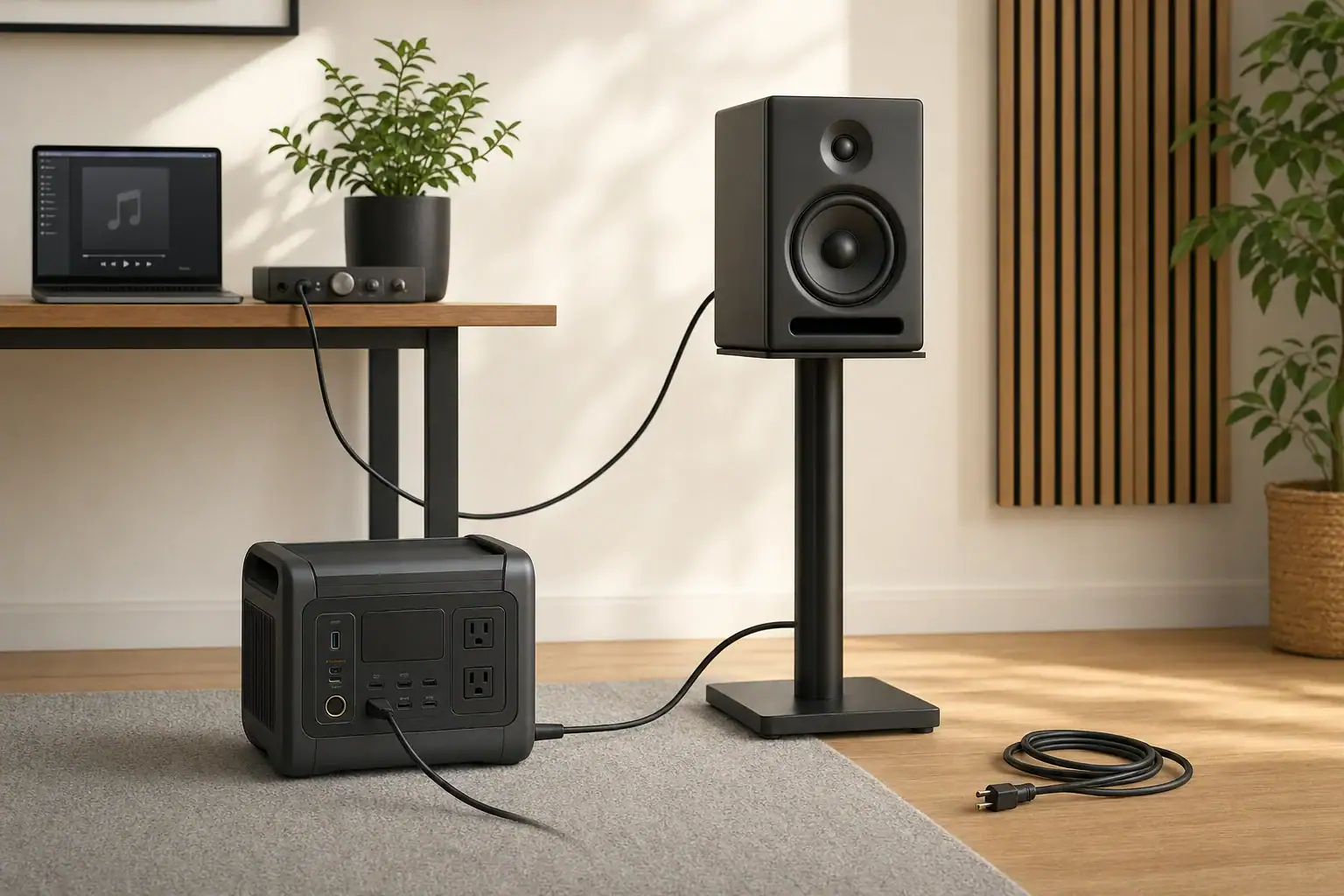
Quick answer: Speaker hum on a portable power station can come from the charging state, audio cable, source charger, powered speaker, or another connected device. Lower the volume and change one approved connection at a time. Stop immediately for heat, odor, sparks, damage, fault warnings, shock, or tingling.
Portable power station speaker hum: start with safe isolation
Hum is a symptom, not a diagnosis. First determine whether the sound comes through the speaker cone or is mechanical noise from the power station, its charger, or the speaker cabinet. A pure-sine-wave label alone does not establish that an audio setup will be noise-free, and hum does not by itself prove the station is defective.
- Lower the speaker volume first. This reduces the chance of a loud transient while connections change.
- Remove audio inputs. Check whether a powered speaker hums with only its power cord connected.
- Compare charging states. If the station manual permits operation while charging, compare charging with battery-only operation.
- Change one approved item per test. Try a known-good audio cable, source device, or source-charger state.
- Stop for warning signs. Do not continue if there is heat, odor, smoke, sparks, arcing, damaged insulation, a fault warning, shock, or tingling.
For passive speakers, perform these checks on the separate amplifier or receiver and its audio connections. The passive speaker itself is not the powered component in that chain.
Speaker-hum decision table
| What changes? | Controlled check | What the result can point toward | When to stop |
|---|---|---|---|
| Hum occurs only while the station is charging | With volume lowered, disconnect the station charging input only as its manual permits. Retest on battery power. | The charging source, an added connection path, or an interaction during charging and output. | Heat, odor, sparks, fault warnings, or abnormal physical noise from the station. |
| Hum stops when the audio cable is removed | Use a known-good cable of the correct type and reroute it away from chargers and AC cords where practical. | The cable, its route, an unbalanced signal connection, or the source device. | Loose, hot, damaged, or exposed connectors. |
| Hum remains with all audio inputs removed | If both equipment manuals allow it and conditions are safe, compare the speaker on another known-good approved supply. | The powered speaker, its power cord, or its interaction with the supply. | Speaker overheating, unusual smell, harsh crackling, or a fault indication. |
| Hum follows a laptop or source charger | Run the source on its own battery, or use another approved source while leaving the rest of the setup unchanged. | The source charger, USB connection, or source-device signal path. | A charger that is damaged, unusually hot, sparking, or making abnormal noise. |
| Hum begins after another component is added | Disconnect the added components, then reconnect them individually. | An added signal path, multiple ground paths, or noise from the new component. | Any shock, tingling, arcing, or visible damage. |
Does the hum stop when station charging is disconnected?
This is a useful comparison because it changes the charging path while leaving the speaker, source, and audio cable in place. Focusrite’s monitor-noise guidance recommends process-of-elimination checks, including disconnecting devices and comparing a laptop on battery with charger-connected operation.
Check the exact power-station manual before making this comparison. Whether a station can supply loads while charging is model-specific. For example, the Jackery Explorer 2000 Pro manual permits charging while devices are connected for that model; it is not a rule for every portable power station. For general background, see how pass-through charging differs from UPS operation.
- Record the charging source and all loads connected to the station.
- Lower or mute the speaker volume.
- Follow the manufacturer’s stated procedure to disconnect the charging input; do not pull a connector by its cord.
- Leave the speaker power connection and audio path unchanged.
- Listen again while the station runs on battery power.
If the hum stops, the charging state is associated with the symptom. It does not prove that the station, charger, building wiring, or speaker has failed. Continue by isolating the source charger and audio connections. If the manual does not permit supplying a load while charging, skip this comparison and contact the station manufacturer for guidance.
Check the audio cable and source device
Test with audio inputs removed
Turn the volume down, disconnect the speaker’s audio inputs, then bring the volume back only to a moderate level. If the hum remains, the source device and audio cable are no longer necessary for producing the symptom. The remaining possibilities include the powered speaker, its power cord, and its interaction with the supply.
If the hum disappears, reconnect one cable and source component at a time. Mackie notes that hum appearing only after another item is connected can indicate a ground-loop issue in that signal chain, but this is a diagnostic clue rather than proof for every setup. Its guidance also warns not to defeat the AC safety ground: Mackie’s SRM FAQ.
Use a known-good, compatible audio cable
Use a cable that matches the connectors and instructions for both devices. Keep audio leads separated from charging bricks, AC cords, and other power wiring where practical. RØDE advises separating audio and USB cables when possible, and Focusrite identifies nearby power supplies and mains cables as possible noise sources.
A balanced connection requires compatible balanced circuitry at the source output, cable, and speaker input; the connector shape alone does not establish that a connection is balanced. See RØDE’s monitor-buzz guidance and Focusrite’s troubleshooting guidance.
Compare source-charger and battery operation
If a phone, tablet, or laptop can run from its own battery, compare it with its charger connected. Alternatively, substitute another approved source while retaining the same speaker, station, cable route, and listening level. If the hum consistently follows one source or charger, that part of the signal path deserves further manufacturer-supported troubleshooting.
Do not add a generic signal isolator until the connection carrying the noise has been identified. Signal isolation is connection- and equipment-specific. Sound Devices’ ground-loop guidance explains that there is no single remedy for every noise problem and discusses balanced connections and properly selected signal isolation as possible professional approaches.
Reconnect components one at a time
Build the simplest setup first: power station, powered speaker, and one source. Add mixers, computers, USB hubs, displays, chargers, or additional speakers individually. Record the first addition that makes the noise appear.
Never remove a ground pin, use a cheater adapter, improvise a neutral-to-ground bond, attach a grounding rod, backfeed an outlet, or modify either device to chase a hum. Do not open a power station, speaker, charger, or adapter. The Jackery manual cited above prohibits dismantling its product and using damaged cords or plugs; follow the instructions for the exact equipment you own.
Measurement and manual-reading checklist
Change one variable per trial and write down the result. This creates useful evidence for the equipment manufacturer without treating a watt display as an audio-quality instrument.
- Power-station manufacturer and exact model
- Powered speaker, amplifier, or receiver manufacturer and exact model
- Station state: battery-only, AC charging, vehicle charging, or solar charging
- Battery percentage, warning icons, and the AC output watts shown before and after switching on the speaker
- Every other load connected to the station, including USB and DC devices
- Speaker power connection and the exact station outlet used
- Source device and whether it is on battery or connected to a charger
- Audio cable type, approximate length, connector type, and cable route
- Result with every audio input removed from the powered speaker
- Result with a known-good compatible audio cable and a different approved source
- Result with charging disconnected, only if the station manual permits the test
- Whether the sound comes from the speaker cone, station, charger, or speaker cabinet
- Any heat, odor, sparks, crackling, damaged insulation, loose connectors, shock, or tingling
The station’s watt display is an operating log: watts (W) describe power at a moment in time. Watt-hours (Wh) describe energy capacity or energy used over time, as explained in this watt-hours guide. Neither reading identifies waveform quality, audio interference, or electrical safety on its own.
When to stop troubleshooting
Stop using the affected equipment and contact the manufacturer if you find excessive or increasing heat, an unusual odor, smoke, sparks, arcing, persistent fault warnings, liquid exposure, a swollen or deformed enclosure, or damaged cords or connectors. Treat shock or tingling as an immediate stop condition.
Also stop if the sound is not speaker hum but abnormal mechanical noise from the power station or charger. Do not disassemble equipment to investigate it. Give support your connection log, charger state, displayed load, warning indicators, and comparison results; that is more useful than assuming the cause is an inverter or a ground loop.
Related guides
Browse this topic →


- Beginner-friendly sizing, runtime & specs
- Solar & charging (MPPT, fast charging, cables)
- Batteries (LiFePO4, cycles, care & storage)
- Safety, cold-weather performance, real-world tips
More in FAQ
See all →- Why Does My Portable Power Station Show 0W Even When Something Is Plugged In?
- What Happens When a Portable Power Station Is Overloaded?
- Can a Portable Power Station Run Multiple Appliances at Once?
- Can You Use a Portable Power Station in a Dorm Room?
- Portable Power Station Error Codes: What Common Warnings Mean
Keep reading

About this site
Portable Energy Lab publishes practical, independent guides about portable power—clear sizing, safe use, and real-world expectations.
Affiliate disclosure
Some links on this site may be affiliate links. If you buy through these links, we may earn a small commission at no extra cost to you. This helps support our content. Read our affiliate disclosure.