Portable power stations are usually much quieter than gas generators, often close to silent while a gas unit can sound like a loud lawnmower. The real difference in noise levels, decibels (dB), and sound quality matters a lot for camping, RV use, home backup, and job sites. People search for terms like “quiet generator,” “silent power station,” “decibel rating,” “noise restrictions,” and “campground rules” because noise can make or break how usable your backup power really is.
This guide explains how portable power station and gas generator noise compares in real situations, what affects loudness, and how to read sound specs. You will see typical dB ranges, how load, distance, and enclosure design change the sound, and which features to prioritize if you want quieter runtime. The goal is to help you choose the right type of power source for your space, your neighbors, and your own comfort.
Understanding Noise Levels in Portable Power Stations vs Gas Generators
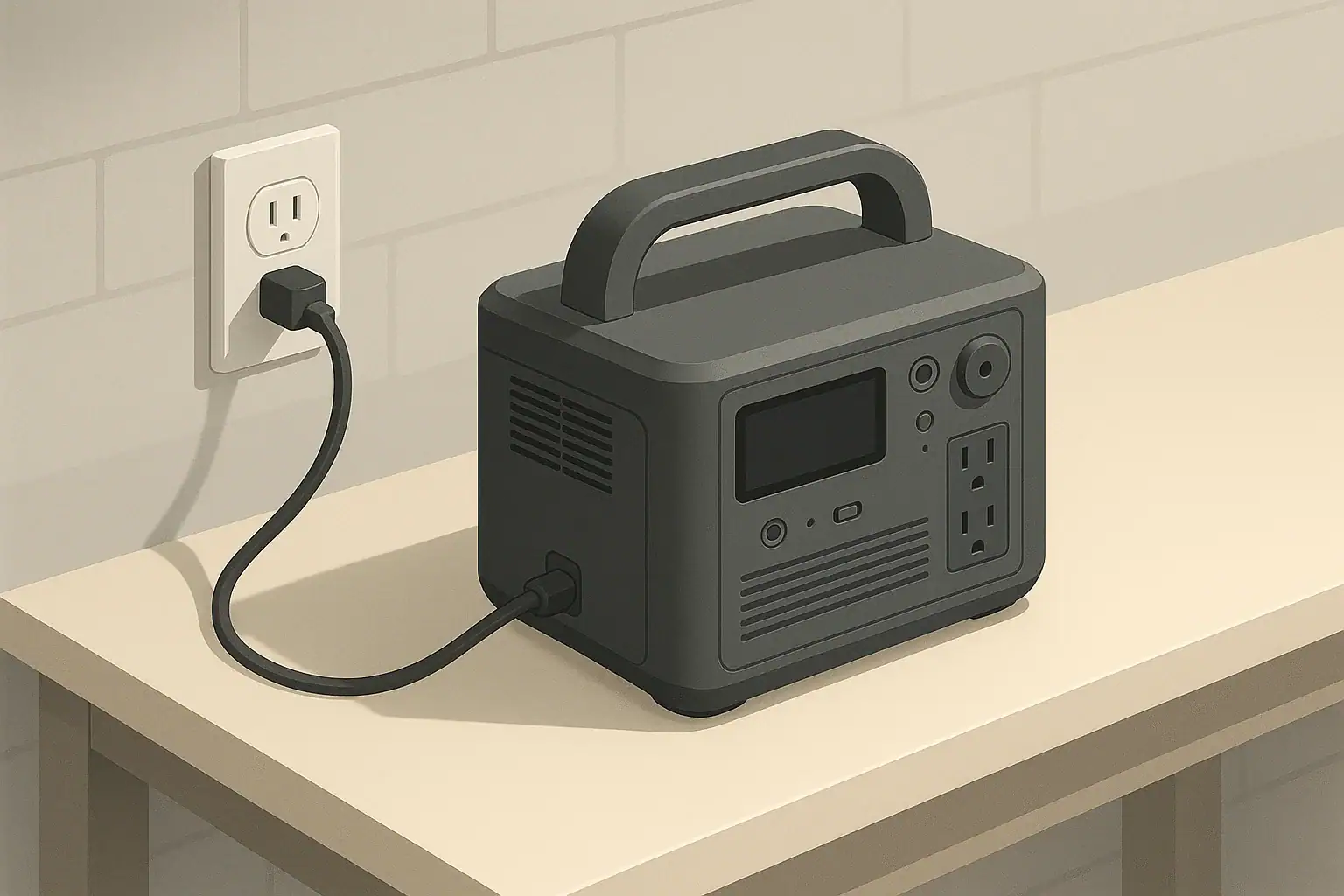
When comparing portable power stations and gas generators, the most important difference is how they create power. A portable power station uses a battery and inverter, so there is no combustion engine and almost no mechanical noise. A gas generator burns fuel in an engine, which produces continuous mechanical and exhaust noise.
Noise is typically measured in decibels (dB), a logarithmic scale where a 10 dB increase sounds roughly twice as loud to the human ear. This means a generator rated at 70 dB is perceived as about twice as loud as something at 60 dB, even though it may not look that different on paper. Because of this, small differences in dB ratings between models can translate into big differences in comfort.
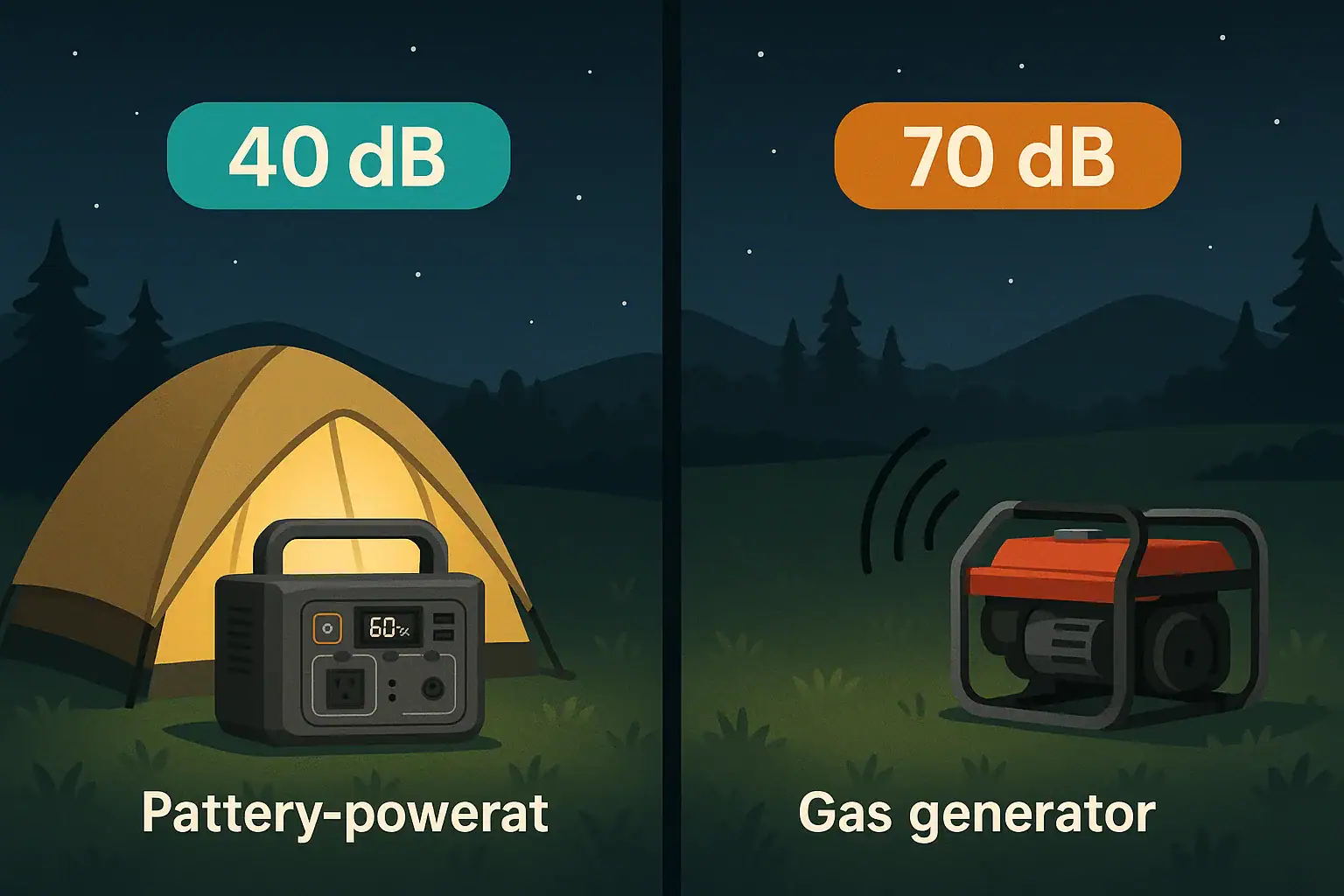
For context, normal conversation is around 60 dB at arm’s length, while a typical open-frame gas generator can be 70–90 dB at 20–25 feet. Many portable power stations, by contrast, operate in the 30–45 dB range under moderate load, similar to a quiet room or a desktop computer fan. This gap is why battery power is often marketed as “silent” or “whisper-quiet,” even though there can still be some fan noise.
Noise matters for more than comfort. It affects where you can legally and practically use your power source. Campgrounds, residential neighborhoods, and some job sites have quiet hours or noise ordinances. Choosing between a portable power station and a gas generator often comes down to whether you need long runtime and high surge watts, or a quieter, cleaner source that will not disturb people nearby.
How Each System Creates Power and Noise
To understand noise differences, it helps to look at how each type of device actually makes electricity.
A portable power station stores energy in a battery pack, then converts it to usable AC power through an inverter. The main potential noise sources are internal cooling fans, the inverter’s switching electronics, and any minor vibrations from the housing. Under light loads, some units run fans at low speed or cycle them on and off, resulting in very low sound levels. Under heavy loads or high ambient temperatures, fans can ramp up, but overall noise usually stays closer to background room noise than to machinery.
A gas generator, on the other hand, uses a combustion engine connected to an alternator. The engine must spin at a relatively stable speed to maintain output frequency, which means constant mechanical noise. Exhaust, intake, and vibration all add to the sound. Even “inverter generators” with better mufflers and variable engine speed still rely on burning fuel, so they cannot be truly silent.
Several factors influence noise output for each type:
- Load level: Higher wattage draw usually means higher fan speed for power stations and higher engine speed or load noise for generators.
- Cooling design: Larger, slower fans and better airflow paths can reduce fan noise in power stations. Generators rely on both airflow and engine cooling, which is inherently louder.
- Enclosure and insulation: Fully enclosed casings with sound-deadening materials help both types, but battery-based designs start from a quieter baseline.
- Vibration isolation: Rubber feet and internal mounts can keep vibrations from turning into audible rattles, especially on generators.
- Distance and placement: Sound drops significantly as you move away. Direction (where the exhaust points) and reflective surfaces (walls, vehicles) also change what you hear.
Because portable power stations skip the engine entirely, their “noise floor” is much lower. Most of what you hear is airflow, not combustion. Gas generators can improve with better mufflers and enclosures, but they cannot eliminate the core engine noise.
| Power source type | Typical noise range (dB) | Approximate loudness comparison |
|---|---|---|
| Portable power station (light load) | 30–40 dB | Quiet room or soft fan |
| Portable power station (high load) | 40–50 dB | Office or normal conversation at a distance |
| Enclosed inverter gas generator | 55–70 dB | Conversation to loud vacuum at 20–25 ft |
| Open-frame gas generator | 70–90 dB | Lawnmower or louder at 20–25 ft |
Real-World Noise Scenarios: Camping, Home Backup, and Work Sites
On paper, decibel ratings help, but real-world use gives a clearer picture of how noise affects you and people nearby. Here are common scenarios where the difference between a portable power station and a gas generator is especially noticeable.
Camping and RV Use
In a quiet campground, even a “quiet” gas generator can stand out. At night, background noise drops, and a 60–70 dB engine hum can feel intrusive, especially if several sites are close together. Many campgrounds restrict generator hours or ban louder models altogether.
A portable power station, by contrast, can usually run through the night without violating quiet hours. Fan noise is often masked by wind, distant traffic, or natural sounds. Because there are no fumes, you can place it closer to your tent or RV, reducing voltage drop on extension cords and making it easier to monitor.
Home Backup During Outages
For home backup, a gas generator can power large loads like refrigerators, sump pumps, and multiple circuits for many hours as long as you have fuel. The trade-off is engine noise that neighbors will hear, especially at night. In dense neighborhoods, that may be a concern during extended outages.
A portable power station used for home backup is quieter and can be kept indoors in a well-ventilated area, since it produces no exhaust. This allows you to power critical electronics, lights, and small appliances with minimal disruption. The limitation is total capacity and runtime; once the battery is drained, you must recharge from the grid, solar panels, or another source.
Work Sites and Mobile Professionals
On construction or job sites, gas generators are common because they deliver high surge watts for tools like saws, compressors, and welders. Noise is often accepted as part of the environment, but it can hinder communication, increase fatigue, and in some cases violate local noise limits.
Portable power stations are increasingly used for lighter-duty tasks such as running laptops, chargers, lighting, or lower-wattage tools. Their quiet operation improves communication and reduces fatigue, especially in indoor or partially enclosed spaces where generator noise would echo.
Events, Tailgating, and Outdoor Gatherings
At events or tailgates, people often place power sources near seating areas, TVs, and speakers. A gas generator may need to be moved farther away or partially shielded to keep noise from overpowering conversation or audio. This can complicate cord runs and placement.
A portable power station can sit directly under a table or next to your gear without dominating the soundscape. For low to moderate loads like speakers, cooking appliances, or small heaters, the quiet profile makes it easier to enjoy the event without a constant engine drone.
Common Noise-Related Mistakes and Troubleshooting Signs
Whether you choose a portable power station or a gas generator, certain mistakes can make noise worse than it needs to be. Recognizing these issues early can help you adjust placement, load, and expectations.
Underestimating Decibel Ratings
One common mistake is assuming that a small difference in dB is not important. Because the scale is logarithmic, a 10 dB increase can sound roughly twice as loud. Choosing a generator rated at 70 dB instead of 60 dB can significantly change how disruptive it feels, especially at night.
For portable power stations, many users assume “silent” means absolutely no sound. In reality, cooling fans may still run under load, especially when charging and discharging at the same time or in hot weather. If you place the unit on a hard surface or in a corner, fan noise may be amplified or reflected.
Poor Placement and Surfaces
Placing a gas generator too close to walls, vehicles, or fences can reflect and concentrate sound toward living spaces. Hard surfaces also transmit vibration, making the unit seem louder. Similarly, setting a portable power station on a hollow table or thin floor can amplify fan vibrations.
A better approach is to position noisy equipment on firm, non-resonant surfaces and direct exhaust or airflow away from people. Even a small change in distance or angle can noticeably reduce perceived noise.
Overloading and Overheating
Running any power source near its maximum rated output can increase noise. Gas generators may rev higher or sound strained under heavy load. Portable power stations may ramp their fans to full speed to manage heat. If you notice a sudden jump in fan noise or engine sound when you plug in an additional device, it is a sign you are approaching the system’s comfort limit.
Consistently running at or near maximum output also generates more heat, which can shorten component life over time. If you frequently experience high fan speeds or stressed engine noise, consider spreading loads out, unplugging nonessential devices, or upgrading to a higher-capacity system.
Ignoring Warning Signs
Unusual sounds are often early warning signs of problems. On gas generators, rattles, knocking, or changes in exhaust tone may indicate loose components, mounting issues, or engine trouble. On portable power stations, grinding or irregular fan noises may point to debris, bearing wear, or airflow blockage.
If you hear new or worsening sounds, consult the user manual and, if needed, contact the manufacturer or a qualified service technician. Avoid opening sealed battery enclosures or bypassing built-in protections, as that can create safety hazards and void warranties.
Noise and Safety: What You Need to Keep in Mind
Noise is closely tied to safety, especially with gas generators. While portable power stations eliminate some major risks, both types require basic precautions.
Gas Generator Safety and Noise
Because gas generators produce exhaust, they must always be used outdoors and away from windows, doors, and vents to prevent carbon monoxide buildup. Trying to reduce noise by placing a generator in a garage, shed, or enclosed porch is extremely dangerous, even with doors open. Any noise solution that involves enclosing a generator must prioritize ventilation and exhaust routing, and should be designed or reviewed by qualified professionals.
Hearing protection may be appropriate when working near a loud generator for extended periods, especially with open-frame designs. Prolonged exposure to sound levels above roughly 85 dB can contribute to hearing damage over time. Positioning the generator farther from work or living areas is often the simplest way to reduce exposure.
Portable Power Station Safety and Noise
Portable power stations avoid exhaust fumes and are much quieter, but they are still high-energy electrical devices. Overheating from blocked vents or poor airflow can trigger protective shutdowns or, in rare cases, damage components. Avoid stacking items on top of the unit or placing it in tightly enclosed spaces where heat and fan noise can build up.
Because they are quiet, there is also a small risk of forgetting that the system is on and powering loads. Always check status indicators before moving or storing the unit, and unplug devices if you will be away for an extended period.
Shared Spaces and Noise Etiquette
In campgrounds, neighborhoods, or shared work spaces, following posted rules and basic etiquette is part of safe operation. Loud generators at night can lead to conflicts or complaints, and in some areas, noise violations can result in fines or forced shutdowns. Choosing a quieter power source or adjusting operating hours can prevent problems before they start.
Maintaining Quiet Operation Over Time
Both portable power stations and gas generators can get louder as they age if they are not maintained properly. Simple habits can help keep noise in check and extend the life of your equipment.
Gas Generator Maintenance for Noise Control
For gas generators, regular maintenance directly affects both performance and sound. Key tasks include:
- Oil changes and tune-ups: Fresh oil and proper spark plug condition help the engine run smoothly, reducing knocking, misfires, and rough idle that can increase noise.
- Air filter cleaning or replacement: A clogged filter can change intake sound and strain the engine, making it louder under load.
- Muffler and exhaust checks: Loose or damaged mufflers and exhaust components can dramatically increase noise output. Inspect mounting hardware and gaskets periodically.
- Fastener tightening: Vibration over time can loosen bolts and panels, causing rattles and resonance that add to perceived loudness.
Always follow the manufacturer’s recommended service intervals and use appropriate fuel and oil. If you suspect internal engine issues, consult a qualified technician rather than attempting complex repairs yourself.
Portable Power Station Care for Low Noise
Portable power stations require less mechanical maintenance, but a few practices help maintain quiet, reliable operation:
- Keep vents clear: Dust, pet hair, and debris can block airflow, forcing fans to work harder and run louder. Periodically inspect and gently clean vent areas according to the manual.
- Avoid extreme temperatures: High ambient temperatures increase fan use and noise. Store and operate the unit within the recommended temperature range whenever possible.
- Manage load levels: If you frequently hear fans at full speed, consider reducing the number of devices connected at once or choosing a higher-capacity system for future needs.
- Stable placement: Place the unit on a firm, level, non-resonant surface to minimize vibration noise. Soft pads or rubber feet can sometimes help.
Storage and Long-Term Use
For seasonal users, storage practices also influence long-term noise and reliability. Gas generators should be stored with stabilized fuel or drained according to the manual to prevent carburetor issues that can affect engine smoothness and noise. Portable power stations should be stored with a partial charge and topped up periodically as recommended to keep the battery and electronics healthy.
| Power source | Key maintenance focus | Noise impact over time |
|---|---|---|
| Gas generator | Engine service, exhaust system, fasteners | Neglect can lead to louder, rougher operation and rattling |
| Portable power station | Vent cleanliness, load management, environment | Poor airflow and high heat can increase fan noise |
| Both types | Proper storage and handling | Good care helps preserve original noise characteristics |
Related guides: Portable Power Station vs Generator • Portable Power Station vs Power Bank • How Does a Portable Power Station Work?
Key Takeaways and Specs to Look For When Noise Matters
When comparing portable power station vs gas generator noise levels, the core trade-off is clear: portable power stations are much quieter and cleaner but have limited total energy storage, while gas generators can run longer and power larger loads at the cost of significantly higher sound levels and exhaust.
For quiet environments like campgrounds, residential neighborhoods, and indoor or semi-indoor workspaces, battery-based power often fits better. For extended outages or heavy-duty tools, a gas generator may still be necessary, but careful placement and maintenance are essential to manage noise.
Specs to look for
- Noise rating (dB at a stated distance): Look for clear decibel values measured at 20–25 feet; aim for under ~60 dB for quieter use. This directly affects comfort and compliance with noise rules.
- Rated and surge watts: Match continuous and peak output to your devices with some headroom. Under-sizing forces systems to run near max, increasing fan or engine noise.
- Battery capacity or fuel tank size: For power stations, watt-hours; for generators, fuel tank volume and typical runtime at 25–50% load. More capacity reduces how often you need to refuel or recharge, limiting noisy operating periods.
- Inverter type and efficiency: High-quality inverters in both power stations and inverter generators run cooler and often quieter, especially at partial loads.
- Cooling and ventilation design: Larger, slower fans and well-placed vents tend to be quieter than small, high-speed fans. Good airflow reduces fan ramp-ups.
- Enclosure and vibration isolation: Fully enclosed housings and rubber feet help dampen mechanical noise and rattles, especially on generators.
- Operating temperature range: Wider acceptable temperature ranges reduce how often fans must run at full speed or engines struggle in extreme conditions, affecting noise.
- Weight and form factor: Compact, well-balanced units are easier to place on stable surfaces away from reflective walls, helping control perceived loudness.
- Monitoring and controls: Displays or apps that show load percentage and temperature help you manage output to keep noise within comfortable limits.
By focusing on these specs and thinking through where and how you will use your power source, you can choose between a portable power station and a gas generator in a way that balances noise, runtime, and capacity for your specific situation.
Frequently asked questions
Which noise and performance specs or features should I prioritize when comparing portable power stations and gas generators?
Prioritize a stated noise rating in dB measured at a specific distance, continuous and surge watt ratings, and the cooling/enclosure design. For battery systems, also check watt‑hours (capacity) and recharge options; for gas units, check fuel tank size and runtime at typical load.
How far should I place my power source to noticeably reduce perceived noise?
Sound level drops quickly with distance, so moving a generator or power station even 10–20 feet away can make it noticeably quieter. Also orient exhaust or intake away from people and avoid reflective surfaces like walls that can focus sound.
What common mistakes make noise worse than expected?
Typical mistakes include placing units near walls or on resonant surfaces, undersizing the system so it runs near maximum output, and letting vents become clogged with dust. These issues increase fan or engine strain and amplify vibration, raising perceived loudness.
Are there high-level safety precautions related to noise I should follow?
Yes—keep gas generators outdoors and away from doors or vents to avoid carbon monoxide hazards, and use hearing protection if you’re exposed to levels above ~85 dB for extended periods. For battery systems, ensure proper ventilation to prevent overheating and avoid blocking vents.
Can generator or power station noise cause hearing damage?
Prolonged exposure to sound levels above roughly 85 dB can contribute to hearing damage over time, and open-frame generators may reach or exceed that level at close range. Limiting exposure, increasing distance, and using hearing protection when necessary reduces risk.
How can I reduce fan noise on a portable power station without risking damage or voiding protections?
Keep vents clean, operate in recommended temperature ranges, and avoid overloading the unit to reduce fan duty cycles. Place the unit on a stable, non-resonant surface and use recommended spacing from walls to improve airflow rather than modifying or blocking the enclosure.
Recommended next:
- Portable Power Station vs Power Bank
- Portable Power Station vs UPS: What Changes for Computers and Networking?
- Portable Power Station vs Power Bank: Where the Line Really Is
- Portable Power Station vs Inverter + Car Battery: Pros, Cons, and Safety
- Portable Power Station vs DIY Solar Battery Box: When DIY Makes Sense
- Portable Power Station vs Home Backup Battery: Which Fits Apartments Best?
- More in Comparison →