
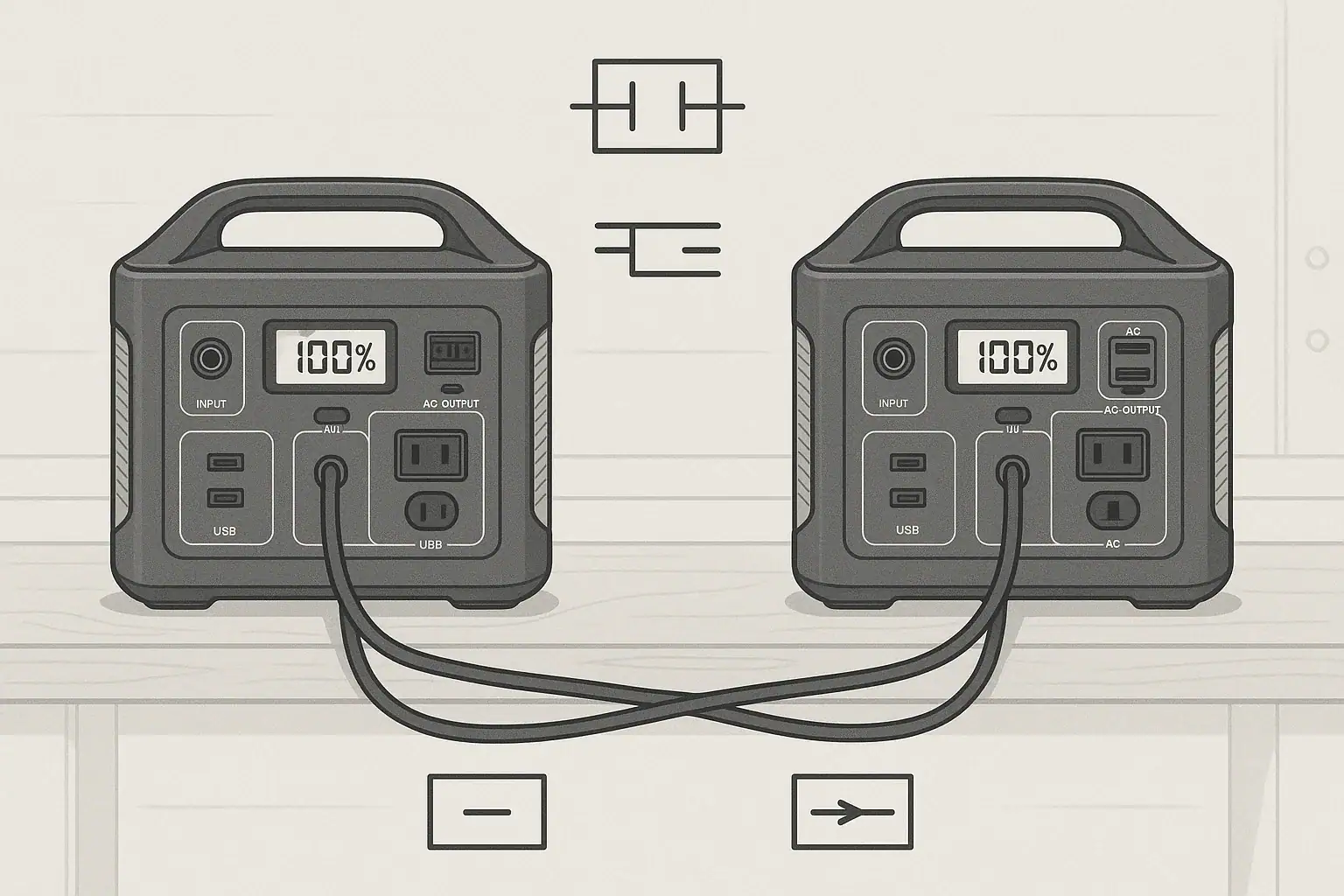
You can sometimes use two portable power stations together, but only if you respect each unit’s input limit, output ratings, and safety features. In many cases, you should power devices separately instead of directly tying the stations together. Parallel use, combined wattage, surge watts, and runtime all depend on how you connect loads and what the manufacturer allows.
People look into combining portable power stations when they need more capacity for camping, RVs, outages, or tools. The idea sounds simple: plug units together and double your power. In reality, battery chemistry, inverter design, and protection circuits make it more complicated—and sometimes risky.
This guide explains what “using two power stations together” really means, the safe and unsafe methods, and how to size your setup. You will learn how parallel connections differ from series, why some units can be expanded while others cannot, and which specs matter most before you try any multi-unit configuration.
Understanding Parallel Use of Portable Power Stations
When people ask if they can use two portable power stations together, they usually mean one of three things: running them in parallel to power the same device or circuit, stacking capacity to get longer runtime, or charging one power station from another. Each scenario has different rules and risks.
Parallel use technically means connecting two or more power sources so they share the same output voltage and work together to supply current to the same load. For AC power, that means two inverters trying to generate a synchronized waveform. For DC power, it means two battery outputs feeding the same DC bus.
Most standalone portable power stations are designed to operate independently. Their inverters, battery management systems (BMS), and internal protections assume they are the only source feeding the load. Unless a model is clearly designed for parallel operation, tying outputs together can cause current backflow, tripped protections, or permanent damage.
However, you can nearly always “use two together” in the broader sense by splitting loads: one station runs some devices, the other runs the rest. In many real-world situations, that is the safest and most practical form of parallel use.
How Combining Two Portable Power Stations Actually Works
To understand what is possible, it helps to separate three different ideas: combining load, combining capacity, and combining charging. Each works differently and has its own limits.
1. Parallel AC output (shared load)
Parallel AC output means two inverters cooperate to power the same AC circuit or device. This requires:
- Matched output voltage and frequency (for example, 120 V, 60 Hz).
- Phase synchronization so the sine waves line up.
- Control logic so one unit does not “fight” the other.
Only power stations explicitly designed for parallel AC use—and usually with a dedicated parallel kit or ports—should ever have their AC outputs tied together. Without that design, backfeeding and waveform clashes can damage inverters or trip protections.
2. Combining capacity by splitting loads
The most common and safest way to “use two together” is to run different devices on each station:
- Station A powers a refrigerator and lights.
- Station B powers a CPAP machine and phone chargers.
You are not electrically joining the stations; you are simply using them side by side. Your total usable capacity is effectively the sum of both battery capacities, and your practical combined wattage is the sum of their separate outputs—so long as each station stays within its own continuous and surge watt ratings.
3. Charging one station from another
Some users try to extend runtime by charging one power station from the AC or DC output of another. This is technically possible but usually inefficient:
- AC-to-AC: Station A’s inverter powers Station B’s AC charger. You lose energy in both inversion and charging.
- DC-to-DC: Station A’s DC output (like a car socket) feeds Station B’s DC input. Still lossy, but usually a bit more efficient than AC-to-AC.
Whether this is allowed depends on input limits, voltage ranges, and connector types. You must not exceed the receiving station’s maximum input power or voltage rating.
4. Series vs. parallel on the DC side
In DC systems, parallel means connecting positive to positive and negative to negative to increase current at the same voltage. Series means chaining positive to negative to increase voltage. Portable power stations are not bare batteries; their BMS and outputs are not meant to be wired in series or parallel with other stations unless specifically designed for that purpose. Treat them as complete, standalone appliances.
| Scenario | What It Means | Usually Safe? | Key Limitation |
|---|---|---|---|
| Split loads | Each station powers different devices | Yes, if devices match ratings | Total management of which load goes where |
| Parallel AC outputs | Two AC outlets tied to same circuit | Only if designed for parallel use | Requires synchronization and control |
| Charge one from another (AC) | Inverter of A feeds charger of B | Sometimes, within input limits | Low efficiency and heat |
| Charge one from another (DC) | DC output of A feeds DC input of B | Sometimes, if voltage matches | Must respect voltage and current limits |
| Series/parallel battery wiring | Directly tying internal batteries | No | Bypasses BMS, major safety risk |
Real-World Ways People Use Two Portable Power Stations Together
In practice, most users do not need true electrical parallel operation. They need more runtime, more outlets, or better load management. Here are common ways two portable power stations are combined in real scenarios.
1. Camping or overlanding setup
One station might stay inside a tent or vehicle for low-power loads like lights, phones, cameras, and laptops. The second stays outside or in a storage area running higher-draw items such as a portable fridge, small fan, or air pump. This keeps noisy or heat-generating devices away from sleeping areas and spreads the load so neither unit is pushed to its continuous watt limit.
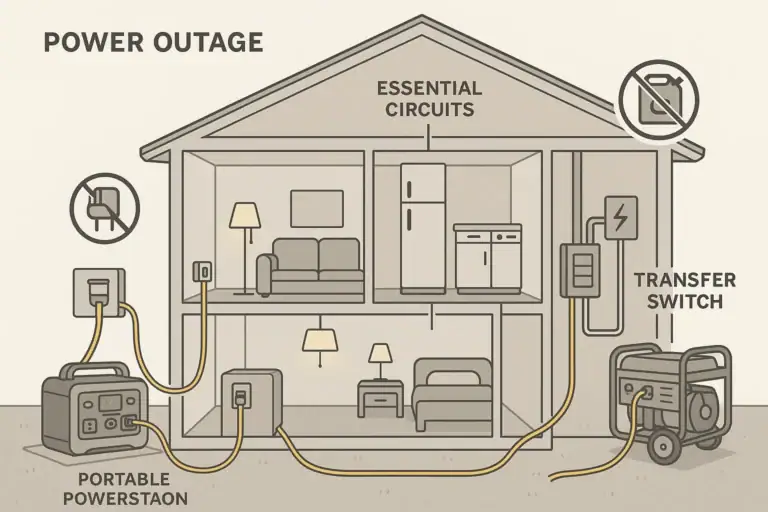
2. Home outage backup
During a power outage, you might dedicate one station exclusively to critical loads (CPAP, modem/router, phone chargers), while the other handles comfort or convenience loads (TV, small microwave, coffee maker). This division makes it easier to track remaining runtime on critical devices and to avoid tripping overload protections when a high-surge appliance starts.
3. RV or van life power zones
In a small RV or van, one power station might be wired or placed near the kitchenette, powering a small induction cooktop, kettle, or fridge. Another sits near the sleeping area, powering laptops, fans, and entertainment. Each unit can have its own solar input, allowing you to balance solar charging based on which side of the vehicle gets more sun.
4. Tool and jobsite use
For light-duty tools, two stations can be assigned to different tasks: one runs a miter saw or drill intermittently, the other powers lights and chargers. Instead of attempting to parallel outputs for a single large tool, you keep each station within its surge and continuous rating, reducing the chance of shutdown mid-cut.
5. Extending runtime via staged use
Another strategy is to use one station until it reaches a certain state of charge, then switch loads over to the second while the first recharges from solar or a generator. You are not using them in parallel at the same moment, but you are coordinating them to extend overall runtime throughout the day and night.
6. Limited AC-to-AC charging
In some off-grid setups, a smaller station is recharged from the AC output of a larger station when solar is plentiful. For example, the larger unit runs a laptop and also powers the charger for the smaller unit, which will later be used overnight in a bedroom. This is less efficient than charging both from solar directly, but it can be convenient when solar ports are limited.
Mistakes to Avoid When Using Two Power Stations Together
Because “parallel use” is often misunderstood, several common mistakes can damage equipment or reduce performance. Recognizing these issues early helps with troubleshooting and planning.
1. Directly tying AC outputs together
Plugging both stations into a single power strip, then plugging a device into that strip, does not combine their power safely. This effectively ties two inverters together without synchronization. Symptoms include:
- Immediate overload or fault codes on one or both units.
- Audible clicking as protections trip and reset.
- In some cases, tripped internal fuses or permanent damage.
If you need more wattage for a single device than one station can provide, you generally need a larger single station or a system explicitly engineered for parallel AC operation.
2. Trying to backfeed a home circuit
Connecting two portable power stations to household outlets in an attempt to “backfeed” and power multiple rooms is dangerous and often illegal. It can energize circuits unexpectedly, create shock hazards, and damage both the stations and home wiring. Any connection to a home electrical system beyond plugging devices directly into the station’s outlets should be handled by a qualified electrician using appropriate equipment.
3. Ignoring input power limits when charging from another station
When charging one station from another (AC or DC), it is easy to exceed the receiving unit’s input power limits. Signs of trouble include:
- Input error messages or beeping.
- Overheating or loud fan noise.
- Charging repeatedly starting and stopping.
Always compare the output wattage of the source station with the maximum input wattage of the receiving station and stay below the lower of the two.
4. Overloading a single station while the other sits idle
A subtle but common mistake is plugging too many high-draw appliances into one power station while the second is barely used. For example, running a coffee maker, toaster, and microwave on one unit while the other only charges phones. This leads to overload shutdowns even though your total system capacity is more than enough. The fix is simple: redistribute loads so each station stays comfortably under its continuous watt rating.
5. Misjudging runtime when splitting loads
Users often assume that two stations of different sizes will discharge at the same rate when given similar loads. In reality, a smaller unit running close to its limit may drain much faster than a larger one running lightly. If a critical device suddenly shuts off sooner than expected, re-evaluate:
- Which loads are on which station.
- The watt-hour (Wh) capacity of each unit.
- Any inverter or conversion losses (especially with AC loads).
Rebalancing loads based on capacity and efficiency can significantly improve runtime.
Safety Basics for Parallel or Combined Use
Any time multiple power sources are involved, safety should come first. While portable power stations include many protections, they are not foolproof if used in ways they were not designed for.
1. Treat each station as a separate appliance
Unless documentation clearly states otherwise, assume that each power station is meant to operate independently. Connect devices directly to its own AC or DC ports. Avoid improvising shared buses, custom splitters, or non-approved adapters that tie outputs together.
2. Respect voltage and polarity on DC connections
For DC outputs (such as 12 V car sockets or high-current DC ports), ensure that the voltage, connector type, and polarity match the input of whatever you are powering or charging. Reversed polarity or voltage mismatch can damage both the station and the connected device.
3. Allow for ventilation and heat dissipation
Running two stations under moderate or heavy load in a confined space can generate significant heat. Place them on stable, non-flammable surfaces with clear airflow around vents. Overheating can trigger thermal shutdowns and, in extreme cases, damage internal components.
4. Use appropriate extension cords and power strips
If you must use extension cords or power strips, assign one power station per strip and do not interconnect strips. Choose cords rated for the expected load, with intact insulation and proper grounding where required.
5. Avoid DIY internal modifications
Opening a power station to access its battery terminals, bypass protections, or rewire for series/parallel operation is unsafe. It can defeat the BMS, void warranties, and create fire or shock hazards. If you need a system with parallel or series battery configurations, look for equipment specifically designed for that purpose, and consult a qualified professional.
6. Consult an electrician for any building wiring
If you plan to integrate portable power stations with a cabin, RV electrical system, or any fixed wiring beyond plug-in use, involve a qualified electrician. They can recommend proper transfer mechanisms, breakers, and wiring methods that keep loads isolated and compliant with applicable codes.
| Safety Topic | Safe Practice | What to Avoid |
|---|---|---|
| AC outputs | Use each station’s outlets independently | Tying two AC outputs together |
| DC connections | Match voltage and polarity | Homemade adapters without ratings |
| Heat | Provide airflow and spacing | Stacking units or enclosing them |
| Home circuits | Plug devices directly into stations | Backfeeding outlets or panels |
| Modifications | Use as designed, follow manual | Opening cases, bypassing BMS |
Related guides: Surge Watts vs Running Watts: How to Size a Portable Power Station • AC vs DC Power: How to Maximize Efficiency and Runtime • Portable Power Stations for RV and Motorhomes
Practical Takeaways and Specs to Look For When Using Two Units
Using two portable power stations together can be effective if you approach it as load sharing and capacity planning rather than trying to physically merge the units. In most situations, the best strategy is to split devices between stations, keep each within its own ratings, and plan your charging so that at least one unit is always ready for critical loads.
Before you purchase or deploy multiple stations, compare key specifications to understand how they will work as a system. Matching or at least being aware of differences in capacity, inverter output, and charging speeds will help you avoid overloads and unexpected shutdowns.
Specs to look for
- Battery capacity (Wh) – Look for capacities that fit your daily energy use (for example, 500–2,000 Wh per unit). Higher capacity extends runtime when splitting loads across two stations.
- AC output (continuous watts) – Check that each station’s continuous watt rating comfortably exceeds the loads you plan to put on it, leaving 20–30% headroom. This reduces overload shutdowns when devices cycle on.
- Surge/peak watts – Choose units with surge ratings high enough for motor starts (often 1.5–2x continuous). This matters if either station will power fridges, pumps, or power tools.
- Supported parallel or expansion features – If you truly need combined AC output, look for explicit support for parallel operation or battery expansion modules. This indicates the system is engineered for multi-unit use.
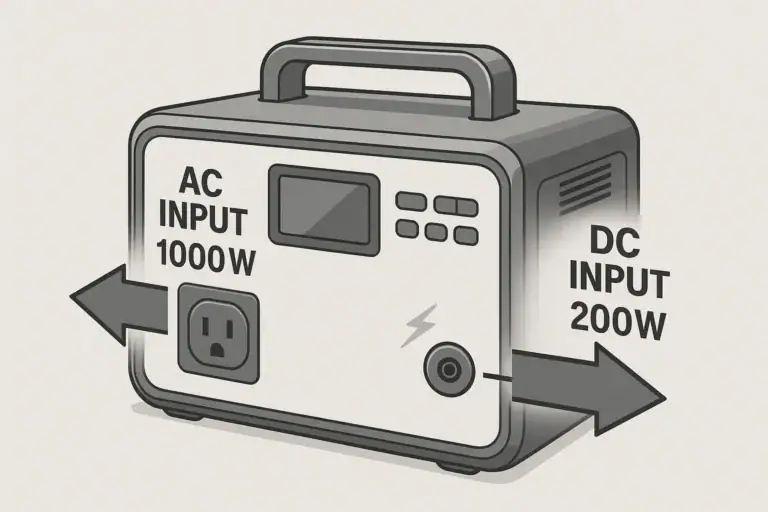
- AC and DC input limits (W and V) – Note maximum AC and DC charging wattage and voltage ranges. These limits control whether you can safely charge one station from another and how quickly you can refill each unit.
- Number and type of outlets – Count AC sockets, USB-C PD ports, and 12 V DC outputs. More ports make it easier to split loads cleanly between two stations without daisy-chaining strips.
- Inverter type and waveform – Pure sine wave inverters are preferable for sensitive electronics and some appliances. Matching inverter quality across stations helps ensure similar performance.
- Operating temperature range – Look for units that can safely operate in the temperatures you expect (for example, 32–104°F). This is important when both stations run together in a hot RV or cold campsite.
- Cycle life and battery chemistry – Compare rated charge cycles (for example, 500–3,000 cycles to a given percentage). Higher cycle life is useful when you rely on two stations heavily and recharge them daily.
- Weight and form factor – Check weight and handles or wheels, especially if you plan to move two units frequently between rooms, vehicles, or campsites.
By focusing on these specs and using each portable power station within its intended limits, you can safely and effectively run two units side by side, gaining more total capacity and flexibility without compromising safety.
Frequently asked questions
Which specifications should I check before attempting to use two portable power stations together?
Check battery capacity (Wh), continuous and surge AC output (watts), supported parallel/expansion features, and maximum AC/DC input limits. Also verify inverter waveform (pure sine vs. modified), port types, and operating temperature range to ensure compatibility and safe operation.
Can I plug two stations into one power strip to power a single high-wattage device?
No. Tying two AC outputs together via a power strip can cause inverters to conflict, trip protections, or sustain damage. If a single device needs more power than one station can supply, use a properly sized unit or a system explicitly engineered for parallel AC output.
Is it safe to use two portable power stations together around people at a campsite or in a home?
Yes, using two stations side by side is generally safe if each runs separate loads within its ratings and you provide proper ventilation. Avoid paralleling outputs unless the units explicitly support it, and consult a qualified electrician before connecting to household wiring.
Can I charge one power station from the other to extend runtime?
Technically you can charge one station from another (AC-to-AC or DC-to-DC), but it is inefficient and generates extra heat and conversion losses. Always ensure the receiving station’s input wattage and voltage limits are not exceeded and expect slower net energy gain than direct charging methods.
How can I power a single appliance that requires more wattage than one station provides?
The safe options are to use a single larger-capacity station or a system designed for parallel AC operation with proper synchronization. Do not attempt to tie standard station outputs together to reach a higher rating, as that can damage equipment.
What is the best way to split devices between two stations for longer overall runtime?
Distribute high-draw appliances across both units, leave 20–30% headroom on continuous ratings, and prioritize critical loads on the station with more remaining Wh. Monitor state of charge and swap or recharge stations as needed to maintain power for essential devices.
Recommended next:
- Portable Power Station vs Power Bank
- Portable Power Station vs UPS: What Changes for Computers and Networking?
- Portable Power Station vs Power Bank: Where the Line Really Is
- Portable Power Station vs Inverter + Car Battery: Pros, Cons, and Safety
- Portable Power Station vs DIY Solar Battery Box: When DIY Makes Sense
- Portable Power Station vs Home Backup Battery: Which Fits Apartments Best?
- More in Comparison →
Related guides
Browse this topic →

- Beginner-friendly sizing, runtime & specs
- Solar & charging (MPPT, fast charging, cables)
- Batteries (LiFePO4, cycles, care & storage)
- Safety, cold-weather performance, real-world tips
More in Comparison
See all →- Portable Power Station vs Home Backup Battery: Which Fits Apartments Best?
- Portable Power Station vs DIY Solar Battery Box: When DIY Makes Sense
- Portable Power Station vs Inverter + Car Battery: Pros, Cons, and Safety
- Portable Power Station vs Power Bank: Where the Line Really Is
- Portable Power Station vs UPS: What Changes for Computers and Networking?
Keep reading
About this site
Portable Energy Lab publishes practical, independent guides about portable power—clear sizing, safe use, and real-world expectations.
Affiliate disclosure
Some links on this site may be affiliate links. If you buy through these links, we may earn a small commission at no extra cost to you. This helps support our content. Learn more.