
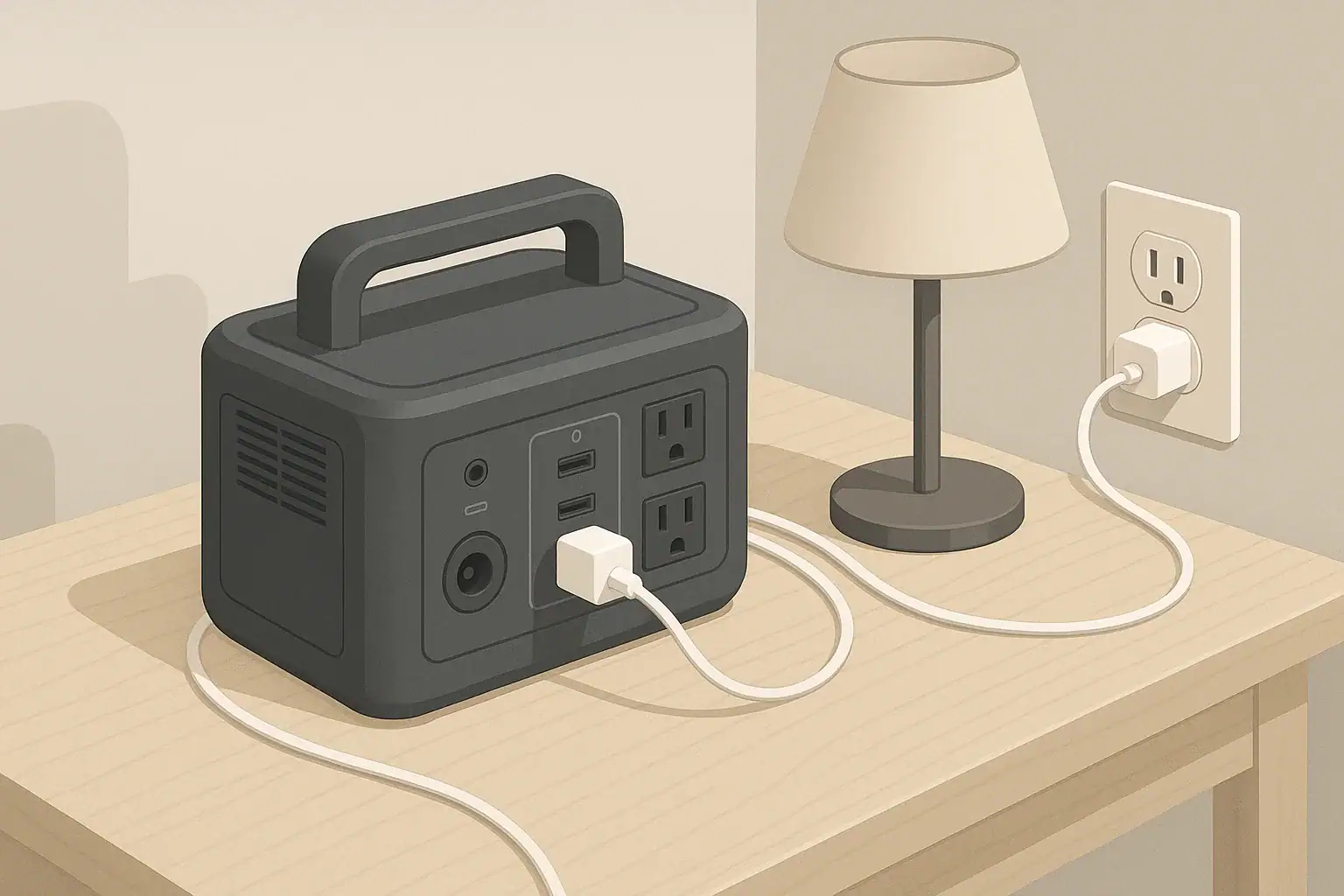
Portable power stations are packed with electronics and high-capacity batteries, so moisture is a serious concern. Terms like splash resistant, waterproof, and IP ratings can be confusing, especially when planning for camping, RV trips, or emergency backup power at home. Understanding what these labels actually mean helps you avoid costly damage and unsafe situations.
Water resistance describes how well a device can handle exposure to rain, splashes, or brief contact with water. Humidity resistance is about how well the device tolerates damp air over time. IP ratings use a two-digit code to indicate protection against solid particles (like dust) and liquids (like water) under standardized test conditions. Many portable power stations rely more on careful placement and operating habits than on high water-resistance ratings.
The phrase splash resistant is not a precise technical rating by itself. It usually means the device can handle minor, incidental contact with water, such as light drips or brief splashes, but not heavy rain, submersion, or pressurized water. In practice, that means you still need to keep the unit off wet ground, out of puddles, and away from direct spray.
For portable power stations, water and humidity protection matter because they affect both immediate safety and long-term reliability. Moisture can corrode internal parts, interfere with fans and vents, and create paths for electricity that were never intended. Knowing the limits of any “splash resistant” claim helps you choose safe locations, plan for weather, and match the power station’s capabilities to your use case.
What water resistance and IP ratings really mean
Portable power stations are packed with electronics and high-capacity batteries, so moisture is a serious concern. Terms like splash resistant, waterproof, and IP ratings can be confusing, especially when planning for camping, RV trips, or emergency backup power at home. Understanding what these labels actually mean helps you avoid costly damage and unsafe situations.
Water resistance describes how well a device can handle exposure to rain, splashes, or brief contact with water. Humidity resistance is about how well the device tolerates damp air over time. IP ratings use a two-digit code to indicate protection against solid particles (like dust) and liquids (like water) under standardized test conditions. Many portable power stations rely more on careful placement and operating habits than on high water-resistance ratings.
The phrase splash resistant is not a precise technical rating by itself. It usually means the device can handle minor, incidental contact with water, such as light drips or brief splashes, but not heavy rain, submersion, or pressurized water. In practice, that means you still need to keep the unit off wet ground, out of puddles, and away from direct spray.
For portable power stations, water and humidity protection matter because they affect both immediate safety and long-term reliability. Moisture can corrode internal parts, interfere with fans and vents, and create paths for electricity that were never intended. Knowing the limits of any “splash resistant” claim helps you choose safe locations, plan for weather, and match the power station’s capabilities to your use case.
Key concepts and sizing logic: power, energy, and losses
When you combine water and humidity concerns with portable power planning, sizing becomes more than just picking the biggest battery. You need to understand how much power your devices draw, how long you want to run them, and how environmental factors like temperature and moisture can influence performance and safety.
Watts (W) measure power, or how fast energy is used at any moment. Watt-hours (Wh) measure stored energy, or how much total work a battery can do over time. A 500 W device running for 2 hours uses about 1,000 Wh, not counting efficiency losses. The larger the Wh rating of your power station, the longer it can run a given load, assuming safe, dry conditions.
Most household appliances have different surge and running wattage. Surge (or starting) watts are the short burst of higher power needed to get motors and compressors going, like in refrigerators or power tools. Running watts are what they draw once they are up to speed. Your portable power station’s inverter must handle both: if surge capacity is exceeded, it may shut down even if the running power seems within the rated limit.
Efficiency losses also reduce real-world runtime. Inverters converting battery DC to 120V AC waste some energy as heat. High humidity and poor airflow can make heat dissipation harder, causing fans to run more aggressively or the unit to derate its output. As a rough rule of thumb, you might lose 10–20% of the theoretical battery capacity to conversion and other system overhead, more if the unit is hot, poorly ventilated, or used near its maximum rating.
| What to check | Why it matters | Notes (example guidance only) |
|---|---|---|
| Total running watts of devices | Ensures inverter can handle continuous load | Add up all devices; stay under about 80% of inverter rating |
| Highest surge watt requirement | Prevents shutdown when motors or compressors start | Choose a unit with surge capacity above your highest-starting device |
| Estimated daily watt-hours | Helps size battery capacity realistically | Multiply watts by hours for each device and sum for a 24-hour period |
| Expected efficiency losses | Avoids overestimating runtime | Reduce battery Wh by 10–20% to account for conversion and heat losses |
| Humidity and temperature exposure | Impacts cooling, safety, and long-term durability | Avoid enclosed, damp spaces; allow air flow around vents and fans |
| Water resistance or IP rating | Determines safe environments and placement options | “Splash resistant” generally still requires dry, elevated placement |
| Charging source and time window | Ensures you can recharge between uses | Compare charger watts to battery Wh to estimate charging hours |
| Cord length and routing | Reduces tripping and water-contact risk | Plan dry, elevated paths away from puddles and doorways |
Understanding IP ratings and splash claims
Ingress Protection (IP) ratings, when provided, use two digits: the first is protection against solids (0–6), and the second is protection against water (0–9). For example, a device rated IP54 has moderate protection against dust and protection against splashing water from any direction during lab tests. Not all portable power stations list an IP rating, and many are effectively designed only for indoor or dry use.
The word splash resistant alone does not tell you the level of protection. It may correspond roughly to a lower IP water digit, such as 3 or 4, but that is not guaranteed unless explicitly stated. In practice, even with a splash-friendly design, the safest approach is to treat portable power stations like indoor electronics: keep them in dry, shaded spots, elevated off the ground, and away from direct rain or hose spray.
Real-world examples of water, power, and runtime
Looking at typical use cases helps illustrate how power, energy, and environmental exposure come together. Consider a small home outage scenario. You might run a 100 W refrigerator average load, a 10 W LED light, and charge a 60 W laptop for several hours, all while keeping the power station in a dry corner away from windows and doors that could leak in a storm.
If your refrigerator averages 100 W over 8 hours, that is about 800 Wh. A 10 W light for 8 hours adds 80 Wh. Charging the laptop at 60 W for 3 hours adds another 180 Wh. Total usage is about 1,060 Wh. If your power station has a 1,200 Wh battery, efficiency losses might reduce usable energy to around 1,000 Wh, meaning you are close to its practical limit. Any extra humidity-related derating or fan overhead further eats into that margin.
For camping or vanlife, water risks are different. You may be dealing with morning dew, coastal humidity, or occasional splashes from cooking and washing. A setup using a 40 W electric cooler, 10 W of lighting, and 20 W of device charging might use about 70 W continuous. Over 12 hours, that is roughly 840 Wh. A mid-sized portable power station could cover that overnight, but you still need to protect it from condensation under tents or awnings and keep it elevated off damp ground.
In RV or remote work setups, you may run higher loads like a 150 W monitor, 60 W laptop, and 50 W networking gear (260 W total). Four hours of work would use about 1,040 Wh. If the unit is in a semi-enclosed storage bay with poor airflow and high humidity, heat buildup could limit continuous output. Good ventilation and dry placement can be as important as having enough watt-hours on paper.
Common mistakes and troubleshooting cues
Many portable power station issues stem from misunderstanding both power limits and environmental constraints. One frequent mistake is assuming “splash resistant” means “weatherproof.” Users may leave a unit on a damp deck or exposed to drizzle, leading to corrosion, sticky buttons, or intermittent faults that show up weeks later, long after the rain is forgotten.
Another common error is ignoring surge power. A refrigerator, sump pump, or power tool might trip the inverter when starting up, even though the running watts seem acceptable. If the power station shuts off abruptly when a device kicks on, that is a sign the surge rating is being exceeded. Repeated overload events can cause extra heat stress, especially in humid spaces where cooling is already challenged.
Charging slowdowns are also common. If you notice that the power station charges more slowly than expected, the reasons may include high battery temperature, limited input wattage from the wall, car, or solar source, or internal limits that reduce charge rate to protect the battery. High ambient humidity combined with warm temperatures can lead to more fan activity and thermal limits, both of which impact charge speed.
Watch for cues like fans running constantly at low loads, warning icons on the display, or frequent automatic shutdowns. These can indicate overloads, overheating, or internal detection of unsafe conditions—sometimes triggered more easily when vents are blocked by damp fabric, placed too close to walls, or set on soft surfaces that trap moisture and heat. When in doubt, power down, move the station to a cooler, drier, well-ventilated location, and reduce the load.
Safety basics: water, placement, cords, and protection
From a safety standpoint, portable power stations should be treated more like computers than like outdoor power tools. Even if marketing mentions splash resistance, avoid placing them in areas where they can be submerged, exposed to heavy rain, or sit in standing water. Water and electricity are a hazardous combination, especially around 120V AC outlets.
Good placement practices include keeping the power station on a stable, elevated, dry surface. Maintain clearance around vents and fans so the unit can cool itself properly. In humid environments, airflow helps reduce condensation on and around the housing. Avoid enclosing the unit in airtight boxes, cabinets, or under piles of gear, especially in damp RV bays or tent corners.
Use cords rated for outdoor or damp environments if you must run power outside, and route them to keep connectors off the ground where puddles can form. Avoid daisy-chaining power strips or using damaged cords with cracked insulation. In wet areas like garages or patios, plugging loads into outlets protected by a Ground-Fault Circuit Interrupter (GFCI) can reduce shock risk. If you are unsure about GFCI protection in your home or RV, consult a qualified electrician rather than attempting any wiring changes yourself.
Never try to integrate a portable power station directly into a building’s electrical panel or permanent wiring without professional help. Improper connections can create backfeed hazards for utility workers and increase fire or shock risks, especially when moisture is present. Instead, use correctly rated cords to power individual appliances, and keep all connections easily visible so you can spot any signs of moisture, overheating, or damage.
Maintenance and storage in humid and wet conditions
Long-term reliability depends on how you store and maintain your portable power station between uses. Batteries age faster when stored fully charged at high temperatures or in very damp locations. For most lithium-based systems, keeping the state of charge somewhere in the middle range during storage can help extend lifespan, unless the manufacturer specifies otherwise.
Humidity plays a quiet but important role. Storing a power station in a damp basement, shed, or RV compartment can lead to corrosion on connectors, vent grilles, and internal components over time. If you must store it in a space that sometimes gets humid, place it on a shelf rather than directly on concrete and consider adding general moisture control to the area, such as ventilation or a dehumidifier.
Most portable power stations slowly self-discharge over time, meaning the battery level will drift down even when not in use. Checking the charge every few months and topping it up as needed helps keep the battery healthy and ensures it is ready for emergencies. Avoid letting the battery sit at 0% for extended periods, as deep, prolonged depletion can harm capacity.
Temperature limits also matter. Extreme heat accelerates aging, while extreme cold can temporarily reduce capacity and may prevent charging altogether until the battery warms up. For storage, a cool, dry indoor environment is usually best. Wipe off any visible moisture, dust, or grime on the housing and ports before storing the unit, and avoid using harsh cleaners that could degrade seals, gaskets, or plastics that contribute to whatever splash resistance the design provides.
| Maintenance task | Suggested frequency | Key considerations |
|---|---|---|
| Check battery state of charge | Every 1–3 months | Avoid long-term storage at 0%; maintain a mid-range charge when idle |
| Top up charge for emergency readiness | Before storm seasons or trips | Fully charge when a power outage or travel is likely in the near term |
| Inspect for moisture or corrosion | Every 3–6 months | Look at ports, vents, and seams; move to a drier storage location if needed |
| Clean exterior surfaces | As needed | Use a dry or slightly damp cloth; avoid soaking or spraying the unit |
| Verify fans and vents are clear | Every 3–6 months | Remove dust buildup that could trap heat, especially in humid climates |
| Function test under light load | Every 6–12 months | Confirm outlets and ports work before you need them in an emergency |
| Review operating environment | Seasonally | Check that storage remains cool, dry, and away from standing water |
| Review user documentation | Annually | Look for any model-specific guidance on water resistance and care |
Practical takeaways and checklist
Water, humidity, and IP ratings all influence how and where you can safely use a portable power station, but they do not replace careful planning. Splash resistance is not a license to leave your unit in the rain; it is a modest buffer against minor, accidental exposure. Treat the unit as sensitive electronics first, and as an outdoor tool only within clear, conservative limits.
When planning capacity, remember that watts describe how much you can power at once, while watt-hours determine how long you can run those loads. Factor in surge demands, efficiency losses, and the way heat and humidity can reduce effective performance. Combine that with safe placement, occasional maintenance, and realistic expectations about water exposure.
- Keep portable power stations on dry, elevated, stable surfaces, away from standing water and direct rain.
- Do not rely on “splash resistant” claims for heavy weather; use shelters, awnings, or indoor locations instead.
- Size your power station by adding up running watts, checking surge needs, and estimating total daily watt-hours.
- Allow space around vents and fans so the unit can stay cool, especially in humid or warm environments.
- Use appropriate cords, avoid damaged cables, and favor GFCI-protected circuits in damp areas where possible.
- Store the unit in a cool, dry area, check charge every few months, and avoid long periods at 0% or in extreme temperatures.
- Inspect periodically for moisture, corrosion, and dust, and clean gently without spraying liquids directly on the unit.
- Consult a qualified electrician for any integration with home wiring, and otherwise power appliances directly with cords.
By understanding what water resistance and IP ratings really mean and combining that knowledge with sound sizing and safety practices, you can get reliable, long-term use from a portable power station in a wide range of everyday and emergency situations.
Frequently asked questions
What IP water rating should I look for to protect a portable power station from light rain and splashes?
For protection against light rain and splashes, look for a water ingress rating of at least IPX4 (splashing water from any direction). If dust protection is also important, an IP54 rating indicates both limited dust ingress and splash resistance. Keep in mind many units do not publish an IP rating, so physical placement and shelters remain essential.
Does “splash resistant” mean it’s safe to use a power station outdoors during storms?
No. “Splash resistant” typically covers minor, incidental exposure and is not a guarantee against heavy rain, prolonged exposure, or submersion. During storms you should keep the unit under cover, elevated, and away from wind-driven rain or pooling water.
How does high humidity affect performance and safety of portable power stations?
High humidity can promote internal corrosion, reduce heat dissipation, and cause components like fans or ports to fail sooner, which may force the unit to derate or shut down. For safety and longevity, ensure good ventilation, avoid enclosed damp spaces, and inspect for moisture or corrosion regularly.
Are the output ports and cords on a portable power station usually waterproof?
Most ports and standard cords are not fully waterproof and can be vulnerable to moisture at the connectors. Use outdoor-rated extension cords, keep connectors elevated and dry, and rely on GFCI-protected outlets in damp areas to reduce shock risk. Check the manufacturer’s documentation for any port-specific protections.
What storage and maintenance steps reduce moisture-related damage when a power station is idle?
Store the unit in a cool, dry location off the ground, maintain a mid-range charge, and inspect ports and vents every few months for corrosion or moisture. If the storage area is occasionally humid, add ventilation or a dehumidifier and wipe down the housing and connectors before long-term storage.
Recommended next:
- Indoor Use Safety: Ventilation, Heat, and Fire-Prevention Basics
- Extension Cords and Power Strips: Safe Practices With Portable Power Stations
- GFCI Tripping Explained: Why Power Tools and Appliances Trip on Power Stations (and Solutions)
- Neutral-Ground Bonding Explained for Portable Power Stations: When It Matters (and When It Doesn’t)
- More in Safety →
Related guides
Browse this topic →
- Beginner-friendly sizing, runtime & specs
- Solar & charging (MPPT, fast charging, cables)
- Batteries (LiFePO4, cycles, care & storage)
- Safety, cold-weather performance, real-world tips
More in Safety
See all →Keep reading
About this site
Portable Energy Lab publishes practical, independent guides about portable power—clear sizing, safe use, and real-world expectations.
Affiliate disclosure
Some links on this site may be affiliate links. If you buy through these links, we may earn a small commission at no extra cost to you. This helps support our content. Learn more.