
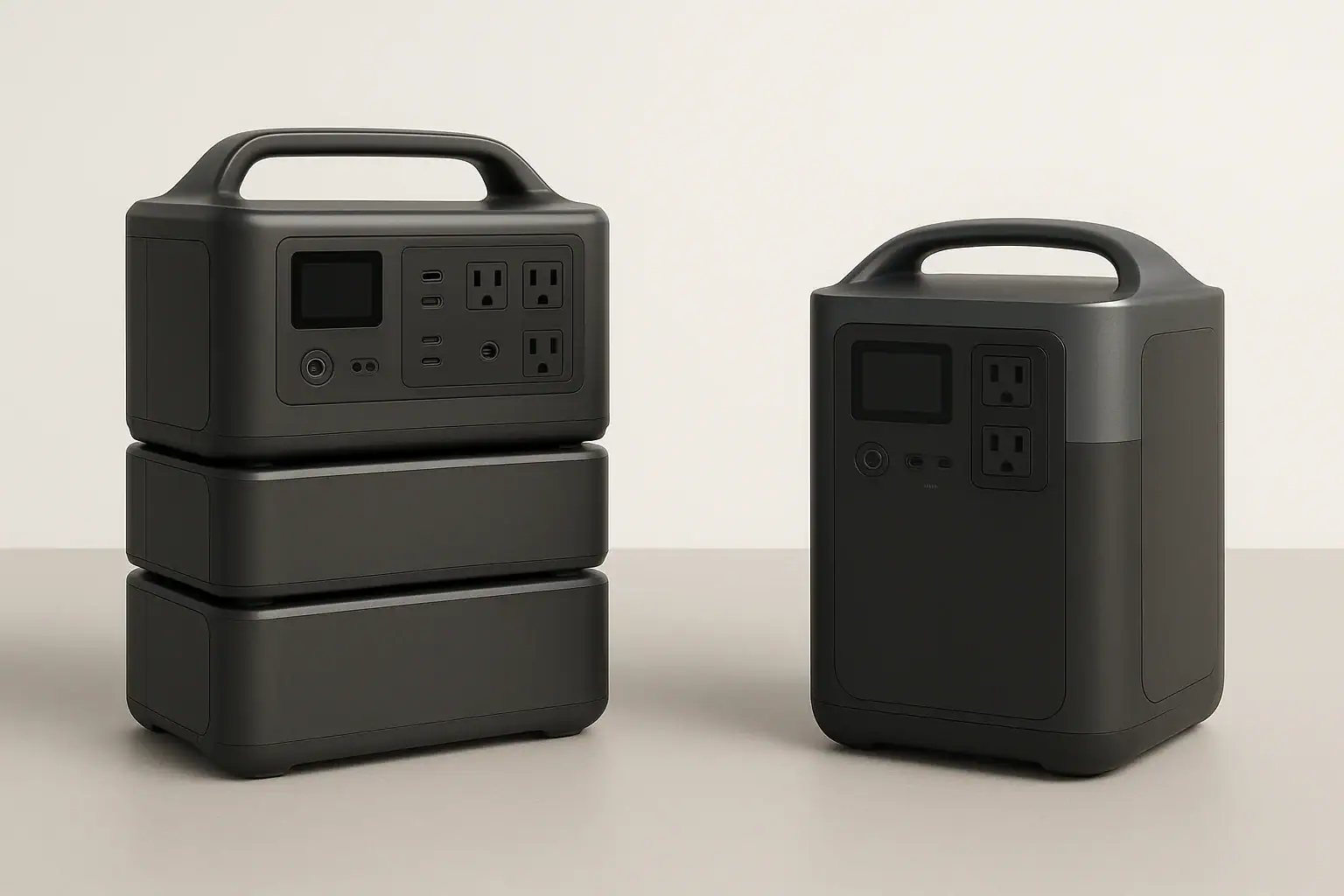
Modular portable power stations are better when you need expandable capacity or flexible runtime, while all-in-one units are better when you want simpler setup, lower bulk, and predictable performance. The best choice depends on how much energy you need, how often you move the unit, and whether your loads create high surge watts, long runtime needs, or frequent solar charging demands.
In search terms, the comparison comes down to battery expansion, input limit, AC inverter size, solar input, recharge time, and total system weight. A modular system can grow from a compact base unit into a larger backup setup, but it may require more cables, space, and planning. An all-in-one power station keeps the battery, inverter, charger, and outlets in one case, which is easier for camping, tailgating, short outages, and grab-and-go emergency use.
What modular and all-in-one power stations mean
A portable power station is a rechargeable battery system with built-in output ports. Most include AC outlets, USB ports, DC outputs, a charge controller, a battery management system, and an inverter that converts battery power into household-style AC power.
An all-in-one portable power station places the usable battery capacity, inverter, charger, display, controls, and outputs inside one enclosure. You buy one unit, charge it, and use it as a self-contained energy source. Some all-in-one models may accept solar panels or an accessory battery, but their main identity is one integrated box.
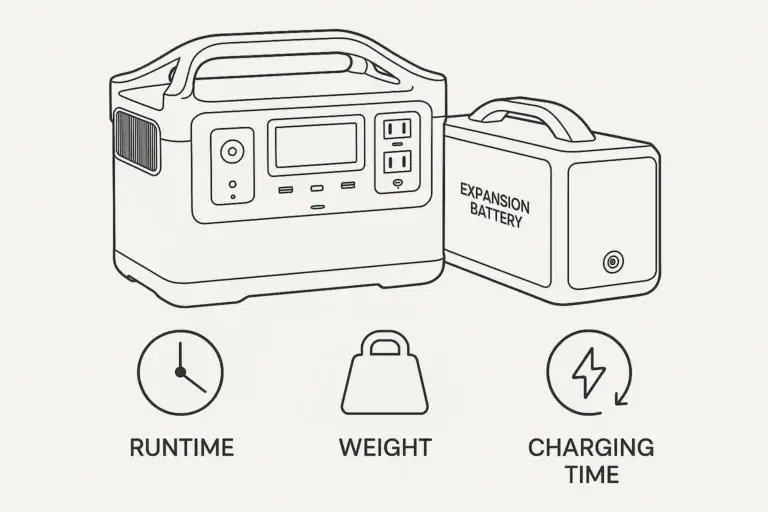
A modular portable power station uses a base unit with one or more optional expansion batteries. The base often contains the inverter, outlets, display, charging electronics, and control system. Expansion modules add watt-hours without requiring a completely separate power station. Some modular systems are small enough for recreational use, while larger systems are closer to home backup equipment.
This distinction matters because capacity and portability pull in opposite directions. More watt-hours can keep a refrigerator, medical device, router, fan, or lights running longer, but it also adds weight and storage volume. Modular design separates those decisions: you can carry the base unit alone for small jobs or attach battery modules for longer backup. All-in-one design favors simplicity: there are fewer pieces to manage and fewer compatibility questions.
How the designs work: capacity, inverter output, and charging
The main difference is where the energy is stored and how the system scales. In an all-in-one unit, the internal battery determines the maximum stored energy. If the unit has 1,000 watt-hours of usable capacity, your runtime is limited by that capacity, conversion losses, and the load you connect. A 100-watt load may run for several hours, while a 1,000-watt appliance may drain the battery quickly.
In a modular setup, the base unit may start with a modest internal battery or no large battery at all, then connect to expansion packs. The inverter output may stay the same even when capacity increases. For example, adding batteries may double runtime but not raise the maximum continuous watts the AC outlets can deliver. This is a common misunderstanding: capacity affects how long power lasts; inverter rating affects what you can run.
Charging also differs. Both designs may support wall charging, car charging, and solar charging. Modular systems often offer higher total charging potential when paired with additional batteries or larger solar arrays, but they may also have more input rules. All-in-one stations are usually easier to understand: one input limit, one battery gauge, and one expected recharge time.
When comparing either design, focus on usable watt-hours, continuous watts, surge watts, AC and solar input limits, charging speed, battery chemistry, and weight. These specs tell you more than marketing terms such as “whole-home capable” or “off-grid ready.”
| Comparison point | Modular power station | All-in-one power station |
|---|---|---|
| Capacity growth | Can often expand with add-on batteries for longer runtime. | Usually limited to the built-in battery capacity. |
| Portability | Can be split into pieces, but total system weight may be high. | Single box is easier to grab, move, and store. |
| Setup complexity | More cables, modules, and compatibility checks. | Simpler operation with fewer components. |
| Runtime planning | Flexible for outages, work sites, and extended solar use. | Predictable for short trips, light backup, and occasional use. |
| Cost pattern | May start lower or higher, but expansion adds cost over time. | Total cost is clearer at purchase because capacity is fixed. |
Real-world examples and best use cases
Best use cases for modular power stations include longer outages, cabins, RV base camps, small business continuity, medical device backup where extended runtime is important, and solar-heavy setups where you want to store more daytime energy for nighttime use. Modular systems make sense when the same user sometimes needs a small portable battery and sometimes needs a larger backup bank.
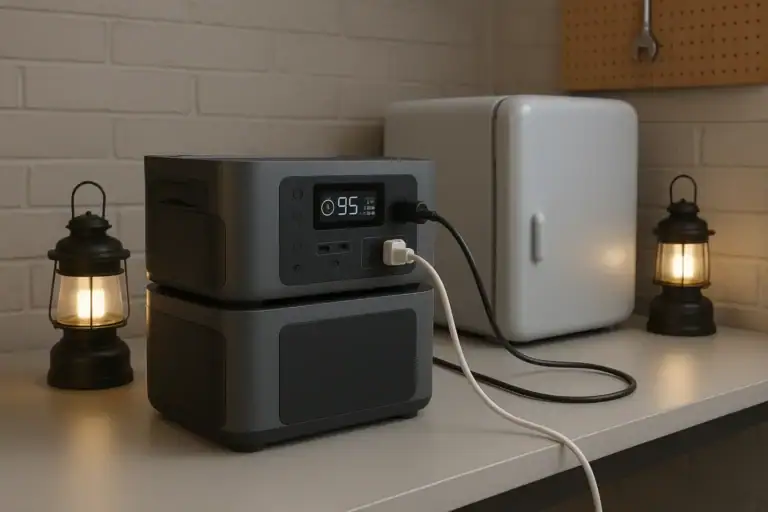
Consider a refrigerator that averages 80 to 150 watts over time but surges higher when the compressor starts. An all-in-one unit with enough surge capability may keep it running for a limited period. A modular system with extra batteries can extend that runtime significantly without changing the refrigerator or the base power station. The key is matching both the surge watts and the total watt-hours.
Modular stations also work well when loads are predictable but long lasting. Examples include internet equipment, LED lighting, fans, CPAP-style devices, camera gear, communications equipment, and efficient coolers. The ability to add capacity helps when you do not know whether an outage will last one evening or multiple days.
Best use cases for all-in-one power stations include car camping, day trips, short blackouts, apartment emergency kits, charging phones and laptops, powering small fans, running lights, and supporting temporary outdoor work. If you value quick setup and easy storage over maximum expandability, an all-in-one model is often the more practical design.
All-in-one units are also better for users who do not want to think about module order, battery balancing, connector types, firmware behavior, or separate carry weights. A single compact station is easier to lend to a family member, carry to a tent, move between rooms, or keep in a closet for occasional backup.
Common mistakes and troubleshooting cues
One common mistake is comparing only watt-hours. Capacity is important, but a large battery with a small inverter may still be unable to run a microwave, power tool, kettle, or pump. Check both continuous watts and surge watts. Continuous watts describe steady output. Surge watts describe short startup demand, which matters for compressors, motors, and some appliances.
Another mistake is assuming expansion batteries increase AC output. In many systems, extra batteries increase runtime, not inverter size. If a base unit is rated for 1,800 continuous watts, adding modules usually does not turn it into a 3,000-watt inverter. If a device overloads the AC outlet before expansion, it will likely still overload it after expansion.
Charging speed can also disappoint users. A power station with 2,000 watt-hours of storage and a 400-watt wall input may take many hours to recharge. Solar charging depends on panel size, sun angle, weather, cable losses, and the unit’s solar input limit. If the input limit is 500 watts, connecting much more panel capacity may not increase actual charging beyond that limit.
Watch for troubleshooting cues. If the station shuts off immediately, the connected load may exceed the inverter rating or surge capability. If solar charging starts and stops, panel voltage, shading, temperature, or connector compatibility may be the issue. If runtime is much shorter than expected, the load may be higher than rated, the battery may be cold, or AC conversion losses may be significant.
With modular systems, confirm that each battery module is fully seated and compatible with the base. Do not force connectors, bypass communication cables, or attempt to adapt battery packs outside the manufacturer-intended system. With all-in-one systems, avoid running loads that repeatedly trigger overload protection, because frequent shutdowns indicate a mismatch between the appliance and the power station.
Safety basics for both designs
Portable power stations are generally designed with built-in protections, but they still store substantial energy. Use them in dry, ventilated areas and keep them away from standing water, excessive heat, and flammable materials. Do not cover cooling vents while charging or discharging, especially under high AC loads.
Never open the housing, modify battery packs, bypass fuses, defeat overload protection, or connect unapproved expansion batteries. Internal battery systems can deliver high current, and improper modifications can create fire, shock, or burn hazards. If a unit is swollen, cracked, noticeably hot at rest, smoking, or producing an unusual odor, stop using it and move it to a safe area if you can do so without risk.
For home backup, avoid improvised connections to household wiring. A portable power station should not be backfed into an outlet or connected to a panel without proper equipment and professional oversight. If you want to power selected home circuits, consult a qualified electrician about code-compliant options. This is especially important for larger modular systems that may be powerful enough to run major appliances.
Cable sizing matters at a high level. Undersized extension cords can overheat under heavy loads. Use cords rated for the expected wattage and keep runs as short as practical. For DC and solar connections, use compatible connectors and stay within the device’s stated voltage and current input range. When in doubt, choose a lower-risk setup rather than pushing limits.
Maintenance, battery health, and storage
Battery health depends on chemistry, temperature, charge level, cycling habits, and storage conditions. Many modern portable power stations use lithium-based batteries, commonly lithium iron phosphate or lithium-ion variants. In general, lithium iron phosphate tends to offer longer cycle life and better thermal stability, while other lithium chemistries may offer higher energy density in a smaller package.
For occasional emergency use, check the battery every few months instead of leaving it untouched for a year. Store the unit in a cool, dry place, away from direct sun and freezing temperatures when possible. A moderate state of charge, often around half to three-quarters full, is commonly better for long-term storage than keeping the battery completely full or completely empty for months.
Modular systems need one extra habit: keep modules reasonably synchronized. If expansion batteries sit unused for long periods, check their charge levels and inspect connectors for dust or damage before use. Store cables with the system so the correct parts are available during an outage.
All-in-one systems are easier to maintain because there are fewer separate pieces. Still, the same basics apply: recharge periodically, keep vents clean, avoid moisture, and test essential loads before an emergency. A short test with a refrigerator, router, light, or medical-related device can reveal runtime expectations and overload issues before you actually need backup power.
| Maintenance task | Typical interval | Why it matters |
|---|---|---|
| Check state of charge | Every 2 to 3 months in storage | Helps prevent deep discharge and surprise low battery. |
| Inspect vents and ports | Before charging or heavy use | Reduces heat buildup and connector problems. |
| Test essential loads | Before storm season or travel | Confirms runtime, surge handling, and outlet compatibility. |
| Review module charge levels | Before using expansion batteries | Helps modular systems perform predictably. |
| Store in a cool, dry place | Whenever not in use | Supports battery life and safer storage. |
Related guides: Portable Power Station Expansion Batteries: When Extra Capacity Makes Sense • Portable Power Station Watt-Hours Explained • Surge Watts vs Running Watts: How to Size a Portable Power Station • Input Limits (Volts/Amps/Watts) Explained: How Not to Damage Your Unit
Practical takeaways and specs to look for
Choose a modular portable power station if your priority is expandable runtime, longer outage coverage, and the ability to scale capacity over time. It is the stronger fit for users who can manage extra modules and want one system to cover both small and larger energy needs.
Choose an all-in-one portable power station if your priority is simplicity, portability, and fast setup. It is the stronger fit for short outages, travel, apartments, light backup, and users who want one self-contained unit with minimal configuration.
The most practical approach is to list the devices you want to run, estimate their watts, note any startup surge, and decide how many hours of runtime you need. Then compare power stations by usable capacity, inverter rating, charging speed, and weight rather than by design label alone.
Specs to look for
- Usable capacity: Look for watt-hours that match your runtime target, such as 500 to 1,000 Wh for light backup or 2,000 Wh and above for longer appliance support; this determines how long the station can power your loads.
- Expansion capacity: For modular systems, check the maximum supported capacity, such as adding one to three battery modules; this matters if your outage or camping needs may grow over time.
- Continuous AC output: Look for an inverter rating that exceeds your highest steady load, such as 600 W for small electronics or 1,800 to 3,000 W for heavier appliances; this determines what the unit can run without overload.
- Surge watt rating: Look for short-term surge capability above motor or compressor startup needs, often roughly 2 times the running wattage; this matters for refrigerators, pumps, and power tools.
- AC and solar input limits: Check wall input and solar input ranges, such as 400 to 1,500 W charging support; this affects how quickly you can refill the battery.
- Battery chemistry and cycle life: Look for chemistry and cycle ratings that fit your use, such as longer-cycle lithium iron phosphate for frequent cycling; this affects long-term value and battery durability.
- Weight per piece: Compare the base unit and each module, such as 25 to 50 lb for portable pieces or heavier for large backup modules; this determines whether you can move the system safely.
- Port selection: Look for enough AC outlets, USB-C ports with suitable power levels, DC outputs, and regulated 12 V output if needed; this prevents adapter clutter and compatibility issues.
- Pass-through and backup behavior: Check whether the station supports powering loads while charging and how quickly it switches during an outage; this matters for routers, computers, and sensitive equipment.
Both designs can be excellent when matched to the right job. Modular systems solve the problem of changing runtime needs. All-in-one systems solve the problem of convenience. The better choice is the one that meets your load, runtime, charging, safety, and storage requirements without adding unnecessary complexity.
Frequently asked questions
Which is better for home backup: modular or all-in-one portable power stations?
Modular systems are usually better for home backup when you need longer runtime or want to add capacity over time. All-in-one units can still work for short outages or a few essential devices, but they are less flexible if your backup needs grow. The better choice depends on the loads you want to support and how long you need them to run.
What specs matter most when comparing modular vs all-in-one portable power stations?
The most important specs are usable watt-hours, continuous AC output, surge watts, charging input limits, and total weight. For modular systems, also check the maximum expansion capacity and whether extra batteries change runtime only or also affect output. These details matter more than the design label alone.
What is a common mistake people make when choosing between these two designs?
A common mistake is focusing only on battery capacity and ignoring inverter output. A large battery does not help if the inverter cannot handle the appliance’s steady or startup wattage. Another mistake is assuming expansion batteries automatically increase AC power, when they often only increase runtime.
Are modular portable power stations harder to use than all-in-one units?
Usually yes, because modular systems can involve more cables, setup steps, and compatibility checks. That extra complexity is the tradeoff for longer runtime and expandability. If you want the simplest possible setup, an all-in-one unit is typically easier to manage.
Are portable power stations safe to use indoors?
They are generally safe indoors when used as directed, because they do not produce exhaust like gas generators. Keep them in a dry, ventilated area, do not block cooling vents, and avoid overloading the unit. Never modify the battery system or use unapproved expansion batteries.
Which type is better for camping or travel?
All-in-one portable power stations are usually better for camping and travel because they are simpler to carry, set up, and store. Modular systems can make sense for extended trips or base camps where extra runtime matters more than convenience. If you only need to charge phones, lights, or a laptop, an all-in-one unit is often the easier choice.
Related guides
Browse this topic →
- Beginner-friendly sizing, runtime & specs
- Solar & charging (MPPT, fast charging, cables)
- Batteries (LiFePO4, cycles, care & storage)
- Safety, cold-weather performance, real-world tips
More in Comparison
See all →Keep reading
About this site
Portable Energy Lab publishes practical, independent guides about portable power—clear sizing, safe use, and real-world expectations.
Affiliate disclosure
Some links on this site may be affiliate links. If you buy through these links, we may earn a small commission at no extra cost to you. This helps support our content. Read our affiliate disclosure.