
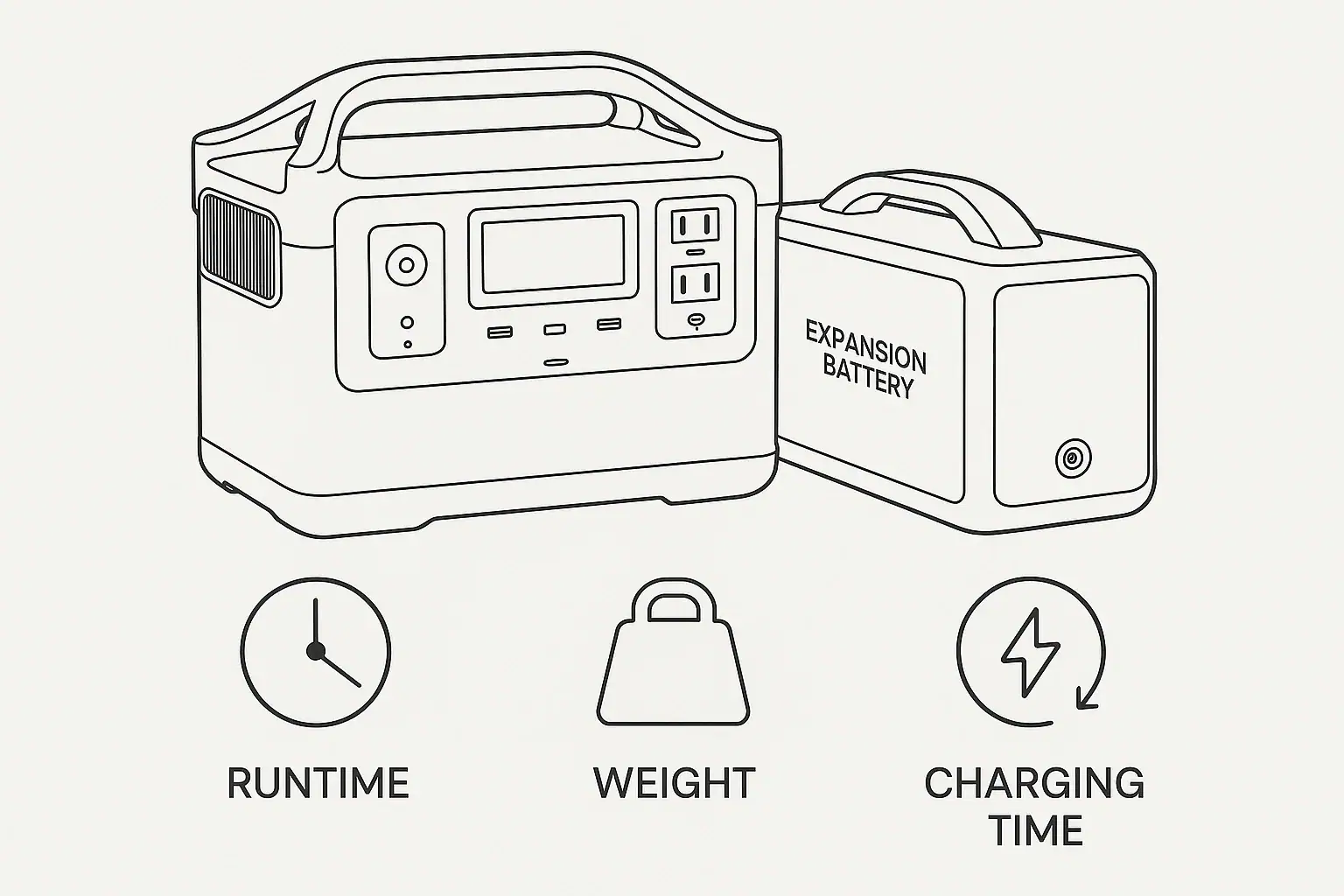
Battery expansion usually increases runtime in proportion to added watt-hours, while also adding weight and often lengthening charging time.
For a portable power station, an extra battery or expansion battery is mainly a capacity upgrade, not a magic power upgrade. It can help a refrigerator, CPAP machine, lights, router, or small tools run longer, but it does not always increase surge watts, inverter output, AC charging speed, solar input, or USB-C PD profile capability.
The important tradeoff is simple: more stored energy means longer runtime, more pounds to carry, and more energy that must be refilled. The exact result depends on usable capacity, inverter efficiency, input limit, battery chemistry, temperature, load size, and whether the system can charge the main unit and expansion module at the same time.
What Battery Expansion Means and Why It Matters
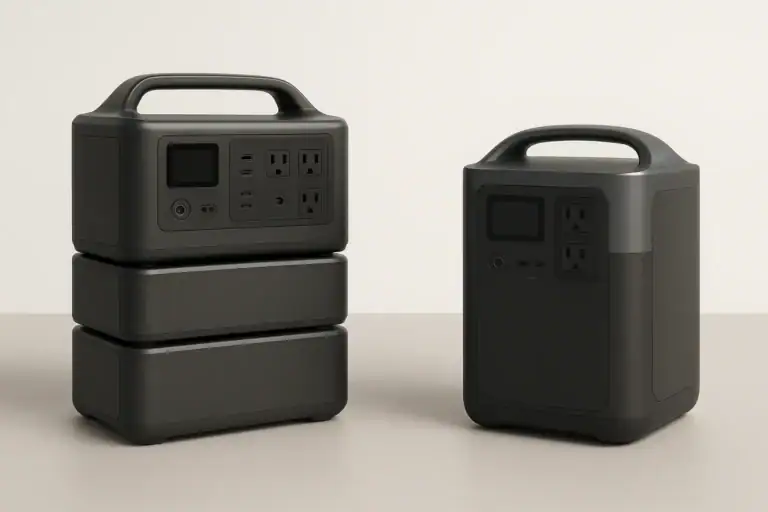
Battery expansion means connecting an approved add-on battery module to a compatible portable power station to increase total energy storage. The key number is watt-hours, often written as Wh. If the main unit stores about 1,000 Wh and the expansion battery adds about 1,000 Wh, the larger system may offer roughly twice the stored energy before accounting for losses.
This matters because many buyers confuse capacity with output. Capacity tells you how long something may run. Output tells you what the power station can run at one time. Adding battery capacity may let a 100-watt load run longer, but it may not let a 2,000-watt heater run if the inverter is rated below that load. Likewise, a larger battery may not make USB-C devices charge faster if the USB-C port is still limited to a certain PD profile.
Expansion also changes how practical the system feels. A larger setup may be excellent for backup power, camping with a vehicle, long workdays, or running medical support equipment with proper planning. It may be less convenient for short trips, stair carrying, apartment storage, or anyone who needs a single lightweight unit. The best capacity choice is not just the biggest number; it is the best balance of runtime, portability, recharge speed, and safe use.
How Added Capacity Changes the Math
The basic runtime formula is total usable watt-hours divided by the average watts used by your devices. A 100-watt average load on 900 usable Wh may run about 9 hours. If expansion raises usable capacity to 1,800 Wh, the same load may run about 18 hours. Real runtime varies because inverters, DC converters, standby electronics, temperature, and battery management systems all consume some energy.
Usable capacity is usually lower than nameplate capacity. A unit labeled 1,000 Wh may not deliver a full 1,000 Wh to AC outlets because converting battery DC power to household AC power creates heat and efficiency losses. Light DC loads may be more efficient than AC loads, while very small loads can be affected by idle drain if the inverter stays on for many hours.
Charging time changes in a related way. If total capacity doubles but charging input stays the same, charge time often nearly doubles. For example, a 1,000 Wh system charging at 500 watts may take a few hours, while a 2,000 Wh expanded system at the same 500-watt input may take roughly twice as long. Some systems allow higher combined AC input or higher solar input when expanded, but others do not. The input limit is one of the most important specs to compare before assuming a larger battery will be convenient.
| Change | What usually happens | Why it happens |
|---|---|---|
| Runtime | Increases roughly with usable Wh | More stored energy is available for the same load |
| Weight | Increases by the weight of each added module | Cells, case, cables, and electronics add mass |
| Charging time | Often increases unless input capacity also rises | More energy must be refilled through the same or similar input limit |
| Maximum AC output | Often stays the same | The inverter rating is usually in the main power station |
| Solar charging | May or may not improve | It depends on voltage range, amperage, and total solar input rating |
Real-World Runtime, Weight, and Charging Examples
Consider a portable refrigerator that averages 45 watts over time. A 1,000 Wh power station with about 850 Wh usable through the outlet may run it for about 18 to 19 hours. Expanding the system to about 2,000 Wh nameplate capacity may provide roughly 1,700 usable Wh and extend runtime to about 37 hours. The load did not change; the energy tank became larger.
For a CPAP machine using 30 to 60 watts depending on humidity and pressure settings, added capacity can be especially useful. If the setup averages 40 watts and the power station can provide 900 usable Wh, runtime may be about 22 hours. With an added battery that brings usable energy close to 1,800 Wh, runtime may approach 45 hours. Medical users should still plan conservatively, test their exact setup in advance, and keep backup options available.
For high-draw devices, the result can feel different. A 1,500-watt space heater can drain 1,500 Wh in about one hour before losses. Expansion helps, but even a large battery can be depleted quickly by heat-producing appliances. In many cases, a lower-wattage device, insulation, or intermittent use has a bigger practical effect than simply adding another battery.
Weight is the visible tradeoff. If the main unit weighs 35 pounds and the expansion module weighs 25 pounds, the combined setup is 60 pounds before accessories. That may still be manageable in a vehicle or garage, but it changes carrying distance, stair safety, shelf strength, and storage options. For users who move the system often, modularity can be helpful because each piece may be carried separately, even if the total system is heavier.
Charging examples show why input specs matter. A 2,000 Wh expanded system charged at 400 watts from solar may need a long clear day or more, depending on sun conditions and panel output. The same system charging at 1,000 watts from AC may be much more practical for quick turnaround. Expansion is most useful when the recharge plan matches the way the power station will be used.
Common Mistakes and Troubleshooting Cues
One common mistake is assuming battery expansion increases the inverter rating. If a power station is rated for 1,800 running watts and 3,600 surge watts, adding capacity may not change those numbers. If a microwave, pump, compressor, or saw overloads the unit before expansion, it may still overload it after expansion. Look for overload warnings, immediate shutoff, or failure to start as signs that output, not capacity, is the limiting factor.
Another mistake is estimating runtime from nameplate capacity without accounting for average load. A device labeled 600 watts may not always draw 600 watts, while a refrigerator may cycle between high and low draw. A plug-in power meter or the display on the power station can help estimate actual average watts. Runtime calculations are more accurate when they use average consumption over several hours rather than a maximum label.
Slow charging after expansion is also commonly misunderstood. If the battery system is larger but the AC charger, car charger, or solar input is unchanged, longer charging is normal. This is not necessarily a fault. However, troubleshooting is worthwhile if charge speed is far below the input setting, if solar voltage is outside the accepted range, if the cable is loose, or if the unit limits charging due to temperature.
Compatibility is another key cue. Expansion batteries are not universal. Connectors, voltage, battery management communication, firmware, and current limits must match the power station design. If the system does not recognize an expansion module, shows an error, or refuses to charge, stop using it and consult the manufacturer documentation or qualified service support. Do not modify connectors, adapt unsupported packs, or bypass protections.
Users also misjudge idle drain. Leaving the AC inverter on overnight for a tiny load can waste energy. If a device can run from regulated DC or USB-C safely and efficiently, that path may improve runtime. The right output port can matter almost as much as the expanded capacity.
Safety Basics for Expanded Battery Systems
Battery expansion should be treated as a higher-energy system, even when it is designed for consumer use. More watt-hours means more stored energy in the same area. Use only compatible expansion modules, cables, and charging accessories intended for the power station. Keep connectors clean, dry, and fully seated before use.
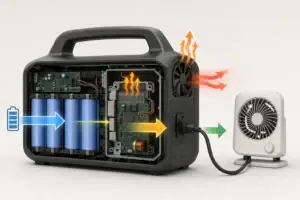
Ventilation is important. Portable power stations and add-on batteries create heat while charging, discharging, and balancing cells. Do not bury the system under bedding, clothing, or tightly packed cargo while it is under load. Keep it away from direct water exposure, flammable materials, and areas where cords can be pinched or tripped over.
For home backup, avoid unsafe connection methods. Do not plug a power station into a wall outlet to energize household circuits. Do not attempt improvised wiring into an electrical panel, transfer switch, or interlock. If you want a power station integrated with selected home circuits, consult a qualified electrician and use equipment intended for that purpose.
Pay attention to load type. Motors and compressors can draw a short surge higher than their running watts. Heating appliances can drain batteries quickly and may push the inverter near its limit for long periods. Medical equipment should be tested with the exact settings and accessories that will be used, and critical users should follow professional guidance for backup planning.
Temperature affects both safety and performance. Many lithium battery systems limit charging when too cold or too hot. Discharging in extreme temperatures can reduce runtime and may trigger protection shutdowns. If the unit displays a temperature warning, reduce load, improve airflow, or move the system to a more moderate environment when safe to do so.
Maintenance and Storage After Adding Batteries
Expanded systems are easier to own when the main unit and add-on battery are kept at similar states of charge, especially before long storage. Many portable power stations are best stored partially charged rather than completely full or empty. A practical storage range is often around 40 to 80 percent, but users should follow the documentation for their specific battery chemistry and system.
Check stored batteries periodically. Even when turned off, electronics can slowly lose charge over time. For long storage, inspect the display or app reading occasionally if available, and recharge before the battery becomes deeply depleted. Deep discharge can shorten battery life or cause the system to enter a protective state.
Keep expansion cables and connector covers organized. Dust, corrosion, bent pins, or damaged locking mechanisms can cause recognition issues or intermittent charging. Do not force connectors. If a cable becomes hot, cracked, crushed, or loose, stop using it and replace it with a compatible part.
Battery expansion can also change storage logistics. A larger system may require stronger shelves, more floor space, and a location that stays dry and temperature stable. Avoid storing heavy modules where they may fall, block emergency exits, or strain cords. If the system is used for emergency backup, keep the charging accessories, solar adapters, and essential output cables in the same location.
Cycle life depends on chemistry, depth of discharge, temperature, and charge habits. Lithium iron phosphate batteries are often chosen for longer cycle life, while other lithium chemistries may offer different weight and energy density characteristics. Regardless of chemistry, avoiding unnecessary heat and repeated deep discharges can help preserve usable capacity over time.
Practical Takeaways and Specs to Look For
| Scenario | Expansion benefit | Planning concern |
|---|---|---|
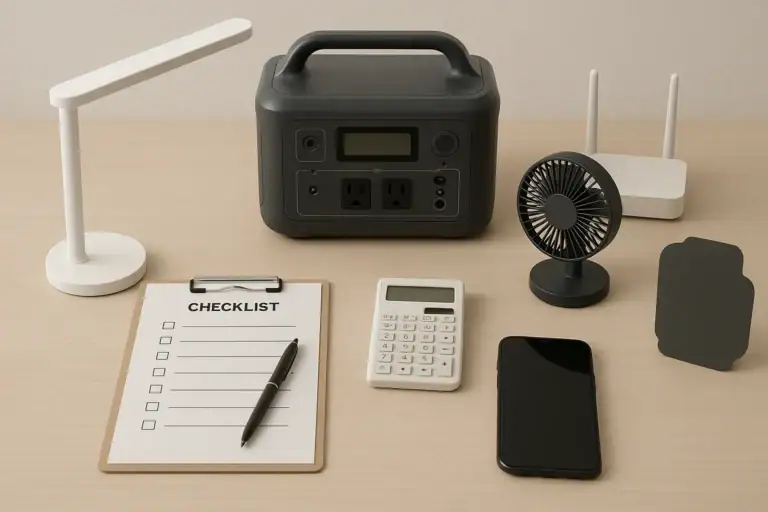
| Overnight essentials | Longer runtime for router, lights, fan, or CPAP | Use average watts and leave reserve capacity |
| Refrigeration backup | More hours through compressor cycling | Account for startup surge and warm weather |
| Vehicle camping | More energy for coolers and small electronics | Total weight and recharge access matter |
| Solar-first use | More storage for cloudy periods | Solar input limit may become the bottleneck |
| High-watt appliances | More minutes or hours, depending on load | Inverter rating and heat management still limit use |
Related guides: Portable Power Station Expansion Batteries: When Extra Capacity Makes Sense • Portable Power Station Watt-Hours Explained • Inverter Efficiency Explained: Why Your Runtime Is Shorter Than Expected
The simplest way to evaluate battery expansion is to separate three questions. First, how many usable watt-hours do you need for the loads you actually run? Second, can you comfortably move and store the heavier system? Third, can you recharge the expanded capacity fast enough for your schedule?
If runtime is the main goal, expansion is often effective. If the problem is overload, tripping, slow USB-C charging, or insufficient solar input, added capacity alone may not solve it. Match the upgrade to the bottleneck: watt-hours for runtime, inverter watts for larger AC loads, surge watts for startup loads, and input watts for faster recharging.
Specs to look for
- Total expandable capacity: Look for the main Wh rating plus supported added Wh, such as 1,000 Wh expandable to 2,000 to 5,000 Wh, because this sets the realistic runtime ceiling.
- Usable capacity estimate: Look for efficiency information or real-world AC output expectations, often around 80 to 90 percent for AC loads, because nameplate Wh is not the same as delivered energy.
- Continuous inverter output: Look for a running-watt rating that exceeds your largest simultaneous AC load, such as 1,500 to 3,000 watts for many household essentials, because expansion may not raise this limit.
- Surge rating: Look for a short-term surge rating high enough for motors and compressors, often about 2 times the running watt draw, because startup loads can cause instant shutdowns.
- AC charging input: Look for the maximum wall-charging watts, such as 600, 1,000, or 1,500 watts, because a larger battery can take much longer to refill through a low input limit.
- Solar input range: Look for total solar watts plus voltage and amperage ranges, such as 400 to 1,200 watts input with a compatible voltage window, because panel matching determines real solar recharge speed.
- Expansion battery weight: Look for the weight of each module, such as 20 to 50 pounds each, because total system weight affects carrying, vehicle loading, and storage safety.
- Battery chemistry and cycle life: Look for chemistry and cycle ratings such as lithium iron phosphate with thousands of cycles, because long-term capacity retention affects ownership value.
- Operating temperature range: Look for charging and discharging temperature guidance, because cold or heat can reduce runtime, slow charging, or trigger protection shutoffs.
Battery expansion is most successful when it is planned around actual loads, recharge time, and portability. Add capacity when you truly need longer runtime, but verify the output and input specs so the expanded system still fits the way you intend to use it.
Frequently asked questions
Does battery expansion increase runtime charging time at the same rate?
Usually, runtime increases roughly in proportion to added usable watt-hours, while charging time also increases if the input wattage stays the same. In practice, the relationship is not perfectly exact because inverter losses, idle drain, temperature, and charging limits can change the result. If the expanded system can accept more input power, charging time may not rise as much.
What specs matter most when choosing an expansion battery?
The most important specs are usable capacity, compatibility, charging input limit, inverter output, surge rating, and total weight. Solar input range and battery chemistry also matter if you plan to recharge outdoors or want longer cycle life. The best choice is the one that matches your actual load and recharge schedule, not just the largest Wh number.
What is the most common mistake people make with battery expansion?
A common mistake is assuming a bigger battery also increases AC output or surge power. Expansion usually adds runtime, but it does not automatically make the inverter stronger or faster to charge. Another frequent error is calculating runtime from nameplate capacity instead of average watts and usable capacity.
Is it safe to use a larger expanded battery system indoors?
Yes, many portable power stations and expansion batteries are designed for indoor use, but they still need proper ventilation and clear space around them. Keep the system away from water, heat sources, and anything that can block airflow or damage cables. Always follow the manufacturer’s temperature and placement guidance.
Why does my expanded battery take so long to charge?
Charging takes longer when total capacity increases but the charging input stays the same. Solar charging can be especially slow if panel output is below the system’s maximum input rating or if sunlight conditions are poor. Temperature limits, cable issues, and charge settings can also reduce charging speed.
Will battery expansion help high-watt appliances run longer?
Yes, but only to a point. Expansion can extend runtime for high-draw appliances, yet those devices may still drain the battery quickly and may be limited by the inverter rating or surge requirement. For very power-hungry loads, efficiency improvements or lower-watt alternatives can matter just as much as more capacity.
Related guides
Browse this topic →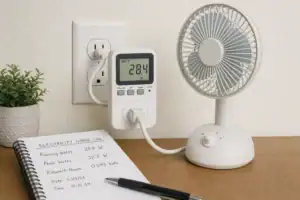
- Beginner-friendly sizing, runtime & specs
- Solar & charging (MPPT, fast charging, cables)
- Batteries (LiFePO4, cycles, care & storage)
- Safety, cold-weather performance, real-world tips
More in Capacity
See all →- Wh per Pound: How to Compare Portable Power Station Weight and Capacity
- Two Small Power Stations vs One Large Power Station: Which Backup Setup Is Better?
- How to Build a Load Priority List for a Portable Power Station During Blackouts
- Usable Capacity vs Advertised Capacity: Why 1,000Wh Doesn’t Mean 1,000Wh at the Outlet
- Why Output Ports Have Separate Watt Limits on Portable Power Stations
Keep reading
About this site
Portable Energy Lab publishes practical, independent guides about portable power—clear sizing, safe use, and real-world expectations.
Affiliate disclosure
Some links on this site may be affiliate links. If you buy through these links, we may earn a small commission at no extra cost to you. This helps support our content. Read our affiliate disclosure.