
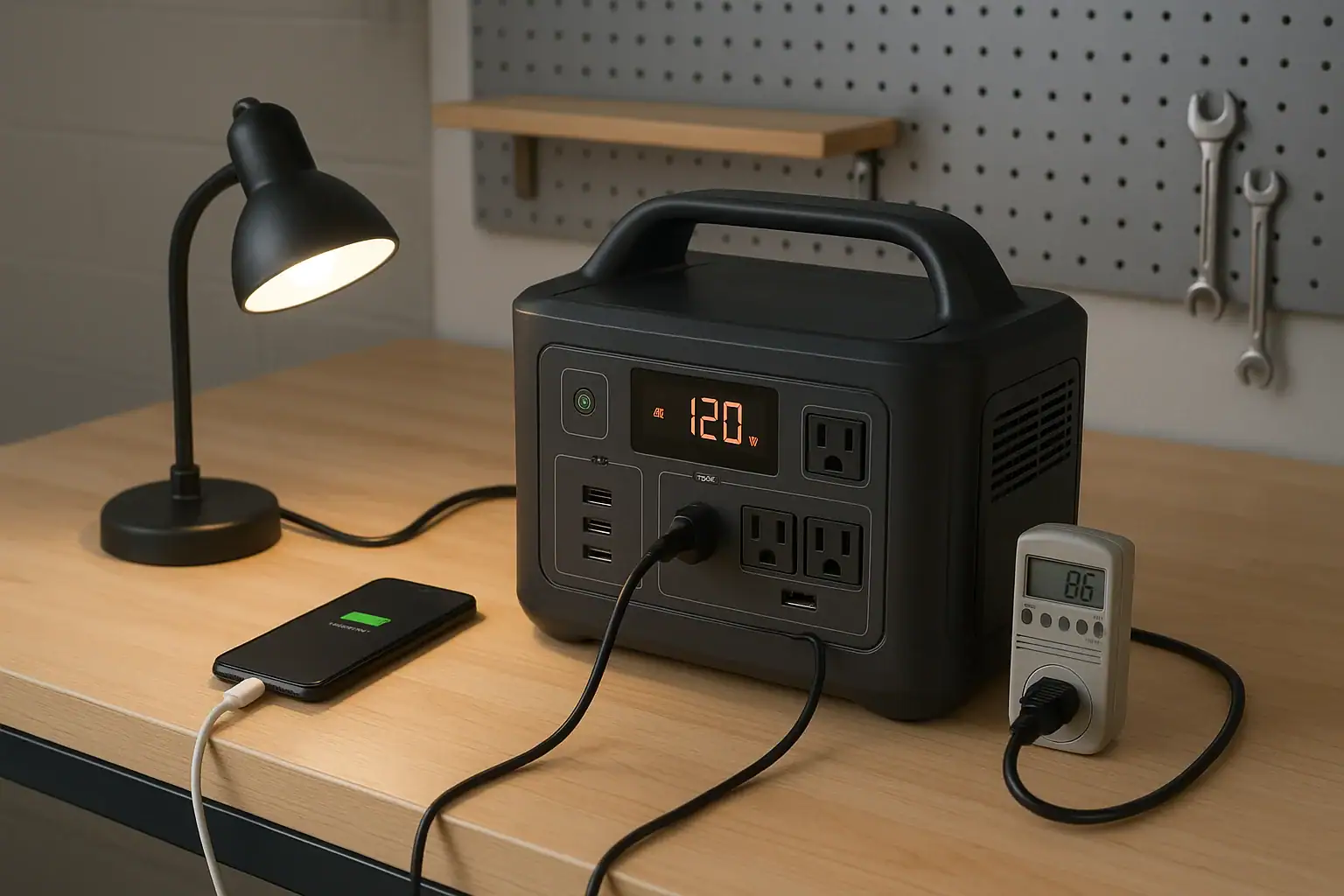
You should test a backup power station at least once every three months, with a quick power-on check every month and a more realistic load test before storm season, travel, or any planned outage use.
A backup power station, also called a portable power station or battery generator, can look ready while hiding problems with state of charge, AC output, runtime, USB-C PD output, inverter efficiency, or surge watts. Regular testing helps confirm that the battery holds energy, the display is accurate enough, the outlets work, and the unit can still run the devices you expect during an emergency.
The best testing schedule depends on how critical the loads are, how often the unit is stored, and whether it is used for medical devices, refrigerators, communications, tools, camping, or home outage backup. The goal is not to drain the battery constantly. It is to verify readiness without causing unnecessary battery wear.
What Testing a Backup Power Station Means and Why It Matters
Testing a backup power station means confirming that it can charge, store energy, deliver power through its outlets, and run expected devices for a reasonable amount of time. A good test does not need to be complicated. It usually includes checking the battery percentage, charging the unit if needed, plugging in a known load, and watching whether the display, outlets, cooling fan, and runtime estimate behave normally.
This matters because a power station is often purchased for situations where failure is inconvenient or serious. If it has been sitting in a closet for months, the battery may have self-discharged, the AC inverter may not have been used recently, or accessories may be missing. Even a fully charged display does not prove that the unit can support a real load.
Routine testing also helps you learn the limits of the unit before an outage. It is better to discover during a calm weekend that a refrigerator pulls a high startup surge or that a laptop charger needs a specific USB-C Power Delivery portable power stations profile than to find out during a blackout. Testing turns the power station from a stored purchase into a known backup system.
How Backup Power Station Testing Works
A useful test checks three things: stored energy, output performance, and practical runtime. Stored energy is the battery capacity available after charging and storage. Output performance is whether the AC, DC, and USB ports can power the devices you plan to use. Practical runtime is how long the power station runs those devices under real conditions.
Most users should combine three levels of testing. A monthly check is brief: turn the unit on, confirm the charge level, inspect the screen, and verify that one small device powers on. A quarterly test should use a real load for 15 to 60 minutes, such as a lamp, router, laptop charger, or small fan. A pre-season or pre-trip test should be closer to the way you will actually use the unit, especially if food storage, remote work, communications, or medical equipment are involved.
Testing should include both low-power and higher-power loads if your use case requires them. Low loads confirm standby readiness and small electronics. Higher loads, within the rated output of the unit, reveal inverter heat, fan operation, voltage stability, and estimated runtime. Avoid intentionally overloading the unit; the goal is to verify normal function, not force a shutdown.
| Testing interval | What to check | Typical purpose |
|---|---|---|
| Monthly | Power on, charge level, screen, one small device | Confirms the unit is not deeply discharged or forgotten |
| Every 3 months | Charge input, AC outlet, USB output, 15 to 60 minute load | Verifies everyday readiness under a realistic load |
| Before outage season or travel | Expected devices, cables, chargers, solar input if used | Confirms the entire backup setup works together |
| After long storage | Battery percentage, charging behavior, normal output | Checks for self-discharge or storage-related issues |
| Annually | Moderate runtime test and accessory review | Updates expectations as the battery ages |
Real-World Testing Examples
For a home internet backup plan, a practical quarterly test might involve running a modem, router, and one phone charger for an hour. This confirms that the outlets work, the wattage is stable, and the runtime estimate is reasonable. If the display shows a very short runtime for a modest load, the battery may be lower than expected, the AC inverter may be wasting energy at low loads, or the devices may be drawing more power than assumed.
For refrigerator backup, the test should be based on safe observation rather than repeated hard stress. A refrigerator may use modest running watts but much higher startup surge watts. During a planned test, the power station should be rated comfortably above both the running load and the likely surge. If the power station shuts down the moment the compressor starts, that is a sign the inverter surge capability is not enough for that appliance.
For camping or jobsite use, test the exact outputs you plan to use. A portable fridge, inflator, camera charger, laptop, LED lights, or cordless tool charger may use different AC, DC, or USB-C requirements. Testing helps identify missing adapters and confirms whether ac vs dc power is more efficient than using the AC inverter for small electronics.
For medical or accessibility-related backup, testing should be more conservative and more frequent. Follow the equipment manufacturer’s guidance, maintain backup options, and do not rely on a single untested power source. If the device is life-sustaining or used overnight, consult the device provider or a qualified professional about appropriate backup power and runtime margins.
Common Testing Mistakes and Troubleshooting Cues
One common mistake is checking only the battery percentage. A display that says 100 percent does not prove that the unit can support your devices. Always test at least one real output, and occasionally test the specific loads you would use in an outage.
Another mistake is testing only with tiny devices. A phone may charge successfully while a refrigerator, CPAP machine, sump pump controller, or power tool charger fails because of higher wattage, startup surge, waveform sensitivity, or charging profile requirements. Match the test to the use case.
Users also misread runtime estimates. Many displays calculate runtime based on the current load, and the number can swing when a compressor, heater, or motor cycles on and off. A more useful approach is to record approximate watts and actual time during a controlled test. Over time, this creates a realistic baseline.
Troubleshooting cues include unusually fast battery drain, outlets that shut off under moderate load, a charger that repeatedly stops and starts, excessive fan noise at low output, error codes, swollen or damaged casing, or a unit that will not recharge normally. Stop using the power station if you notice heat, odor, deformation, sparking, liquid exposure, or repeated fault messages.
Charging problems often come from the charger, cable, wall outlet, solar panel mismatch, or input limit rather than the battery itself. For USB-C charging, confirm that the cable supports the needed wattage and that the charger provides the proper PD profile. For solar charging, confirm that panel voltage and current are within the unit’s input range.
Safety Basics When Testing Backup Power
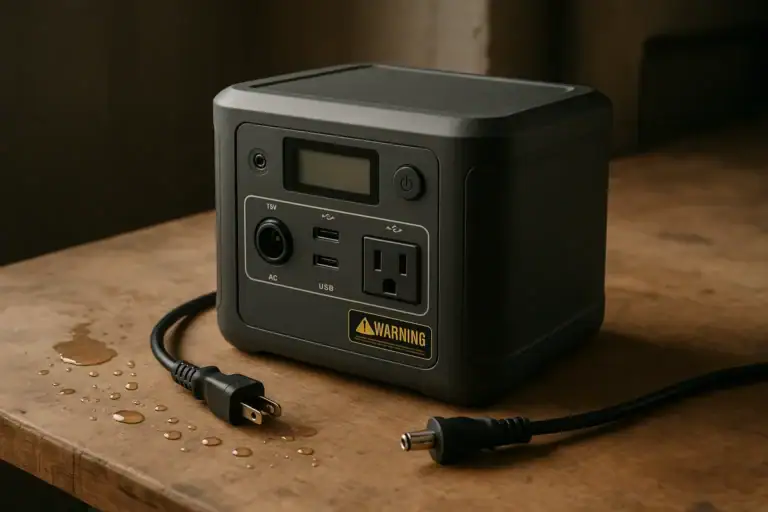
Test in a dry, ventilated area with the power station on a stable surface. Keep it away from standing water, flammable materials, direct heat, and blocked vents. Do not cover the unit while it is charging or discharging because cooling airflow may be needed under load.
Use only intact cords and appropriately rated extension cables. Long, thin extension cords can cause voltage drop and heat, especially with higher-wattage loads. If a cord, plug, or outlet feels hot, stop the test and reduce the load. Do not daisy-chain power strips or use damaged adapters.
Never open the power station, modify the battery pack, bypass protections, or attempt to defeat overload shutdowns. Built-in protection circuits are part of the safety system. If the unit trips under a load, treat that as useful information rather than a problem to override.
Do not connect a portable power station directly to household wiring unless the setup is designed for that purpose and installed or reviewed by a qualified electrician. Home electrical panels, transfer equipment, and interlocks require proper design and code-compliant installation. For most users, the safest testing method is to plug individual devices directly into the power station within its rated limits.
Maintenance and Storage Schedule Between Tests
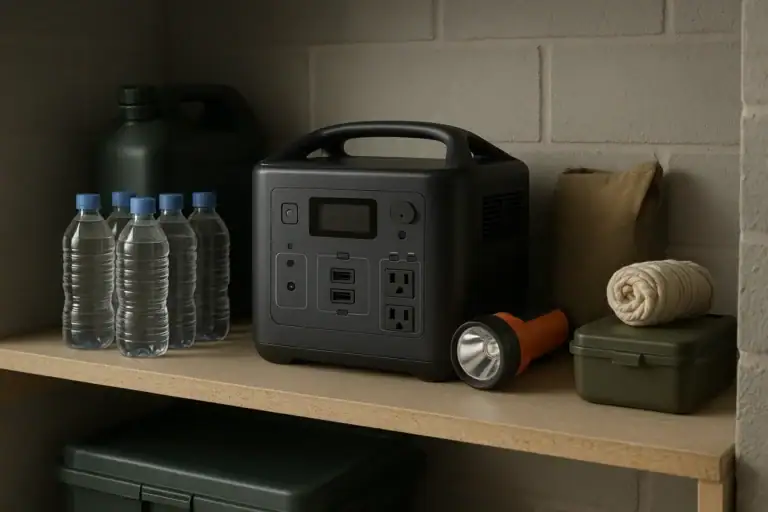
Testing works best when paired with simple storage habits. Store the power station in a cool, dry location where it will not be crushed, dropped, or exposed to direct sun. Avoid leaving it in a hot vehicle or freezing shed for long periods. Temperature extremes accelerate battery aging and can reduce available runtime.
Many lithium-based power stations store best at a partial charge when they will not be used for a while. A practical storage target is often around 40 to 80 percent rather than completely full or fully empty. However, if the power station is kept specifically for emergency backup, many owners choose a higher state of charge and check it more often. The key is to avoid deep discharge during storage.
Every month, confirm the charge level and recharge if it has fallen below your chosen readiness threshold. Every three months, run a load test and top the unit back up afterward. Once or twice a year, review the accessories: AC charger, car charging cable, solar cable if used, USB-C cable, extension cord, and any device-specific adapters.
If the unit has been stored for many months, let it return to room temperature before charging or testing. Charging a very cold or overheated battery can trigger protection circuits or reduce battery health. If the power station has been exposed to flooding, heavy impact, smoke, chemical contamination, or obvious physical damage, do not test it indoors.
| Storage condition | Suggested check | Why it matters |
|---|---|---|
| Stored for emergency use | Check monthly and recharge as needed | Keeps the battery ready for unplanned outages |
| Stored between trips | Check every 1 to 3 months | Prevents surprise self-discharge before travel |
| Hot or cold storage area | Move to a moderate location when possible | Reduces battery aging and output problems |
| After a long idle period | Run a moderate load test before relying on it | Confirms battery, inverter, and ports still work |
| After heavy use | Inspect, recharge, and record any faults | Helps identify wear, cable issues, or overload patterns |
Related guides: How to Maintain a Portable Power Station • Portable Power Station Watt-Hours Explained • Battery Management System (BMS) Explained: Protections Inside a Power Station
Practical Takeaways and Specs to Look For
For most households, the simplest rule is this: check the power station monthly, load test it every three months, and test it before any period when you may depend on it. Use the devices you actually plan to power, record approximate runtime, and keep the battery charged to a level that matches your emergency needs.
A good test should leave you with clear answers. Can it charge normally? Do the AC, DC, and USB outputs work? Does it handle the highest expected running watts and startup surge? Is the runtime long enough for your priority devices? Are the right cables stored with it? If any answer is uncertain, test again with a controlled load before relying on the unit.
Specs to look for
- Battery capacity: Look for watt-hour ratings that match your runtime needs, such as 500 Wh for small electronics or 1,000 Wh and higher for longer outage support; capacity determines how much energy is available.
- Usable capacity and efficiency: Look for realistic output expectations, often 75 to 90 percent of rated capacity depending on load and inverter use; this helps avoid overestimating runtime.
- Continuous AC output: Look for a watt rating above the combined running watts of your devices, such as 600 W, 1,000 W, or 2,000 W classes; this determines what can run steadily.
- Surge watts: Look for surge capacity well above motor or compressor startup needs; refrigerators, pumps, and tools can briefly demand much more than their running watts.
- Charging input limit: Look for AC and solar input ranges that fit how quickly you need to recharge, such as 200 W, 500 W, or 1,000 W input; faster input improves recovery between outages.
- USB-C PD output: Look for ports that match your devices, such as 60 W, 100 W, or 140 W PD support; this can charge laptops and tablets efficiently without using the AC inverter.
- Battery cycle rating: Look for cycle-life estimates at a stated remaining capacity, such as hundreds to several thousand cycles; this helps estimate long-term durability for frequent testing and use.
- Storage temperature range: Look for practical storage and operating ranges that fit your climate; temperature tolerance affects battery health and readiness.
- Display and monitoring: Look for clear watts-in, watts-out, percentage, and runtime estimates; better monitoring makes testing easier and more repeatable.
Testing does not need to be excessive. A short monthly check and a quarterly real-load test are enough for many users, while critical applications deserve more frequent verification. The main purpose is confidence: when the lights go out, the power station should be charged, familiar, correctly sized, and ready to run the equipment that matters most.
Frequently asked questions
How often should you test a backup power station?
For most users, a quick check once a month and a real load test every three months is a practical schedule. If you rely on it for outages, travel, or critical devices, test it again before the period when you expect to need it. The goal is to confirm readiness without unnecessary battery wear.
What is the best way to test a backup power station?
The best test is one that matches your real use case. Start by confirming the unit powers on and charges normally, then run the devices you actually plan to use for 15 to 60 minutes. Check the outlets, display, fan behavior, and runtime estimate while the load is running.
What specs or features matter most when choosing a backup power station?
Look at battery capacity, continuous AC output, surge watts, charging input, and the USB-C PD rating if you plan to charge laptops or tablets. Usable capacity and efficiency also matter because they affect real runtime. Clear display information is helpful because it makes testing and monitoring easier.
What is a common mistake people make when testing a backup power station?
A common mistake is checking only the battery percentage and assuming the unit is ready. Another mistake is testing with only a phone or other tiny device, which may not reveal problems with higher-wattage appliances or startup surge. A realistic load test gives a much better picture of actual performance.
Is it safe to test a backup power station indoors?
Yes, if you test it in a dry, ventilated area and keep it within its rated limits. Use undamaged cords, keep vents clear, and avoid water, heat, and overloaded circuits. If the unit shows heat, odor, damage, or repeated fault messages, stop the test and do not continue using it.
How long should a backup power station run during a test?
For a routine check, 15 to 60 minutes is usually enough to confirm that the unit handles a realistic load. For critical backup planning, you may want a longer test that reflects the runtime you expect during an outage. The right duration depends on the devices you plan to power and how long they need to stay on.
Related guides
Browse this topic →
- Beginner-friendly sizing, runtime & specs
- Solar & charging (MPPT, fast charging, cables)
- Batteries (LiFePO4, cycles, care & storage)
- Safety, cold-weather performance, real-world tips
More in Maintenance
See all →- How App Control and Smart Charging Affect Portable Power Station Battery Health
- How to Maintain a Portable Power Station
- How Long Do Portable Power Stations Last?
- Are Portable Power Stations Sustainable? Repairability, Recycling, and E-Waste
- When to Replace Cables and Adapters: Signs of Wear and Overheating
Keep reading
About this site
Portable Energy Lab publishes practical, independent guides about portable power—clear sizing, safe use, and real-world expectations.
Affiliate disclosure
Some links on this site may be affiliate links. If you buy through these links, we may earn a small commission at no extra cost to you. This helps support our content. Read our affiliate disclosure.