
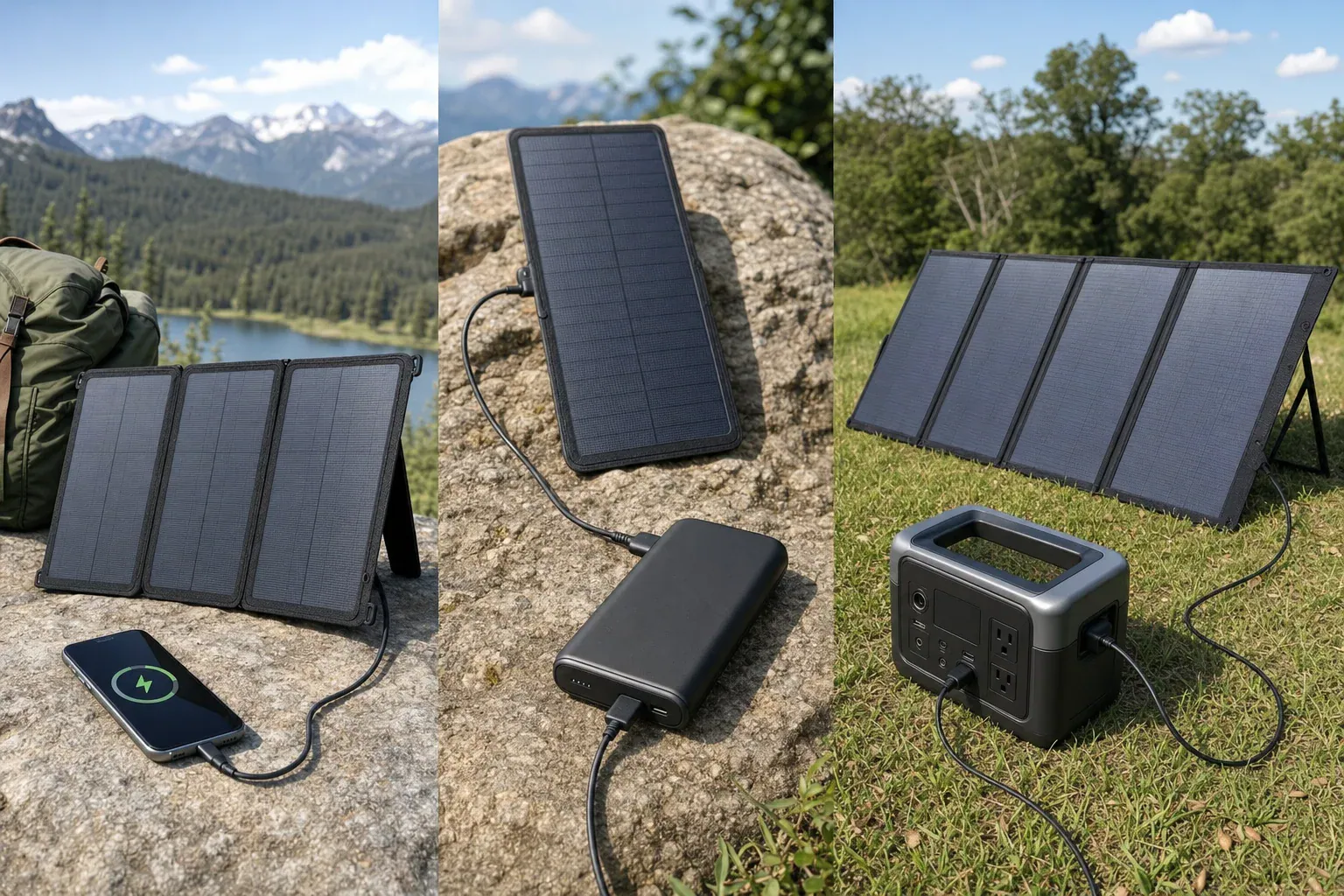
Quick answer: Choose portable solar chargers from the device backward. Use a regulated USB panel for a phone or USB power bank, and a panel approved for a power station’s DC solar input for larger stored-energy needs. Add battery storage when charging must continue after sunset or through changing sunlight.
How to choose portable solar chargers by device
Start with the input specifications printed on the device or in its manual—not with the panel’s headline wattage. Then match the interface, supported voltage, charging protocol and applicable watt limits. Finally, decide whether you need to store solar energy for later use.
| Device | Appropriate charger type | What to match | Storage decision |
|---|---|---|---|
| Phone or small USB device | Regulated USB-A or USB-C solar panel | Connector, supported USB protocol, voltage profiles, port watts and cable capability | Add a power bank when sunlight is variable or charging is needed later. |
| USB power bank | Regulated USB panel matching the bank’s input | Input connector, supported protocol, voltage profiles and maximum input watts | The power bank provides storage. Check its manual before using pass-through charging. |
| Phone where one-piece portability is the priority | Integrated solar power bank | Solar-panel rating, battery input and output ratings, connector and charging protocol | Storage is built in, but the panel and battery specifications still require separate checks. |
| Portable power station | Compatible DC solar panel or manufacturer-approved array | Input voltage window, maximum open-circuit voltage, current limit, watt limit, connector and polarity | The station supplies storage and can provide its supported USB, DC or AC outputs. |
If a manual does not state the relevant electrical limits, mark the proposed pairing as unknown. A plug-shaped adapter does not establish electrical compatibility.
Match USB specifications, not just the connector
A USB-C socket does not automatically mean USB Power Delivery (PD) or a particular charging speed. The USB Implementers Forum explains that USB PD lets connected equipment request supported power. Check both manuals to identify the actual voltage profiles and maximum power supported by the panel, cable and device.
- Connector: Confirm USB-A, USB-C, or the proprietary connector required by the device.
- Protocol: Check whether both products support USB PD or another protocol needed for a device’s higher charging rate.
- Voltage: Use a regulated USB output with a fixed or negotiated profile accepted by the device.
- Power: Compare the panel port’s stated output with the device’s stated input limit. A compliant USB device draws or negotiates a supported level; its current rating does not need to exactly equal the source rating.
- Cable: Confirm that the cable supports the necessary connector, protocol and power level. An adapter cannot add a charging protocol that the equipment does not support.
Do not connect a phone directly to an unregulated bare-panel output unless the phone manufacturer or an approved charge-controller manufacturer specifically supports that interface.
Calculate the port limit, not only panel watts
Electrical power is calculated as:
watts = volts × amps
For a model-specific example, Goal Zero lists a Nomad 20 solar panel with a 20 W panel rating and a USB output rated at 5 V and up to 2.1 A. The stated USB-port ceiling is:
5 V × 2.1 A = 10.5 W
Under that stated limit, a device connected to that USB port cannot receive 20 W through the USB port. This calculation applies only to the cited version of that product; other panels can have different output-port ratings.
Panel nameplate watts are also not a guarantee of continuous outdoor output. The National Renewable Energy Laboratory describes photovoltaic standard test conditions as 1,000 W/m² irradiance, a 25°C cell temperature and air mass 1.5 in its PV rating reference. Sun angle, shading and operating conditions can change available output.
Match a panel to a portable power station safely
A matching DC plug alone is not enough. Before connecting a panel to a power station, use both manuals to check each item below:
- Connector and polarity: Use the specified connector and confirm polarity.
- Input-voltage window: Verify that the proposed panel or approved array operates within the station’s published solar-input range.
- Open-circuit voltage: Compare the panel or array open-circuit voltage with the station’s stated maximum using the conditions and calculation method required by the manuals.
- Current and power limits: Follow the station manufacturer’s published input limits and array instructions.
- Configuration: Use only wiring and adapters approved or documented as compatible by the applicable manufacturers.
As an illustration of the labels to compare, the EcoFlow DELTA 2 manual lists an 11–60 V DC solar-input range, 15 A maximum current and 500 W maximum power. The cited EcoFlow 110 W panel manual lists 23.5 V open-circuit voltage, 6.1 A short-circuit current and an XT60i connector. Those are model-specific figures, not universal specifications or approval for another panel, adapter or array.
When battery storage belongs between panel and device
Use a separate power bank or portable power station when you need energy after sunset, expect intermittent sunlight, or prefer to charge the device from a battery’s regulated output. A phone can charge directly from an appropriate regulated USB panel in suitable sun, but direct charging does not create a reserve for later.
A power bank already stores energy, but do not assume it can charge from solar while powering another device. Pass-through behavior and operating limits are model-specific; follow the power bank manual.
Watts, watt-hours and time
Watts (W) measure a rate of power. Watt-hours (Wh) measure energy stored or used over time. They are different units.
Illustrative arithmetic only: if a 100 Wh battery received a constant 10 W with no losses, then:
100 Wh ÷ 10 W = 10 hours
This is not a field charging-time promise. Solar production varies, and charging equipment, cables, battery charging and voltage conversion all affect the result. When a device accepts USB or regulated DC, use that supported output rather than converting battery DC to AC and back again. For an AC appliance, check the power station’s continuous output and model-specific surge capability.
Portable solar charger checklist
- Device input connector, accepted voltage profiles and maximum input watts
- Required USB charging protocol, if any
- Cable connector, protocol support and power capability
- Panel nameplate rating and the rating of its actual USB or DC output port
- Power-bank input rating and documented pass-through policy
- Power-station input-voltage window, open-circuit-voltage limit, current limit and watt limit
- DC connector type and polarity
- Manufacturer instructions for the proposed panel, adapter and array configuration
- Operating-temperature and weather-exposure instructions
- Certification information for the exact model, where applicable
Final safety checks
Safety claims apply to specific products, not to a product category. UL identifies UL 2056 for standalone power banks and separately discusses UL 2743 for portable power packs and UL 61730-1/-2 for photovoltaic-module safety qualification. Verify any certification claim against the exact model and certification record rather than relying on marketing language.
Keep batteries within their documented environmental limits, keep electrical connections dry unless the manufacturer states otherwise, and do not assume a panel, connector or power station is weatherproof. Never open a battery, bypass its protection circuitry, backfeed a wall outlet or improvise home electrical connections. For medical equipment, obtain device-specific guidance from the equipment manufacturer and an appropriate professional before relying on portable solar power.
Related guides
Browse this topic →
- Beginner-friendly sizing, runtime & specs
- Solar & charging (MPPT, fast charging, cables)
- Batteries (LiFePO4, cycles, care & storage)
- Safety, cold-weather performance, real-world tips
More in Solar
See all →- Solar Charging on Cloudy Days: What Output Can a Portable Power Station Expect?
- How Many Portable Solar Panels Do You Need for a 1,000Wh Power Station?
- Solar Adapter Polarity Mistakes: How to Avoid Reverse-Polarity Charging Problems
- Portable Solar Panel Waterproof Ratings: What Rain, Dew, and Splash Resistance Mean
- Can You Charge a Portable Power Station Through a Window With Solar Panels?
Keep reading
About this site
Portable Energy Lab publishes practical, independent guides about portable power—clear sizing, safe use, and real-world expectations.
Affiliate disclosure
Some links on this site may be affiliate links. If you buy through these links, we may earn a small commission at no extra cost to you. This helps support our content. Read our affiliate disclosure.