
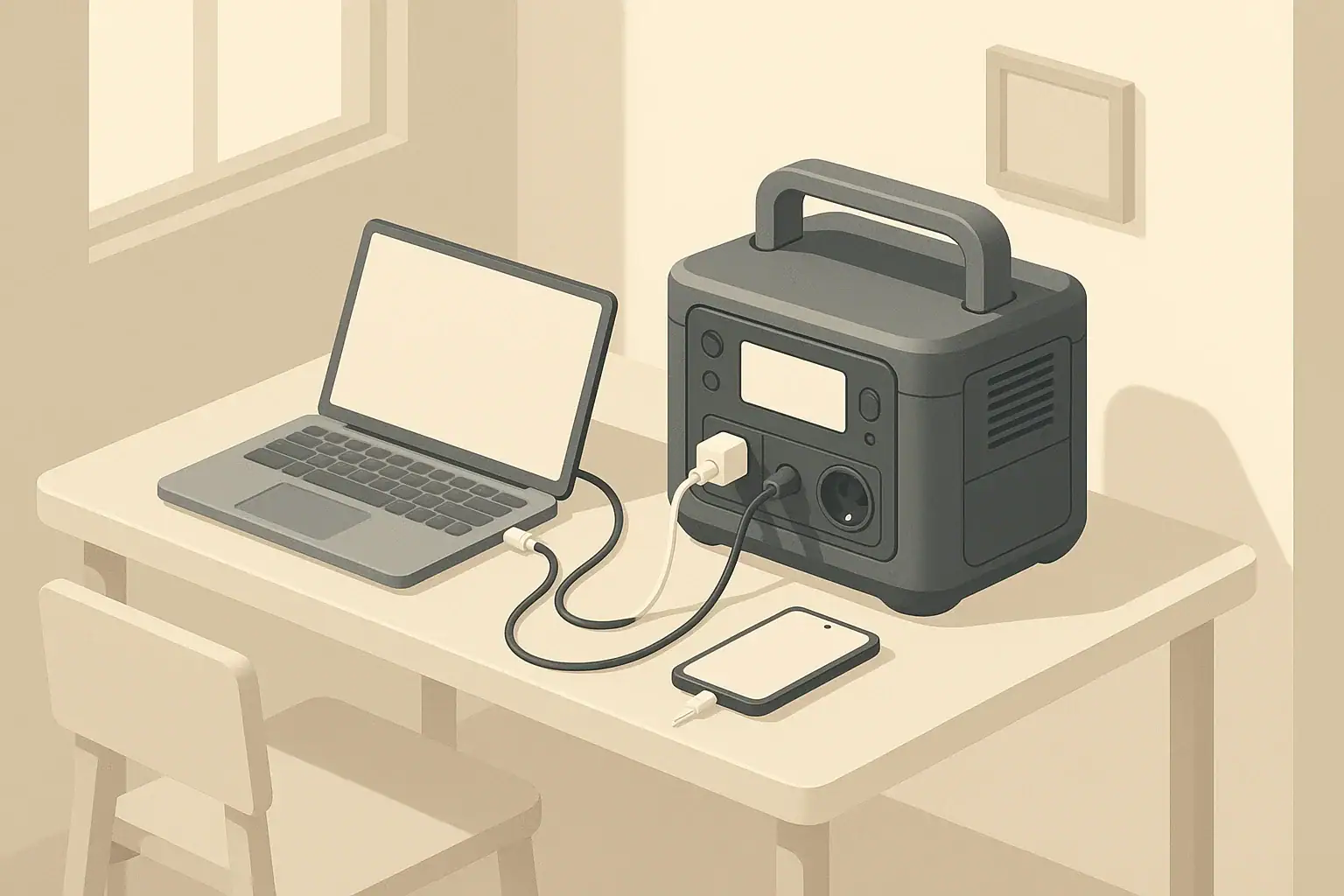
The right size portable power station for an apartment is usually in the few-hundred to few-thousand watt-hour range, depending on which devices you want to run and for how long. To size apartment backup power correctly, you match your essential loads (in watts) and desired runtime (in hours) to a battery capacity (in watt-hours) and inverter output (in watts) that can realistically support them.
Instead of guessing, you can treat apartment backup almost like a small budget: every device “spends” watts, and every hour it runs “spends” watt-hours. By listing your core needs (lights, Wi‑Fi, phone and laptop charging, maybe a fan or brief kitchen use) and doing a few quick calculations, you can narrow in on a power station size that fits your space, budget, and outage risk.
This guide walks through the basic concepts, step‑by‑step sizing examples, common mistakes, and practical maintenance tips so your backup power is ready when the lights go out.
What Apartment Backup Sizing Really Means (and Why It Matters)
Apartment backup power station sizing is the process of matching a portable power station’s battery capacity and inverter power to your actual emergency needs. In an apartment, you usually cannot install fuel generators, modify panels, or run noisy equipment on balconies. A battery-based portable unit is often the most realistic way to keep essentials running during outages.
Two numbers define whether a power station is a good fit:
- Inverter output (watts): How much power it can deliver at one time.
- Battery capacity (watt-hours, Wh): How long it can keep those devices powered.
If you oversize, you pay for capacity and weight you rarely use and may struggle to store the unit. If you undersize, your Wi‑Fi or lights may die halfway through a storm or evening outage. A realistic sizing process helps you:
- Decide which devices are truly essential.
- Estimate how long you can run them before recharging.
- Avoid overloading the inverter with high‑draw appliances.
- Stay within your apartment’s space and carrying limits.
Thinking about backup power this way turns a vague “I want something for outages” into a concrete plan with predictable performance.
Key Power Concepts: Watts, Watt-Hours, and Runtime
To size an apartment backup power station, you only need a few basic electrical ideas. You do not have to be an engineer; you just need to understand how watts and watt-hours relate to your devices and runtime.
Watts: How Much You Can Run at Once
Watts (W) measure the power a device uses while it is on. The power station’s inverter has a maximum continuous watt rating. Your total running load at any moment should stay below that rating with some safety margin.
- LED lamp: about 5–10 W
- Wi‑Fi router and modem: about 10–25 W
- Laptop while working: about 40–80 W
- Small fan: about 20–60 W
- Compact microwave while heating: about 600–1200 W
If your combined devices draw 300 W, you need an inverter that can comfortably handle at least that much continuously, ideally with headroom (for example, a 500 W or higher continuous rating).
Watt-Hours: How Long You Can Run Them
Watt-hours (Wh) describe how much energy is stored in the battery. A simple planning formula is:
Estimated runtime (hours) ≈ Battery capacity (Wh) ÷ Total load (W) × 0.8
The 0.8 factor is a rough efficiency adjustment for inverter and system losses when using AC outlets. Real results vary, but it keeps planning more realistic.
Example: A 500 Wh power station running a 100 W combined load:
- Runtime ≈ 500 ÷ 100 × 0.8 ≈ 4 hours
Higher loads shorten runtime; lower loads extend it.
Continuous vs Surge Power
Most portable power stations list two inverter ratings:
- Continuous watts: The sustained power it can deliver.
- Surge (or peak) watts: Short bursts for startup spikes.
Many apartment loads (LED lights, routers, laptops) have almost no surge. Some appliances with motors or compressors (refrigerators, some fans) draw more power for a second or two at startup. Your total running watts should stay under the continuous rating, and your highest momentary spike should be under the surge rating.
Using DC and USB to Stretch Runtime
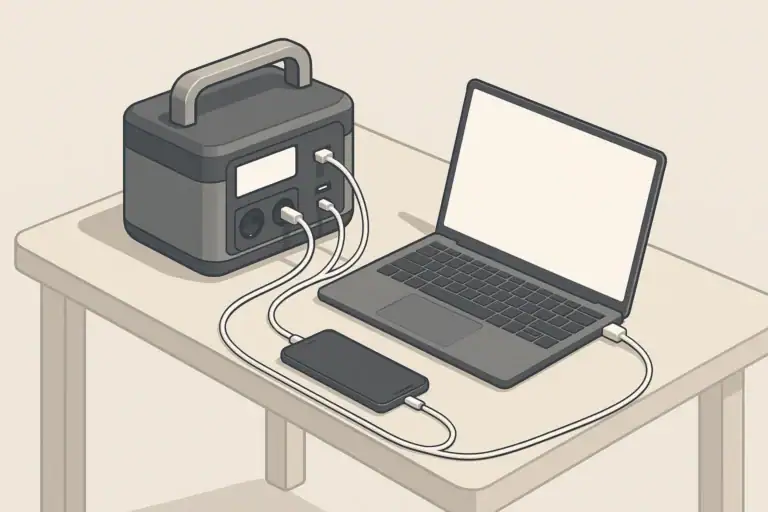
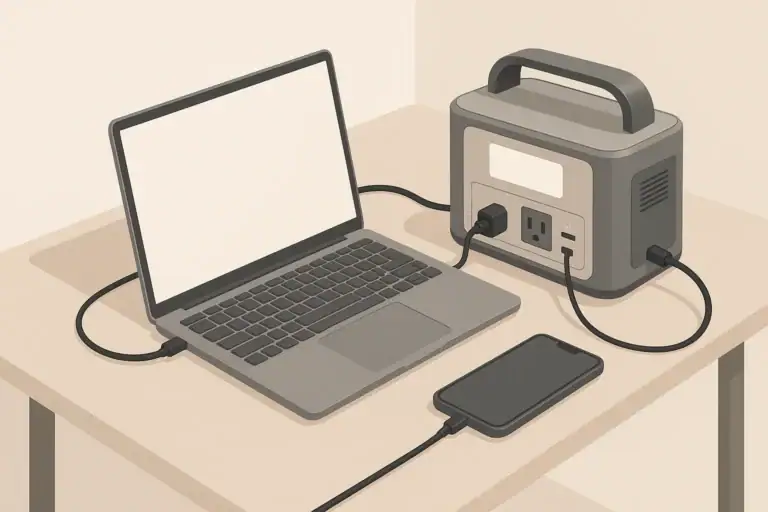
Portable power stations often provide AC outlets plus DC and USB ports. Running phones, tablets, and some laptops from USB or DC outputs can be slightly more efficient than using AC adapters, which helps stretch battery life in a long outage. For apartment backup, it is common to reserve AC outlets for devices that truly need them (lamps, routers, monitors) and move everything else to USB or DC where possible.
Real-World Apartment Sizing Examples
Every apartment and outage pattern is different, but a few realistic scenarios show how apartment backup power station sizing works in practice. Use these as templates and plug in your own device numbers.
Step 1: Build a Simple Load List
Start with a short list of devices you want to power at the same time, and note their approximate watt draw. You can often find wattage on the power brick label or in the product documentation. If you are unsure, use a conservative (slightly higher) estimate.
| Scenario | Devices (examples) | Approx. total watts | Target runtime | Suggested minimum capacity (Wh) |
|---|---|---|---|---|
| Short evening outage | Phone charger, router, 1 laptop, 1 LED lamp | 80–120 W | 3–4 hours | 400–600 Wh |
| Work-from-home day | Laptop, monitor, router, phone, desk lamp, small fan (intermittent) | 150–250 W | 8 hours | 1500–2500 Wh |
| Overnight comfort | Router, small fan (intermittent), 1–2 LED lights, device charging | 80–180 W | 8–10 hours | 900–2000 Wh |
| Light kitchen use | Short microwave or kettle use plus basic loads | 600–1200 W while heating | 5–20 minutes of high draw | 1000+ Wh (plus adequate inverter watts) |
These ranges are not strict requirements, but they give a sense of how quickly watt-hours disappear when you add more devices or longer runtimes.
Scenario 1: Short Evening Outage (3–4 Hours)
Goal: Keep communication and basic lighting during a typical storm-related outage.
- Phone charging: 10 W
- Router and modem: 20 W
- Laptop: 60 W
- LED lamp: 10 W
Total running watts: about 100 W.
Capacity estimate for 4 hours:
- Required Wh ≈ 100 W × 4 h ÷ 0.8 ≈ 500 Wh
A power station in the 400–700 Wh range with at least 150–200 W continuous AC output is often enough for this level of backup, with some margin for extra phone charging or a second light.
Scenario 2: Work-From-Home Day (About 8 Hours)
Goal: Work a full day while the grid is down, keeping internet and comfort loads running.
- Laptop: 60 W
- External monitor: 30 W
- Router and modem: 20 W
- Phone charging: 10 W
- LED desk lamp: 10 W
- Small fan (used half the time): 40 W × 0.5 ≈ 20 W average
Approximate average watts: 60 + 30 + 20 + 10 + 10 + 20 ≈ 150 W.
Capacity estimate for 8 hours:
- Required Wh ≈ 150 W × 8 h ÷ 0.8 ≈ 1500 Wh
If you want more headroom for unplanned loads or slightly higher consumption, a capacity in the 1500–2500 Wh range with at least 300–600 W continuous AC output is often more comfortable.
Scenario 3: Overnight Comfort and Partial Food Protection
Goal: Maintain internet, minimal lighting, and some comfort overnight, with optional help for the refrigerator.
- Router and modem: 20 W
- LED hallway or bedroom light: 10–20 W
- Phone and tablet charging: 10–20 W
- Small fan (intermittent): 30–50 W, maybe 50% duty cycle
- Refrigerator (optional, intermittent): average 50–150 W if powered part-time
If you plan to run the fan and refrigerator only part of the night, a rough average might be 150–250 W over 8–10 hours. Using the same formula:
- Required Wh ≈ 200 W × 9 h ÷ 0.8 ≈ 2250 Wh
Many apartment residents choose to keep the refrigerator door closed and focus on lights, internet, and fans, which can cut this requirement in half and make a 1000–1500 Wh unit more realistic.
Common Sizing Mistakes and How to Catch Them Early
Some apartment backup setups disappoint not because the power station is faulty, but because expectations and sizing were off. Watching for these patterns can save money and frustration.
Mistake 1: Ignoring Runtime Math
It is easy to buy a unit based on marketing numbers without doing the watt-hour math. A common outcome is a station that technically runs your devices, but only for an hour or two instead of the evening you expected.
- Symptom: Battery percentage drops faster than expected, especially with multiple devices on.
- Quick check: Add up your running watts and compare to the capacity using the runtime formula. If your use case needs 1000 Wh and you bought a 500 Wh unit, the short runtime is expected.
Mistake 2: Overloading the Inverter With High-Draw Appliances
Another mistake is focusing only on battery capacity and forgetting inverter limits. A small unit might have enough watt-hours on paper but cannot safely power a microwave, kettle, or hair dryer.
- Symptom: The unit shuts down or alarms when you start a high‑draw appliance.
- Quick check: Compare the appliance’s watt rating to the inverter’s continuous and surge ratings. If the appliance draw is close to or above the continuous rating, it is not a good match.
Mistake 3: Assuming Nameplate Wh Are Fully Usable
Battery capacity labels do not account for conversion losses, temperature effects, or very high or very low loads.
- Symptom: Real runtime is 10–25% less than you expected from simple Wh ÷ W math.
- Quick check: Apply an efficiency factor (such as 0.8 for AC loads) when planning, and remember that cold conditions or heavy loads may reduce usable capacity further.
Mistake 4: Forgetting About Space, Weight, and Noise
In an apartment, where storage is limited and walls are shared, a very large and heavy unit can be hard to move and place.
- Symptom: The station ends up buried in a closet or is too heavy to move where you need it during an outage.
- Quick check: Before buying, mentally “place” the unit in your living room or bedroom. Consider whether you can carry it up stairs or across the apartment, and whether its cooling fans will be acceptable in a quiet room.
Mistake 5: Not Testing Until the First Real Outage
Waiting for a blackout to test your setup is risky. Small oversights—cords that are too short, outlets in the wrong place, or under-estimated loads—show up at the worst time.
- Symptom: During an outage, you discover you cannot reach your router, or your chosen outlet mix does not fit all plugs.
- Quick check: Run a 1–2 hour “practice outage” where you power your planned devices from the station and confirm runtime, cord reach, and outlet usage.
| Issue | What you notice | Likely cause | Simple fix |
|---|---|---|---|
| Runtime too short | Battery drains in 1–2 hours instead of all evening | Capacity too small for total watts and hours | Reduce loads or step up to higher Wh capacity |
| Unit shuts off under load | Power station trips when microwave or kettle starts | Inverter continuous or surge rating exceeded | Avoid high‑draw appliances or choose higher‑watt inverter |
| Not enough outlets | Multiple devices compete for a few AC sockets | Outlet mix does not match your devices | Shift phones and tablets to USB; use a safe power strip if allowed |
| Unit hard to move | Too heavy to carry to bedroom or living room | Capacity chosen without considering weight | Balance Wh needs with portability; consider two smaller units |
Safety Basics for Using Backup Power in Apartments
Portable power stations are generally safer and quieter than fuel generators, but there are still important safety practices in a compact apartment environment.
Placement and Ventilation
- Place the unit on a stable, hard, level surface such as a floor or sturdy table.
- Keep vents clear on all sides; avoid pushing the unit against walls, curtains, or furniture.
- Do not cover the power station with blankets, clothing, or pillows while it is charging or discharging.
- Avoid direct, prolonged sunlight and proximity to heaters or radiators.
Cord Management in Small Spaces
- Route cords along walls or behind furniture when possible to minimize trip hazards.
- Avoid running cords under rugs or thick carpets, where heat can build up.
- Use only properly rated extension cords and power strips; do not daisy-chain multiple strips.
- Keep cords away from areas where water might spill, such as kitchens or near aquariums.
Connection to Home Circuits
In most apartments, you are not allowed to modify electrical panels or add transfer switches. Never attempt to backfeed building wiring from a portable power station. This can be dangerous to you, neighbors, and utility workers.
- Plug devices directly into the power station’s outlets or into an appropriate power strip connected to the unit.
- If you are considering any setup that touches the apartment’s fixed wiring, consult your landlord and a licensed electrician first.
Fire and Battery Handling Awareness
- Follow the manufacturer’s instructions for charging, storage, and operation.
- Use only compatible chargers and accessories supplied or approved for your unit.
- Do not use a visibly damaged power station or battery; discontinue use if you notice swelling, unusual odors, or excessive heat.
- Know where your household fire extinguisher is and how to use it, and keep the power station away from flammable materials.
Maintenance, Storage, and Cold-Weather Performance
A portable power station is an emergency tool as well as a convenience device. Basic care keeps it ready for apartment outages that might happen only a few times a year.
Long-Term Storage and Self-Discharge
Most units slowly lose charge over time, even when not in use. Good storage habits include:
- Storing in a cool, dry indoor location away from direct sunlight.
- Avoiding storage at 100% or 0% charge for long periods; many manufacturers suggest a partial charge for long-term storage.
- Recharging every few months to keep the battery within the recommended state of charge.
Cold-Weather Considerations
Battery performance typically drops in cold conditions, and charging below certain temperatures can be harmful.
- Do not leave the power station in an unheated vehicle or outdoor storage space during very cold weather.
- Operate and charge the unit within the temperature range specified in its manual.
- Expect shorter runtimes in cold rooms; plan extra capacity if outages often happen during winter storms.
Periodic Testing and Practice Outages
Testing your backup setup once or twice a year helps catch problems before a real emergency.
- Pick a time to simulate a 1–2 hour outage and run your planned devices from the power station.
- Note how fast the battery percentage drops and compare it with your estimates.
- Check whether cords reach your router, lamps, and work area comfortably.
- Update your device list or usage habits based on what you learn.
Putting It All Together: Practical Takeaways and Specs to Look For
Apartment backup power station sizing becomes much simpler when you treat it as a structured checklist instead of a guess. Decide what you must keep running, estimate watts and hours, and then choose a power station that meets those needs with some margin for inefficiency and growth.
For many apartments, a small unit in the 300–700 Wh range is enough for short evening outages and communication. For frequent or longer outages, especially for work-from-home or overnight comfort, stepping up to 1000–2500 Wh with a higher-watt inverter provides a more flexible buffer.
Specs to Look For When Choosing a Unit
- Battery capacity (Wh): Match to your calculated needs using Wh ≈ watts × hours ÷ 0.8, then add margin.
- Inverter continuous watts: Add up the maximum watts you expect to draw at once and choose an inverter comfortably above that number.
- Surge watts: Ensure enough headroom for any device with a motor or compressor, such as some fans or refrigerators.
- Outlet mix: Confirm you have enough AC outlets plus USB and DC ports for your devices without constant replugging.
- Charging options: Check wall charging speed and whether car or solar inputs are available for extended outages.
- Weight and size: Make sure you can safely lift and store the unit in your apartment, and that it fits where you plan to use it.
- Display and controls: A clear screen showing input, output, and remaining battery percentage makes outage planning easier.
- Noise level: Consider fan noise if you plan to keep the unit in a bedroom or quiet office space.
- Battery chemistry and cycle life: Look for information on expected cycle life if you plan to use the unit frequently, not just for emergencies.
By walking through these points with your own watt and runtime estimates, you can choose a portable power station that fits your apartment, budget, and outage risk without overbuying or underestimating what you need.
Frequently asked questions
Which specifications and features matter most when selecting an apartment backup power station?
Focus first on battery capacity (Wh) for the runtime you need and the inverter’s continuous and surge watt ratings for what you want to run simultaneously. Also consider outlet types (AC, USB, DC), weight and size for portability, charging options, and expected cycle life.
How do I calculate the right battery capacity for my apartment needs?
Estimate the total running watts of the devices you want to power and multiply by the hours of runtime required, then divide by an efficiency factor (a common planning value is ≈0.8 for AC loads). Add a safety margin for unexpected use, temperature effects, and conversion losses.
What common mistake causes backup stations to run out of power too quickly?
A frequent error is buying based on peak or marketing numbers without adding up actual watt-hours needed for the expected duration. Failing to account for multiple simultaneous devices, inverter losses, or cold-temperature performance often leads to shorter-than-expected runtimes.
Can I safely use a portable power station indoors in an apartment?
Yes—when you follow manufacturer instructions: provide clearance for ventilation, avoid covering the unit, do not backfeed building wiring, and stop using any unit that shows physical damage, overheating, or unusual odors. Keep cords tidy and away from water or trip hazards.
Is higher inverter wattage more important than larger battery capacity?
They serve different purposes: inverter wattage determines what devices you can run at once, while battery capacity determines how long you can run them. Choose inverter size to cover your highest expected simultaneous load and battery Wh to cover desired runtime.
How should I test my backup setup before an actual outage?
Run a 1–2 hour practice outage powering your planned devices to verify runtime, cord lengths, outlet availability, and placement. Note battery percent drop, any unexpected shutdowns, and whether fan noise or heat is acceptable, then adjust your plan accordingly.
Related guides
Browse this topic →
- Beginner-friendly sizing, runtime & specs
- Solar & charging (MPPT, fast charging, cables)
- Batteries (LiFePO4, cycles, care & storage)
- Safety, cold-weather performance, real-world tips
More in Beginners
See all →- Mobile Office Power Kit: Working From a Car With Laptop, Phone, and Hotspot
- Portable Power Station for Power Tools: Drills, Saws, and Battery Chargers
- Portable Power Station for Electric Coolers: 12V vs AC Runtime Planning
- Portable Power Station for E-Bike Charging: Capacity, Speed, and Safety Limits
- Portable Power Station for Amateur Radio and Emergency Communications
Keep reading
About this site
Portable Energy Lab publishes practical, independent guides about portable power—clear sizing, safe use, and real-world expectations.
Affiliate disclosure
Some links on this site may be affiliate links. If you buy through these links, we may earn a small commission at no extra cost to you. This helps support our content. Learn more.