
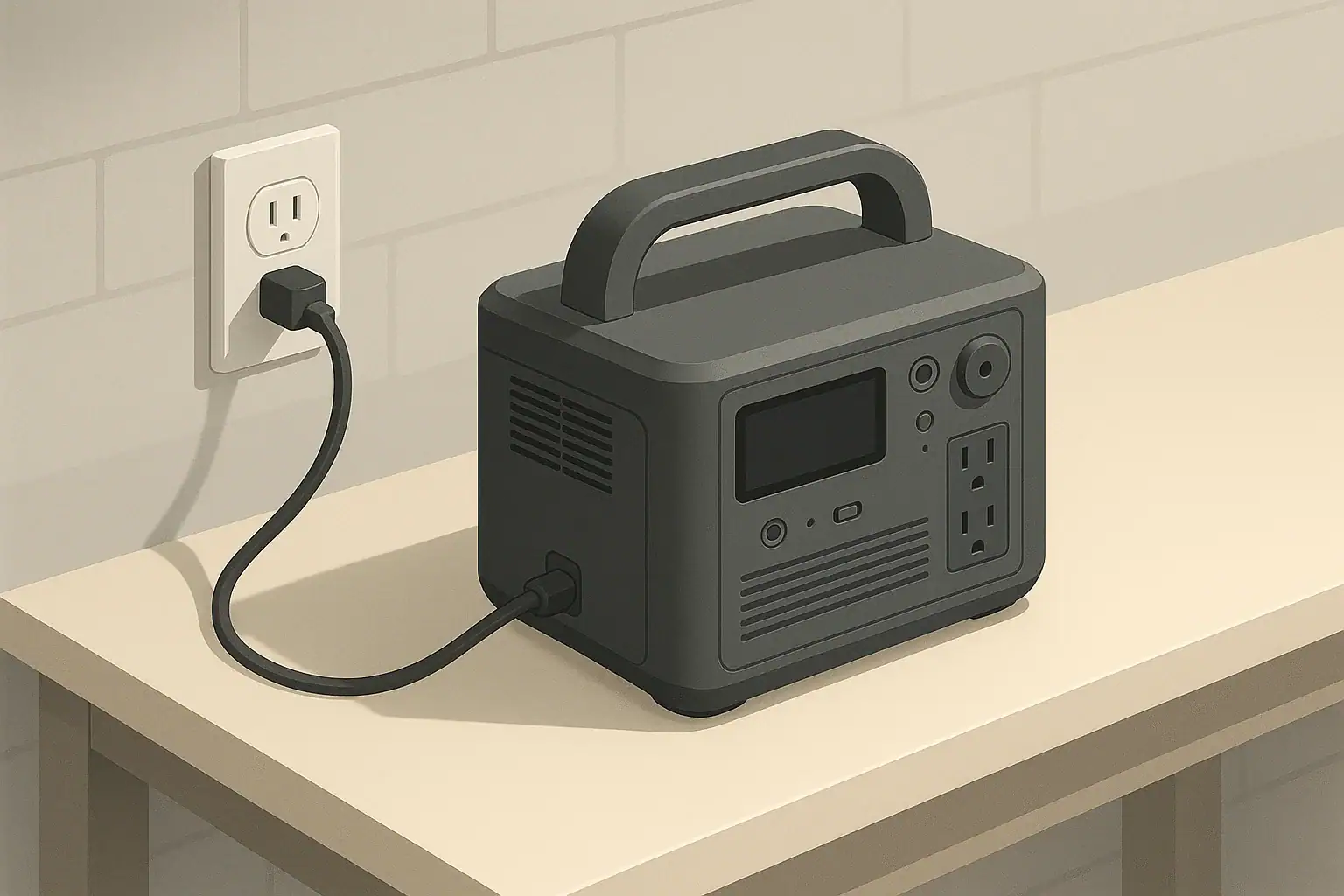
AC charging heat and fan noise are usually normal side effects of your portable power station converting wall power into stored battery energy, as long as the case stays only warm and fans cycle on and off. During AC charging, the unit’s electronics waste some power as heat, and built-in fans move air to keep components within a safe temperature range.
Understanding what “normal” looks and sounds like helps you spot early warning signs, reduce noise in small spaces, and avoid habits that shorten battery life. This guide explains why your power station warms up, what typical fan behavior looks like at different charge rates, and how placement, settings, and ambient temperature change the experience.
You will also see concrete examples with approximate numbers, a few quick comparison tables, and a simple checklist of specs to look for before you buy your next unit. The goal is to keep AC charging quieter, cooler, and safer without defeating any built‑in protections.
What AC charging heat and fan noise mean for portable power stations
When you plug a portable power station into a household outlet, it is drawing alternating current (AC) from the grid and converting it to direct current (DC) to recharge the internal battery. That conversion is never perfectly efficient, so some of the input power is lost as heat inside the charger and battery pack. Fans then turn on to move that heat out of the enclosure.
A warm case and noticeable fan noise are therefore expected during AC charging, especially when you use high-speed or “fast” charge modes. In many units, fans will:
- Stay off or run slowly at low charge power and cool room temperatures.
- Cycle on and off at medium charge power as internal temperature rises and falls.
- Run at higher speed or almost continuously at maximum charge power or in hot rooms.
This behavior matters for three main reasons:
- Comfort: Fan noise can be intrusive in bedrooms, offices, and RVs.
- Battery life: Repeated high-temperature charging can accelerate battery aging.
- Safety: Excessive heat, burning odors, or continuous shutdowns can signal a problem that should not be ignored.
Once you know what is typical for your model, you can adjust where, when, and how you charge to keep heat and noise under control while staying within safe operating limits.
Key concepts behind AC charging heat, fan noise, and sizing logic
A few basic electrical terms explain most of what you feel and hear during AC charging:
- Battery capacity (watt-hours, Wh): How much energy the battery can store.
- AC input power (watts, W): How quickly energy flows from the wall into the power station.
- Efficiency (%): How much of that input power actually ends up stored in the battery instead of becoming heat.
The relationship between these values determines both charging time and heat output. As a rough rule:
- Higher AC input power = faster charging but more heat and louder fans.
- Lower AC input power = slower charging but less heat and quieter fans.
You can estimate idealized charge time with simple math:
- Estimated charge time (hours) ≈ Battery capacity (Wh) ÷ AC input power (W)
Real units charge a bit slower than this because efficiency is less than 100% and charging tapers near full to protect the cells. Still, the calculation is useful for comparing modes and understanding why one setting runs hotter than another.
| Battery capacity | AC input setting | Simple charge-time estimate | Expected heat & fan behavior | Typical use case |
|---|---|---|---|---|
| 500Wh | 150W (eco) | ≈ 3.3 hours | Case warm to the touch, fans cycle at low speed. | Overnight charging in a bedroom or small office. |
| 500Wh | 300W (standard) | ≈ 1.7 hours | Case noticeably warm, moderate fan noise most of the time. | Daytime top‑ups when noise is less critical. |
| 1,000Wh | 400W (standard) | ≈ 2.5 hours | Fans run often; case warm, especially near vents. | General home backup charging between outages. |
| 1,000Wh | 800W (fast) | ≈ 1.25 hours | High fan speed, louder airflow, faster temperature rise. | Quick recharge before a trip or incoming storm. |
| 2,000Wh | 1,000W (standard) | ≈ 2 hours | Extended warm operation; fans may sound like a small desktop PC. | Large home backup unit between heavy use cycles. |
Ambient temperature and airflow add another layer. A 1,000Wh unit charging at 400W in a cool 68°F room may feel only mildly warm, while the same unit in an 85°F garage with limited ventilation can feel much hotter and keep its fans running longer. If you also run AC or DC outputs while charging (pass‑through operation), the electronics work harder, so total heat output rises even if the AC input number stays the same.
Real-world examples of AC charging heat, noise, and efficiency
It is easier to judge your own setup when you can compare it to realistic scenarios. The following examples use rounded numbers to illustrate what you might observe.
Example 1: Mid‑size power station in a quiet room
Imagine a 1,000Wh unit charging at 400W in a 70°F bedroom:
- Estimated charge time is around 2.5–3 hours, stretching toward 3.5–4 hours because charging slows near full.
- After 10–15 minutes, the case feels warm near the AC input area.
- Fans cycle between low and medium speed; you can hear them, but normal conversation is still comfortable.
If you reduce the AC input setting to 200W for an overnight charge instead:
- Charge time roughly doubles to 5–7 hours.
- The case feels only mildly warm, and fans may stay at low speed or cycle less frequently.
- Noise becomes more like a gentle background hum, easier to sleep through.
Example 2: Charging while running a small appliance
Now consider a 700Wh unit charging at 300W while powering a small 60W fridge in a 75°F kitchen:
- The charger pulls 300W from the wall, while the inverter sends 60W to the fridge.
- Internally, the electronics are handling roughly 360W of combined work.
- Fans may start sooner and stay on longer than they would at 300W charging alone.
Users sometimes think the fridge is “too small” to matter, but the extra heat from simultaneous charging and discharging can be enough to shift fans from low to medium speed, especially in warmer rooms.
Example 3: Efficiency differences and what you feel
Suppose two similar power stations both charge at 300W, but one is about 90% efficient and the other is about 80% efficient at that level:
- At 90% efficiency, roughly 270W goes to the battery and 30W becomes heat.
- At 80% efficiency, only 240W goes to the battery and about 60W becomes heat.
You cannot see efficiency directly, but you can feel it:
- The less efficient unit will usually feel hotter near the charger section.
- Its fans may ramp up to higher speeds more often to move extra heat out.
- Charge time may be slightly longer, even though the wall input number is the same.
If you notice your power station getting much hotter than expected at a given charge rate compared with similar units, that can be a sign of lower efficiency, restricted airflow, or a developing hardware issue that is worth monitoring.
Common mistakes, warning signs, and troubleshooting cues
Many heat and fan complaints trace back to a few repeatable mistakes. The good news is that most of them are easy to fix without opening the unit or changing any hardware.
Frequent user mistakes that increase heat and noise
- Blocking vents: Placing the unit against a wall, inside a cabinet, or under a bed so that intake or exhaust vents are partially covered.
- Charging in hot, stagnant air: Using high-speed AC charging in a closed car, small closet, or sunlit window area.
- Expecting silence at maximum charge rate: Assuming “loud” fans always mean something is wrong, even when the unit is simply working hard.
- Using thin or damaged extension cords: Undersized cords can run hot, drop voltage, or cause nuisance breaker trips that interrupt charging.
- Ignoring dust buildup: Letting vents and fan inlets clog over time, forcing the cooling system to work harder.
| What you notice | Likely cause | Simple checks or fixes | When to stop using and seek service |
|---|---|---|---|
| Fans suddenly get loud at start of charging. | High AC input setting and warm ambient temperature. | Reduce charge rate, move unit to cooler room with more airflow. | If fans run at full speed for long periods in a cool room with light use. |
| Case feels hotter than usual but no error lights. | Blocked vents or dust restricting airflow. | Clear 4–6 inches around vents, gently clean dust from openings. | If plastic appears discolored, warped, or has visible hot spots. |
| Charging stops and restarts repeatedly. | Thermal protection or unstable power from outlet/cord. | Let unit cool, try a different outlet, remove extension cords if possible. | If shutdowns continue in a cool room on a known‑good outlet. |
| Burning smell or crackling sounds during charging. | Possible internal fault or damaged cord/outlet. | Immediately unplug, inspect cord and outlet for damage. | Always; do not restart until inspected by a qualified technician. |
| Fans never spin down, even after charge completes. | High internal temperature or firmware keeping fans on to cool battery. | Power unit off, let it rest, check for dust or blocked airflow. | If behavior appears suddenly and persists after cleaning and cooling. |
Normal vs. concerning behavior
Some signs are usually normal:
- Fans start a few minutes after plugging in and cycle on and off.
- The case is warm but you can comfortably rest your hand on it.
- Charging slows near 80–100% even though the AC input setting is unchanged.
Other signs deserve immediate attention:
- The case is too hot to touch for more than a second or two.
- You smell burning, melting plastic, or see smoke.
- Error lights or messages appear repeatedly, even at low charge rates.
- You hear grinding, rattling, or scraping noises from the fan.
In those cases, unplug the unit, allow it to cool in a well‑ventilated area, and arrange for professional inspection before using it again.
Safety basics for heat, ventilation, cords, and outlets
Safe AC charging is mostly about giving the unit room to breathe and using appropriate wiring. These habits protect both your power station and your home.
Placement and ventilation
- Place the power station on a stable, nonflammable surface such as tile, concrete, or a solid tabletop.
- Maintain at least several inches of clearance on all sides, especially where vents are located.
- Avoid soft, insulating surfaces like beds, couches, or thick carpets that can block vents and trap heat.
- Keep the unit out of direct sunlight and away from heaters or other high‑temperature appliances.
Cord and outlet safety
- Use properly grounded outlets that are in good condition and not loose or discolored.
- If you must use an extension cord, choose one rated for at least the amperage your charger draws and keep it fully uncoiled.
- Do not run cords under rugs, through doorways, or where they can be pinched or damaged.
- Inspect cords periodically for cuts, kinks, or damaged plugs and replace them if needed.
Electrical system considerations
- In damp or outdoor‑adjacent locations, use outlets protected by ground‑fault circuit interrupters (GFCIs) where available.
- Avoid daisy‑chaining multiple power strips or adapters between the wall and your power station.
- Do not attempt to hard‑wire a portable power station into a building’s electrical panel unless a qualified electrician installs appropriate transfer equipment.
These basic precautions significantly reduce the risk of overheating, electrical faults, or accidental damage during routine AC charging.
Maintenance and storage to keep heat and noise under control
Even if your power station works perfectly out of the box, long‑term heat and fan behavior depend on how you care for it. Simple maintenance helps the cooling system stay effective and keeps the battery in its preferred operating range.
Routine cleaning and checks
- Dust control: Every few months, gently wipe or brush vent openings to remove dust and pet hair.
- Visual inspection: Look for cracks, warping, or discoloration of the case, especially near vents and the AC input area.
- Fan sound check: Listen for new rattling or scraping noises that might indicate a failing fan or foreign object.
Battery-friendly storage habits
- Aim to store the battery at a moderate state of charge, not at 0% or 100% for months at a time.
- Top up the charge every few months to counter self‑discharge and keep the internal management system active.
- Store the unit in a cool, dry indoor environment within the temperature range specified by the manufacturer.
Periodic functional tests
- Once or twice a year, fully charge the unit from AC and run a small appliance or light for an hour.
- Note how warm the case gets and how the fans behave compared with earlier tests.
- Record any sudden changes in temperature, noise, or runtime so you can spot trends over time.
If you notice that the power station is running hotter or louder at the same settings after a period of storage, that is a cue to clean vents, verify your room temperature, and consider having the unit inspected if the change is dramatic.
Practical takeaways and specs to look for when managing AC charging heat and fan noise
By this point, the main theme should be clear: AC charging heat and fan noise are normal, but you control how intense they become. A few practical habits go a long way.
- Charge in cooler, well‑ventilated spaces whenever possible.
- Use lower AC charge rates overnight or in quiet rooms to reduce fan noise.
- Avoid enclosing the unit or stacking items around its vents.
- Pause charging and let the unit cool if the case ever feels unusually hot.
- Never open the enclosure or defeat thermal protections to “quiet” the fans.
Specs to look for if heat and noise matter to you
If you are comparing portable power stations or planning a future upgrade, certain specifications and design details can make AC charging more comfortable:
- Adjustable AC input power: Look for units that let you choose between eco, standard, and fast charge modes so you can trade speed for lower noise when needed.
- Clear operating temperature range: Check that the recommended charging temperature matches where you plan to use and store the unit.
- Published efficiency or conversion losses: Higher AC‑to‑DC efficiency generally means less wasted heat and shorter fan run times.
- Cooling design details: Multiple vents, well‑placed intake and exhaust paths, and larger, slower‑spinning fans often sound quieter than small fans running at high speed.
- Battery chemistry: Some chemistries tend to tolerate frequent cycling and higher temperatures better than others, which can influence how conservative the charging profile needs to be.
- Thermal and protection features: Look for explicit mentions of over‑temperature protection, automatic charge‑rate reduction, and controlled fan curves.
When you combine these specs with good everyday habits—cool rooms, clear vents, moderate charge rates—you can keep AC charging heat and fan noise at a manageable level while extending the useful life of your portable power station.
Frequently asked questions
Which specifications and features should I prioritize to minimize AC charging heat and fan noise?
Prioritize adjustable AC input power (eco/standard/fast), higher AC‑to‑DC efficiency, a clear operating temperature range, and well‑designed cooling (multiple vents and larger, slower fans). Also look for thermal protections and battery chemistries that tolerate charging heat well. These features let you trade charging speed for lower heat and quieter operation.
Does placing the power station in a cabinet or on a soft surface increase heat and fan noise?
Yes. Blocking intake or exhaust vents with walls, cabinets, or soft surfaces restricts airflow, forcing the fan to run harder and increasing case temperature. Keep several inches of clearance and use a hard, nonflammable surface to maintain proper cooling.
What should I do immediately if I smell burning or the unit becomes extremely hot while charging?
If you smell burning or the case is too hot to touch, unplug the unit immediately and move it to a well‑ventilated area to cool. Do not restart it until you or a qualified technician inspect the cord, outlet, and unit; if there is smoke or visible damage, seek professional service right away.
Can using an extension cord or an undersized cable cause overheating or louder fans?
Yes. Undersized or damaged extension cords can overheat, cause voltage drop, and lead to unstable charging behavior that increases internal heat and fan activity. If you must use an extension cord, choose one rated for the charger’s amperage and keep it fully uncoiled and in good condition.
How can I make AC charging quieter for overnight use without harming the battery?
Use a lower AC input setting or eco charge mode, charge in a cooler, well‑ventilated room, and avoid simultaneous heavy loads while charging. These steps reduce heat and fan speed; avoid disabling built‑in protections or opening the unit to alter noise levels.
How often should I clean or test my unit to prevent excessive heat and fan noise?
Gently clean vents and fan inlets every few months to prevent dust buildup, visually inspect the case for warping or discoloration, and perform a functional charge/test once or twice a year. Regular checks help you spot trends and address issues before they cause overheating or fan failure.
Related guides
Browse this topic →
- Beginner-friendly sizing, runtime & specs
- Solar & charging (MPPT, fast charging, cables)
- Batteries (LiFePO4, cycles, care & storage)
- Safety, cold-weather performance, real-world tips
More in Charging
See all →- Can You Daisy-Chain Portable Power Stations? Why It Usually Isn’t a Good Idea
- USB-C Input vs AC Input on Portable Power Stations: Which Charging Method Makes Sense?
- Car Alternator Charging vs Cigarette Lighter Charging: What Changes for Power Stations?
- Charging a Portable Power Station From an RV Outlet: 12V, 24V, and Safety Limits
- Fast AC Charging vs Battery Longevity: Should You Use Turbo Mode Every Time?
Keep reading
About this site
Portable Energy Lab publishes practical, independent guides about portable power—clear sizing, safe use, and real-world expectations.
Affiliate disclosure
Some links on this site may be affiliate links. If you buy through these links, we may earn a small commission at no extra cost to you. This helps support our content. Read our affiliate disclosure.