
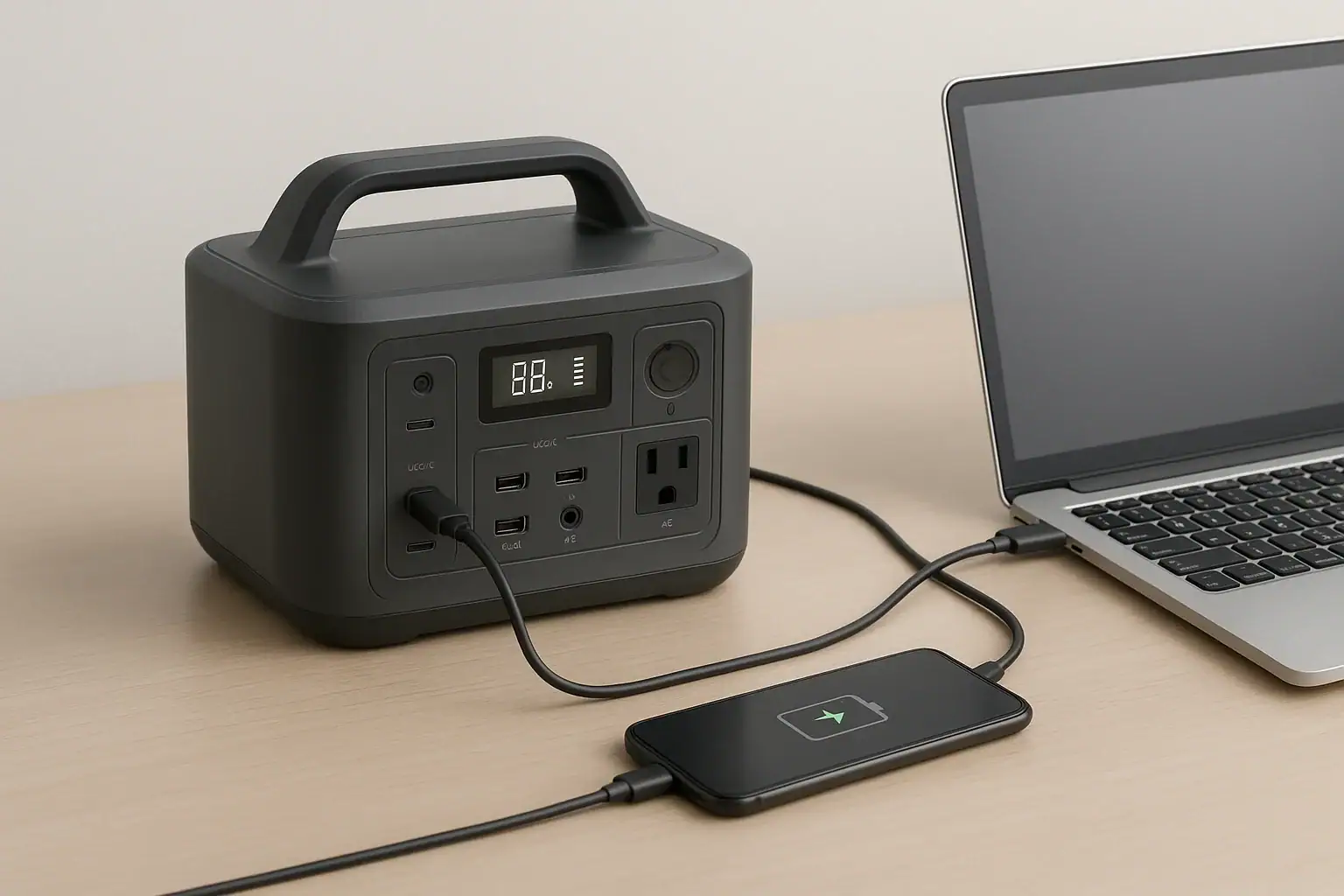
Bidirectional USB-C charging means the same USB-C port on a power station can either receive power to recharge the station or send power out to run or charge other devices.
In real use, that sounds simple, but the results depend on the USB-C PD profile, input limit, output watts, cable rating, and the connected device. A port labeled USB-C does not automatically mean fast charging in both directions. Some ports provide only low-power output, some accept high-power input, and some can do both but not at the same time.
For portable power stations, bidirectional USB-C can reduce the number of adapters you carry, help with laptop charging, and provide a cleaner backup setup. It can also create confusion when a station charges slowly, refuses to charge a laptop, or switches direction unexpectedly. Understanding the key specs makes troubleshooting easier and helps you compare models without relying on marketing terms.
What bidirectional USB-C charging means and why it matters
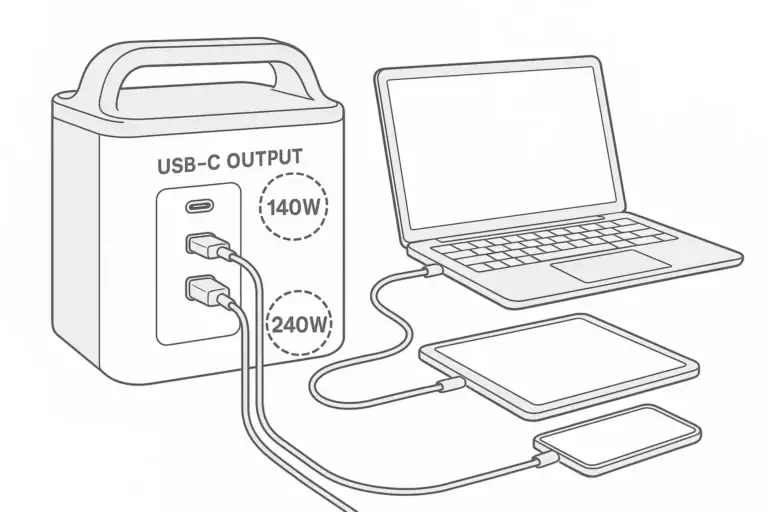
On a power station, bidirectional USB-C charging refers to a USB-C port that supports power flow in two directions. In input mode, the port receives power from a USB-C wall charger, vehicle adapter, or another compatible source to recharge the power station battery. In output mode, the same port sends power to a phone, tablet, laptop, camera battery charger, small router, or other USB-C device.
The practical value is convenience. Instead of packing a separate AC charger or using the station’s AC inverter for every device, you may be able to plug a USB-C cable directly into the station. This can improve efficiency because DC-to-DC charging usually avoids the extra conversion losses of running an AC outlet just to power a USB-C laptop charger.
It also matters for backup planning. A power station with a strong bidirectional USB-C port can recharge from compact USB-C chargers when solar or the main AC adapter is not available. It can also keep modern electronics running without occupying the larger AC outlets. For travel, remote work, emergency communications, and light camping, that single port can become one of the most-used connections on the unit.
The important catch is that bidirectional does not define the wattage. A 30-watt bidirectional port and a 100-watt bidirectional port are very different in real use. The label tells you power can flow both ways; the specifications tell you whether it will be fast enough for your devices.
How USB-C power delivery works on power stations
Most higher-power USB-C charging uses USB Power Delivery, often shortened to USB-C PD. Instead of sending one fixed voltage, the charger and device communicate and agree on a supported voltage and current combination. These combinations are commonly called PD profiles. A phone might request a lower profile, while a laptop may request 20 volts at several amps.
The power station’s USB-C controller decides whether the port acts as a source, a sink, or in some designs either role depending on what is connected. As a source, it offers power to external devices. As a sink, it accepts power from a charger. The connected charger, cable, and device all affect the final result.
Wattage is the product of voltage and current. For example, 20 volts at 5 amps equals 100 watts. Many USB-C cables can safely carry up to 3 amps, while higher-current charging often requires an electronically marked cable designed for 5 amps. If the cable cannot support the requested current, the system may fall back to a lower wattage.
Some power stations have separate limits for USB-C input and USB-C output. A unit might provide 100 watts out to a laptop but accept only 60 watts in from a charger. Another might accept 100 watts in but provide only 30 watts out. Always read the input and output lines separately.
Another concept is pass-through behavior. Some power stations can charge their internal battery while separately powering USB devices, but the USB-C port itself may not be able to input and output at the same time. The station may prioritize charging, prioritize output, or disable one direction depending on design and battery conditions.
| USB-C rating | What it may support | Real-use expectation |
|---|---|---|
| 18 to 30 watts | Phones, earbuds, small tablets | Good for small electronics, usually weak for laptops |
| 45 to 65 watts | Many tablets and efficient laptops | Useful for work devices, but may be slow under heavy load |
| 90 to 100 watts | Larger laptops and faster power station input | More flexible for mobile office and charging the station |
| 140 watts or higher | Some high-demand laptops and newer PD profiles | Can reduce charging time if source, cable, and device match |
Real-world examples of bidirectional USB-C use
A common example is a remote worker using a power station to run a laptop directly from USB-C. If the laptop normally uses a 65-watt USB-C charger and the station has a 100-watt USB-C output, the setup will often keep the laptop charged while working. If the station has only a 30-watt USB-C output, the laptop may charge slowly, hold steady, or continue draining under heavy workloads.
Another example is recharging the power station from a compact USB-C PD wall charger. This can be helpful when the factory AC adapter is bulky or when only a shared USB-C charger is available. However, a 60-watt input into a large power station can take many hours. For a small unit, that may be reasonable. For a high-capacity station, it may be a backup option rather than the main charging method.
Bidirectional USB-C can also be useful in a vehicle or camper. A compatible USB-C vehicle charger may top up a small power station while driving, then the same station can later charge phones, lights, a tablet, or a camera. The limitation is the charger’s output and the station’s accepted input wattage, not just the cable shape.
For emergency use, a bidirectional port can simplify a small electronics plan. You might use the station to keep a phone, hotspot, rechargeable lantern, and laptop available without turning on the AC inverter. This can conserve energy because many power stations use less standby power on DC outputs than on AC output. The exact savings vary by design, but minimizing unnecessary conversions usually helps runtime.
There are also cases where bidirectional USB-C is less important. If you mainly run AC appliances, a refrigerator, power tools, or medical equipment that requires a specific AC adapter, USB-C wattage will not determine the main performance. It remains a convenience feature, not a replacement for capacity, inverter rating, or appropriate outlets.
Common mistakes and troubleshooting cues
The most common mistake is assuming any USB-C cable can deliver the maximum rating. A cable that works for a phone may limit a laptop or power station to a lower current. If charging is slower than expected, the cable is one of the first items to check. Look for a cable rated for the wattage you intend to use, especially above 60 watts.
Another mistake is reading only the largest USB-C number on the spec sheet. Some listings highlight maximum output but show lower input in a separate line. If your goal is to recharge the power station over USB-C, the input rating is the number that matters. If your goal is running a laptop, the output rating matters more.
Slow charging can also happen because the connected device requests less power. Phones often reduce charging speed as the battery fills or warms up. Laptops may reduce draw when idle and increase it under load. Power stations can reduce input when the internal battery is nearly full, very cold, very hot, or operating under protection settings.
If a laptop does not charge, the port may not provide the voltage profile the laptop expects. Many laptops need a 20-volt PD profile for normal charging. A lower-watt USB-C port may charge a phone perfectly but fail with a laptop. The same issue can occur when using a charger to refill the power station; the charger and station must agree on a compatible profile.
If the direction seems wrong, unplugging and reconnecting may cause the devices to renegotiate roles. In some cases, a power bank, laptop, or power station may each be capable of both input and output, and the initial role negotiation may not match what you expected. Avoid forcing connections or using unusual adapters to override normal behavior.
- Symptom: The power station charges slowly. Likely cues: low-watt charger, cable limit, lower input rating, warm battery, or high state of charge.
- Symptom: A laptop will not charge. Likely cues: USB-C output too low, missing PD profile, incompatible cable, or laptop requiring more wattage.
- Symptom: Charging starts and stops. Likely cues: loose connector, insufficient charger, device renegotiation, or protection behavior.
- Symptom: Runtime is shorter than expected. Likely cues: AC inverter left on, high laptop load, multiple devices, or overestimated usable capacity.
Safety basics for USB-C charging on power stations
USB-C charging is designed to negotiate power electronically, but safe use still depends on matching equipment and respecting limits. Use cables and chargers rated for the wattage you expect. A high-output power station cannot make an underrated cable safer, and a high-rated cable cannot make a low-power port deliver more than it supports.
Heat is an important warning sign. Slight warmth during fast charging is normal, but excessive heat at the connector, cable, charger, or power station port is a cue to stop using that setup. Damaged connectors, bent plugs, frayed cables, or ports that feel loose should not be used for high-power charging.
Keep ventilation clear when charging or discharging. Power stations generate heat during power conversion, and USB-C high-watt operation can add to the internal load. Soft bedding, closed bags, direct summer sun, or cramped storage compartments can increase temperature and reduce performance.
Avoid stacks of adapters that convert one connector type into another without a clear rating. Unusual adapter chains can interfere with power negotiation or create weak points. For USB-C PD, a properly rated USB-C to USB-C cable is usually the cleanest option when both devices support it.
Do not open the power station, modify battery packs, bypass protections, or attempt to rewire internal charging circuits. If a setup involves household circuits, transfer equipment, or permanent installation, use a qualified electrician. USB-C may be low voltage at the cable, but the full system can still involve high-energy batteries and AC outputs.
Maintenance and storage for reliable USB-C performance
Good USB-C performance depends partly on the condition of the port, cable, and battery. Keep USB-C ports clean and dry. Dust or debris inside the connector can cause poor contact, intermittent charging, or heat. If a port cover is provided, using it during storage can help reduce contamination.
Store cables loosely coiled rather than sharply bent. The internal wires and electronic marker in higher-watt cables can be damaged by crushing, tight bends, or repeated pulling at the connector. Labeling high-watt cables can also help prevent accidentally using a low-power cable for a power station or laptop.
Battery state of charge affects long-term storage. Many portable power stations store best at a partial charge rather than completely full or empty. A middle range is commonly used for storage, followed by periodic checks. This helps reduce deep discharge risk while avoiding unnecessary time at maximum voltage.
Temperature also matters. Store the unit in a dry, moderate environment away from freezing conditions, excessive heat, and direct sunlight. Very cold batteries may accept less input until they warm up, while hot batteries may reduce charging speed or pause charging to protect themselves.
For readiness, test the exact charger and cable combination you plan to rely on before a trip or outage. Confirm that the power station accepts input at the expected level and that your most important devices charge from its USB-C output. This is not a complex maintenance routine; it is a practical check that prevents surprises.
| Maintenance item | What to check | Why it affects real use |
|---|---|---|
| USB-C port | Clean, dry, and firm connection | Prevents intermittent charging and excess heat |
| Cable | Correct watt rating and no visible damage | Helps the port reach the intended PD profile |
| Storage charge | Partial charge for longer storage | Supports battery health and readiness |
| Temperature | Moderate environment before charging | Reduces throttling, pauses, and battery stress |
Practical takeaways and specs to compare
Related guides: Portable Power Station Basics: Outputs, Inputs, and What the Numbers Mean • USB-C Power Delivery (PD) Explained for Portable Power Stations • Can You Charge a Portable Power Station From USB-C PD? Limits, Adapters, and Gotchas
Bidirectional USB-C charging is most useful when the port’s input and output ratings match the way you actually use the power station. For phones and small devices, nearly any decent USB-C output may be enough. For laptops, fast station recharging, and compact travel setups, the exact PD wattage and profiles matter much more.
When comparing power stations, treat bidirectional USB-C as a feature category, not a single performance number. Look separately at the charge-in rating, charge-out rating, number of ports, cable needs, and how the station behaves while charging other devices. The best fit is the one that supports your common devices without relying on the AC inverter for tasks USB-C can handle efficiently.
Specs to look for
- USB-C output wattage: Look for about 60 to 100 watts for many laptops, or higher for demanding models; this determines whether the station can run a device instead of merely slowing its drain.
- USB-C input wattage: Look for 60 to 100 watts or more if USB-C recharging matters; higher input can make a compact charger more practical for topping up the station.
- Supported PD profiles: Look for common profiles such as 5, 9, 12, 15, and 20 volts; profile compatibility helps phones, tablets, and laptops negotiate stable charging.
- High-current cable requirement: Look for whether 5-amp or electronically marked cables are needed above 60 watts; the wrong cable can reduce speed even when the port is capable.
- Number of USB-C ports: Look for at least one high-power port, and consider two if you charge a laptop and phone together; shared ports can change available wattage.
- Simultaneous input and output behavior: Look for clear notes on whether the station can recharge while powering USB devices; this affects desk use, travel, and backup charging routines.
- DC output efficiency or low-power mode: Look for settings that keep USB outputs active without running the AC inverter; this can improve runtime for small electronics.
- Display or app power readout: Look for input and output watts shown in real time; this makes it easier to spot cable limits, low charger output, and unexpected device draw.
- Operating temperature range: Look for a practical charging range for your climate; temperature limits can reduce USB-C speed or stop charging during cold or hot conditions.
In short, bidirectional USB-C charging can be a major convenience feature, but only when the numbers behind it support your devices. Check input, output, PD profiles, and cable ratings together, then test the setup before relying on it for work, travel, or emergency power.
Frequently asked questions
What specs matter most when comparing bidirectional USB-C charging on a power station?
Focus on USB-C input wattage, USB-C output wattage, supported USB Power Delivery profiles, and whether the port needs a 5-amp electronically marked cable. If you plan to recharge the station by USB-C, the input rating matters most; if you plan to power a laptop, the output rating matters most. It also helps to check whether the station can charge and power devices at the same time.
Why does my power station charge slowly over USB-C even though the port is bidirectional?
Bidirectional only means power can flow both ways; it does not guarantee high wattage. Slow charging is often caused by a low-watt charger, a cable that cannot carry the requested current, a lower input limit on the station, or battery protection that reduces charging speed. The connected device may also request less power than expected.
Can a bidirectional USB-C port charge a laptop?
Yes, if the port supports the wattage and PD profile the laptop needs. Many laptops require a 20-volt USB-C PD profile and enough wattage to avoid slow charging or battery drain during use. A port that works well for phones may still be too weak for a laptop.
Is it safe to use bidirectional USB-C charging on a power station?
Yes, when you use properly rated cables and chargers and stay within the station’s published limits. Watch for excess heat, loose connectors, or damaged cables, and stop using the setup if anything feels abnormal. Good ventilation also matters during high-watt charging.
What is the most common mistake people make with bidirectional USB-C charging?
The most common mistake is assuming any USB-C cable or port can deliver the maximum advertised speed. In practice, the cable rating, PD profile, and separate input and output limits all affect performance. Another frequent mistake is checking only output wattage when the real goal is charging the station itself.
Does bidirectional USB-C replace the need for AC charging on a power station?
Not usually. USB-C is very useful for laptops, phones, tablets, and topping up the station, but AC charging may still be faster or more practical for larger batteries. Many users treat bidirectional USB-C as a convenience and efficiency feature rather than a full replacement for AC input.
Related guides
Browse this topic →
- Beginner-friendly sizing, runtime & specs
- Solar & charging (MPPT, fast charging, cables)
- Batteries (LiFePO4, cycles, care & storage)
- Safety, cold-weather performance, real-world tips
More in Charging
See all →- Can You Daisy-Chain Portable Power Stations? Why It Usually Isn’t a Good Idea
- USB-C Input vs AC Input on Portable Power Stations: Which Charging Method Makes Sense?
- Car Alternator Charging vs Cigarette Lighter Charging: What Changes for Power Stations?
- Charging a Portable Power Station From an RV Outlet: 12V, 24V, and Safety Limits
- Fast AC Charging vs Battery Longevity: Should You Use Turbo Mode Every Time?
Keep reading
About this site
Portable Energy Lab publishes practical, independent guides about portable power—clear sizing, safe use, and real-world expectations.
Affiliate disclosure
Some links on this site may be affiliate links. If you buy through these links, we may earn a small commission at no extra cost to you. This helps support our content. Read our affiliate disclosure.