
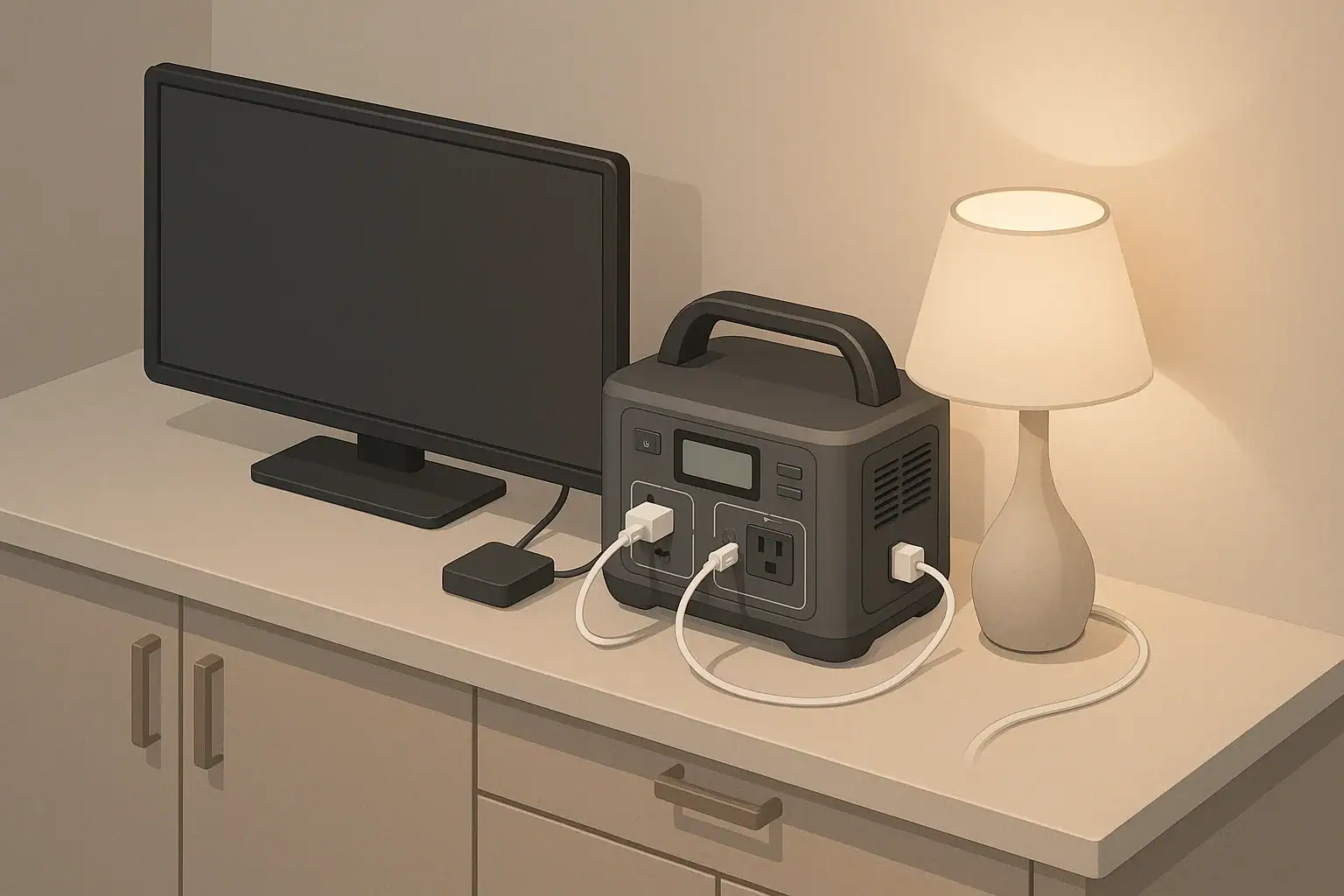
A portable power station can run a TV and streaming setup if its inverter handles the combined watts and its battery has enough usable watt-hours. For most homes, that means adding up the TV, streaming stick or box, router, modem, soundbar, and any extras, then dividing usable battery capacity by the total load.
The simple answer is that a modest TV, streaming device, and router often use about 60–120 watts together, while larger screens with soundbars or game consoles can use 150–300 watts or more. A 500Wh power station might run a basic setup for roughly 4–7 hours after inverter losses, but only 1.5–3 hours with heavier entertainment gear.
The goal is not to guess from screen size alone. Runtime becomes predictable when you know the actual watts, account for AC inverter efficiency, and leave enough buffer for startup behavior and battery protection. For light loads, also account for idle draw while outputs are enabled, because inverter standby losses can shorten real-world runtime.
What powering a TV and streaming setup really means
Powering a TV and streaming setup means using a portable battery system instead of a wall outlet to supply your entertainment and network equipment. In a typical setup, the power station provides AC power to the television and adapter-powered devices such as a streaming box, router, modem, soundbar, small speakers, or game console.
This matters during outages, camping trips, RV stays, apartment emergencies, tailgating, or any situation where grid power is limited. A television can provide news, weather updates, sports, movies, or comfort for kids during a long interruption. But unlike a phone charger, a TV setup can pull a steady load for hours, so battery capacity disappears faster than many people expect.
The important point is that the television is only one part of the load. If you stream online content, the router and modem may need to run at the same time. If you use external audio, that adds more draw. If you add a game console, desktop mini PC, DVR, or lights, the power station has to support all of it at once.
A reliable estimate answers two questions: can the inverter supply the combined running watts, and how many hours will the battery last at that combined draw? If either answer is weak, the result may be short runtime, overload shutdowns, flickering equipment, or a setup that works for a few minutes and then quits.
Key concepts for estimating runtime without guessing
Runtime planning starts with two measurements: watts and watt-hours. Watts measure how much power your devices are using right now. Watt-hours measure stored energy. A 70W TV running for 5 hours uses about 350Wh before accounting for conversion losses.
The basic formula is: usable battery energy divided by total running watts equals estimated runtime in hours. For AC outlets, usable energy is lower than the number printed on the battery because the inverter converts stored DC battery energy into household AC power. A practical planning range is often 80% to 90% of rated capacity for AC loads, depending on the power station, heat, load level, and age of the battery.
For example, a 768Wh power station used through AC outlets might provide about 615–690Wh of usable energy. If the entertainment setup averages 110W, the likely runtime is about 5.6–6.3 hours. If the same battery is asked to run a 230W gaming and soundbar setup, runtime drops to about 2.7–3 hours.
Names and labels can be misleading. A TV power label may show a maximum or rated value, not the real average during normal viewing. Bright picture modes, high backlight settings, HDR content, and larger screen sizes usually increase consumption. Streaming sticks are small, but they still add a few watts continuously. Routers and modems may use more than expected because their AC adapters are not perfectly efficient.
Use this calculation table as a practical starting point.
| Step | What to enter | Example | Why it matters |
|---|---|---|---|
| 1 | TV running watts | 75W | Main load and largest runtime factor in many setups |
| 2 | Streaming device watts | 5W | Small but constant during use |
| 3 | Router and modem watts | 18W | Needed for internet streaming during an outage |
| 4 | Audio or extra device watts | 25W | Soundbars, speakers, consoles, and lights can change the estimate quickly |
| 5 | Total running watts | 123W | Add every device that will be plugged in at the same time |
| 6 | Power station capacity | 768Wh | Rated stored energy before real-world losses |
| 7 | AC efficiency factor | 0.85 | Accounts for inverter conversion losses and heat |
| 8 | Estimated runtime | 768Wh x 0.85 ÷ 123W = 5.3 hours | Useful planning number before testing your actual setup |
Real-world runtime examples for TV and streaming
A compact setup is the easiest to run. A 24–32 inch LED TV or efficient monitor might average 25–50W. Add a small streaming device at about 3–10W and you may be below 60W total if you do not need separate speakers or a router. On a 500Wh unit with 85% usable AC energy, a 50W setup could run for about 8.5 hours.
A common living room setup uses more. A 43–55 inch LED TV may draw roughly 60–120W depending on brightness and display type. Add a streaming box, router, modem, and modest soundbar, and a realistic total might be 100–170W. With 614Wh usable energy from a 720Wh battery, runtime would be about 3.6–6.1 hours across that range.
A large-screen or gaming setup can change the math dramatically. A 65 inch TV, game console, soundbar with subwoofer, router, and a few USB chargers can land in the 200–350W range. At 300W, even a 1000Wh power station with 850Wh usable AC energy provides only about 2.8 hours. That may still be useful, but it is not an all-day solution unless you recharge or reduce the load.
Offline viewing can extend runtime. If you play downloaded video from a low-power device or media player, you may be able to shut off the router and modem. Dropping 15–25W from a small setup may add an hour or more on a mid-size power station. Lowering screen brightness, disabling motion smoothing features, using the TV speakers instead of a soundbar, and turning off unused HDMI devices can also stretch the battery.
The most accurate method is a test run before you need the setup. Plug in exactly what you plan to use, start with a known battery percentage, watch the power station display for average output watts, and time how quickly the battery falls. If the display shows load in watts, use that number instead of guessing from product labels.
Common mistakes and troubleshooting cues
The most common mistake is confusing watt-hours with watts. A 500Wh battery rating does not mean the power station can run any 500W device comfortably, and it does not mean every device will run for one hour. The inverter’s continuous watt rating controls how much power can be delivered at once, while watt-hours determine how long it can continue.
Another mistake is leaving hidden loads plugged in. Phone chargers, decorative lights, set-top boxes, external drives, and powered antennas may seem minor, but they all reduce runtime. When a setup runs out faster than expected, unplug everything except the device chain you truly need: TV, streaming source, and internet equipment if streaming online.
Startup issues can also be misleading. Modern TVs usually do not have massive startup surges, but some audio systems, powered subwoofers, and consoles can briefly pull more than their running watts. If the power station shuts down immediately when everything turns on, try powering devices one at a time: station first, then TV, then router, then streaming box, then audio. This reduces simultaneous inrush.
If the TV flickers, reboots, or shows HDMI problems, do not assume the battery is defective. Check whether the power station is near overload, whether the TV’s power cord is loose, whether the AC output is enabled, and whether a power strip or extension cord is damaged. Some devices are sensitive to poor connections even when total wattage is low.
The table below connects common symptoms with likely causes and first checks.
| Symptom | Likely cause | Practical check | What to try first |
|---|---|---|---|
| Power station shuts off at startup | Inrush or overload | Compare total watts with continuous and surge ratings | Start devices one at a time and remove audio or console load |
| Runtime is much shorter than expected | Hidden loads or high TV brightness | Read the live watt display if available | Unplug extras and use a lower brightness mode |
| TV works but router drops out | Adapter issue or unstable power strip | Inspect plugs and try one device per outlet | Use the router’s original adapter and avoid loose splitters |
| Fans run constantly | High load or poor ventilation | Feel for heat near vents without blocking airflow | Move the unit to open air and reduce nonessential load |
| Battery percentage falls unevenly | Normal estimate recalibration under load | Watch watts and remaining time, not percentage alone | Run a controlled test from high charge to shutdown threshold |
| Charging cannot keep up while watching | Input power is lower than output load | Compare solar, vehicle, or wall input watts with load watts | Lower TV load or charge before the viewing session |
Safety basics when running TVs and electronics from a power station
Portable power stations are generally practical for indoor TV use because they do not burn fuel or create exhaust. Still, they are electrical devices with batteries, inverters, cords, and heat-producing components. Use them on a dry, stable surface with open space around the vents.
Do not cover the unit with blankets, clothing, carpet, cushions, or gear. A steady entertainment load may not seem intense, but the inverter can produce heat for hours. Blocked vents can trigger shutdowns and may shorten battery life over time.
Use cords and power strips that are in good condition and rated for the load. Avoid daisy-chaining multiple strips. A TV, router, streaming device, and soundbar are usually modest loads, but one damaged cord or loose outlet can create heat and intermittent power problems.
Keep the power station away from water, wet floors, open windows during storms, sinks, and damp outdoor surfaces. If the setup is used in a garage, patio, or other damp location, ground-fault protection may be required depending on the situation and local rules. Do not attempt to backfeed a home circuit, connect the power station directly to house wiring, or improvise transfer connections.
Finally, give the screen and cords a safe layout. During an outage, rooms may be dark and crowded. Route cords along walls when possible, avoid walkways, and keep the power station where pets and children are less likely to pull cables or block vents.
Maintenance, storage, and long-term reliability
A power station that sits untouched for months may not be ready when the lights go out. Most lithium-based units store best at a partial charge rather than completely full or completely empty. Follow the manufacturer’s storage guidance, but a mid-range state of charge is commonly preferred for long-term storage.
Top up the battery periodically. Self-discharge is usually slow, but displays, standby electronics, and devices left plugged in can drain the battery over time. If the power station is part of an outage plan, check it before storm season, before winter, and before any trip where TV or communication matters.
A simple annual runtime test is useful. Charge the unit, plug in the actual TV and streaming setup, record the starting percentage, average watts, and viewing time, then compare the result to your estimate. This confirms that cables, adapters, outlets, and the battery are still performing as expected.
Temperature also matters. Store the unit in a cool, dry place away from direct sun, hot vehicles, freezing garages, and damp basements. Cold conditions can temporarily reduce available output and capacity, while heat accelerates battery aging. If the unit has been stored in the cold, let it warm closer to room temperature before running heavier AC loads.
Inspect cords, adapters, and ventilation openings before use. Dusty vents reduce cooling. Frayed cords, bent plugs, swollen adapters, or buzzing power strips should be replaced before relying on the setup. Small problems become more annoying during an outage when replacement parts are harder to find.
Practical takeaways and specs to look for
The reliable way to estimate runtime is to build the setup on paper first, then test it in real life. Add the watts for every device that will stay plugged in. Multiply the power station’s rated watt-hours by a realistic AC efficiency factor. Divide usable watt-hours by total running watts. Then leave margin for heat, battery age, brightness changes, and protective shutdown thresholds.
For light viewing, a small TV and streaming source may run for many hours on a mid-size power station. For a large entertainment setup with soundbar and gaming console, runtime can be much shorter even on a larger battery. The difference is not mysterious; it is simply the difference between a 50W load and a 300W load.
Specs to look for checklist
- Battery capacity in watt-hours: Choose enough Wh for the number of viewing hours you want after subtracting inverter losses.
- Continuous AC output: Make sure the inverter can handle the total running watts of the TV, streaming device, router, audio, and extras with room to spare.
- Surge rating: Useful if you run powered speakers, subwoofers, consoles, or several devices that start at once.
- Live watt display: Helps you see real consumption instead of relying only on labels.
- AC outlet count and spacing: Check whether bulky adapters can fit without blocking each other.
- Recharge options: Wall, vehicle, and solar input can matter if you need repeated viewing sessions during a long outage.
- Pass-through behavior: If you plan to watch while charging, confirm that the unit supports the type of use you expect.
- Noise and fan behavior: A quiet room makes fan noise more noticeable, especially near a couch or bed.
- Storage guidance: Clear battery care instructions make it easier to keep the unit ready for outages and trips.
Before depending on the system, run one full practice session with the same TV settings, audio level, router, modem, and streaming device you expect to use. That test will reveal the actual average watts, confirm that startup is stable, and show whether your planned runtime is realistic.
- Use measured watts when possible instead of assuming from screen size.
- Reduce brightness and turn off unused devices to extend runtime.
- Keep the inverter load comfortably below its continuous rating.
- Store the power station partially charged and check it periodically.
- Plan for shorter runtime when using larger screens, soundbars, or consoles.
With those habits, powering a TV and streaming setup becomes a predictable battery-planning problem rather than a guess made during an outage.
Frequently asked questions
How do I estimate runtime for powering a TV and streaming setup?
Add the running watts of every device you plan to use, then divide the power station’s usable watt-hours by that total. For AC outlets, usable capacity is usually lower than the rated number because of inverter losses. A live watt display or a plug-in power meter gives the most accurate result.
What specs matter most when choosing a power station for a TV setup?
The most important specs are battery capacity in watt-hours, continuous AC output, and surge rating. A live watt display, enough outlet spacing for adapters, and reliable recharge options also help. If you want longer viewing time, prioritize usable watt-hours over marketing claims about peak output.
What is the most common mistake people make with TV runtime estimates?
The biggest mistake is assuming the battery rating equals runtime without accounting for the actual load. People also forget hidden devices like routers, soundbars, and streaming boxes, which can cut runtime noticeably. Screen brightness and extra accessories can change the estimate more than expected.
Can a portable power station safely run a TV and router indoors?
Yes, as long as the unit is used on a dry surface with clear airflow and the cords are in good condition. Keep vents uncovered and avoid overloading the inverter. Do not connect the power station to household wiring or use damaged extension cords.
Will a larger TV always use much more power than a smaller one?
Usually yes, but not always by the same amount. Panel type, brightness settings, HDR content, and picture mode can change consumption significantly. The most reliable way to know is to check the actual running watts rather than relying on screen size alone.
How can I make a TV and streaming setup last longer on one charge?
Lower the TV brightness, turn off unused devices, and avoid running extra audio gear unless needed. If possible, stream from downloaded content so the router and modem can stay off. Small reductions in load can add a meaningful amount of runtime on a mid-size power station.
Related guides
Browse this topic →
- Beginner-friendly sizing, runtime & specs
- Solar & charging (MPPT, fast charging, cables)
- Batteries (LiFePO4, cycles, care & storage)
- Safety, cold-weather performance, real-world tips
More in Home / Appliances
See all →Keep reading
About this site
Portable Energy Lab publishes practical, independent guides about portable power—clear sizing, safe use, and real-world expectations.
Affiliate disclosure
Some links on this site may be affiliate links. If you buy through these links, we may earn a small commission at no extra cost to you. This helps support our content. Read our affiliate disclosure.