
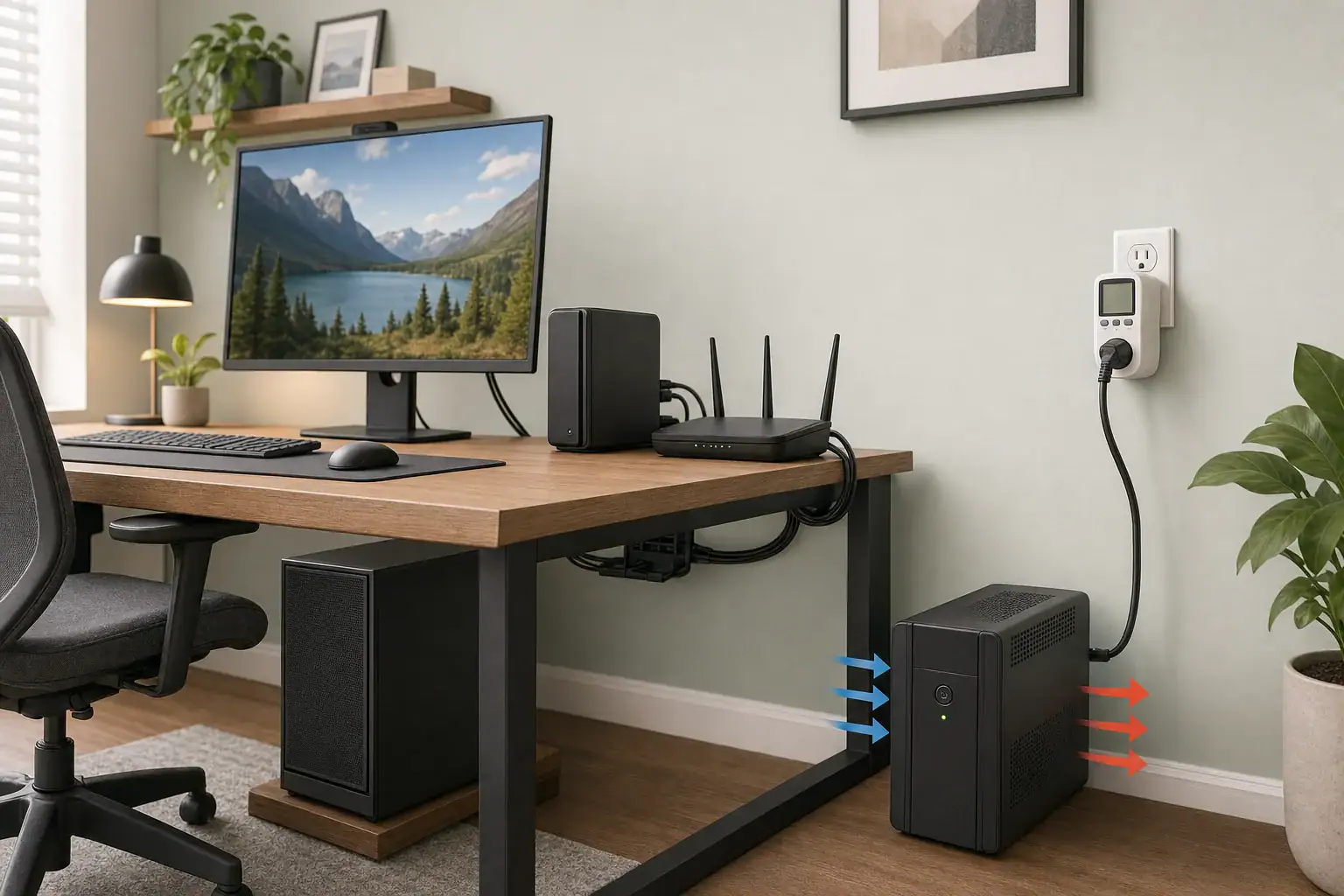
Quick answer: Measure every device that will use battery-backed outlets during your heaviest repeatable workload, recording watts and VA. Select a UPS whose continuous watt and VA ratings both accommodate those readings. Then use that exact model’s published runtime curve or selector at the measured watt load; otherwise, runtime is unknown.
How to size a UPS for a computer in four checks
UPS sizing has two separate parts: capacity and runtime. Capacity determines whether the UPS can support the connected equipment. Runtime determines how long its battery can support that particular load.
- List every device that must remain powered during an outage.
- Measure the combined load in watts and, where available, volt-amperes (VA) during realistic use.
- Compare both measurements with the candidate UPS model’s continuous watt and VA ratings.
- Use the exact model’s runtime chart, table, or selector to check the required minutes at the measured watt load.
Do not size from the number on a computer power supply. A PC power supply rating describes the DC output it can deliver, not necessarily the power the computer draws from the wall during normal operation. Schneider Electric’s UPS selector similarly notes that equipment nameplate values can exceed actual consumption.
Choose the battery-backed devices
Count only equipment that will connect to battery-backed UPS outlets, but make that list complete. A desktop setup may include:
- Desktop computer
- Primary monitor
- External drive, dock, or network-attached storage needed to save work safely
- Modem, router, and any necessary network switch
- Small USB devices powered through the computer
Devices on surge-only outlets do not use UPS battery output during an outage. However, the computer may lose internet access or network storage if the corresponding networking equipment is not also backed up. If equipment is in another room, use an appropriate local power arrangement rather than running an extension cord from the UPS.
Keep nonessential accessories off battery outlets. Do not connect a laser printer unless the specific UPS manufacturer expressly permits it. Eaton’s desktop UPS buyer’s guide includes printer and load guidance for desktop UPS use.
Measure the complete computer load
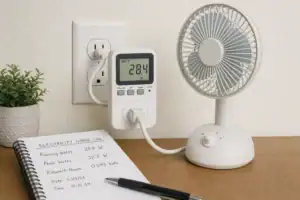
Use a plug-in power meter rated for the circuit and expected load, following the meter’s instructions. Prefer a meter that reports real power in watts and apparent power in VA. If it reports watts and power factor at the same operating condition, VA can be calculated.
Measurement quality matters because computer power supplies can be more complex loads than a simple resistance heater. The ENERGY STAR Computers Version 8.0 specification describes laboratory AC-power instrumentation characteristics including crest-factor capability, frequency response, resolution, and uncertainty. A home meter does not need to duplicate a laboratory test setup, but its ratings, available measurements, and instructions should be checked rather than assumed.
Use repeatable operating conditions
Measure the connected devices together with normal monitor brightness, peripherals, storage, and networking equipment in their usual configuration. Allow the meter reading to settle as its instructions require, then record:
- Idle or light-use load
- Normal working load
- The heaviest repeatable workload you actually expect to run
For a gaming PC, the heaviest repeatable workload may be a demanding game. For a workstation, it may be a typical render, compile, or export. Do not create an artificial workload you would never use. Retain the highest observed watts and the highest observed VA for the capacity comparison, even if they occur at different moments.
A basic plug-in meter may not capture every brief startup or transient event. Read the candidate model’s manual for its overload behavior, then verify the finished installation using the manufacturer’s prescribed test procedure.
Fill-in UPS measurement checklist
- Battery-backed devices: ____________________
- Normal workload: ______ W / ______ VA
- Heaviest repeatable workload: ______ W / ______ VA
- Planned additional equipment: ____________________
- Measured added load, if available: ______ W / ______ VA
- Outage goal: save and shut down / continue operating
- Required runtime: ______ minutes
- Candidate continuous rating: ______ W / ______ VA
- Published runtime at the applicable load: ______ minutes / UNKNOWN
If future equipment is already available, connect it and measure the combined setup. If it is not available, its actual combined load is unknown. A manufacturer input specification can be used for conservative initial screening, but it does not replace a later measurement.
Check both watts and VA before buying
A UPS for a computer must pass two independent capacity checks:
- UPS continuous watt rating ≥ highest measured watts
- UPS VA rating ≥ highest measured VA
Eaton’s UPS sizing guide distinguishes capacity from runtime and gives the relationship VA = watts ÷ power factor when power factor is known.
Illustrative calculation only: assume a setup measures 410 W at a power factor of 0.82 during the same workload. Its apparent power is:
410 W ÷ 0.82 = 500 VA
Under those assumptions, the candidate would need continuous ratings of at least 410 W and 500 VA. Passing only one rating is not enough. For example, a model rated 600 W but 450 VA fails the VA check; a model rated 700 VA but 360 W fails the watt check.
Do not substitute a surge, peak, or short-duration overload figure for the continuous output rating. Those figures can describe temporary behavior rather than a load the UPS can support continuously. There is also no universal percentage of extra capacity that suits every computer. If you expect a known upgrade, measure it when possible or document its specification as a conservative screening input.
Set the runtime target, then use the exact model curve
Define what the UPS must accomplish. A shutdown goal includes time to notice the outage, save work, close applications, and complete an orderly operating-system shutdown. A ride-through goal instead states how long you want to keep working through a short outage.
Next, consult the runtime chart, table, or calculator for the exact UPS model. Look up runtime at the measured watt load, not merely at the model’s VA class. Runtime changes substantially as load rises and should not be assumed to scale linearly.
For a model-specific example, Eaton rates the BC600TU at 600 VA / 360 W. Its published chart estimates 16 minutes at 100 W, 4.4 minutes at 200 W, 1.3 minutes at 300 W, and 0.5 minute at 360 W. Those figures apply only to that model, not to every 600 VA UPS. See the BC600TU specifications and its runtime chart.
If a product page provides only half-load and full-load times, those two points do not establish exact runtime at every intermediate load. Use a manufacturer curve or sizing tool that covers the relevant load, or ask the manufacturer. If no applicable data are available, record runtime as UNKNOWN rather than promising a target duration.
Why battery watt-hours do not establish exact UPS runtime
Watts describe the rate at which the load uses power. Watt-hours describe nominal stored energy. If a manufacturer discloses battery voltage, amp-hour capacity, count, and configuration, nominal energy can be screened with:
nominal Wh = battery voltage × amp-hours
Illustrative calculation only: if a UPS disclosed one 12 V, 9 Ah battery, its nominal energy would be 12 V × 9 Ah = 108 Wh. Dividing 108 Wh by a 200 W AC load gives 0.54 hour, or about 32 minutes, in an idealized calculation.
That is not a defensible runtime prediction. The UPS uses energy converting battery DC to AC, has a defined battery cutoff, and may not make nominal battery capacity available during a short, high-rate discharge. Battery condition and discharge intensity also affect results. Legrand’s UPS Technical Guide directs runtime selection toward manufacturer tables or calculation software and explains why nominal amp-hours alone are inadequate.
Unless the manufacturer discloses the needed discharge data, cutoff behavior, and conversion information, exact runtime from battery specifications remains unknown.
Use this UPS sizing decision table
| Measurement or finding | Decision |
|---|---|
| Measured watts exceed the UPS continuous watt rating | Reject the model. |
| Measured VA exceed the UPS VA rating | Reject the model. |
| Both capacity ratings pass, and the exact-model runtime curve meets the target | The model matches the measured capacity and stated runtime goal. |
| Both ratings pass, but published runtime is too short | Choose a model with more runtime at that load or a manufacturer-supported external-battery option. |
| Only surge or overload capacity accommodates the load | Reject it for continuous operation. |
| No applicable runtime curve and incomplete battery data | Treat runtime as UNKNOWN; do not promise the target duration. |
Install and verify the selected UPS
Follow the exact model’s owner manual for charging, ventilation, outlet use, orientation, environmental limits, and battery replacement. Configure supported USB or network shutdown software so the computer can shut down automatically if an outage lasts beyond the intended ride-through period.
After installation, use the UPS self-test or another manufacturer-prescribed test procedure with unimportant work closed. Confirm that the computer, monitor, storage, and required networking equipment remain operating and that automated shutdown behaves as intended. Do not defeat grounding or create a test using unsafe wiring.
Keep the installation within the manufacturer’s safety rules
UL describes UL 1778 as addressing fire, electric-shock, and injury risks for UPS equipment installed, operated, and maintained as prescribed. That safety scope does not certify a particular runtime or prove compatibility with a specific computer.
Use a properly grounded receptacle, maintain required ventilation, and do not place an extension cord between the wall outlet and UPS when the manual prohibits it. Eaton includes these instructions in its digital ECO UPS owner’s manual. Other models can have additional requirements, so the selected model’s manual controls.
Related guides
Browse this topic →
- Beginner-friendly sizing, runtime & specs
- Solar & charging (MPPT, fast charging, cables)
- Batteries (LiFePO4, cycles, care & storage)
- Safety, cold-weather performance, real-world tips
More in Capacity
See all →- Days of Autonomy Explained for Solar Generators and Portable Power Stations
- Wh per Pound: How to Compare Portable Power Station Weight and Capacity
- Two Small Power Stations vs One Large Power Station: Which Backup Setup Is Better?
- How to Build a Load Priority List for a Portable Power Station During Blackouts
- Usable Capacity vs Advertised Capacity: Why 1,000Wh Doesn’t Mean 1,000Wh at the Outlet
Keep reading
About this site
Portable Energy Lab publishes practical, independent guides about portable power—clear sizing, safe use, and real-world expectations.
Affiliate disclosure
Some links on this site may be affiliate links. If you buy through these links, we may earn a small commission at no extra cost to you. This helps support our content. Read our affiliate disclosure.