
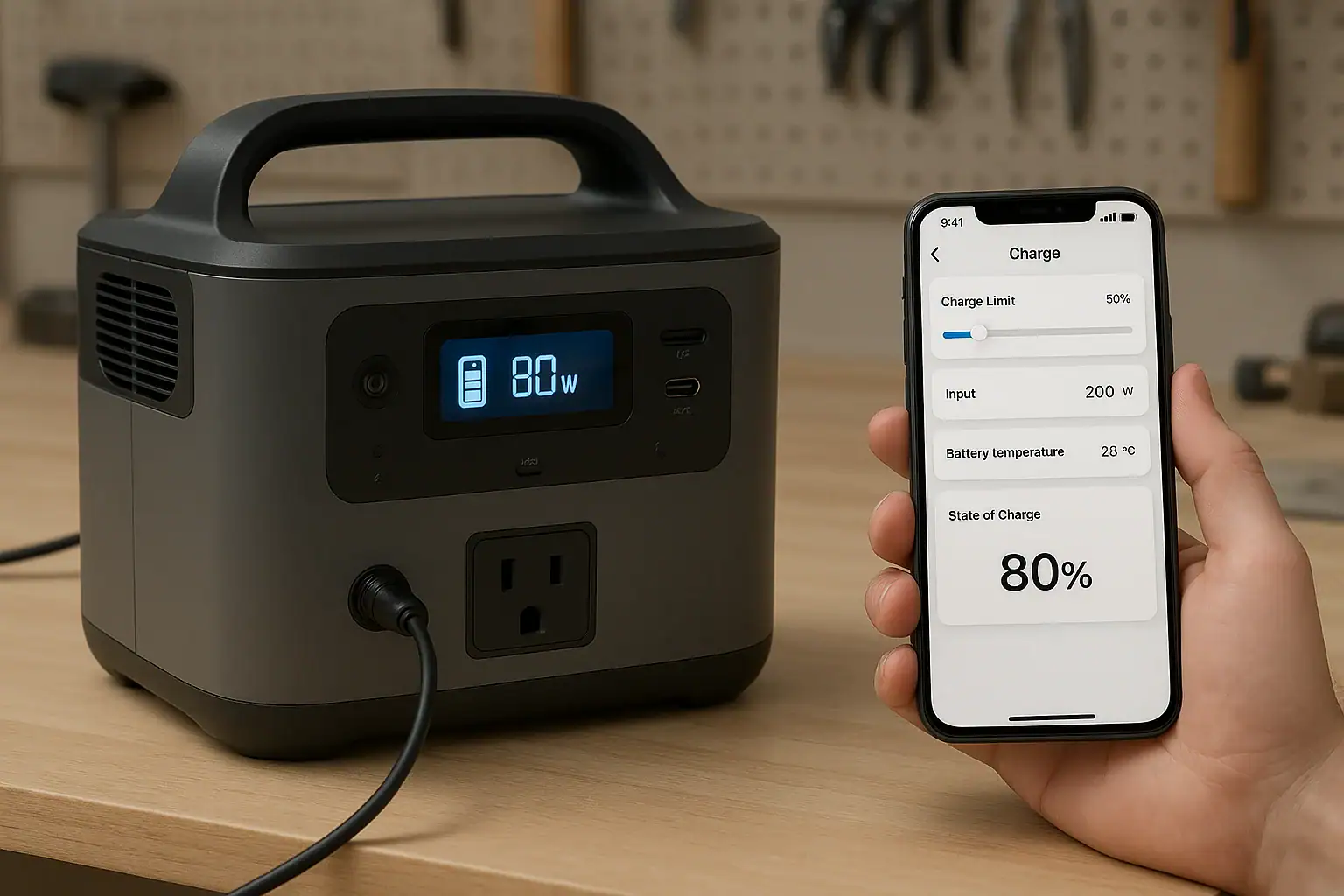
App control and smart charging can improve portable power station battery health when they help limit heat, avoid unnecessary 100% charging, reduce high-current stress, and maintain a healthier state of charge during storage.
The main settings that matter are charge limit, input limit, charging profile, battery temperature alerts, and storage mode. These features do not change the basic chemistry inside the battery, but they can change how often the battery sits full, how hot it gets while charging, and how aggressively it charges from wall, solar, or vehicle input.
For users comparing models or troubleshooting shorter runtime, slow charging, or unexpected battery wear, the key question is not whether an app exists. It is whether the app gives meaningful control over the battery management system without encouraging habits that shorten cycle life.
What App Control and Smart Charging Mean for Battery Health
App control is the ability to monitor and adjust a portable power station through a phone or tablet. Smart charging is a broader term for automated charge behavior, such as adjusting input power, stopping at a selected charge level, changing charging speed, or protecting the battery from temperature extremes.
Battery health refers to how much usable capacity and power delivery the battery can retain over time. A new unit may deliver close to its rated watt-hours under moderate loads. After many cycles, high heat, long periods at full charge, or frequent deep discharge, the actual available runtime usually declines.
These features matter because portable power stations are often used in irregular patterns. One unit may sit in a closet for emergency backup, another may be charged daily from solar, and another may run tools, medical devices, or camping appliances. App settings can support each use case by reducing unnecessary stress. For example, a storage-focused user may prefer an 80% charge limit, while a storm-preparedness user may choose 100% before severe weather.
However, app control is not a cure for poor battery design or misuse. The battery cycle life, cooling system, charger design, and enclosure all play major roles. App settings are best understood as tools that let the user stay within gentler operating patterns more consistently.
How Smart Charging Works Inside a Portable Power Station
Most portable power stations use a battery management system, often called a BMS, to monitor cell voltage, current, temperature, and overall state of charge. The BMS helps prevent conditions such as overcharge, over-discharge, overheating, and excessive current. Smart charging features expose some of that control to the user in a simplified way.
A charge limit tells the unit to stop charging at a selected percentage, such as 80%, 90%, or 100%. Limiting charge can reduce time spent at high cell voltage, which is generally better for long-term battery life, especially when the unit is stored for days or weeks.
An input limit caps how many watts the unit accepts from AC, solar, or vehicle charging. Lower input power usually means slower charging, but it can reduce heat and may be useful on weak circuits, small generators, vehicle outlets, or hot days. A fast charging profile may be convenient before a trip, but frequent high-power charging can create more thermal stress than moderate charging.
Temperature-based charging is another important behavior. Many units slow, pause, or block charging when the battery is too cold or too hot. This is especially important for lithium batteries, which should not be charged outside their supported temperature range. The app may show a warning, reduce input, or display a delay until the pack returns to a safer range.
| Smart charging feature | Typical setting or behavior | Battery health effect |
|---|---|---|
| Charge limit | Stop at about 80% to 90% for routine use | Reduces time spent near full charge |
| Input limit | Lower AC or solar input when speed is not urgent | Can reduce heat during charging |
| Fast charge mode | Use when quick turnaround is needed | Adds convenience but may increase thermal stress |
| Temperature monitoring | Alerts, throttling, or charge pause | Helps avoid charging when the battery is too hot or cold |
| Storage mode | Maintain a partial charge range | Helps reduce long-term storage stress |
Real-World Examples of App Settings That Change Battery Stress
A portable power station used mainly for home outage backup may stay plugged in for long periods. If the app allows a charge cap, setting the unit to hold around 80% or 90% during ordinary weeks can reduce time at full charge. Before a forecasted storm, the user may raise the limit to 100% to maximize emergency runtime. This approach balances readiness and long-term care.
For camping, the priorities are different. A user may need a full pack before leaving, then recharge from solar during the day. In that case, app monitoring helps identify whether solar input is strong enough and whether the battery is getting hot inside a vehicle or tent. If solar input is inconsistent, the user may choose a lower input limit less often, but still benefit from temperature alerts and charge status tracking.
For daily work use, such as charging tools or running field electronics, cycle count becomes more important. A unit charged from low to full every day will age faster than one used lightly, even if all settings are reasonable. Smart charging can still help by avoiding unnecessary fast charging overnight. If the unit has plenty of time before the next workday, a moderate charging profile may be the healthier choice.
For vehicle charging, an input limit can be especially useful. Vehicle outlets and accessory circuits often have limited current capacity. If the portable power station tries to draw too much, users may see charging stop, a fuse trip, or an error code. Reducing the input limit can stabilize charging and reduce stress on both the vehicle circuit and the power station charger.
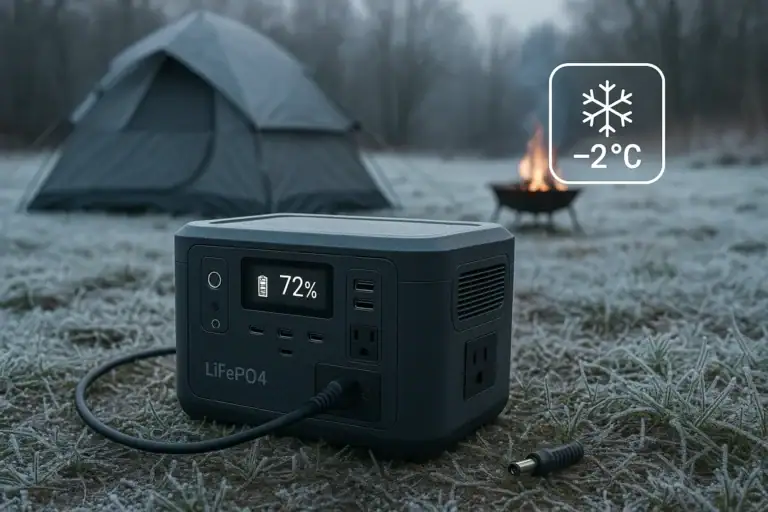
For cold-weather storage, the most important behavior is often waiting. If a battery has been in a freezing garage, the app may show that charging is paused or limited. That is usually a protective feature, not a failure. Letting the unit warm within its normal operating range before charging is better than forcing a charge into a cold battery.
Common Mistakes and Troubleshooting Cues
One common mistake is leaving a portable power station at 100% for months because it is always plugged into the wall. Many units are designed with protections, but long-term full charge is usually not ideal for lithium battery longevity. If the app provides a storage mode or charge limit, using it during normal standby can help.
Another mistake is using fast charge as the default. Fast charging is convenient, and occasional use is reasonable when runtime is needed soon. But if the unit has six to ten hours available to recharge, a slower charging profile may be gentler. A clue that charging is aggressive is frequent fan noise, warm enclosure surfaces, or repeated thermal throttling.
Users also misread state of charge as a perfect fuel gauge. The displayed percentage is an estimate based on voltage, current, and battery modeling. It may drift after long storage, shallow cycling, or firmware changes. If the display drops faster than expected, the cause may be a heavy load, inverter losses, cold temperature, an inaccurate state-of-charge estimate, or reduced battery capacity.
Slow charging is not always a defect. The BMS may intentionally slow charging near the top of the pack, in high temperatures, below a safe temperature range, or when the input source is unstable. If solar charging seems weak, check the app for input watts, voltage range, and whether the unit is hitting an input limit. If AC charging is slow, verify that a quiet or battery-care mode is not selected.
Another troubleshooting cue is unexpected discharge while idle. Wi-Fi, Bluetooth, standby inverter mode, DC outputs, and display settings can consume energy. If the app remains connected constantly or the inverter stays on with no load, the battery can drain faster than expected. Turning off unused outputs and network features when storing the unit may preserve charge.
Safety Basics for App-Controlled Charging
App control should support safe operation, not replace basic safety judgment. A portable power station should be charged in a dry, ventilated area away from direct heat sources. Avoid covering the unit while charging because cooling vents and fans need airflow. Heat is one of the most important battery aging factors and also a safety concern.
Use charging sources that match the unit input specifications. This includes AC input limits, solar voltage range, solar current limits, and vehicle charging limits. An app may display input watts, but it does not make an incompatible charger or solar array safe. If electrical work involves household circuits, transfer equipment, or backup power integration, a qualified electrician should be involved.
Do not open the enclosure, modify the battery pack, bypass the BMS, or attempt to defeat temperature or current protections. Those protections exist to reduce risk. If the app shows repeated over-temperature warnings, unusual shutdowns, swelling, burning smell, visible damage, or liquid exposure, stop using the unit and follow the manufacturer safety guidance for service or disposal.
Wireless app features also have practical safety limits. Remote start or output control can be useful, but users should verify what is connected before turning outlets on. Appliances with heating elements, motors, pumps, or compressors can create higher risk if energized unexpectedly. Smart control is best paired with clear labeling and a habit of checking connected loads.
Maintenance and Storage Settings That Support Longer Battery Life
For routine storage, many lithium-based portable power stations are happiest at a partial state of charge rather than empty or full. A practical storage range is often around 40% to 80%, depending on how quickly the unit may be needed. App-based storage mode may maintain the battery within a selected band or remind the user to recharge after gradual self-discharge.
Temperature matters during storage as much as during charging. A cool, dry indoor location is usually better than a hot vehicle, shed, or garage. Heat accelerates chemical aging even when the unit is off. Cold storage can be acceptable for some units, but charging should wait until the battery is within its supported charging temperature range.
Periodic checkups help prevent deep discharge. Even when powered off, electronics can draw a small amount over time. Checking the app or display every few months can confirm that the battery has not fallen too low. If the unit will be unused for a long season, turn off outputs, disable unnecessary wireless standby features if possible, and store it away from moisture and combustible clutter.
Firmware updates may improve app reporting, charging behavior, or battery calibration, but they should be approached carefully. Update only when the unit has adequate charge and is in a stable environment. A firmware update should not be treated as a fix for physical damage, overheating, or abnormal smells.
| Use pattern | Helpful app setting | Reason |
|---|---|---|
| Emergency standby | Charge cap around 80% to 90% until severe weather is expected | Balances readiness with reduced full-charge aging |
| Daily cycling | Moderate input power when time allows | Reduces heat from frequent charging |
| Solar camping | Monitor input watts and battery temperature | Helps adjust panel placement and avoid heat buildup |
| Long storage | Storage mode or periodic battery check | Helps avoid deep discharge |
| Vehicle charging | Lower input limit if charging stops or errors appear | May prevent overload on limited vehicle outlets |
Practical Takeaways and Buying Specs That Matter
Related guides: Battery Management System (BMS) Explained: Protections Inside a Power Station • Battery Cycle Life Explained: What “Cycles” Really Mean • Input Limits (Volts/Amps/Watts) Explained: How Not to Damage Your Unit
The best smart charging features are the ones that help you control heat, charge level, input power, and storage behavior without making daily use complicated. A simple display may be enough for occasional users, but app control becomes more valuable when the unit is used for standby power, solar charging, work use, or long-term storage.
For battery health, the most useful habit is matching the charging style to the situation. Use 100% charge when maximum runtime matters. Use an 80% to 90% limit when the unit will sit unused. Use fast charging when time is short. Use a slower input setting when the unit has time to charge and heat reduction matters.
Specs to look for
- Adjustable charge limit: Look for selectable caps such as 80%, 90%, and 100%; this helps reduce time spent at full charge when maximum runtime is not needed.
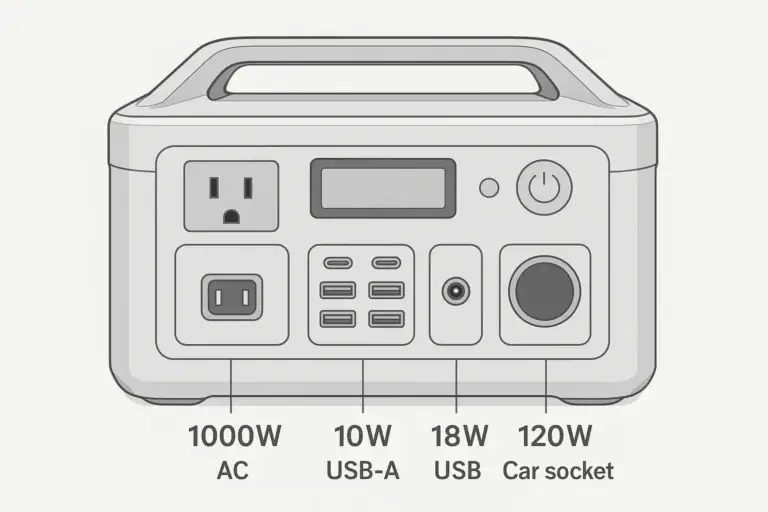
- Adjustable AC input limit: Look for a range from a few hundred watts up to the unit maximum; this helps manage heat and prevents overloading weaker circuits.
- Solar input voltage and watt range: Look for clearly listed voltage windows and watt limits, such as 12V to 60V or higher depending on size; this matters for safe solar compatibility.
- Battery temperature display or alerts: Look for app reporting, warnings, or automatic throttling; temperature is one of the biggest factors in battery aging.
- Storage mode: Look for a mode that maintains a partial charge or reminds you to recharge; this supports healthier long-term standby storage.
- Battery chemistry and cycle rating: Look for chemistry type and cycle life examples, such as capacity remaining after hundreds or thousands of cycles; this helps compare long-term durability.
- Output standby controls: Look for the ability to turn AC, DC, USB, Wi-Fi, or Bluetooth standby on and off; this reduces idle drain during storage.
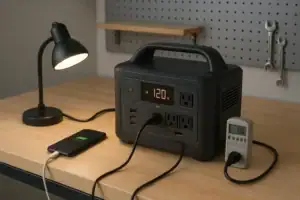
- Clear input and output monitoring: Look for real-time watts, state of charge, and estimated runtime; this helps identify heavy loads, charging problems, and unexpected drain.
- Firmware support controls: Look for clear update prompts and stable update requirements; software can improve reporting and charging behavior over time.
App control and smart charging are most valuable when they create better habits. They help users see what the battery is doing, select gentler charging when possible, and reserve maximum performance for the times it truly matters.
Frequently asked questions
Does app control smart charging battery health actually extend battery life?
It can help extend usable battery life when it reduces heat, avoids unnecessary full charges, and limits aggressive charging. The effect depends on how often you use those settings and how the battery is used overall. It cannot overcome poor storage conditions, heavy loads, or normal aging.
What app features matter most for battery health?
The most useful features are charge limit, input power limit, temperature alerts, storage mode, and clear state-of-charge monitoring. These settings help you control heat and time spent at high charge, which are two of the main stress factors for lithium batteries. Real-time input and output data also make it easier to spot inefficient charging or unexpected drain.
Is it bad to keep a portable power station at 100% all the time?
Keeping a lithium battery at 100% for long periods is usually not ideal for long-term battery health. It is better to use a full charge when you need maximum runtime, then return to a partial charge for storage or standby. Many users aim for a lower charge limit during normal weeks and raise it only before expected use.
Why does my power station charge slowly even when the app says charging is on?
Slow charging can be normal if the unit is near full, the battery is too hot or too cold, or the input source is limited. The app may also show a reduced input limit or a protective charging mode. If the source is solar or a vehicle outlet, unstable voltage or low available power can also slow the charge rate.
What is the safest way to use smart charging features?
Use the app to stay within the manufacturer’s charging limits and keep the unit in a dry, ventilated place while charging. Avoid bypassing temperature protections or using incompatible chargers, panels, or vehicle outlets. If the unit shows repeated warnings, unusual heat, swelling, or odor, stop using it and follow the safety guidance from the manufacturer.
Can storage mode help if I only use the power station occasionally?
Yes, storage mode is useful for occasional use because it helps keep the battery in a healthier partial charge range. That can reduce stress during long idle periods and make the unit easier to keep ready for emergencies. It is still a good idea to check the charge level every few months.
Related guides
Browse this topic →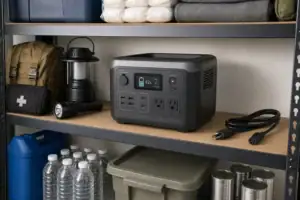

- Beginner-friendly sizing, runtime & specs
- Solar & charging (MPPT, fast charging, cables)
- Batteries (LiFePO4, cycles, care & storage)
- Safety, cold-weather performance, real-world tips
More in Maintenance
See all →- Where to Store a Portable Power Station at Home: Heat, Humidity, and Access
- How to Maintain a Portable Power Station
- How Long Do Portable Power Stations Last?
- Are Portable Power Stations Sustainable? Repairability, Recycling, and E-Waste
- When to Replace Cables and Adapters: Signs of Wear and Overheating
Keep reading
About this site
Portable Energy Lab publishes practical, independent guides about portable power—clear sizing, safe use, and real-world expectations.
Affiliate disclosure
Some links on this site may be affiliate links. If you buy through these links, we may earn a small commission at no extra cost to you. This helps support our content. Read our affiliate disclosure.